Trade Info

Trade and Account Information Panel

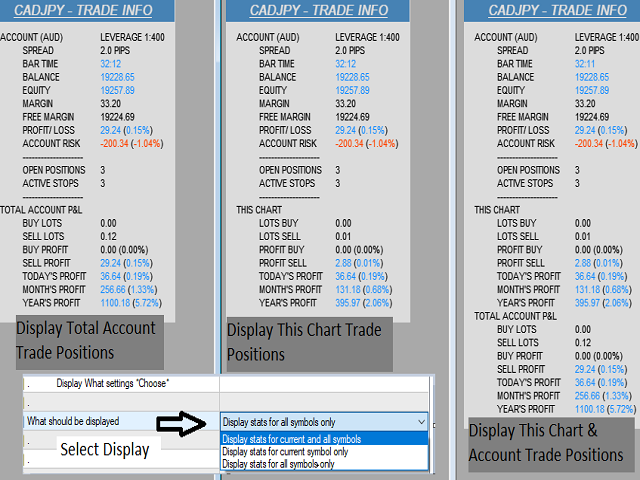
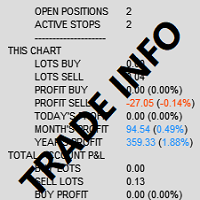
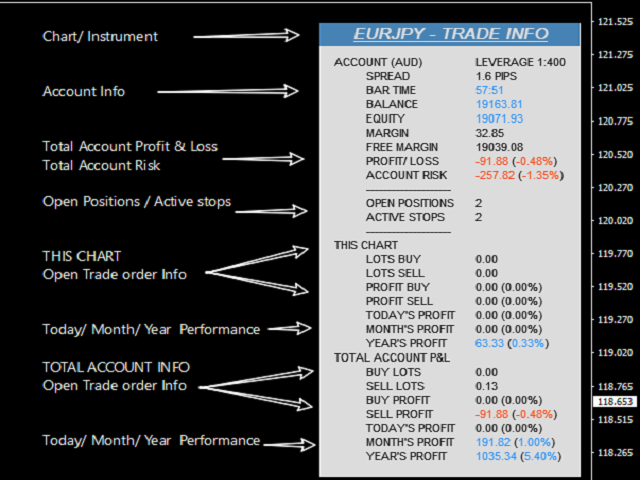
The Trade Info Panel allows you to easily see the status of you trading by pair and account.

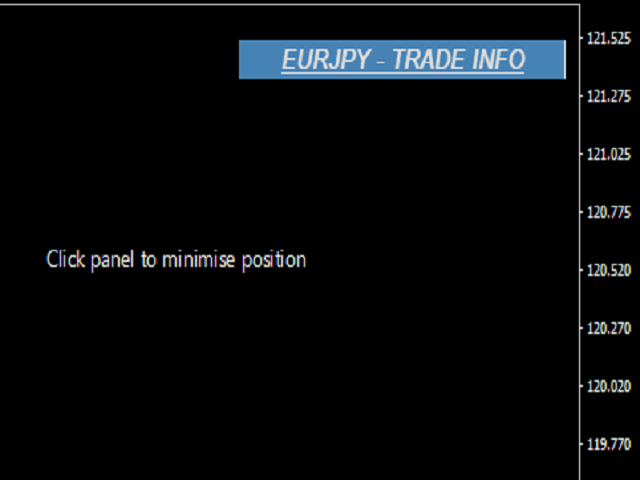
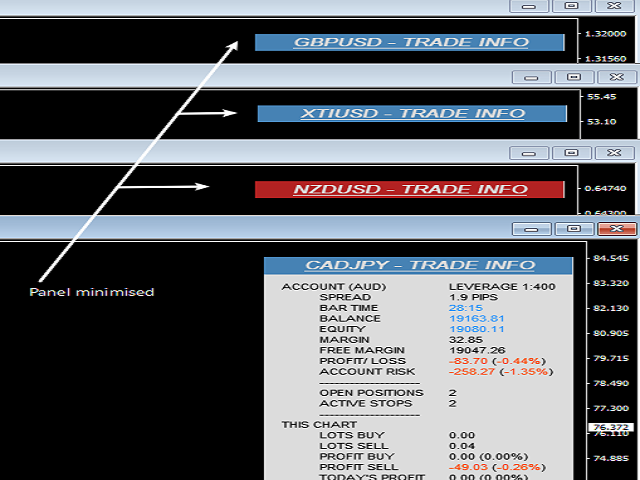
Minimise the panel by clicking on it to reduce the display area.

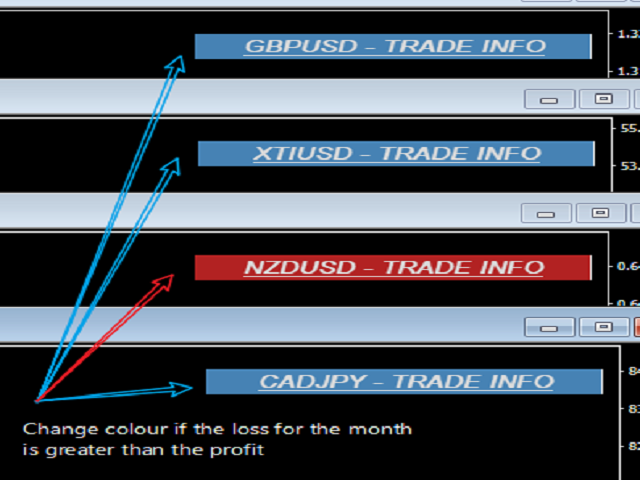
Easily Identify loosing pairs/ instruments traded by the change of header colour.

The HEADER change colour should the months losses exceed the months gains.


Displayed information:

General Account information

  • Account Leverage
  • Spread
  • Bar Time remaining
  • Account Balance 
  • Account Equity
  • Margin
  • Free Margin
  • Account Profit and Loss in currency and percentage
  • Account Risk based on stops in currency and percentage
  • Total Open positions on account
  • Total Active stops - Excellent indication if you trade with stops to ensure they are ALL set.

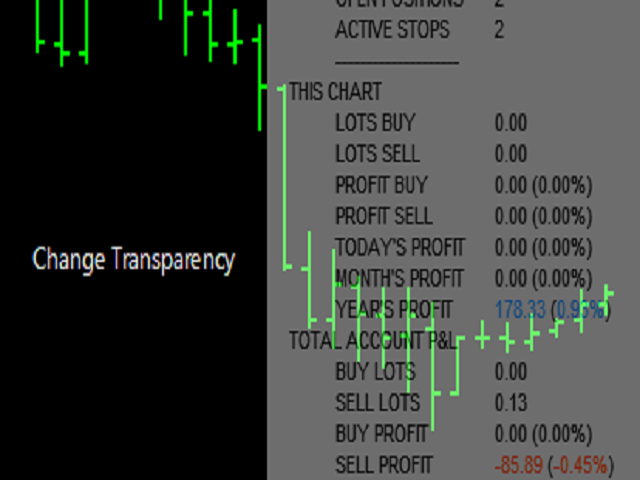
THIS CHART:

Trade and Position information displayed based on all open and closed trades for this chart/ instrument the indicator is loaded on.

  • Buy and Sell Lots - All Open Buy and Sell Lots.
  • Buy and Sell Profit/ Loss -  All Open Buy and Sell positions in currency and percentage. 
  • Today's Profit/ Loss
  • Week's Profit/ Loss
  • Month's Profit/ Loss
  • Year's Profit/ Loss

TOTAL ACCOUNT PROFIT AND LOSS

Trade and Position information displayed based on all open and closed positions on this account.

  • Buy and Sell Lots - Open Buy and Sell Lots.
  • Buy and Sell Profit/ Loss -  Open Buy and Sell positions in currency and percentage.
  • Today's Profit/ Loss -  in currency and percentage.
  • Week's Profit/ Loss -  in currency and percentage.
  • Month's Profit/ Loss -  in currency and percentage.
  • Year's Profit/ Loss -  in currency and percentage.


Indicator Parameters:

Font - Change Font type. 

  • Font Size - Adjust the Font size.
  • What Should be displayed - Three Options - Current and all Symbols - Current Symbol only - All symbols only
  • Position Setting - Select Corner - X & Y Position
  • Time in seconds - Can be used on off line charts and will update
  • Transparency - 0 for Solid - Higher the more transparent the background of the indicator.
  • Adjustable colours for indicator text and header.


Рекомендуем также
Superior Telegram Signals Multi-Platform Trade Copier & Notification System   Available for MetaTrader 4 and MetaTrader 5 Superior Telegram Signals   is a utility that connects a trading terminal to the Telegram application. It is designed to send automated trade notifications, chart screenshots, and account status updates to a specified Telegram chat, channel, or group. Use Cases This tool can be used by: Signal Providers:   To automate the broadcasting of trade signals, modifications, and clos
This tool working You can buy or sell from the button of this tool, the lot size can be filled manually, as for the close all buy button to end all buy positions, close all sell button to end all sell positions, Close All profit button to end  All  profit position, Close All Loss button to end all loss position, Delete Pending button to delete all Pending order, close all orders to end all orders. The variable, you can use close all percent for close all orders when profit in percent, if close
This utility sends notification to trader’s MT4 (for MT5 version, checkout this link ) mobile app, to remind traders about their open positions. Super useful for part time traders to keep track and not forget any positions. To turn on notification, please visit this link (https://www.metatrader4.com/en/trading-platform/help/setup/settings_notifications) Features Keep track on open orders (pending orders, running orders) Customize time to send notification Customize notification interval (send ev
Risk Control Utility MT4   designed for manual trading. It helps to calculate and control your risks, transfer transactions to breakeven and accompany positions with trailing stop. Easy to set up and use. It can be used for calculating a trading lot, calculating stop loss and take profit levels. Works with currency pairs, CFDs, stocks, indices, futures, cryptocurrencies Displays   volume,   potential loss and profit before   placing an order Ability to set the expiration time of a pending order
Close Asistent
Catur Sulistiyanto A Md Tem
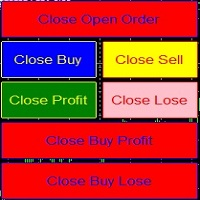
metatrader 4 close asisstent install ea in any pair and run it.. Congratulations on using the ea close assistant you can get free ea by registering FBS broker through my link https://fbs.partners?ibl=621087&ibp=24536958 Button Function : Close Open Order        = function to close all open orders Close Sell                    = function to close all open sell orders Close Buy                    = function to close all open buy orders Close Profit                 = function to close all profita
Advanced Pending Orders
Fernando Jose Velasco Borea
This EA facilitates sending multiple orders simultaneously. It also facilitates a function designed to be executed in a specific hour, ideal to facilitate its operation during the night, allowing to schedule positions while we are not next to the graph. The system can send direct orders at the market price or pending orders, speeding up the execution of operations with multiple Take Profit as well as controlling the Slippage of each order. The parameters of the system are: •          Broker Info

BreakEven ProSync EA – Инструмент для управления сделками и контроля рисков Обзор BreakEven ProSync EA — это советник для   MetaTrader 4 , который помогает трейдерам эффективно управлять открытыми позициями за счет автоматической настройки стоп-лосса и синхронизации уровней SL/TP. Этот инструмент предназначен для трейдеров, которые хотят стандартизировать уровни   Stop Loss   и   Take Profit   для нескольких сделок, а также использовать функцию безубыточности. Советник рассчитывает   среднюю це
AW Metatrader to Telegram
AW Trading Software Limited
Автоматизированная система для отправки уведомлений, чтобы ни один из ваших подписчиков не пропустил события о вашей торговле из вашего торгового терминала. Утилита, которая отправляет уведомления в мессенджер Telegram о любых торговых операциях на вашем счете.   Пошаговая инструкция по подключению утилиты к каналу в Телеграм ->   ЗДЕСЬ  / MT5 ->   ЗДЕСЬ Преимущества: Легкая настройка и подробная инструкция,  Возможность отправки регулируемых скриншотов, Настраиваемый текст уведомлений с исполь
Скрипт для закрытия всех открытых позиций в один клик. Нет никаких настроек, просто разместите скрипт в папку ...\MQL4\Scripts и перезапустите терминал. При клике на скрипт будут закрываться все открытые позиции с максимально возможным временем. Работает на всех типах счетов со всеми валютными парами у любого брокера. Количество открытых позиций не ограничено. Скрипт будет полезен при торговой стратегии, где требуется контроль большого количества ордеров.
Эта панель предназначена для быстрого визуального поиска паттернов "price action" по нескольким торговым инструментам одновременно. Есть возможность добавлять и удалять торговые инструменты. По клику на сигнальную кнопку осуществляется быстрый переход на график с данным паттерном и таймфреймом. Панель ищет 8 свечных паттернов: PIN-BAR, EXTERNAL BAR, INSIDE BAR, DOJI, LEVEL, HIGH/LOW OF N BAR, FAKEY, ONE-WAY N BAR. Отключение любого из паттернов или периода осуществляется кликом по его заголовку.
It computes BUY and SELL lot sizing in either % of balance or in fixed intervals. In market orders, this EA contains the adaptive slippage, logs tickets for instant confirmation of opening trades, and contains every market symbol at a glance. Real-time balance/equity display keeps margin health in view without tab-switching, toggling spread if needed for liquidity checks. Compact left-panel layout minimizes screen real estate, empowering blind trades where speed trumps overanalyze—perfect for
FREE
This utility allows you to easily close profit or loss positions. You can close profit or loss positions by clicking each buttons. If profit or loss positions reaches or exceed value specified as pips, they would be closed. This panel would be placed left bottom corner of the chart. If the users want to change the placement and functions contact me. Important :  -Check allow live trading. -Enable Auto Trade trading.
Order Management EA (OME). The software will manage your trades based on 2 options: Magic Number or Order Comment. Both the Trades from the other EA or from Manual Trading. Drawing Stop Loss/Take Profit, Close All the positions, manages Multiple Orders, determining grid range and entry signals automatically.  Sending Martingale Orders, if necessary, that can be turn off/on. Including 2 options lot calculation: Multiplication or Addition.  You install OME in your account, you place order, and it
This is a utility that helps you close market orders and pending orders (optional), using keyboard shortcuts. For me,  it's more convenient and  faster  than clicking a button on the chart. You can set:  Keyboard Shortcut Hotkey: You can change and use most of the keys on the keyboard.   Key combination (Ctrl, Shift) also available in case you want to use (Note that not all combinations work).  Magic Number  Symbol: All Symbol, or Current Chart Symbol, or Select Symbol List  Close Pending order
The Expert Advisor will help you forward all pop-up alert with screenshot from  MetaTrader 4 to Telegram channel/ group, also forward all notifications to Telegram. Parameters  -  Telegram Bot Token - create bot on Telegram and get token.  -  Telegram Chat ID  - input your Telegram user ID,  group / channel ID  -  Forward Alert - default true, to forward alert.  -  Send message as caption of Screenshot - default false, set true to send message below Screenshot  How to setup and guide  - Telegram
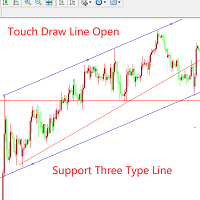
Этот советник является вспомогательным торговым инструментом. Когда вы впервые коснетесь линии анимации руки, она автоматически откроет ордер на вход в рынок.Он поддерживает 3 линии: 1. Линия тренда 2. Горизонтальная линия 3. Линия канала. При тестировании измените значение поля описания на 1. После одного прикосновения линия станет недействительной и станет белой. Пожалуйста, посмотрите картинку для урока! ! ! ! ! ! ! ! ! ! ! ! ! ! ! ! ! ! ! ! Функции управления ордерами: 1. Добавление поз
Утилита предназначена для закрытия нескольких типов ордеров. Закрытие осуществляется нажатием горячей клавиши. Как выставлять и удалять ордера голосом с помощью утилит такого типа, смотрите в видео под описанием.  https://www.youtube.com/channel/UCTpVWJkEic6TzoXr0qc9RIw/featured Предусмотренные опций закрытия: Клавиша "1" Удалить все ордера BUY STOP. Клавиша "2" Удалить все ордера SELL STOP. Клавиша "3" Удалить все ордера BUY и SELL STOP. Клавиша "4" Удалить все ордера BUY LIMIT. Клавиша "5" Уда
FREE
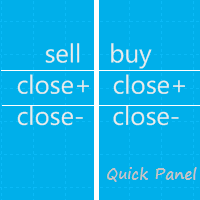
Quick Panel представляет собой советник, состоящий из шести групп торговых панелей. Особенности Позволяет быстро совершать большинство торговых операций с помощью кнопок на панелях. Быстрое переключение панелей нажатием на зеленую кнопку. Советник может работать в визуальном режиме в тесте стратегии, позволяя с легкостью тестировать торговлю на исторических данных. Щелкните мышью, чтобы быстро изменить стоп-лосс и тейк-профит (нельзя использовать для бэктестинга) Покажите среднюю цену на желтом
A script to open and Close  charts of  multiple pairs instantly with custom template $30 for the next 25 downloaders, next price: $45 Features: Chart Opener : Open chart(s) of multiple pairs simultaneously Template Opener : Load any User specified template (.tpl) to the opened chart(s) Chart Closer : Close chart(s) of multiple pairs simultaneously Disclaimer: Any loss involving this trading tool is the sole responsibility of the User, and not the responsibility of the Creator of this trading
MagicExcel
Alessandro Brunelli
MagicExcel will allow you to extrapolate, from your trades, reports split down by Expert Advisor. The generated reports allow you to quickly compare statistics of trades data from different Expert Advisors, different symbols and also the behavior of an Expert Advisor against different symbols. Additionally, if selected, a report will be created that shows the behavior of the Expert Advisor over time. This is a very useful tool for a trader who works with many Expert Advisors at the same time. R
This Tool Allow you close all open Orders automatics when Equity reach to specific value:  - When Equity is less than  specific value - When Equity is greater than  specific value - And Allow you close all open orders in manual - It will notification to MT4 Mobile app when it execute close all orders. __________________________________________ It very helpful for you when you trade with prop funds. Avoid reach daily drawdown and automatics close all orders when you get target.
FREE
HotKeys MT4
Alexey Valeev
3 (1)
Утилита для ручной торговли с помощью "горячих клавиш". Позволяет моментально реагировать на текущую ситуацию на рынке. "Горячие клавиши" можно назначить на открытие позиций по типу, закрытие позиций по типу или всех позиций на текущем графике, удаление всех ордеров на текущем графике. Также можно задать "горячие клавиши" на пять предопределённых торговых объёмов и переключаться между ними в зависимости от ситуации без необходимости периодически менять объём вручную. Так же возможно задать автом
One Click Trader - это инструмент для MetaTrader 4, который позволяет поднять вашу торговлю на новый уровень. Он позволяет открывать, управлять и закрывать сделки простым эффективным способом за один щелчок мыши. Стрелка вверх сворачивает панель OCT Стрелка вниз разворачивает панель OCT Стрелка вправо отображает следующую панель с дополнительными функциями Стрелка влево скрывает панель с дополнительными функциями Красная кнопка SELL позволяет открывать короткие рыночные ордера Красная кнопка SEL
Данная утилита поможет немедленно закрыть все прибыльные ордера ОДНИМ НАЖАТИЕМ КНОПКИ. Работает очень быстро. Вы можете выбрать один или все символы для закрытия. Быстрая работа утилиты обеспечит более оперативное управление вашей торговлей. Если вы хотите работать со всеми символами, оставьте параметр symbol пустым (как в настройке по умолчанию). Если вы хотите работать с одним символом (например, ордера по EURUSD), укажите symbol =EURUSD (см. скриншот ниже). Это скрипт, а следовательно хранить
This is a very simple, and easy-to-use Trade Manager with features like   Auto Partial Close, Auto Stop-loss, Breakeven. EA  closes a profitable position in partial closes when the price moves first in the direction of profits, and then comes back. EA monitors the position. If the price moves in the direction of profits, then ea establish the first level of rollback price at a distance. If the price continues to move in the direction of profits, this level of profit continues modifying this lev
ExPad
Igor Semyonov
ExPad  - торговая панель для комфортного трейдинга на финансовых рынках. Подходит для любых финансовых инструментов. В общем и целом, панель позволят выполнять следующие функции: Открытие и реверс сделок Работа с видимыми и скрытыми уровнями StopLoss и TakeProfit Независимое управление видимыми и скрытыми уровнями StopLoss Защита прибыли с помощью перемещения уровня StopLoss в безубыток и Трейлинг Стопом Выбор техники Трейлинг Стопа Дистанция от рыночной цены Скользящая средняя Средняя полос Бол
Chart Button
Chantal Sala
3 (1)
Chart Button позволяет перемещаться по всем графикам одним кликом. Утилита располагает символы как по вертикали, так и по горизонтали. Позволяет производить изменения на нескольких графиках одновременно. Утилита оптимизирует навигацию и ускоряет анализ. Значения входных параметров Direction (расположение кнопок символов) Horizontal – горизонтальное Vertical – вертикальное 32 SYMBOLS – 32 символа Forex_Suffix_Symbols – суффикс символа (не отображается на соответствующей кнопке символа) COLORS AN
It's very easy, you only need to enter the amount of profit you want to get, then when your account has grown this EA will close the order, even though you are not monitoring the chart. Now you don't need to worry if the profit you have achieved turns into a loss because you don't use this EA, because this EA will help you whenever, wherever you are. Good luck trying it, hopefully you will become a very profitable trader
Аналог Виртуального Stop Loss / Take Profit Возможности: автоматическое закрытие сделок по прибыли/убытку показывается количество сделок и общий профит по Инструменту Автоматическое закрытие сделок по прибыли/убытку (аналог виртуального StopLoss/TakeProfit): режим работы:  Off - Выключен; by Points - по прибыли/убытку в пунктах by Money - по прибыли/убытку в валюте депозита Типы сделок: Покупка и продажа Только покупка Только продажа Указываем условия закрытия по прибыли на сделку Указываем ус
Скрипт BuyLimit_SellLimit_Grid открывает отложенные ордера BuyLimit и SellLimit. Просто перетащите скрипт на график нужной пары.  Перед установкой всех отложенных ордеров открывается окно ввода входных параметров: LongPos - при TRUE открывается ордер BuyStop. ShortPos - при TRUE открывается ордер SellStop. InitLot - начальный лот. LotCoeff - при 1 все отложенные ордера имеют одинаковый размер лота. InitStep - разница между двумя следующими друг за другом ордерами в пунктах. StepCoeff - коэффицие
С этим продуктом покупают
Добро пожаловать в Trade Manager EA — лучший инструмент для управления рисками, предназначенный для упрощения, точности и эффективности торговли. Это не просто инструмент для размещения ордеров; это комплексное решение для удобного планирования торгов, управления позициями и усиленного контроля над рисками. Независимо от того, начинающий вы трейдер, опытный специалист или скальпер, нуждающийся в быстром исполнении, Trade Manager EA адаптируется к вашим потребностям и работает с любыми активами:
Local Trade Copier EA MT4
Juvenille Emperor Limited
4.96 (110)
Опыт экстремально быстрого копирования сделок с помощью Local Trade Copier EA MT4 . Благодаря простой установке в течение 1 минуты этот копировщик сделок позволяет вам копировать сделки между несколькими терминалами MetaTrader на одном компьютере с Windows или на Windows VPS с крайне быстрыми скоростями копирования менее 0.5 секунды. Независимо от того, новичок вы или профессиональный трейдер, Local Trade Copier EA MT4 предлагает широкий спектр опций, чтобы настроить его под ваши конкретные пот
Unlimited Trade Copier Pro - это мощный инструмент для удаленного копирования сделок между несколькими счетами MetaTrader 4/MetaTrader 5, расположенными удаленно друг от друга, по сети интернет. Это идеальное решение для провайдеров сигналов, которые хотят поделиться своей торговлей с другими трейдерами по всему миру. Один поставщик может копировать сделки на неограниченное количество счетов-получателей, а один получатель также может копировать сделки неограниченного количества провайдеров. Пост
Trade Assistant MT4
Evgeniy Kravchenko
4.43 (197)
Помогает рассчитать риск на сделку, простая установка нового ордера с помощью линий, управление ордерами с функциями частичного закрытия, 7 типов трейлинг-стопа и другие полезные функции. Дополнительные материалы и инструкции Инструкция по установке   -   Инструкция к приложению   -   Пробная версия приложения для демо счета Функция Линии   - отображает на графике линию открытия, стоп-лосс, тейк-профит. С помощью этой функции легко установить новый ордер и увидеть его дополнительные характери
Автоматически торгуйте зонами поддержки и сопротивления или спроса и предложения, как только вы определите ключевые области, из которых хотите торговать. Этот советник позволяет вам рисовать зоны покупки и продажи одним щелчком мыши, а затем размещать их именно там, где вы ожидаете разворота цены. Затем советник отслеживает эти зоны и автоматически совершает сделки на основе ценового действия, которое вы указываете для зон. После совершения первоначальной сделки советник выйдет с прибылью в про
News Filter EA: Advanced Algo Trading Assistant News Filter EA is an advanced algo trading assistant designed to enhance your trading experience. By using the   News Filter EA , you can integrate a Forex economic news filter into your existing expert advisor, even if you do not have access to its source code. In addition to the news filter, you can also specify   trading days   and   hours   for your expert. The News Filter EA also includes   risk management   and   equity protection   features
Trade Copier Professional — Локальное решение для копирования сделок   Trade Copier Professional — это надёжная локальная система копирования сделок для MetaTrader 4/5. Она позволяет трейдерам мгновенно дублировать позиции на нескольких счетах на одном компьютере, оснащена встроенными средствами безопасности и профессиональной панелью управления.   Обзор   Советник работает в режимах Master и Slave из одного файла, с лёгким переключением. Сделки могут копироваться между терминалами MT4 и MT5 бе
DrawDown Limiter MT4
Haidar Lionel Haj Ali
5 (8)
Drawdown Limiter EA You are in the right place if you were searching for Drawdown control, Drawdown limiter, Balance protection, Equity Protection or Daily Drawdown Limit related to Prop Firm, FTMO, or Funded account trading, or if you want to protect your trading account. Have you suffered from controlling your drawdown when trading funded accounts? This EA is meant for you. Prop firms usually set a rule called “Trader Daily Drawdown”, and if it is not respected, you are disqualified.  I am an
Support and Resistance Dashboard for MT4 is a multi-timeframe and multi-symbol scanner and alert system that finds S/R zones and pivot points for all timeframes and symbols and alerts when price has interaction with them. If you are using support and resistance (or supply and demand) zones in your trading strategy, this dashboard and its alert and filtering system is a big time saver for you. Download demo version   (works on M 1,M5,M30,W1   timeframes) Full description of scanner parameters ->
Скачать рабочую пробную версию Copy Cat More (Копи Кэт Мор) — копировщик сделок (Trade Copier) MT4 — это не просто локальный копировщик сделок; это полноценная система управления рисками и исполнения (risk management and execution framework), созданная для современных торговых задач. От челленджей проп-фирм (prop firm) до управления личным портфелем — он адаптируется к любой ситуации благодаря сочетанию надёжного исполнения, защиты капитала, гибкой настройки и продвинутой обработки сделок. Ко
Telegram to MT4 Multi-Channel Copier автоматически копирует торговые сигналы из ваших Telegram-каналов напрямую в MetaTrader 4. Никаких ботов, никаких браузерных расширений, никакого ручного копирования. Вы получаете сигнал в Telegram, и советник открывает сделку на вашем терминале за несколько секунд. Продукт включает два компонента: приложение для Windows, которое слушает ваши Telegram-каналы, и этот советник, который исполняет сигналы на терминале MT4. Также доступна версия для MT5. Руководст
Master Close via Telegram can help you perform some management tasks on MT4/MT5 remotely via your Telegram by one click, easy to set up & use. Demo here (see more Master Notify   Master Control  ) ************************************************************************************ LIST OF COMMANDS: info_acc -  Get account info info_pen -   Get pending orders details info_pos -   Get positions details info_pos_sum -   Get positions summary close_pen -   Delete all pending orders close_pos_all -
Strategy Builder offers an incredible amount of functionality. It combines a trade panel with configurable automation (covert indicators into an EA), real-time statistics (profit & draw down) plus automatic optimization of SL, TP/exit, trading hours, indicator inputs. Multiple indicators can be combined into an single alert/trade signal and can include custom indicators, even if just have ex4 file or purchased from Market. The system is easily configured via a CONFIG button and associated pop-up
PZ Trade Pad Pro MT4
PZ TRADING SLU
3.67 (3)
Это визуальная торговая панель, которая помогает вам легко размещать сделки и управлять ими, избегая человеческих ошибок и повышая вашу торговую активность. Он сочетает в себе простой в использовании визуальный интерфейс с надежным подходом к управлению рисками и положением [ Руководство по установке | Руководство по обновлению | Устранение неполадок | FAQ | Все продукты ] Удивительно простой в использовании Торгуйте легко с графика Торгуйте с точным управлением рисками, без проблем Сохранение
MT4 к Telegram Signal Provider - это простой в использовании и полностью настраиваемый инструмент, который позволяет отправлять сигналы в Telegram, превращая ваш аккаунт в поставщика сигналов. Формат сообщений полностью настраиваем! Однако для простого использования вы также можете выбрать предопределенный шаблон и включать или отключать определенные части сообщения. [ Демо ]  [ Руководство ] [ Версия для MT5 ] [ Версия для Discord ] [ Телеграм-канал ]  New: [ Telegram To MT5 ] Настройка Шаг за
The product will copy all telegram signal to MT4   ( which you are member  ) , also it can work as remote copier.  Easy to set up, copy order instant, can work with almost signal formats, image signal, s upport to translate other language to English Work with all type of channel or group, even channel have "Restrict Saving Content", work with  multi channel, multi MT5 Work as remote copier: with signal have ticket number, it will copy exactly via ticket number. Support to backtest signal. How to

Профессиональная панель для ручной торговли: весь цикл сделки в одном окне на графике, от точного входа до защиты счёта. Рассчитывайте объём строго под заданный риск, стройте сделку линиями прямо на графике с помощью RR Tool, открывайте рыночные и отложенные ордера, сетки и OCO. Сопровождение позиции панель берёт на себя: частичное закрытие до пяти уровней, шесть типов трейлинг-стопа, безубыток и Virtual SL/TP. Дневные, недельные и месячные лимиты защищают депозит и срабатывают автоматически при
TradePanel MT4
Alfiya Fazylova
4.84 (95)
Trade Panel — это многофункциональный торговый помощник. Приложение содержит более 50 торговых функций для ручной торговли и позволяет автоматизировать большинство торговых операций. Перед покупкой вы можете протестировать демоверсию на демо-счете. Скачать пробную версию приложения для демонстрационного аккаунта: https://www.mql5.com/ru/blogs/post/750864 . Полная инструкция здесь . Торговля. Позволяет совершать торговые операции в один клик: Открыть отложенные ордера и позиции с автоматическим р
Автоматическая фиксация прибыли по достижении целевого профита EquityTargetCloser   — это утилитарный советник для MetaTrader 5, который автоматически закрывает все рыночные позиции и удаляет отложенные ордера, как только   эквити (Equity) превысит текущий баланс на заданную сумму прибыли . После закрытия всех позиций цель автоматически повышается: новый порог = новый баланс + заданная прибыль. Советник не открывает сделки, а только управляет существующими позициями, помогая надёжно фиксировать
Копир->Удобное и быстрое взаимодействие с интерфейсом, пользователи могут использовать его сразу       ->>>> Рекомендуется использовать на компьютерах Windows или VPS Windows Функции: Разнообразные и персонализированные настройки копирования сделок: 1. Различные режимы лота могут быть установлены для различных источников сигналов. 2. Различные источники сигналов могут быть установлены для прямого и обратного копирования сделок. 3. Сигналы могут быть установлены с комментариями. 4. Следует ли ка
Trade Copier Global: The name speaks for itself. This copier allows you to copy orders between MT4 terminals even if they are not installed on the same computer. Features Copying trades between MT4 terminals around the world with a short delay. Automatically recognizes symbol prefixes. Can connect many Slaves to the same Master. Supports pending and market orders. Supports partial order close (with limitations, see below) Can send messages and notifications to the Slaves from the Master Several
Auto Trade Copier
Vu Trung Kien
4.76 (85)
Auto Trade Copier предназначен для копирования сделок между несколькими счетами / терминалами MT4 / MT5 со 100% точностью. С помощью этого инструмента вы можете действовать как поставщик (источник) или получатель (пункт назначения). Все торговые действия будут скопированы от поставщика к получателю без задержки. Этот копир можно использовать только на счетах MT4. Для счетов MT5 вы должны использовать Auto Trade Copier для MT5 или Trade Receiver Free для MT5. Демо-версия : Демо-версию для тести
Telegram to MT4 Coppy
Sergey Batudayev
4.09 (11)
Telegram to MT4: Идеальное решение для копирования сигналов Упростите свою торговлю с Telegram to MT4 — современным инструментом, который копирует торговые сигналы прямо из каналов и чатов Telegram на вашу платформу MetaTrader 4, без необходимости использования DLL. Это мощное решение обеспечивает точное исполнение сигналов, широкие возможности настройки, экономит время и повышает вашу эффективность. [ Instructions and DEMO ] [ FAQ ] [ How atach logs properly ] [ Settings descrition ] Ключевые
Trading History MT4
Siarhei Vashchylka
5 (9)
Trading History - Программа для торговли и управления капиталом на истории котировок в тестере стратегий. Может работать с отложенными и немедленными ордерами, оснащена функциями трейлинг стопа, безубытка и тейкпрофита. Очень хорошо подходит для тренировок и тестирования различных стратегий. Инструкция/Мануал ( Обязательно читайте перед приобретением ) Преимущества 1. В кратчайшие сроки позволяет протестировать любую торговую стратегию 2. Отличный тренажёр для тренировок трейдинга. Можно получи
Custom Alerts AIO: Универсальный сканер рынка — Без настройки Обзор Custom Alerts AIO — это самый быстрый и простой способ отслеживать рыночные сигналы в реальном времени на множестве инструментов без дополнительной настройки и без необходимости покупать другие продукты. В состав входят все необходимые индикаторы от Stein Investments, что делает этот инструмент идеальным решением «всё в одном» для трейдеров, ценящих простоту и эффективность. Просто установите на график и сразу получайте сигнал
MACD Divergence Scanner is a multi-timeframe and multi-symbol dashboard and alert that checks all timeframes and symbols to find regular and hidden divergences between price chart and MACD indicator. This divergence scanner is integrated with support and resistance zones so you can check the MACD divergences in the most important areas of the chart to find trend reversals in the price chart. Download demo version   (works on M 1,M5,M30,W1   timeframes) Full description of scanner parameters ->  
King Trade Copier MT4
Mohammed Maher Al-sayed Mohammed Ahmed Saleh
King Trade Copier MT4 – Lightning-Fast Local Trade Copier (Master + Slave in ONE file) King Trade Copier is a professional local trade copier that mirrors every trading action from one Master account to unlimited Slave accounts on the same PC or VPS — with an internal copy latency of just a few milliseconds. It was built by a real trader for daily real-money use, with one goal: whatever happens on the Master must happen on the Slave, instantly and without exceptions. Watch the demo video to s
Что такое Telegram to MT4 Pro? Telegram to MT4 Pro автоматически копирует сигналы из приватных, публичных и ограниченных каналов и групп Telegram напрямую на ваш счет MetaTrader 4 . Telegram to MT4 Pro — это профессиональный копировщик сигналов, который автоматически копирует торговые сигналы из любого канала или группы Telegram напрямую на ваш счет MetaTrader 4 в реальном времени, с полным контролем над каждой сделкой. Система состоит из двух частей, работающих вместе: Этот Expert Advisor — уст
SmartFastTrade AI
Muhammad Faisal Sagala
Transform Your Trading with SmartFastTrade AI: Speed and Ease at Your Fingertips! Introduction Are you a trader struggling with slow order execution? Do you want a tool that can assist you in making quick and accurate trading decisions? If yes, then SmartFastTrade AI is the answer to all your trading needs. With its unique combination of speed, user-friendliness, and advanced features, SmartFastTrade AI will help you unlock your full trading potential. Let's delve deeper into why this innovativ
RSI Divergence Scanner is a multi-timeframe and multi-symbol dashboard and alert that checks all timeframes and symbols to find divergences between price chart and RSI indicator. This divergence scanner is integrated with support and resistance zones so you can check the RSI divergences in the most important areas of the chart to find trend reversals in the price chart. Download demo version   (works on M 1,M5,M30,W1 timeframes) Full description of scanner parameters ->   click here . How to get
Другие продукты этого автора
MA HighLow
Johannes Schoeman
Советник основан на пересечении ценой максимальных и минимальных значений скользящей средней. Если цена пересекает максимум скользящей средней вверх, и если будут выполнены все другие критерии, будет открыта позиции на покупку. Аналогично для позиции на продажу. Советник работает на всех таймфреймах и на всех валютных парах. Советник можно настроить для скальперской, свинговой торговли или торговли по тренду с различными фильтрами. Советник содержит три параметра фиксации прибыли, девять парамет
Does your trading consist of Multiple EA's, Multiple time frames an no clear indication of how each individual strategy or time frame is performing, then this indicator will help. Assign the EA Magic number to this indicator and track it's performance on the chart by selecting on chart the period, today, week, month year or all history to view. Easy visual colour changing header to display the performance of the EA for the respective periods.    Minimize the panel to reduce chart clutter. Add yo
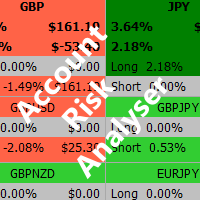
Account Risk Analyser, allows you to keep track of your account risk, risk exposure to individual pairs and risk on base currency pairs. Get notified when your risk on a base currency pair exceed a predetermined risk level. Get notified when your account exceed a predetermined risk level. Risk Analyser based on the NNFX methodology of not over leveraging on any base pairs. Parameter inputs Percentage risk trigger for Trade instruments Percentage risk trigger for Account Alerts Chart Alert Mail A
Run the script with your selected timeframe and template to apply it to all the symbols available in your Market Watch window. Select the symbols you wish to trade from your Market Watch window. Run the script on any one chart with your selected time frame and template. Press "OK" and all your selected symbols will load with the selected timeframe and template.
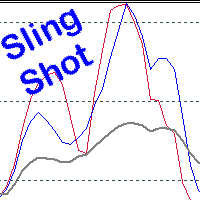
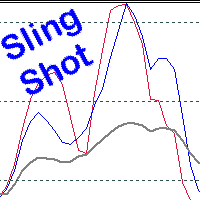
Scalping, Mean reversion or Position trading strategy Get into an established trend on a pullback in the market. Use the Pinch in the indicator for profit taking. Use the Pinch as a mean reversion strategy, scalping back to a moving average line.  Input Parameters Fast Sling Shot   configuration. Slow Sling Shot   configuration. Dual Sling Shot configuration. Price line configuration. Trigger zones or levels. Example   of Sling Shot trade idea: Price line sets the mood, below the baseline leve
Scalping, Mean reversion or Position trading strategy Get into an established trend on a pullback in the market. Use the Pinch in the indicator for profit taking. Use the Pinch as a mean reversion strategy, scalping back to a moving average line.  Input Parameters Fast Sling Shot configuration. Slow Sling Shot configuration. Dual Sling Shot configuration. Price line configuration. Trigger zones or levels. Example of Sling Shot trade idea: Price line sets the mood, below the baseline level (50)
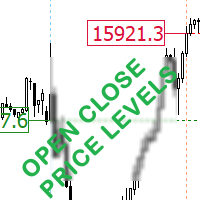
This indicator displays the open and closing price for the selected number of days. Easily identify market open and close Gaps. Select the Day icon to show the open and closing price line. Select the Time icon to show the open and closing hours. Indices and stocks are not a 24hour market as shown on MT5 charts, they open and close at specific times. Marketplace Time Zone Trading Hours New York Stock Exchange (NYSE) EDT 9:30 a.m. to 4:00 p.m. Nasdaq Stock Market EDT 9:30 a.m. to 4:00 p.m.
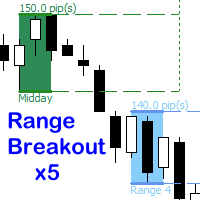
Trade multiple time range breakouts. This EA offers up to 5 different time range zones all individually customizable. Bracket one candle or a whole range of candles. Enable all five ranges or just one. Each range have individual stop loss, break even or take profit options. Select the number of historical breakout zones to display on the chart. Each breakout zone indicates the number of pips in the range. Customise each range label in the EA, this will be displayed in the comments section of th
Фильтр:
maurimiky
42
maurimiky 2023.11.02 11:27 
 

Пользователь не оставил комментарий к оценке

Timothy Hammond
1705
Timothy Hammond 2021.12.08 17:14 
 

Пользователь не оставил комментарий к оценке

Ответ на отзыв