Hiro Gold
- Эксперты
-
Hossein Davarynejad
 😎 Hey Guys! Welcome to NXFX
🚀 Join Our FREE Expert (Official NXFX Product)
👉 https://t.me/nxfxAl
📊 Indicator Website: - Версия: 1.1
Hiro Gold is an automated trading Expert Advisor developed for MetaTrader 5, designed for trading Gold (XAUUSD).
The system automatically manages buy and sell orders using its internal trading logic. It combines market reference data with technical indicators and provides adjustable trade management settings.
Hiro Gold offers a simple setup, flexible position sizing, risk controls, and a built-in trading dashboard.
Main Features
-
Automated Trading: Opens buy and sell positions based on internal trading conditions.
-
Flexible Lot Sizing: Supports fixed lot sizes and automatic lot calculation based on account balance.
-
Stop Loss and Take Profit: Allows users to define protective stop and target distances.
-
Trailing Stop: Adjusts stop-loss levels as positions move into profit.
-
Account Protection: Optional daily and total equity loss limits restrict new trade entries.
-
Spread Control: Prevents new entries when the spread exceeds the configured limit.
-
Trading Dashboard: Displays account balance, equity, floating profit or loss, spread, symbol, and position information.
-
Trading Session Protection: Checks market sessions before trailing stop modifications and limits repeated requests after server errors.
Input Parameters
1. Lot Sizing
-
Auto Lot (false): Enables or disables automatic position sizing.
-
Risk Level (1): Selects an automatic lot sizing level from 0 to 4. This is a sizing preset, not a guaranteed percentage of account equity at risk.
-
Fixed Lot Size (0.01): Sets the trading volume when automatic lot sizing is disabled.
2. Stops and Targets
-
Stop Loss (2500): Stop-loss distance in points.
-
Take Profit (7000): Take-profit distance in points.
-
Enable Trailing Stop (true): Enables automatic stop-loss adjustments.
-
Trailing Distance (300): Distance between the current market price and trailing stop in points.
-
Trailing Step (50): Minimum improvement required before another trailing stop adjustment, in points.
3. Account Protection
-
Enable Account Loss Limits (false): Enables optional equity-based restrictions on new trades.
-
Daily Loss Limit (5.0%): Maximum daily equity decline threshold for allowing new entries.
-
Total Loss Limit (10.0%): Maximum equity decline threshold relative to the balance recorded when the EA starts.
-
Maximum Spread (500): Maximum allowed spread in points for opening new positions.
-
Maximum Slippage (100): Maximum permitted execution deviation in points.
4. Trading Settings
-
Custom Symbol Name: Optional symbol field. The current configuration trades the chart symbol by default.
-
Magic Number (22222): Identifies positions opened by the Expert Advisor.
-
Trade Comment (HIRO): Custom text added to trade orders.
5. Dashboard Settings
-
Show Panel (true): Shows or hides the trading information dashboard.
-
Panel X Position (18): Sets the horizontal position of the dashboard in pixels.
-
Panel Y Position (28): Sets the vertical position of the dashboard in pixels.
How to Use Hiro Gold
-
Open MetaTrader 5.
-
Open a Gold (XAUUSD) chart.
-
Attach Hiro Gold to the chart.
-
Enable algorithmic trading.
-
Configure the lot size, stop loss, take profit, and risk settings.
-
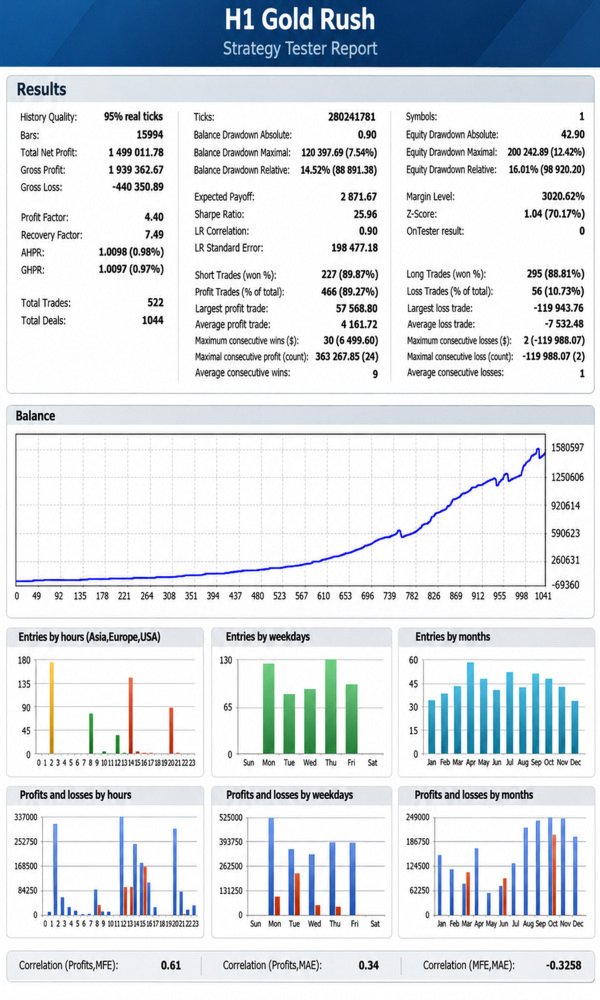
Test the configuration in the Strategy Tester and on a demo account before live trading.
The Expert Advisor uses internal multi-timeframe calculations. Attaching it to an H1 chart does not mean that all signals are calculated exclusively from H1 candles.