Posizion Sizer e MM Control Ac Academy

Position Sizer: the exact lot size, every single time.

Most blown accounts start with the wrong position size, not the wrong trade. Position Sizer is an on-chart panel for MetaTrader 5 that does the math for you: choose how much you want to risk, drag the Stop Loss to your level, read the exact lot size, and send the order with one click. After that it helps you manage the trade until it is closed.

It is a trade-management tool, not a robot: it never opens trades by itself and gives no signals. You decide, it handles size, risk and management.

See the screenshots above for the panel, the chart boxes, the Manage and Auto tabs, scale-out mode and virtual vs real steps.

WHY TRADERS USE IT

  • Exact lot size, instantly. Risk a % of your balance or a fixed amount. Lot size, money at risk and potential gain are always in front of you.
  • Drag, don't type. Stop Loss, Take Profit and Entry are lines on the chart: move them with the mouse and everything updates live.
  • See risk and reward at a glance. A red box shows what you risk, a green box shows what you can gain, with money, pips and R:R on the labels.
  • One-touch management. Breakeven, partial closes, trailing stop and quick close, manual or automatic.
  • Scale-out mode. Split a trade into several targets (TP1, TP2, TP3...) and let the last piece run.
  • Built for discipline. Equity Protect, spread filter and a clean, calm chart theme that is easy on the eyes.

HOW IT WORKS

  1. Set your risk in % or money, and optionally a Take Profit in R:R (for example 2R).
  2. Drag the red line to your Stop Loss. The panel shows the exact LOT SIZE for that risk.
  3. Press BUY or SELL. Market or pending (Limit/Stop is chosen automatically from the position of the yellow ENTRY line).
  4. Manage the trade from the panel or let the AUTO tab do it.

STANDARD MODE (TRADE / MANAGE / AUTO)

  • Risk in % of balance or fixed money, with a live lot size calculation.
  • Draggable SL, TP and ENTRY lines. Dragging the TP updates the R:R by itself.
  • Market and pending orders, with the order type chosen automatically.
  • Maximum spread filter, and automatic splitting of orders above the broker's maximum volume.
  • MOVE TO BREAKEVEN with a margin in pips for the spread, also on the common average price of several positions.
  • PARTIAL CLOSE 50% / 80% (percentages are inputs), APPLY SL/TP FROM LINES to open positions.
  • Quick close: BUY, SELL, in profit, in loss, all. Delete pending orders in one click.
  • AUTO tab: automatic breakeven at X times the risk, trailing stop (fixed pips, ATR or last N candles), automatic partial close, Equity Protect (closes everything at +X or -X).

SCALE-OUT MODE (OPERATE / SETTINGS)

Instead of a single exit, split the trade into N steps. Each step closes at its own target, so you take profit little by little and keep the last piece open with an optional trailing stop. Scale-out trades have their own magic number: Standard mode never touches them, and vice versa. On a hedging account you can open several scale-out trades at once, each managed on its own.

  • Set steps, Stop Loss and TP1, TP2, TP3 in pips; the following targets grow by an increment.
  • Automatic breakeven after X pips, with an offset that covers commissions.
  • Optional trailing on the last step, with its own on/off switch.
  • Preview before you click: lot per step, risk if the SL is hit, gain if all targets are hit.

Virtual or real steps?

  • VIRTUAL: one position, one order, one entry price. The tool closes it in parts when each level is reached. No slippage between steps, even in volatile markets. A single open order is normally accepted by prop firms. Works on hedging and netting accounts (on netting, one trade at a time). The EA must be running for the partial closes.
  • REAL: one order per step, each with its own TP, managed by the broker even if your platform is off. Needs a hedging account. Many open orders can be limited or forbidden by some prop firms, and in fast markets each step can fill at a different price.

CLEAN, CALM CHART

At start-up the tool applies a minimal chart theme (dark background, grid off, readable candles) and restores your original colors when you remove it. You can turn it off or change the background color. Panel values, tab and mode are remembered between sessions.

REQUIREMENTS

  • MetaTrader 5, any symbol, any timeframe (Forex, gold, indices, CFDs).
  • Hedging or netting account. Real scale-out needs hedging.
  • Attach it to a chart and enable Algo Trading. For virtual scale-out, automatic breakeven, partials and trailing the EA must stay running (a VPS is recommended).

MAIN INPUTS

  • InpRiskPercent / InpRiskMoney: starting risk in % or in money.
  • InpTPRR: R:R of the automatic Take Profit (2 = 2R).
  • InpMaxSpreadPips: does not open if the spread is above this value (0 = no limit).
  • InpBEMarginPips: margin beyond the entry for the breakeven.
  • InpHideAfterTrade: hides lines and boxes after BUY / SELL.
  • InpStartMode / InpSgReal: start in Standard or Scale-out, virtual or real steps.
  • InpMagic / InpSgMagic: identification numbers of the two managements (must be different).
  • InpApplyTheme / InpThemeBgColor: chart theme and background color.

FAQ

Does it trade by itself?
No. It opens a trade only when you press a button. It gives no signals.

Why do I see trades in the Strategy Tester?
The tester cannot click a panel, so in the tester only, the tool runs a few automatic sample trades (standard and scale-out) to show how it works. It does nothing of the kind on a live or demo chart. You can turn it off with InpTesterDemo.

Does it work on gold and indices?
Yes. The panel counts 1 pip as 10 points only on 3 and 5 digit symbols; otherwise 1 pip = 1 point. On gold and indices raise the SL, TP, breakeven and trailing values in pips accordingly and always check the lot on the first order.

The LOT SIZE is red. Why?
The broker's minimum lot is larger than the risk you chose. Increase the risk or widen the stop.

Is it suitable for prop firm accounts?
Virtual scale-out opens a single order, which is normally accepted. Always check the rules of your prop firm.

Can I use it with other EAs?
Yes. Each management has its own magic number. Positions from other EAs or manual trades can be managed too if you enable that option.

RISK WARNING

Trading leveraged products (Forex, CFDs, indices, commodities) carries a high risk of loss and may result in the loss of your entire capital. Position Sizer is a trade-management tool: it is not financial advice, provides no signals and does not guarantee any result. Improper use (wrong settings, excessive risk, unchecked values on gold or indices, no prior demo test) can cause losses larger than expected. Test it on a demo account first. Every trading decision remains your sole responsibility.

Рекомендуем также
Telegram Trade and Pattern Tool Ознакомительная версия для демо-счетов с полным функционалом Telegram Trade and Pattern Tool — панель мониторинга свечных паттернов и маржи с удалённым управлением торговым счётом через Telegram. Сканирует графики по нескольким символам и таймфреймам разом, присылает алерты со скриншотами — вплоть до сигнала об аномально большой свече в реальном времени, — и позволяет тут же, в том же чате, отреагировать: открыть сделку, закрыть позицию, поставить или подвинуть
Закрывайте именно те сделки, которые нужно, одним кликом. Smart Close Panel ставит на график шесть кнопок: закрыть все, только прибыльные, только убыточные, только BUY, только SELL или удалить отложенные ордера. Каждая кнопка показывает, сколько сделок она закроет и их прибыль, ещё до клика. Когда рынок быстро разворачивается, закрывать сделки по одной во вкладке «Торговля» медленно, и легко ошибиться. С этой панелью вы забираете прибыль всех прибыльных сделок или режете все убыточные за одну се
Sync In Many Ways MT5
Sa No Tsuyoshi Kokorozashi
Description This is a Utility tool for MT5 which will make our chart analysis task quite more efficient and save large amount of time. As for chart analysis, some are watching out several symbol simultaneously with single timeframe and others are trading only one single pair with   multi timeframe analysis. For both, a common troublesome issue is “scroll chart to look back” or “draw chart objects” in multi charts at the same time.  Especially for those who are trading with multi timeframe soluti
Советник Risk Controller, программа позволяющая контролировать общий риск ваших торговых советников на счету. С помощью данной программы вы можете контролировать максимальный риск, который будет допустим на счете для всех советников. К примеру, вы поставили риск 30% максимальной просадки, значит если ваши торговые роботы по equity превысят риск в 30%, Risk Controller закроет все позиции советников, а так же может закрыть все открытые графики, тем самым не позволив советникам далее работать. Сове
Этот экспертный советник отслеживает все открытые позиции по всем символам в MetaTrader 5. Как только вручную устанавливается или изменяется уровень Stop Loss (SL) или Take Profit (TP) на любой позиции, советник автоматически применяет это значение ко всем другим открытым позициям , независимо от символа или типа ордера (Buy/Sell). Это обеспечивает синхронизацию уровней SL и TP по всему счёту. Идеально подходит для мобильного трейдинга с планшета или смартфона!
FREE
DGem Trade Manager Panel
Damien Jean Michel Gremillet
Trade Manager Panel ## Short description  Manage your manual trades with one click: automatic break-even, trailing stop, two-level partial close and risk-based lot sizing — all from a single on-chart panel. --- ## Full description Trade Manager Panel is an on-chart utility that takes care of your open trades so you can focus on the market instead of the order ticket. Drop it on any chart and it manages every position on that symbol automatically, while an interactive panel lets you size new
**Forex Trade Manager Pro MT5** **Trade Manager MT5** — это многофункциональная утилита для управления торговлей в MetaTrader 5, которая предоставляет вам полный контроль над каждым аспектом вашей позиции: от момента планирования сделки до её закрытия. Она создана для трейдеров, которые серьезно относятся к риску, — от новичков, вырабатывающих дисциплину, до профессионалов-скальперов, которым нужно мгновенное исполнение по множеству позиций. Инструмент прикрепляется к любому графику и отображ
Этот советник представляет собой торговую панель для нескольких пар в один клик. Нажмите       ОТКРЫТЬ       кнопка для открытия ордеров по выбранным парам. Нажмите       ЗАКРЫВАТЬ       кнопка закрытия ордеров по выбранным парам. Лот ордера — это число, введенное пользователем. Положительное число соответствует ордеру на покупку, отрицательное — ордеру на продажу. Нажмите кнопку   ЗАКРЫТЬ   , чтобы закрыть весь ордер, а не частичное закрытие. Действие закрытия не имеет ничего общего с количест
Добрый день, уважаемые трейдеры! Я ваш помощник в торговле. Кратко скажу, а затем расскажу о моих сильных сторонах: Я специализируюсь на управлении вашим портфелем, и независимо от того, с какой стороны вы открываете ордер, я могу немедленно добавить для вас разумные стоп-лоссы и скользящие стопы. 2. Я могу помочь вам избежать спекуляции и поспешных действий, устраняя с корня слабость человеческой природы, которая не позволяет придерживаться принципов. 3. Я отправлю вам уведомление на MT5 - кли
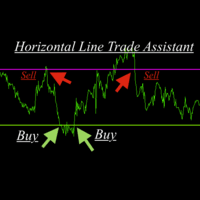
Horizontal Line Trade Assistant EA  Semi-Automated Trading Assistant      IMPORTANT :     On the main/purchased program a user can click on the Horizontal line and change it to Buy or Sell, and drag by double clicking on it. Please keep in mind that this option is not available on demo version, due to some restrictions/limitations of Strategy Tester, some Object related operations are not available in the  Strategy Tester. But, it will not prevent you from Testing, please drop an Object to chart
Risk Panel - Click to Trade Risk Panel - Click to Trade is a manual trade execution utility for MetaTrader 5. It provides a chart-based interface for preparing and placing buy and sell orders with risk-based position sizing. Features Adjustable risk percentage based on account equity. ATR-based stop-loss calculation. Take-profit calculation using a configurable risk-to-reward ratio. Buy and Sell trade controls. Order placement through a dedicated trade button. Spread limit and trade deviation se
TAQ Magic Keys v6.0 Auto Trade Manager is an advanced trade management tool for MetaTrader 5 (MT5) , featuring one-click trade management functions and an integrated Position Size Calculator . New Feature In V6.0 — FNR1R1 Function Key The new FNR1R1 Function Key provides an automated 1:3 Risk Reward trade management system , allowing traders to manage an open position through three predefined profit targets. Set your initial Stop Loss, and the system automatically calculates: TP1 = 1:1 Risk R
Trade Manager рассчитывает размер каждого ордера по выбранному вами риску и сопровождает его после входа с лёгкой панели на графике. Правильный размер на любом символе Риск в % от баланса, % от эквити, фиксированной суммой или фиксированным лотом Убыток на лот рассчитывает сам MetaTrader 5, поэтому размер верен на форекс, золоте, индексах, энергоносителях, CFD на акции и криптовалютах при любом размере контракта и валюте Объёмы округляются вниз до шага брокера: реальный риск, показанный до клика
EA SB8 Panel Trade
Juan Manuel Bernal Martin
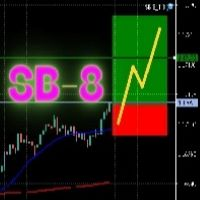
SB-8 – Manual Trading Panel with Fixed Risk & TradingView-Style Visualization for MT5 SB-8 is an advanced manual trading panel for MetaTrader 5 , designed to execute trades visually, quickly and without calculations . It is especially built for traders coming from TradingView , who often find MT5 confusing when it comes to risk management and trade visualization. With SB-8, you don’t calculate lot size, percentages or risk . You simply move the Stop Loss line , and the panel handles everything a
KF Partial Close Manager — Automated Multi-Tier Position Scaling & Protection for MetaTrader 5 KF Partial Close Manager is an automated trade management utility for MetaTrader 5 that helps discretionary and algorithmic traders systematically secure profits. Instead of prematurely closing winning positions or exposing floating gains to sudden market reversals, this utility executes multi-stage partial closures, moves your Stop Loss to Breakeven, and maintains strict broker volume compliance. T
FREE
All In One Trade Manager is a trade manager and one-click trading panel for manual traders on MetaTrader 5. It works as a trading assistant, risk manager and position size calculator in one dashboard. It brings together everything below in one panel: order entry with risk sizing automatic trade management advanced order types account protection statistics Its entry checks run in the background and tell you, before you click BUY or SELL, when something speaks against the trade. Also available
RiskPilot Pro
Mohamed Zein Mohamed Zein Soliman
RiskPilot Pro Plan risk clearly. Execute efficiently. Manage positions from one professional MT5 dashboard. RiskPilot Pro is a visual trade-planning and position-management utility for MetaTrader 5. It helps manual traders define risk before entry, calculate position size, place market or pending orders, and manage open positions from one chart panel. Important: RiskPilot Pro does not generate trading signals and does not choose trade direction. The trader defines the setup and remains responsib
Veron Link Slave – Synchronized Grid, Martingale & Breakout Management Short Description Advanced synchronization tool designed to manage Grid, Martingale, and Breakout EAs. Automatically sends close-basket signals to the Master account upon profit target completion, minimizing slippage across different brokers. Full Description Veron Link Slave is a specialized utility developed to enhance the execution efficiency and risk management of multi-account or multi-broker trading setups. It is desig
Manual trade and group management
Gayan Indika Honnanthara Acharige
GTM Panel Pro - это менеджер ручной торговли для MetaTrader 5. Он позволяет вести на одном графике четыре отдельные группы сделок (A, B, C, D) и четыре слота отложенных ордеров (L1 - L4), у каждого свой лот, стоп, цель, безубыток, трейлинг-стоп и магический номер. Нажмите CLOSE - и будет затронута только та группа, на которую вы указали. Версия 2.53 добавляет необязательного ИИ-помощника с вашим собственным API-ключом, голосовые сообщения Telegram, окно HELP на 14 языках, чек-лист входа, ценовые
Check an MQL5 signal before you subscribe. A signal can look convincing on the provider page and still be a poor fit for your account. Different symbol names, minimum lots, leverage, hedging or netting, copy latency and a fixed monthly fee can materially change what happens on your account. MT5 Signal Sentinel is not a trading robot and not a signal. It does not trade. It analyzes available data and explains technical and historical risks in plain language. Why this tool was created Many problem
XP Trade Panel is a trade manager for MetaTrader 5. It sizes, places and manages trades from one panel on the chart. Plan the trade on the chart The risk-reward tool draws the target, the entry and the stop on the chart before you place the order. Each strip shows its distance in points, the amount in the account currency, the percent of balance, and the reward-to-risk ratio. Drag a strip to move it. Click the arrows on the entry strip to switch between buy and sell. Drag the entry away from the
Доступна демо-версия панели Dashboard Currency Strength Advanced MT5 DEMO , для начала ознакомьтесь с функциональностью панели бесплатно. Бесплатная версия: ссылка . Версия для MT4: ссылка Панель Dashboard Currency Strength Meter Advanced наглядно отображает сильные и слабые валюты по четырем выбранным таймфреймам. Благодаря использованию четырех индикаторов измерения силы валют Currency Strength Meter в одной панели, вы можете отслеживать практически все виды ценовых моделей (см. скриншоты 3, 4
# Universal Smart Manual Trade Manager MT5 v1.00 ## What the EA does Universal Smart Manual Trade Manager MT5 is a protective and management Expert Advisor for manually opened trades. It does not open new entries by itself. It only adopts already open positions that pass the selected filters, and can add missing SL/TP, manage break-even, profit lock, ATR trailing, send Telegram notifications, and display status information on the chart. The default setup is intentionally safe: the EA manages
A professional manual trading and position management panel for MetaTrader 5 with risk-based sizing, SL/TP protection, partial reduction, break even and trailing stop tools. Strategy Engine Trade Panel is a manual trading and position management utility for MetaTrader 5. It is designed to simplify order execution, risk sizing, position protection and account management directly from the chart. The product does not generate entry signals and does not open trades automatically without a user a
TradeControl Utility Pro — торговая утилита для MetaTrader 5, созданная для трейдеров, которым важeн риск-менеджмент и визуальный порядок на графике. Программа сочетает в себе компактную панель с минималистичным Flat-дизайном и инструменты для виртуального планирования сделок (VRP) и группировки позиций. Примечание: Это утилита для ручной торговли, а не автоматический советник или генератор сигналов. Программа не дает гарантий прибыли. Торговля на финансовых рынках сопряжена с высоким риском.
AutoLot Trade Panel
Fabian Maurice Schwarz
AutoLot Trade Panel — это торговая панель для MT5 прямо на графике, созданная для ручных трейдеров, которым нужны более быстрое исполнение ордеров, автоматический расчет лота, отображение риска в реальном времени, визуальное планирование SL/TP и управление позициями прямо на графике. Краткое руководство: https://www.mql5.com/en/blogs/post/769949 ! Доступна бесплатная демо-версия ! Бесплатная демо-версия доступна, чтобы вы могли протестировать рабочий процесс панели, расчет AutoLot и Visual Too
Apex StopLoss Manager
Muhammad Hassan Muhammad Ahmad Atiyah
Apex StopLoss Manager Скрипт MT5 – Управление Stop Loss Описание Apex StopLoss Manager — это скрипт для MetaTrader 5, обеспечивающий точный контроль за поведением Stop Loss на существующих открытых позициях . Скрипт выполняется один раз при запуске и управляется только через настройки пользователя. Он не использует автоматическую торговую логику, не открывает сделки и не генерирует сигналы. Функциональность Регулировка Breakeven Скрипт может перемещать Stop Loss на расчетный уровень безубыточн
Aurum RR - это аккуратный инструмент Риск:Прибыль в стиле TradingView для MetaTrader 5, и даже больше. Планируйте сделку наглядно, отправляйте её с точным лотом в один клик, автоматически сопровождайте открытую позицию и тестируйте свои сетапы на истории - каждый бокс сам считает свой результат. ПЛАНИРОВАНИЕ - Разместите бокс Риск:Прибыль в любом месте графика и перетаскивайте стоп-лосс, тейк-профит, вход и длину бокса прямо на графике. - Лот рассчитывается в реальном времени от вашего риска (п
Quant Panel
Kevin Craig E Gittins
Количественная Панель Pro Идеальная Мульти-ЭА Панель Мониторинга для Квантовых Трейдеров Хватит переключаться между графиками и внешними инструментами для отслеживания алгоритмических стратегий! Quant Panel Pro предоставляет профессиональный мониторинг портфеля в одном стильном и удобном интерфейсе. Ключевые Возможности Количественная Аналитика Под Рукой Агрегирование прибыли и убытков (P&L) в реальном времени для всех советников Статистический анализ процента выигрышных сделок и частоты торговл
Перенесите удобство TradingView в свой MetaTrader 5! Magic Entry Pro — это профессиональный визуальный торговый помощник, созданный для ручных трейдеров, скальперов и трейдеров Prop-компаний. Панель позволяет открывать сделки с молниеносной скоростью, автоматически рассчитывать риск и визуально проецировать зоны Stop Loss и Take Profit прямо на графике до открытия позиции. Устали вручную рассчитывать лотность или прикидывать соотношение риска к прибыли (RR)? Magic Entry сделает всё за секунды!
С этим продуктом покупают
Trade Assistant MT5
Evgeniy Kravchenko
4.43 (216)
Помогает рассчитать риск на сделку, простая установка нового ордера с помощью линий, управление ордерами с функциями частичного закрытия, 7 типов трейлинг-стопа и другие полезные функции. Дополнительные материалы и инструкции Инструкция по установке - Инструкция к приложению Функция Линии   - отображает на графике линию открытия, стоп-лосс, тейк-профит. С помощью этой функции легко установить новый ордер и увидеть его дополнительные характеристики перед открытием. Управление риском   -   функ
Farmed Hedge Yield Farming | All Markets (Manual - Hybrid - Semi/Automated EA) VERIFIED TRADING RESULTS - Farmed Hedge Yield Axi Copy:  https://www.mql5.com/en/signals/2356376 - Farmed Hedge Yield Exn Copy:   https://www.mql5.com/en/signals/2356404 - Farmed Hedge Yield V Copy:  https://www.mql5.com/en/signals/2357156 IMPORTANT NOTICE: FarmedHedge is a MANUAL-FOCUSED TRADING UTILITY ,not a fully automated EA. Results shown on this Signal include manual trades and overall strategic management.
Добро пожаловать в Trade Manager EA — лучший инструмент для управления рисками, предназначенный для упрощения, точности и эффективности торговли. Это не просто инструмент для размещения ордеров; это комплексное решение для удобного планирования торгов, управления позициями и усиленного контроля над рисками. Независимо от того, начинающий вы трейдер, опытный специалист или скальпер, нуждающийся в быстром исполнении, Trade Manager EA адаптируется к вашим потребностям и работает с любыми активами:
Telegram to MT5 Multi-Channel Copier   автоматически копирует торговые сигналы из ваших Telegram- и Discord -каналов прямо в MetaTrader 5. Без ботов, без браузерных расширений, без ручного копирования. Сигнал приходит в Telegram или Discord — и советник открывает сделку в вашем терминале за считанные секунды. А перед тем как копировать канал, встроенный бэктестер покажет, что этот канал сделал бы на вашем счёте. Продукт состоит из двух компонентов: приложения для Windows, которое слушает ваши Te
TradePanel MT5
Alfiya Fazylova
4.89 (174)
Trade Panel — это многофункциональный торговый помощник. Приложение содержит более 50 торговых функций для ручной торговли и позволяет автоматизировать большинство торговых операций. Инструкция к приложению: https://www.mql5.com/ru/blogs/post/756476 Пробная версия приложения для демо-счета: https://www.mql5.com/ru/blogs/post/750864 Как установить приложение: https://www.mql5.com/ru/blogs/post/750096 Как тестировать приложение в визуальном режиме: https://www.mql5.com/ru/blogs/post/770274 Как уст
EA Overfitter
Stephen J Martret
5 (4)
Бэктест выглядит отлично. Но будет ли советник зарабатывать завтра, через неделю, через месяц? EA Overfitter прогоняет вашего советника по 100 историям цены, которых он никогда не видел. Одна оценка показывает, реально ли преимущество. Бэктест показывает, что советник сделал на одной истории цены — на той, которая случайно произошла. Из него невозможно понять, какая часть результата была заслугой стратегии, а какая — конкретного пути цены. EA Overfitter отвечает на этот вопрос. Он строит до 10
Копируйте сигналы из Telegram по своим торговым правилам Telegram to MT5 Signal Trader автоматически копирует текстовые торговые сигналы из открытых и закрытых каналов и групп Telegram в MetaTrader 5. Управляйте несколькими поставщиками сигналов и счетами MT5 из одного приложения для компьютера, задавая индивидуальные параметры риска и торговли для каждого поставщика . Для копирования не нужны бот Telegram и настройка API. Просто войдите в свой аккаунт Telegram по номеру телефона или QR-коду и в
News Trade EA MT5
Konstantin Kulikov
4.55 (11)
Представляю полезного робота, которым пользуюсь сам уже несколько лет. Может использоваться как в полуавтоматическом, так и в полностью автоматическом режиме. >>> Chat <<< Программа содержит гибкие настройки торговли на новостях экономического календаря. В тестере стратегий проверить нельзя. Только реальная работа. Скачайте последний архив настроек: https://www.mql5.com/en/blogs/post/747929 Мониторинг сигналов: https://www.mql5.com/ru/signals/author/test-standart При создании своих собственных
================================================================================ POC BREAKOUT - V20.72. Full Professional Grade Toolkit ================================================================================ POC Breakout is a full MetaTrader 5 trading dashboard for discretionary traders who want breakout signals, Point of Control (POC) context, volume profiles, order flow, market structure, news, alerts, and advanced trade planning in one professional workspace. Attached directly to you
The product will copy all telegram signal to MT5 ( which you are member) , also it can work as remote copier.  Easy to set up, copy order instant, can work with almost signal formats, image signal,  s upport to translate other language to English Work with all type of channel or group, even channel have "Restrict Saving Content", work with  multi channel, multi MT5 Work as remote copier: with signal have ticket number, it will copy exactly via ticket number. Support to backtest signal. How to s
Следующее обновление — версия 2.52 уже скоро! [НОВОЕ] Приготовьтесь к 4 новым важным функциям, призванным улучшить ваш анализ рынка и торговый процесс. Мы выводим анализ рынка на новый уровень с помощью 4 новых функций, разработанных с учётом ваших потребностей в трейдинге. Представляем: 1. TRADE OVERVIEW DASHBOARD 2. CONFLUENCE AT ZONE 3. STRONG & WEAK HIGH/LOW 4. OTE 1. TRADE OVERVIEW DASHBOARD Панель, которая помогает легче понимать общую картину рынка, предоставляя рекомендации для поддержк
EA Auditor
Stephen J Martret
5 (7)
EA Auditor is an independent analysis tool for traders evaluating Expert Advisors and trading signals on MetaTrader 5. It audits backtest reports, reviews posted developer signals, and cross-verifies the two against each other to help traders assess strategies before committing capital. The MQL5 market offers a wide range of Expert Advisors from many developers, with varying approaches, quality, and transparency. EA Auditor provides a consistent, data-driven framework for reviewing them, answer
News Filter EA
Rashed Samir
5 (2)
News Filter EA: Advanced Algo Trading Assistant News Filter EA is an advanced algo trading assistant designed to enhance your trading experience. By using the News Filter EA , you can integrate a Forex economic news filter into your existing expert advisor, even if you do not have access to its source code. In addition to the news filter, you can also specify trading days and hours for your expert. The News Filter EA also includes risk management  and equity protection features. MT4 Version Ma
MT5 to Telegram Signal Provider — это простой в использовании полностью настраиваемый инструмент, который позволяет отправлять определённые сигналы в чат, канал или группу Telegram, превращая вашу учётную запись в провайдера сигналов . В отличие от большинства конкурирующих продуктов, он не использует импорт DLL. [ Демо ]   [ Руководство ] [ Версия MT4 ] [ Версия для Discord ] [ Канал в Telegram ]  New: [ Telegram To MT5 ] Настройка Доступно пошаговое руководство пользователя . Никаких знаний A
VirtualTradePad PRO SE MT5 — профессиональный торговый центр управления для MetaTrader 5 VirtualTradePad PRO SE — это премиальная торговая панель и рабочая среда управления сделками на графике для MetaTrader 5 . Она создана для трейдеров, которым нужны более быстрое исполнение, более понятный контроль позиций, структурированное управление сделками, визуальное планирование уровней и профессиональный рабочий процесс прямо с графика. Это не просто панель BUY / SELL. PRO SE объединяет ручную торговл
Trader Evolution
Siarhei Vashchylka
5 (7)
"Trader Evolution" - Утилита, предназначенная для трейдеров, которые используют в своей работе волновой и технический анализ. Одна вкладка утилиты способна управлять капиталом и открывать ордера, а другая - помогать в построении волн Эллиотта, уровней поддержки и сопротивления, а также линий тренда. Инструкция/Мануал ( Обязательно читайте перед приобретением ) | Версия для МТ4 Преимущества 1. Торговля в несколько кликов. В панели доступны немедленные и отложенные ордера 2. Управление капиталом
AW Trade Manager
AW Trading Software Limited
AW Trade Manager - торговая панель для MetaTrader 5 с инструментом риск/прибыль на графике. Сделка планируется линиями Entry, Stop Loss и Take Profit, которые тянут мышью: плашки показывают цену, расстояние и деньги, зоны показывают прибыль и убыток, а объём считается от риска. Перед отправкой окно подтверждения показывает сделку целиком: риск, маржу и правила позиции. Инструкция и описание -> ЗДЕСЬ / Бесплатное LIVE-демо -> ЗДЕСЬ Для ведения позиции после входа в панели есть безубыток, трейлинг
RETAILBERG FOOTPRINT CHART PRO — Order-Flow Workspace for MetaTrader 5 Version 7.00  |  Professional System  |  31 tools  |  One chart A full 150-page illustrated User Manual is included. Please read the full manual to understand this feature packed footprint chart elements and ui. https://www.mql5.com/en/blogs/post/777982 DEMO / STRATEGY TESTER — PLEASE READ FIRST
Торговый ассистент на графике и панель управления рисками Полнофункциональная утилита на графике с многорежимными SL и TP (ATR, R:R, пункты, валюта счета), живой аналитикой и экономическим календарем Ergotick Trade Manager — это профессиональная торговая панель «все в одном», разработанная для дискреционных трейдеров, участников проп-челленджей и скальперов. Она сочетает в себе мгновенный автоматический расчет размера лота, многорежимную настройку Stop Loss и Take Profit, продвинутое управление
Master Your Trading Discipline   Stop losing your hard-earned gains to overtrading and emotional decisions. The Discipline Tool is your ultimate trading assistant, ensuring strict risk management in real-time. Key Protection Features: Advanced Drawdown Defense : Automatically halts trading if your daily drawdown exceeds a preset threshold (percentage or dollar amount). Real-Time Equity Lock : Safeguard profits by referencing peak equity, ensuring drawdown stays within control. Hard Profit Target
Dealer's Panel No signal decides anything here — a hand does. One click, and the panel calculates what's underneath: lot size from risk, target from a 30-step balance ladder that remembers exactly how far an account has climbed. Toggle between market and pending without touching an input field. Set a stop, and the take-profit can write itself — a fixed share of the balance, translated into price with no arithmetic left for the trader to get wrong. One trade live at a time; it won't let a seco
Astro Trade MT5
Indra Maulana
5 (8)
25% discount on the release of the tool: only for the next 3 buyers Send a message to receive a demo version. AstroTrade Trading Assistant AstroTrade is a comprehensive multi-functional trading utility developed for the MetaTrader 5 platform. It integrates essential tools for trade execution, risk management, and technical monitoring into a single unified interface. The application is designed to assist traders in managing their daily operations through a visual and structured environment. Vi
Bneu Prop Firm Pass System
Marvinson Salavia Caballero
5 (1)
BNEU PROP FIRM PASS SYSTEM v2.37 PRODUCT OVERVIEW Bneu Prop Firm Pass System is a professional risk management and account protection utility for MetaTrader 5. Attach to any chart and configure your account rules. The system monitors daily loss, maximum drawdown, profit target, trading days, open risk, margin usage, news events, pending orders, weekend restrictions, and rollover restrictions from one dashboard. It includes a 5-tab premium dashboard, prop firm presets, custom rules, Risk Sentine
Anchor Trade Manager
Kalinskie Gilliam
5 (8)
Your EAs cannot see each other, but Anchor can. Anchor gives you one place to coordinate your EAs, manage risk, and decide when trading is allowed. It works alongside the trading bots you already use without any changes to them. The Problem One EA opens a trade. Then another starts trading. The next thing you know, you wake up to multiple grids built across your account. Each EA may be doing exactly what it was designed to do, but together they can place far more risk on your account than you in
REVDEN AI Desk: ведите свою торговлю в одном разговоре с собственным ИИ на рыночном контексте REVDEN Представьте, что вся ваша торговля ведётся в одном разговоре. REVDEN AI Desk переносит это в MetaTrader 5: вы спрашиваете собственный ИИ, как он читает рынок, и он отвечает на основе полного контекста REVDEN по символам, которыми вы торгуете, с их состоянием, картиной риска и предстоящими релизами. Его предложения приходят с входом, стопом, целью и риском, и вы одобряете те, что вам подходят. Ваш
Power Candles Strategy Scanner: самооптимизирующийся поиск сетапов по множеству символов Сканер, который пищит на каждое шевеление, приучает вас его игнорировать. Одно оживлённое закрытие свечи, оповещение за оповещением, и тот единственный сетап, который вы действительно торгуете, тонет в шуме. Power Candles Strategy Scanner запускает самооптимизирующийся движок Power Candles на каждом символе вашего Market Watch и оповещает только о том, что прошло ваши собственные фильтры: силу последней закр
Smart Renko Chart
Gianny Alexander Lugo Sanchez
This Expert Advisor creates a custom symbol (for example EURUSD_RK) from the symbol of the chart and converts the same chart to Renko. The chart keeps updating tick by tick. A control panel on the chart lets you change the Renko type and the way the brick size is calculated without restarting. Markets It works on any symbol that your broker offers in the terminal: forex pairs, stocks, indices, metals, energies, cryptocurrencies and synthetic indices. The brick size can be set in points, as a per
Telegram Signal Copier copies the trade signals of the Telegram channels you follow into MetaTrader 5 — including entry zones, several take profits, edited messages and every follow-up the provider posts later: break-even, close all, close half or a percentage, move SL or TP, cancel the pending order, "TP1 hit", "SL hit". It is built around one question every copier buyer has: "Is it reading MY channel right?" — and lets you check that before real money is involved. Works with Windows, macOS and
KT Equity Protector MT5
KEENBASE SOFTWARE SOLUTIONS
3.6 (5)
An equity protection EA for MetaTrader that enforces your loss limits and profit target for you: when your account reaches a rule you set, it closes your trades on every symbol, before one bad day turns into a lost account. It suits prop firm challenges and personal accounts alike. Attach it to one chart, answer a few questions in the on-chart setup wizard, and it watches your whole account in the background while you trade by hand or with other EAs. What it protects Daily loss limit: a percenta
Trade Manager DaneTrades
Levi Dane Benjamin
4.13 (31)
Trade Manager, который поможет вам быстро входить и выходить из сделок, автоматически рассчитывая риск. Включает функции, которые помогут предотвратить чрезмерную торговлю, торговлю из мести и эмоциональную торговлю. Сделками можно управлять автоматически, а показатели эффективности счета можно визуализировать в виде графика. Эти функции делают эту панель идеальной для всех трейдеров, занимающихся ручной торговлей, и помогают улучшить платформу MetaTrader 5. Многоязычная поддержка. Версия для МТ
Другие продукты этого автора
LIQUIDITY HUNTER Stop chasing price. Wait where the orders are. SOUND FAMILIAR? You enter. Price reverses. Your stop is hit. Then the market goes exactly where you expected. It isn't bad luck. Obvious highs and lows are where everyone puts their stops, and that is where the market tends to go first. Most traders are the liquidity. Liquidity Hunter is built to position around it. THE IDEA BEHIND IT Above every untouched swing high sits a pool of buy stops . Below every untouched swing l
Фильтр:
Нет отзывов
Ответ на отзыв