Posizion Sizer e MM Control Ac Academy

Position Sizer: the exact lot size, every single time.

Most blown accounts start with the wrong position size, not the wrong trade. Position Sizer is an on-chart panel for MetaTrader 5 that does the math for you: choose how much you want to risk, drag the Stop Loss to your level, read the exact lot size, and send the order with one click. After that it helps you manage the trade until it is closed.

It is a trade-management tool, not a robot: it never opens trades by itself and gives no signals. You decide, it handles size, risk and management.

See the screenshots above for the panel, the chart boxes, the Manage and Auto tabs, scale-out mode and virtual vs real steps.

WHY TRADERS USE IT

  • Exact lot size, instantly. Risk a % of your balance or a fixed amount. Lot size, money at risk and potential gain are always in front of you.
  • Drag, don't type. Stop Loss, Take Profit and Entry are lines on the chart: move them with the mouse and everything updates live.
  • See risk and reward at a glance. A red box shows what you risk, a green box shows what you can gain, with money, pips and R:R on the labels.
  • One-touch management. Breakeven, partial closes, trailing stop and quick close, manual or automatic.
  • Scale-out mode. Split a trade into several targets (TP1, TP2, TP3...) and let the last piece run.
  • Built for discipline. Equity Protect, spread filter and a clean, calm chart theme that is easy on the eyes.

HOW IT WORKS

  1. Set your risk in % or money, and optionally a Take Profit in R:R (for example 2R).
  2. Drag the red line to your Stop Loss. The panel shows the exact LOT SIZE for that risk.
  3. Press BUY or SELL. Market or pending (Limit/Stop is chosen automatically from the position of the yellow ENTRY line).
  4. Manage the trade from the panel or let the AUTO tab do it.

STANDARD MODE (TRADE / MANAGE / AUTO)

  • Risk in % of balance or fixed money, with a live lot size calculation.
  • Draggable SL, TP and ENTRY lines. Dragging the TP updates the R:R by itself.
  • Market and pending orders, with the order type chosen automatically.
  • Maximum spread filter, and automatic splitting of orders above the broker's maximum volume.
  • MOVE TO BREAKEVEN with a margin in pips for the spread, also on the common average price of several positions.
  • PARTIAL CLOSE 50% / 80% (percentages are inputs), APPLY SL/TP FROM LINES to open positions.
  • Quick close: BUY, SELL, in profit, in loss, all. Delete pending orders in one click.
  • AUTO tab: automatic breakeven at X times the risk, trailing stop (fixed pips, ATR or last N candles), automatic partial close, Equity Protect (closes everything at +X or -X).

SCALE-OUT MODE (OPERATE / SETTINGS)

Instead of a single exit, split the trade into N steps. Each step closes at its own target, so you take profit little by little and keep the last piece open with an optional trailing stop. Scale-out trades have their own magic number: Standard mode never touches them, and vice versa. On a hedging account you can open several scale-out trades at once, each managed on its own.

  • Set steps, Stop Loss and TP1, TP2, TP3 in pips; the following targets grow by an increment.
  • Automatic breakeven after X pips, with an offset that covers commissions.
  • Optional trailing on the last step, with its own on/off switch.
  • Preview before you click: lot per step, risk if the SL is hit, gain if all targets are hit.

Virtual or real steps?

  • VIRTUAL: one position, one order, one entry price. The tool closes it in parts when each level is reached. No slippage between steps, even in volatile markets. A single open order is normally accepted by prop firms. Works on hedging and netting accounts (on netting, one trade at a time). The EA must be running for the partial closes.
  • REAL: one order per step, each with its own TP, managed by the broker even if your platform is off. Needs a hedging account. Many open orders can be limited or forbidden by some prop firms, and in fast markets each step can fill at a different price.

CLEAN, CALM CHART

At start-up the tool applies a minimal chart theme (dark background, grid off, readable candles) and restores your original colors when you remove it. You can turn it off or change the background color. Panel values, tab and mode are remembered between sessions.

REQUIREMENTS

  • MetaTrader 5, any symbol, any timeframe (Forex, gold, indices, CFDs).
  • Hedging or netting account. Real scale-out needs hedging.
  • Attach it to a chart and enable Algo Trading. For virtual scale-out, automatic breakeven, partials and trailing the EA must stay running (a VPS is recommended).

MAIN INPUTS

  • InpRiskPercent / InpRiskMoney: starting risk in % or in money.
  • InpTPRR: R:R of the automatic Take Profit (2 = 2R).
  • InpMaxSpreadPips: does not open if the spread is above this value (0 = no limit).
  • InpBEMarginPips: margin beyond the entry for the breakeven.
  • InpHideAfterTrade: hides lines and boxes after BUY / SELL.
  • InpStartMode / InpSgReal: start in Standard or Scale-out, virtual or real steps.
  • InpMagic / InpSgMagic: identification numbers of the two managements (must be different).
  • InpApplyTheme / InpThemeBgColor: chart theme and background color.

FAQ

Does it trade by itself?
No. It opens a trade only when you press a button. It gives no signals.

Why do I see trades in the Strategy Tester?
The tester cannot click a panel, so in the tester only, the tool runs a few automatic sample trades (standard and scale-out) to show how it works. It does nothing of the kind on a live or demo chart. You can turn it off with InpTesterDemo.

Does it work on gold and indices?
Yes. The panel counts 1 pip as 10 points only on 3 and 5 digit symbols; otherwise 1 pip = 1 point. On gold and indices raise the SL, TP, breakeven and trailing values in pips accordingly and always check the lot on the first order.

The LOT SIZE is red. Why?
The broker's minimum lot is larger than the risk you chose. Increase the risk or widen the stop.

Is it suitable for prop firm accounts?
Virtual scale-out opens a single order, which is normally accepted. Always check the rules of your prop firm.

Can I use it with other EAs?
Yes. Each management has its own magic number. Positions from other EAs or manual trades can be managed too if you enable that option.

RISK WARNING

Trading leveraged products (Forex, CFDs, indices, commodities) carries a high risk of loss and may result in the loss of your entire capital. Position Sizer is a trade-management tool: it is not financial advice, provides no signals and does not guarantee any result. Improper use (wrong settings, excessive risk, unchecked values on gold or indices, no prior demo test) can cause losses larger than expected. Test it on a demo account first. Every trading decision remains your sole responsibility.

Prodotti consigliati
Telegram Trade and Pattern Tool Full-functionality demo account with all features Telegram Trade and Pattern Tool is a candlestick-pattern and margin monitoring panel with remote trading control through Telegram. It scans charts across multiple symbols and timeframes at once, sends alerts with screenshots — down to a real-time signal for an abnormally large candle — and lets you react right there, in the same chat: open a trade, close a position, set or move a stop, all without opening the ter
Close exactly the trades you want, in one click. Smart Close Panel puts six buttons on your chart: close all, only the winners, only the losers, only buy, only sell, or delete pending orders. Each button shows how many trades it will close and their profit, before you click. When the market turns fast, closing trades one by one in the Trade tab is slow and easy to get wrong. With this panel you take the profit of all winning trades, or cut all losing trades, in one second. THE SIX BUTTONS Close
Sync In Many Ways MT5
Sa No Tsuyoshi Kokorozashi
Description This is a Utility tool for MT5 which will make our chart analysis task quite more efficient and save large amount of time. As for chart analysis, some are watching out several symbol simultaneously with single timeframe and others are trading only one single pair with   multi timeframe analysis. For both, a common troublesome issue is “scroll chart to look back” or “draw chart objects” in multi charts at the same time.  Especially for those who are trading with multi timeframe soluti
Risk Controller Expert Advisor, un programma che ti consente di controllare il rischio totale dei tuoi consulenti di trading sul tuo conto. Con questo programma, puoi controllare il rischio massimo che sarà consentito sul conto per tutti i consulenti. Ad esempio, imposti il rischio del 30% del drawdown massimo, il che significa che se i tuoi robot di trading azionario superano il rischio del 30%, il Risk Controller chiuderà tutte le posizioni dei consulenti e può anche chiudere tutti i grafici
Synchronizer
PATRICK PAARSCH
This Expert Advisor monitors all open positions across all symbols in MetaTrader 5. Whenever a Stop Loss (SL) or Take Profit (TP) is manually set or adjusted on any position, the EA automatically applies that value to all other open positions , regardless of symbol or order type (Buy/Sell). This ensures consistent and synchronized SL and TP levels across your account. Perfect for mobile trading via tablet or smartphone!
FREE
DGem Trade Manager Panel
Damien Jean Michel Gremillet
Trade Manager Panel ## Short description  Manage your manual trades with one click: automatic break-even, trailing stop, two-level partial close and risk-based lot sizing — all from a single on-chart panel. --- ## Full description Trade Manager Panel is an on-chart utility that takes care of your open trades so you can focus on the market instead of the order ticket. Drop it on any chart and it manages every position on that symbol automatically, while an interactive panel lets you size new
**Forex Trade Manager Pro MT5** **Trade Manager MT5** è un utility completa per la gestione delle operazioni di trading per MetaTrader 5 che ti offre il controllo totale su ogni aspetto della tua posizione, dal momento in cui pianifichi un'operazione al momento in cui la chiudi. È progettato per i trader che prendono sul serio il rischio, dal principiante che costruisce disciplina allo scalper professionista che necessita di esecuzione immediata su più posizioni. Lo strumento si aggancia a qu
Questo consulente è una dashboard che ti consente di scambiare più coppie con un solo clic. Clicca su       aprire       Questo pulsante apre un ordine per la coppia selezionata. Clicca su       chiudere       Questo pulsante chiude l'ordine per la coppia selezionata. Il lotto dell'ordine è il numero inserito dall'utente. I numeri positivi corrispondono agli ordini di acquisto, mentre i numeri negativi corrispondono agli ordini di vendita. Fare clic   sul pulsante Chiudi   per chiudere l'intero
Salve commercianti! Sono il tuo assistente commerciale. Permettetemi di dirvi la mia competenza: 1. Sono bravo nella gestione delle tue posizioni, indipendentemente da quale estremità hai posto un ordine, posso aiutarti per la prima volta ad aggiungere una linea di stop loss ragionevole e lo stop loss mobile. 2. Posso aiutarti a evitare l’ascesa e la caduta e a sradicare le debolezze umane dalle radici dei principi. 3. Ti invierò un messaggio di notifica al tuo client MT5 mobile al miglior punt
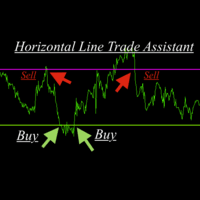
Horizontal Line Trade Assistant EA  Semi-Automated Trading Assistant      IMPORTANT :     On the main/purchased program a user can click on the Horizontal line and change it to Buy or Sell, and drag by double clicking on it. Please keep in mind that this option is not available on demo version, due to some restrictions/limitations of Strategy Tester, some Object related operations are not available in the  Strategy Tester. But, it will not prevent you from Testing, please drop an Object to chart
Risk Panel - Click to Trade Risk Panel - Click to Trade is a manual trade execution utility for MetaTrader 5. It provides a chart-based interface for preparing and placing buy and sell orders with risk-based position sizing. Features Adjustable risk percentage based on account equity. ATR-based stop-loss calculation. Take-profit calculation using a configurable risk-to-reward ratio. Buy and Sell trade controls. Order placement through a dedicated trade button. Spread limit and trade deviation se
TAQ Magic Keys v6.0 Auto Trade Manager is an advanced trade management tool for MetaTrader 5 (MT5) , featuring one-click trade management functions and an integrated Position Size Calculator . New Feature In V6.0 — FNR1R1 Function Key The new FNR1R1 Function Key provides an automated 1:3 Risk Reward trade management system , allowing traders to manage an open position through three predefined profit targets. Set your initial Stop Loss, and the system automatically calculates: TP1 = 1:1 Risk R
Trade Manager calcola la size di ogni ordine in base al rischio che scegli e lo gestisce dopo l'entrata, da un pannello leggero sul grafico. La size corretta su ogni simbolo Rischio in % del saldo, % dell'equity, importo fisso o lotti fissi La perdita per lotto viene calcolata da MetaTrader 5 stesso, quindi la size è corretta su forex, oro, indici, energetici, CFD su azioni e cripto, qualunque siano la dimensione del contratto o la valuta I volumi vengono arrotondati per difetto allo step del br
EA SB8 Panel Trade
Juan Manuel Bernal Martin
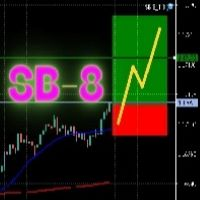
SB-8 – Manual Trading Panel with Fixed Risk & TradingView-Style Visualization for MT5 SB-8 is an advanced manual trading panel for MetaTrader 5 , designed to execute trades visually, quickly and without calculations . It is especially built for traders coming from TradingView , who often find MT5 confusing when it comes to risk management and trade visualization. With SB-8, you don’t calculate lot size, percentages or risk . You simply move the Stop Loss line , and the panel handles everything a
KF Partial Close Manager — Automated Multi-Tier Position Scaling & Protection for MetaTrader 5 KF Partial Close Manager is an automated trade management utility for MetaTrader 5 that helps discretionary and algorithmic traders systematically secure profits. Instead of prematurely closing winning positions or exposing floating gains to sudden market reversals, this utility executes multi-stage partial closures, moves your Stop Loss to Breakeven, and maintains strict broker volume compliance. T
FREE
All In One Trade Manager is a trade manager and one-click trading panel for manual traders on MetaTrader 5. It works as a trading assistant, risk manager and position size calculator in one dashboard. It brings together everything below in one panel: order entry with risk sizing automatic trade management advanced order types account protection statistics Its entry checks run in the background and tell you, before you click BUY or SELL, when something speaks against the trade. Also available
RiskPilot Pro
Mohamed Zein Mohamed Zein Soliman
RiskPilot Pro Plan risk clearly. Execute efficiently. Manage positions from one professional MT5 dashboard. RiskPilot Pro is a visual trade-planning and position-management utility for MetaTrader 5. It helps manual traders define risk before entry, calculate position size, place market or pending orders, and manage open positions from one chart panel. Important: RiskPilot Pro does not generate trading signals and does not choose trade direction. The trader defines the setup and remains responsib
Veron Link Slave – Synchronized Grid, Martingale & Breakout Management Short Description Advanced synchronization tool designed to manage Grid, Martingale, and Breakout EAs. Automatically sends close-basket signals to the Master account upon profit target completion, minimizing slippage across different brokers. Full Description Veron Link Slave is a specialized utility developed to enhance the execution efficiency and risk management of multi-account or multi-broker trading setups. It is desig
Manual trade and group management
Gayan Indika Honnanthara Acharige
GTM Panel Pro è un gestore di operazioni manuale per MetaTrader 5. Permette di gestire quattro gruppi di operazioni separati (A, B, C, D) e quattro slot di ordini pendenti (L1 a L4) su un solo grafico, ognuno con il proprio lotto, stop, obiettivo, breakeven, trailing stop e numero magico. Premete CLOSE e viene toccato solo il gruppo a cui puntate. La versione 2.53 aggiunge un assistente IA opzionale che usa la vostra chiave API, le note vocali di Telegram, una casella HELP in 14 lingue, una chec
Check an MQL5 signal before you subscribe. A signal can look convincing on the provider page and still be a poor fit for your account. Different symbol names, minimum lots, leverage, hedging or netting, copy latency and a fixed monthly fee can materially change what happens on your account. MT5 Signal Sentinel is not a trading robot and not a signal. It does not trade. It analyzes available data and explains technical and historical risks in plain language. Why this tool was created Many problem
XP Trade Panel is a trade manager for MetaTrader 5. It sizes, places and manages trades from one panel on the chart. Plan the trade on the chart The risk-reward tool draws the target, the entry and the stop on the chart before you place the order. Each strip shows its distance in points, the amount in the account currency, the percent of balance, and the reward-to-risk ratio. Drag a strip to move it. Click the arrows on the entry strip to switch between buy and sell. Drag the entry away from the
如果产品有任何问题或者您需要在此产品上添加功能,请联系我 Contact/message me if you encounter any issue using the product or need extra feature to add on the base version. There is a Demo version of this panel Dashboard Currency Strength Advanced MT5 Demo in my product list, please try it out to get familiar with all functionalities for free, Free version: LINK . MT4 version: LINK The Dashboard Currency Strength Meter Advanced gives you a quick visual guide to which currencies are strong, and which ones are weak over the
# Universal Smart Manual Trade Manager MT5 v1.00 ## What the EA does Universal Smart Manual Trade Manager MT5 is a protective and management Expert Advisor for manually opened trades. It does not open new entries by itself. It only adopts already open positions that pass the selected filters, and can add missing SL/TP, manage break-even, profit lock, ATR trailing, send Telegram notifications, and display status information on the chart. The default setup is intentionally safe: the EA manages
A professional manual trading and position management panel for MetaTrader 5 with risk-based sizing, SL/TP protection, partial reduction, break even and trailing stop tools. Strategy Engine Trade Panel is a manual trading and position management utility for MetaTrader 5. It is designed to simplify order execution, risk sizing, position protection and account management directly from the chart. The product does not generate entry signals and does not open trades automatically without a user a
TradeControl Utility Pro is a trading utility for MetaTrader 5 designed for traders who prioritize risk management and visual organization on the chart. The program combines a compact panel with a minimalist flat design and tools for virtual trade planning (VRP) and position grouping. Note: This is a utility for manual trading, not an automated expert advisor or signal generator. The program does not guarantee profits. Trading in financial markets involves high risk. Who is this utility for?
AutoLot Trade Panel
Fabian Maurice Schwarz
AutoLot Trade Panel è un pannello di trading per MT5 basato sul grafico, creato per trader manuali che desiderano un’esecuzione degli ordini più rapida, calcolo automatico del lotto, visualizzazione del rischio in tempo reale, pianificazione visiva di SL/TP e gestione delle posizioni direttamente sul grafico. Guida rapida: https://www.mql5.com/en/blogs/post/769949 ! Demo gratuita disponibile ! È disponibile una versione demo gratuita per testare il flusso di lavoro del pannello, il calcolo Aut
Apex StopLoss Manager
Muhammad Hassan Muhammad Ahmad Atiyah
Apex StopLoss Manager MT5 Script – Stop Loss Control Utility Overview Apex StopLoss Manager is a trade management script for MetaTrader 5 designed to provide precise, rule-based control over Stop Loss behavior on existing open positions . The script focuses on manual execution and accuracy. It does not use automated trading logic, does not open trades, and runs once per attachment . Core Functionality The script provides two independent Stop Loss control functions, both enabled only through exp
Launch price $39 until 31 October, then $59 The trade panel that also backtests your setups on the chart. Aurum RR brings a clean, TradingView-style Risk:Reward tool to MetaTrader 5 - and goes further. Plan a trade visually, send it with the exact lot size in one click, manage it automatically once it is open, and backtest your setups on history with every box scoring itself. PLAN - Place a Risk:Reward box anywhere on the chart and drag the stop loss, take profit, entry and box length direct
Quant Panel
Kevin Craig E Gittins
Quant Panel is a strategy analysis utility for MetaTrader 5. It helps traders review several Expert Advisors or trading strategies running on the same account. The panel groups closed positions by Expert Advisor comment or magic number and calculates each strategy's results separately. You can compare strategy performance, review individual drawdowns and export detailed reports from one dashboard. Independent strategy analysis Each strategy has its own virtual starting balance and closed-trade b
Bring the TradingView experience to your MetaTrader 5! Magic Entry Pro is a professional visual trading assistant designed for manual traders, scalpers, and Prop Firm funded traders. It allows you to execute trades with lightning speed, calculate risk automatically, and visually project your Stop Loss and Take Profit zones directly on the chart before you open a position. Tired of manually calculating lot sizes or guessing your Risk-to-Reward (RR) ratio? Magic Entry does it all in seconds! KE
Gli utenti di questo prodotto hanno anche acquistato
Trade Assistant MT5
Evgeniy Kravchenko
4.43 (216)
It helps to calculate the risk per trade, the easy installation of a new order, order management with partial closing functions, trailing stop of 7 types and other useful functions. Additional materials and instructions Installation instructions - Application instructions Line function -   shows on the chart the Opening line, Stop Loss, Take Profit. With this function it is easy to set a new order and see its additional characteristics before opening.   Risk management  - The risk calculation
FarmedHedge Pair Trading Dashboard
Tanapisit Tepawarapruek
5 (7)
Farmed Hedge Yield Farming | All Markets (Manual - Hybrid - Semi/Automated EA) VERIFIED TRADING RESULTS - Farmed Hedge Yield Axi Copy:  https://www.mql5.com/en/signals/2356376 - Farmed Hedge Yield Exn Copy:   https://www.mql5.com/en/signals/2356404 - Farmed Hedge Yield V Copy:  https://www.mql5.com/en/signals/2357156 IMPORTANT NOTICE: FarmedHedge is a MANUAL-FOCUSED TRADING UTILITY ,not a fully automated EA. Results shown on this Signal include manual trades and overall strategic management.
Forex Trade Manager MT5
InvestSoft
4.98 (690)
Benvenuto a Trade Manager EA, lo strumento definitivo per la gestione del rischio , progettato per rendere il trading più intuitivo, preciso ed efficiente. Non è solo uno strumento per l'esecuzione degli ordini, ma una soluzione completa per la pianificazione delle operazioni, la gestione delle posizioni e il controllo del rischio. Che tu sia un principiante, un trader avanzato o uno scalper che necessita di esecuzioni rapide, Trade Manager EA si adatta alle tue esigenze, offrendo flessibilità s
Telegram to MT5 MultiChannel Copier
Sergio Marquez Uroz
4.68 (22)
Telegram to MT5 Multi-Channel Copier   copia automaticamente i segnali di trading dai tuoi canali Telegram e Discord direttamente su MetaTrader 5. Niente bot, niente estensioni del browser, niente copia manuale. Il segnale arriva su Telegram o Discord e l'EA apre l'operazione nel tuo terminale in pochi secondi. E prima di copiare un canale, il backtester integrato ti mostra cosa avrebbe fatto quel canale sul tuo conto. Il prodotto include due componenti: un'applicazione Windows che ascolta i tuo
TradePanel MT5
Alfiya Fazylova
4.89 (174)
Trade Panel è un assistente commerciale multifunzionale. L'applicazione contiene più di 50 funzioni di trading per il trading manuale e permette di automatizzare la maggior parte delle attività commerciali. Istruzioni per l'applicazione: https://www.mql5.com/it/blogs/post/762331 Versione di prova dell'applicazione per un conto demo: https://www.mql5.com/it/blogs/post/762419 Come installare l'applicazione: https://www.mql5.com/it/blogs/post/762362 Come testare l'applicazione in modalità visuale:
EA Overfitter
Stephen J Martret
5 (4)
That backtest looks great. But will it still be making money tomorrow, next week, next month? EA Overfitter re-runs your EA on 100 price histories it has never seen. One score tells you if the edge is real. A backtest tells you what an EA did on one price history — the one that happened to occur. What you cannot tell from it is how much of that result was the strategy and how much was the particular path. EA Overfitter answers that. It builds up to 100 synthetic price histories your EA has n
Copia i segnali Telegram con le tue regole di trading Telegram to MT5 Signal Trader copia automaticamente i segnali di trading testuali dai canali e gruppi Telegram pubblici e privati in MetaTrader 5. Gestisci più fornitori e conti MT5 da un'unica applicazione desktop, con impostazioni di rischio e di trading specifiche per ogni fornitore . Per copiare i segnali non servono bot Telegram né configurazioni API. Accedi semplicemente con il tuo account Telegram tramite numero di telefono o codice QR
News Trade EA MT5
Konstantin Kulikov
4.55 (11)
Presento un utile robot che io stesso utilizzo da diversi anni. Questo robot può essere utilizzato sia in modalità semiautomatica che completamente automatica. >>> Chat <<< Il programma contiene le impostazioni flessibili per fare trading sulle notizie del calendario economico. Non può essere verificato nel tester delle strategie. Soltanto il vero lavoro. Scarica l'ultimo archivio di impostazioni: https://www.mql5.com/en/blogs/post/747929 Monitoraggio dei segnali: https://www.mql5.com/en/signa
================================================================================ POC BREAKOUT - V20.72. Full Professional Grade Toolkit ================================================================================ POC Breakout is a full MetaTrader 5 trading dashboard for discretionary traders who want breakout signals, Point of Control (POC) context, volume profiles, order flow, market structure, news, alerts, and advanced trade planning in one professional workspace. Attached directly to you
The product will copy all telegram signal to MT5 ( which you are member) , also it can work as remote copier.  Easy to set up, copy order instant, can work with almost signal formats, image signal,  s upport to translate other language to English Work with all type of channel or group, even channel have "Restrict Saving Content", work with  multi channel, multi MT5 Work as remote copier: with signal have ticket number, it will copy exactly via ticket number. Support to backtest signal. How to s
Prossimo aggiornamento — Versione 2.52 in arrivo! [NOVITÀ] Preparati a 4 nuove funzionalità principali progettate per migliorare la tua analisi di mercato e il tuo flusso di lavoro nel trading Portiamo l’analisi di mercato a un livello superiore con 4 nuove funzionalità progettate per soddisfare le tue esigenze di trading. Ecco le novità: 1. TRADE OVERVIEW DASHBOARD 2. CONFLUENCE AT ZONE 3. STRONG & WEAK HIGH/LOW 4. OTE 1. TRADE OVERVIEW DASHBOARD Una dashboard che ti aiuta a comprendere più fa
EA Auditor
Stephen J Martret
5 (7)
EA Auditor is an independent analysis tool for traders evaluating Expert Advisors and trading signals on MetaTrader 5. It audits backtest reports, reviews posted developer signals, and cross-verifies the two against each other to help traders assess strategies before committing capital. The MQL5 market offers a wide range of Expert Advisors from many developers, with varying approaches, quality, and transparency. EA Auditor provides a consistent, data-driven framework for reviewing them, answer
News Filter EA
Rashed Samir
5 (2)
News Filter EA: Advanced Algo Trading Assistant News Filter EA is an advanced algo trading assistant designed to enhance your trading experience. By using the News Filter EA , you can integrate a Forex economic news filter into your existing expert advisor, even if you do not have access to its source code. In addition to the news filter, you can also specify trading days and hours for your expert. The News Filter EA also includes risk management  and equity protection features. MT4 Version Ma
MT5 to Telegram Signal Provider è un'utilità facile da usare e completamente personalizzabile che consente l'invio di segnali specificati a una chat, canale o gruppo Telegram, rendendo il tuo account un fornitore di segnali. A differenza della maggior parte dei prodotti concorrenti, non utilizza importazioni DLL. [ Dimostrativo ] [ Manuale ] [ Versione MT4 ] [ Versione Discord ] [ Canale Telegram ]  New: [ Telegram To MT5 ] Configurazione Una guida utente passo-passo è disponibile. Nessuna cono
Exp5 VirtualTradePad PRO SE for MT5
Vladislav Andruschenko
5 (1)
VirtualTradePad PRO SE MT5 — centro di controllo professionale per il trading su MetaTrader 5 VirtualTradePad PRO SE è un pannello di trading premium basato sul grafico e un ambiente di gestione delle operazioni per MetaTrader 5 . È progettato per i trader che desiderano esecuzione più rapida, controllo più chiaro delle posizioni, gestione strutturata delle operazioni, pianificazione visiva dei livelli e un workflow professionale direttamente dal grafico. Non è soltanto un semplice pannello BUY
Trader Evolution
Siarhei Vashchylka
5 (7)
" Trader Evolution " - A utility designed for traders who use wave and technical analysis in their work. One tab of the utility is capable of money management and opening orders, and the other can help in making Elliott wave and technical analysis. Manual (Be sure to read before purchasing) | Version for MT4 Advantages 1. Trading in a few clicks. Immediate and pending orders are available in the panel 2. Money management. The program automatically selects the appropriate lot size 3. Simplifies
AW Trade Manager
AW Trading Software Limited
AW Trade Manager è un pannello di trading per MetaTrader 5 con uno strumento rischio/rendimento sul grafico. Il trade si pianifica con le linee Entry, Stop Loss e Take Profit, che si trascinano con il mouse: le etichette mostrano prezzo, distanza e importo in denaro, le zone mostrano profitto e perdita, e il volume si calcola dal rischio. Prima dell'invio la finestra di conferma mostra l'intero trade con rischio, margine e regole della posizione. Manuale e istruzioni -> QUI / Demo LIVE gratuita
RETAILBERG FOOTPRINT CHART PRO — Order-Flow Workspace for MetaTrader 5 Version 7.00  |  Professional System  |  31 tools  |  One chart A full 150-page illustrated User Manual is included. Please read the full manual to understand this feature packed footprint chart elements and ui. https://www.mql5.com/en/blogs/post/777982 DEMO / STRATEGY TESTER — PLEASE READ FIRST
Assistente di trading sul grafico e pannello di gestione del rischio Strumento completo sul grafico con Stop Loss (SL) e Take Profit (TP) multi-mode (ATR, R:R, punti, valuta del conto), analisi in tempo reale e calendario economico Ergotick Trade Manager è un pannello di trading professionale tutto-en-uno, progettato per trader discrezionali, candidati ai challenge delle prop firm e scalper. Unisce il calcolo automatico e istantaneo della dimensione del lotto, impostazioni multi-mode per Stop Lo
Master Your Trading Discipline   Stop losing your hard-earned gains to overtrading and emotional decisions. The Discipline Tool is your ultimate trading assistant, ensuring strict risk management in real-time. Key Protection Features: Advanced Drawdown Defense : Automatically halts trading if your daily drawdown exceeds a preset threshold (percentage or dollar amount). Real-Time Equity Lock : Safeguard profits by referencing peak equity, ensuring drawdown stays within control. Hard Profit Target
Dealer Panel
Mian Rameez Ali
Dealer's Panel No signal decides anything here — a hand does. One click, and the panel calculates what's underneath: lot size from risk, target from a 30-step balance ladder that remembers exactly how far an account has climbed. Toggle between market and pending without touching an input field. Set a stop, and the take-profit can write itself — a fixed share of the balance, translated into price with no arithmetic left for the trader to get wrong. One trade live at a time; it won't let a seco
Astro Trade MT5
Indra Maulana
5 (8)
25% discount on the release of the tool: only for the next 3 buyers Send a message to receive a demo version. AstroTrade Trading Assistant AstroTrade is a comprehensive multi-functional trading utility developed for the MetaTrader 5 platform. It integrates essential tools for trade execution, risk management, and technical monitoring into a single unified interface. The application is designed to assist traders in managing their daily operations through a visual and structured environment. Vi
Bneu Prop Firm Pass System
Marvinson Salavia Caballero
5 (1)
BNEU PROP FIRM PASS SYSTEM v2.37 PRODUCT OVERVIEW Bneu Prop Firm Pass System is a professional risk management and account protection utility for MetaTrader 5. Attach to any chart and configure your account rules. The system monitors daily loss, maximum drawdown, profit target, trading days, open risk, margin usage, news events, pending orders, weekend restrictions, and rollover restrictions from one dashboard. It includes a 5-tab premium dashboard, prop firm presets, custom rules, Risk Sentine
Anchor Trade Manager
Kalinskie Gilliam
5 (8)
Your EAs cannot see each other, but Anchor can. Anchor gives you one place to coordinate your EAs, manage risk, and decide when trading is allowed. It works alongside the trading bots you already use without any changes to them. The Problem One EA opens a trade. Then another starts trading. The next thing you know, you wake up to multiple grids built across your account. Each EA may be doing exactly what it was designed to do, but together they can place far more risk on your account than you in
REVDEN AI Desk: gestisci il tuo trading da un'unica conversazione con la tua IA, sul contesto di mercato di REVDEN Immagina di gestire il tuo trading da un'unica conversazione. REVDEN AI Desk la porta in MetaTrader 5: chiedi alla tua IA come legge il mercato, e lei risponde dal contesto completo di REVDEN sui simboli che operi, con il loro stato, il loro quadro di rischio e le pubblicazioni in arrivo. Le sue proposte arrivano con ingresso, stop, target e rischio, e tu approvi quelle che ti convi
Power Candles Strategy Scanner: ricerca di setup multi-simbolo che si ottimizza da sola Uno scanner che suona a ogni minimo movimento ti abitua a ignorarlo. Una chiusura di candela movimentata, un avviso dopo l'altro, e l'unico setup su cui operi davvero affoga nel rumore. Power Candles Strategy Scanner esegue il motore auto-ottimizzante di Power Candles su ogni simbolo del tuo Market Watch e ti avvisa solo di ciò che supera i tuoi filtri: la forza dell'ultima candela chiusa, il rapporto rendime
Smart Renko Chart
Gianny Alexander Lugo Sanchez
This Expert Advisor creates a custom symbol (for example EURUSD_RK) from the symbol of the chart and converts the same chart to Renko. The chart keeps updating tick by tick. A control panel on the chart lets you change the Renko type and the way the brick size is calculated without restarting. Markets It works on any symbol that your broker offers in the terminal: forex pairs, stocks, indices, metals, energies, cryptocurrencies and synthetic indices. The brick size can be set in points, as a per
Telegram Signal Copier copies the trade signals of the Telegram channels you follow into MetaTrader 5 — including entry zones, several take profits, edited messages and every follow-up the provider posts later: break-even, close all, close half or a percentage, move SL or TP, cancel the pending order, "TP1 hit", "SL hit". It is built around one question every copier buyer has: "Is it reading MY channel right?" — and lets you check that before real money is involved. Works with Windows, macOS and
KT Equity Protector MT5
KEENBASE SOFTWARE SOLUTIONS
3.6 (5)
An equity protection EA for MetaTrader that enforces your loss limits and profit target for you: when your account reaches a rule you set, it closes your trades on every symbol, before one bad day turns into a lost account. It suits prop firm challenges and personal accounts alike. Attach it to one chart, answer a few questions in the on-chart setup wizard, and it watches your whole account in the background while you trade by hand or with other EAs. What it protects Daily loss limit: a percenta
Trade Manager DaneTrades
Levi Dane Benjamin
4.13 (31)
Trade Manager per aiutarti a entrare e uscire rapidamente dalle operazioni calcolando automaticamente il tuo rischio. Incluse funzionalità che ti aiutano a prevenire l'eccessivo trading, il vendetta trading e il trading emotivo. Le operazioni possono essere gestite automaticamente e i parametri di performance del conto possono essere visualizzati in un grafico. Queste caratteristiche rendono questo pannello ideale per tutti i trader manuali e aiuta a migliorare la piattaforma MetaTrader 5. Suppo
Altri dall’autore
LIQUIDITY HUNTER Stop chasing price. Wait where the orders are. SOUND FAMILIAR? You enter. Price reverses. Your stop is hit. Then the market goes exactly where you expected. It isn't bad luck. Obvious highs and lows are where everyone puts their stops, and that is where the market tends to go first. Most traders are the liquidity. Liquidity Hunter is built to position around it. THE IDEA BEHIND IT Above every untouched swing high sits a pool of buy stops . Below every untouched swing l
Filtro:
Nessuna recensione
Rispondi alla recensione