Strategy Engine Trade Panel
- Утилиты
- Версия: 2.1
- Активации: 10

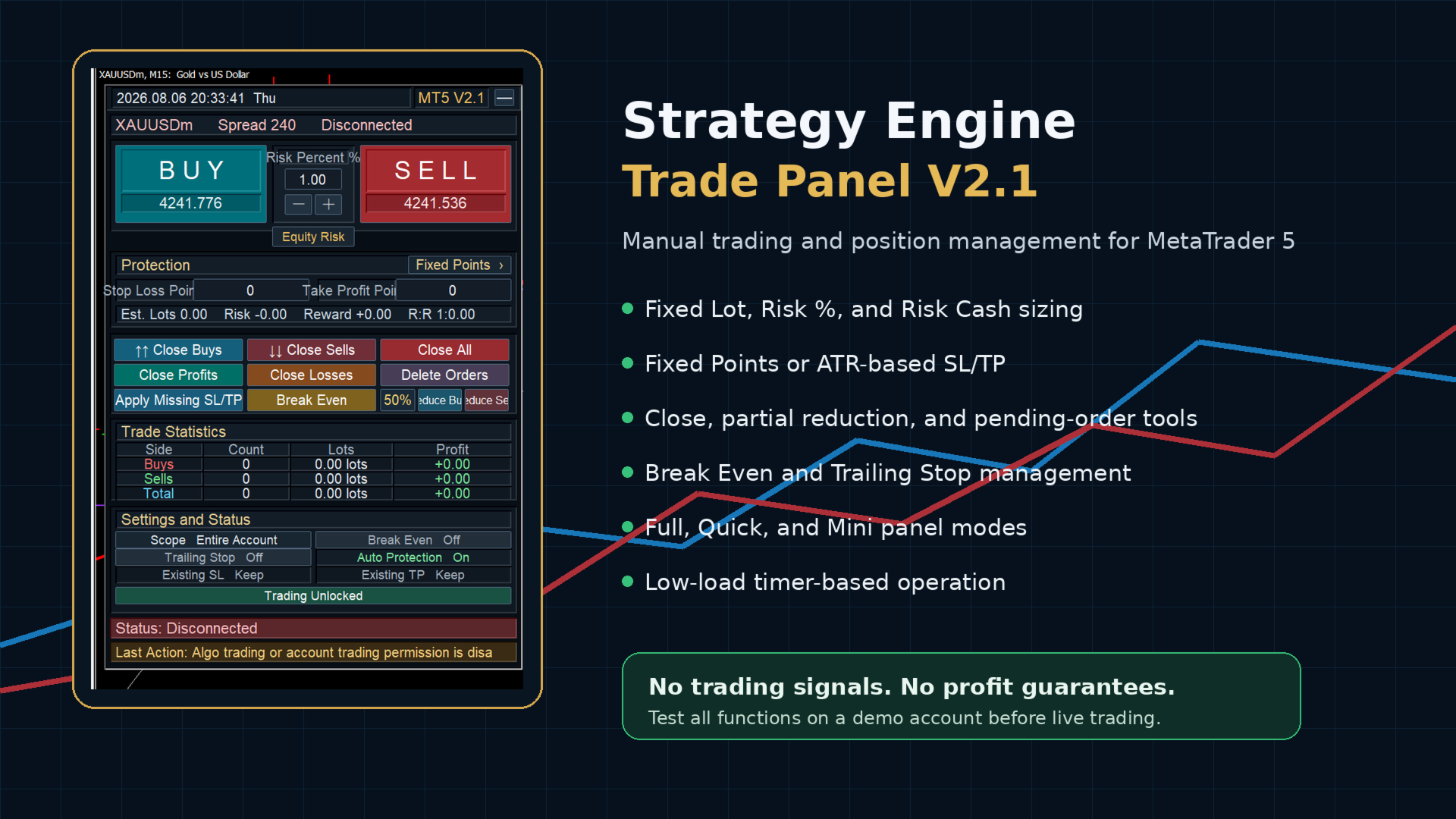
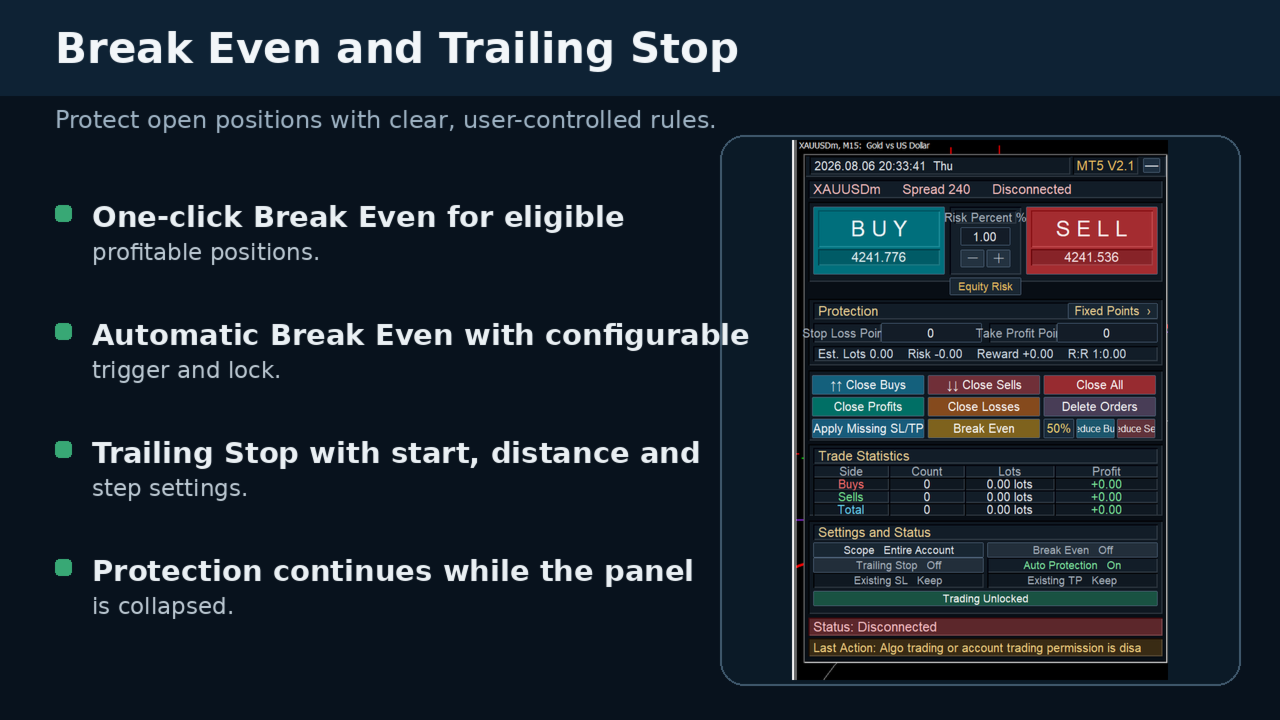
A professional manual trading and position management panel for MetaTrader 5 with risk-based sizing, SL/TP protection, partial reduction, break even and trailing stop tools.
Strategy Engine Trade Panel is a manual trading and position management utility for MetaTrader 5.
It is designed to simplify order execution, risk sizing, position protection and account management directly from the chart.
The product does not generate entry signals and does not open trades automatically without a user action.
MAIN FEATURES
• Direct Buy and Sell controls
• Editable lot size directly on the panel
• Fixed Lot, Risk % and Risk Cash sizing modes
• Fixed Points or ATR-based Stop Loss and Take Profit
• Close Buy, Close Sell and Close All
• Close profitable or losing positions
• Delete managed pending orders
• Apply SL/TP protection to existing positions
• One-click Break Even
• Automatic Break Even
• Trailing Stop management
• 25%, 50%, 75% and 100% position reduction
• Panel Orders, Current Symbol or Account management scope
• Full, Quick and Mini display modes
• Real-time position count, volume and floating P/L
• Low-load timer-based panel refresh
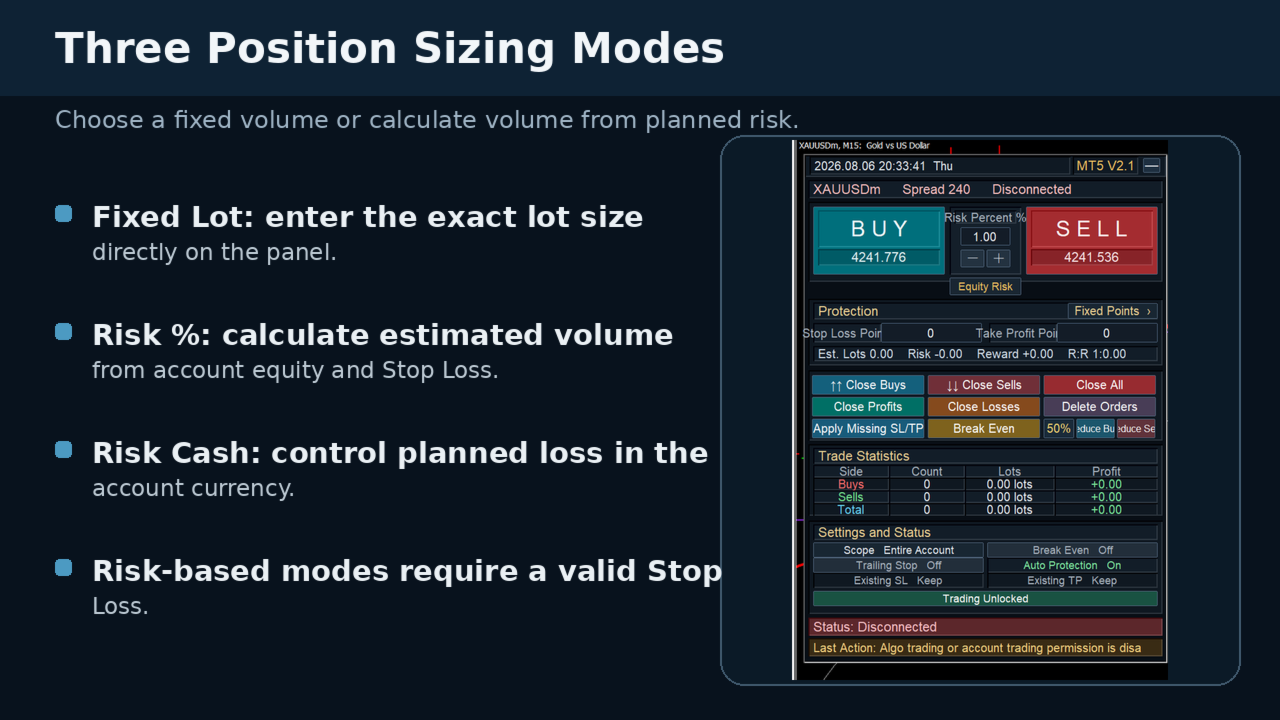
POSITION SIZE MODES
Fixed Lot
Enter the required lot size directly on the panel or adjust it with the plus and minus buttons.
Risk %
The panel calculates the estimated volume using account equity, selected risk percentage, Stop Loss distance and the symbol's trading specifications.
A valid Stop Loss is required.
Risk Cash
Enter the planned monetary risk in the account currency. The panel calculates the estimated volume according to the Stop Loss distance and symbol specifications.
A valid Stop Loss is required.
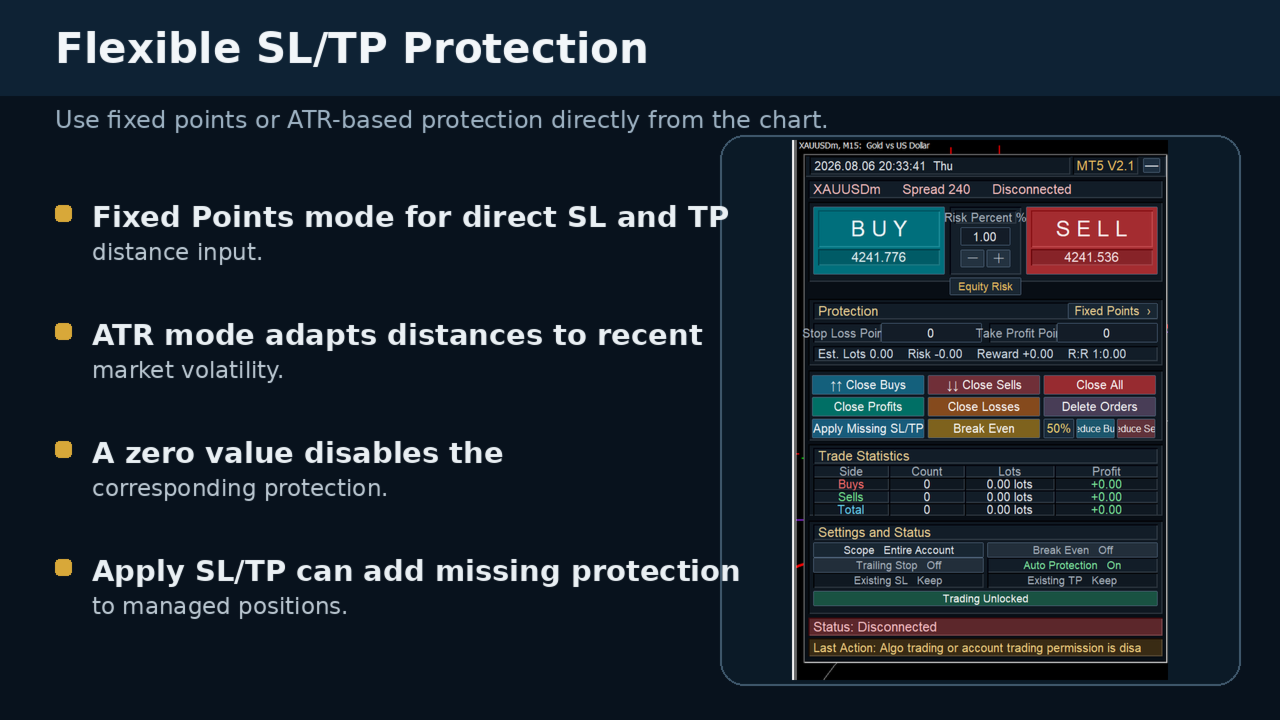
SL/TP PROTECTION
Two protection modes are available:
• Fixed Points
• ATR-based protection
A zero value disables the corresponding Stop Loss or Take Profit.
New positions are opened with server-side SL/TP whenever the broker accepts the requested levels.
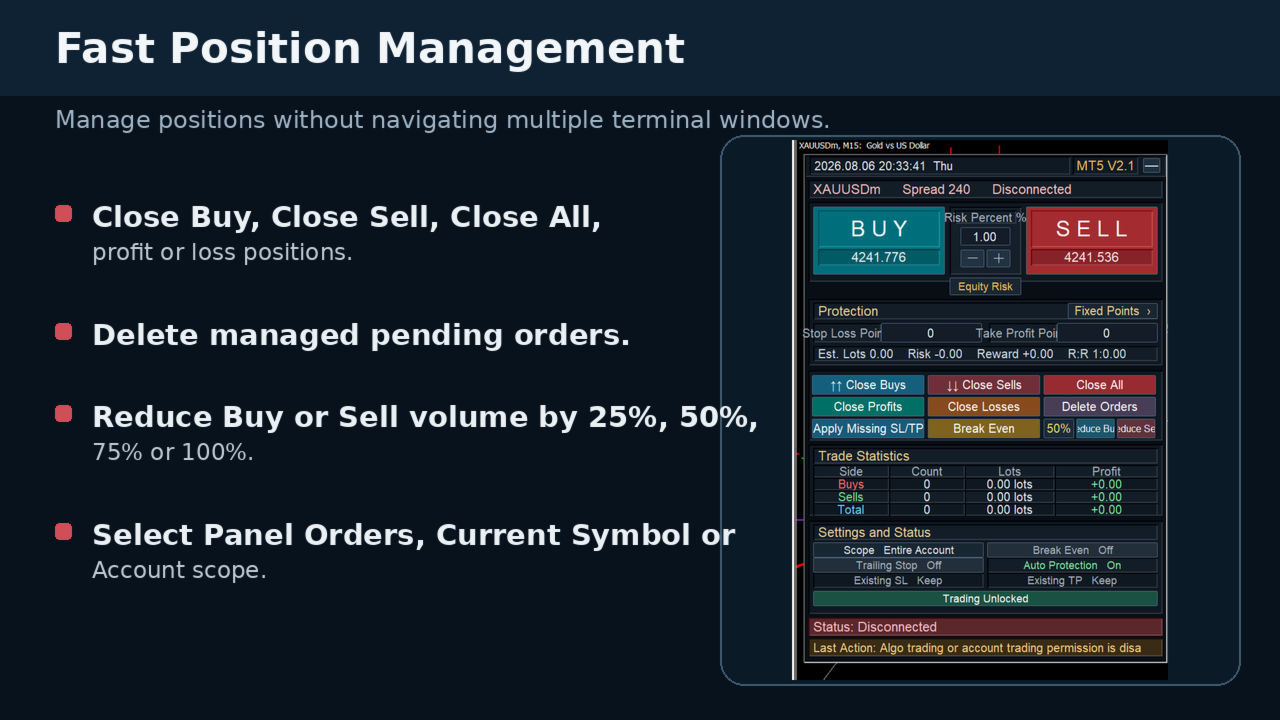
POSITION MANAGEMENT
The panel can manage:
• Orders opened by this panel
• All positions of the current symbol
• The entire account
The selected scope is used for closing, position reduction, Break Even, Trailing Stop, SL/TP application, pending-order deletion and statistics.
POSITION REDUCTION
The percentage button cycles through:
• 25%
• 50%
• 75%
• 100%
Reduction is calculated from the total managed volume of the selected direction.
DISPLAY MODES
Full Mode
Displays all trading, protection, statistics and status controls.
Quick Mode
Displays the main Buy, Sell, sizing and close controls.
Mini Mode
Displays server time and the product version only.
Collapsing the panel does not stop enabled position-management functions.
IMPORTANT NOTES
• This is a manual trading utility.
• It does not provide trading signals.
• It does not guarantee trading results.
• Risk-based sizing requires a valid Stop Loss.
• Broker volume, spread, Stops Level and execution conditions may differ.
• Test all functions on a demo account before live trading.
RISK NOTICE
Trading leveraged financial instruments involves significant risk.
Historical tests, demonstrations and screenshots do not guarantee future results.
Execution may be affected by spread, slippage, connection quality, broker restrictions and server conditions.
Users remain fully responsible for all trading decisions and results.
SUPPORT
Support is available through MQL5 product comments and MQL5 private messages.
Developer: BBoss