Zone Risk Planner
- Индикаторы
-
Tamara Garcia Infantes
 Welcome to EAS Trade Systems, an algorithmic trading studio focused on MetaTrader 4 and MetaTrader 5.
I develop Expert Advisors, indicators and trading utilities, both custom projects for clients and my own systems.
What I offer:
Custom Expert Advisors built exactly from your rules - Версия: 1.31
- Активации: 10
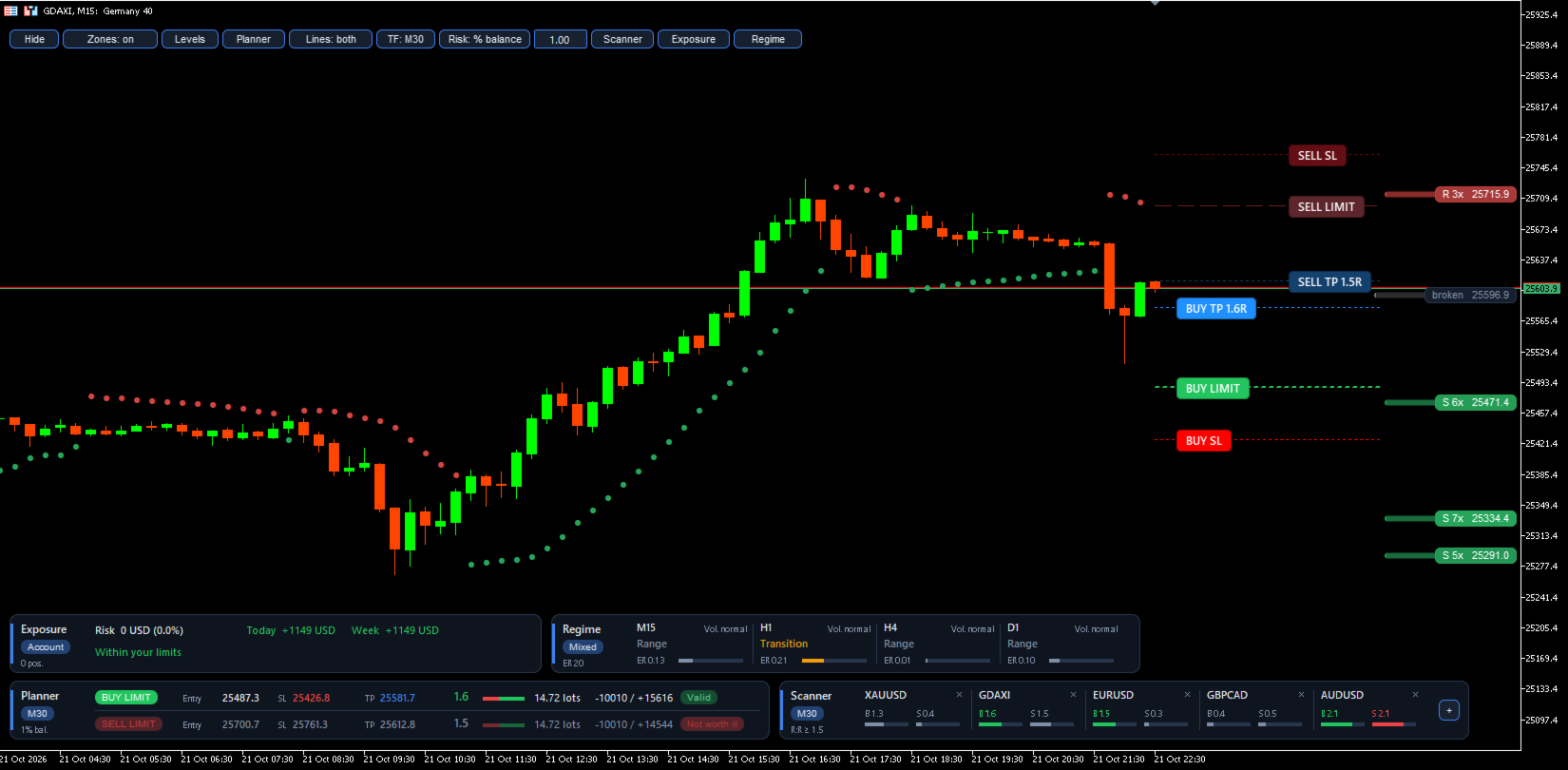
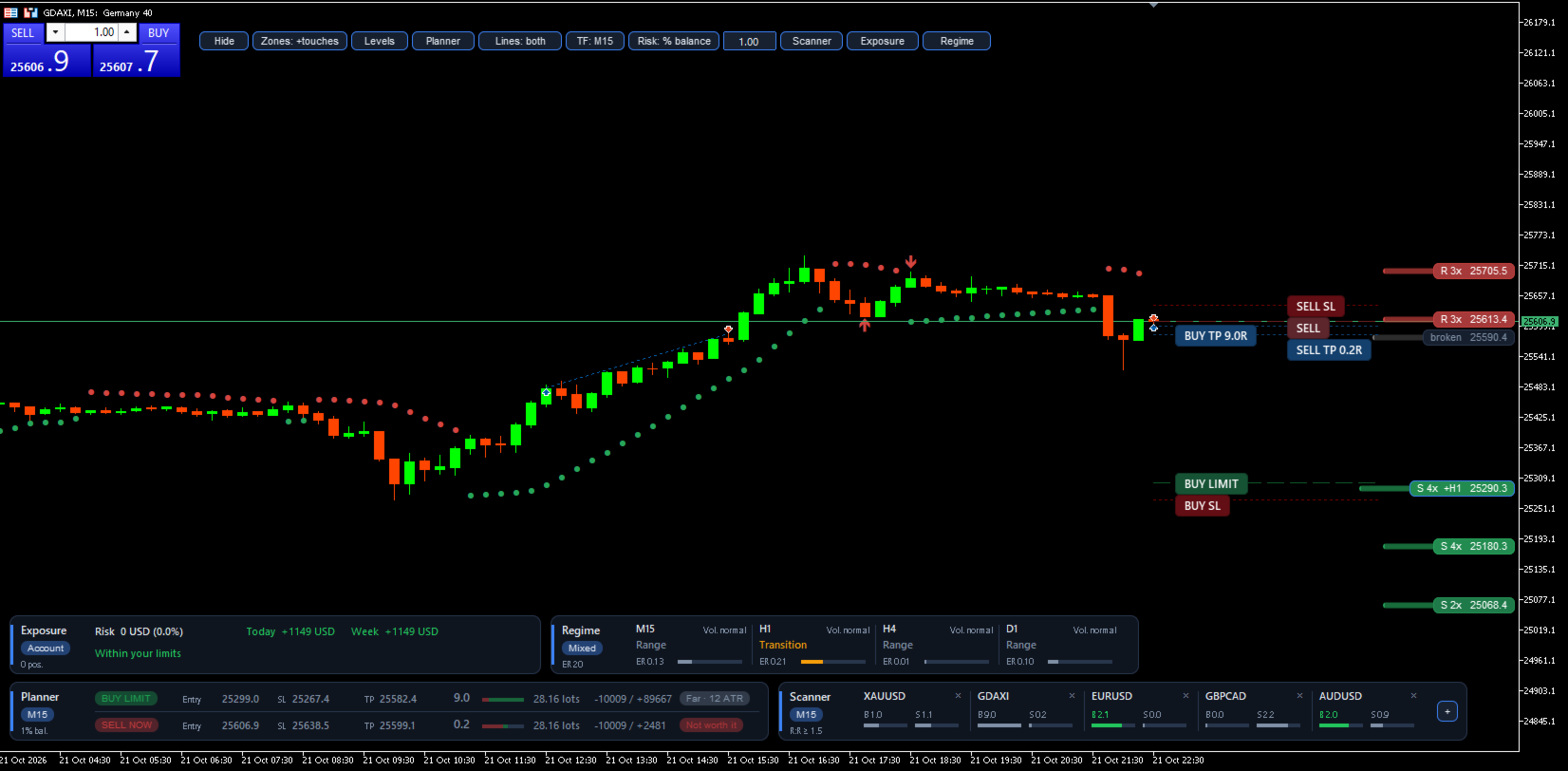
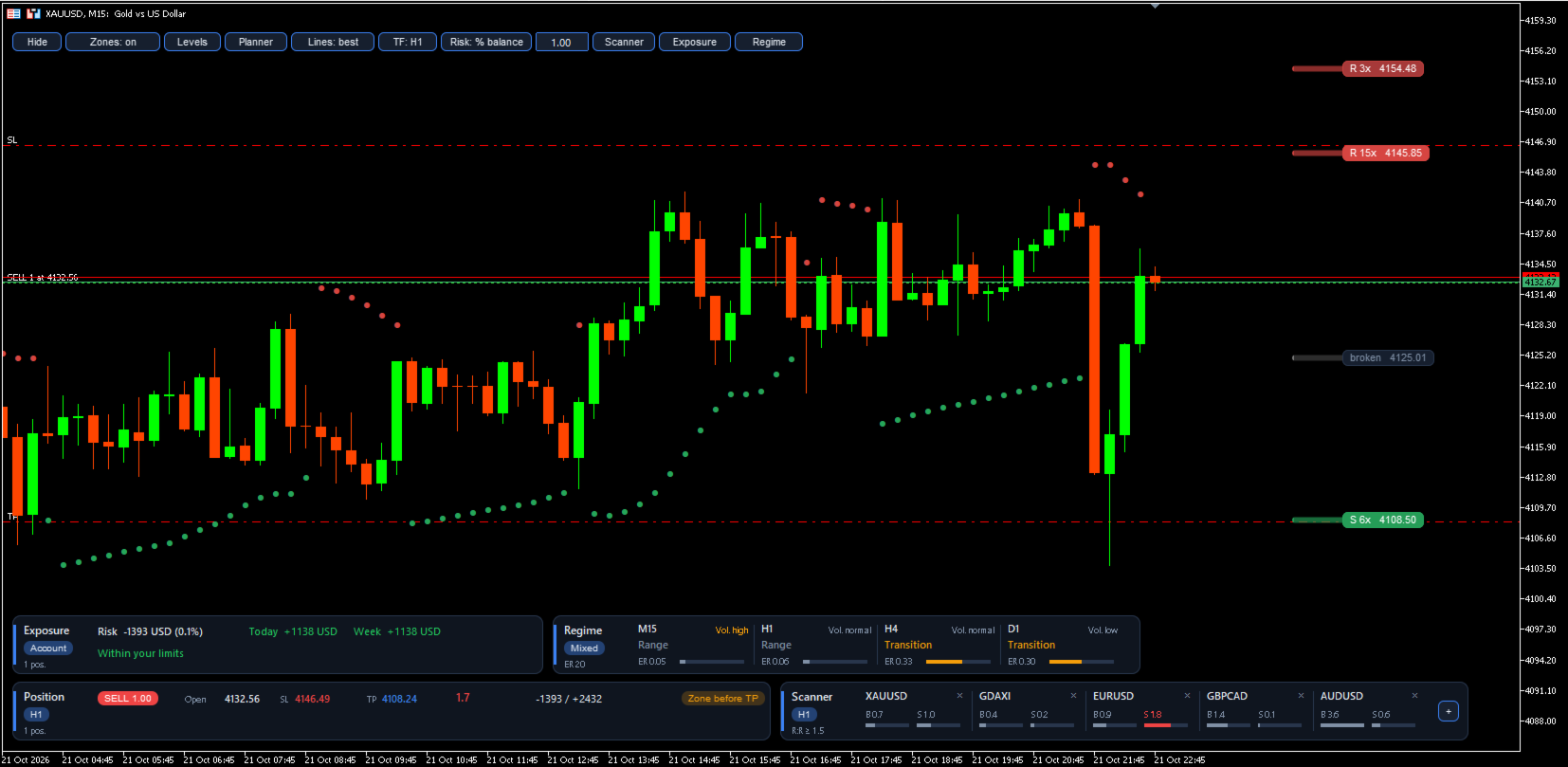
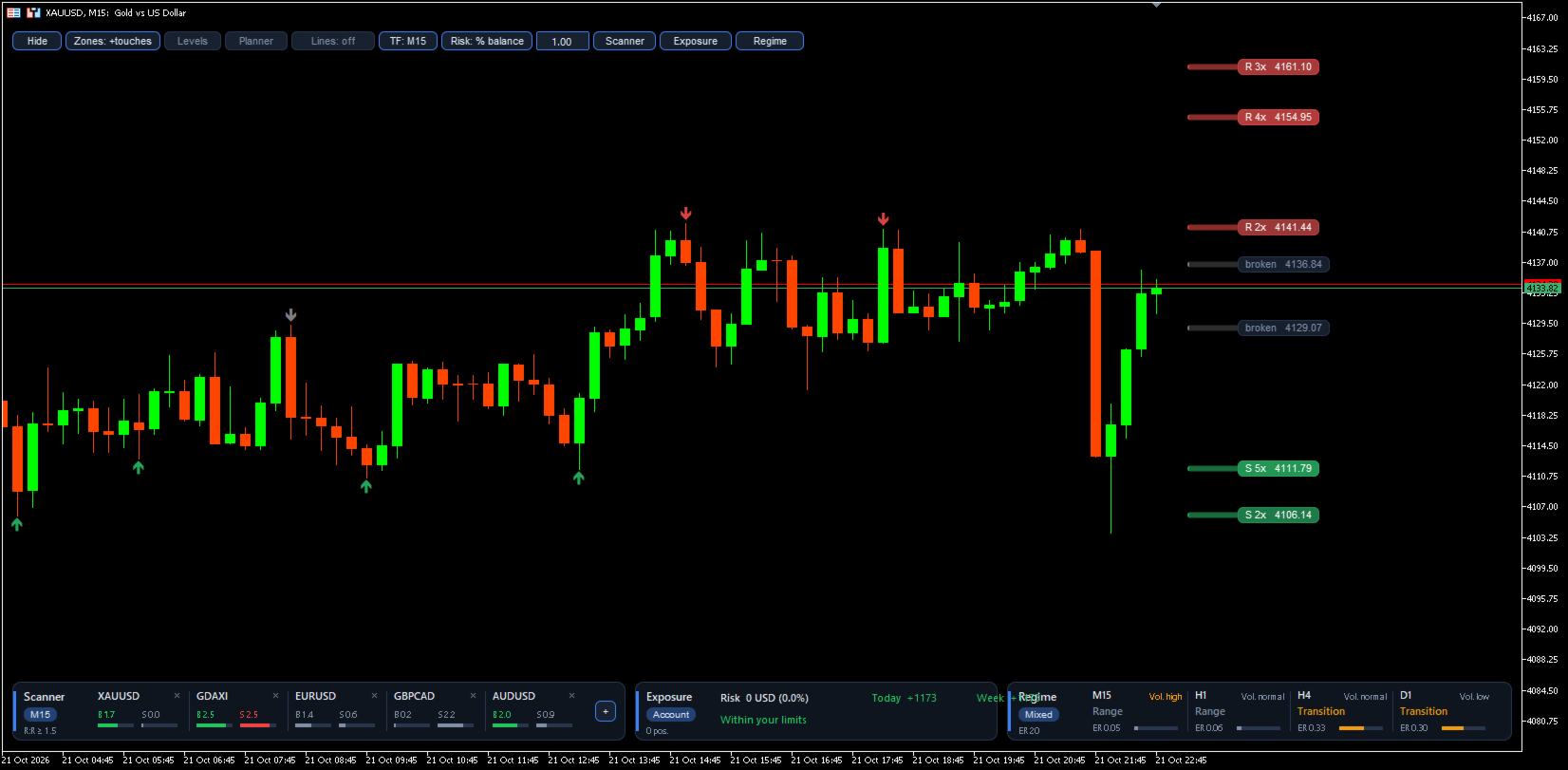
Zone Risk Planner turns support and resistance zones into a complete trade plan: where to enter, where to place the stop loss (SL), where the take profit (TP) goes and how many lots match your risk. It also shows the risk of your whole account, the market regime on several timeframes and a multi-symbol scanner, all in one indicator.
It is a planning and risk-management tool. It does not give buy or sell signals and it does not open, modify or close trades.
Support and resistance zones
- Calculated on the timeframe you choose with the TF button (M5 to D1), from confirmed swing highs and lows.
- Zone width adapts to volatility (Average True Range, ATR).
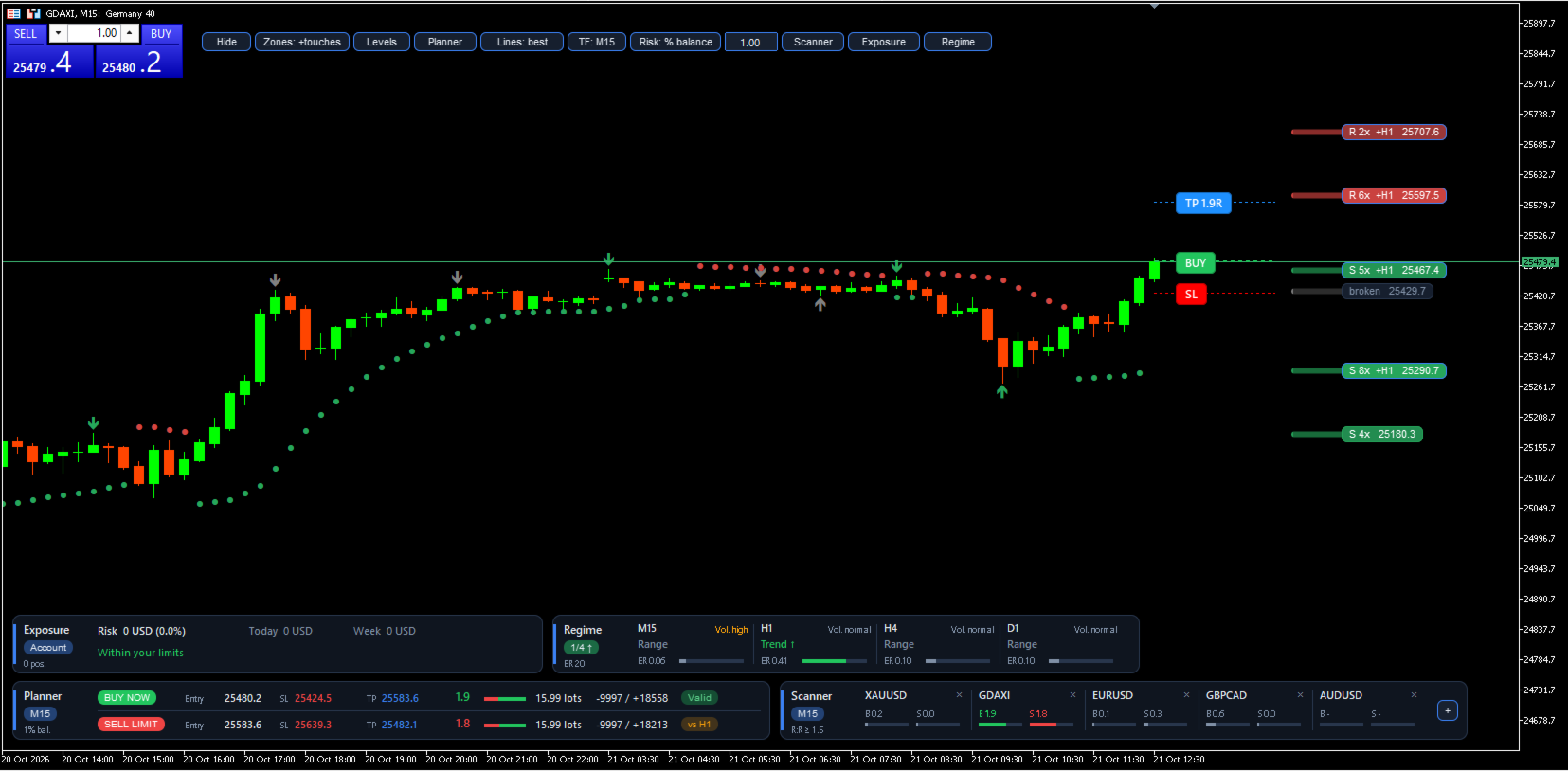
- Each zone shows its touches ("3x") and whether it matches a zone on the higher timeframe ("+H1").
- Broken zones turn grey and stay visible, because price often reacts at them again.
- Zones are drawn on the right side of the chart, so they never hide the candles.
- Optional arrows on every candle that touched a zone.
Stop loss and take profit planner
- Buy and sell plan in real time, with a limit order at the zone edge or a market entry.
- Stop loss beyond the zone, never closer than a minimum distance.
- Take profit at the first zone shown after the entry, broken zones included, so the expected result is realistic.
- Net reward-to-risk ratio (R:R) after spread and commission. Plans below your minimum are marked "Not worth it", and limit entries too far from price are marked "Far".
- Lot size from your risk: % of balance, % of equity or a fixed amount. Warns when free margin is not enough or the lot exceeds the broker maximum.
- If a plan goes against the trend of a higher timeframe, it says so ("vs H4").
- Once you are in a trade, it hides the plans and shows your position: real R:R, money at risk, a warning if there is no SL and any zone standing before your TP.
Market regime
- Trend, range or transition on up to six timeframes (default M15, H1, H4 and D1), with their volatility.
- Closed bars only: it does not repaint.
Account exposure
- Risk of all your open positions if every stop is hit, plus today's and this week's result.
- Warnings for maximum open risk, positions without SL, daily and weekly loss, number of positions and too many positions in the same currency.
Scanner
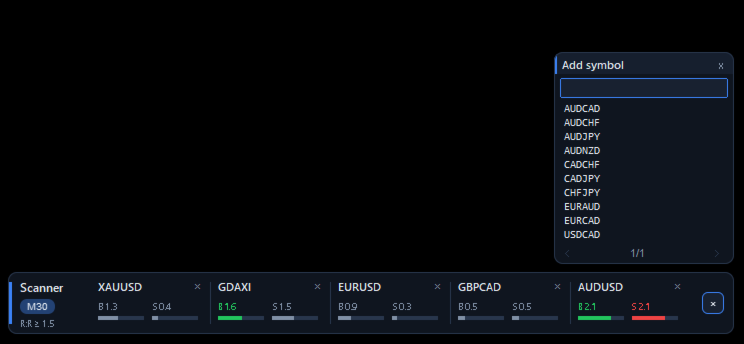
- Up to 20 symbols with a searchable list. Shows the buy and sell R:R of each one with the same rules as the planner.
Interface
- Chart buttons to show or hide each part, change the zone timeframe and the risk.
- Panels that rearrange themselves to the chart width, light and dark theme, English and Spanish.
Main inputs
- Language: language of buttons, panels and alerts (English or Spanish).
- Profile: asset profile (Auto, Forex, Indices, Metals, Crypto or Custom). Auto adapts by itself.
- Zone timeframe: starting zone timeframe (change it later with the TF button).
- Pivot bars left / right: bars that confirm a swing high or low. More bars, fewer but stronger zones.
- Minimum touches: touches needed for a zone to count.
- Max zones per side: zones drawn above and below price.
- Recommended entry: limit order at the zone edge or market entry.
- Minimum R:R: minimum ratio for a plan to be valid.
- TP stops at the first zone, broken ones included: the TP stops at the first zone shown, even if broken.
- Limit entry farther than this (x ATR) is marked Far: distance from which a limit entry is marked "Far".
- Risk mode / Risk % / Fixed risk: how the risk per trade is calculated.
- Commission per lot: your broker's commission, so lots and R:R are exact.
- With a position open on this symbol, show it instead of the plan: turns on position mode.
- Max open risk / Max daily loss / Max weekly loss: account limits that trigger warnings.
- Max open positions / Same-currency warning: warnings for number of positions and currency concentration.
- Regime timeframes: timeframes of the regime panel.
- Alerts: zone entry, zone break, valid plan, account limits and regime change, by popup, mobile or email.
Important
This indicator helps you plan trades and control risk. It does not predict the market and it does not guarantee results. Always check the lot size in your broker's order window before trading, and test it first in the Strategy Tester or on a demo account.