Smart Trade Protector EA MT4

🚀 Smart Trade Protector EA


Take control of your trades with advanced Trailing Stop and Break Even management. Designed for traders who want to maximize profits while minimizing risk, this EA ensures your positions are always protected and optimized.


⚙️ Trailing Stop Settings

  • Use Trailing: Enables or disables the trailing stop function.

  • Trailing Start: Distance in pips after which the trailing stop becomes active (default: 20 pips).

  • Trailing Step: Increment in pips by which the stop loss is adjusted as the price moves in your favor (default: 10 pips).

This feature helps lock in profits by automatically adjusting the stop loss as the market moves.

✅ Benefit: Locks in profits while giving trades room to breathe.


📈 Break Even Settings

  • Use Break Even: Activates the break‑even function to secure trades once they reach a certain profit.

  • Break Even After: Number of pips in profit after which the stop loss is moved to break even (default: 10 pips).

  • Pips Above BE: Extra pips added above the break‑even level to cover costs or ensure a small gain (default: 0.0 pips).

This ensures that once your trade reaches a defined profit threshold, it is protected from turning into a loss.

✅ Benefit: Eliminates risk of turning winning trades into losses.


🛠️ Example Use Case

  • A trader sets Trailing Start = 20 pips and Trailing Step = 10 pips. Once the trade is 20 pips in profit, the stop loss begins trailing in 10‑pip increments.

  • With Break Even After = 10 pips, the stop loss moves to entry price once the trade gains 10 pips, ensuring no loss even if the market reverses.


📊 Why Traders Love It

  • Peace of mind: Never worry about sudden reversals wiping out gains.

  • Flexibility: Customize trailing and break‑even levels to match your strategy.

  • Professional risk management: Protects capital while letting profits run.

  • Plug & Play: Simple settings, powerful results.


🎯 Perfect For

  • Scalpers who need fast protection.

  • Swing traders looking to secure medium‑term gains.

  • Day traders who want automated risk control.


N.B This EA i most suitable for currency and metals. For custom EA contact https://www.mql5.com/en/users/dmjoguns/



    Другие продукты этого автора
    MT5 Account Protector Basic Account Protector Basic is a streamlined risk management tool for MetaTrader 5 (MT5) that helps traders safeguard their accounts with clear, customizable limits. Designed for simplicity and reliability, it ensures that trading remains disciplined and capital is protected. This EA closes all trades once the maximum loss is reached either in value or account percentage. It is especially useful for those trading prop funds account. Key Features: Loss Selection You can
    FREE
    MT4 vAccount Protector Basic Account Protector Basic is a streamlined risk management tool for MetaTrader 4 (MT4) that helps traders safeguard their accounts with clear, customizable limits. Designed for simplicity and reliability, it ensures that trading remains disciplined and capital is protected. This EA closes all trades once the maximum loss is reached either in value or account percentage. It is especially useful for those trading prop funds account. Key Features: Loss Selection You can
    FREE
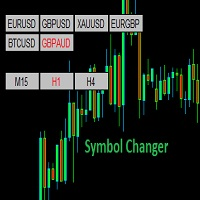
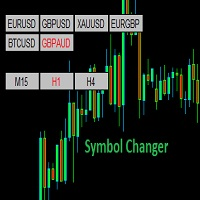
    Symbol Changer (Custom) Indicator This is a simple yet intuitive indicator. And its free. The indicator provide easy navigation across various symbols and across different time frames all in a chart. The buttons are displayed on the main chart. It is flexible and easy to use with fast response speed. FEATURES UniqueID : This identifies the pairs for each chart Use Custom Pairs : If set to true, load all the available symbols in the Market Watch. No means it loads the pairs selected be
    FREE
    Trades Manager Buy and Sell Close MT5 The Close Buy and Sell Expert Advisor is a free EA given to help traders manage trades easily especially during volatile market environment. Features:     It helps to quickly close trades either in profit or loss.     Close for separate Buy Only      Close for separate Sell Only      Close for both Buy and Sell Only      Control Box can be minimized, closed or moved around from the chart. Check the MT4 here It works for all open trades opened on the
    FREE
    Trades Manager Buy and Sell Close The Close Buy and Sell Expert Advisor is a free EA given to help traders manage trades easily especially during volatile market environment. Features: It helps to quickly close trades either in profit or loss. Close for separate Buy Only  Close for separate Sell Only  Close for both Buy and Sell Only  Control Box can be minimized, closed or moved around from the chart. It works for all open trades opened on the terminal. Contact me for your specific coding
    FREE
    EA Settings Guide 1. StopLoss What it does: Sets a protective stop loss in pips. Default behavior: If set to 0 , the EA will not apply a stop loss. Example: If you set StopLoss = 30 , every trade without a stop loss will automatically be given a 30-pip stop loss. 2. TakeProfit What it does: Sets a take profit target in pips. Default behavior: If set to 0 , the EA will not apply a take profit. Example: If you set TakeProfit = 50 , trades without a take profit will automatically be given a 50-
    Symbol Changer Indicator This is a simple yet intuitive indicator.  The indicator provide easy navigation across various symbols and across different time frames all in a chart. The buttons are displayed on the main chart. It is flexible and easy to use with fast response speed. FEATURES         Use Custom Pairs : If set to true, load all the available symbols in the Market Watch. No means it loads the pairs selected below.     Pairs (Separated by Comma) : This enables selected pairs
    EA Settings Guide 1. StopLoss What it does: Sets a protective stop loss in pips. Default behavior: If set to 0 , the EA will not apply a stop loss. Example: If you set StopLoss = 30 , every trade without a stop loss will automatically be given a 30-pip stop loss. 2. TakeProfit What it does: Sets a take profit target in pips. Default behavior: If set to 0 , the EA will not apply a take profit. Example: If you set TakeProfit = 50 , trades without a take profit will automatically be given a 50-
    Smart Trade Protector EA Take control of your trades with advanced Trailing Stop and Break Even management. Designed for traders who want to maximize profits while minimizing risk, this EA ensures your positions are always protected and optimized. ️ Trailing Stop Settings Use Trailing : Enables or disables the trailing stop function. Trailing Start : Distance in pips after which the trailing stop becomes active (default: 20 pips). Trailing Step : Increment in pips by which the stop loss is
    Фильтр:
    Нет отзывов
    Ответ на отзыв