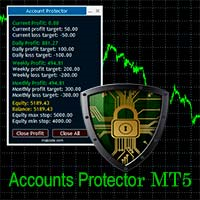
AccountGuardMT5
- Утилиты
- Версия: 1.0

Account Guard – Trading Account Protection for MT5
Account Guard is a safety layer for prop firm and funded accounts.
It automatically closes positions at day end and enforces daily loss limits to prevent rule violations and account breaches.
Account Guard is designed to protect traders from costly operational mistakes such as forgetting to close positions before the trading day ends or exceeding daily drawdown limits. It does not open trades and does not interfere with your strategy logic — it simply enforces predefined safety rules.
Key Features
- Daily Loss Protection
- Automatically closes all positions when the maximum daily loss is reached
- Optional deletion of pending orders after daily loss is triggered
- Day-End / Time-Based Close
- Automatically closes all open positions at a configurable server time
- Can be applied every trading day or only on a specific weekday
- Ideal for prop firm rules and overnight risk control
- Break-Even Protection
- Automatically moves stop loss to break-even once a defined profit level is reached
- Manual Trades Supported
- Option to manage only manual trades or all trades
- Non-Intrusive Design
- No trade entries
- No signal logic
- No strategy modification
Typical Use Cases
- Prop firm and funded account protection
- Manual traders who want strict risk enforcement
- Traders who want a final safety layer independent of their strategy
- Prevention of rule violations due to missed time-based closes
Configuration & Behavior
- All rules are fully configurable
- Each protection mechanism can be enabled or disabled individually
- Account Guard runs independently of symbol or timeframe
- Uses broker server time for all time-based logic
Important Notes
⚠️ Server Time
- All time-based rules (day-end close) use the broker’s server time
- Make sure the market for the traded symbol is still open at the configured close time
- Some instruments (indices, CFDs, crypto) may close earlier than expected
⚠️ Terminal / VPS Must Be Running
- The MetaTrader terminal or VPS running Account Guard must remain online and connected
- If the terminal is closed or disconnected, no protection logic can be executed
- This behavior is identical to all Expert Advisors
⚠️ All Features Are Disabled by Default
- Account Guard does nothing until you explicitly enable the desired rules
- This prevents unintended trade closures due to misconfiguration
- Always review settings carefully before using on live or funded accounts
How to Configure and Set Up Account Guard
Account Guard is designed as a modular risk protection tool.
Each protection feature can be activated individually, allowing traders to enable only the functions they need.
Important:
Every feature must be activated using its corresponding “Enforce…” or “Enable…” parameter.
If a feature is disabled, the related parameters will be ignored.
Example:
-
If EnforceTPSL = false, the TakeProfit and StopLoss limits will not be applied.
-
If EnforceMaxDailyLoss = false, the daily drawdown protection will not be active.
-
If EnableBE = false, the Break-Even function will not run.
-
If EnforceCloseEveryDay = false, no daily closing will occur.
Account Guard uses two different types of limits:
-
Per-trade protection (TakeProfit, StopLoss, Break-Even)
-
Account-wide protection (MaxDailyLoss)
These parameters define profit and loss limits used for trade management.
TakeProfit
Defines the Take Profit level per trade in account currency.
Example:
If set to 200, each individual trade will be closed once its profit reaches $200.
Important:
-
Value must be positive
-
Applied per trade
-
Works only if EnforceTPSL = true
StopLoss
Defines the Stop Loss level per trade in account currency.
Example:
If set to -100, each individual trade will be closed once its loss reaches -$100.
Important:
-
Value must be negative
-
Applied per trade
-
Works only if EnforceTPSL = true
MaxDailyLoss
Defines the maximum combined loss for the current trading day.
If the total daily loss reaches this level, the EA will close all open trades.
Example:
If set to -450, all positions will be closed once the total loss of the current trading day reaches -$450.
This feature is particularly useful for prop firm accounts with strict daily drawdown limits.
Important:
-
Value must be negative
-
Applies to the combined daily result of the account
-
Requires EnforceMaxDailyLoss = true
ProfitBE
Defines the profit level at which Break-Even protection activates.
Example:
If set to 100, once a trade reaches $100 profit, the EA moves the stop loss of that trade to the entry price.
Important:
-
Value must be positive
-
Applied per trade
-
Requires EnableBE = true
These parameters control which protection features are active.
EnforceMaxDailyLoss
When enabled, Account Guard automatically closes all open trades once the MaxDailyLoss threshold is reached.
Recommended for:
-
Prop firm accounts
-
Strict risk management setups
EnforceTPSL
Activates the TakeProfit and StopLoss protection.
If enabled:
-
each trade will be monitored
-
trades will close when either TP or SL level is reached
OnlyCloseManualTrades
If enabled, Account Guard will only manage manual trades.
Trades opened by other Expert Advisors will be ignored.
Useful when:
-
using Account Guard as a safety layer for manual trading
EnableBE
Enables automatic Break-Even protection.
When a trade reaches the ProfitBE level, its stop loss will automatically move to the entry price.
DeleteLOafterMaxDailyLoss
If enabled, all pending limit orders will be deleted once the MaxDailyLoss limit is reached.
This prevents new trades from opening after the daily loss limit has been triggered.
DeleteLOatDayEnd
If enabled, all pending limit orders will be deleted at the configured day-end closing time.
3. Day End Auto CloseThese settings allow the EA to automatically close trades based on server time.
This is commonly used to:
-
avoid overnight positions
-
comply with prop firm trading rules
-
close trades before market shutdown
EnforceCloseEveryDay
If enabled, all open trades will be closed every trading day at the configured server time.
The close time is defined by:
-
TimeHourWE – hour of the close time (0–23)
-
TimeMinWE – minute of the close time (0–59)
Example:
Result:
All trades will be closed every day at 20:22 server time.
EnforceCloseSpecificDay
This option allows trades to be closed only on a specific weekday instead of every day.
If you activate both Daily close Options it will be closed every Day.
Typical use case:
Closing all trades before the weekend.
DayToClose
Defines the weekday used by EnforceCloseSpecificDay.
Values:
0 = Sunday
1 = Monday
2 = Tuesday
3 = Wednesday
4 = Thursday
5 = Friday
6 = Saturday
Example configuration:
                                                    EnforceCloseSpecificDay = true
DayToClose = 5
TimeHourWE = 20
TimeMinWE = 22
Result:
All trades will be closed every Friday at 20:22 server time.
This is commonly used to avoid holding positions over the weekend.
Disclaimer
Account Guard is a risk management and safety tool.
It does not guarantee profits and does not eliminate trading risk.
The user remains fully responsible for:
- Correct configuration
- Compliance with broker or prop firm rules
- Monitoring market conditions and trading hours
The author is not liable for financial losses, missed executions, broker limitations, or technical issues such as connection failures or server downtime.