
MR Reversal Patterns 5
- Indicadores
- Versão: 4.3
- Atualizado: 8 março 2026
- Ativações: 20

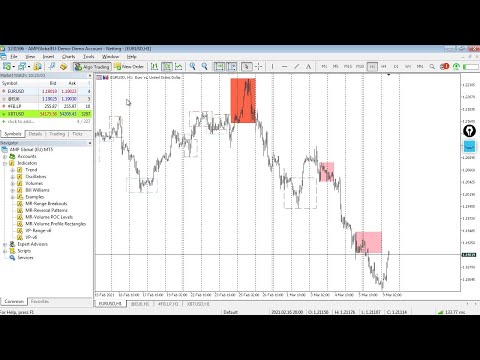
In the "Masters of Risk" trading system, one of the main concepts is related to places where markets change direction. In fact, this is a change in priority and a violation of the trend structure at the extremes of the market, where supposedly there are or would be stop-losses of "smart" participants who are outside the boundaries of the accumulation of volume. For this reason, we call them "Reversal Patterns"—places with a lot of weight for the start of a new and strong trend.
The important advantages of the indicator are the following:
- You can see "Reversal Patterns" from a time frame of your choice—the indicator is multi-time frame.
- Through the indicator, you can see the changes in the trend structure of the market.
- The indicator shows the key places where the price movement changes its direction.
- The patterns contain accumulated volume in the market.
- The structure of the patterns is similar to the "MW" indicators but is created from scratch by the author's methodology.
- Reversal pattern 1—"Change of priority" (“Pereprior” in Russian language)—indicates a strong change in trend direction or a tendency. It is characterized by updating the reasonable extremum Low from the uptrend and High from the downtrend.
- Reversal pattern 2—"Violation of trend structure" (“Slom“ in Russian language)—indicates a less pronounced change in trend direction or a tendency. It is also characterized by updating the reasonable extremum Low from the uptrend and High from the downtrend.
- Of the Patterns—"Reversal pattern 1" is more powerful than "Reversal pattern 2" for breaking the tendency of market movements.
- The indicator shows the "Structural levels" where price movement in a given direction has broken the structure of the pattern. The structural level line continues to the first possible price test point where a breakout occurred.
- The indicator shows "Stop loss" places. You can see how the "Big" players are hunting for stop losses.
- In combination with the "MR Volume POC Levels 5" indicator, you can track key places where volumes are absorbed and then new volumes appear in the opposite direction. Volumes in the "Reversal Patterns" structure are like fingerprints.
- In combination with the "MR Range Breakouts 5" indicator, you can see how buyers and sellers are distributed in the "Range". Since every trader waits for confirmation that their market entry is correct, the appearance of "Reversal Patterns" in the "Range" forms the accumulation of the open positions in a place that we define as a "Point of Control" in the volume profile of the "Range". During the movement of the price in a trend, you can see how "Balances" are formed according to the "Auction Market Theory".
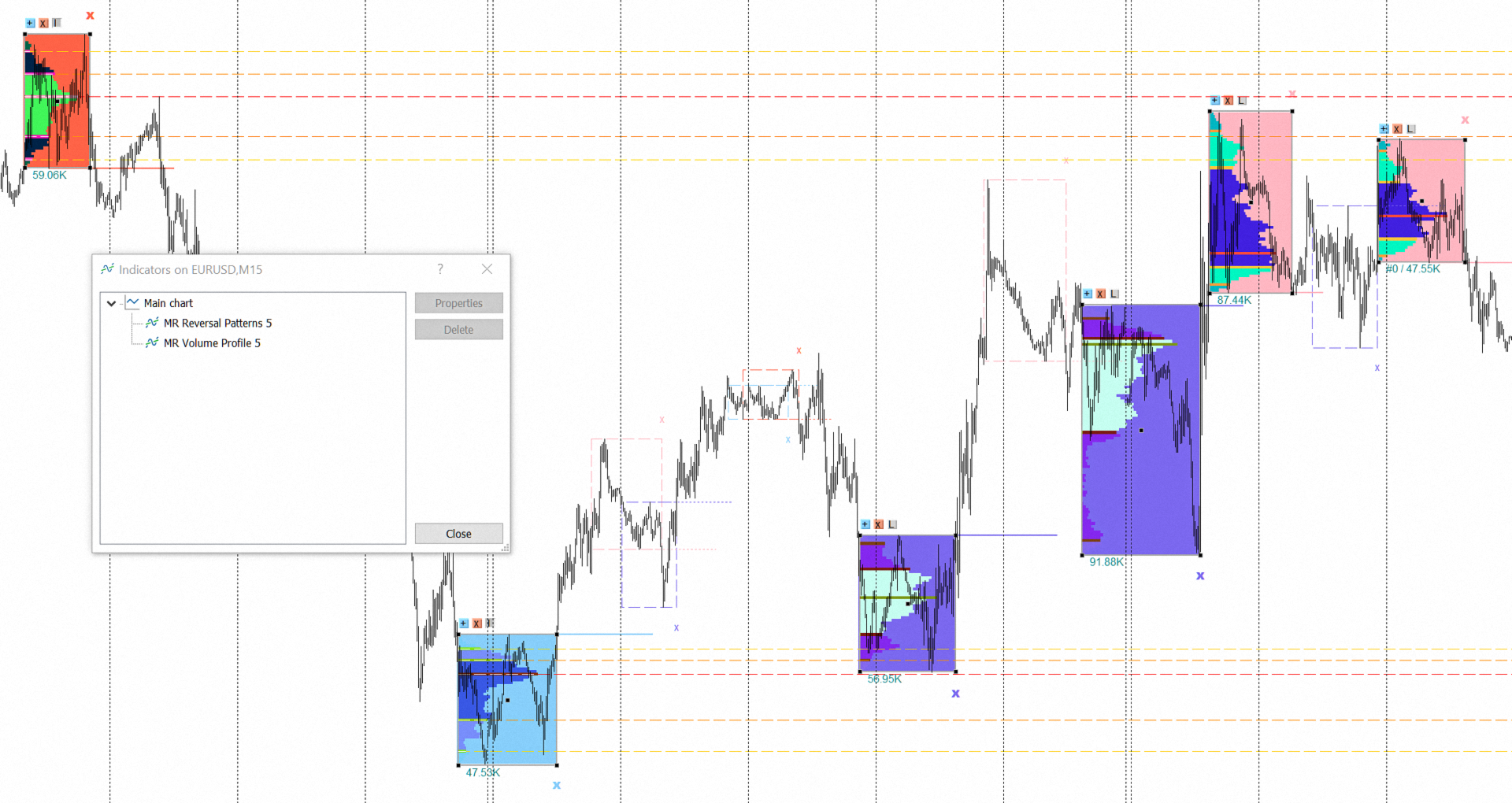
- In combination with the "MR Volume Profile 5" indicator, you can see how the volumes are distributed in the "Reversal Patterns".
If you liked the indicator, please support our work by giving it 5 stars!
For MetaTrader 4 https://www.mql5.com/en/market/product/63854
How to use indicators - Article
Indicator settings:
Show Multi Time Frame from: - Multi time frame on which to calculate the indicator. By default, the indicator works with data from time frame H1.
Bars History: - Number of bars on which the indicator works from multi-time frame H1.
Section Visual Trading Styles Settings
Style 1: Show only Interaction models - All inactive "Reversal Patterns" are removed, and you can only trade "Interaction models".
Style 2: Classic view of patterns - Shows or hides the bodies of patterns. The bodies of the patterns will become colorless so that the alerts continue to work. The stop-loss changes its place from the end of the body to the extreme point at which it should be set.
Style 3: Explore the History of all patterns - Shows or hides patterns closed by price (with a dashed line and no background). If you select "false", patterns closed by price will be displayed as a dashed line and you can trade all "Trading models" and "Interaction models". If you select "true", patterns closed by price will be displayed as all active "Reversal Patterns" and you can view the complete market structure back in time. This option is for information and analysis purposes only.
Style 4: Show Zig-Zag line for patterns - Shows or hides the "Zig-Zag" line in addition to the patterns. The "Zig-Zag" line is presented solely for educational purposes and provides greater clarity when forming patterns from a higher time interval.
Section Alert settings for "Reversal Patterns"
Alert when creating a "Reversal Pattern": - Displays a notification when a new Pattern is created.
Alert when closing a “Reversal Pattern”: - Displays a notification when a Pattern is closed by price movement, and it is shown with a dashed line.
Section Settings for "Reversal Patterns"
Background of "Reversal Patterns": - Shows or hides the background of patterns.
Line width for Patterns: - Specifies line width for patterns and structural levels.
Pattern 1 (CP): Sellers color - Background color for the sellers Pattern (“Change of priority”). This also determines the color in which "Structural Levels" and "Stop-Loss" will be displayed.
Pattern 1 (CP): Buyers color - Background color for the buyers Pattern ("Change of priority"). This also determines the color in which "Structural Levels" and "Stop-Loss" will be displayed.
Pattern 2 (VTS): Sellers color - Background color for the sellers Pattern ("Violation of trend structure"). This also determines the color in which "Structural Levels" and "Stop-Loss" will be displayed.
Pattern 2 (VTS): Buyers color - Background color for the buyers Pattern ("Violation of trend structure"). This also determines the color in which "Structural Levels" and "Stop-Loss" will be displayed.
Line style for inactive Patterns: - You can choose how to display the body line of inactive Patterns.
Section Settings for "Structural levels" of patterns"
Show "Structural levels": - Shows or hides the Structural levels of a patterns.
Line width for "Structural levels": - You can choose the line width of the Structural levels of the patterns.
Line style for inactive "Structural levels": - You can select the line style for inactive Structural levels.
Section Settings for "Stop-Loss" of patterns
Show "Stop-Loss" places: - Shows or hides potential places for placing a stop-loss.
Points in 1 Pip: - Offers you a choice of the number of Points in 1 Pip.
"Stop-Loss" in Pips: - Choose your stop-loss size. For example, a stop-loss of 5 pips + a spread of 2 pips forms a size of 7 pips for the total stop-loss.
Symbol for "Stop-Loss": - You can select a stop-loss symbol. The default symbol is "x".
Font size for "Stop-Loss": - You can choose the size of the stop-loss symbol "x".






































Excellent Indicator when used in conjunction with the other offered tools from the author. I have been really enjoying combining the reversal boxes with the POC levels indicator! Although I did rent all of the available indicators from this author, I find the mentioned indicators to be my favorite of the bunch when combined together.