
Color Trend FX
- Indicadores
-
Alexey Minkov
 💡 My name is Alexey, but my friends call me Alex. I'm the founder and lead developer at MAFX Solutions. I have been trading and coding since 2004, as a trader, investor and IT developer.
 - Versão: 2.1
- Atualizado: 11 agosto 2026
- Ativações: 20
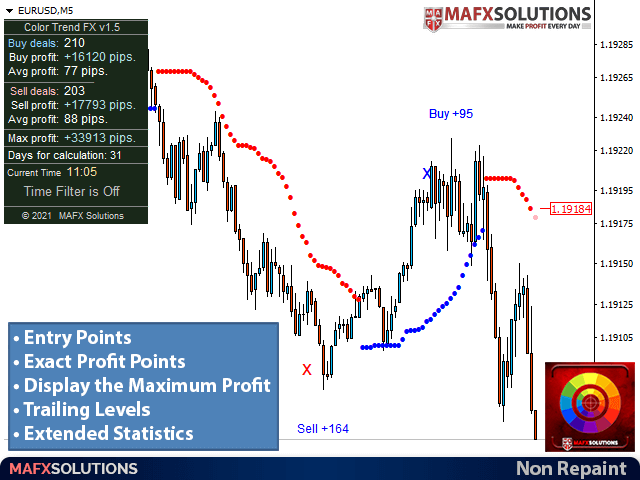
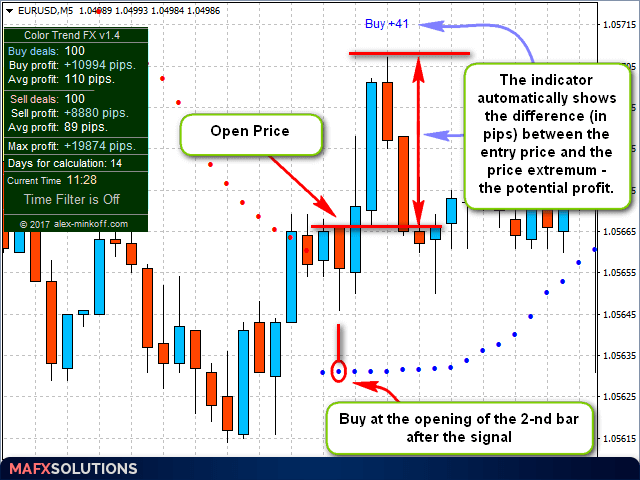
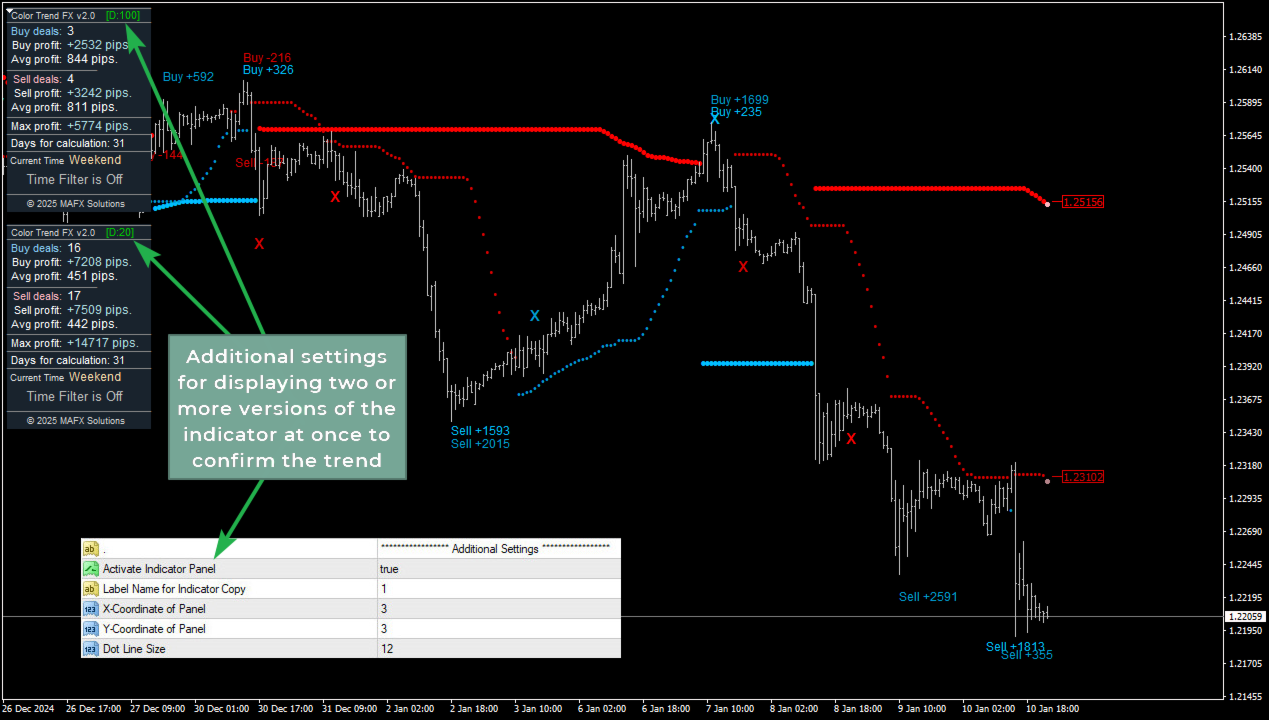
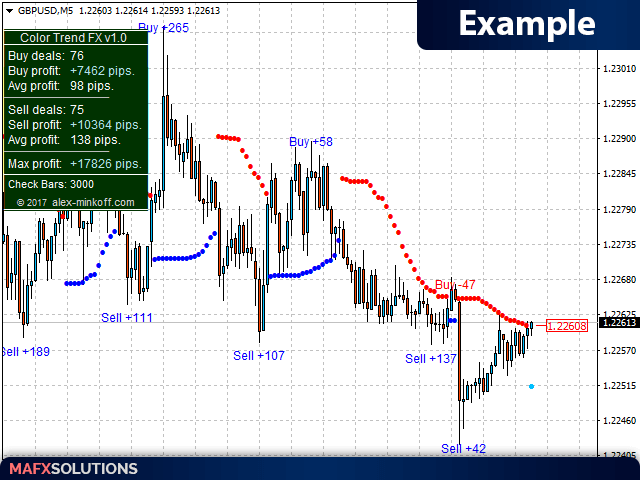
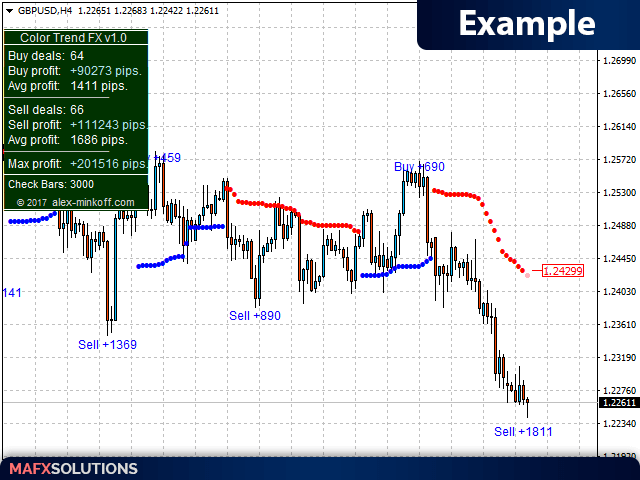
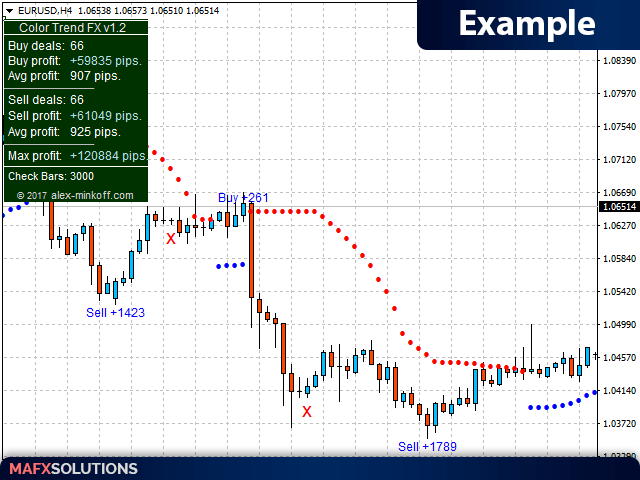
Color Trend FX shows the current trend direction and marks entry points, trailing levels and possible exit points right on the chart. The indicator is built for traders who want to see where to open, get hints on when to close, and check how it performed on history. It can work as a standalone tool, as part of your own system, or as a base for your Expert Advisors.
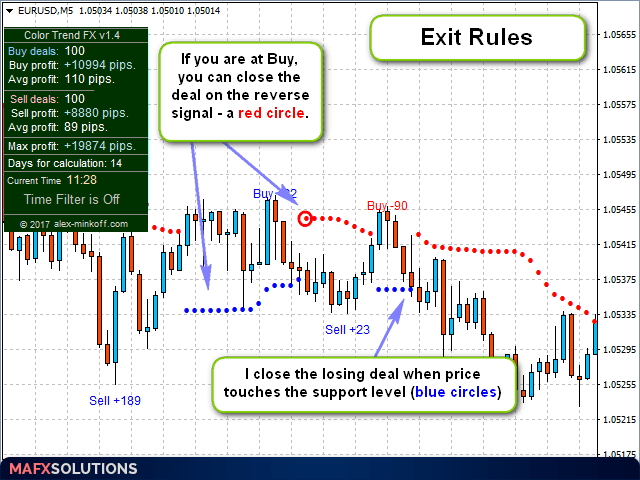
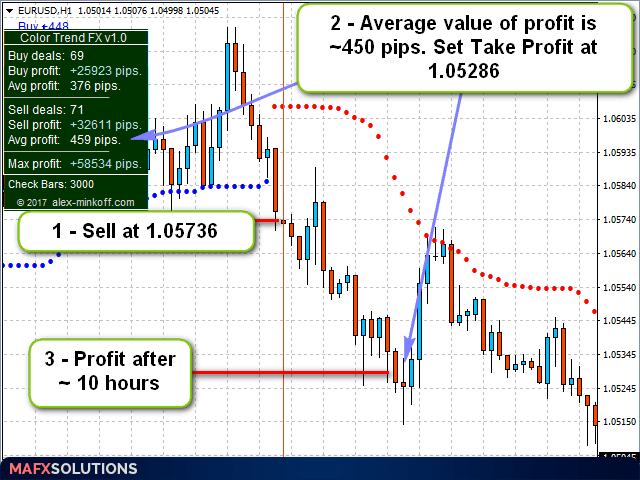
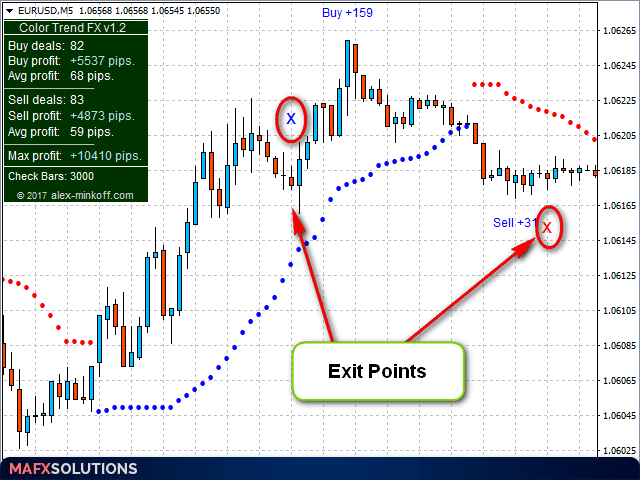
The indicator plots signals as colored dots that follow the trend and also act as trailing levels for open positions. When the move fades and price starts pulling back from the extreme, a signal appears suggesting you exit / close the position.
After purchase, message me directly for more details on how to use the indicator in trading and how to connect it properly to your own trading systems and Expert Advisors.
Key features
- Trend dots follow price and act as trailing levels for open positions.
- Exit signals appear when the move fades and price pulls back from the extreme.
- No repainting: signals appear on a closed bar, stay in place and are not recalculated later.
- Trend change alerts: pop-up window in the terminal, sound alert, Push and Email (require extra setup in the terminal).
- Flexible tuning of the signal filter sensitivity (Accuracy Delta) and the exit detection sensitivity for different symbols and timeframes.
- Optional time filter: sets the start hour, stop hour and GMT offset.
- Separate colors for Buy, Sell and the signal forming on the current bar.
- Works on any symbol and timeframe: currency pairs, indices, metals, crypto and more.
How it works
Color Trend FX reads the current market state and marks the trend with colored dots. The dots follow the move and can also serve as trailing levels. When the move fades and price pulls back from the current extreme, the indicator gives a signal suggesting you close the position. Every dot and signal is fixed strictly at bar close, so signals do not repaint on history. The signal dot on the current bar has its own color because it is still forming.
Settings overview
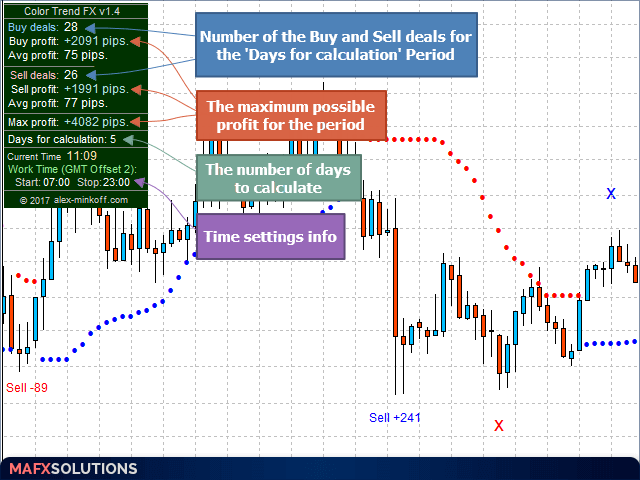
- Main Settings. Accuracy Delta sets the sensitivity for finding entry points: a lower value gives more signals but more noise, a higher value gives fewer but more accurate signals. Days for Calculation limits the history depth processed on weaker machines. Exit Sensitivity sets the sensitivity of the exit detection filter and can be tuned for any symbol and timeframe.
- Time Settings. An optional filter that defines the working hours with Start Hour, Stop Hour and GMT Offset to keep signals within your session.
- Color Settings. Colors for Buy and Sell, for the signal on the current bar, and for system messages.
- Notification Settings. A master switch, pop-up windows in the terminal, sound alert, Push notifications (needs your MetaQuotes ID) and Email (needs extra setup in the terminal).
Support
Please load enough history for the symbol you use so the indicator sees the full picture for analysis, depending on the Days for Calculation setting. Do not enter right before major news to avoid unpredictable price moves. Try to trade during the main sessions and stay away from flat markets, where almost any tool gives weak signals.
Important: Color Trend FX is an analytical tool to support your decisions. Exit signals and trailing levels are guidelines, not automatic orders. The indicator is not an automated trading system or a signal service. The final result depends on your decisions, discipline and risk management. Before buying, download the demo from the Market and check in the tester whether the indicator fits your trading style. For any other questions, message me directly.














































Great product. Looking forward to get other indicators. Thanks.