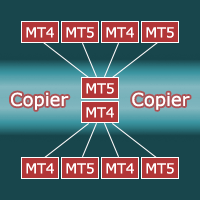
LinkCopier Local Trade Copier
- Utilitários
-
Keisho Yoshida
 MQL4 / MQL5 developer from Japan | Expert Advisors, indicators, MT4-to-MT5 conversion
I build trading tools for MetaTrader 4 and 5, with a focus on clean code and verified behaviour.
What I do - Versão: 1.1
- Atualizado: 8 novembro 2026
- Ativações: 5
LinkCopier copies positions from one MetaTrader 5 terminal to one or more other MT5 terminals running on the same computer or VPS. Use it to run one strategy on several accounts, to mirror a prop-firm account, or to copy between brokers.
The same file is used on both sides: choose Master on the source account and Slave on each receiving account, with the same channel name.
WHAT IS COPIED
- New positions (market execution)
- Stop loss and take profit, including later changes
- Partial closes (proportional to the copied lot)
- Closes
LOT SIZE
- Multiplier: master lot x value
- Fixed lot
- Balance ratio: master lot x (slave balance / master balance) x value
- Maximum lot per copy; volumes are rounded to the broker's step and limits
SAFETY
- If the master stops sending data (terminal closed, disconnected), copies are kept as they are and are never closed by mistake. Copying resumes when the master is back.
- Positions already open when the slave starts are not copied (optional).
- A copy closed by hand on the slave is not reopened.
- Max price deviation filter: skip a new trade if the price has moved too far from the master entry.
- Free margin is checked before every copy.
- Stop levels closer than the broker allows are left empty instead of rejecting the trade.
MORE
- Symbol mapping (e.g. XAUUSD=GOLD,US30=DJ30), prefix/suffix, and automatic suffix detection (EURUSD -> EURUSD.m / EURUSDm)
- Reverse copying (buy <-> sell, SL <-> TP)
- Master filters: magic number, symbol list
- Several channels at the same time (e.g. channel "gold" and channel "fx")
- Status line on the chart
- No DLL, no external server, no passwords shared between accounts
INSTALLATION
- Attach LinkCopier to one chart in the master terminal: Mode = Master, Channel = 1.
- Attach LinkCopier to one chart in each slave terminal: Mode = Slave, Channel = 1.
- Enable Algo Trading in the slave terminals. Keep all terminals running.
REQUIREMENTS
- All terminals on the same Windows computer or VPS (they share the MT5 common data folder).
- Slave accounts must be hedging accounts. The master can be hedging or netting.
- Pending orders are not copied; positions are copied when they open.
STRATEGY TESTER / DEMO
In the Strategy Tester, copying between terminals is not possible. The tester demo opens demonstration "master" trades and copies them inside the same account, so you can see opens, partial closes and closes being copied. This mode never runs on a live or demo account.
IMPORTANT
- Copies open at the slave broker's current price; spreads, slippage and execution delays differ between brokers, so results are not identical to the master.
- Check that your broker or prop firm allows copy trading on your account.