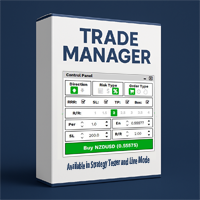
TradeHam Manager Trade Panel MT4

  • Utilitários
  • Naoto Shimoda
    Naoto Shimoda
    • MetaTrader 4/5 Indicator & EA Developer em  FX.Hamrat
    • Japão
    • 2020
    FX.Hamrat - MetaTrader 4/5 indicator and Expert Advisor developer based in Japan.
    Over 10 years of trading experience (discretionary and systematic), and 90+ MT4/MT5 programs built so far - including 30+ custom-made projects for individual traders.
  • Versão: 1.1
  • Ativações: 5

TradeHam Manager is a trade panel for manual traders. You decide when and where to trade. The panel takes care of the lot size, the order and the clean-up.

It does not open trades on its own. It has no entry logic and does not promise any profit.

Main features

  • Risk-based lot size. Set the risk as a percent of balance, a fixed amount of money or a fixed lot. Drag the stop-loss line on the chart and the lot is recalculated.
  • One-click orders. BUY / SELL buttons place the order with stop loss and take profit (take profit = stop loss x your ratio). In pending mode the panel chooses a limit or stop order from the entry line.
  • Break-even, partial close, trailing stop. One button each. Automatic break-even, automatic partial close and trailing can also be switched on with your own distances.
  • Close buttons. Close all, buys only, sells only, winners, losers, and delete pending orders.
  • Daily loss limit. When the day's loss reaches your limit (percent or money), the panel closes its positions and blocks new orders from the panel until the next day.
  • Manual positions too. Positions opened from the phone or the order window (magic 0) can be managed as well.
  • Safety checks. No order is sent when the stop loss is closer than your minimum, too close to the current price, when the lot exceeds your max lot, or when margin is not enough. The reason is shown on the panel.

Practice in the Strategy Tester

The buttons work in visual mode of the Strategy Tester, so you can practise stop placement and break-even timing on past charts.

Notes

  • Attach one panel per chart. It manages positions of the chart's symbol (the daily loss limit covers all symbols).
  • Enable Algo Trading: the buttons send orders as an Expert Advisor.
  • Commissions are not included in the lot calculation.
  • For gold or indices, set "Points per pip" if your broker counts pips differently.
  • This is a tool for manual trading. Trading involves risk. Past results do not guarantee future results.
Produtos recomendados
All In One Trade Manager is a trade manager and one-click trading panel for manual traders on MetaTrader 4. It works as a trading assistant, risk manager and position size calculator in one dashboard. It brings together everything below in one panel: order entry with risk sizing automatic trade management advanced order types account protection statistics Its entry checks run in the background and tell you, before you click BUY or SELL, when something speaks against the trade. Also available
HotKeys MT4
Alexey Valeev
3 (1)
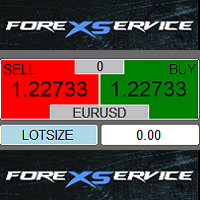
This utility provides the ability to use hot keys in manual trading instantly responding to the current market situation. You can assign hot keys to open/close positions by their type, close all positions on the current chart and remove all orders on the current chart. You can also assign hot keys for five predefined trade volumes and switch between them if necessary with no need to change the volume manually from time to time. It is also possible to set the auto calculation of a trade volume in
THIS EA WILL PROTECT YOUR ACCOUNT IN MANY WAYS  KEY FEATURES ARE :  1. CLOSE ALL TRADES IN ONE CLICK. 2. CLOSE ALL TRADES WHEN INPUT MENTIONED LOSS LIMIT REACH. 3. CLOSE ALL TRADES WHEN INPUT MENTIONED PROFIT LIMIT REACH. 4. IF REVERSE MODE IS ON THIS EA WILL TAKE OPPOSITE TRADES IF YOUR OTHERS EA MAKES LOSS OR MANUAL TRADING ALSO IF YOU ARE GETTING ALWAYS LOSS THEN YOU CAN SWITCH ON REVERSE MODE SO IT WILL TAKE OPPOSITE TRADES WHENEVER ANY TRADES PLACED IN YOUR ACCOUNTS. 5. FIX LOT SIZE 6. STOP
FastMove
Adrian Ferreyra
FastMove is a panel with 5 buttons, a notification area and a text entry. Its goal is to enable quick and simple execution. Buttons: MOVE - Move the interface BUY - Start of buy process SELL - Start of sell process L - Select quantity of lots % - Select quantity of percent of balance Keyboard inputs ' ESC ' - Cancels the operation or return to the previous stage. ' F ' - Lock or unlock interface to prevent accidental executions. M - Move the interface. P - Exchange between pending orders or mark
ACCOUNT GUARDIAN MT4 – PROFESSIONAL CAPITAL PROTECTION SYSTEM Account Guardian is a specialized risk management tool designed to protect your trading account from uncontrolled losses. The system continuously monitors your open positions and account equity, automatically intervening when predefined risk thresholds are reached. MAIN FEATURES • Automatic
One Click Trader is a tool designed for MetaTrader 4 platform, which enables you to take your trading to the next level. It enables you to open, manage and close your trades in simple an efficient way by just one click of your mouse button. Up arrow minimizes the OCT panel Down arrow maximizes the OCT panel Right arrow displays the next panel with additional features Left arrow hides the panel with additional features Red SELL button enables you to open short market orders Red SELL STOP button e
Fixer
Dimitri Nepomniachtchi
Track your orders, build a unified equity across selected symbols, magic numbers, terminals, and trading accounts. Closes orders when specified conditions are met. Creates new portfolios and adapts to already running portfolios according to your conditions. In short, take a look — it is worth it. If you have questions, write. If you are not sure about the settings, ask, I will help. Virtual SL, TP, Trailing.  * * * * It may seem like nothing special, but in practice they often help more than

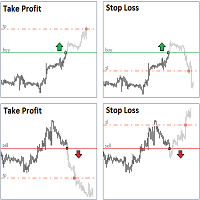
StopLoss and TakeProfit Utility MT4 for automatic setting of stop loss and take profit levels. Created by a professional trader for traders.   The utility   works with any market orders opened by a trader manually or using advisors. Can filter trades by magic number. The utility can work with any number of orders simultaneously. WHAT THE UTILITY CAN DO: Set virtual stop loss and take profit from 1 pip Real   stop loss and take profit W ork with each order separately (   stop loss and take prof
Break Even Trailing EA
Etsushi Ishizuka
5 (2)
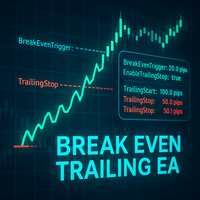
Break Even Trailing EA | Automação de Breakeven e Trailing Stop Break Even Trailing EA é um Expert Advisor (EA) utilitário para MetaTrader 4/5, desenvolvido para automatizar a proteção de lucros no trading manual. Este EA gerencia o risco e protege os ganhos automaticamente após suas entradas manuais, tornando o processo de negociação mais eficiente e tranquilo. Oferece dois modos poderosos e configuráveis de proteção de lucro , que podem ser usados individualmente ou em conjunto, conforme seu e
FREE
Close All Orders for MT4 script - closes absolutely all orders, whether pending or market ones. Orders are closed at the current profit/loss indicators at the time of closing. The script is suitable for moments when you need to quickly close all orders at the current indicators. The script is very easy to use, just drag the script onto the chart and it will do its job. Add me as a friend , I have many other useful products.
Savage Trades M.T.A.  is a Manual Trade Assistant expert advisor. This EA contains self-adaptive market algorithm, which uses price action patterns and standard trading indicators. 1.) Quickly Execute trade entries with the click of a button with your own predetermined Stop Loss and Take Profit. 2.) Non-Repainting retracement and reversal warnings indicated by arrows and system alert. 3.) Auto adjusting Support and Resistance levels with strength indicated by color shade. 4.) Auto adjusting Fibo
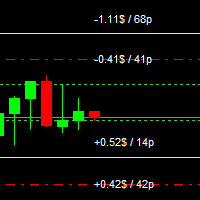
For MT5: TP SL Calculator This tool helps you to automatically calculate profit at Take - Profit price and loss at Stop - Loss price. Feature: - Calculate profit at TP price. Apply to all operators (BUY / BUY LIMIT / BUY STOP / SELL / SELL LIMIT / SELL STOP), with TP price is greater than 0. Profit is expressed in money and points. - Calculate loss at SL price. Apply to all operators (BUY / BUY LIMIT / BUY STOP / SELL / SELL LIMIT / SELL STOP), with SL price is greater than 0. Loss is express
Melhor Gerenciador de Negociações para MT4 - Painel de Negociações, Calculadora de Tamanho de Posição e Gerenciador de Risco O Top Trade Manager é um gerenciador de negociações completo para MetaTrader 4 : um painel de negociação, calculadora de tamanho de posição e gerenciador de risco, tudo em um só. Arraste seus pontos de entrada, stop loss e take profit para o gráfico e o tamanho do lote, o risco e a recompensa serão calculados instantaneamente. Em seguida, gerencie a negociação com fechamen
Rehoboth TradeGate Manager — MT4 Execution Validation & Trade Management TradeGate Manager places a validation layer between your trading decision and the market. TradeGate Manager is currently available for MetaTrader 4. The MetaTrader 5 version is in final testing and coming soon. Before an order is sent, TradeGate checks the instrument, spread, stop protection and market conditions against limits you define. If a required condition fails, the order is refused and the panel tells you what f
VirtualStops
Viktor Shpakovskiy
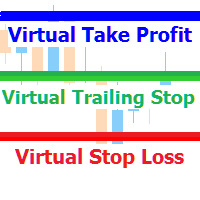
A utility for managing open positions using virtual (invisible to the broker) stops. Virtual stop loss and virtual take profit can be freely moved around the chart. If the price touches the virtual stop line (TP, SL, TS), the EA will close all orders of the same direction on the current chart. Closing orders by virtual take profit is possible only if there is a profit. With the help of the built-in trading simulator, you can, in the strategy tester, see how the adviser works. Parameters Block
Risk Control Utility MT4   designed for manual trading. It helps to calculate and control your risks, transfer transactions to breakeven and accompany positions with trailing stop. Easy to set up and use. It can be used for calculating a trading lot, calculating stop loss and take profit levels. Works with currency pairs, CFDs, stocks, indices, futures, cryptocurrencies Displays   volume,   potential loss and profit before   placing an order Ability to set the expiration time of a pending order
Let us increase your profit and decrease your loss. One of the most important part of trading is choosing correct lot size. With this expert you needn’t to calculate your lot size because it’ll pick the best lot size automatically based on your trading performance, initial deposit, reward to risk ratio and your psychological risk acceptance. By using this expert, you protect your account against margin call and makes it to have minimum loss and minimum drawdown on each position which makes your
AccountGuard   will protect your account from unexpected losses by constantly monitoring the equity and follow the rules as your input in the parameters.  When the rules are reached, it will close all the trades, you can choose the close mode yourself, and you can set the close percent and close profit by yourself, It can show current profit in percent, and show buy and sell profit separately, it can show profitable trades profit and loss trades  profit  separately. Additionally, AccountGuard  p
Master Close via Telegram can help you perform some management tasks on MT4/MT5 remotely via your Telegram by one click, easy to set up & use. Demo here (see more Master Notify   Master Control  ) ************************************************************************************ LIST OF COMMANDS: info_acc -  Get account info info_pen -   Get pending orders details info_pos -   Get positions details info_pos_sum -   Get positions summary close_pen -   Delete all pending orders close_pos_all -
Do you over trade???  Do you lose your account by adjusting the stop loss or not putting stop loss?? Do you cross your daily loss limit and closed your account??? Do you breach your funded account??? Do you fail frequently because of emotion??   So you have to control your emotion in trading. And this EA will do the job for you. You can not repeat those mistake even if you try hard. Just set the EA and relax. This will do major role in funded account. This EA will not open orders/positions. It j
Smarty Trade Panel  ( https://t.me/SmartyTradePanel ) is a visual set and go trade panel. Press the BUY or the SELL button to make the trade settings visible. The trade levels can be moved around with the mouse. A magnet function will be active as long as you hold the shift-key pressed. I have chosen to avoid entering numbers to make the panel an excellent tool for rapid low time-frame trading. In a few seconds you can set the SL, ENTRY and TP levels and arm the trade without to worry about mone
Rhino Backtest Manager - gestor de operações para o trading real e o testador de estratégia Rhino Backtest Manager é um painel de gestão de operações que funciona tanto no trading real quanto no testador de estratégia do MetaTrader 4. Ele permite enviar e gerir ordens manualmente dentro do testador com a mesma interface usada numa conta real, de modo que uma estratégia pode ser verificada em dados históricos e depois negociada sem trocar de ferramenta. O painel calcula o volume da posição a par
很多交易者亏钱,不是因为判断方向错了。 是因为行情动的时候手慢了。是因为手滑点错了手数。是因为新闻数据一出来, 三笔盈利的单子还没来得及平,全部回吐了。 Apex Trade Manager Pro 就是为了解决这些问题而做的。 这是一款适用于 MetaTrader 4 和 MetaTrader 5 的可视化交易面板。它挂在 图表上,把所有常用操作——平仓、减仓、设止损、开单——都变成一个按键的 事情。不用翻菜单,不用等弹窗,不会手忙脚乱。 --- 功能说明 一键全平 一个按钮关掉当前品种所有持仓。按钮上实时显示总浮动盈亏,让你在按下去 之前就知道自己在什么位置。 分批减仓 直接从面板关掉每笔持仓的50%或80%仓位。想落袋一部分利润但不想完全出场 的时候,这个比去终端一笔一笔操作快得多。 按类型分开平仓 只平多单、只平空单、只平盈利的、只平亏损的,各有独立按键。不用在终端 里翻找,不用逐笔选择。 一键移至保本 行情往你方向走了,按一下保本键,所有盈利持仓的止损立刻移到各自的开仓 价。亏损的单子不受影响。 批量修改止损止盈 输入点数,按键,所有持仓同时更新。也可以
AXIOM Prop Guard MT4
Miguel Angel Leon Yanez
AXIOM Prop Guard Ferramenta de segurança essencial para traders de prop firms e contas financiadas. Visão Geral AXIOM Prop Guard monitora seu drawdown diário e drawdown máximo em tempo real. Ele fecha automaticamente todas as posições abertas e ordens pendentes quando sua conta se aproxima dos limites de risco da firma. Ele protege sua conta financiada antes que uma única regra seja quebrada. Se você negocia XAUUSD, pares de Forex, índices ou cripto, AXIOM Prop Guard funciona silenciosamente em
MTSBSPanel
Andrei Kossarev
MTSBSPanel is a multifunctional trading panel with an integrated risk manager. Main features of the trading panel Placement of pending orders directly from the chart with the ability to divide a position into multiple orders Opening by market in one click with the ability to divide a position into multiple orders Risk management: risk per trade and per day Dynamically calculated lot depending on the specified risk per trade Brief information on the account, result of trades for the day, week, m
"Binary Lab Simulator" é uma ferramenta projetada para praticar e verificar estratégias de negociação. Esta ferramenta opera 24 horas por dia, incluindo fins de semana e horários não comerciais, e suporta vários períodos de expiração, como 30 segundos, 1 minuto e 3 minutos, criando um ambiente semelhante ao de negociação real. É compatível com ferramentas externas para analisar os resultados das entradas. Vários modelos podem ser salvos facilmente, permitindo testes contínuos do ambiente online
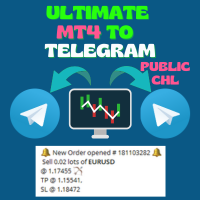
Ultimate MT4 to Telegram Public Channel sends controlled trades (via symbol, magic, comment) to a public telegram channel. It sends open and closed trades, including pending orders and TP/SL modifications, along with chart screenshots, to this public telegram channel. Additionally, you can send trade reports of open trades and summary profit/pip reports for day, week, or month. You can customize the design of the trade actions or reports with variables and emoticons.  A beautiful panel allows
FREE
EA Hedger
Sergej Chukhista
4 (4)
Você comprou um consultor de negociação, assinou um sinal ou está negociando manualmente? Não se esqueça da gestão de riscos. EA Hedger   é um utilitário de negociação profissional com muitas configurações que permite gerenciar riscos usando cobertura. Hedging é uma técnica de negociação que envolve a abertura de posições opostas às posições já abertas. Com a ajuda da cobertura, a posição pode ser bloqueada total ou parcialmente (travada). Por que é lucrativo comprar este produto: Confiabilidad
Expert Advisor for Automatic Stop Loss and Take profit , calculated by points and cover all major pairs . you can activated the EA in your chart then place orders manually and the EA will be place TP and SL automatically for all opened orders , covered Buy market , Sell Market , Buy stop , Sell Stop , Buy limit , Sell limit . it is an easier tool that help you manage your order without effort . 100 Points = 10 Pips MT5 Version :  https://www.mql5.com/en/market/product/87655?source=Site
All In One Trade Management Panel é um painel de gerenciamento de operações no gráfico para MetaTrader 4. Planeje operações com uma ferramenta de posição de arrastar e soltar, deixe o painel calcular o tamanho do lote a partir do seu risco, e gerencie operações pendentes, abertas e fechadas de um só lugar. O painel também mostra o contexto de mercado que muitos traders usam: tendência, níveis-chave, estrutura de mercado, notícias econômicas e força de moedas. Planejando uma operação: Clique em N
Os compradores deste produto também adquirem
Bem-vindo ao Trade Manager EA—uma ferramenta de gestão de risco criada para tornar o trading mais intuitivo, preciso e eficiente. Não é apenas uma ferramenta para executar ordens, mas uma solução abrangente para planejamento de operações, gerenciamento de posições e controle de risco. Seja você um iniciante, trader avançado ou scalper que precisa de execução rápida, o Trade Manager EA adapta-se às suas necessidades, oferecendo flexibilidade em todos os mercados, desde forex e índices até commodi
Exp COPYLOT CLIENT for MT4
Vladislav Andruschenko
4.69 (65)
Copiador profissional de operações para MetaTrader 4 Copiador de operações rápido, profissional e confiável para MetaTrader 4 . COPYLOT permite copiar operações de Forex entre os terminais MetaTrader 4 e MetaTrader 5 , com sincronização flexível para diferentes tipos de conta e cenários de negociação. A versão COPYLOT MT4 oferece suporte para: MetaTrader 4 → MetaTrader 4 MetaTrader 5 Hedge → MetaTrader 4 MetaTrader 5 Netting → MetaTrader 4   Versão MT5 Descrição completa + DEMO + PDF Como compra
Trade Assistant MT4
Evgeniy Kravchenko
4.43 (197)
Ajuda a calcular o risco por comércio, a fácil instalação de uma nova encomenda, gestão de encomendas com funções de fecho parcial, trailing stop de 7 tipos e outras funções úteis. Materiais e instruções adicionais Instruções de instalação - Instruções para a aplicação   Função de linha Mostra no gráfico a linha de Abertura, Stop Loss, Take Profit. Com esta função é fácil definir uma nova ordem e ver as suas características adicionais antes da abertura.   Gestão de risco A função de cálculo do
Local Trade Copier EA MT4
Juvenille Emperor Limited
4.96 (111)
Local Trade Copier EA MT4 é um copiador de operações rápido e flexível para copiar e gerenciar operações entre várias contas MetaTrader 4 no mesmo computador Windows ou Windows VPS. Ele combina a sincronização local de operações com controles no lado do Receiver para tamanho de lote, gerenciamento de risco, filtragem de operações, mapeamento de símbolos, gerenciamento de operações e proteção da conta. Configure seus terminais Transmitter e Receiver em aproximadamente 1 minuto e copie operações
TradePanel MT4
Alfiya Fazylova
4.84 (95)
Trade Panel é um assistente de negociação multifuncional. O aplicativo contém mais de 50 funções de negociação para trading manual e permite automatizar a maioria das tarefas de negociação. Instruções para o aplicativo: https://www.mql5.com/pt/blogs/post/762435 Versão de teste do aplicativo para conta demo: https://www.mql5.com/pt/blogs/post/762547 Como instalar o aplicativo: https://www.mql5.com/pt/blogs/post/762548 Como testar o aplicativo no modo visual: https://www.mql5.com/pt/blogs/post/770
Telegram to MT4 Coppy
Sergey Batudayev
4.09 (11)
Telegram para MT4:   A solução definitiva para cópia de sinais Otimize suas negociações com   o Telegram para MT4   , o utilitário de última geração desenvolvido para copiar sinais de negociação diretamente de canais e chats do Telegram para sua plataforma MetaTrader 4 — sem a necessidade de DLLs. Esta solução robusta garante a execução perfeita de sinais com precisão incomparável e opções de personalização, economizando seu tempo e aumentando sua eficiência. [ Instructions and DEMO ] Principais
News Filter EA: Advanced Algo Trading Assistant News Filter EA is an advanced algo trading assistant designed to enhance your trading experience. By using the   News Filter EA , you can integrate a Forex economic news filter into your existing expert advisor, even if you do not have access to its source code. In addition to the news filter, you can also specify   trading days   and   hours   for your expert. The News Filter EA also includes   risk management   and   equity protection   features
RS Trade Copier - o local trade copier ultrarrápido com uma interface gráfica verdadeira . Pare de digitar números de conta manualmente. Chega daquela lista enorme de 200+ parâmetros de entrada incompreensíveis. Uma ferramenta confiável e flexível para cópia de operações comerciais entre múltiplos terminais MT4 e MT5. Atende tanto traders experientes e serviços de sinais quanto investidores individuais. Permite sincronizar negociações de um ou múltiplos Provedores para um ou múltiplos Clientes c
O MT4 para Telegram Signal Provider é uma ferramenta fácil de usar e totalmente personalizável que permite o envio de sinais para o Telegram, transformando sua conta em um provedor de sinais. O formato das mensagens é totalmente personalizável! No entanto, para uso simples, você também pode optar por um modelo predefinido e habilitar ou desabilitar partes específicas da mensagem. [ Demonstração ]   [ Manual ] [ Versão MT5 ] [ Versão Discord ] [ Canal do Telegram ]  New: [ Telegram To MT5 ] Conf
Automatic Trailing Stop Based on Take Profit Percentage with Profit Lock EA MT4   Lock in your profits and "let your winners run" past your 100% take profit target with this EA.  This Expert Advisor automatically adjusts your Stop Loss based on up to 4 user-defined Take Profit Target Percentages, locking in your profit.  If price pushes past your 100% take profit target, the EA will automatically trail the price by user-defined pips, so you won't miss that runaway train again.   EA Features The
O Telegram to MT4 Multi-Channel Copier copia automaticamente os sinais de trading dos seus canais de Telegram e Discord diretamente para o MetaTrader 4. Sem bots, sem extensões de navegador, sem copiar à mão. O sinal chega ao Telegram ou ao Discord e o EA abre a operação no seu terminal em poucos segundos. E antes de copiar um canal, o backtester integrado mostra o que esse canal teria feito na sua conta. O produto inclui dois componentes: um aplicativo de Windows que escuta os seus canais de Te
TradeMirror é uma ferramenta local de cópia de ordens desenvolvida para as plataformas MT4/MT5, com suporte à sincronização de negociações em tempo real. Samouczek Kliknij link Samouczek Trademirror , aby zobaczyć więcej samouczków. Vantagens do Produto Alinhado com os altos padrões de segurança, estabilidade e privacidade para softwares financeiros, otimizamos três aspectos fundamentais: Interface gráfica intuitiva para operação simplificada Proteção de privacidade reforçada para isolamento de
PZ Trade Pad Pro MT4
PZ TRADING SLU
3.67 (3)
Este é um painel de negociação visual que ajuda você a realizar e gerenciar operações facilmente, evitando erros humanos e aprimorando sua atividade comercial. Ele combina uma interface visual fácil de usar com uma abordagem sólida de gerenciamento de riscos e posições. [ Guia de instalação | Guia de atualização | Solução de problemas | FAQ | Todos os produtos ] Surpreendentemente fácil de usar Negocie facilmente a partir do gráfico Negocie com gerenciamento preciso de riscos, sem complicações
Precisa de suporte? Como configurar? Tem dúvidas? Pergunte aqui no seu idioma, resposta rápida: https://www.mql5.com/en/market/product/139089/comments Baixar versão de teste funcional Copy Cat More (Gato Copião) — Copiador de Trades (Trade Copier) MT4 não é apenas um simples copiador local de trades; é um completo framework de gerenciamento de risco e execução (risk management and execution framework) projetado para os desafios de trading de hoje. De desafios de prop firm ao gerenciamento de
Trade Indicator Assistant is a powerful MT4 utility designed to turn indicators into automated trading systems. Its main feature is the ability to automatically detect an indicator’s   BUY and SELL signal buffers , without requiring you to know the buffer numbers, search through indicator settings, or modify the indicator source code. Bonus Indicator: After purchasing Trade Indicator Assistant, contact me to receive Trade Signal Pro completely free as a bonus indicator. [Download Demo Version]
Trading History MT4
Siarhei Vashchylka
5 (9)
Trading History - A program for trading and money management on the history of quotes in stratagy tester. It can work with pending and immediate orders, and is equipped with trailing stop, breakeven and take profit functions. Very good for training and testing different strategies. Manual (Be sure to read before purchasing) Advantages 1. Allows you to test any trading strategy in the shortest possible time 2. An excellent simulator for trading training. You can gain months of trading experience
Trade Manager Pro MT4
Bryan Djoufack Nguessong
Esta é uma utilidade para facilitar a sua negociação, colocando a um clique ou alguns cliques tarefas demoradas como gestão de ordens e gestão de riscos. Características Gestão do risco   Calcula automaticamente os lotes com base no risco especificado em % ou $ no campo de risco e deixa-o entrar apenas colocando linhas para SL TP etc. e exibir a Recompensa de Risco em tempo real. TrueRisk para que inclua comissões ao calcular o tamanho do lote em pares FX apenas para que arrisque 1% com tod
Copiadora->Interação de interface conveniente e rápida, os usuários podem usá-la imediatamente       ->>>> Recomendado para uso em computadores Windows ou VPS Windows Características: Configurações de negociação de cópias diversificadas e personalizadas: 1. Diferentes modos de lote podem ser definidos para diferentes fontes de sinal 2. Diferentes fontes de sinal podem ser definidas para negociação de cópias direta e reversa 3. Os sinais podem ser definidos com comentários 4. Se deve calibrar o
The product will copy all telegram signal to MT4   ( which you are member  ) , also it can work as remote copier.  Easy to set up, copy order instant, can work with almost signal formats, image signal, s upport to translate other language to English Work with all type of channel or group, even channel have "Restrict Saving Content", work with  multi channel, multi MT5 Work as remote copier: with signal have ticket number, it will copy exactly via ticket number. Support to backtest signal. How to
Shepherd Safety EA
AW Trading Software Limited
4.92 (13)
AW Shepherd Safety EA é um Expert Advisor para gerenciar posições abertas. A primeira ordem é aberta pelo trader no painel, e a partir daí o EA conduz a cesta sozinho: adiciona ordens de recuperação com filtro de tendência, fecha o lado por TakeProfit, trailing ou stop e mostra os níveis de fechamento no gráfico. Compras e vendas são geridas separadamente, e os dois lados podem ficar abertos ao mesmo tempo. A ordem de recuperação não é aberta apenas pelo passo de preço, mas depois de uma reversã
Trade Assistant Pro 36 in 1
Makarii Gubaydullin
4.76 (21)
Ferramenta Multifuncional: Calculadora de Lotes, Ordens Grid, Proporção R/R, Gerenciador de Trades, Zonas de Oferta e Demanda, Price Action e muito mais Versão Demo   |   Manual do usuário O Assistente de Trading não funciona no testador de estratégias: você pode baixar a Versão Demo AQUI para testar a utilidade . Entre em contato para qualquer dúvida / ideias de melhoria / em caso de encontrar um bug Se você precisa de uma versão MT5, está disponível aqui Simplifique, acelere e automatize seu
Rhino Chart Drawing Tools oferece um fluxo de trabalho de desenho no estilo TradingView para o MetaTrader 4. Inclui 54 ferramentas de desenho , uma barra de ferramentas personalizável, Favoritos, estilos rápidos, configurações de objetos, modelos e um gerenciador de objetos. Manual do usuário: Como usar o produto Versão demo gratuita: Baixar a demo Versão para MetaTrader 5: Rhino Drawing Tools para MT5 Ferramentas de desenho Grupo Lista de objetos Linhas Linha de tendência, raio, linha estendi
Trade Dashboard MT4
Fatemeh Ameri
4.96 (55)
Trade Dashboard simplifies how you open, manage, and control your trades, with built-in lot size calculation. It allows you to execute trades, manage risk, and control positions directly on the chart, with tools such as partial close, breakeven, and trailing stop. Designed to reduce manual work and help you stay focused on your trading decisions. A demo version is available for testing. Detailed explanations of features are provided within the MQL5 platform. Installation instructions are include
Multi Account Local Trade Copier é um copiador local rápido para MetaTrader: copie operações entre terminais MT4/MT5 no mesmo PC ou VPS Windows, de uma conta master para múltiplas contas receptoras — as suas próprias contas reais, demo ou de prop firm, na mesma corretora ou em várias diferentes. Funciona por eventos : o master publica cada operação no instante em que acontece, e o receptor mede e registra a latência real de cópia de cada operação — tipicamente 50-150 ms . Sem DLLs, sem ponte pel
Easy Trade Executor es una herramienta para el cálculo rápido del tamaño de posición, la ejecución de operaciones y la gestión de operaciones en MT4. Coloque los niveles de Precio de Entrada, Stop Loss y Take Profit directamente en el gráfico, obtenga el cálculo automático del tamaño de posición y abra operaciones con un riesgo controlado en solo unos clics. ¿Por qué Easy Trade Executor? Easy Trade Executor está diseñado para traders que buscan algo más que simples cálculos de riesgo: quieren g
KT Equity Protector MT4
KEENBASE SOFTWARE SOLUTIONS
3.75 (4)
An equity protection EA for MetaTrader that enforces your loss limits and profit target for you: when your account reaches a rule you set, it closes your trades on every symbol, before one bad day turns into a lost account. It suits prop firm challenges and personal accounts alike. Attach it to one chart, answer a few questions in the on-chart setup wizard, and it watches your whole account in the background while you trade by hand or with other EAs. What it protects Daily loss limit: a percenta
Trade Copier Global
Laszlo Tormasi
5 (15)
Trade Copier Global: The name speaks for itself. This copier allows you to copy orders between MT4 terminals even if they are not installed on the same computer. Features Copying trades between MT4 terminals around the world with a short delay. Automatically recognizes symbol prefixes. Can connect many Slaves to the same Master. Supports pending and market orders. Supports partial order close (with limitations, see below) Can send messages and notifications to the Slaves from the Master Several
Unlimited Trade Copier Pro is a tool to copy trade remotely to multiple MT4, MT5 and cTrader accounts at different computers/locations over internet. This is an ideal solution for you if you are a signal provider and want to copy your trades to other receivers globally on your own rules. One provider can copy trades to multiple receivers and one receiver can get trade from multiple providers as well. The provider can even set the subscription expiry for each receiver, so that receiver will not b
King Trade Copier MT4
Mohammed Maher Al-sayed Mohammed Ahmed Saleh
5 (1)
O King Trade Copier conecta terminais MetaTrader que funcionam no mesmo computador ou VPS. As operações abertas numa conta aparecem nas outras. O arquivo traz as duas funções, de modo que o mesmo download se torna o emissor ou um receptor, dependendo do valor que você definir em Mode. Em cada gráfico, o painel informa se este terminal está enviando ou recebendo, indica o nome da conta do outro lado, conta os receptores que responderam e mostra a idade do último sinal. Uma ordem que não foi copi
The AlgoKing Lightning Bolt Strategy is a trade manager and has multiple indicators built for a complete trading strategy.  Here is a list of indicators built in. Indicators Auto drawn Support and Resistance signals Auto drawn RSI Divergence signals Auto drawn Fibonacci Retracement signals with buy and sell entry lines. Lightning Bolt reversal signals. Auto drawn trend lines. Trade Management Auto take partials at simple moving average targets. Auto take partial and stop losses at Fibonacci ret
Mais do autor
See the Dow Theory direction of six timeframes in one panel. DowgatorPro2 judges the current trend direction (up or down) automatically by Dow Theory, using closed bars only. It carries over the features of the earlier e-DowgatorPro and puts first that even a beginner can read the direction without confusion. The direction of six timeframes (M1 to D1) is shown on the panel in color. Features Check direction mismatch: see on the panel whether your chart's timeframe agrees with the higher timefram
The levels of higher timeframes, on the chart you are watching. LineTraderPro2 finds swing highs and lows with Dow Theory rules and draws horizontal lines at the levels the market watches, for any of 20 timeframes from M1 to W1. Each line is labeled with its timeframe (H1, D1 and so on) and the date of the swing, so you can see at a glance which timeframe a level belongs to without switching charts. What you see on the chart Horizontal lines: the swing highs above the price and the swing lows be
See the market's fear level on the chart you trade. VixChecker shows the VIX (the volatility index often called the fear index) in a sub-window as one bar per day, colored by level: normal (blue), caution (yellow, 20 or above by default) and fear (red, 30 or above). The current value, the change from the previous close and the time of the value are shown in a small panel, and the value can also be shown on the main chart. Where the VIX values come from (please read before buying) The indicator d
Round numbers on your chart, and a notice when the price gets close. RoundNumberAlert draws horizontal lines at round numbers (150.000, 150.500 ...) and watches them for you. When the price enters the touch range, only that line blinks and you get one notification. Major round numbers stand out in gold, and a small panel shows how many pips are left to the next round number above and below. Features Round-number lines: the step starts at 10 pips (for example 50 pips: 150.000, 150.500 ...). Major
Entry signals as finger marks: yellow for trend-following, pink for counter-trend. SignRAMB combines RSI, ATR, MACD, a moving average, Dow theory and the candles, and marks the places where the price may turn up or down, based on past chart patterns. A finger pointing up is a buy, pointing down is a sell. Signals are decided on closed bars and never repaint. Signals are not always right. Use them as one indicator, together with your own reading of the chart. They are meant for the move right aft
Which currency is strong right now — in one panel. CurrencyStrength takes the RSI of the 28 pairs of USD, EUR, JPY, GBP, AUD, CHF, CAD and NZD, turns it into a score from −100 to +100 for each currency, and shows them as bars, strongest first. Features Strength ranking: strong currencies in green, weak ones in red, scored from −100 to +100. Automatic symbol detection: the pairs are found from each symbol's base and profit currency, so suffixes and prefixes (EURUSD#, EURUSD.pro, m.EURUSD, EURUSDm
Trendlines drawn for you — and a good shape kept as your basis. TrendLineSnap finds the swing highs and swing lows on your chart, joins them and draws one high trendline and one low trendline. Triangles, channels, wedges and horizontal levels used in line trading show up as lines. Automatic trendlines are redrawn whenever a new swing forms. When you see a shape you want to trade, save it. The saved line does not move. When the price comes near it again, show the saved line next to the current li
Where is the price inside the range — in one panel. BoxRangeSnap looks for price zones where the highs and lows touched the same top and bottom again and again, and draws them as a big box and a small box. The panel keeps showing the distance from the price to the top and bottom of the current box. Features Automatic range boxes: a big box and a small box, newest first. The current box is highlighted and extends to the last closed bar. Adjustable detection: minimum touches on the top and bottom,
The Dow Theory structure of the chart — in one look. DowTheoryVisual labels every swing high and low as HH, HL, LH or LL and draws a zigzag colored by the trend: blue for an uptrend, red for a downtrend, gray for a range. The panel keeps showing the trend of the current chart and of two higher timeframes side by side. Features HH / HL / LH / LL labels: each swing high and low is compared with the previous one. Trend-colored zigzag: up blue, down red, range gray. The color changes on the bar wher
Key levels on nine timeframes, and an alert the moment the price breaks out. Prices that were stopped again and again are levels many traders watch. BreakerDetectPro finds the zones where swing highs and swing lows gather and draws one level above and one below the price for each timeframe you select, from M1 to MN1. Higher-timeframe levels are drawn on the chart you are looking at. Features Automatic key levels: one level above and one below the price, from swing highs and lows that gather in t
A small, rule-based edge from the Japanese calendar. For traders who want an EA that never averages down, and for GoldHam users looking for a second EA. It trades only on Gotobi mornings with a stop placed with every order, so its trading days and hours rarely overlap with GoldHam, which trades gold every day (use separate accounts). In Japan, the 5th, 10th, 15th, 20th, 25th and the last day of the month are called "Gotobi". Many Japanese importers settle their dollar payments on these days, so
A gold 1-minute basket EA, profit-seeking type. For traders who want to grow a small account. You pick only the multiplier and the lot grows with your balance. It trades heavier than its sister GoldHam Shield and grows faster; if you would rather keep drawdowns shallow, choose Shield instead. GoldHam Blade trades gold on the 1-minute chart. When price moves against the first entry it adds positions in the same direction, and closes all of them together once the basket is back in profit. Blade gr
A gold 1-minute basket EA, steady type. For traders who want shallow drawdowns and a long run. You choose fixed or compounding lots; at multiplier 1.0 fixed, the deepest drawdown over two years was 6%. It enters on the same signals as GoldHam Blade, only lighter, so pick one of the two rather than both. GoldHam Shield uses the same gold 1-minute basket logic as GoldHam Blade, with lighter positions and a cap on the deepest levels. You choose fixed lots or compounding, and a multiplier of 1.0 (re
A gold 1-minute EA, aggressive type, tuned to today's gold market. You choose two things: the multiplier and how far the balance may dip for a while (the accepted drawdown). At start-up the EA works out how many grid levels fit inside that drawdown; with 3.5 and 50 percent it is 17 levels. When price moves against the first entry, it adds positions in the same direction and closes the whole basket together once it is back in profit. How it differs from the other GoldHam EAs Blade and Shield keep
Copy trades between MT4 and MT5 terminals on one computer. CopyHam Inside Sender is the master side of a trade copier. Attach it to the account you want to copy from. It shows a Receiver code (CT-XXXX-XXXX) on its panel. Paste that code into CopyHam Inside Receiver on the other terminals, and they follow every trade of this account. The Sender and the Receivers exchange data through the common data folder of MetaTrader on the same computer. Nothing is sent over the internet, so there is no URL t
Follow a master account from another terminal on the same computer. CopyHam Inside Receiver is the follower side of a trade copier. Paste the Receiver code shown on CopyHam Inside Sender (CT-XXXX-XXXX) into its inputs, and this account opens, modifies and closes the same trades as the master. The data is exchanged through the common data folder of MetaTrader on the same computer. Nothing is sent over the internet. The master may be MT4 or MT5 and may be with a different broker. What is copied Ma
SignalHamToEA reads a signal indicator that draws arrows on the chart and places orders exactly as the arrows say. No programming is needed. Enter the indicator name and the buffer numbers that hold the buy and sell arrows, and it runs. The EA has no trading method of its own. Whether it enters is decided by the arrows of the indicator you connect, so you can try as many signal tools as you like. Four ways to read signals Buy/sell buffers (arrows), the basic mode One buffer that turns + / - (tre
See the Dow Theory direction of six timeframes in one panel. DowgatorPro2 judges the current trend direction (up or down) automatically by Dow Theory, using closed bars only. It carries over the features of the earlier e-DowgatorPro and puts first that even a beginner can read the direction without confusion. The direction of six timeframes (M1 to D1) is shown on the panel in color. Features Check direction mismatch: see on the panel whether your chart's timeframe agrees with the higher timefram
The levels of higher timeframes, on the chart you are watching. LineTraderPro2 finds swing highs and lows with Dow Theory rules and draws horizontal lines at the levels the market watches, for any of 20 timeframes from M1 to W1. Each line is labeled with its timeframe (H1, D1 and so on) and the date of the swing, so you can see at a glance which timeframe a level belongs to without switching charts. What you see on the chart Horizontal lines: the swing highs above the price and the swing lows be
Know exactly how long until the next release, and what came out. EconomicStopper shows the time to each economic release as a countdown, lists the upcoming events with their importance, and shows the actual value and the surprise against the forecast after the release. Everything is in one panel on the chart. It reads the economic calendar built into MetaTrader 5, so it needs no DLL and no web requests. How it behaves over time More than 5 minutes before: the timer counts down every second and t
See the market's fear level on the chart you trade. VixChecker shows the VIX (the volatility index often called the fear index) in a sub-window as one bar per day, colored by level: normal (blue), caution (yellow, 20 or above by default) and fear (red, 30 or above). The current value, the change from the previous close and the time of the value are shown in a small panel, and the value can also be shown on the main chart. Where the VIX values come from (please read before buying) The indicator d
Round numbers on your chart, and a notice when the price gets close. RoundNumberAlert draws horizontal lines at round numbers (150.000, 150.500 ...) and watches them for you. When the price enters the touch range, only that line blinks and you get one notification. Major round numbers stand out in gold, and a small panel shows how many pips are left to the next round number above and below. Features Round-number lines: the step starts at 10 pips (for example 50 pips: 150.000, 150.500 ...). Major
Entry signals as finger marks: yellow for trend-following, pink for counter-trend. SignRAMB combines RSI, ATR, MACD, a moving average, Dow theory and the candles, and marks the places where the price may turn up or down, based on past chart patterns. A finger pointing up is a buy, pointing down is a sell. Signals are decided on closed bars and never repaint. Signals are not always right. Use them as one indicator, together with your own reading of the chart. They are meant for the move right aft
Which currency is strong right now — in one panel. CurrencyStrength takes the RSI of the 28 pairs of USD, EUR, JPY, GBP, AUD, CHF, CAD and NZD, turns it into a score from −100 to +100 for each currency, and shows them as bars, strongest first. Features Strength ranking: strong currencies in green, weak ones in red, scored from −100 to +100. Automatic symbol detection: the pairs are found from each symbol's base and profit currency, so suffixes and prefixes (EURUSD#, EURUSD.pro, m.EURUSD, EURUSDm
Trendlines drawn for you — and a good shape kept as your basis. TrendLineSnap finds the swing highs and swing lows on your chart, joins them and draws one high trendline and one low trendline. Triangles, channels, wedges and horizontal levels used in line trading show up as lines. Automatic trendlines are redrawn whenever a new swing forms. When you see a shape you want to trade, save it. The saved line does not move. When the price comes near it again, show the saved line next to the current li
Where is the price inside the range — in one panel. BoxRangeSnap looks for price zones where the highs and lows touched the same top and bottom again and again, and draws them as a big box and a small box. The panel keeps showing the distance from the price to the top and bottom of the current box. Features Automatic range boxes: a big box and a small box, newest first. The current box is highlighted and extends to the last closed bar. Adjustable detection: minimum touches on the top and bottom,
The Dow Theory structure of the chart — in one look. DowTheoryVisual labels every swing high and low as HH, HL, LH or LL and draws a zigzag colored by the trend: blue for an uptrend, red for a downtrend, gray for a range. The panel keeps showing the trend of the current chart and of two higher timeframes side by side. Features HH / HL / LH / LL labels: each swing high and low is compared with the previous one. Trend-colored zigzag: up blue, down red, range gray. The color changes on the bar wher
Key levels on nine timeframes, and an alert the moment the price breaks out. Prices that were stopped again and again are levels many traders watch. BreakerDetectPro finds the zones where swing highs and swing lows gather and draws one level above and one below the price for each timeframe you select, from M1 to MN1. Higher-timeframe levels are drawn on the chart you are looking at. Features Automatic key levels: one level above and one below the price, from swing highs and lows that gather in t
A small, rule-based edge from the Japanese calendar. For traders who want an EA that never averages down, and for GoldHam users looking for a second EA. It trades only on Gotobi mornings with a stop placed with every order, so its trading days and hours rarely overlap with GoldHam, which trades gold every day (use separate accounts). In Japan, the 5th, 10th, 15th, 20th, 25th and the last day of the month are called "Gotobi". Many Japanese importers settle their dollar payments on these days, so
A gold 1-minute basket EA, profit-seeking type. For traders who want to grow a small account. You pick only the multiplier and the lot grows with your balance. It trades heavier than its sister GoldHam Shield and grows faster; if you would rather keep drawdowns shallow, choose Shield instead. GoldHam Blade trades gold on the 1-minute chart. When price moves against the first entry it adds positions in the same direction, and closes all of them together once the basket is back in profit. Blade gr
Filtro:
Sem comentários
Responder ao comentário