Angora Risk Guardian

Angora Risk Guardian · Technical Specification (v1.21)

Platform: MetaTrader 5 / MQL5. Type: Expert Advisor (utility). No external server; the only network traffic is optional Telegram notifications. Scope: account-wide (all symbols, all Magic Numbers). One instance runs per account.

1. Core definitions

Term Definition
Server time TimeTradeServer() . All day calculations use broker server time, not the local PC clock.
Trading day From Trading day start hour (input, default 00:00) in server time to the same hour on the next day. Example: if a prop firm uses CET midnight and the server is GMT+3, enter 1.
Day rollover The EA rolls the day over the first time its 500 ms timer sees the new day start. Daily breach/warning flags are reset, the previous day's P/L is written to the CSV, and the start-of-day values are saved.
Net equity ACCOUNT_EQUITY − ACCOUNT_CREDIT . Broker credit/bonus is excluded from risk calculations.
Capital flow DEAL_TYPE_BALANCE deals (deposits/withdrawals). Not counted as P/L. CREDIT and BONUS types are ignored.
Realized P/L Sum of profit + swap + commission + fee of all of today's trade deals (entry commissions included).
Floating P/L Sum of POSITION_PROFIT + POSITION_SWAP of open positions. Closing commission not yet charged is not included.

2. Daily loss

The start-of-day balance is always reconstructed exactly from history: StartOfDayBalance = CurrentBalance − TodayRealizedPL − TodayCapitalFlow . This keeps it correct even if the EA is started mid-day or the terminal is restarted.

Reference mode (input):

  • Start-of-day balance (default): the value above. Floating loss on a position held over midnight counts toward the new day's loss.
  • Start-of-day equity : net equity measured at the moment of day rollover. If the EA was not running at that moment it cannot be measured; the start-of-day balance is used instead, the panel shows "(estimated)" and REF_ESTIMATED is written to the CSV.
  • Higher of the two : the rule used by many prop firms.

Daily P/L = NetEquity − (Reference + TodayCapitalFlow) . Floating losses are included. Daily loss = max(0, −DailyPL) . Limit = min(Reference × Limit%, FixedAmountLimit) ; a limit set to zero is disabled.

A daily breach is latched until the end of the day: even if equity recovers, the day stays in breach.

3. Maximum drawdown

  • From peak balance (trailing) : the peak rises only with closed trades (balance); the rule of many 1-step challenges.
  • From peak equity (trailing) (default): Peak = highest net equity seen (floating included, persisted). DD = Peak − NetEquity , the limit is a percentage of the peak.
  • From initial balance (static) : DD = InitialBalance − NetEquity . The initial balance is an input; if 0, the balance at first run is stored.
  • Deposits/withdrawals (if seen while the EA is running) shift the peak and the initial balance by the same amount.
  • A DD breach is latched and never resets automatically; reset it by re-attaching with Reset DD breach and peak = true .

4. Exposure and risk tracking

  • Position risk (to SL) = FloatingPL − PL at SL (via OrderCalcProfit ; the terminal handles contract/tick value and account currency conversion). Risk is 0 for an SL locked in profit.
  • Pending order risk = loss from order price to SL (limit price for Stop Limit orders).
  • Positions/orders without SL are counted and their risk is flagged as "unlimited risk".
  • If all SLs are hit: the resulting net equity and its ratio to the daily limit are shown (pending orders are not included; shown separately).
  • Per Magic: open positions, lots, floating P/L, SL risk, pending orders; over the last N days (input, default 30): number of closing deals, win rate and net P/L. A closed trade's Magic is taken from its entry deal (so an EA position closed manually or by SL is still attributed to the EA). Magic 0 = "Manual". Win rate is counted per closing deal (partial closes count separately).

5. Alerts

  • One warning when the loss reaches Warning level percent of the limit (default 80%), and one breachnotification at 100%. Once per day (for DD, until the breach is reset).
  • Channels (each can be turned on/off): popup Alert window, sound file ( PlaySound ), MT5 mobile push ( SendNotification ), Telegram.
  • Panel colors: green normal, orange warning, red breach.
  • Connection loss, reconnection and Algo Trading being off are also notified.

6. Protection on limit breach

MQL5 cannot block a manual trade in advance and cannot switch off the Algo Trading button without a DLL. "Blocking" therefore means: every position opened after a breach is closed as soon as it opens, and new pending orders are deleted. The user chooses this knowingly; it costs spread/commission.

Modes (input):

  • Alerts only : no action is taken.
  • Block new trades (close immediately) (default): positions opened after the breach time are closed (including pending orders placed before the breach that trigger afterwards). Optionally all pending orders are deleted (on by default).
  • Close all + block : all positions are closed, all pending orders are deleted, and anything afterwards is blocked.

Enforcement has two layers: immediate via OnTradeTransaction , and a 500 ms timer as backup (failed closes are retried at 1 s intervals). On netting accounts, volume added to an existing position after a breach is reversed with an opposite order; if the position flips (INOUT) it is closed completely.

7. Disconnects and limitations (important)

Protection works only while the terminal is running, connected to the broker and Algo Trading is allowed. The following are not assumed:

  • Without a connection no close order can be sent. The panel shows a red "No broker connection: protection is not working" banner, DISCONNECT is written to the CSV, and protection retries automatically once the connection is back.
  • Nothing runs while the terminal is closed. Real protection requires a broker-side SL on every position, which is why the tool flags positions without SL separately.
  • Positions opened while the EA was not running are counted as opened before the breach in Block new trades mode and are not closed (only Close all mode catches them). On netting, volume added while the EA was not running is not caught.
  • Deposits/withdrawals made while the EA was not running are not reflected in the peak/initial balance (daily calculations are unaffected because they are read from history).
  • Peak equity is sampled every 500 ms; shorter spikes can be missed.
  • A VPS is recommended.

8. Persistent state

Terminal Global Variables with key prefix ARG_<account>_ : day start, start-of-day equity (and whether it was measured), daily breach/warning and their time, peak, static DD base, DD breach, panel position and pin state, day lock. A second chart instance on the same account is refused (temporary lock variable).

9. CSV report

MQL5/Files/AngoraRiskGuardian/ARG_<account>_<YYYY.MM>.csv , delimiter ; , decimal . . Columns: server_time; local_time; account; event; symbol; ticket; magic; volume; price; pl; balance; net_equity; daily_pl; daily_limit_used_%; dd; dd_limit_used_%; message. Events: START, STOP, DEAL, CAPITAL_FLOW, AUTO_SL, TILT_STREAK, TILT_BLOCK, TILT_WARN, LOT_LIMIT, NEWS (within TILT_BLOCK), TARGET, PROFIT_LOCK, PANEL_ORDER, PANEL_REFUSED, DAY_SUMMARY, DAY_ROLLOVER, REF_ESTIMATED, WARN_DAILY, BREACH_DAILY, WARN_DD, BREACH_DD, DD_RESET, ENFORCE_CLOSE, ENFORCE_REDUCE, ENFORCE_DELETE, ENFORCE_FAIL, TRADE_DISABLED, DISCONNECT, RECONNECT .

10. User interface

On-chart panel: dragged by its title bar, position locked with [pin] ; the position is persisted. The layout scales automatically with screen DPI (fonts grow with DPI while object coordinates do not); if needed, adjust it manually with the Panel scale input. Sections: status band, Account, Daily loss (fill bar), Maximum drawdown (bar), Open risk, System, Profit lock, News, Currency/asset exposure, New order, Discipline, Accounts, By Magic table (right-aligned columns). Content: status, server time/day start, connection, balance/equity/floating, reference, daily P/L and limit usage, DD, position/order counts, SL risks, no-SL warning, all-SLs-hit scenario, protection mode and the Magic table.

11. License and data

  • v1 is sold via the MQL5 Market with a one-time license; the Market applies its own licensing/activation protection, so the code has no separate license server.
  • If off-Market sales are needed (v1.x), a signed key bound to the account number and verified offline can be added.
  • No account data leaves the terminal, except Telegram messages the user explicitly enables. Outputs are the local CSV file and the local multi-account snapshot files.
  • Paid tier candidates (after demand is validated): server-based multi-account view across computers, per-Magic/per-symbol limits, weekly/monthly limits, HTML report summaries.

12. Test matrix

Area Scenarios
Account mode Hedging, Netting (adding, partial close, reversal)
Symbols Forex 5/3 digits, JPY, metals, index CFDs, crypto; account currency ≠ profit currency; lot step 0.01/0.1/1; min lot
Filling Brokers with FOK / IOC / Return policies
Time Server GMT+2/+3, DST change, Trading day start hour ≠ 0, weekend
Daily Mid-day start, terminal restart, position held over midnight (3 reference modes), intraday deposit/withdrawal
Breach Manual trade, other EA's trade, pending order placed before the breach triggering afterwards, close attempt while the market is closed (retry)
Connection Network drop/restore, breach occurring while disconnected, Algo Trading off
Multiple instances Attaching to a second chart on the same account (must be refused)
Strategy Tester Limit and close behavior in visual mode

13. v1.1 additions

Presets

If the Rule set input is anything other than Custom, the daily/max DD limits and reference modes come from the preset (money-based limits are turned off). The trading day start hour stays a user input because it depends on the server time zone. For static DD, Initial balance must be set to the account size.

Preset Daily Reference Max DD DD base
2-step challenge 5% higher of balance/equity 10% static initial balance
1-step challenge 4% start-of-day balance 6% peak balance (trailing)
Instant funding 3% higher of balance/equity 6% peak equity (trailing)
Strict personal 2% start-of-day balance 6% peak equity (trailing)

Firm-specific named presets will be added after each firm's current rules are verified.

Auto SL

A position without SL gets one after the Grace period (default 5 s, to let other EAs set their own SL). Distance: risk equal to a % of net equity (scaled from the loss of 100 points via OrderCalcProfit ) or a fixed number of points. If price has already passed the target SL, the nearest level the broker allows is used and noted in the CSV. An existing TP is kept. Not applied to pending orders (v1.1).

Discipline guard

Calculated from today's trade history and reset at day rollover. Trades sent by the tool itself (magic 20261010) are not counted.

  • Max trades per day: number of entry (IN/INOUT) deals in the day.
  • Losses in a row: streak of closing deals with net < 0; a profitable/breakeven close resets it. When the streak reaches the limit, no new trades for Cooldown minutes (0 = rest of day).
  • Pause after a loss (revenge protection): no new trades for N minutes after the last losing close.
  • Max lot per trade: excess volume is closed immediately (position reduced). If Reverse new trades that break a rule = false , only an alert is given. Discipline rules are enforced immediately via OnTradeTransaction ; the timer backup exists only for limit breaches.

14. v1.2 additions

News filter

MT5's built-in economic calendar ( CalendarValueHistory , server time) is read every 5 minutes for the next 48 hours. A new trade opened on an affected symbol within the before/after minute window of high-impact (optionally medium-impact) news is reversed. Affected symbol: if the currency list is empty, symbols whose base or profit currency matches the news currency; if the list is filled, news for the listed currencies covers all symbols. Disabled in the Strategy Tester because the calendar is not available there. If the calendar cannot be loaded, the panel warns and retries every minute.

Profit lock

  • Daily target (% of reference or amount): when reached, either close all + lock the day or alert only.
  • Profit protection (trailing): after daily profit passes the starts at % level, the day is locked if max giveback % of the intraday peak profit is lost.
  • On a locked day all positions are closed, pending orders are deleted and any later new trades are reversed. The lock is lifted at day rollover and survives terminal restarts.

Risk calculator and one-click orders

Risk (%) and SL (points) fields in the panel for the chart symbol. Lot = (net equity × risk %) ÷ (loss of 1 lot at SL, OrderCalcProfit ), rounded down to the lot step; max lot and the per-trade lot limit are applied. If even the min lot exceeds the risk, no order is sent. TP = SL × ratio. A pre-check runs before the order: if a limit breach, locked day, discipline or news rule applies, the order is never sent (true prevention for panel orders). Optional confirmation dialog. Panel orders use a configurable magic number and count toward discipline limits.

Currency / asset exposure

Each position's notional value in account currency ( volume × price × tick value ÷ tick size ) is added to its base currency (+) and its profit currency (−); symbols with the same base and profit currency (indices etc.) are shown by symbol name. The top 5 exposures are shown as a multiple of net equity (5x orange, 10x red).

Telegram and end-of-day summary

If a bot token and chat ID are entered, all alerts are also sent to Telegram. WebRequest is used; the user must allow https://api.telegram.org under Tools > Options > Expert Advisors (must be stated in the Market description). Messages are queued and at most one is sent per cycle (3 s timeout), so network slowness never holds up protection for long. At day rollover a summary (P/L, trade count, winning/losing closes, highest limit usage, breach/lock) is sent to Telegram and written to the CSV ( DAY_SUMMARY ). The token is stored only in the terminal inputs.

Multi-account panel

Every instance with the option on writes a small snapshot to the terminals' common folder ( Common/Files/AngoraRiskGuardian/accounts/<account>.txt ) every 5 seconds and reads the others: account, broker, equity, daily P/L, daily limit and DD usage, status. An account not updated for 60 s shows as "offline". Data never leaves the computer. It covers all MT5 installations on the same computer; other computers/VPSs are out of scope (a server-based version should be evaluated separately for the paid tier).


Produtos recomendados
Daily Loss Guard Pro MT5 watches your account and stops trading when a limit you set is reached. It closes positions, deletes pending orders and blocks new trades. It never opens a trade itself and gives no signals. Attach it to any one chart of the account. It works alongside manual trading and other Expert Advisors, and checks every second on a timer, on every tick and on every trade event. Limits Daily loss: in percent or in account currency, based on the day-start balance, the day-start equi
Este consultor é um painel de negociação de um clique para vários pares. Dar um click       ABRIR       Botão para abrir pedidos para pares selecionados. Dar um click       APROXIMAR       Botão para fechar pedidos dos pares selecionados. O lote do pedido é o número inserido pelo usuário. Um número positivo corresponde a uma ordem de compra, um número negativo corresponde a uma ordem de venda. Clique no botão   FECHAR   para fechar o pedido inteiro em vez de um fechamento parcial. A ação de fec
Trade Panel HotKey – MT5 Scalping Utility Fast Trade Panel HotKey is a lightweight MT5 trading utility designed for traders who need to open, manage, and close positions as quickly as possible . The main purpose of this tool is to reduce the time between a trading decision and execution. Instead of moving the mouse, opening order windows, or manually modifying multiple positions, most important actions can be performed instantly through customizable keyboard hotkeys or directly from the compact
Veron Link Slave – Synchronized Grid, Martingale & Breakout Management Short Description Advanced synchronization tool designed to manage Grid, Martingale, and Breakout EAs. Automatically sends close-basket signals to the Master account upon profit target completion, minimizing slippage across different brokers. Full Description Veron Link Slave is a specialized utility developed to enhance the execution efficiency and risk management of multi-account or multi-broker trading setups. It is desig
Olá, comerciantes! Sou o seu assistente comercial. Para não falar muito, deixe-me lhe dizer a minha especialidade: 1. Eu sou bom em gerenciar suas posições, não importa em qual extremidade você coloca uma ordem, eu posso ajudá-lo a adicionar uma linha de stop-loss razoável e um stop-loss móvel pela primeira vez. 2. Eu posso ajudá-lo a evitar a subida e a queda e a erradicar as fraquezas humanas das raízes dos princípios. 3. Eu lhe enviarei uma mensagem de notificação para o cliente MT5 do seu d
Trade Control Panel
Jerry Jilun Anak Liban
Trade Control Panel Function Normal One Click Function Close All Close All Profit Close All Loss Close All Pending Order Close All Sell Close All Buy Advance One Click Function 1.  Close Partial Lot Sell by Percent It will help you partial close for all open position by desire percent you wanted. No longer partial close one by one for every open position Manual input for desire percent 2. Close Partial Lot Buy by Percent It will help you partial close for all open position by desire percent
News filter for MT5: closes or protects trades and pauses Expert Advisors around high-impact news from the built-in economic calendar. News Window Guardian keeps every Expert Advisor and every manual trade on your account out of trouble around high-impact economic news. Attach it to one chart: it reads the economic calendar built into MetaTrader 5, finds the releases you care about and, inside each protection window, closes or flattens positions, deletes pending orders, moves stops to break-even
Feche exatamente as operações que você quer, com um clique. Smart Close Panel coloca seis botões no seu gráfico: fechar tudo, só as vencedoras, só as perdedoras, só compras, só vendas ou apagar ordens pendentes. Cada botão mostra quantas operações vai fechar e o lucro delas, antes do clique. Quando o mercado vira rápido, fechar operações uma por uma na aba Negociação é lento e fácil de errar. Com este painel você realiza o lucro de todas as vencedoras, ou corta todas as perdedoras, em um segundo
Pare de permitir que as corretoras cacem o seu Stop Loss! Você está cansado de ver o preço atingir o seu Stop Loss exatamente na ponta da sombra e, em seguida, reverter imediatamente a seu favor? Isso geralmente é causado pelo ruído do mercado ou pela chamada "Caça aos Stops" (Stop Hunting). TrailGuardian é um gerenciador de operações profissional "Stealth" (invisível) projetado para proteger seus lucros sem revelar seus níveis de saída ao mercado. Ele cria uma linha de stop-loss virtual inte
Trend Pyramid v5.00 | EA Ouro XAUUSD Pirâmide por lucro flutuante   Este robô de pirâmide para ouro só adiciona posições quando as ordens já abertas geram lucro flutuante, evitando aumentar posições de forma cega em cenários de prejuízo. Usa filtro duplo com indicadores EMA20 e ADX24 para eliminar sinais falsos em mercado lateral e reduzir aberturas desnecessárias. Possui múltiplas proteções rígidas de risco para proteger sua conta.   Principais vantagens   1. Adiciona posições apenas com lucro
Signal Provider Utility Pro (Telegram & Discord) The Professional Solution for Signal Providers. Automated Broadcasting | Smart GUI Panel | Performance Reports Stop managing your signals manually. Signal Provider Utility Pro is the realiable bridge between your MetaTrader 5 terminal and your community on Telegram and Discord. Designed for high-performance signal services, this tool gives you instant control over your broadcasts without ever needing to open the settings window. From real-time tr
One Click Trader  is a tool designed for MetaTrader 4 platform, which enables you to take your trading to the next level. It enables you to open, manage and close your trades in simple an efficient way by just one click of your mouse button. "-"   ,  "+"  change OCT window size  Up arrow minimizes the OCT panel Down arrow maximizes the OCT panel Right arrow displays the next panel with additional features Left arrow hides the panel with additional features Red  SELL  button enables you to open s
This tool can help you close all open orders with one click, just click "Close all". If you only want to close profitable orders, click the "Close profitable" button. After clicking, all floating orders will be closed; If you only want to close the orders with floating losses, click the "Close losable" button. After clicking, all orders with floating losses will be closed. This tool has been tested for a year. The one-click position closing function is very complete, the position closing is time
Position Prime
Mariana Cordeiro Neves Fernandes
Baixe a versão Demo gratuita agora mesmo e teste toda a gestão de risco dentro do seu Testador de Estratégias antes de comprar! O Position Prime é um assistente de execução visual e um gerenciador de risco de nível institucional para o MetaTrader 5. Desenvolvido para traders que exigem agilidade e precisão, ele elimina a necessidade de cálculos manuais de lote e transforma o seu gráfico em uma verdadeira mesa de operações. Planeje, execute e proteja os seus trades em frações de segundo. ️ G
This utility sends notification to trader’s MT5 (for MT4 version, checkout this link ) mobile app, to remind traders about their open positions. Super useful for part time traders to keep track and not forget any positions. To turn on notification, please visit   this link   (https://www.metatrader4.com/en/trading-platform/help/setup/settings_notifications) Features Keep track on open orders (pending orders, running orders) Customize time to send notification Customize notification interval (se
This utility provides the ability to use hot keys in manual trading instantly responding to the current market situation. You can assign hot keys to open/close positions by their type, open/close all positions on the current chart and remove all orders on the current chart. You can also assign hot keys for five predefined trade volumes and switch between them if necessary with no need to change the volume manually from time to time. It is also possible to set the auto calculation of a trade volu
Global Stop Loss and Take Profit Manager Drag Lines Auto Apply Already using my free Global Stop Loss and Take Profit Setter? This is the always on version. Instead of setting levels once, you drag two lines on the chart and every manual position on that symbol — plus every new one you open — instantly inherits the Stop Loss and Take Profit. No clicking into each order. No forgetting a stop. Global Stop Loss and Target Manager is a drag-and-drop risk tool for manual traders on MetaTrader 5. Pu
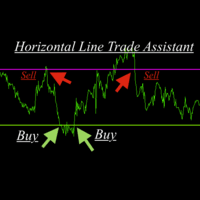
Horizontal Line Trade Assistant EA  Semi-Automated Trading Assistant      IMPORTANT :     On the main/purchased program a user can click on the Horizontal line and change it to Buy or Sell, and drag by double clicking on it. Please keep in mind that this option is not available on demo version, due to some restrictions/limitations of Strategy Tester, some Object related operations are not available in the  Strategy Tester. But, it will not prevent you from Testing, please drop an Object to chart
Axivor Trade Copier is a local MT5 trade copier and multi-account execution utility for native Windows desktop and VPS environments. One Sender can copy supported market-position lifecycle actions to multiple independently configured Receivers without a separate relay service. It does not generate signals or select trades. The trader controls the source account, while each Receiver applies its own configured volume policy and remains subject to its broker and account conditions. SIMPLE MT5-TO-MT
Telegram to mt5 pro
Janet Abu Khalil
4 (4)
Telegram to MT5 Pro — Copiador avançado de sinais do Telegram com Auto-Fix, Multi-TP, controlo de risco e gestão completa de operações Telegram to MT5 Pro — Copiador profissional de sinais do Telegram Telegram to MT5 Pro copia automaticamente sinais de trading do Telegram diretamente para a sua conta MetaTrader 5 em tempo real, com controlo total de risco, execução e gestão de operações. O sistema é composto por dois componentes: • Expert Advisor (EA) dentro do MetaTrader 5 • Aplicação bridge q
ApexForge Economic Calendar Safety Dashboard Calendário Econômico MT5 | Calendário Forex | News Filter | Alertas de Notícias de Alto Impacto | Contagem Regressiva de Eventos Econômicos | Fechamento de Emergência | Close All | Alertas de Feriados do Mercado | Aviso de Fechamento Antecipado | KTimer | Contagem Regressiva de Velas | Notificações Push | 12 Idiomas + Auto ApexForge Economic Calendar Safety Dashboard é um painel completo de informações e gerenciamento para MetaTrader 5 que integra Cal
LotCalculatorPro
Reynaldo Jr Audencial Pascual
LotCalculatorPro + Smart Trading Panel LotCalculatorPro é um poderoso assistente de trading tudo-em-um, projetado para simplificar a gestão de risco, o cálculo do tamanho do lote e a execução de operações diretamente no gráfico. Esta ferramenta ajuda os traders a controlar o risco, calcular tamanhos de lote precisos e gerenciar operações automaticamente com recursos inteligentes como Break-Even, fechamento parcial e proteção diária de lucro/perda . É ideal para traders de Forex, traders de prop
Lot Architect
Do Thi Phuong Anh
Lot Architect — Trade Panel & Risk-Based Position Size Calculator for MT5 Lot Architect is a one-click trade panel and risk-based position size calculator for MetaTrader 5. It works out your exact lot size from the risk you choose, shows risk, reward and risk-to-reward (R:R) before you enter, and places Market, Limit or Stop orders in a single click. In short: position sizing, risk management and fast trade execution in one clean panel on your chart. The problem every trader knows Most accounts
RiskPilot Pro
Mohamed Zein Mohamed Zein Soliman
RiskPilot Pro Plan risk clearly. Execute efficiently. Manage positions from one professional MT5 dashboard. RiskPilot Pro is a visual trade-planning and position-management utility for MetaTrader 5. It helps manual traders define risk before entry, calculate position size, place market or pending orders, and manage open positions from one chart panel. Important: RiskPilot Pro does not generate trading signals and does not choose trade direction. The trader defines the setup and remains responsib
Overview Equity Watching Telegram Pro is an advanced, intelligent portfolio guardian designed for professional traders and investors who demand real-time control over their MetaTrader accounts. This Expert Advisor continuously monitors your account's Balance, Equity, and Floating P/L, instantly dispatching structured, mobile-optimized status cards directly to your Telegram account or group chats. Whether you are running multiple automated trading strategies simultaneously, managing high-volatil
SwiftEdge Scalper EA Profissional de Scalping com Controle Manual Completo O scalping exige decisões em frações de segundo, gestão precisa de risco e execução perfeita de ordens. Gerenciar cálculos de breakeven, trailing stops e múltiplas posições enquanto observa a ação do preço é avassalador sem as ferramentas certas. SwiftEdge Scalper é seu assistente de trading profissional projetado para scalpers ativos e day traders. Execute operações com um clique ou atalho de teclado, enquanto o EA geren
One table with every open position of your account. If you trade several symbols at the same time, you know the problem: you open the Trade window, scroll, and still do not know how much money you risk in total. Positions Dashboard puts everything on one chart panel and updates it every second. It is available to rent. WHAT THE TABLE SHOWS For every position (all symbols, not only the one on your chart): - Symbol and direction (BUY in green, SELL in red) - Lot size, entry price and current pric
Advanced Trailing Stop & Break-Even Expert Advisor with Partial Profit Taking Overview Unlock the full potential of your trading strategy with this Expert Advisor that automates trade management to maximize profits and minimize losses. Designed for both novice and experienced traders, this EA offers precise control over your trades with customizable trailing stops, break-even protection, and partial profit taking — all working seamlessly to protect your capital and lock in gains. Key Features Dy
This utility tool helps us to open trades and set orders very simply by just double-clicking on the chart. The volume of the positions and orders can be a constant lot size or determined based on a risk of equity. Take profit limit of the positions can be determined based on a Risk to Reward Ratio or simply by just a double-click.  For Positions: 1- At first, you need to double-click on the SL price. (For a buy position, you need to click on a price below the live price, and for a sell positio
A simple script that closes all current orders. Terminate once close all positions, so no worries about constantly closing your order. How to use : Drag the script from the navigator to the chart, and it will be activated. Do remember to enable algo trading to use this script. There are different version of the script that can choose whether to close all buy/sell posiitons, if you need this, do contact me in MQL5.
Os compradores deste produto também adquirem
Trade Assistant MT5
Evgeniy Kravchenko
4.43 (216)
Ajuda a calcular o risco por comércio, a fácil instalação de uma nova encomenda, gestão de encomendas com funções de fecho parcial, trailing stop de 7 tipos e outras funções úteis. Materiais e instruções adicionais Instruções de instalação   -   Instruções para a aplicação   Função de linha Mostra no gráfico a linha de Abertura, Stop Loss, Take Profit. Com esta função é fácil definir uma nova ordem e ver as suas características adicionais antes da abertura.   Gestão de risco A função de cálcul
Bem-vindo ao Trade Manager EA—uma ferramenta de gestão de risco criada para tornar o trading mais intuitivo, preciso e eficiente. Não é apenas uma ferramenta para executar ordens, mas uma solução abrangente para planejamento de operações, gerenciamento de posições e controle de risco. Seja você um iniciante, trader avançado ou scalper que precisa de execução rápida, o Trade Manager EA adapta-se às suas necessidades, oferecendo flexibilidade em todos os mercados, desde forex e índices até commodi
O Telegram to MT5 Multi-Channel Copier copia automaticamente os sinais de trading dos seus canais de Telegram e Discord diretamente para o MetaTrader 5. Sem bots, sem extensões de navegador, sem copiar à mão. O sinal chega ao Telegram ou ao Discord e o EA abre a operação no seu terminal em poucos segundos. E antes de copiar um canal, o backtester integrado mostra o que esse canal teria feito na sua conta. O produto inclui dois componentes: um aplicativo de Windows que escuta os seus canais de Te
Local Trade Copier EA MT5
Juvenille Emperor Limited
4.94 (150)
Local Trade Copier EA MT5 é um copiador de operações rápido e flexível para copiar e gerenciar operações entre várias contas MetaTrader 5 no mesmo computador Windows ou Windows VPS. Ele combina a sincronização local de operações com controles no lado do Receiver para tamanho de lote, gerenciamento de risco, filtragem de operações, mapeamento de símbolos, gerenciamento de operações e proteção da conta. Configure seus terminais Transmitter e Receiver em aproximadamente 1 minuto e copie operações
REVDEN AI Desk: conduza seu trading a partir de uma conversa com sua própria IA, sobre o contexto de mercado do REVDEN Imagine conduzir seu trading a partir de uma única conversa. O REVDEN AI Desk traz isso para o MetaTrader 5: você pergunta à sua própria IA como ela lê o mercado, e ela responde a partir do contexto completo do REVDEN sobre os símbolos que você opera, com o estado de cada um, o quadro de risco e as próximas divulgações. As propostas dela chegam com entrada, stop, alvo e risco, e
EA Overfitter
Stephen J Martret
5 (5)
That backtest looks great. But will it still be making money tomorrow, next week, next month? EA Overfitter re-runs your EA on 100 price histories it has never seen. One score tells you if the edge is real. A backtest tells you what an EA did on one price history — the one that happened to occur. What you cannot tell from it is how much of that result was the strategy and how much was the particular path. EA Overfitter answers that. It builds up to 100 synthetic price histories your EA has n
Farmed Hedge Yield Farming | All Markets (Manual - Hybrid - Semi/Automated EA) VERIFIED TRADING RESULTS - Farmed Hedge Yield Axi Copy:  https://www.mql5.com/en/signals/2356376 - Farmed Hedge Yield Exn Copy:   https://www.mql5.com/en/signals/2356404 - Farmed Hedge Yield V Copy:  https://www.mql5.com/en/signals/2357156 IMPORTANT NOTICE: FarmedHedge is a MANUAL-FOCUSED TRADING UTILITY ,not a fully automated EA. Results shown on this Signal include manual trades and overall strategic management.
TradePanel MT5
Alfiya Fazylova
4.89 (176)
Trade Panel é um assistente de negociação multifuncional. O aplicativo contém mais de 50 funções de negociação para trading manual e permite automatizar a maioria das tarefas de negociação. Instruções para o aplicativo: https://www.mql5.com/pt/blogs/post/762435 Versão de teste do aplicativo para conta demo: https://www.mql5.com/pt/blogs/post/762547 Como instalar o aplicativo: https://www.mql5.com/pt/blogs/post/762548 Como testar o aplicativo no modo visual: https://www.mql5.com/pt/blogs/post/770
Copie sinais do Telegram com suas próprias regras de negociação Telegram to MT5 Signal Trader copia automaticamente sinais de negociação em texto de canais e grupos públicos e privados do Telegram para o MetaTrader 5. Gerencie vários provedores e contas MT5 em um único aplicativo para desktop, com configurações individuais de risco e de negociação para cada provedor . Você não precisa de um bot do Telegram nem configurar uma API para copiar sinais. Basta entrar com sua própria conta do Telegram
Exp COPYLOT CLIENT for MT5
Vladislav Andruschenko
3.97 (35)
Copiador profissional de operações para MetaTrader 5 Um copiador de operações rápido, profissional e confiável para MetaTrader . COPYLOT permite copiar operações de Forex entre terminais MT4 e MT5 com suporte para contas Hedge e Netting . A versão MT5 do COPYLOT oferece suporte a: - MT5 Hedge → MT5 Hedge - MT5 Hedge → MT5 Netting - MT5 Netting → MT5 Hedge - MT5 Netting → MT5 Netting - MT4 → MT5 Hedge - MT4 → MT5 Netting Versão MT4 Descrição completa + DEMO + PDF Como comprar Como instalar Como
EA Auditor
Stephen J Martret
5 (7)
EA Auditor is an independent analysis tool for traders evaluating Expert Advisors and trading signals on MetaTrader 5. It audits backtest reports, reviews posted developer signals, and cross-verifies the two against each other to help traders assess strategies before committing capital. The MQL5 market offers a wide range of Expert Advisors from many developers, with varying approaches, quality, and transparency. EA Auditor provides a consistent, data-driven framework for reviewing them, answer
HINN MagicEntry Extra
ALGOFLOW OÜ
4.74 (19)
HINN MAGIC ENTRY 4 – um clique no gráfico e a operação está pronta! SIMPLES. RÁPIDO. PRECISO. Stop, entrada e alvo direto no gráfico – o lote é calculado sozinho pelo seu risco. descrição completa   ::  instalação e FAQ   ::  chat de suporte O que tem dentro: - LIMIT em 3 cliques, MARKET em 2 – risco em %, $, lotes ou o clássico Fixed Lots - DEFAULTS: seu esquema de alvos, parciais e breakeven já aplicado em cada nova operação – MARKET em 1 clique - Parciais ilimitadas, com divisão do volume em
AI Agent Supervisor is NOT an Expert Advisor. AI Agent Supervisor   is a   multi-agent AI risk & portfolio supervisor   that watches every EA on your account and intervenes in real time.  WANT AN AI PORTFOLIO MANAGER WATCHING YOUR FLEET 24/7?   Run your fleet on the same brokers I do:   IC MARKETS , IC TRADING   .  Unlike the centralized stock market, Forex has no single, unified price feed.  Every broker sources liquidity from different providers, creating unique data streams. The Supervisor r
Power Candles Strategy Scanner: localizador de setups multissímbolo que se otimiza sozinho Um scanner que apita a cada tremida ensina você a ignorá-lo. Um fechamento de vela agitado, alerta atrás de alerta, e o único setup que você realmente opera se afoga no ruído. Power Candles Strategy Scanner roda o motor auto-otimizável do Power Candles em cada símbolo da sua Market Watch e só alerta sobre o que passa pelos seus próprios filtros: a força da última vela fechada, a relação retorno/risco do se
================================================================================ POC BREAKOUT - V20.72. Full Professional Grade Toolkit ================================================================================ POC Breakout is a full MetaTrader 5 trading dashboard for discretionary traders who want breakout signals, Point of Control (POC) context, volume profiles, order flow, market structure, news, alerts, and advanced trade planning in one professional workspace. Attached directly to you
News Trade EA MT5
Konstantin Kulikov
4.55 (11)
Apresento um robô útil que eu mesmo uso há vários anos. Pode ser usado nos modos semiautomático e totalmente automático. >>> Chat <<< O programa contém configurações flexíveis para negociação nas notícias do calendário econômico. Não pode ser verificado no testador de estratégia. Somente trabalho real. Descarregue o ficheiro mais recente de definições: https://www.mql5.com/en/blogs/post/747929 Monitorização de sinais: https://www.mql5.com/en/signals/author/test-standart Ao criar suas próprias
Timeless Charts
Samuel Manoel De Souza
5 (9)
Timeless Charts é um utilitário de trading tudo-em-um para traders profissionais. Ele combina tipos de gráficos personalizados, como Gráficos por Segundos e Renko , com análise avançada de fluxo de ordens utilizando Footprints , Clusters , Perfis de Volume , estudos VWAP e ferramentas de análise ancorada para uma visão mais profunda do mercado. O gerenciamento de ordens e posições é realizado diretamente no gráfico por meio de um painel integrado de gerenciamento de operações , enquanto o Market
The product will copy all telegram signal to MT5 ( which you are member) , also it can work as remote copier.  Easy to set up, copy order instant, can work with almost signal formats, image signal,  s upport to translate other language to English Work with all type of channel or group, even channel have "Restrict Saving Content", work with  multi channel, multi MT5 Work as remote copier: with signal have ticket number, it will copy exactly via ticket number. Support to backtest signal. How to s
Astro Trade MT5
Indra Maulana
5 (8)
25% discount on the release of the tool: only for the next 3 buyers Send a message to receive a demo version. AstroTrade Trading Assistant AstroTrade is a comprehensive multi-functional trading utility developed for the MetaTrader 5 platform. It integrates essential tools for trade execution, risk management, and technical monitoring into a single unified interface. The application is designed to assist traders in managing their daily operations through a visual and structured environment. Vi
Zentral Trading Manager
Ray Zeanrik Parreno Fredeluces
5 (4)
Zentral Manager Your Command Center for Precision Trading — Now Stronger than Ever Take control of your trades like never before. Zentral Trading Manager is your all-in-one manual trading panel for MetaTrader 5 — built for scalpers, day traders, and serious strategy execution. Fully compatible with both Mac and Windows laptops. High-DPI safe. No more layout issues. Key Features (Latest 2025 Update): • One-Click Close – Instantly close Buy/Sell, winning/losing trades, or even half positions with
KT Equity Protector MT5
KEENBASE SOFTWARE SOLUTIONS
3.6 (5)
An equity protection EA for MetaTrader that enforces your loss limits and profit target for you: when your account reaches a rule you set, it closes your trades on every symbol, before one bad day turns into a lost account. It suits prop firm challenges and personal accounts alike. Attach it to one chart, answer a few questions in the on-chart setup wizard, and it watches your whole account in the background while you trade by hand or with other EAs. What it protects Daily loss limit: a percenta
Custom Alerts: Monitore vários mercados e não perca nenhuma oportunidade importante Visão geral Custom Alerts é uma solução dinâmica para traders que desejam monitorar configurações potenciais em vários instrumentos a partir de um único local. Integrando dados de nossas ferramentas principais — como FX Power, FX Volume, FX Dynamic, FX Levels e IX Power — o Custom Alerts notifica automaticamente sobre movimentos importantes do mercado, sem a necessidade de alternar entre diversos gráficos ou pe
Equity Protect Pro: Seu Especialista em Proteção de Contas Abrangente para Negociação Tranquila Se você está procurando recursos como proteção de conta, proteção de patrimônio, proteção de portfólio, proteção de múltiplas estratégias, proteção de lucro, coleta de lucro, segurança de negociação, programas de controle de risco, controle automático de risco, liquidação automática, liquidação condicional, liquidação programada, liquidação dinâmica, trailing stop loss, fechamento com um clique, liqu
Conheça o seu risco antes de clicar. Gerencie a operação depois. Arraste as linhas, clique em BUY ou SELL e o tamanho do lote é calculado para você. Depois, gerencie a operação com break even, fechamento parcial, múltiplos alvos e mais. O Mercurial Position Sizing PRO é uma ferramenta MT5 para traders manuais. Ele calcula o lote correto com base no seu saldo, no seu percentual de risco e na distância do stop loss, e depois abre a operação com SL e TP já definidos. Inclui tudo o que a versão gra
Os sinais dos seus canais do Telegram, copiados para o MetaTrader 4 e o MetaTrader 5 em poucos segundos. O TradingMind Signal Bridge lê os canais e grupos que você escolhe, reconhece cada sinal com regras rápidas embutidas, repassa os mais bagunçados a um modelo de IA, incluindo sinais publicados como capturas de tela, e entrega a ordem a um expert advisor no seu terminal. Um filtro de notícias, a proteção de contas de mesa proprietária e um bot do Telegram para controle remoto garantem que a de
Check your trade before you place it Your risk checks out. Does the trade fit your rules? APEX AI Advisor shows your estimated risk and position size, then lets you ask AI to challenge the setup against your playbook and market context—all inside MT5. You decide whether to act. One trade idea, two different checks In the walkthrough, a EURUSD buy limit passes the local checks: 0.10 lots, $10 estimated risk at the stop and a 2:1 reward-to-risk ratio on the sample account. That does not make it a
Telegram To MT5 Ultra
Mirel Daniel Gheonu
5 (5)
Telegram To MT5 — Copiador de sinais Transforme as chamadas de trading dos seus canais do Telegram em ordens reais no MT5 — automaticamente, em quantas contas quiser, com o risco e as regras totalmente sob o seu controlo. O Telegram To MT5 liga os canais VIP / de sinais que já segue no Telegram ao seu terminal MetaTrader 5. Um aplicativo de desktop complementar gratuito lê as mensagens (mesmo de canais que bloqueiam bots), e este Expert Advisor executa-as na sua conta — aplicando as suas própria
Seconds Chart MT5
Boris Sedov
4.61 (18)
Seconds Chart - uma ferramenta exclusiva para criar gráficos de segundos no MetaTrader 5 . Com o Seconds Chart , você pode criar gráficos com períodos definidos em segundos, proporcionando flexibilidade e precisão ideais para análise, indisponíveis em gráficos padrão de minutos ou horas. Por exemplo, o período S15 indica um gráfico com velas de 15 segundos. Você pode usar qualquer indicador ou Expert Advisor com suporte a símbolos personalizados. Trabalhar com eles é tão conveniente quanto negoc
Prop Guardian Risk Manager MT5 – Drawdown, Risk & Hedge Protection for Prop Firm and Managed Accounts Prop Guardian Risk Manager is a professional risk-control utility for MetaTrader 5, designed for prop firm traders, money managers and anyone who wants strict account-level risk protection. It does not generate trading signals, strategy entries or trading decisions. Instead, it runs in the background, monitors your account risk and can automatically block new exposure, close managed positions or
EA Slipstream
Stephen J Martret
5 (1)
Your backtest filled every order at the price it asked for. Your account does not. EA Slipstream measures what execution costs your EA, using your own fills, slippages and spreads to show you the true performance of your EA. A backtest prices every trade at the level the EA named. In live trading a pending order fills at whatever price is available when it triggers, a stop closes wherever the market is when it is hit, and the spread at that moment is whatever the account was quoting. The differ
Mais do autor
Angora Patterns finds, draws and tracks chart patterns for you. It recognises 23 classic chart patterns, 8 harmonic patterns and 13 candlestick patterns, and gives every pattern a breakout level, a target, an invalidation level, a state and a quality score. Chart patterns: Double Top and Bottom, Triple Top and Bottom, Head and Shoulders, Inverse Head and Shoulders, Rounding Top and Bottom, Ascending, Descending and Symmetrical Triangle, Rising and Falling Wedge, Rectangle, Ascending and Descend
Angora Trading System is a mean-reversion Expert Advisor. It waits for price to stretch to the edge of the Bollinger Bands while RSI confirms an overbought or oversold condition, and it trades the move back toward the middle band. An ADX regime filter keeps it out of conditions that do not suit this approach. An optional ATR-based grid adds positions when price moves against the first entry. All legs share one basket stop loss, which is sent with every order. Available for MetaTrader 4 and Met
Filtro:
Sem comentários
Responder ao comentário