Lot Architect
- Utilitários
-
Do Thi Phuong Anh
 I am PA, a 33-year-old Forex trader with eight years of market experience and three years of experience developing tools on MQL5.
I create calculation tools and indicators designed to help traders manage risk. These tools are for educational purposes only and do not constitute financial advice. - Versão: 1.5
- Atualizado: 21 setembro 2026
- Ativações: 5
Lot Architect — Trade Panel & Risk-Based Position Size Calculator for MT5
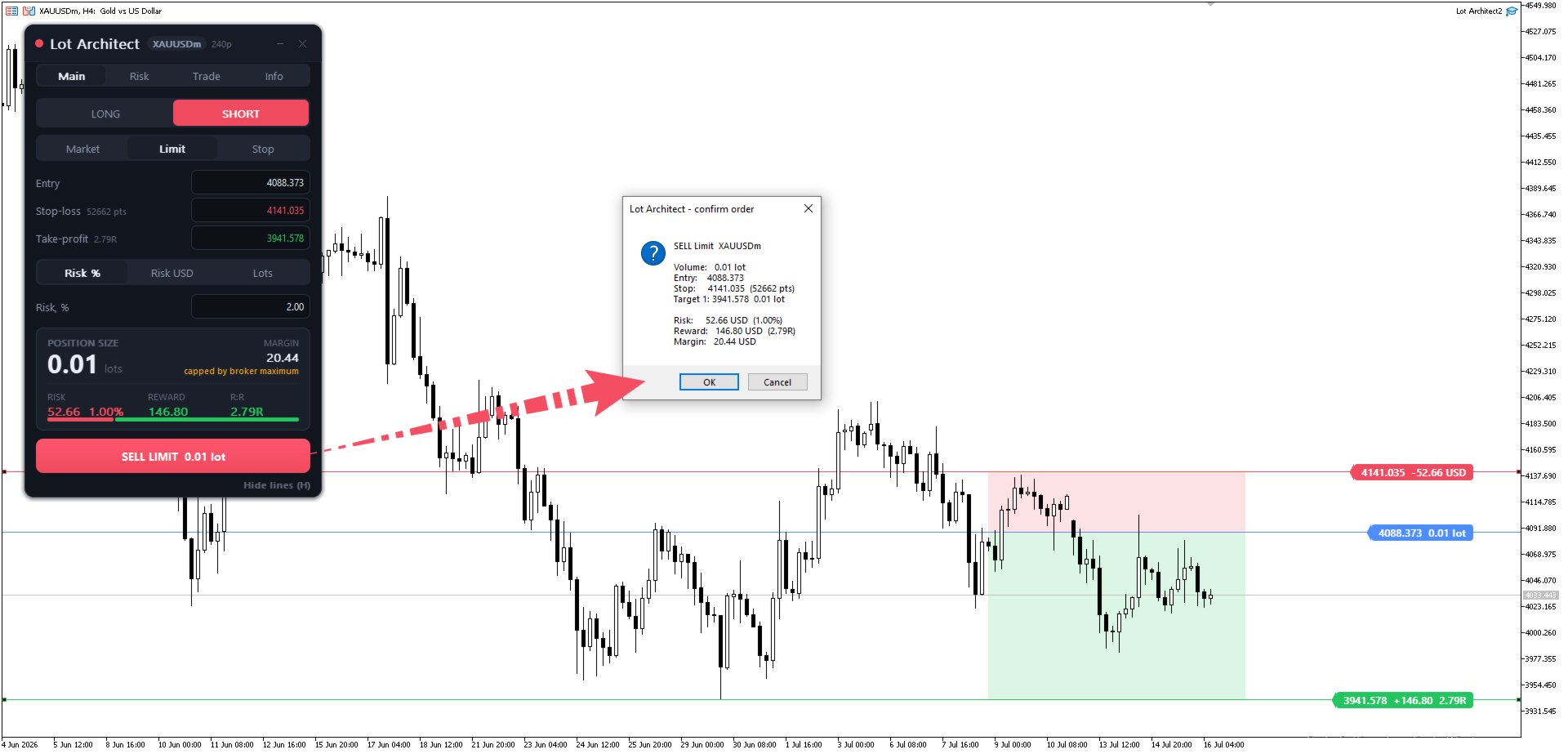
Lot Architect is a one-click trade panel and risk-based position size calculator for MetaTrader 5. It works out your exact lot size from the risk you choose, shows risk, reward and risk-to-reward (R:R) before you enter, and places Market, Limit or Stop orders in a single click. In short: position sizing, risk management and fast trade execution in one clean panel on your chart. The problem every trader knows
Most accounts don't blow up because the analysis was wrong — they blow up because the position size was. Doing lot size math by hand at the moment of entry is slow and dangerous: one wrong decimal can wipe out an account, and "eyeballing" the volume throws your whole money management plan out the window. A proper lot size calculator and risk manager should do this instantly, so you never guess again.
--------------------------------
What Lot Architect does
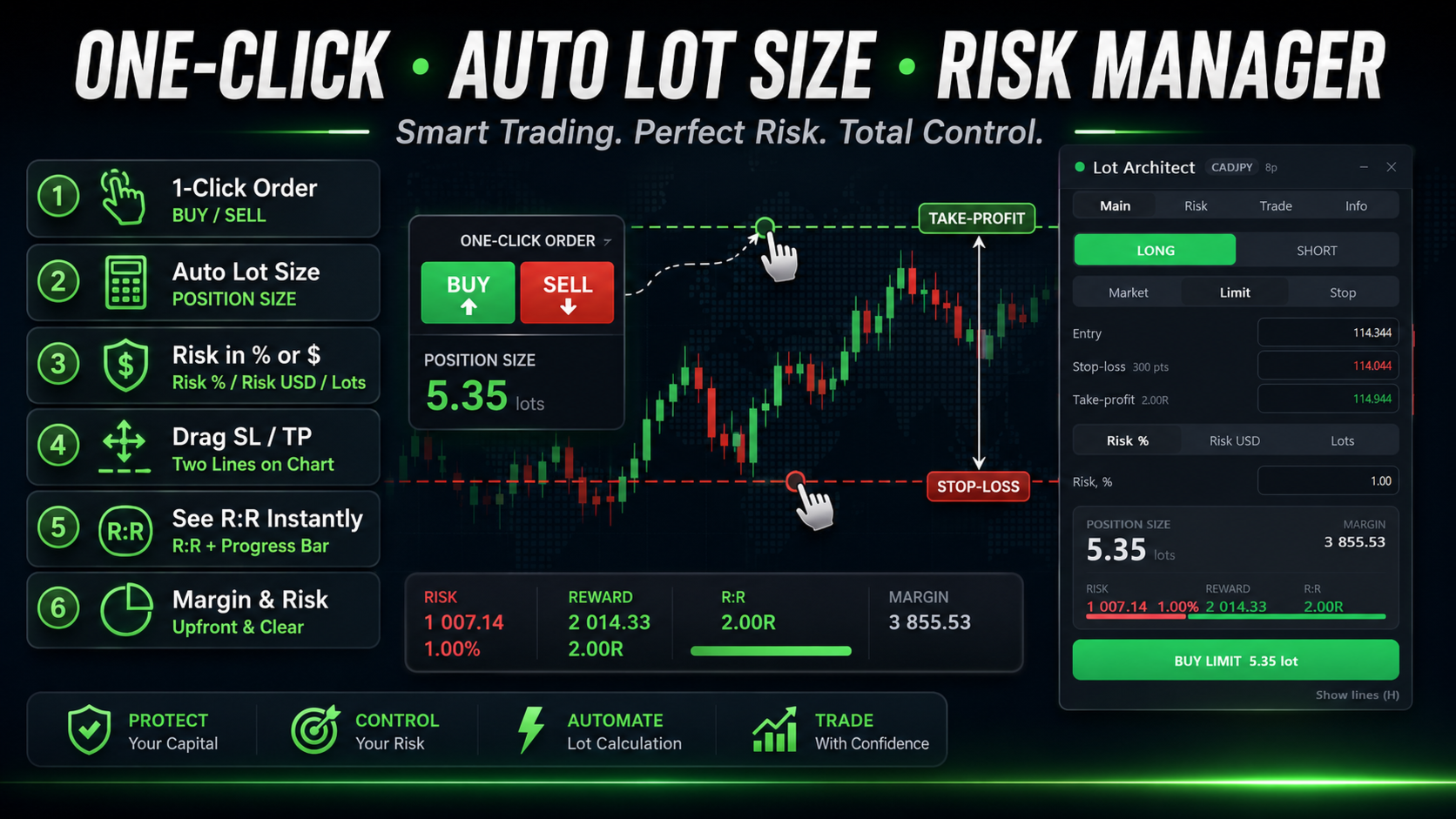
- Position sizing by risk, not guesswork — set risk as % of account, a fixed money amount, or a fixed lot; the panel returns the exact volume instantly.
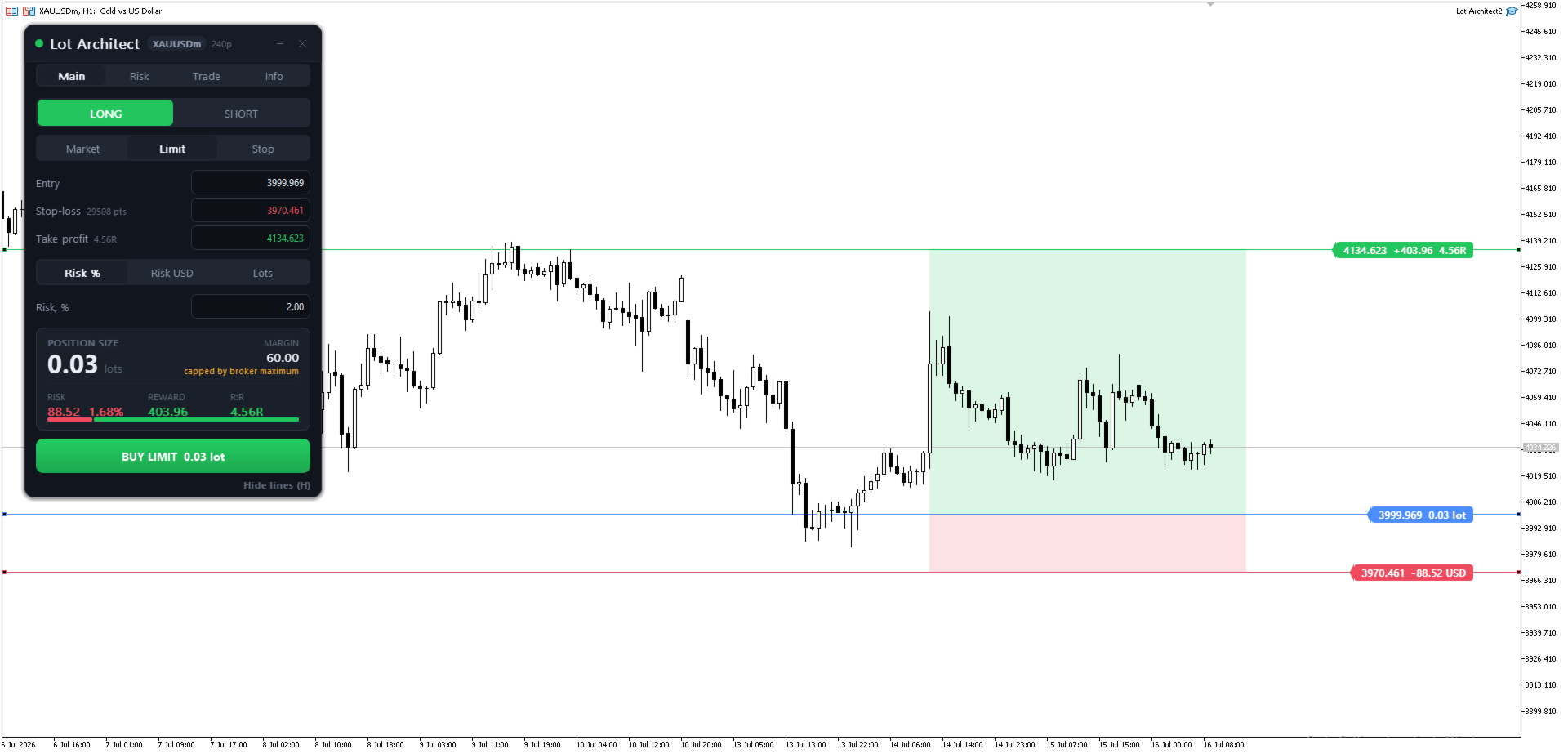
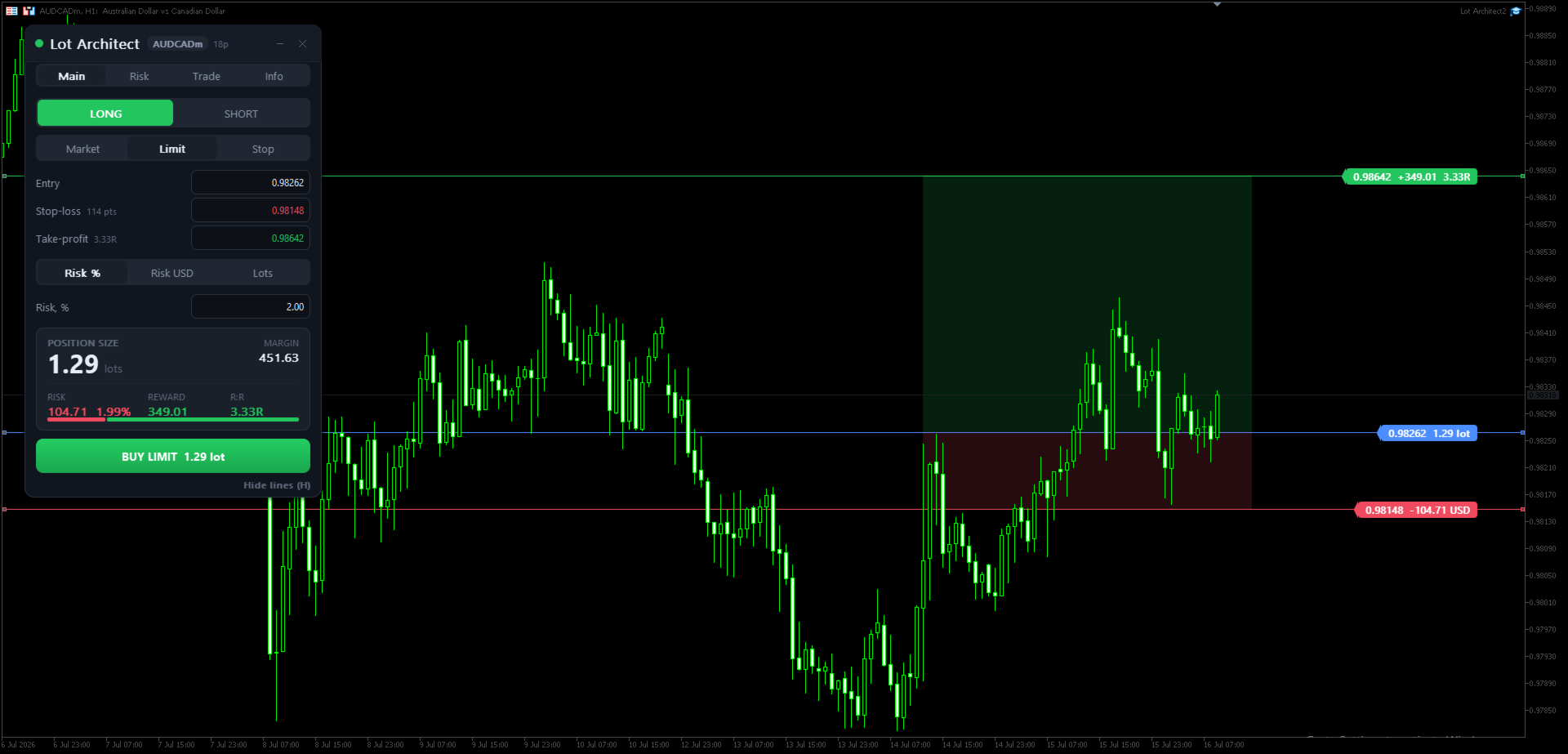
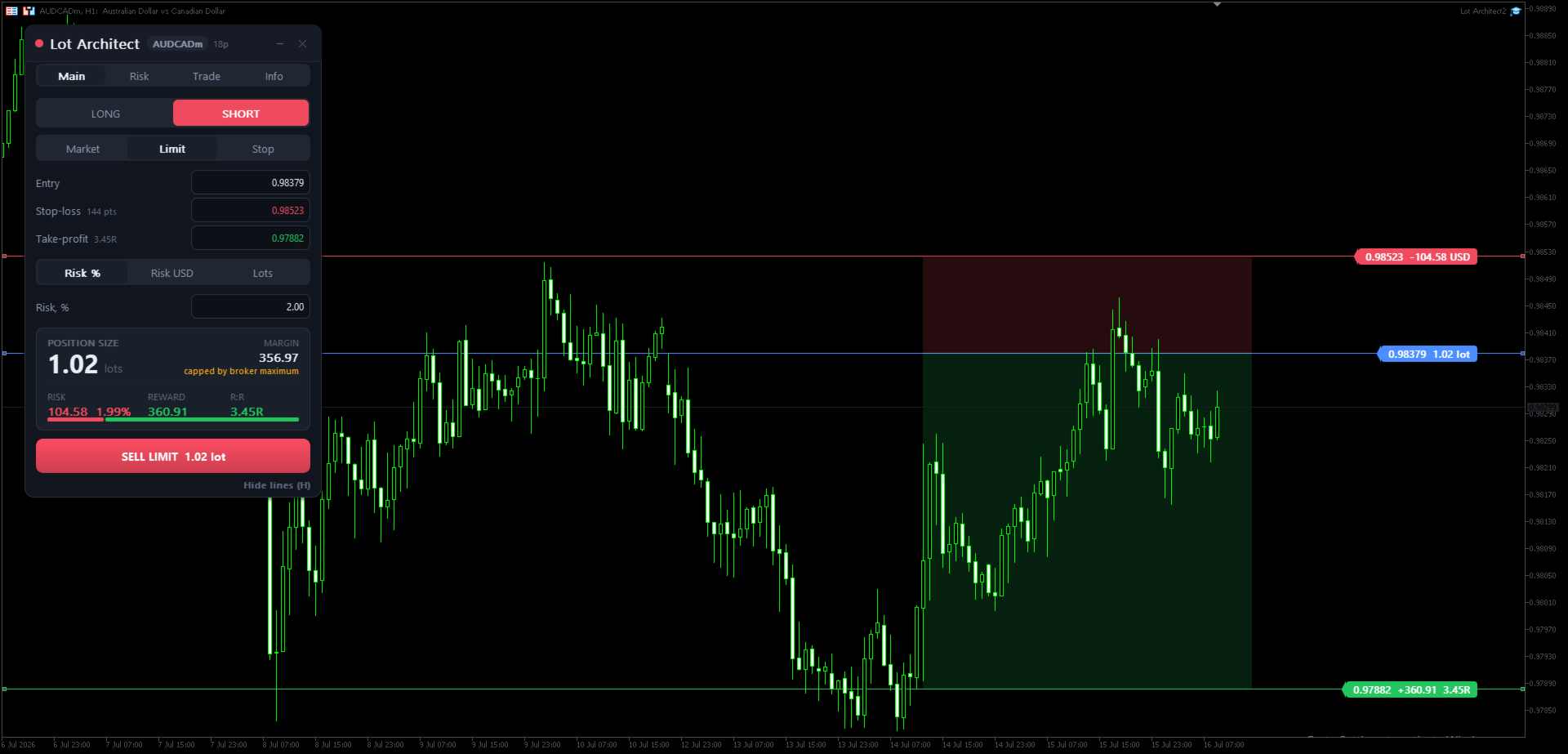
- Drag Entry / Stop-Loss / Take-Profit on the chart — stop loss and take profit levels update lot size, risk, reward and R:R live, with shaded risk/reward zones.
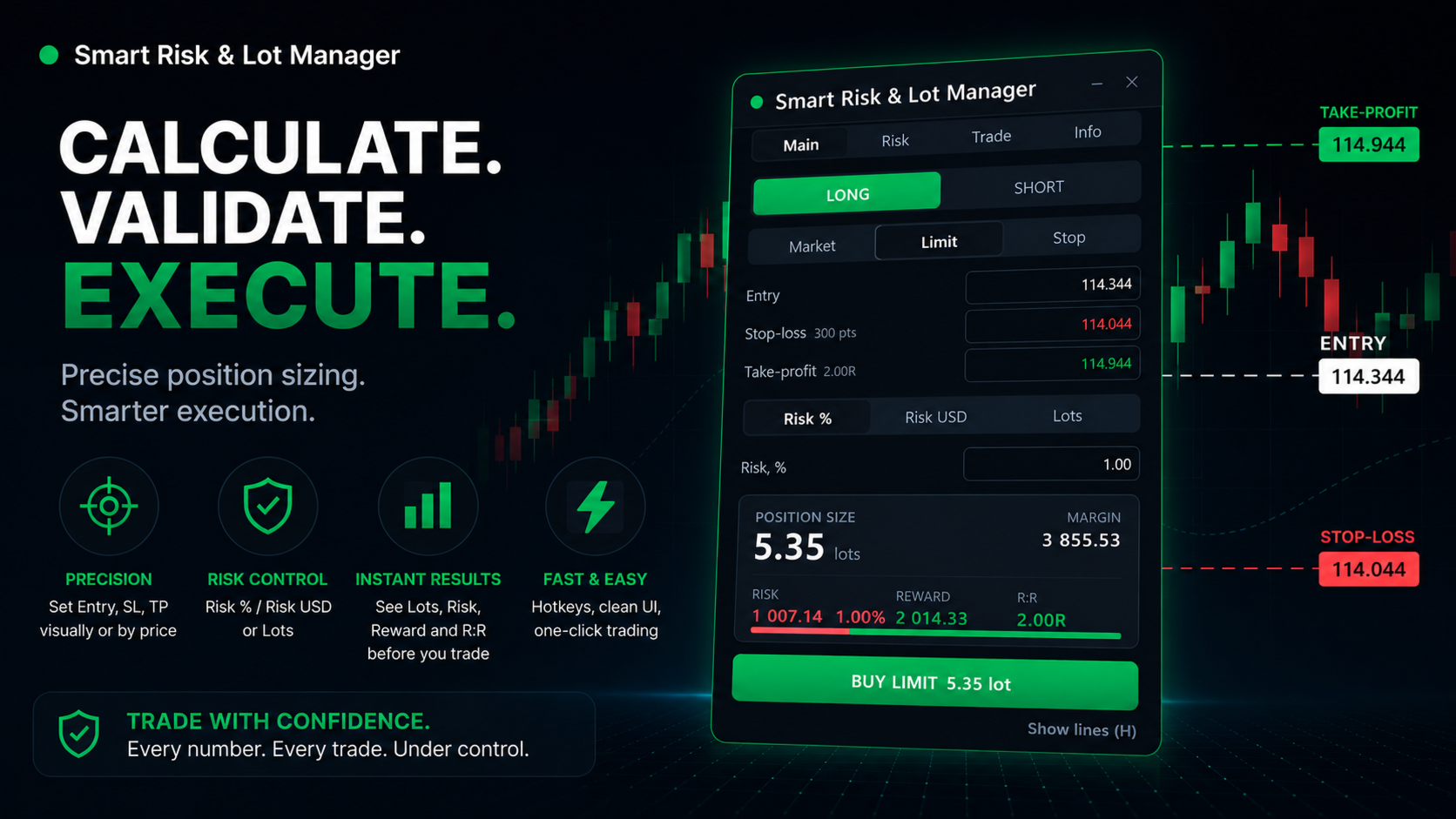
- See the trade before you take it — volume, required margin, money at risk (with %), potential reward and risk-to-reward ratio on one card.
- One-click trade execution with a safety net — the order button refuses and explains why on wide spread, low margin, a level inside the broker's stops level, or a target on the wrong side of entry.
- Up to 4 take-profit targets with automatic volume split.
- Market, Limit and Stop orders, commission input, and a portfolio risk manager that flags positions with no stop-loss.
Accurate on Forex, Gold (XAUUSD), indices and CFDs — every figure uses the terminal's own contract data.
--------------------------------
Why traders use this trade manager
- Discipline by default — a fixed, visible risk per trade on every order.
- Faster than the market — from idea to filled order in seconds.
- Built for prop / funded accounts, where a hard risk management rule is non-negotiable.
--------------------------------
Quick start
- Attach Lot Architect to your chart.
- Choose LONG / SHORT and Market / Limit / Stop.
- Drag the Entry / Stop-Loss / Take-Profit lines, or type the prices.
- Pick Risk % / Risk $ / Lots and enter the value.
- Read the result card, then click BUY / SELL.
Hotkeys: Shift+T trade · Tab flip · O order type · H lines · ` minimize. Enable AutoTrading to send orders (the position size calculator works without it).
--------------------------------
Detailed guide to each function:
Header
- Symbol & spread badge — Shows the traded symbol and the live spread at a glance.
- Minimize / Close — Collapse the panel or remove it from the chart.
Tabs
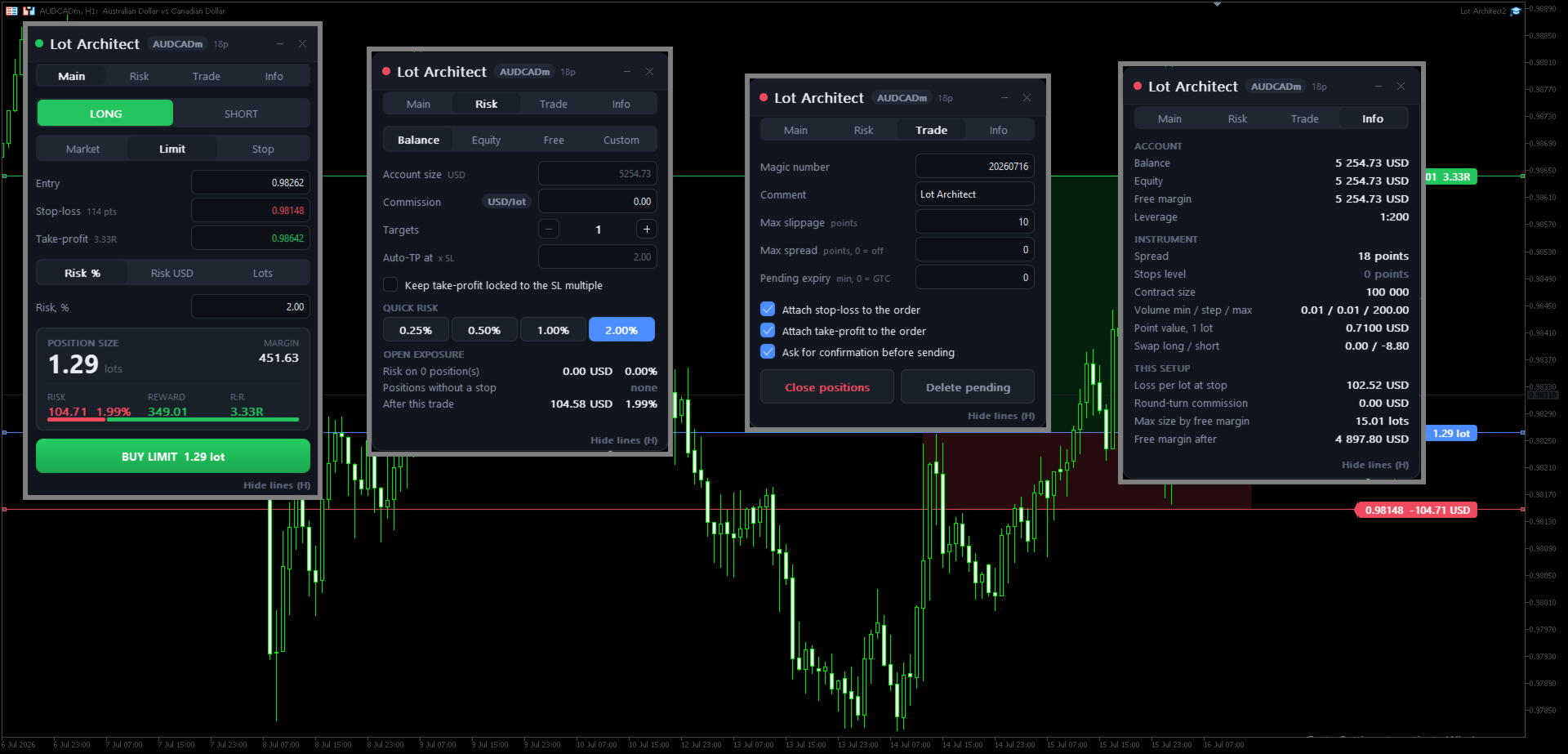
3. Main | Risk | Trade | Info — Switch views: sizing, risk settings, execution options, and account/symbol info.
Trade setup
4. LONG / SHORT — Pick your trade direction in one tap.
5. Market / Limit / Stop — Choose the order type: instant or pending entry.
Price levels (drag on chart or type)
6. Entry — Your entry price (drag the line or type it).
7. Stop-Loss — Your stop price; the badge shows the distance in points.
8. Take-Profit — Your target price; the badge shows the reward-to-risk (R:R).
Risk input
9. Risk % | Risk USD | Lots — Size the trade by account %, a fixed money amount, or a fixed lot.
10. Risk value — Enter your risk (e.g. 1.00 = 1% of the account).
Result card — the answer
11. POSITION SIZE — The exact lot size for your risk, calculated instantly.
12. MARGIN — Margin required to open the trade.
13. RISK — Money at risk if the stop is hit, with % of account.
14. REWARD — Potential profit at your target.
15. R:R — Reward-to-risk ratio, with a visual risk/reward bar.
Action
16. BUY / SELL button — Places the order in one click, with the calculated lot size.
17. Show / Hide lines (H) — Toggle the Entry/SL/TP lines and zones on the chart (hotkey H).
--------------------------------
Get Lot Architect now — the trade panel, lot size calculator and risk manager that keeps your position sizing and risk management correct on every single trade in MetaTrader 5.
- 👉 MT5: https://www.mql5.com/en/market/product/186011
- 👉 Also available for MetaTrader 4: https://www.mql5.com/en/market/product/186058
Utility for position sizing and order execution. It does not predict markets or guarantee profit — you control every trade. Test on a demo account first.