Armor Adaptive Martingale EA
- Experts
- Versão: 3.0
- Atualizado: 18 outubro 2026
- Ativações: 10

ARMOR Adaptive Martingale EA
ARMOR Adaptive Martingale EA is an automated grid and basket recovery Expert Advisor for MetaTrader 5. It is designed for traders who understand progressive position sizing and want the EA to manage recovery levels, basket targets, execution checks, and chart monitoring automatically.
CORE RECOVERY SYSTEM
The default multiplier sequence is:
0.01 → 0.02 → 0.04 → 0.08 → 0.16 → 0.32 → 0.64 → 1.28 → 2.56 and so on.
The next lot is calculated automatically from the current recovery level and selected multiplier. Recovery levels can remain unlimited when the maximum level and maximum recovery basket lot settings are set to 0. Actual execution is always subject to broker volume limits, volume steps, symbol restrictions, available margin, and trading conditions.
GRID RECOVERY
A new recovery position is opened only after the configured grid distance is reached. The EA uses the latest managed entry as the recovery reference and calculates the next position size automatically.
Before sending a recovery order, ARMOR checks the requested volume, broker symbol limits, and available margin. This helps prevent unnecessary trade requests when the account cannot support the next recovery position.
BASKET TP MANAGEMENT
ARMOR manages the basket target at EA level instead of placing individual broker-side take profit orders.
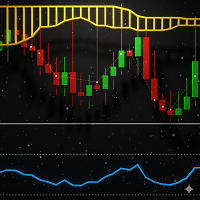
A yellow horizontal TP lane is displayed on the chart to show the current calculated basket target. The target is based on the managed basket's weighted average price, total volume, tick information, and configured basket target.
When the basket target is reached, the EA attempts to close all managed positions. If a temporary execution failure prevents a position from closing, the EA keeps the basket close state active and retries the remaining positions.
DASHBOARD AND MONITORING
The chart dashboard provides information about market conditions, spread and filters, active trades, recovery level, next lot, basket status, target price, news conditions, and EA settings.
The EA also includes market and news filtering controls that can be configured according to the trader's requirements.
ACCOUNT TYPE
The multi-position recovery architecture is designed for MetaTrader 5 HEDGING accounts. Multiple independent positions for the same symbol are required for the recovery ladder to operate as intended.
The EA includes validation handling for account type and is not intended to be used as a multi-position recovery system on standard NETTING accounts.
PERSISTENCE AND RECOVERY STATE
ARMOR stores important basket information and validates the saved state before restoring it after a terminal restart. This helps prevent incomplete or inconsistent basket information from being restored.
RISK DISCLOSURE
Martingale and grid recovery strategies involve high risk. Increasing position size during adverse market movement can substantially increase margin requirements and potential losses. A prolonged trend against the basket can exhaust available margin before recovery conditions occur.
ARMOR does not guarantee profits and should be tested on a demo account and with the intended broker, symbol, account type, leverage, and trading conditions before live use.
The EA does not use broker-side individual SL/TP for the basket strategy. Traders are responsible for understanding the exposure created by their selected lot size, multiplier, grid distance, and recovery settings.
Price: USD 125
#ArmorEA #ArmorAdaptiveMartingale #AdaptiveMartingale #MartingaleEA #GridEA #RecoveryEA #MT5EA #MetaTrader5 #ExpertAdvisor #ForexEA #GoldEA #XAUUSD #ForexTrading #GoldTrading #GridTrading #AutomatedTrading #AlgorithmicTrading #TradingSystem #TradingAutomation #RiskManagement #BasketTrading #MT5Trading #TradingTools #ARMOR