FX Live Stats Export
- Utilitários
- Versão: 7.66
- Atualizado: 28 setembro 2026

FX Live — Stats Export
Works only with https://fxlive.trading
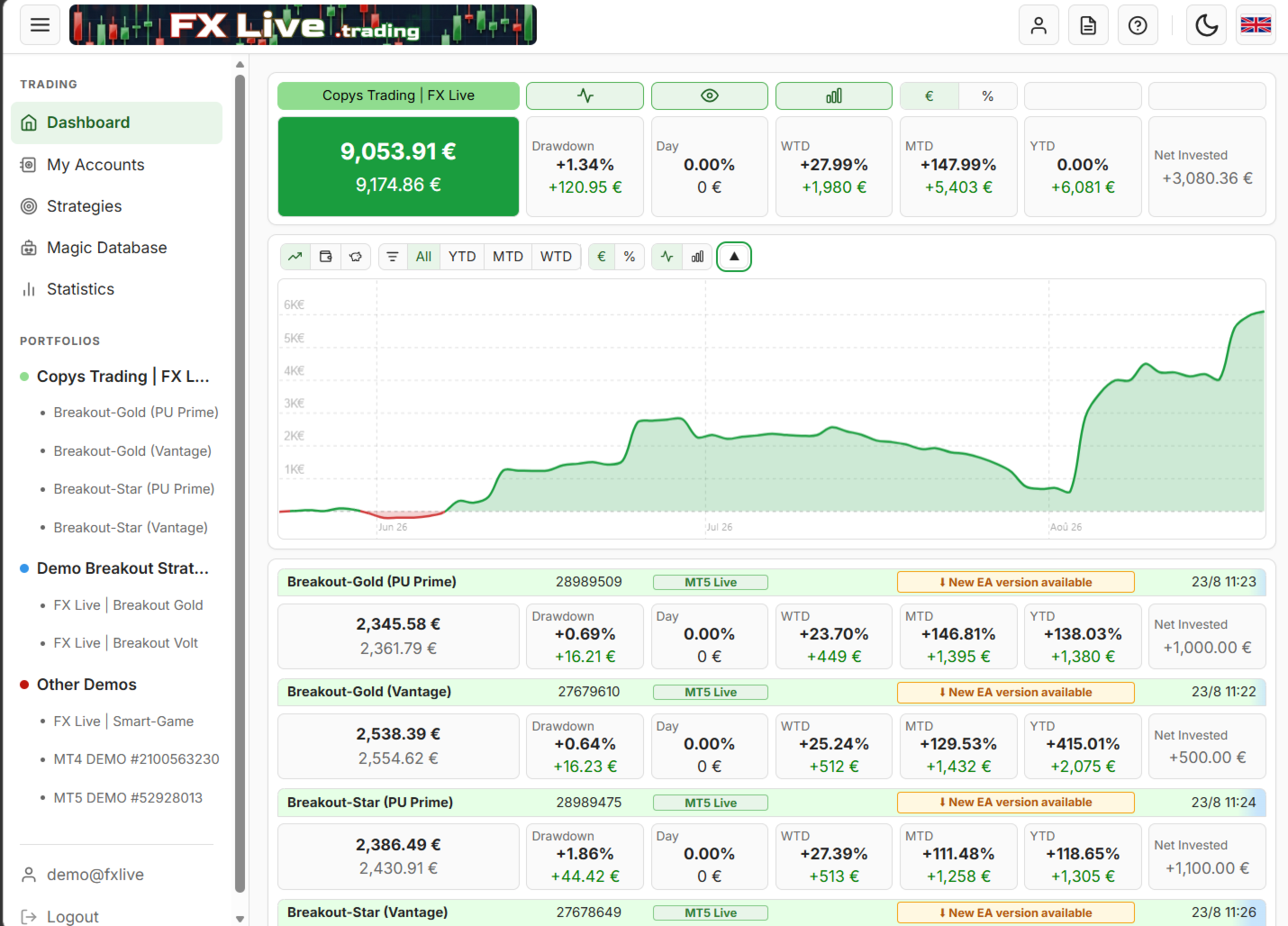
Monitor all your MetaTrader accounts from a single dashboard, in real time, across every broker.
FX Live Stats Export is an utility, not a trading robot. It never opens, modifies or closes a position. It reads your account and sends the data to your private FX Live dashboard, so you can follow every account you own from one place — on your computer or your phone — without switching between MetaTrader terminals.
WHAT IT DOES
Attach it to a single chart per account and it takes care of the rest:
- Balance, equity, floating P/L, margin and drawdown, kept up to date automatically
- Open positions, pending orders and full closed-trade history
- Deposits, withdrawals, transfers, swaps, commissions, fees and rebates
- Magic numbers detected and tracked, so each robot or strategy is reported separately
- An on-chart panel showing sync status, last update and next scheduled export — turns red with the exact reason if sends are suspended (Algo Trading disabled, terminal disconnected from broker), so a stalled EA never goes unnoticed
WHAT YOU GET ON THE DASHBOARD
- Multi-account overview: all your accounts side by side, MT4 and MT5 together
- Portfolios: group accounts by broker, strategy or purpose, with consolidated totals
- Strategies: build multi-account strategies from magic numbers or trade comments
- Statistics: performance charts, gain calendar, daily / weekly / monthly / yearly breakdowns
- Disconnection alerts: opt in per account to be warned by email and/or Telegram when your EA stops sending data — a first notice after 15 minutes of silence, a second after 60. Ideal for VPS crashes, MetaTrader freezes, or a platform closed by mistake
- Email reports: daily, weekly or monthly summaries delivered to your inbox
- Mobile and desktop: responsive interface
SETUP — ABOUT TWO MINUTES
- Create a free account on fxlive.trading and copy your API key from the Dashboard.
- In MetaTrader, go to Tools > Options > Expert Advisors, tick "Allow WebRequest for listed URL" and add https://fxlive.trading
- Attach the EA to any chart of the account you want to monitor, paste your API key, and confirm.
Repeat step 3 for each account. One chart per account is enough — the symbol and timeframe do not matter.
SETTINGS — Only two inputs: API key, and Server URL (leave on default). Everything else is automatic.
REQUIREMENTS
- An FX Live account — free, no subscription, no card required
- The WebRequest URL added to the allowed list, as described in step 2
- An active internet connection on the terminal or VPS running the EA
FX Live is free to use. There is no paid tier, and no feature is held back behind one.
A new account comes with generous default limits — 10 active accounts, 20 registered accounts, 2 portfolios and 30 strategies. If you need more, just ask us and we will raise or remove them for you.
NOTES
This EA sends account data only. It never places, changes or closes an order, and it does not need trading permissions to work.
Your trading data is stored in a database dedicated to your account and is never resold or shared.
An MT4 version is also available, and both report into the same dashboard.
Questions? contact@fxlive.trading