Quantum Cycle Trader Mt5
- Experts
-
Ashraful Alam
 # Sobre Mim
**Pesquisador Profissional dos Mercados Forex e de Criptomoedas | Desenvolvedor de Sistemas de Trading Algorítmico | Especialista em MQL5 | Criador de Soluções Avançadas de Trading Institucional** - Versão: 2.0
- Ativações: 10
How to use this file: Copy the sections below into your MQL5 Market product page (Description, Features, FAQ). Everywhere you see [FILL IN: ...] , replace it with your own real Strategy Tester / demo / live results — never publish invented numbers. MQL5 Market policy prohibits "guaranteed profit," "100% winning," "no-loss," or fabricated track-record claims, and reviewers do check.
Product Title
Quantum Cycle Trader (QCT) — Dual-Filter Cycle & Trend Confirmation EA
Short Description (for the marketplace preview line)
A rule-based EA that only trades when two independent market models — a dominant cycle detector and a frequency/trend filter — agree, then manages every trade with break-even, step-trailing, and two-stage partial close.
Full Description
The idea behind Quantum Cycle Trader
Most breakout or crossover systems fire on a single signal and hope the market cooperates. Quantum Cycle Trader was built around a different question: what happens if a trade is only allowed when two independently-calculated readings of the market agree with each other, and a filter for choppy conditions confirms it's worth acting on at all?
QCT combines two internal analysis engines — a dominant cycle / trend-wave model and a frequency-based zero-line filter — directly inside a single self-contained Expert Advisor. There are no external indicators to install and no iCustom dependencies: everything the EA needs to make a decision is calculated inside the EA itself.
How it decides to trade
- Cycle signal — the EA tracks the dominant price cycle and only considers a signal once it has been confirmed on a fully closed bar (no repainting on the current forming bar).
- Zero-line agreement — a second, independently-calculated frequency reading must be on the correct side of its zero line before the cycle signal is accepted. If the two disagree, the signal is discarded — no trade is opened.
- Optional quality filters, switchable on/off:
- ADX trend-strength filter — skip signals during flat/choppy conditions.
- Higher-timeframe confirmation — pick any timeframe (M5 up to MN1) and require price to be on the correct side of that timeframe's trend before entering.
- Minimum signal-strength threshold — ignore marginal, barely-crossed readings.
- Spread filter — skip entries when the live spread is wider than you allow.
How it manages a trade once it's open
- ATR-based or fixed-points Stop Loss / Take Profit — adapts to current volatility if you choose ATR mode.
- Break-even — moves the stop to lock in a small buffer once price moves in your favor.
- Trailing stop with a trailing step — the stop only moves when price has moved a meaningful distance further, avoiding constant micro-adjustments.
- Two-stage partial close — bank part of the position at an initial profit target, part at a second target, and let the trailing stop manage the remainder.
- Daily and weekly loss limits — new trades are automatically paused once your chosen equity drawdown threshold is reached for the day or week, with an option to close all open positions when that happens.
- Risk-percent based position sizing — optionally size every trade as a percentage of account balance instead of a fixed lot.
Who this EA is built for
- Traders who value confirmation over speed — if you'd rather miss a marginal move than take a low-quality entry, the dual-signal requirement is designed around that preference.
- Traders who already understand cycle/trend-following concepts and want a rules-based way to combine two readings instead of manually watching two charts.
- Risk-conscious traders who want built-in daily/weekly loss circuit breakers and staged profit-taking rather than an all-or-nothing exit.
- Multi-timeframe traders who like to confirm a lower-timeframe entry against a higher-timeframe trend, and want that check automated rather than done by eye.
- Anyone who wants full input-level control — every filter and every management rule can be switched on or off and tuned per instrument and timeframe; nothing is hard-coded.
What this EA is not
- It is not a guaranteed-profit system. No EA can promise that, and any that claims otherwise should not be trusted.
- It is not a "set and forget, works everywhere instantly" tool. Every market and timeframe behaves differently — the input settings that work well on one symbol/timeframe combination may need re-tuning on another.
- It does not eliminate drawdown risk. The loss-limit and trailing tools reduce and manage risk; they do not remove it.
Recommended usage
- Run the Strategy Tester on your target symbol and timeframe over a multi-month (ideally multi-year) history before using real funds.
- Use walk-forward testing — optimize on one period, validate on a separate, later period — rather than optimizing and trading on the same data.
- Start on a demo account to confirm behavior matches your expectations under live spread and execution conditions.
- Re-check settings periodically; markets change, and a configuration that worked well historically is not guaranteed to keep working indefinitely.
Verified Results
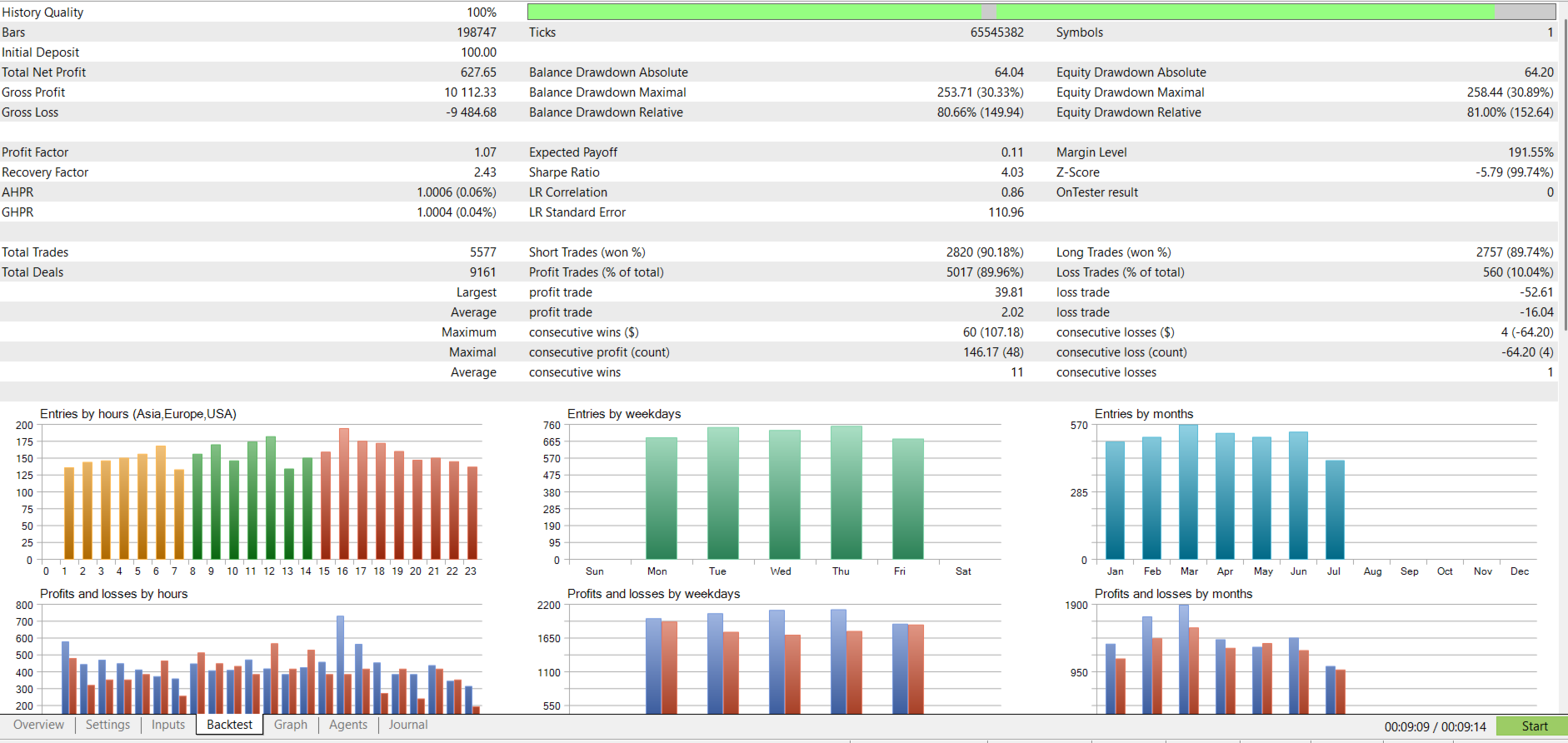
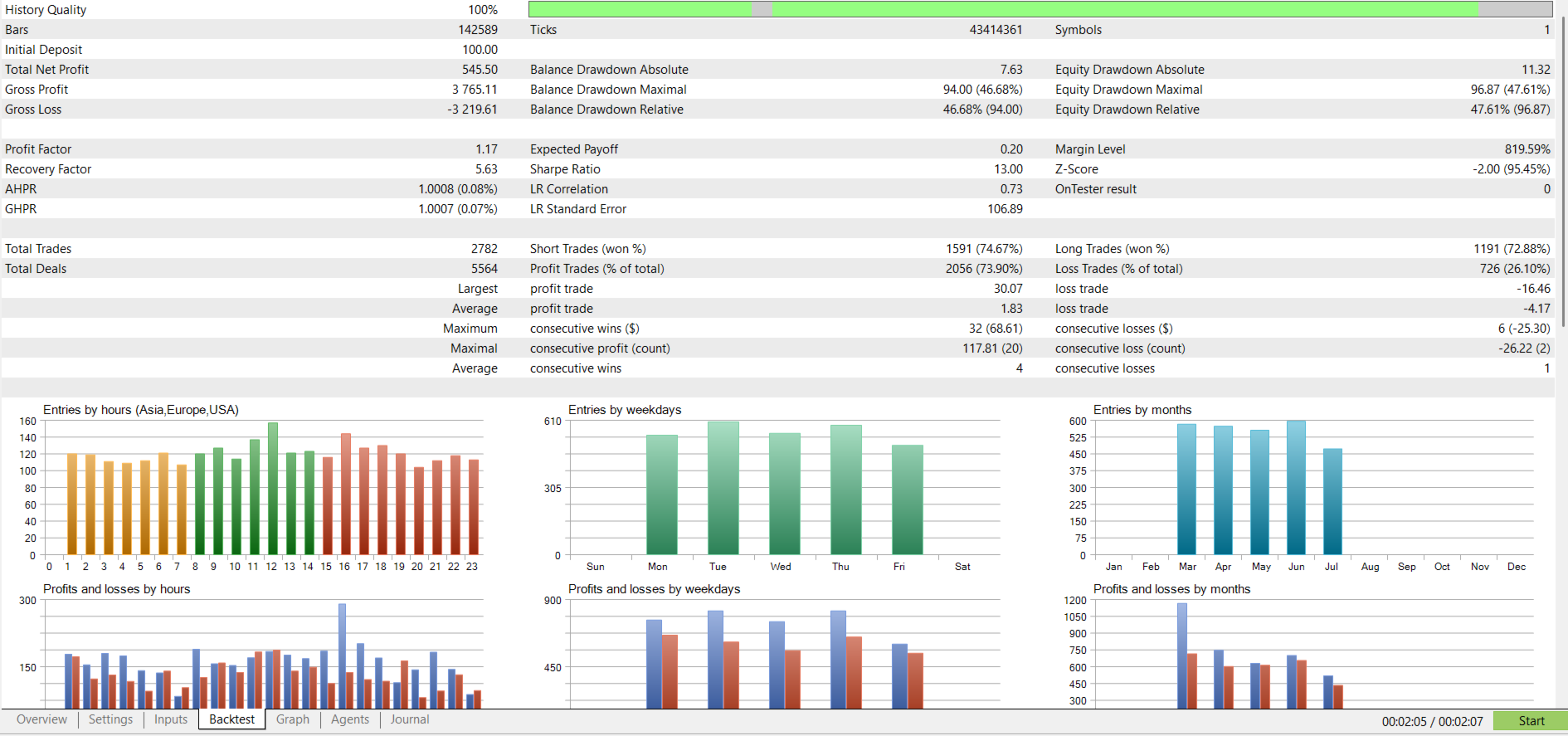
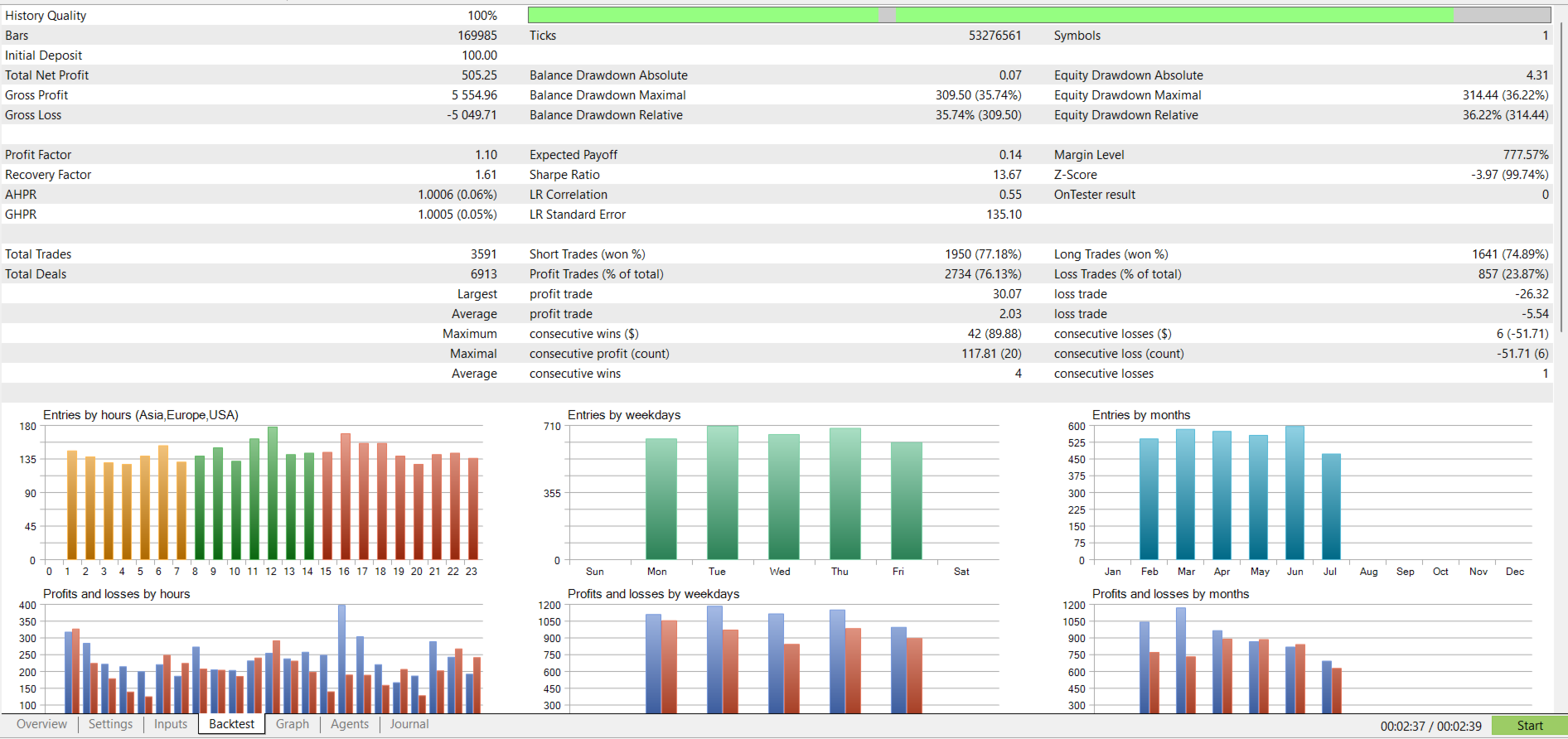
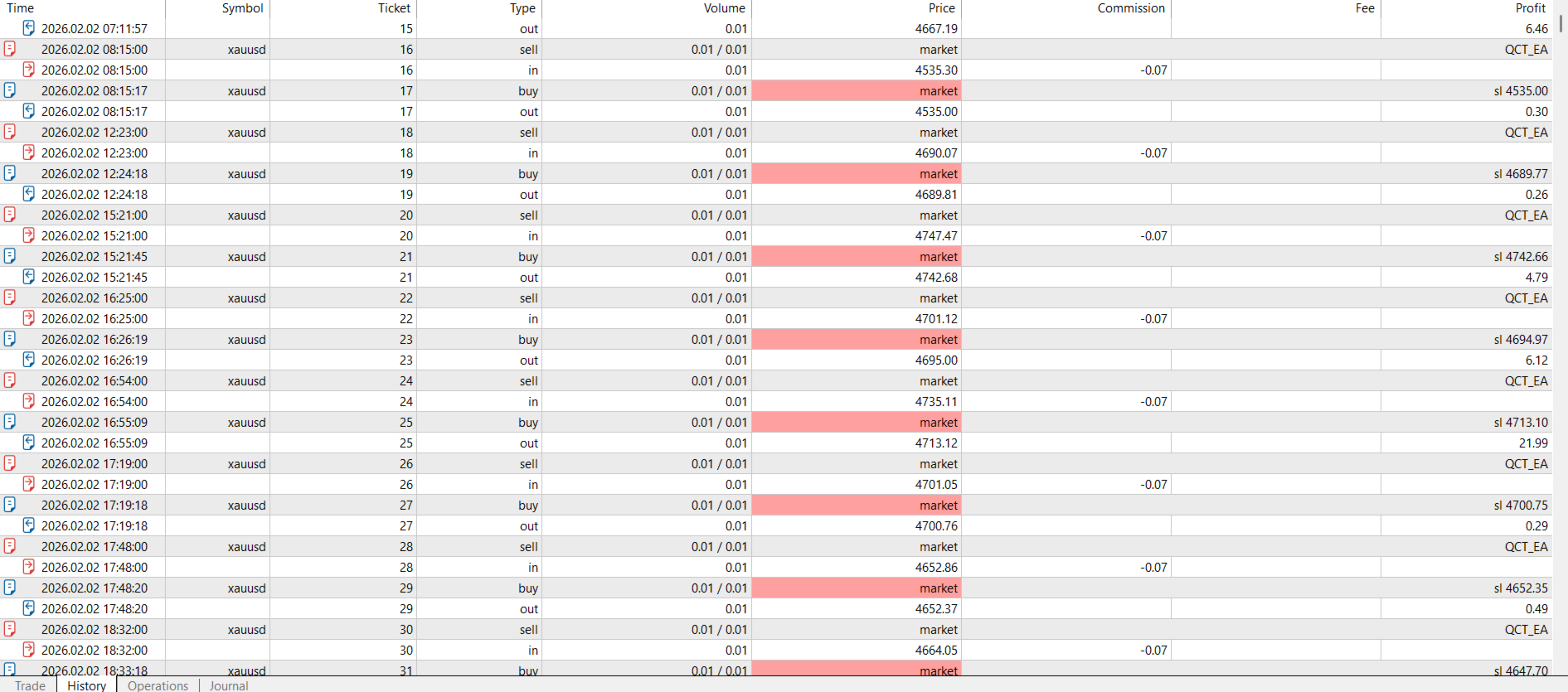
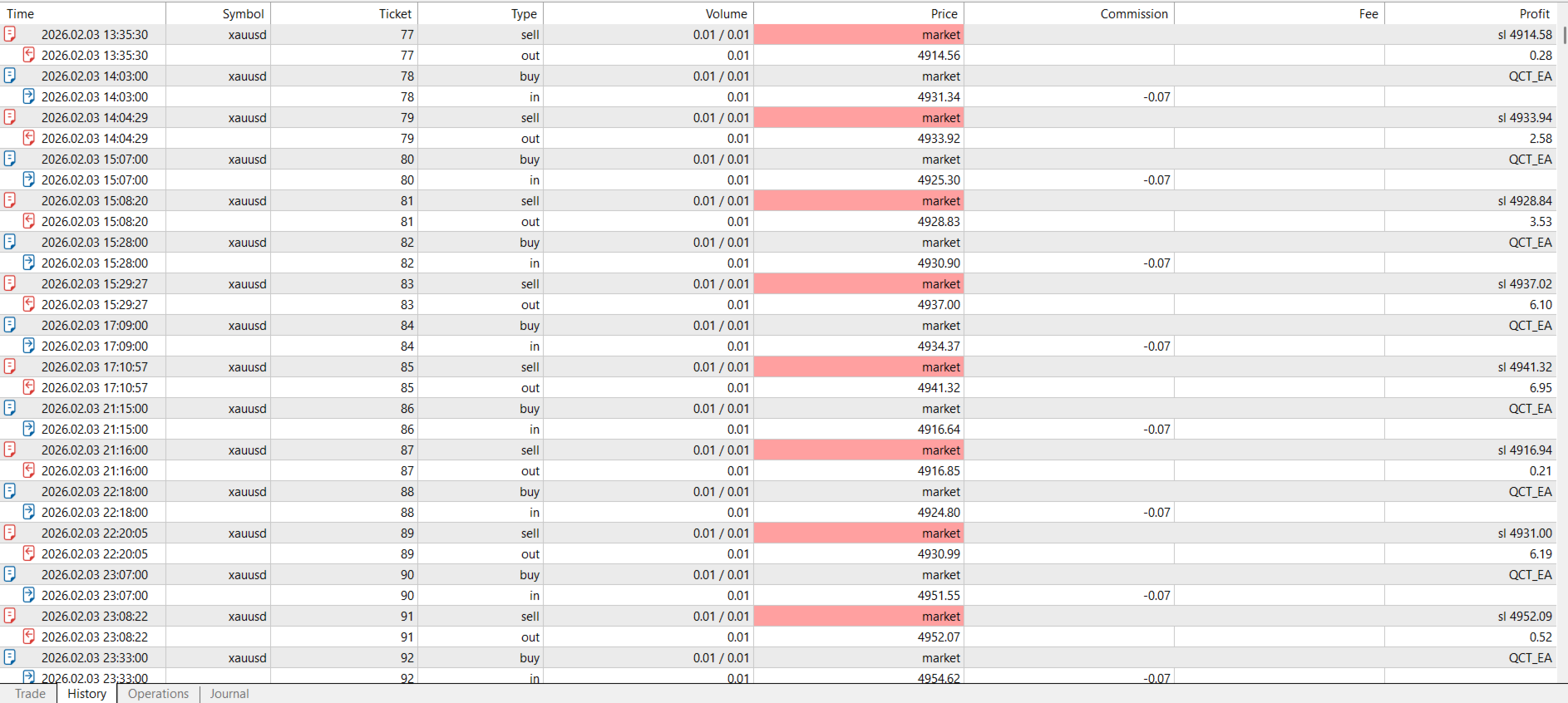
[FILL IN: Insert your own Strategy Tester screenshot(s) and/or a link to your verified MQL5 signal, with real dates, symbol, timeframe, spread model, and drawdown figures. Do not publish estimated or hypothetical numbers as if they were tested results.]
Inputs Overview
| Category | What you control |
|---|---|
| General | Magic number, lot size or risk %, slippage, max concurrent positions |
| Signal Engine | Shared MA period/method, cycle min/max period, confirmed-bar mode |
| Signal Filters | ADX period & threshold, higher-timeframe selection, minimum signal magnitude, max spread |
| Stop Loss / Take Profit | ATR multiples or fixed points |
| Risk Management | Daily/weekly loss limit %, force-close-on-limit option |
| Trade Management | Break-even trigger/lock, trailing stop/step, two-stage partial close triggers & percentages |
Support
[FILL IN: your support contact method / MQL5 private message policy / response time expectations]
Suggested FAQ Section
Q: Does this EA guarantee profit? A: No. No trading system can guarantee profit. Past or backtested performance is not a reliable indicator of future results. Please test thoroughly before live use.
Q: What symbols/timeframes does it work on? A: The EA is symbol- and timeframe-agnostic by design, but default settings were tuned with [FILL IN: your tested symbol/timeframe, e.g., "XAUUSD on M1"] in mind. Re-optimization is recommended for other instruments.
Q: Does it need any other indicators installed? A: No. All calculations are embedded inside the EA file itself.
Q: Can I change the risk settings? A: Yes — lot sizing, SL/TP method, break-even, trailing, partial close, and the daily/weekly loss limits are all independently configurable inputs.
Disclaimer to include on the product page: Trading forex, CFDs, and commodities such as gold involves substantial risk of loss and is not suitable for all investors. This product is a tool to assist with rule-based trade execution and does not constitute financial advice. Past performance, whether live, demo, or backtested, is not indicative of future results.