Dominant Wave Pro Mt4
- Indicadores
-
Ashraful Alam
 # Sobre Mim
**Pesquisador Profissional dos Mercados Forex e de Criptomoedas | Desenvolvedor de Sistemas de Trading Algorítmico | Especialista em MQL5 | Criador de Soluções Avançadas de Trading Institucional** - Versão: 2.50
- Ativações: 10
Trade with the market's actual rhythm — not a guessed one
Most oscillators lock onto a fixed cycle length and never question it. Real markets don't behave that way — the length of a swing, a trend leg, or a pullback shifts constantly with volatility and momentum. Dominant Wave Pro takes a different approach: instead of assuming a cycle, it measures the market's current dominant cycle directly from price on every bar, and adapts to it automatically.
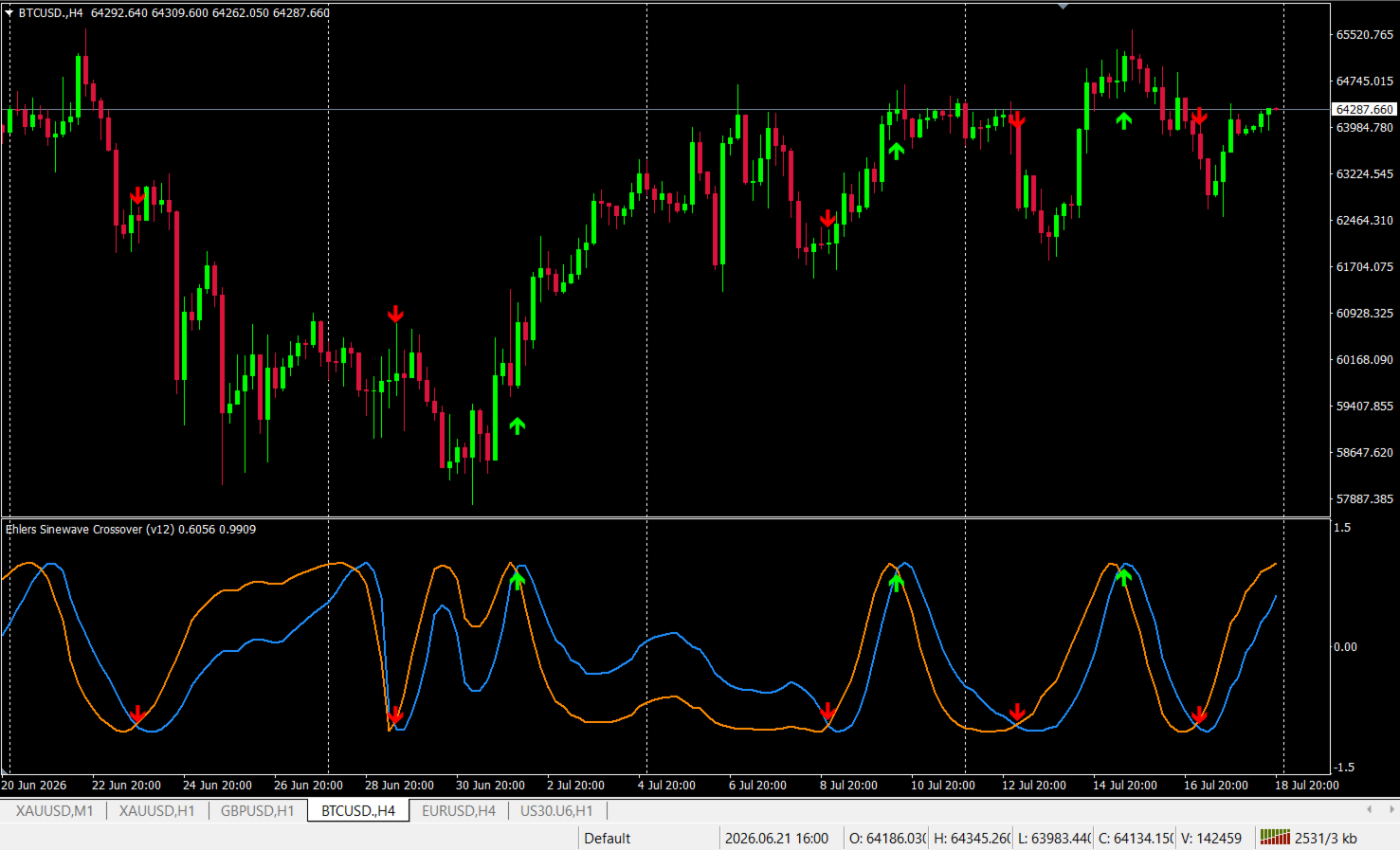
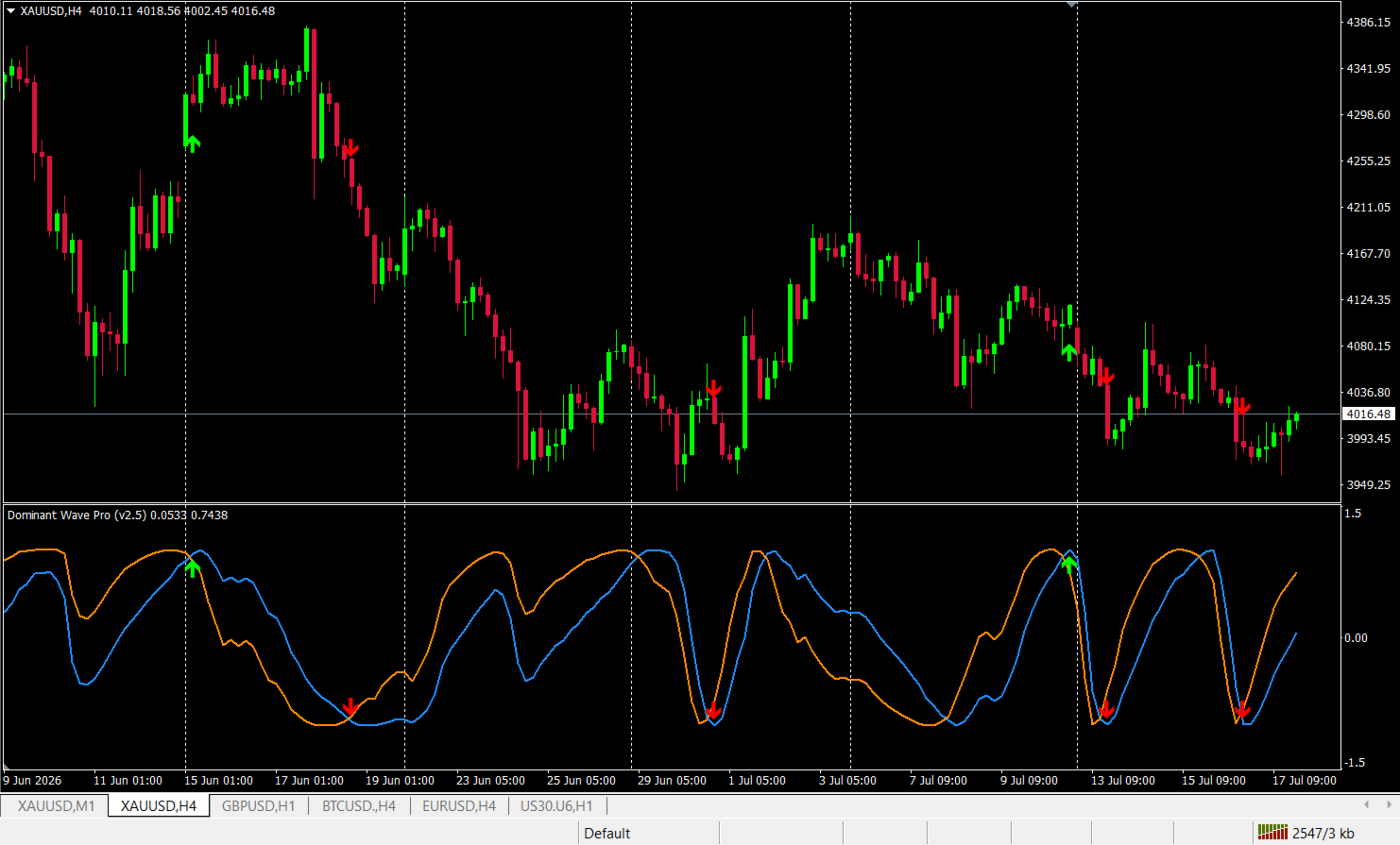
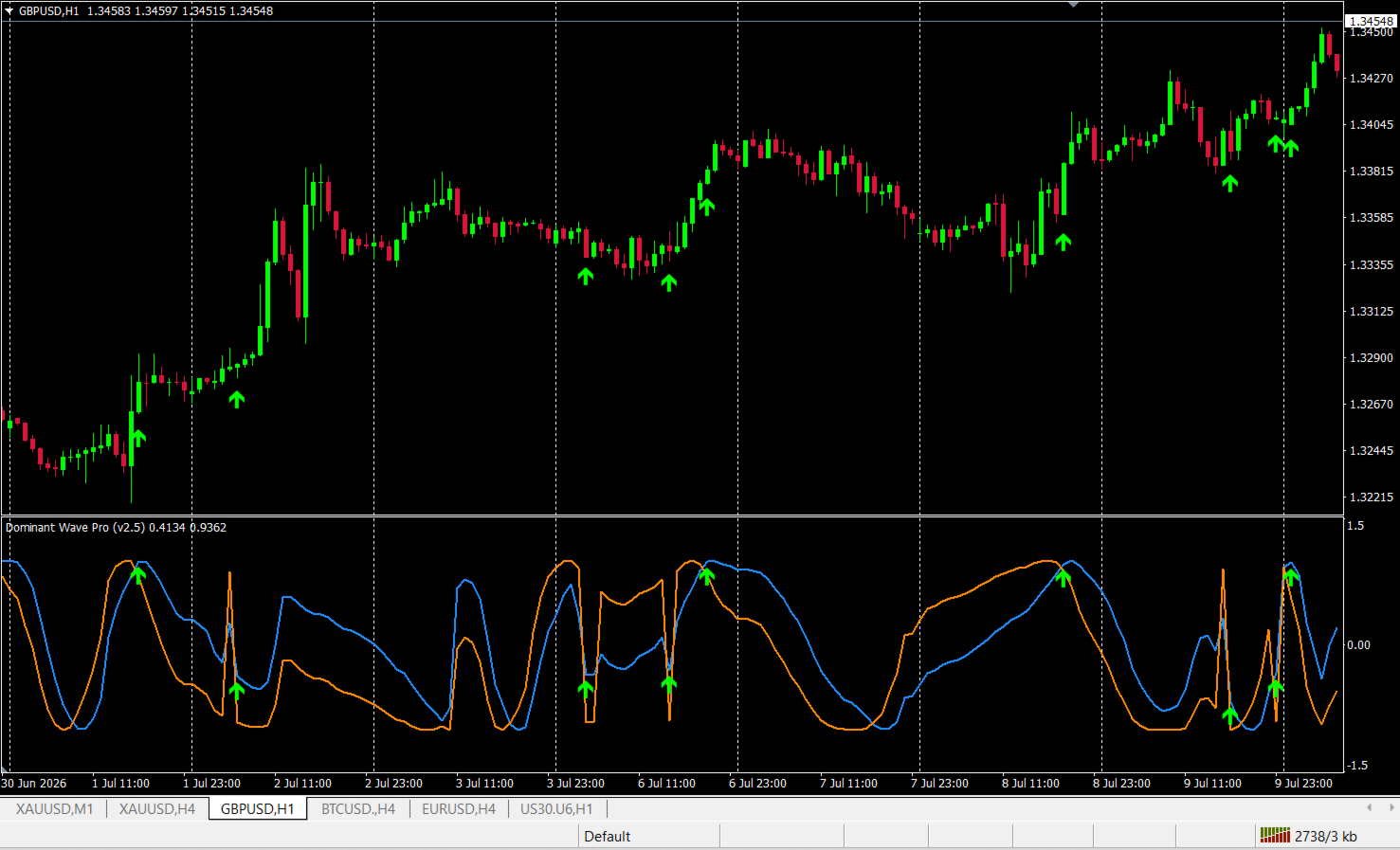
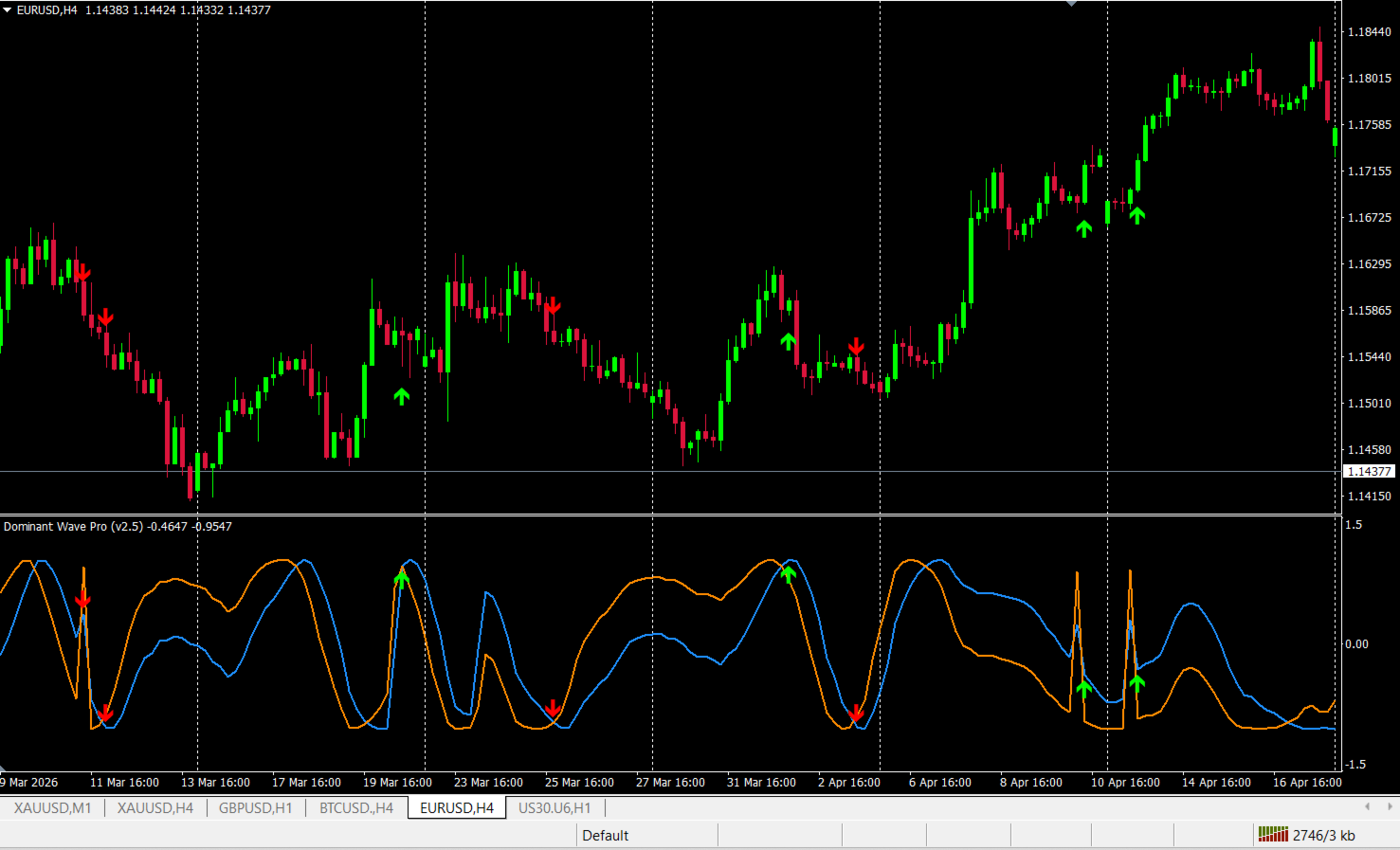
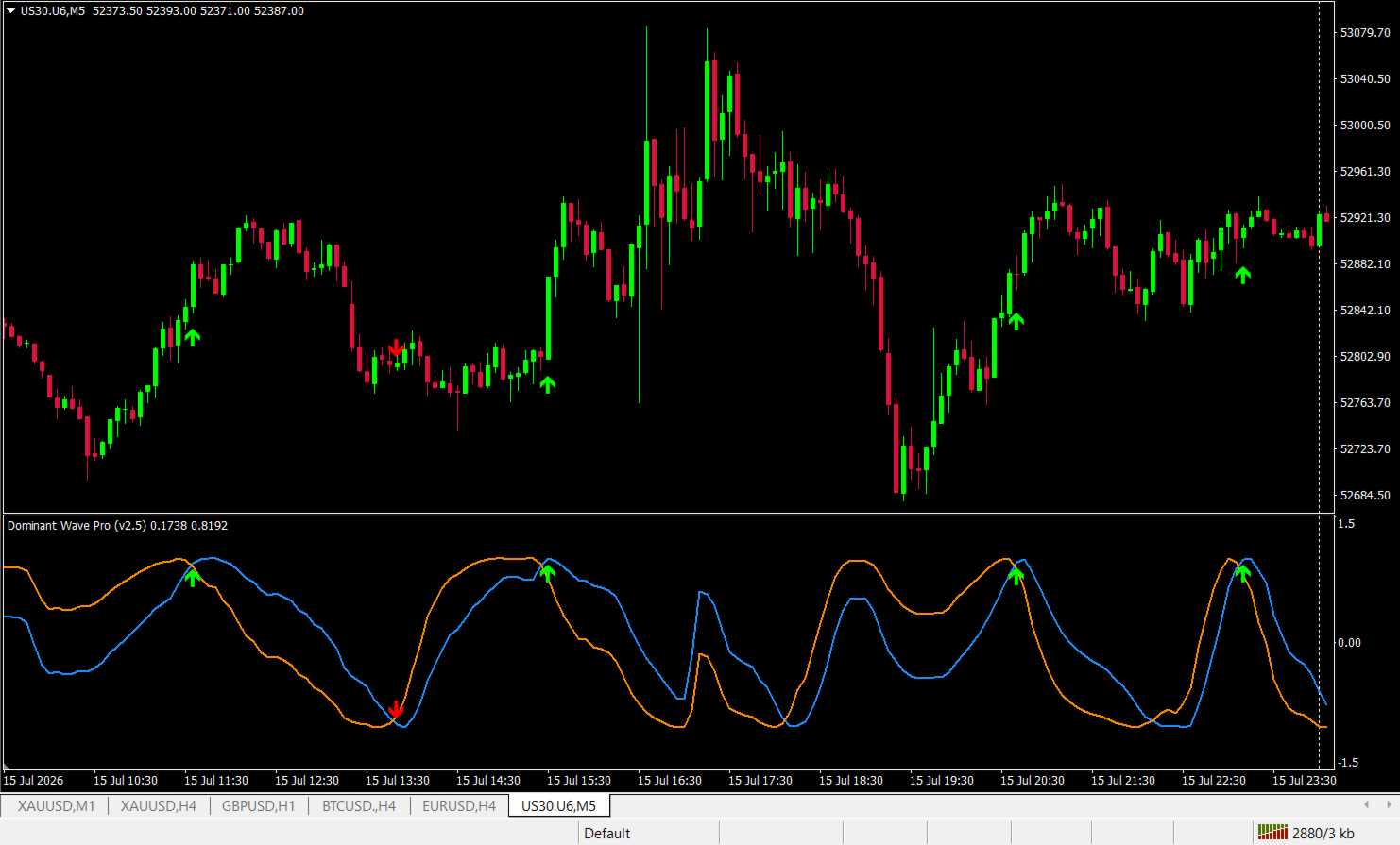
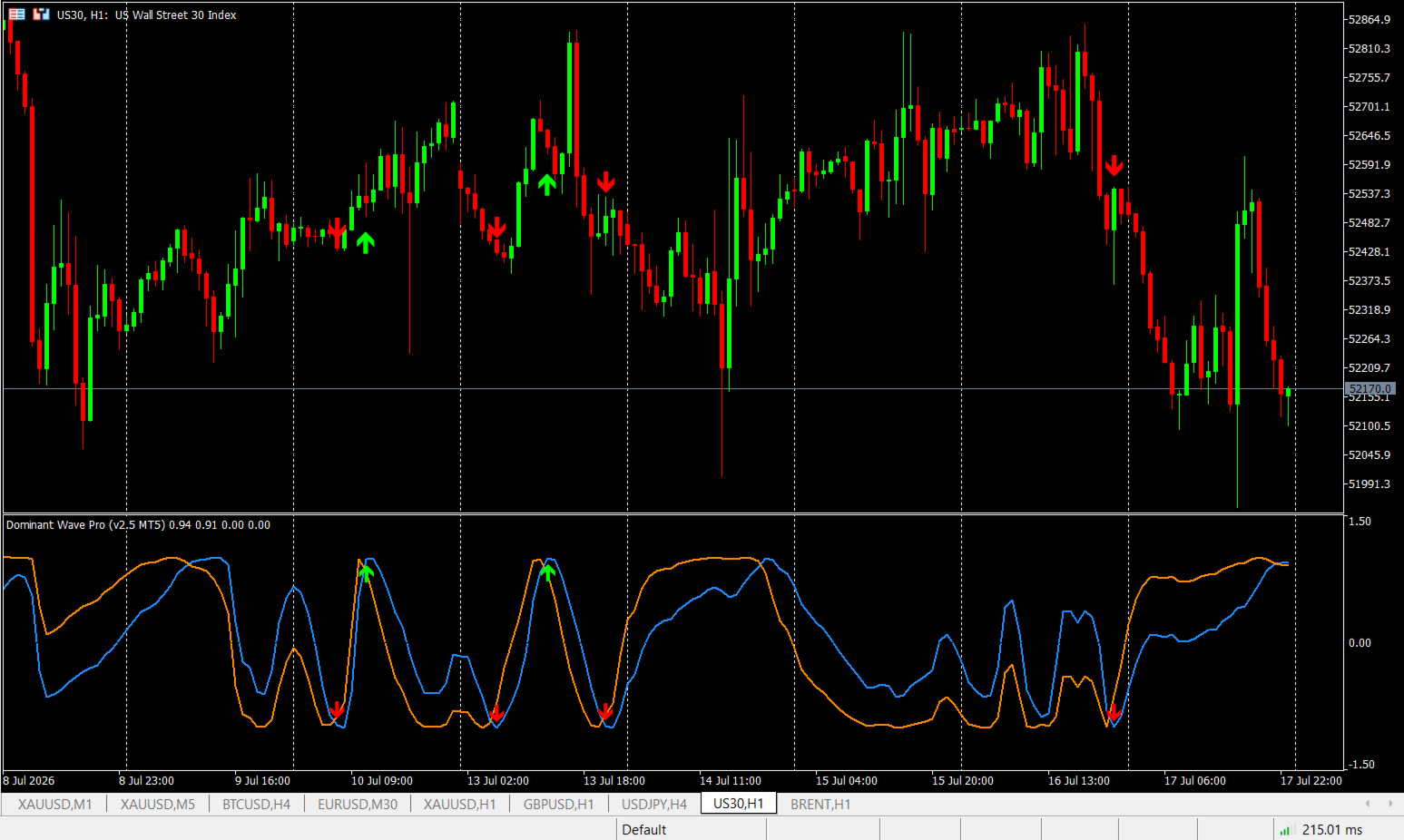
At its core, Dominant Wave Pro is built on the Hilbert Transform Sinewave technique, a signal-processing method pioneered by DSP engineer and trading systems designer John Ehlers to extract the true cyclical component hidden inside price action. Two smoothed phase curves — Sine and LeadSine — are plotted in a dedicated sub-window. When LeadSine crosses Sine, the market's dominant cycle is turning, and that's precisely where Dominant Wave Pro fires a signal.
This is the full MetaTrader 4 (.mq4) edition — coded natively for MT4's engine, so it runs smoothly on every broker's MT4 terminal without conversion or compatibility issues.
Clear signals, not clutter
A good indicator should tell you what's happening at a glance. Dominant Wave Pro keeps its visual language simple and unmistakable:
- On the main chart: a clean green arrow appears below the candle for a bullish cycle turn, and a red arrow appears above the candle for a bearish cycle turn — automatically placed at an ATR-scaled distance so it never overlaps the price action, regardless of candle size.
- In the indicator sub-window: the Sine and LeadSine curves let you track the market's phase visually and anticipate the next turn as it develops.
Key Features
- Adaptive Dominant Cycle Detection — Continuously recalculates the market's true cycle length using Ehlers' Homodyne Discriminator method, instead of relying on one fixed period for every market condition.
- Hilbert Transform Sinewave Engine — Genuine In-phase/Quadrature component extraction from price, not a cosmetic overlay wave.
- Dual-Window Signal Display — Matching Buy/Sell arrows on both the main price chart and the indicator sub-window, so signals are confirmed at a glance without cross-referencing windows.
- Built-in Trend Filter — An optional moving-average filter (method and period fully configurable) suppresses counter-trend signals, keeping your focus on setups aligned with the broader move.
- No-Repaint Confirmed-Bar Logic — Signals are only finalized on a fully closed bar, so what you see historically is exactly what you would have seen live — no repainting surprises.
- ATR-Scaled Arrow Placement — Arrow distance from price automatically adjusts to current volatility (adjustable via input), keeping the chart readable in both quiet and volatile markets.
- Configurable Cycle Boundaries — Set minimum and maximum allowed cycle length to match your instrument and timeframe.
- Alerts & Push Notifications — Get notified the moment a new confirmed signal appears, as an on-screen popup or a push notification straight to MetaTrader mobile.
- Native MT4 Performance — Built directly for the MT4 engine with incremental calculation, so only new bars are reprocessed on each tick rather than the full chart history.
Who benefits most from the MT4 edition
- Swing traders who want to time entries and exits around genuine turning points in price momentum, not an arbitrary fixed-length oscillator cycle.
- Trend-following traders who want a cycle-turn signal filtered through a trend-confirmation layer, reducing the temptation to fight the dominant move.
- Discretionary traders who prefer clean, visual, chart-based confirmation rather than parsing raw numeric oscillator values.
- EA developers on MT4 who want a reliable, non-repainting cyclical signal component they can reference from an Expert Advisor.
- Multi-timeframe traders who can apply the same adaptive logic across timeframes — from intraday charts to daily swing charts — since the dominant cycle recalculates itself instead of needing manual re-tuning per timeframe.
- MT4-loyal brokers' clients who want this technology without needing to switch platforms or run an MT5 terminal alongside their existing MT4 setup.
Why Dominant Wave Pro instead of a generic sine wave indicator
Many "sine wave" indicators simply draw a mathematical wave from bar count or a fixed multiplier — meaning the wave has no real connection to price at all. Dominant Wave Pro is different: every plotted value comes from an actual Hilbert Transform decomposition of price, recalculated adaptively bar by bar. Combined with the built-in trend filter and confirmed-bar signal logic, it gives you a cyclical read on the market that is genuinely anchored to price action — not a fixed pattern dressed up to look like an indicator.
Inputs
| Input | Purpose |
|---|---|
| Minimum / Maximum Period | Bounds the adaptive cycle length to suit your instrument and timeframe |
| Use Trend Filter | Enable/disable the moving-average confirmation filter |
| Trend MA Period / Method | Fully configurable trend filter settings |
| Confirmed Bar Only | Toggle no-repaint, closed-bar-only signal confirmation |
| Alert on Signal / Push Notification | Real-time alerting options |
| Show Chart Arrows | Toggle main-chart arrow overlay on/off |
| Arrow ATR Period / Multiplier | Fine-tune how far the arrows sit from price |
Important Notice
Dominant Wave Pro is a technical analysis tool designed to highlight potential cyclical turning points in price. Like any indicator, it does not predict the future and should be used as part of a complete trading plan that includes your own risk management, position sizing, and market judgment. Past performance and historical signal accuracy are not a guarantee of future results. Trading forex and CFDs carries a high level of risk and may not be suitable for all investors — please test thoroughly on a demo account before using on a live account.
Get Started
Add Dominant Wave Pro (MT4) to your chart, tune the cycle boundaries and trend filter to your instrument, and start reading the market's actual rhythm — right inside the MT4 terminal you already trade on.