Enhanced Parabolic SAR
- Indicadores
- Versão: 1.40

Introduction
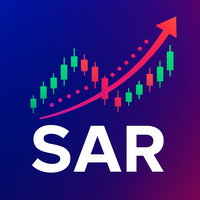
The Parabolic SAR (Stop and Reverse) indicator is a technical analysis tool designed to identify potential trend reversals and provide trailing stop-loss levels. This enhanced version of the standard Parabolic SAR for MetaTrader 5 offers improved visual clarity, customizable alerts, and an optional trend confirmation filter to assist traders in their analysis.
Features
- Enhanced Visualization: Displays Parabolic SAR dots in two distinct colors (Lime for uptrends, Red for downtrends) for quick trend identification.
- Configurable SAR Parameters: Adjust the Step and Maximum values to fine-tune the indicator's sensitivity to market movements.
- Trend Reversal Alerts: Receive timely notifications when the Parabolic SAR indicates a potential trend reversal. Alerts can be configured for pop-up messages, sound, email, and push notifications to your mobile device.
- Trend Confirmation Filter: Integrate a Moving Average (MA) filter to confirm SAR signals, helping to reduce false signals and identify stronger trend movements.
Installation
- Copy the .mq5 file into your MetaTrader 5 MQL5/Indicators folder.
- Restart MetaTrader 5 or refresh the "Indicators" section in the Navigator window.
- Drag and drop the Parabolic SAR indicator from the Navigator onto your desired chart.
Parameters
The indicator offers a range of customizable parameters to suit your trading style:
SAR Parameters
- InpStep : (Default: 0.02) The acceleration factor (AF) increment. A higher value makes the SAR more sensitive and closer to the price, leading to more frequent reversals.
- InpMaximum : (Default: 0.20) The maximum value the acceleration factor can reach. This limits how quickly the SAR can accelerate towards the price.
Display Options
- InpShowUpSAR : (Default: true) If true, displays the Parabolic SAR dots during an uptrend (Lime color).
- InpShowDownSAR : (Default: true) If true, displays the Parabolic SAR dots during a downtrend (Red color).
Alert Parameters
- InpEnableAlerts : (Default: false) Enable or disable all alert functionalities.
- InpAlertOnUpToDown : (Default: true) If true, triggers an alert when the SAR reverses from an uptrend to a downtrend (SAR crosses above price).
- InpAlertOnDownToUp : (Default: true) If true, triggers an alert when the SAR reverses from a downtrend to an uptrend (SAR crosses below price).
- InpAlertPopup : (Default: true) If true, a pop-up message will appear in MetaTrader 5 when an alert is triggered.
- InpAlertSound : (Default: false) If true, a sound will play when an alert is triggered.
- InpAlertEmail : (Default: false) If true, an email will be sent to your configured email address when an alert is triggered. (Ensure email settings are configured in MT5: Tools -> Options -> Email).
- InpAlertPush : (Default: false) If true, a push notification will be sent to your MetaTrader 5 mobile app when an alert is triggered. (Ensure push notifications are configured in MT5: Tools -> Options -> Notifications).
Filter Parameters
- InpEnableFilter : (Default: false) Enable or disable the Trend Confirmation Filter.
- InpFilterMethod : (Default: MODE_SMA) Selects the Moving Average method for the filter (e.g., Simple Moving Average, Exponential Moving Average).
- InpFilterPrice : (Default: PRICE_CLOSE) Selects the price type used for calculating the MA filter (e.g., Close price, Open price).
- InpFilterPeriod : (Default: 50) Sets the period (number of bars) for the MA filter.
How to Use for Trading
The Parabolic SAR indicator can be a valuable tool for identifying trend direction, potential reversals, and setting trailing stops.
Basic Interpretation
- Uptrend: When the SAR dots are below the price candles, it indicates an uptrend.
- Downtrend: When the SAR dots are above the price candles, it indicates a downtrend.
- Trend Reversal: A key signal occurs when the SAR dots "flip" from one side of the price to the other, suggesting a potential change in trend direction.
Using Colors for Visual Confirmation
The indicator's distinct colors (Lime for uptrend, Red for downtrend) provide immediate visual cues about the prevailing trend, making it easier to quickly assess market conditions.
Leveraging Alerts for Timely Notifications
Configure the alert parameters to receive notifications for potential trend reversals. This allows you to stay informed without constantly monitoring the charts. Remember that alerts are notifications of a potential event and should be confirmed with further analysis.
Applying the Trend Confirmation Filter
The optional MA filter adds an extra layer of confirmation to SAR signals:
- Filtering Uptrend Signals: If SAR indicates an uptrend (dots below price), the filter will only display the SAR dots if the price is also above the MA filter. This helps confirm the strength of the uptrend and can filter out weak or false buy signals.
- Filtering Downtrend Signals: If SAR indicates a downtrend (dots above price), the filter will only display the SAR dots if the price is also below the MA filter. This helps confirm the strength of the downtrend and can filter out weak or false sell signals.
- Enhanced Alert Reliability: When the filter is enabled, alerts for trend reversals will only trigger if the new trend direction is confirmed by the MA filter. This can lead to more reliable alert signals.
Example Scenario: You might consider a buy opportunity when the SAR flips from above to below the price (indicating a potential uptrend reversal) AND the price is simultaneously above your chosen MA filter. Conversely, for a sell opportunity, you might look for SAR flipping from below to above the price AND the price being below the MA filter.
Important Considerations
- No Holy Grail: The Parabolic SAR indicator, like any other technical analysis tool, is not foolproof. It should always be used in conjunction with other forms of market analysis, such as price action, support/resistance levels, and other indicators.
- Risk Management: Always practice sound risk management. Never risk more capital than you can afford to lose.
- Practice: Test the indicator thoroughly on a demo account to understand its behavior and optimize its parameters for your specific trading strategy and chosen instruments.
Conclusion
The Parabolic SAR indicator provides a clear and customizable way to visualize trend direction and potential reversals. With its integrated alert system and trend confirmation filter, it aims to enhance your trading analysis and decision-making process.