Risk Control Utility MT5

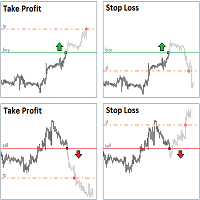
Risk Control Utility MT5 designed for manual trading. It helps to calculate and control your risks, transfer transactions to breakeven and accompany positions with trailing stop. Easy to set up and use. It can be used for calculating a trading lot, calculating stop loss and take profit levels.

  • Works with currency pairs, CFDs, stocks, indices, futures, cryptocurrencies
  • Displays volume, potential loss and profit before placing an order
  • Ability to set the expiration time of a pending order
  • Transferring deals to breakeven
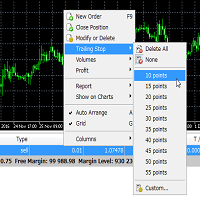
  • Trailing stop tracking.


OPTIONS:

  • RISK_PER_TRADE - risk per trade, if = 0, then it is not used;
  • CALC_MODE - the mode of calculating the risk per trade, percentage of the balance or a fixed amount;
  • INITIAL_LOT - trade lot if RISK_PER_TRADE = 0 ;
  • INITIAL_STOPLOSS, INITIAL_TAKEPROFIT - initial stop loss and take profit;
  • LIFE_TIME_MINUTES - life time of pending orders;
  • BREAKEVEN_STOP, BREAKEVEN_STEP - parameters of transferring a trade to breakeven, if = 0, then it is not used;
  • TRAILING_STOP, TRAILING_STEP - parameters of trailing stop support, if = 0, then it is not used ;
  • MAGIC_NUMBER, ORDERS_COMMENT - magic number and comment;


추천 제품
Guardian Magic GT
Carlos Eduardo Rivas Istacuy
Guardian Magic GT - Risk Management Expert Advisor for MetaTrader 5 PROTECT YOUR TRADING CAPITAL WITH INTELLIGENT RISK MANAGEMENT Guardian Magic GT is a professional-grade Expert Advisor designed to safeguard your trading operations by implementing sophisticated risk control mechanisms. Whether you run a single bot or manage multiple automated trading systems simultaneously, Guardian Magic GT provides real-time monitoring and automatic position management to ensure your account stays within your
Risk Trade Panel은 수동 매매용 차트 패널이 있는 MetaTrader 5 유틸리티 Expert입니다. 진입 신호를 내지 않으며 그리드·마틴게일도 사용하지 않습니다. 매수/매도 결정은 당신이 하고, 패널은 랏·스톱·포지션 관리를 돕습니다. 기능 - 고정 랏, 또는 SL 거리 대비 잔고(또는 자산) 리스크 %로 랏 산정 - 기본 SL/TP가 있는 시장가 BUY / SELL(포인트 또는 절대가) - 대기 주문: Buy Limit, Sell Limit, Buy Stop, Sell Stop - 본전: 가격이 포인트 트리거에 도달하면 SL을 진입가(+오프셋)로 이동 - 트레일링: 끔, 고정 포인트, 또는 ATR 기반 - 거래량 비율로 부분 청산 - 전체 / 수익 / 손실 청산 — magic 및/또는 차트 심볼 필터 - 선택 단축키: B Buy, S Sell, C Close all, E Break-even, T Trail, P Partial - 다크 슬레이트 또는 라이트; 모서리·크
Lot Architect
Do Thi Phuong Anh
Lot Architect — Trade Panel & Risk-Based Position Size Calculator for MT5 Lot Architect is a one-click trade panel and risk-based position size calculator for MetaTrader 5. It works out your exact lot size from the risk you choose, shows risk, reward and risk-to-reward (R:R) before you enter, and places Market, Limit or Stop orders in a single click. In short: position sizing, risk management and fast trade execution in one clean panel on your chart. The problem every trader knows Most accounts
This utility sends notification to trader’s MT5 (for MT4 version, checkout this link ) mobile app, to remind traders about their open positions. Super useful for part time traders to keep track and not forget any positions. To turn on notification, please visit   this link   (https://www.metatrader4.com/en/trading-platform/help/setup/settings_notifications) Features Keep track on open orders (pending orders, running orders) Customize time to send notification Customize notification interval (se
SAB Advance Assistant는 MetaTrader 5용 수동 트레이드 관리 패널입니다. 모든 거래를 차트에서 시각적으로 구성하고, 리스크를 정확히 통제하며, 내장 엔진이 부분 익절, 본전(브레이크이븐), 트레일링을 처리하도록 맡기세요. 모두 깔끔하고 크기 조절이 가능한 하나의 패널에서. 스프레드시트 없이 정밀함을 원하는 재량 트레이더와 ICT/SMC 트레이더를 위해 설계되었습니다. 주요 기능 - 드래그 가능한 Entry, Stop Loss, TP1-TP5, Final TP 라인과 실시간 라벨 (핍, 금액, R:R, %, 가격) - 잔고의 리스크 % 또는 고정 금액에서 랏 자동 계산 - 최대 5개의 부분 익절 (TP별 % 또는 정확한 랏 배분)과 나머지를 청산하는 Final TP - 이동 가능한 본전 라인 (TP1 또는 SL 기준 트리거), 마우스로 조정 - % 또는 핍 단위의 트레일링 스톱, TP1 이후 작동 - Link 모드: 전체 설정을 준비하고 R:R을 유지한
This utility provides the ability to use hot keys in manual trading instantly responding to the current market situation. You can assign hot keys to open/close positions by their type, open/close all positions on the current chart and remove all orders on the current chart. You can also assign hot keys for five predefined trade volumes and switch between them if necessary with no need to change the volume manually from time to time. It is also possible to set the auto calculation of a trade volu
Auto Stop Loss All Trades MT5
Prafull Manohar Nikam
4 (1)
This utility automatically places Stop Loss and Take Profit levels on newly opened positions. The Stop Loss and Take Profit values are specified in pips. The utility can also move Stop Loss to Break Even and trail the Stop Loss after a specified profit level is reached. Input Parameters SL and Trailing SL Stop Loss value in pips. If trailing is enabled, the same value is used as the trailing Stop Loss distance. Trailing Steps Distance in pips required before the Stop Loss is updated again while
CloseByLossOrProfit Expert Advisor closes all positions as their total profit or loss reaches a specified value (in deposit currency). In addition, it can delete pending orders. Allow AutoTrading before running the Expert Advisor. Usage: Run the Expert Advisor on a chart. Input Parameters:  Language of messages displayed (EN, RU, DE, FR, ES) - language of the output messages (English, Russian, German, French, Spanish); Profit in the currency  - profit in points; Loss in the currency  - loss in p
FREE
Script for deleting pending orders If you need to delete all pending orders you placed, this script will do it for you! Allow AutoTrading before running the script. Usage: Run the script on a chart. Input parameters: Language of messages displayed (EN, RU, DE, FR, ES) - language of messages displayed (English, Russian, German, French, Spanish). Use Magic: (0 - ignore Magic, else - only this Magic) - if set to zero, the magic number is not considered. Otherwise the script deletes only orders wit
Global Stop Loss and Take Profit Manager Drag Lines Auto Apply Already using my free Global Stop Loss and Take Profit Setter? This is the always on version. Instead of setting levels once, you drag two lines on the chart and every manual position on that symbol — plus every new one you open — instantly inherits the Stop Loss and Take Profit. No clicking into each order. No forgetting a stop. Global Stop Loss and Target Manager is a drag-and-drop risk tool for manual traders on MetaTrader 5. Pu
StopLoss and TakeProfit Utility MT5 for automatic setting of stop loss and take profit levels. Created by a professional trader for traders.   The utility   works with any market orders opened by a trader manually or using advisors. Can filter trades by magic number. The utility can work with any number of orders simultaneously. WHAT THE UTILITY CAN DO: Set virtual stop loss and take profit from 1 pip Real   stop loss and take profit W ork with each order separately (   stop loss and take prof
Close In Quick Script
Mathew Louis Sau Kinminja
The Close In Quick Script is an optimized, high-performance MQL5 script designed to swiftly close all open positions for the current chart's symbol on the MetaTrader 5 platform. Engineered for speed and reliability, it leverages asynchronous trading, minimal system checks, and robust error handling to ensure seamless trade closure. Whether you're a day trader, scalper, or portfolio manager, this script is an essential tool for efficiently managing and exiting trades. Key Features: Asynchronous t
FREE
The utility is designed to save funds on your trading account. There is support for three levels of minimum equity and free margin. For each level, you can set partial (by a certain percentage) or complete closing of all market orders. The partial close percentage is applied for each order separately based on its current size (i.e. the size at the time the equity or free margin reaches the appropriate level). Upon reaching the last third level, the utility can close all charts, which will make i
Prop Max Daily Loss Manager — 프롭 트레이딩 회사를 위한 일일 리스크 관리 도우미 Prop Max Daily Loss Manager 는 챌린지를 수행하거나 프롭 회사(FTMO 등)의 펀딩 계정에서 거래하는 트레이더를 위해 설계된 MetaTrader 5 유틸리티입니다. 이 도구는 일일 리스크를 자동으로 모니터링하고 설정된 최대 일일 손실 한도 위반을 방지하는 데 도움이 됩니다. 주요 기능 지정된 일일 손실 수준에 도달했을 때 모든 거래의 자동 종료; 한도가 발동될 때 알림 통지; 유연한 구성: 손실 계산 유형 선택(% 또는 계정 통화); 다양한 리스크 계산 방법 지원: 초기 잔액, 일일 시작 잔액/자기자본, 또는 최대값에서; 가능한 슬리피지를 고려하여 지정 수준보다 10-20% 낮게 한도를 설정하는 것을 권장. 설정 Input your Challenge\Funded Account Balance — 챌린지\펀딩 계정의 초기 잔액을 지정; Input Maximum
This Expert Advisor (EA) for MetaTrader 5 (MT5) has been designed to automatically manage Stop Loss (SL) and Take Profit (TP). Main Features Automatic Detection of Manual Positions : Monitors new manual positions without SL/TP and applies the configured rules Multiple Orders : Opening of multiple orders under the same conditions as the original position Hidden SL/TP : The hidden mode allows creating SL/TP invisible to your broker  Equity Protection": Allows defining a threshold for the accou
AW Metatrader to Telegram MT5
AW Trading Software Limited
5 (1)
귀하의 구독자가 귀하의 거래 터미널에서 귀하의 거래 이벤트를 놓치지 않도록 알림을 보내는 자동화된 시스템. 계정의 모든 거래 작업에 대해 Telegram 메신저에 알림을 보내는 유틸리티입니다. Telegram ->   HERE   / MT4 ->   HERE   의 채널에 유틸리티를 연결하는 단계별 지침 장점: 쉬운 설정과 자세한 설명, 조정 가능한 스크린샷을 보낼 수 있습니다. 이모티콘을 사용하여 사용자 정의 가능한 알림 텍스트, 오픈, 전체 또는 부분 마감에 대한 알림 조정 및 주문 수정, 기본적으로 알림을 보낼 때 텍스트 파일이 자동으로 다운로드되며, 대기 중인 주문의 배치 또는 삭제에 대한 알림 조정, 기호 및 매직 넘버로 편리한 필터링. 입력 변수: TELEGRAM BOT AND CHAT SETTINGS Telegram bot token - Enter the token number received after registering the bot in "BotFather" Te
What this tool does Assistant AutoClose monitors open trades and closes them when selected conditions are met. You can automatically close trades by: Profit in points Loss in points Profit in deposit currency Loss in deposit currency It can work: On Buy and Sell trades Only Buy trades Only Sell trades You can also: Limit by number of deals Control total profit per symbol Close trades per-trade or based on overall result Typical use cases Closing trades after fixed profit without using b
Trade Control Panel
Jerry Jilun Anak Liban
Trade Control Panel Function Normal One Click Function Close All Close All Profit Close All Loss Close All Pending Order Close All Sell Close All Buy Advance One Click Function 1.  Close Partial Lot Sell by Percent It will help you partial close for all open position by desire percent you wanted. No longer partial close one by one for every open position Manual input for desire percent 2. Close Partial Lot Buy by Percent It will help you partial close for all open position by desire percent
Every panel tells you how much you're risking. This one tells you how much you have left. You didn't lose the challenge because your strategy failed. You lost it because one more trade pushed you past the daily limit while you were chasing the target. PropDesk is the desk that helps stop that from happening. 1. Size against your ROOM, not your equity. Every order shows "risk $X = Y% of your daily room left". You always know if the next trade fits inside what the firm allows today - before you
AlgoWay Telegram Reporter is a free MetaTrader 5 utility that sends clear and detailed trading notifications directly to Telegram. The utility does not open, modify, or close trades. It only monitors trading activity on the account. It works with: • Manual trades • Trades opened from mobile or web terminals • Trades opened by Expert Advisors • Trades opened through AlgoWay • Netting and hedging accounts Main features • Position opening notifications • Entry price, volume, Stop Loss and Take Prof
FREE
Risk calculator for MetaTrader 5. Precision Position Calculator is a MetaTrader 5 utility that helps calculate trade volume based on the risk configured by the user. The panel allows the user to work with Entry, Stop Loss and up to three Take Profit levels directly on the chart. Main description Precision Position Calculator is a utility for MetaTrader 5 designed to help calculate the volume of a trade before opening it. The panel allows the user to configure risk, select the order type, set th
Ultimate MT5 to Telegram Public Channel sends controlled trades (via symbol, magic, comment) to a public telegram channel. It sends open and closed trades, including pending orders and TP/SL modifications, along with chart screenshots, to this public telegram channel. Additionally, you can send trade reports of open trades and summary profit/pip reports for day, week, or month. You can customize the design of the trade actions or reports with variables and emoticons.  A beautiful panel allows
FREE
Quick Exit
Jefferson Judge Metha
This MT5 Utility is designed to simplify the process of managing multiple trades. If you have several open positions, it can be time-consuming to close each one manually. With this tool, you can easily close all profit trades, losing trades, or just the trades that are linked to the chart you're currently viewing. It saves you time and effort by allowing you to manage your trades with just a few clicks, making your trading experience smoother and more efficient. Whether you're focusing on profit
FREE
This is a utility that helps you close market orders and pending orders (optional), using keyboard shortcuts. For me,  it's more convenient and  faster  than clicking a button on the chart. You can set:  Keyboard Shortcut Hotkey: You can change and use most of the keys on the keyboard.   Key combination (Ctrl, Shift) also available in case you want to use  (Note that not all combinations work).  Magic Number  Symbol: All Symbol, or Current Chart Symbol, or Select Symbol List  Close Pending orde
모든 스톱로스 및 테이크프로핏 삭제 — SL/TP 수준을 즉시 제거하는 간단한 솔루션 한 번의 클릭으로 모든 스톱로스 및 테이크프로핏 수준을 제거하세요! 모든 스톱로스 및 테이크프로핏 삭제 는 모든 열린 포지션에서 SL 및 TP 수준을 빠르고 효율적으로 제거하려는 트레이더를 위해 설계된 편리한 스크립트입니다. 간단한 작동과 즉각적인 실행은 동적 시장 조건에서 필수적인 도구가 됩니다. 주요 장점: • 시간 절약: 각 포지션을 수동으로 수정할 필요가 없습니다 — 모든 것이 자동으로 처리됩니다. • 다중 심볼 지원: 스크립트는 모든 거래 중인 심볼에서 수준을 제거합니다. • 사용 용이성: 스크립트를 차트에 드래그하기만 하면 됩니다 — 작업 완료! • 신뢰성: 실행 전에 각 포지션을 확인하여 정확성을 보장합니다. 사용 방법: Übrigens: Ein Skript, das alle Stop Loss- und Take Profit-Level nur auf dem ausgewählten Symb
FREE
Spread and Swap monitor
Gennadiy Stanilevych
5 (1)
The indicator is intended for determining the spread and swap size, the distance for setting stop orders and stop losses from the current price allowed and the risk per 1 point in the deposit currency. The indicator informs a trader about possible additional expenses and profits connected with transferring a position to the next trade session of the financial instrument. It also informs about the spread size and the distance of pending orders, stop loss and trailing from the current price. In ad
거래원 여러분 안녕하세요!저는 당신의 거래 조수입니다.더 이상 말하지 말고, 내가 너에게 나의 특기를 알려줄게. 1.나는 당신의 창고를 관리하는 데 능숙하다, 당신이 어느 쪽에서 주문하든, 나는 가장 먼저 당신을 도와 합리적인 손실 방지선과 이동 손실 방지선을 추가할 수 있습니다. 2.나는 너를 도와 상승과 하락을 회피하고 원칙을 지키지 못하는 인간성의 약점을 근원적으로 근절할 수 있다. 3. 귀하가 참고할 수 있도록 최적 지점에서 귀하의 모바일 MT5 클라이언트에 알림 메시지를 보냅니다. 물론 귀하는 모바일 장치 내의 MetaTrader 5 APP의 MetaQuotes ID를 MetaTrader 5 클라이언트 --> 옵션 --> 알림 --> MetaQuotes ID의 편집 상자에 등록하고 알림 지점 확인을 눌러야 합니다. 4. 정책 테스트에서 수동 시뮬레이션 디스크 연습을 잘 지원합니다. 5. 저에게 연락하면 추가 AI 보조 클라이언트 슈퍼 보조 프로그램을 얻을 수 있습니다. 참
Forget about enabling templates when you launch the window. Auto Template Master Service  is a professional utility tool that runs as a system service in MetaTrader 5, and it will do it for you. Unlike traditional indicators or expert advisors (EAs), the program runs in the background of the entire terminal and doesn't require you to add it to each window individually. As soon as you open a new chart of any instrument (Forex, Stocks, Crypto), the service immediately detects the new window and a
VirtualStopsMT5
Viktor Shpakovskiy
A utility for managing open positions using virtual (invisible to the broker) stops. Virtual stop loss and virtual take profit can be freely moved around the chart. If the price touches the virtual stop line (TP, SL, TS), the EA will close all orders of the same direction on the current chart. Closing orders by virtual take profit is possible only if there is a profit. With the help of the built-in trading simulator, you can, in the strategy tester, see how the adviser works. Parameters Block
Manual trading panel — opens one test trade for validation only. fRC Trade Assistant — Smart Manual Trading Panel fRC Trade Assistant is an intelligent trading panel designed for manual traders. It allows you to open positions with one click, calculate lot size based on your predefined risk, and automatically place Stop Loss (SL) and Take Profit (TP) levels. For example, if your balance is $1000 and you set a 1% risk , the panel automatically calculates the appropriate lot size. When the trad
이 제품의 구매자들이 또한 구매함
Trade Assistant MT5
Evgeniy Kravchenko
4.41 (216)
거래당 위험 계산, 라인을 사용한 손쉬운 신규 주문, 부분 청산 기능을 통한 주문 관리, 7가지 유형의 트레일링 스탑 및 기타 유용한 기능을 제공합니다. 추가 자료 및 지침 설치 지침   -   애플리케이션 지침   -   데모 계정용 애플리케이션 평가판 라인 기능       - 차트에 개시선, 손절매, 차익실현을 표시합니다. 이 기능을 사용하면 새로운 주문을 쉽게 하고 개봉 전에 추가 특성을 볼 수 있습니다. 위기 관리       -       위험 계산 기능은 설정된 위험과 손절매 주문의 크기를 고려하여 새 주문의 볼륨을 계산합니다. 이를 통해 손절매 크기를 설정하고 동시에 설정된 위험을 존중할 수 있습니다. 로트 계산 버튼 - 위험 계산을 활성화/비활성화합니다. 필요한 위험 값은 위험 필드에 0에서 100 사이의 백분율 또는 예금 통화로 설정됩니다. 설정 탭에서 위험 계산 옵션을 선택합니다. $ 통화, % 잔액, % 지분, % 자유 마진, % 사용자 정의, % AB 이전
Trade Manager EA에 오신 것을 환영합니다. 이 도구는 거래를 보다 직관적이고 정확하며 효율적으로 만들기 위해 설계된 궁극적인 리스크 관리 도구 입니다. 단순한 주문 실행 도구가 아닌, 원활한 거래 계획, 포지션 관리 및 리스크 제어를 위한 종합 솔루션입니다. 초보자부터 고급 트레이더, 빠른 실행이 필요한 스캘퍼에 이르기까지 Trade Manager EA는 외환, 지수, 상품, 암호화폐 등 다양한 시장에서 유연성을 제공합니다. Trade Manager EA를 사용하면 복잡한 계산은 이제 과거의 일이 됩니다. 시장을 분석하고 진입, 손절 및 익절 수준을 차트의 수평선으로 표시한 후 리스크를 설정하면, Trade Manager가 이상적인 포지션 크기를 즉시 계산하고 SL 및 TP 값을 실시간으로 표시합니다. 모든 거래가 간편하게 관리됩니다. 주요 기능: 포지션 크기 계산기 : 정의된 리스크에 따라 거래 크기를 즉시 결정합니다. 간단한 거래 계획 : 진입, 손절, 익절을 위한
Farmed Hedge Yield Farming | All Markets (Manual - Hybrid - Semi/Automated EA) VERIFIED TRADING RESULTS - Farmed Hedge Yield Axi Copy:  https://www.mql5.com/en/signals/2356376 - Farmed Hedge Yield Exn Copy:   https://www.mql5.com/en/signals/2356404 - Farmed Hedge Yield V Copy:  https://www.mql5.com/en/signals/2357156 IMPORTANT NOTICE: FarmedHedge is a MANUAL-FOCUSED TRADING UTILITY ,not a fully automated EA. Results shown on this Signal include manual trades and overall strategic management.
베타 출시 Telegram to MT5 Signal Trader 는 곧 공식 알파 버전을 출시할 예정입니다. 일부 기능은 아직 개발 중이며, 작은 버그가 발생할 수 있습니다. 문제가 있으면 꼭 보고해 주세요. 여러분의 피드백은 소프트웨어 개선에 도움이 됩니다. Telegram to MT5 Signal Trader 는 Telegram 채널 또는 그룹의 거래 신호를 자동으로 MetaTrader 5 계정으로 복사하는 강력한 도구입니다. 공개 및 비공개 채널을 모두 지원하며, 여러 신호 제공자를 여러 MT5 계정에 연결할 수 있습니다. 소프트웨어는 빠르고 안정적으로 동작하며, 복사된 거래를 완벽히 제어할 수 있습니다. 인터페이스는 깔끔하며 대시보드와 차트가 시각적으로 구성되어 있고, 직관적인 네비게이션이 가능합니다. 여러 Signal Account를 관리하고, 공급자별 설정을 세밀하게 조정하며, 모든 동작을 실시간으로 모니터링할 수 있습니다. 필수 조건 MQL의 제한으로 인해 EA는 Te
Local Trade Copier EA MT5
Juvenille Emperor Limited
4.94 (148)
Local Trade Copier EA MT5는 동일한 Windows 컴퓨터 또는 Windows VPS에서 여러 MetaTrader 5 계정 간에 거래를 복사하고 관리할 수 있는 빠르고 유연한 거래 복사기입니다. 로컬 거래 동기화 기능과 함께 Receiver 측에서 로트 크기, 리스크 관리, 거래 필터링, 심볼 매핑, 거래 관리 및 계정 보호를 독립적으로 설정할 수 있습니다. Transmitter와 Receiver 터미널을 약 1분 안에 설정하고, 동일한 브로커 또는 서로 다른 브로커의 계정 간에 수동 거래 또는 EA 거래를 복사할 수 있습니다. 적절한 조건에서는 로컬 MetaTrader 터미널 간의 거래 정보가 0.5초 이내 에 동기화될 수 있습니다. 실제 체결 속도는 브로커 지연 시간, 네트워크 상태, 컴퓨터/VPS 성능 및 터미널 부하에 따라 달라집니다. 구매 전에 무료 데모를 사용해 보세요 MT5 데모 계정에서 Local Trade Copier EA MT5의 모든 기능을
Telegram to MT5 Multi-Channel Copier   는 Telegram 채널의 트레이딩 시그널을 MetaTrader 5로 자동 복사합니다. 봇도, 브라우저 확장도, 수동 복사도 필요 없습니다. Telegram에 시그널이 도착하면 EA가 몇 초 안에 터미널에서 주문을 실행합니다. 그리고 채널을 복사하기 전에, 내장 백테스터가 그 채널이 내 계좌에서 어떤 결과를 냈을지 보여줍니다. 제품은 두 가지 구성 요소로 이루어집니다: Telegram 채널을 수신하는 Windows 애플리케이션과, MT5 터미널에서 시그널을 실행하는 본 EA입니다. MT4 버전도 제공됩니다   여기 . 설정 가이드와 앱 다운로드:   https://www.mql5.com/en/blogs/post/768988 현재 가격은 향후 인상될 예정입니다. 작동 방식 Windows 앱은 봇이 아닌 본인의 API 자격 증명으로 Telegram에 연결됩니다. 따라서 비공개·VIP 채널을 포함해 구독 중인 모든 채널
TradePanel MT5
Alfiya Fazylova
4.88 (167)
Trade Panel은 다기능 거래 도우미입니다. 이 애플리케이션에는 50개 이상의 수동 거래 기능이 포함되어 있으며 대부분의 거래 작업을 자동화할 수 있습니다. 앱 사용 설명서 + 동영상 설명: https://www.mql5.com/en/blogs/post/772292 데모 계정용 앱 체험판: https://www.mql5.com/en/blogs/post/750865 앱 설치 방법: https://www.mql5.com/en/blogs/post/756239 시각 모드에서 앱 테스트 방법: https://www.mql5.com/en/blogs/post/770277 VPS MetaTrader에 앱 설치 방법: https://www.mql5.com/en/blogs/post/770190 거래. 한 번의 클릭으로 거래를 수행할 수 있습니다: 리스크 자동 계산과 함께 예약 주문 및 포지션 열기. 한 번의 클릭으로 여러 주문 및 포지션 열기. 주문 그리드 열기. 예약 주문 및 포지션을 그룹별로
================================================================================ POC BREAKOUT - V20.72. Full Professional Grade Toolkit ================================================================================ POC Breakout is a full MetaTrader 5 trading dashboard for discretionary traders who want breakout signals, Point of Control (POC) context, volume profiles, order flow, market structure, news, alerts, and advanced trade planning in one professional workspace. Attached directly to you
Astro Trade MT5
Indra Maulana
5 (7)
25% discount on the release of the tool: only for the next 3 buyers Send a message to receive a demo version. AstroTrade Trading Assistant AstroTrade is a comprehensive multi-functional trading utility developed for the MetaTrader 5 platform. It integrates essential tools for trade execution, risk management, and technical monitoring into a single unified interface. The application is designed to assist traders in managing their daily operations through a visual and structured environment. Vi
Exp COPYLOT CLIENT for MT5
Vladislav Andruschenko
3.97 (35)
MetaTrader 5용 전문 트레이드 복사기 MetaTrader 용 빠르고 전문적이며 신뢰할 수 있는 트레이드 복사기 입니다. COPYLOT 은 MT4와 MT5 터미널 간의 Forex 거래 복사를 지원하며, Hedge 및 Netting 계좌를 모두 지원합니다. COPYLOT MT5 버전 지원 구성: - MT5 Hedge → MT5 Hedge - MT5 Hedge → MT5 Netting - MT5 Netting → MT5 Hedge - MT5 Netting → MT5 Netting - MT4 → MT5 Hedge - MT4 → MT5 Netting MT4 버전 전체 설명 + DEMO + PDF 구매 방법 설치 방법 로그 파일 확인 방법 테스트 및 최적화 방법 Expforex의 모든 제품 MT4 터미널로도 거래를 복사할 수 있습니다(MT4 → MT4, MT5 → MT4): COPYLOT CLIENT for MT4 COPYLOT은 2개, 3개, 심지어 10개의 터미널과 동시에 작동할
EA Overfitter
Stephen J Martret
5 (1)
That backtest looks great. But will it still be making money tomorrow, next week, next month? EA Overfitter re-runs your EA on 100 price histories it has never seen. One score tells you if the edge is real. A backtest tells you what an EA did on one price history — the one that happened to occur. What you cannot tell from it is how much of that result was the strategy and how much was the particular path. EA Overfitter answers that. It builds up to 100 synthetic price histories your EA has n
HINN MagicEntry Extra
ALGOFLOW OÜ
4.74 (19)
HINN MAGIC ENTRY – the ultimate tool for entry and position management! SIMPLE. FASTEST. INTUITIVE. MAX AUTOMATED. Place orders by selecting a level directly on the chart! full description   ::  demo-version  :: 60-sec-video-description Key features: - Market, limit, and pending orders - Automatic lot size calculation - Automatic spread and commission accounting - Unlimited partitial take-profits  - Breakeven and trailing stop-loss and take-profit  functions - Invalidation leves - Intuitive, a
Telegram To MT5 Ultra
Mirel Daniel Gheonu
5 (5)
Telegram To MT5 — 시그널 카피어 텔레그램 채널의 트레이딩 콜을 실제 MT5 주문으로 바꿔 드립니다 — 자동으로, 원하는 만큼의 계좌에서, 리스크와 규칙을 완전히 당신의 통제 아래 둡니다. Telegram To MT5는 이미 텔레그램에서 팔로우하고 있는 VIP / 시그널 채널을 당신의 MetaTrader 5 터미널에 연결합니다. 무료 동반 데스크톱 앱이 메시지를 읽고(봇을 차단하는 채널에서도 가능), 이 EA가 당신의 계좌에서 이를 실행합니다 — 당신만의 리스크 설정, 심볼 매핑, 익절(TP) 처리, 세션 및 뉴스 필터를 적용합니다. 이것은 블랙박스 전략이 아니라 시그널 카피어입니다. 어떤 채널을 신뢰할지, 각 거래의 수량과 관리 방식을 당신이 결정합니다. 단계별 설정 및 동반 앱 설치 가이드 작동 방식 [당신의 텔레그램 채널] -> [동반 데스크톱 앱] -> [MT5 + 이 EA] -> 주문 동반 데스크톱 앱(무료, 포함)은 당신의 텔레그램 계정으로 로그인하여 선택한
Strategy Ledger Pro
Abdullah Uygar Tuna
5 (2)
Strategy Ledger Pro 는 MetaTrader 5용 읽기 전용 계좌 분석 패널입니다. 계좌 결과를 Expert Advisor, 전략, 종목, 매직 넘버별로 분리해 보여줍니다. 모든 기능을 설명하는 상세 매뉴얼 . MetaTrader는 계좌 전체에 대해 하나의 잔고만 보여줍니다. 여러 EA가 함께 거래하면 그 잔고로는 각각의 기여를 알 수 없습니다. Strategy Ledger Pro는 계좌 내역을 읽고, 청산된 포지션을 재구성하고, 전략에 배정한 뒤 결과를 하나의 패널로 보여줍니다. 이 제품은 주문을 넣거나 수정하거나 청산하지 않습니다. 거래 전략을 포함하지 않고, 지표를 만들지 않으며, 차트 가격을 읽지 않습니다. 주요 기능 EA, 개별 전략, 종목 또는 매직 넘버별 결과. 사전 설정 기간과 사용자 지정 날짜 범위. 실현 및 미실현 결과, 오픈 노출, 거래 통계, 핍, 드로다운, 자산 곡선. 수수료, 스왑, 비용 부담률, 진입·청산 슬리피지 추정치와 합계. 고정 규
Premium Trade Manager - 코치가 내장된 트레이딩 패널 Premium Trade Manager 는 차트 안에 트레이딩 코치를 심어놓은 도구입니다. 주문을 확정하기 전에, AI 트레이딩 코치 Max가 설정된 거래를 직접 읽고 명확한 판단을 내려줍니다. 스톱이 규율 있는 접근 방식에 맞는지, 리스크 크기가 합리적인지, 고영향 뉴스 이벤트가 몇 분 후에 있는지, 프롭 펌 한도에 근접했는지. 그 아래에는 완전한 실행 엔진이 있습니다. 원클릭 리스크 기반 진입, 차트에서 드래그로 세우고 거래가 진행되는 동안에도 계속 움직일 수 있는 플랜, 최대 4단계 분할 익절, 7가지 트레일링 방식, 실시간 프롭 펌 컴플라이언스, 뉴스 가드, 그리고 자체 비용을 평가하는 스프레드까지. 결정은 당신이 내립니다. Max가 두 번째 시선으로 확인합니다. 패널이 그 이후의 모든 것을 처리합니다. 구매 전에 직접 체험해 보세요. 브라우저에서 라이브 패널을 직접 클릭해볼 수 있습니다. 구매 전에 실제
Signal TradingView to MT5 Pro Automator TradingView와 MetaTrader 5 간의 즉각적인 전문 실행 TradingView 알림과 MT5의 실제 실행을 연결하는 가장 강력한 커뮤니케이션 브리지로 거래 전략을 자동화하세요. 속도, 유연성 및 완벽한 위험 관리를 요구하는 트레이더를 위해 설계된 이 Expert Advisor는 모든 알림 메시지를 정확한 시장가 또는 지정가 주문으로 변환합니다. 강점 및 이점 범용 파싱 엔진(독점 기술): 모든 알림 형식에서 데이터를 자동으로 인식하고 추출할 수 있는 고급 기술입니다. 단일하고 엄격한 형식에 얽매일 필요가 없습니다. 시스템은 심볼, 액션, 가격, SL 및 TP를 자동으로 이해합니다. 실시간 실행: 지연 시간을 최소화하도록 최적화된 1초 미만의 초고속 폴링 기술. 신호 수신 후 몇 밀리초 내에 주문 실행이 이루어집니다. 기관 수준의 위험 관리: 다음 기준에 따른 자동적이고 정확한 로트(Lot) 크기 계
파워 캔들 전략 스캐너 - 자체 최적화 다중 종목 설정 찾기 도구 파워 캔들 전략 스캐너는 마켓 워치에 등록된 모든 종목에 대해 파워 캔들 지표와 동일한 자체 최적화 엔진을 동시에 실행합니다. 하나의 패널에서 현재 통계적으로 거래 가능한 종목, 각 종목별 최적의 전략, 최적의 손절매/익절 조합을 알려주며, 새로운 신호가 발생하면 즉시 알림을 전송합니다. 이 도구는 Stein Investments 에코시스템의 일부입니다. 18개 이상의 도구와 함께 당신의 1대1 AI 트레이딩 멘토 Max.  항상 대기 중, 모든 인디케이터를 깊이 있게 이해, 무언가를 차근차근 생각해보고 싶은 순간에 도움을 줍니다.  https://stein.investments 에서 만나보세요 완벽한 시장 모니터링. 종목당 3,000건 이상의 자동 최적화. 2가지 알림 유형. 한 번의 클릭으로 차트를 전환하고 바로 거래하세요. 이 도구가 필요한 이유 대부분의 다중 종목 스캐너는 가격 변동만 보여줍니다. 티커별
Anchor Trade Manager
Kalinskie Gilliam
5 (9)
Your EAs cannot see each other, but Anchor can. Anchor gives you one place to coordinate your EAs, manage risk, and decide when trading is allowed. It works alongside the trading bots you already use without any changes to them. The Problem One EA opens a trade. Then another starts trading. The next thing you know, you wake up to multiple grids built across your account. Each EA may be doing exactly what it was designed to do, but together they can place far more risk on your account than you in
MT5 to Telegram Signal Provider 는 사용하기 쉽고 완전히 커스터마이즈 가능한 유틸리티로, 특정 신호를 Telegram의 채팅, 채널 또는 그룹으로 전송하고, 귀하의 계정을 신호 제공자 로 만듭니다. 경쟁 제품과 달리 DLL 임포트를 사용하지 않습니다. [ 데모 ] [ 매뉴얼 ] [ MT4 버전 ] [ 디스코드 버전 ] [ 텔레그램 채널 ]  New: [ Telegram To MT5 ] 설정 단계별 사용자 가이드 가 제공됩니다. 텔레그램 API에 대한 지식은 필요하지 않습니다; 개발자가 제공하는 모든 것이 필요합니다. 주요 특징 구독자에게 보낸 주문 상세 정보를 커스터마이즈할 수 있습니다. 예를 들어, 브론즈, 실버, 골드와 같은 계층 구독 모델을 만들 수 있습니다. 골드 구독에서는 모든 신호를 받습니다. id, 심볼, 또는 코멘트로 주문을 필터링할 수 있습니다. 주문이 실행된 차트의 스크린샷이 포함됩니다 보낸 스크린샷에 닫힌 주문을 그려 추가 검증을 합니다
Welcome to ENTRY IN THE ZONE WITH SMC MULTI TIMEFRAME Entry In The Zone and SMC Multi Timeframe is a real-time market analysis tool based on Smart Money Concepts (SMC), designed to analyze market structure, price direction, and key trading zones. It supports both Single-Timeframe Analysis and Multi-Timeframe Analysis, providing a clearer view of the overall market structure across multiple timeframes, with real-time BUY / SELL signals that do not repaint. It is designed to help filter trading op
Seconds Chart MT5
Boris Sedov
4.61 (18)
Seconds Chart - MetaTrader 5에서 초 단위 차트를 생성하는 독특한 도구입니다. Seconds Chart 를 사용하면 초 단위로 설정된 타임프레임으로 차트를 작성할 수 있어, 표준 분 또는 시간 단위 차트에서는 불가능한 유연성과 정밀한 분석이 가능합니다. 예를 들어, S15 타임프레임은 15초 동안의 캔들로 구성된 차트를 의미합니다. 사용자 정의 심볼을 지원하는 모든 인디케이터와 전문가 어드바이저를 사용할 수 있습니다. 이를 사용하는 것은 표준 차트에서 거래하는 것만큼 편리합니다. 표준 도구와 달리, Seconds Chart 는 초고속 타임프레임에서도 높은 정확도와 지연 없이 작업할 수 있도록 지원합니다. 무료 데모: Seconds Chart v2.29 Demo.ex5 무료 데모를 다운로드하고 직접 확인하십시오: 완전한 기능 - 모든 기능 사용 가능 24시간 테스트 - 정확성과 편리성을 평가하기에 충분한 시간 데모 계정만 - 대부분의 브로커에서 쉽게 개설 가능
Trade Dashboard MT5
Fatemeh Ameri
4.95 (132)
Trade Dashboard simplifies how you open, manage, and control your trades, with built-in lot size calculation. It allows you to execute trades, manage risk, and control positions directly on the chart, with tools such as partial close, breakeven, and trailing stop. Designed to reduce manual work and help you stay focused on your trading decisions. A demo version is available for testing. Detailed explanations of features are provided within the MQL5 platform. Installation instructions are include
Footprint Chart Pro — Professional OrderFlow EA for MetaTrader 5 Version 6.34 | Professional tool for real traders | Institutional-Grade Visualization DEMO USERS - PLEASE SELECT EVERY TICK / REAL TICK WHEN TESTING AND YOU HAVE DOWNLOADED HISTORICAL DATA. IF YOU SEE A WAITING SCREEN AND IT IS NOT DOWNLOADING, IT MEANS YOU HAVE LOW HISTORICAL DATA. TRY 1 MIN AND 5 MIN FIRST ON 1 DAY DATA. ONE DAY DATA SHOULD BE THE NEWEST AND MOST CURRENT DATE. PLEASE WAIT UNTIL THE MARKET HAS ROLLED OVER PERIOD.
Grid Manual MT5
Alfiya Fazylova
4.73 (22)
"Grid Manual"은 주문 그리드 작업을 위한 거래 패널입니다. 이 유틸리티는 보편적이며 유연한 설정과 직관적인 인터페이스를 제공합니다. 그것은 손실을 평균화하는 방향뿐만 아니라 이익을 증가시키는 방향으로 주문 그리드와 함께 작동합니다. 거래자는 주문 그리드를 만들고 유지할 필요가 없으며 유틸리티에서 수행합니다. 거래자가 주문을 시작하는 것으로 충분하며 "Grid Manual"는 자동으로 그를 위한 주문 그리드를 생성하고 거래가 마감될 때까지 그와 동행할 것입니다. 전체 설명 및 데모 버전 여기 . 유틸리티의 주요 기능: 모바일 터미널을 포함하여 어떤 방식으로든 열린 주문과 함께 작동합니다. "제한" 및 "중지"의 두 가지 유형의 그리드와 함께 작동합니다. 고정 및 동적(ATR 표시기 기반)의 두 가지 유형의 그리드 간격 계산과 함께 작동합니다. 오픈 오더 그리드의 설정을 변경할 수 있습니다. 차트에서 각 주문 그리드의 손익분기점 수준을 표시합니다. 각 주문 그리드에 대한 이익
Timeless Charts
Samuel Manoel De Souza
5 (8)
Timeless Charts is an all-in-one trading utility for professional traders. It combines custom chart types such as Seconds Charts and Renko with advanced order flow analysis using Footprints , Clusters , Volume Profiles , VWAP studies, and anchored analysis tools for deeper market insight. Trading and position management are handled directly from the chart through an integrated trade management panel , while Market Replay and Virtual Accounts provide environments for practicing trading skills and
FUTURES ORDERFLOW FOOTPRINT CHART Professional OrderFlow EA for MetaTrader 5 Version 1.01| Professional tool for real traders | Institutional-Grade Visualization STRATEGY TESTER USERS - PLEASE SELECT EVERY REAL TICK WHEN TESTING AND YOU HAVE DOWNLOADED HISTORICAL DATA. IF YOU SEE A WAITING SCREEN AND IT IS NOT DOWNLOADING, IT MEANS YOU HAVE LOW HISTORICAL DATA. TRY 1 MIN AND 5 MIN FIRST ON 1 DAY DATA. ONE DAY DATA SHOULD BE THE NEWEST AND MOST CURRENT DATE. PLEASE WAIT UNTIL THE MARKET HAS ROL
Risk Manager Pro MT5 is an account protection Expert Advisor for traders who want strict risk control inside MetaTrader 5. The utility monitors your account equity, daily and weekly results, drawdown, open positions, trade count, consecutive losses, and trading hours. When a configured limit is reached, it can automatically close positions, cancel pending orders, stop other EAs, send notifications, or close the terminal. Instead of relying on discipline during a stressful trading session, you de
Trade copier MT5
Alfiya Fazylova
4.61 (56)
Trade Copier는 거래 계정 간의 거래를 복사하고 동기화하도록 설계된 전문 유틸리티입니다. 복사는 공급자의 계정/단말기에서 동일한 컴퓨터 또는 vps에 설치된 수신자의 계정/단말기로 발생합니다. 프로모션 - 이미 "Trade copier MT5"를 구매하셨다면, "Trade copier MT4"를 무료로 받으실 수 있습니다 (MT4 → MT5 및 MT4 ← MT5 복사용). 조건에 대한 자세한 정보를 원하시면, 개인 메시지를 통해 저희에게 문의해 주시기 바랍니다! 구매하기 전에 데모 계정에서 데모 버전을 테스트할 수 있습니다. 데모 버전 여기 . 전체 지침 여기 . 주요 기능 및 이점: 복사기는 "МТ5> МТ5", "МТ4> МТ5", "МТ5> МТ4" 복사를 지원합니다. 복사기는 데모 계정 > 실 계정, 실 계정 > 데모 계정, 데모 계정 > 데모 계정 및 실제 계정 > 실 계정 복사를 지원합니다. 복사기는 읽기 전용 암호가 적용된 투자자 계정에서 복사를 지원합니다. 하
Ultimate Extractor
Clifton Creath
5 (8)
Ultimate Extractor - Professional Trading Analytics for MT5 *****this is the local HTML version of Ultimate Extractor. !!!!!it is not compatible with Cloud!!!! For the online version please reach out to me directly****** Ultimate EA manager also now available when you use cloud pro and above for free!! Ultimate Extractor transforms your MetaTrader 5 trading history into actionable insights with comprehensive analytics, interactive charts, and real-time performance tracking. What It Does Automa
Telegram To MT5 Receiver
Levi Dane Benjamin
4.53 (15)
가입한 모든 채널에서 (개인 및 제한된 채널 포함) 시그널을 바로 MT5로 복사합니다.   이 도구는 사용자를 고려하여 설계되었으며 거래를 관리하고 모니터하는 데 필요한 많은 기능을 제공합니다. 이 제품은 사용하기 쉽고 시각적으로 매력적인 그래픽 인터페이스로 제공됩니다. 설정을 사용자 정의하고 제품을 몇 분 안에 사용할 수 있습니다! 사용자 가이드 + 데모  | MT4 버전 | 디스코드 버전 데모를 시도하려면 사용자 가이드로 이동하십시오. Telegram To MT5 수신기는 전략 테스터에서 작동하지 않습니다! Telegram To MT5 특징 여러 채널에서 동시에 신호를 복사합니다. 개인 및 제한된 채널에서 신호를 복사합니다. Bot 토큰이나 채팅 ID가 필요하지 않습니다.   (원하는 경우에는 사용할 수 있습니다) 위험 % 또는 고정된 로트로 거래합니다. 특정 심볼을 제외합니다. 모든 신호를 복사할지 또는 복사할 신호를 사용자 정의할지 선택할 수 있습니다. 모든 신호를 인
제작자의 제품 더 보기
Grid EA Pro RSI MT5
Nguyen Nghiem Duy
Grid EA Pro RSI  is an professional Grid advisor works according to RSI ( Relative Strength Index ) indicators. And has the function of Reducing the Drawdown on the account by overlapping unprofitable orders. The chart displays information about the profit. - Use default setting for GBPUSD, GBPJPY timeframe H1/M5  - Recommend ECN broker with LOW SPREAD: IC Market , Exness, NordFX , FXPRIMUS , Alpari , FXTM - It good to combo with Buy Sell Signals  to follow Trend and Sellect Buy Only/Sell Only f
Forex Daily Scalping EA is a professional scalping advisor for daily work on the FOREX currency market. In trading, along with experience, traders usually come to understand that the levels of accumulation of stop orders, price and time play a significant role in the market. - Recommend ECN broker with LOW SPREAD: IC Market , Exness, NordFX , FXPRIMUS , Alpari , FXTM PARAMETERS: PRICE - the price distance to be covered in the allotted time period; TIME - time allotted in seconds; HL_PERIOD - n
Gold Miner MT4
Nguyen Nghiem Duy
Gold Miner MT4 strategy is based on the search for areas of concentration of prices of large buyers and sellers. In such zones, short-term trends are usually generated. This is a grid EA, but thanks to the function of overlapping unprofitable orders, it is able to withstand large drawdowns and recover the account. Works well on volatile pairs and gold (XAUUSD,   GBPUSD, USDCAD, EURUSD, USDJPY, USDCHF, AUDUSD, NZDUSD ...       ). It has many useful functions, such as closing orders on Friday or w
Trend is Friends
Nguyen Nghiem Duy
5 (1)
Trend is Friends is an line Indicator used as an assistant tool for your trading strategy. The indicator analyzes the standard deviation of bar close for a given period and generates a buy or sell trend if the deviation increases. It good to combo with Martingale EA to follow Trend and Sellect Buy Only/Sell Only for EA work Semi-Automatic. You can use this  Indicator with any EAs in my Products.
FREE
Photocopy MT4
Nguyen Nghiem Duy
Photocopy MT4 is an Copier of transactions through Telegram channel. Will help you instantly publish your trade in Telegram channel or copy trades from Telegram channel. The utility can work in two directions by receiving signals in MT4 and transmitting signals to Telegram   . No more missed deals No more panic Capital Management Ease of use You can use it for: Copying your own deals through Telegram channel (via the Internet); Copying trades from MT5 to MT4 and vice versa. Propagation of signa
FREE
The King EA
Nguyen Nghiem Duy
4.2 (5)
If you are looking for a Best Grid EA. DON'T MISS IT! The King EA combine 2 Strategy, which strategy in all top Grid EA Include in The King EA. With only 1 EA, you can change setting to use many Strategy you want to get good result. SETTING #30 for EUR USD H4, GBPUSD/ GBPJPY M30/H1, Gold M1/M15 - Recommend ECN broker with LOW SPREAD: IC Market , Exness, NordFX , FXPRIMUS , Alpari , FXTM - It good to combo with Buy Sell Signals  to follow Trend and Sellect Buy Only/Sell Only for EA work Semi-Au
Killer Market MT4
Nguyen Nghiem Duy
Killer Market MT4 is an advisor with a system for "Resolving" a basket of unprofitable orders, a news filter, a filter for open positions on other trading instruments and the function of sending trading signals to your Telegram channel. The Expert Advisor can be used to restore unprofitable positions on the account as a utility to bring trades to breakeven that you opened with your hands or other Expert Advisors. Works inside a linear regression channel, input on several conditions. The signa
Night Vision Scalper EA is a scalping system for working in a calm market at night. Does not use martingale or grid. Suitable for all brokers, including American brokers with FIFO rules. All orders are accompanied by a virtual stop loss and take profit in pips, the values can be either fixed or dynamic. It also has a virtual trailing stop and breakeven. The chart displays information on the speed of order execution and slippage. - Min deposit: 100$, Standard setting for  EURUSD M5 - Recommend
Walking Steps EA
Nguyen Nghiem Duy
Walking Steps EA is a scalping Expert Advisor designed to work in a volatile market. It is suitable for working with any brokers, including American brokers, requiring FIFO to close primarily previously opened transactions. All orders are accompanied by a virtual stop loss and take profit in pips, and there are also breakeven and trailing stop functions. The chart displays information on the speed of order execution and slippage. Advisor does not use martingale or grid. The EA does not depend on
EA GAP Strategy
Nguyen Nghiem Duy
EA GAP Strategy MT4  - Expert Advisor for trading on gaps. This strategy is very popular in the  FOREX  market - when a gap arises on the chart, then most often the price then closes it. Advisor rarely trades, mainly at the opening of a new week on Monday, so testing should be carried out over a large period of time. The most volatile pairs are suitable for work: GBPUSD, USDCAD, EURUSD, USDJPY, USDCHF, AUDUSD, NZDUSD. - Min deposit: 100$ - Recommend ECN broker with LOW SPREAD: IC Market , Exness
Forex Miner EA
Nguyen Nghiem Duy
5 (2)
Các chiến lược theo dõi xu hướng chính xác - Forex Miner EA dựa trên xu hướng mạnh hiện tại. - Được xây dựng với sự kết hợp của nhiều chỉ báo xu hướng để đạt được kết quả tốt nhất hàng ngày. - Theo thống kê, 95% nhà giao dịch trên thị trường này, thật không may, đã mất đi số tiền khó nhọc kiếm được và yếu tố chính là quản lý tiền kém, chỉ thu được lợi nhuận nhỏ và thua lỗ lớn. Robot của chúng tôi được thiết kế để theo dõi xu hướng mạnh hiện tại, do đó rủi ro được giảm thiểu và lợi nhuận thu
Money Printer EA
Nguyen Nghiem Duy
2 (1)
Money Printer EA is an Expert Advisor designed specifically for trading Gold and Forex. - It good to combo with Buy Sell Signals  to follow Trend and Sellect Buy Only/Sell Only for EA work Semi-Automatic. - Recommend ECN broker with LOW SPREAD: IC Market , Exness, NordFX , FXPRIMUS , Alpari , FXTM  SETTINGS Max order - Maximum of orders. Open new series -  on / off beginning of a new series of orders. Start lots -  start lot. Trade Buy -  allow the adviser to buy. Trade Sell -  allow the advis
Sniper Extended EA
Nguyen Nghiem Duy
5 (1)
Sniper Extended EA  uses short-term trading - night scalping, not using martingale. Indicators used: ATR, RSI, Stochastic, CCI, WPR, DeMarker, RVI. Each indicator can be used optionally on/off. The strategy of the adviser is based on an assessment of the strength of the trend and the finding of correction / reversal points; it compares the absolute values of the rise and fall of the market over a certain time period. Filters are used for news, delay, spread expansion, increased volatility, slipp
Multi currency EA
Nguyen Nghiem Duy
Multi currency EA is a fully automated multi-currency Expert Advisor. Does not use Martingale and grid trading. Uses stop loss to protect funds. It trades pending orders at acceptable time. Unengaged pending orders are deleted after the EA stops trading. Market Execution — Market Execution is applied — take profit and stop loss are placed after the order is executed and modified by the EA's settings. The EA is meant for trading EURUSD, GBPUSD, AUDUSD, USDJPY, USDCHF, USDCAD, NZDUSD, EURJPY, EURG
Adaptive Trading EA
Nguyen Nghiem Duy
Adaptive Trading EA is an multicurrency Expert Advisor uses based on a position averaging. Stop loss can be calculated in currency or by drawdown in % of the balance. I recommend that you withdraw your profit regularly! The product is designed for 4 and 5-digit quotes. VPS server is recommended. Timeframes: M30-H4. Recommended minimum deposit – 1 000 units of the base currency. Setup The EA is launched on several low spread symbols simultaneously (for example, EURUSD, GBPUSD, AUDUSD, USDJPY, US
Moving Average Grid
Nguyen Nghiem Duy
Moving Average Grid EA is a grid Expert Advisor. It features several trading strategies based on Moving Average. It works on minute bar Open prices. Virtual trailing stop, stop loss and take profit can be set in pips, in the deposit currency or as a percentage of the balance. Depending on the settings, different orders may be opened for diversifying risks. Their closure can be either an oppositely directed or unidirectional basket of orders. The order grid is adaptive and is made of market order
Price Fluctuations EA is an advisor w ithout indicator advisor to accelerate the deposit   , it works on price fluctuations,   and   has the function of reducing the drawdown on the account by overlapping unprofitable orders.   The chart displays information about the profit. OPTIONS: DISTANCE - distance that the price must travel in N seconds; TIMER_SEC - timer in seconds after which the distance will be updated; START_LOT - initial lot; LOT_MULTIPLIER - lot multiplier in the order grid; MAX_

Forex Daily Scalping EA is a professional scalping advisor for daily work on the FOREX currency market. In trading, along with experience, traders usually come to understand that the levels of accumulation of stop orders, price and time play a significant role in the market. - Recommend ECN broker with LOW SPREAD: IC Market , Exness, NordFX , FXPRIMUS , Alpari , FXTM PARAMETERS: PRICE - the price distance to be covered in the allotted time period; TIME - time allotted in seconds; HL_PERIOD - n
The Expert Advisor works on sharp price movements; it can apply open position locking and pyramiding. Virtual stops are used (take profit, trailing stop), to limit losses, order locking and stop loss are used in% of balance. At the same time, several dozens of orders can be opened and the advisor will need free funds to exit the locks and close all positions for total profit, this should be taken into account when choosing the number of instruments for trading. The work of the adviser does not
Professional Scalping EA is an automated professional scalping Expert Advisor designed to work in the   FOREX market   . The strategy uses the relative strength index ( RSI ) and the average true range ( ATR ) in order to determine the best entry points into the market. Advisor is suitable for both experienced traders and beginners. The most volatile pairs are suitable for work: GBPUSD, USDCAD, EURUSD, USDJPY, USDCHF, AUDUSD, NZDUSD . - Recommend ECN broker with LOW SPREAD: IC Market , Exness,
Breakeven Utility MT4 automatically setting breakeven levels, transfers trades to breakeven   when passing a given distance   . Allows you to minimize risks. Created by a professional trader for traders.       Utility       works with any market orders opened manually by a trader or using advisors. Can filter trades by magic number. The utility can work with any number of orders simultaneously. WHAT THE UTILITY CAN DO: Install virtulnoe levels   bezubytka from 1 pip I nstall real   levels of  
Risk Control Utility MT4   designed for manual trading. It helps to calculate and control your risks, transfer transactions to breakeven and accompany positions with trailing stop. Easy to set up and use. It can be used for calculating a trading lot, calculating stop loss and take profit levels. Works with currency pairs, CFDs, stocks, indices, futures, cryptocurrencies Displays   volume,   potential loss and profit before   placing an order Ability to set the expiration time of a pending order
StopLoss and TakeProfit Utility MT4 for automatic setting of stop loss and take profit levels. Created by a professional trader for traders.   The utility   works with any market orders opened by a trader manually or using advisors. Can filter trades by magic number. The utility can work with any number of orders simultaneously. WHAT THE UTILITY CAN DO: Set virtual stop loss and take profit from 1 pip Real   stop loss and take profit W ork with each order separately (   stop loss and take prof
Trailing Stop Utility MT4 for automatic closing of deals by trailing stop levels.  Allows you to take the maximum from the profit. Created by a professional trader for traders.   Utility   works with any market orders opened manually by a trader or using advisors. Can filter trades by magic number. The utility can work with any number of orders simultaneously. WHAT THE UTILITY CAN DO: Set virtual   trailing stop   levels from 1 pip Set real   trailing stop   levels W ork with each order separat
Breakout and Rebound EA works using the opening prices of new bars. The strategy is based on the breakout/rebound from newly formed support and resistance levels. The support/resistance levels are identified using a narrow range of fluctuations in High/Low price of the bar for the period n. Entries are made in the direction of the initial movement from a level +/- n points. The EA is designed for intraday trading with all major currency pairs on any timeframe. Any trading style can be used, whi
Blue Dollar EA
Nguyen Nghiem Duy
Blue Dollar EA is based on a multifunctional template and is designed for intraday trading with all major currency pairs on any timeframe. The strategy is based on analysis of price action within the daily volatility range for a given period. The EA has a vast set of features - it can be configured for any trading style, which makes it not just a trading robot, but a multifunctional flexible designer. The EA applies order placement levels, stop loss, take profit and trailing stop levels invisibl
Red Dollar EA
Nguyen Nghiem Duy
Red Dollar EA is a non-standard Expert Advisor, which can't be attributed to any particular type. It adjusts to the current market situation. The EA uses time and price information, trades using pending orders. The number of trades can differ from a few deals per month, up to dozens a week, it all depends on the current market conditions, settings, and the number of financial instruments traded. VPS is required for stable operation, minimum deposit is 1,000$ of the base currency. Timeframe does
Grid EA Pro RSI MT4
Nguyen Nghiem Duy
5 (2)
Grid EA Pro RSI  là một cố vấn lưới chuyên nghiệp hoạt động theo các chỉ báo RSI (Chỉ số sức mạnh tương đối). Và có chức năng Giảm Drawdown trên tài khoản bằng cách chồng các lệnh không có lãi. Biểu đồ hiển thị thông tin về lợi nhuận. - Sử dụng cài đặt mặc định cho khung thời gian GBPUSD, GBPJPY H1/M5 - Khuyến nghị nhà môi giới ECN có SPREAD THẤP: IC Market , Exness, NordFX , FXPRIMUS , Alpari , FXTM - Thật tốt khi kết hợp với Tín hiệu Mua Bán để theo dõi Xu hướng và Chỉ Bán/Chỉ Mua cho công việ
Reversal Arrow MT4 EA is an Expert Advisor based looking for possible price reversals. It can be used as an additional or as the main tool for your trading strategy. The indicator uses the timeframe it is launched at. At a new bar, the Expert Advisor calculates how many candlesticks have exceeded the previous High, and how many candlesticks have been registered below the previous Low. Then it calculates the ratio between them. If there have been more higher candlesticks, the indicator draws a bu
Buy Sell Signals
Nguyen Nghiem Duy
Besides signals in form of Percent on the chart, the system also gives MT4 alerts when an entry signal is generated. The original rules of the system say that you should simply follow the signals. However, if trading would be really that simple then you could simply program an expert advisor based on the mechanical signals of this system. But as every experienced trader knows, trading is not that simple. The real edge will come from the trader who uses the system. With time the trader has sh
필터:
Evgeniy Grebenuik
1187
Evgeniy Grebenuik 2022.12.11 17:22 
 

사용자가 평가에 대한 코멘트를 남기지 않았습니다

리뷰 답변