R Multiple Trade Manager MT5
- 유틸리티
- 버전: 1.0
- 활성화: 10

See the true risk, including spread and commission, before you send. Then manage the trade in R-multiples, not in points.
R Multiple Trade Manager MT5 sizes the lot from a stop you drag on the chart, using the broker's own contract data, and shows a confirm ticket with the risk, margin and any blocker before anything is sent. After the fill it manages each trade by its original risk: breakeven, two partial closes, an optional trailing stop and an optional time exit.
It does not generate signals and never opens a trade without a confirmed ticket.
What it does
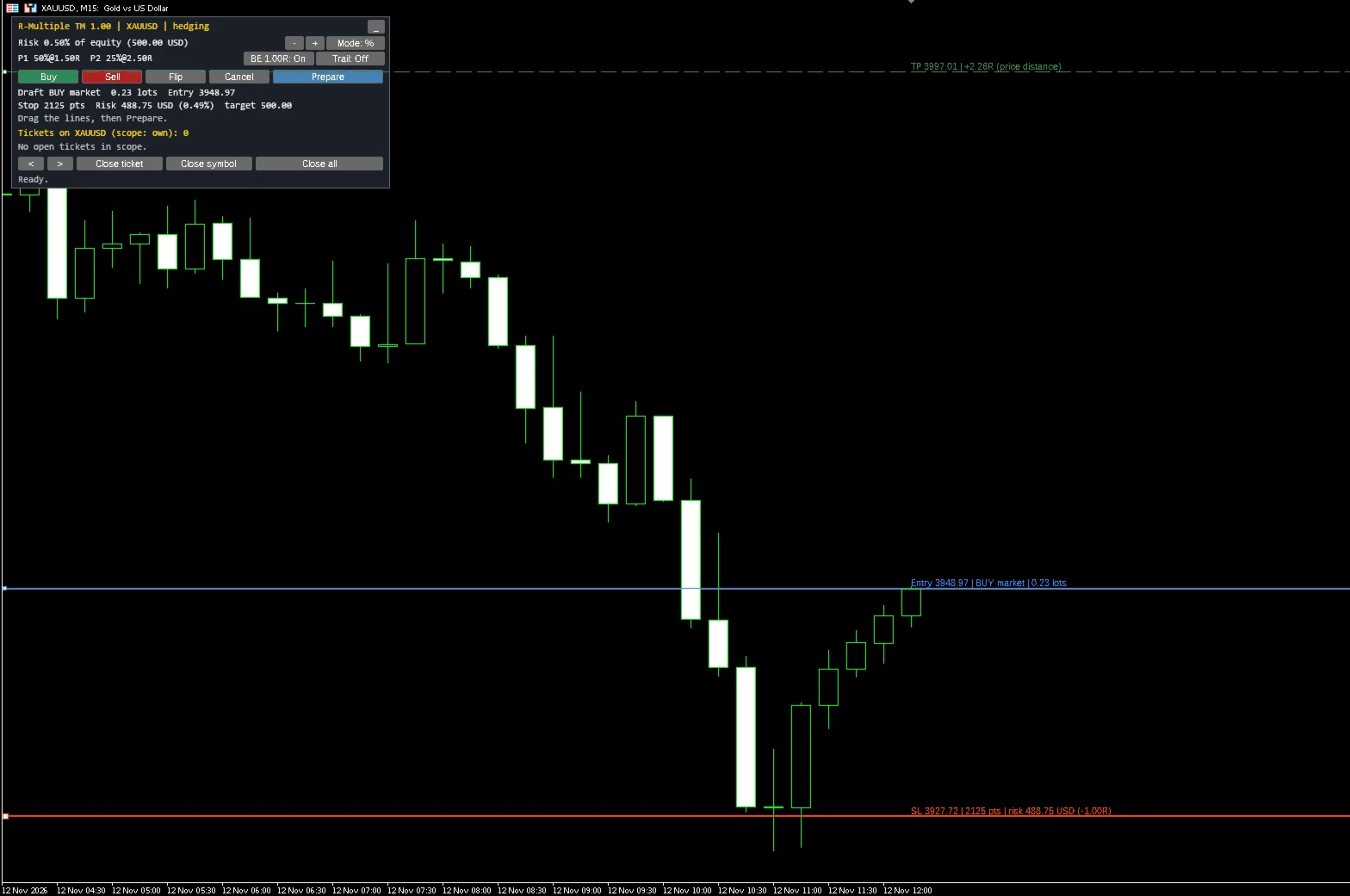
1. Press Buy or Sell. Entry, stop-loss and take-profit lines appear on the chart. The stop starts at a default distance (an ATR multiple of the last closed bar, or fixed points) and the take-profit at a set multiple of the risk.
2. Drag the lines. The lot size and the risk update as you drag. Drag Entry away from the market to place a limit or stop order instead; the type follows from the side and the price.
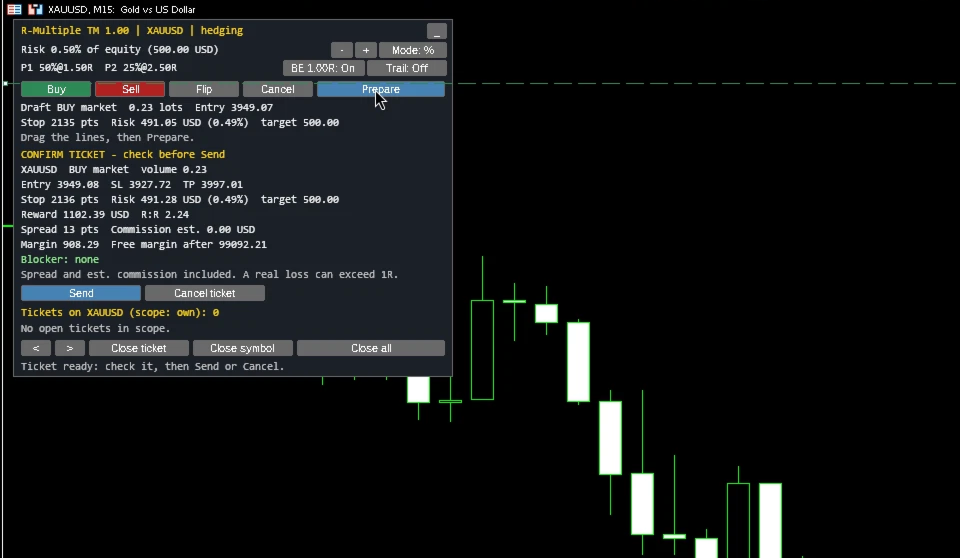
3. Press Prepare. The confirm ticket shows the symbol, side, order type, volume, entry, stop-loss, take-profit, stop distance, risk in money and in percent of equity, the target risk, reward and R:R, spread, estimated commission, margin required, free margin after the order, and any reason the order cannot be sent.
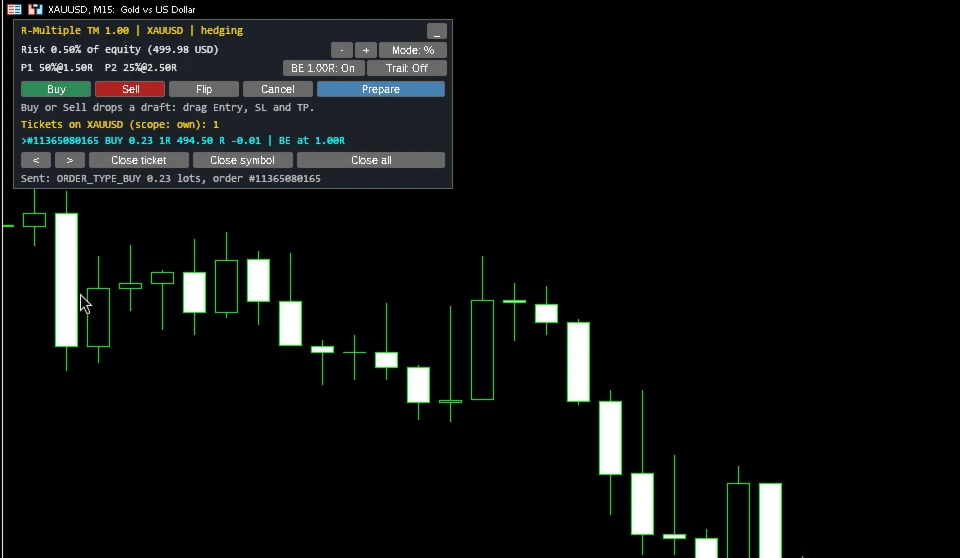
4. Press Send, or Cancel. There is no one-click trading.
How the risk is calculated (1R)
1R is the money lost if the stop-loss is hit at its price, plus commission. The loss is calculated by MetaTrader's own OrderCalcProfit with the broker's contract data, from the fill price to the stop. For a buy, the fill is the Ask and the stop is triggered on the Bid, so the spread is already included. Because the broker's contract data is used, the same calculation works for forex, gold and silver, index CFDs and crypto symbols.
The lot size is the largest volume, rounded down to the broker's volume step, whose 1R is not above your target (a percent of equity or a fixed amount). It is never rounded up. If even the minimum lot would risk more than the target, Send is blocked and the ticket says so.
Commission before the fill is an estimate: either the average from your recent deals on that symbol, or a value you enter. After the fill, 1R is fixed from the actual deal price and the actual commission. If the actual 1R is larger than planned by more than a set factor (for example after slippage), you get a warning; the trade is not closed automatically. Swap is not part of 1R.
Management after the fill
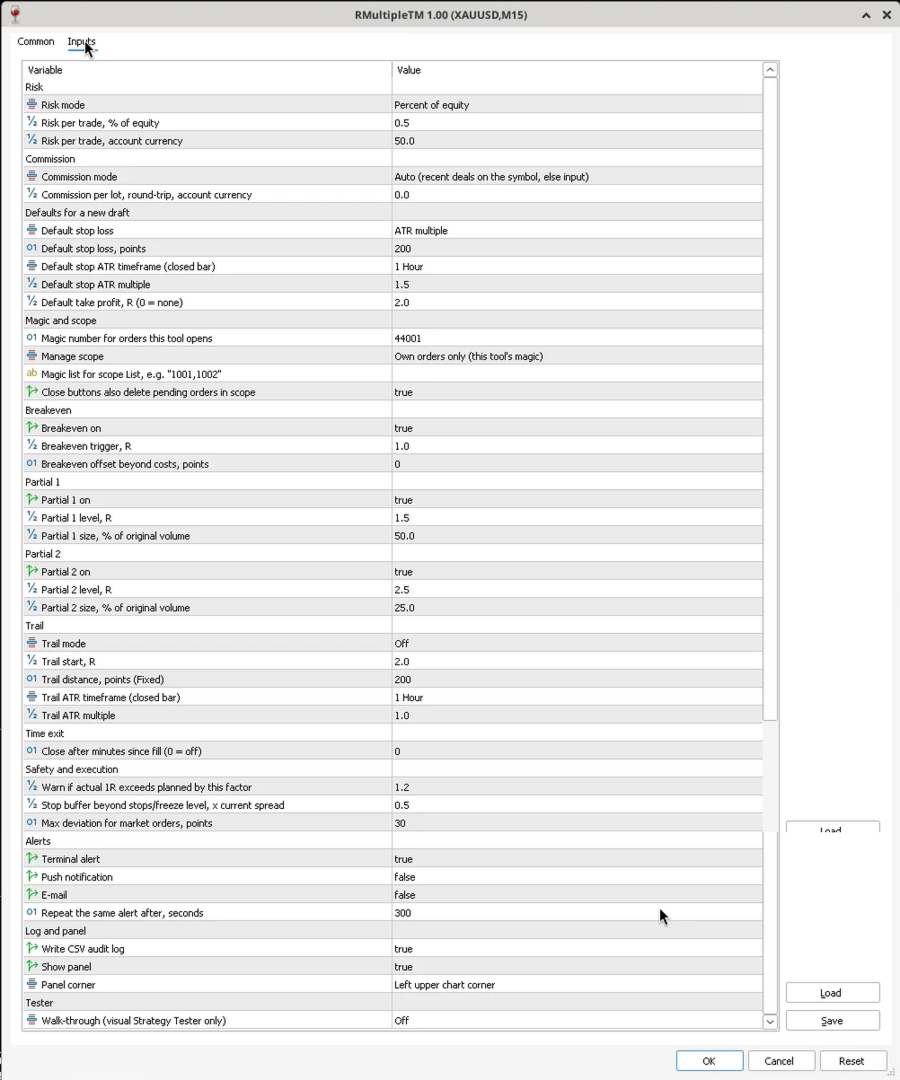
Each ticket keeps its own 1R, fixed at the fill. R levels are always multiples of that amount, also after partial closes. Rules are checked on every tick and once per second, in this order:
- Time exit (optional): closes the rest of the position after a set number of minutes.
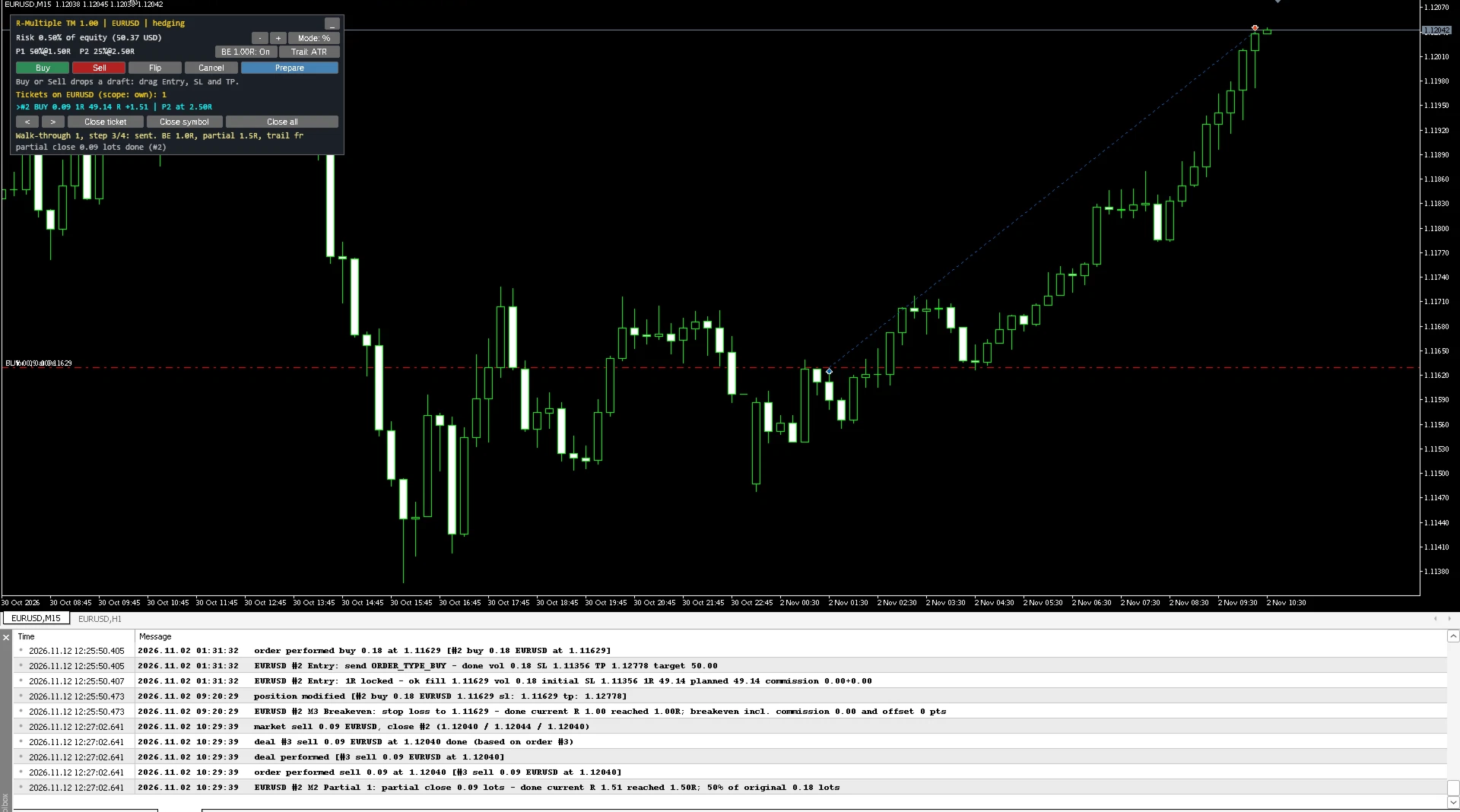
- Partial 1 and Partial 2: close a set percentage of the original volume at set R levels (defaults: 50% at 1.5R, 25% at 2.5R). Volumes are rounded down to the volume step and never leave less than the minimum lot.
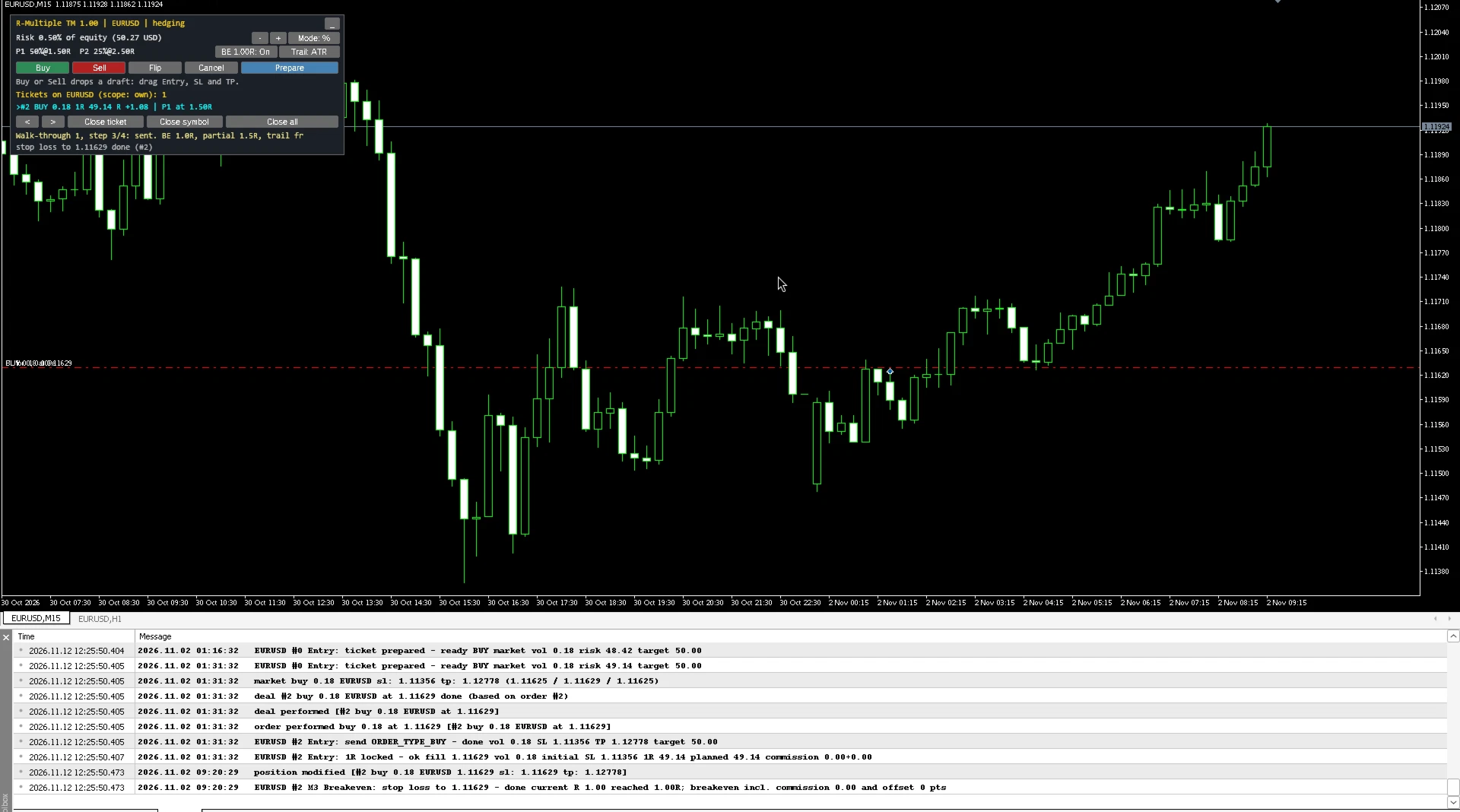
- Breakeven (default at 1.0R): moves the stop-loss to the price that covers the remaining commission, plus an optional offset. If that level is too close to the market for the broker, the closest allowed level on the profit side is used, or the step is skipped and logged.
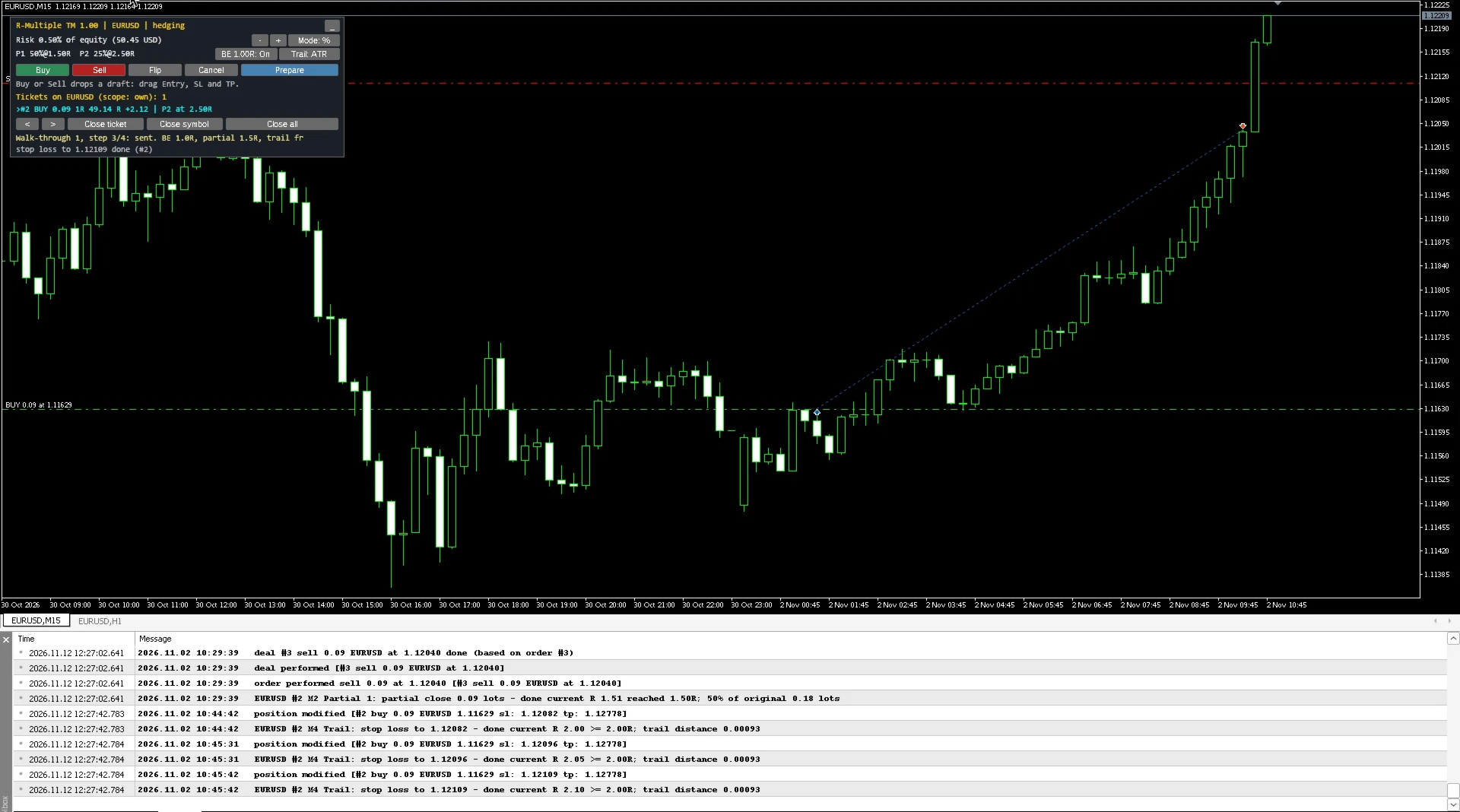
- Trailing stop (off by default): fixed points or an ATR multiple of the last closed bar, starting at a set R. It only tightens the stop-loss.
Every stop-loss and take-profit is placed at the broker. There are no hidden or virtual stops, so the broker keeps the stop if the terminal disconnects.
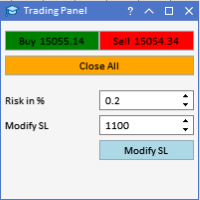
The panel also has Close ticket, Close symbol and Close all buttons. Each one needs a second click to confirm. They act only on orders this utility opened, or on the magic numbers you choose to include (manual trades, or a list of magic numbers). Pending orders in that scope can be deleted with the same buttons.
Other details
- Hedging accounts: full support, one 1R and one set of rules per ticket.
- Netting accounts: basic support. A new order is sized the same way. Automatic breakeven, partial closes, trailing and time exit run on the net position only when this utility opened it and no other volume was added later. Otherwise the panel can still close the position, and an order that would reduce or reverse an opposite position is blocked on the ticket.
- Pending orders: after sending, the volume is fixed, but stop-loss and take-profit can still be dragged until the order fills.
- Stops level, freeze level and a spread buffer are checked before every order and every change. An invalid level blocks the order or skips the change; it is never forced.
- Requotes and price changes are retried up to three times. A closed market or disabled trading is retried later with a growing delay, never in a tight loop.
- Each rule is recorded per ticket, in terminal global variables and a small file, and checked against the deal history on start, so a restart does not repeat a partial close or a breakeven move.
- Panel settings (risk, breakeven on/off, trailing mode) are saved per symbol and restored on the next start.
- Every action is written to a daily CSV log in the MQL5\Files folder.
- Alerts use only the terminal: pop-up, push notification and e-mail, with a cooldown.
- No DLL, no web requests. The panel can be minimised.
What it does not do
- It does not generate signals or open trades on its own.
- It is not an account-wide risk guard: there is no daily loss lock across the account, no open-risk budget across several Expert Advisors, and no news filter.
- No trade copying, no grid, martingale or averaging functions, no Telegram or other outside services.
- It does not improve the results of any strategy and makes no promise of profit.
Limits you should know
- A real loss can be larger than 1R: gaps, fast markets, slippage, requotes and disconnects can fill the stop at a worse price.
- Commission before the fill is an estimate until the deal is known.
- The utility manages trades only while the terminal is running with it attached. One copy manages the trades of its own chart symbol; attach one copy per symbol you trade.
- When a rental expires, MetaTrader 5 removes the utility from the chart and management stops. Stop-losses and take-profits already at the broker stay in place.
How to try it in the Strategy Tester
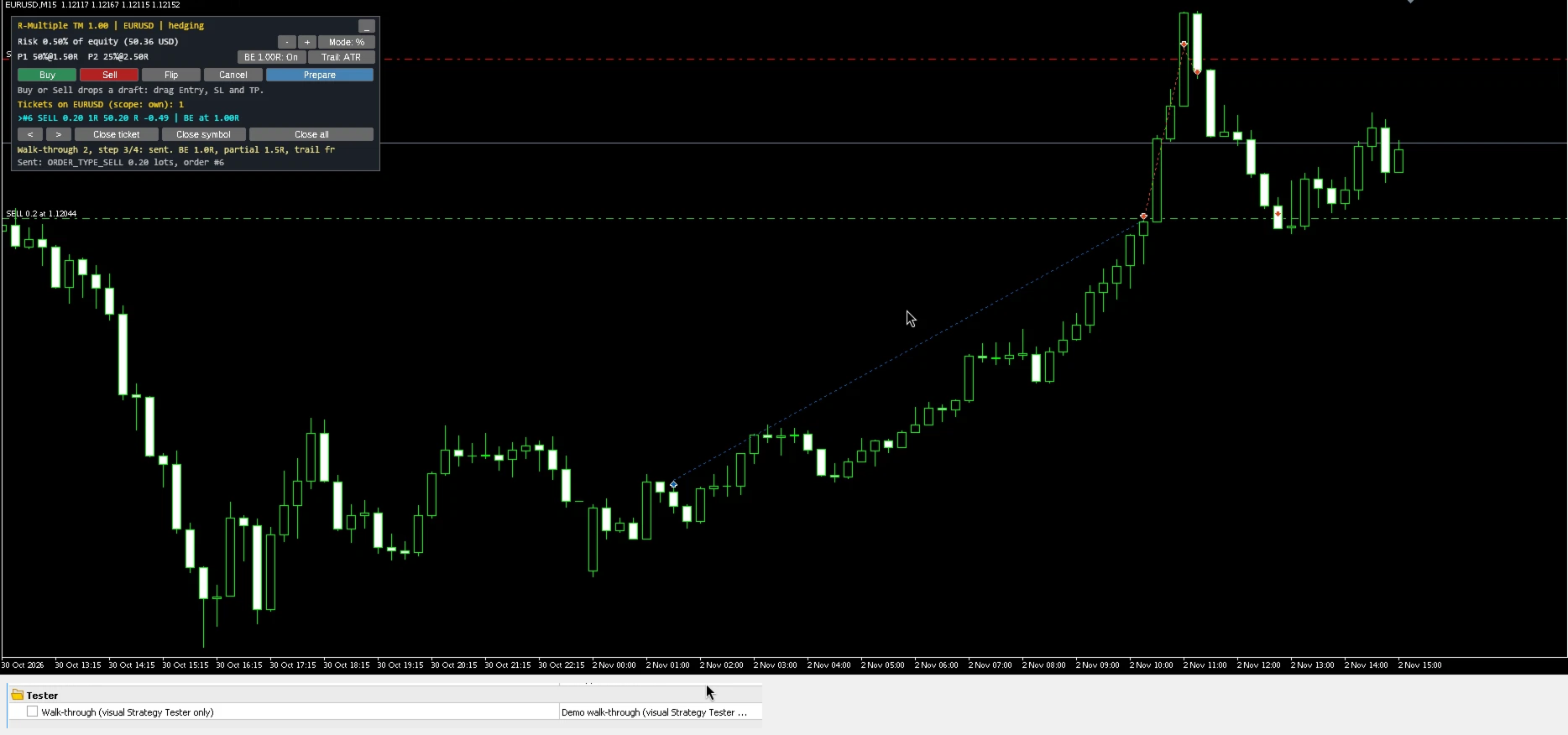
Set "Walk-through" to Demo and run the Strategy Tester in visual mode. The utility then shows the same steps on the tested symbol: the lines and live sizing, the confirm ticket, a simulated confirm, the order, breakeven at 1.0R, a partial close at 1.5R and a trailing stop from 2.0R (the walk-through switches the trailing stop on so you can see it). It checks the margin before each test order and skips the step if margin is short. The walk-through runs only in visual testing. It never runs on a live or demo chart, and it does nothing in non-visual testing.
Recommended setup
1. Attach to the chart of the symbol you want to trade and allow Algo Trading.
2. Set your risk: percent of equity (default 0.50%) or a fixed amount.
3. If your broker charges commission and the account has no recent deals on that symbol yet, enter the round-trip commission per lot.
4. Keep "Manage scope" on Own unless you also want manual trades or other magic numbers managed.
5. Try the walk-through in the Strategy Tester, then use it on a demo account before a live account.
Support
Questions and bug reports through the product comments or MQL5 private messages. Please include the CSV log lines of the trade in question.