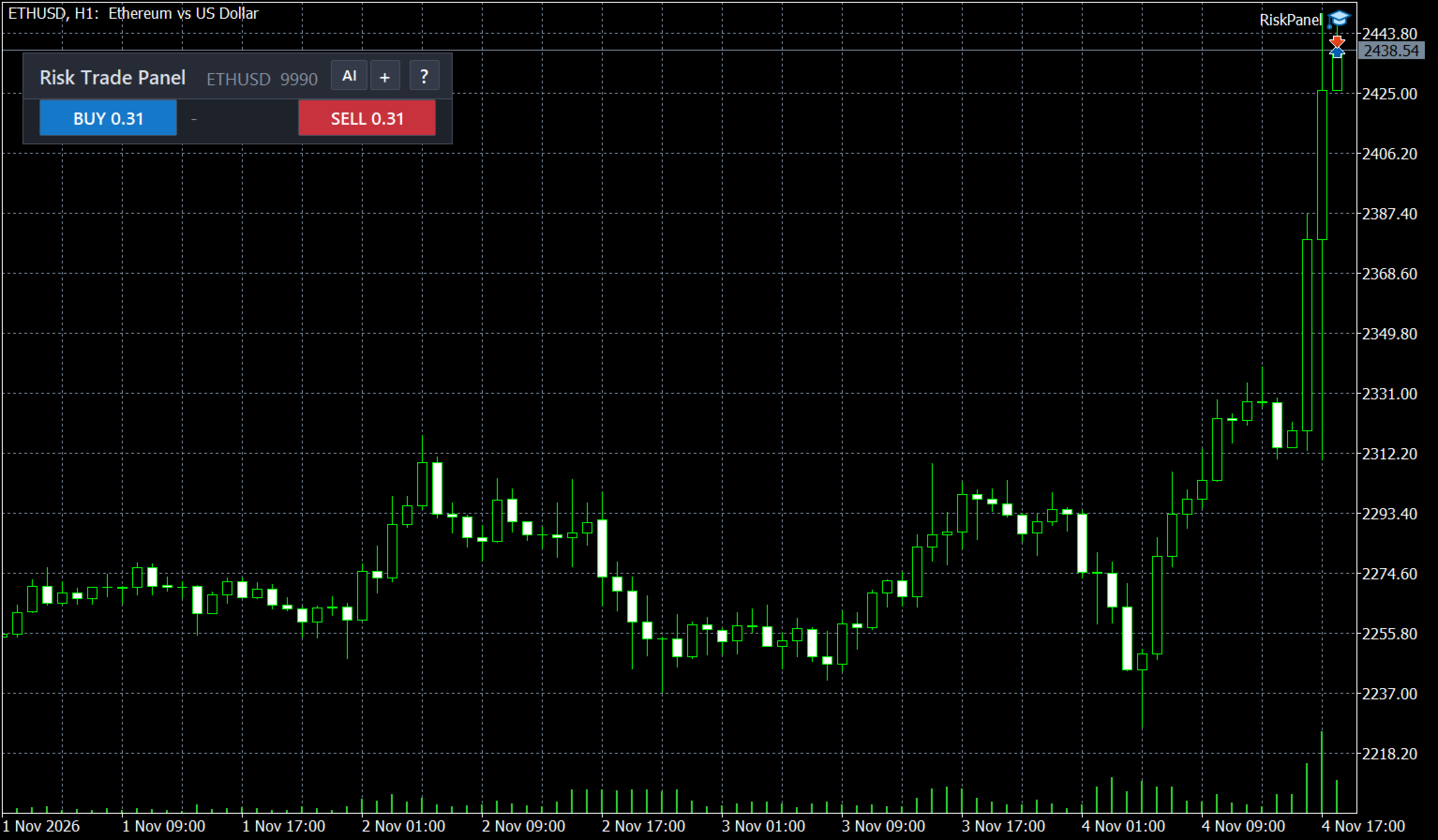
Risk Trade Panel MT5

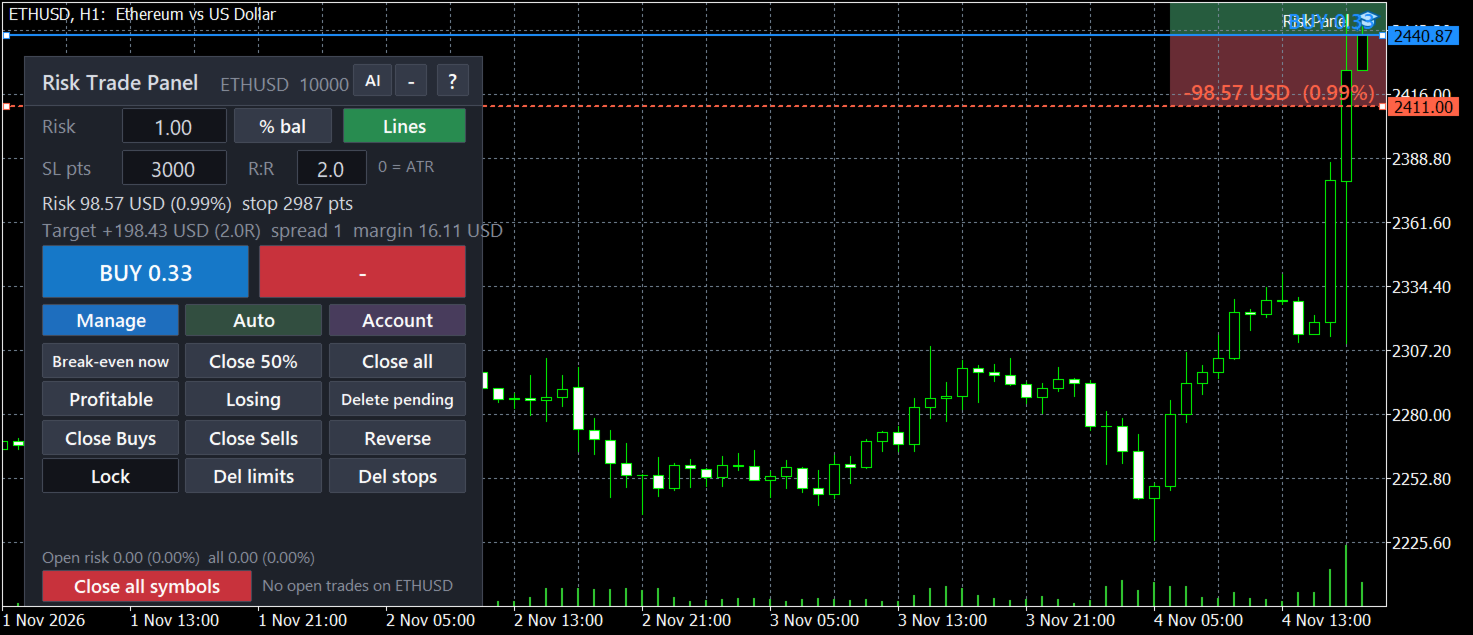
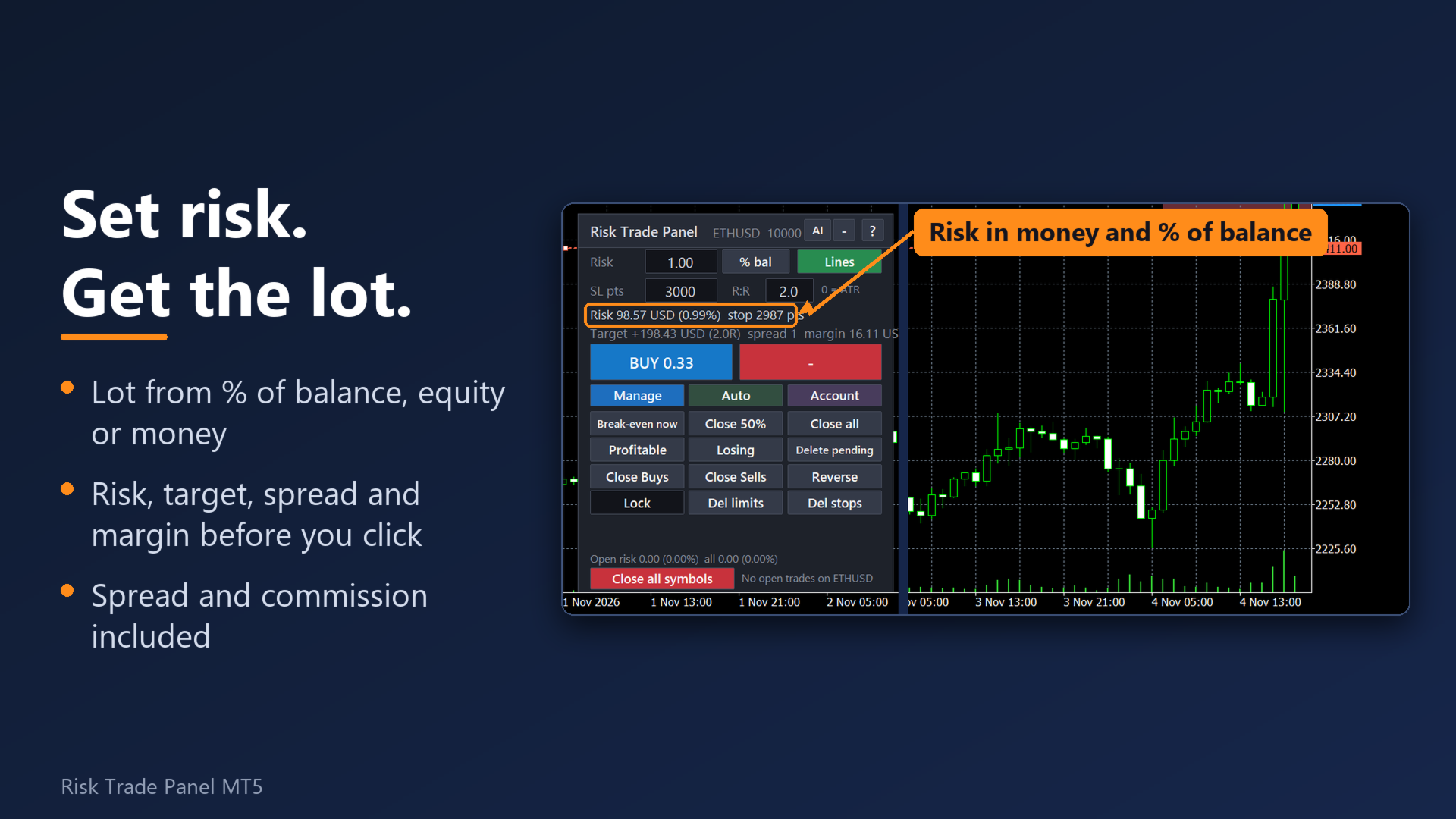
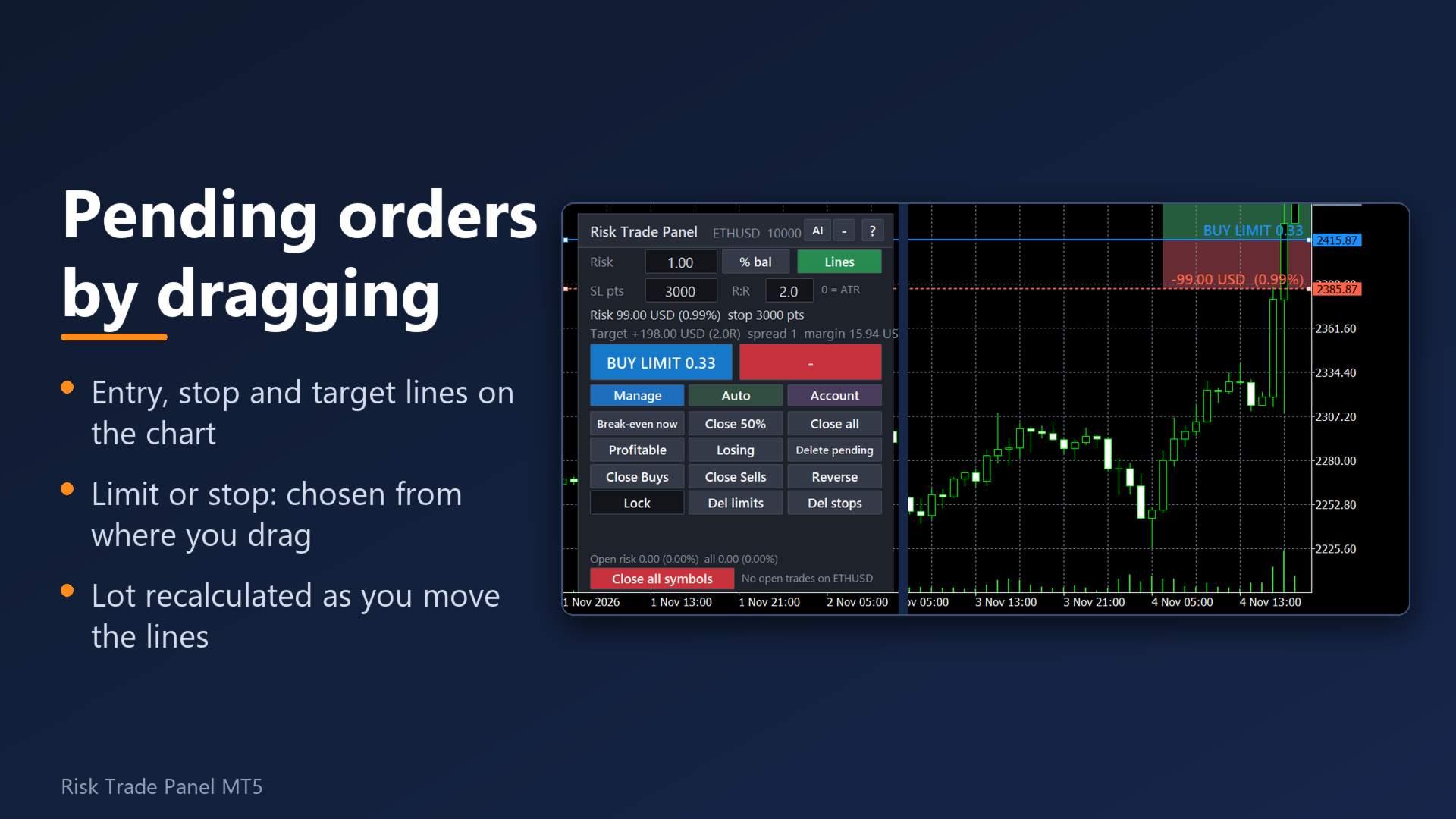
Set the risk, drag the lines, click. The panel sizes the lot and manages the trade.

Risk is entered as % of balance, % of equity, a fixed amount or % of the day / week / month start balance. Before you send the order the panel shows the lot and the money at the stop and at the target, with spread and commission included.

Why traders pick this panel

  • The lot is right on every symbol. Forex, gold, silver, indices, crypto and stocks: the lot comes from the symbol's own contract data, spread and commission are included. If the broker's tick value looks inconsistent, the panel says so instead of quietly sending a wrong lot.
  • Nothing is forgotten after a restart. Break-even, partials, hidden levels, virtual orders, the daily counters and the drawdown peak are saved to files and restored after a restart of the terminal, VPS or PC.
  • One click = one order. A double-click guard and a check of open positions before each send. Optional two-click confirmation on BUY / SELL; no modal window that could freeze trade management on a VPS.
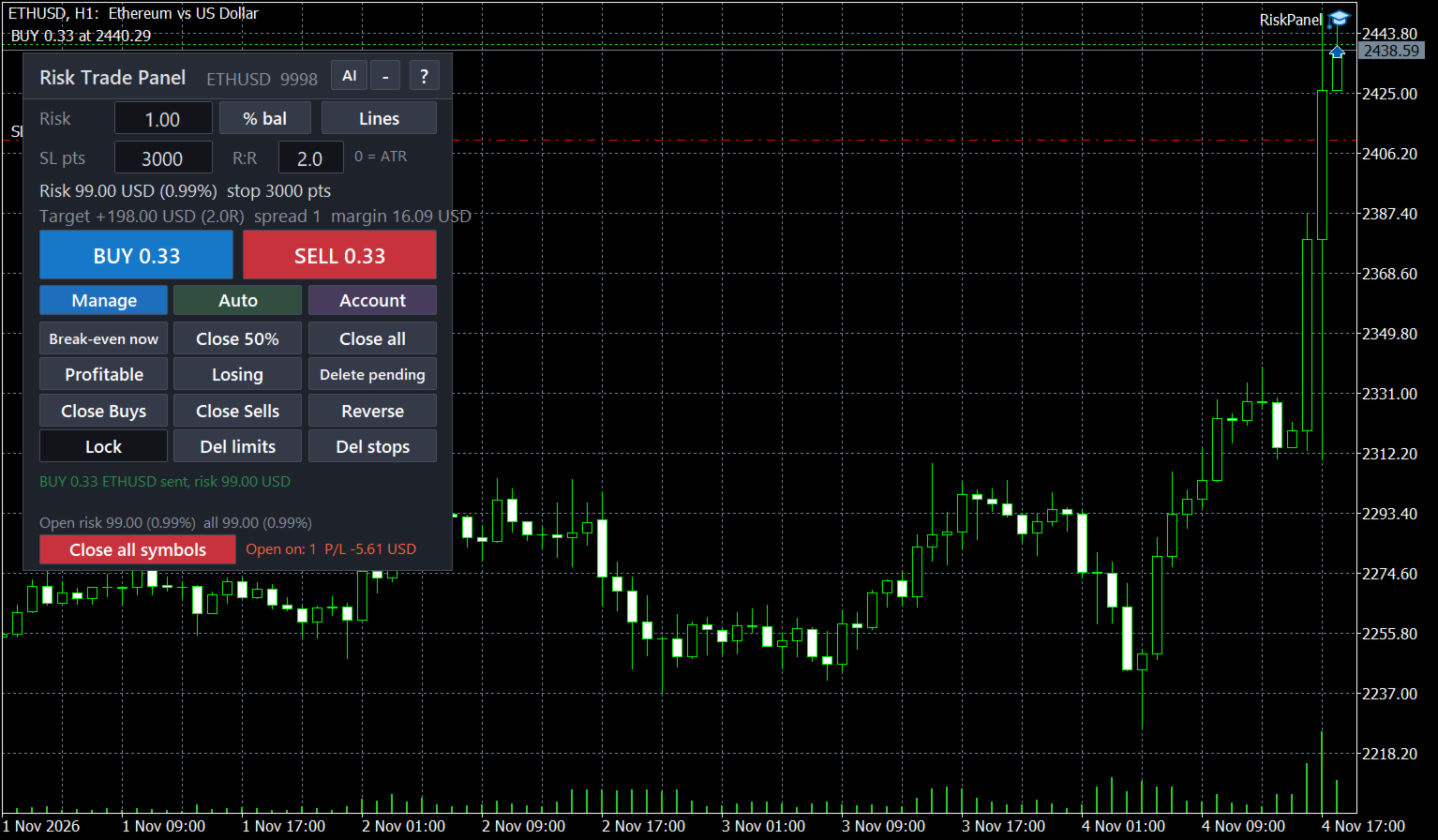
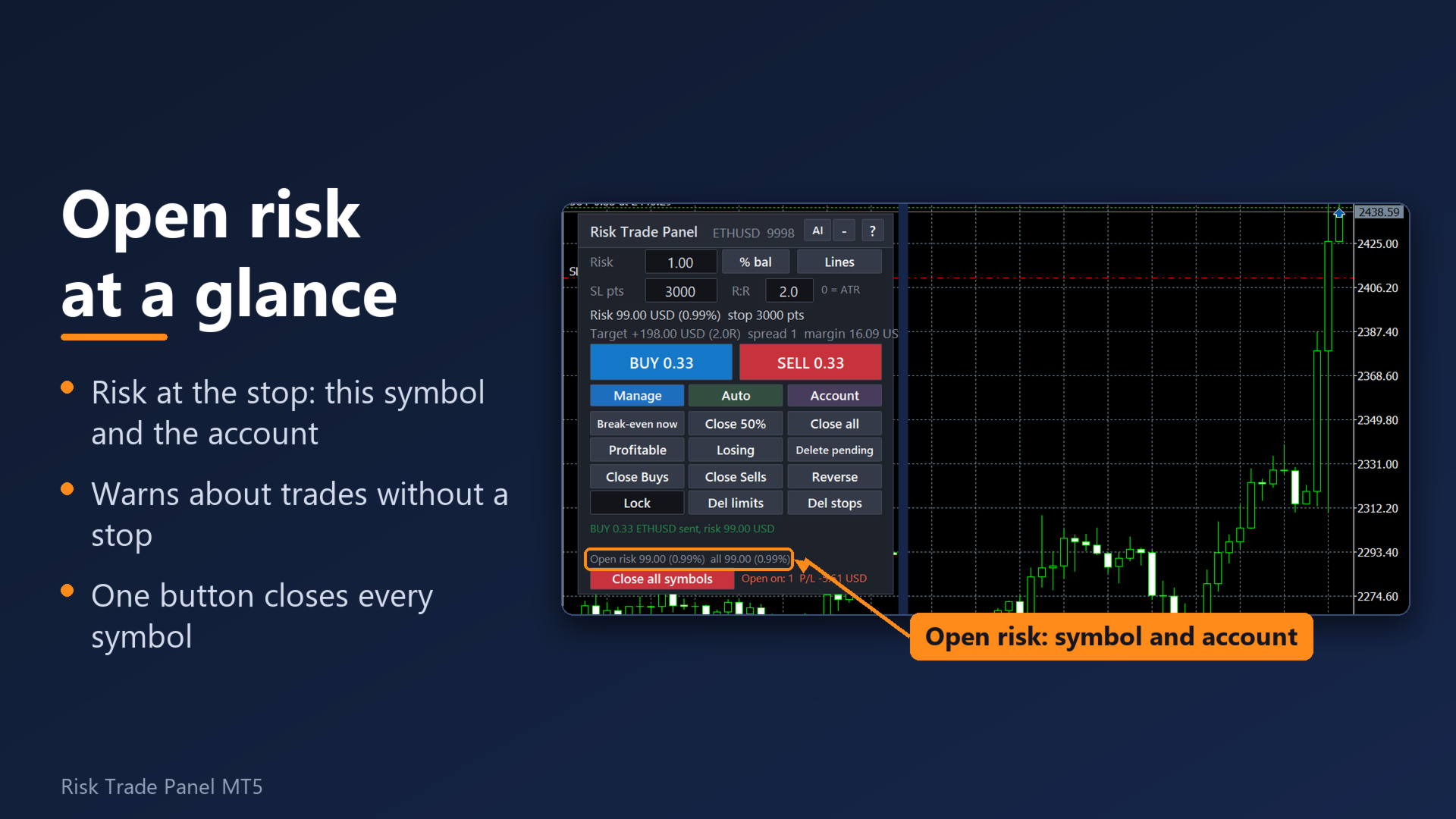
  • Your real exposure on one line. The open-risk strip shows the money at risk for the symbol and the whole account, net of hedges, and flags positions without a stop.
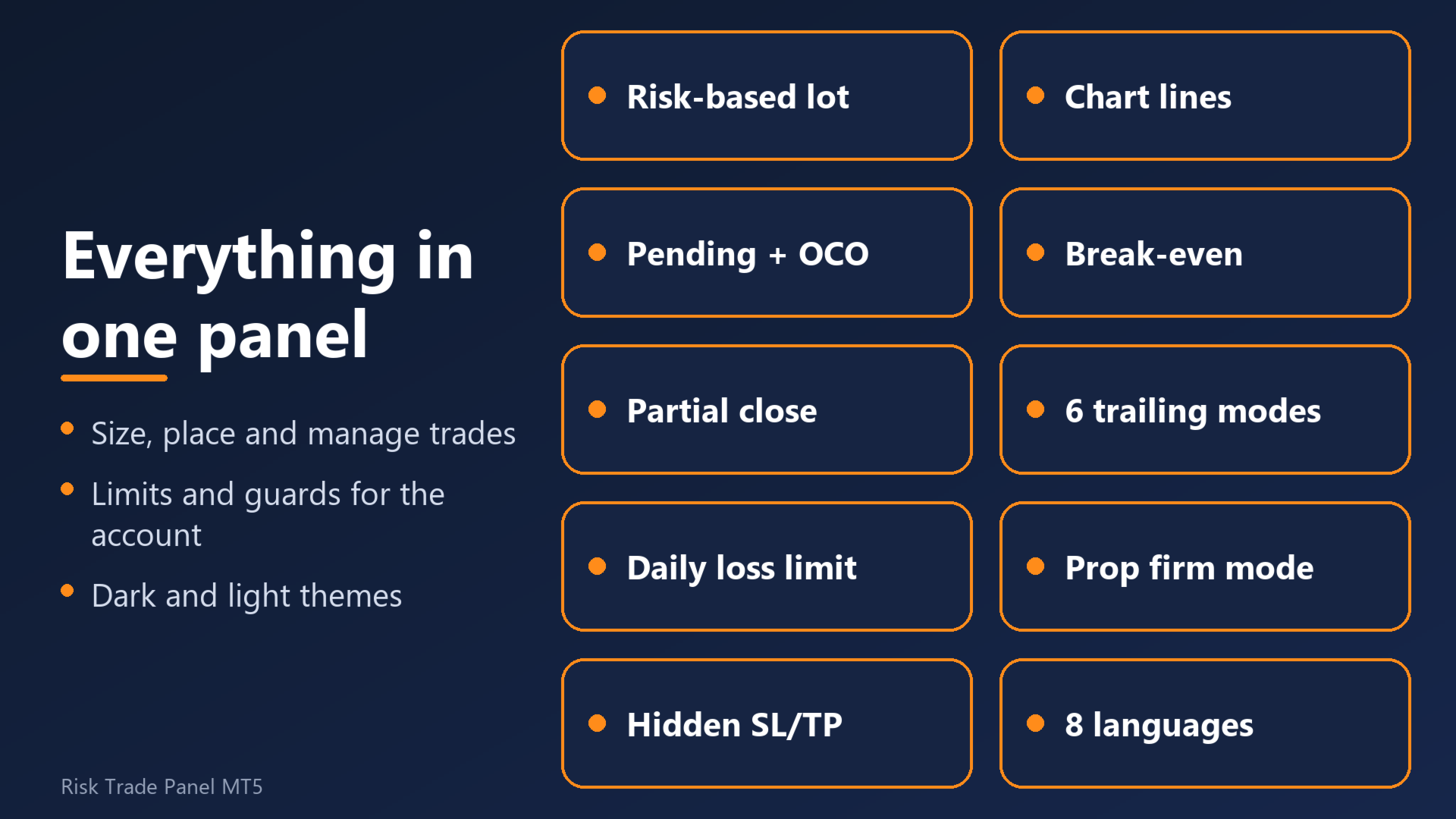
  • Guards a prop-firm style account. Daily loss limit, daily profit target, trailing drawdown from the equity peak, losing-streak stop, trade count limits, equity floor and news pause. Each one is your own setting.
  • Clear about errors. 16 common broker errors are explained in plain words with what to do next ("the market is closed now", "AutoTrading is off: press the Algo Trading button"), in 8 languages.

Risk and entry

  • 7 risk modes: % of balance, % of equity, money, % of the start-of-day balance, % of free margin, % of the start-of-week or start-of-month balance. One button cycles them.
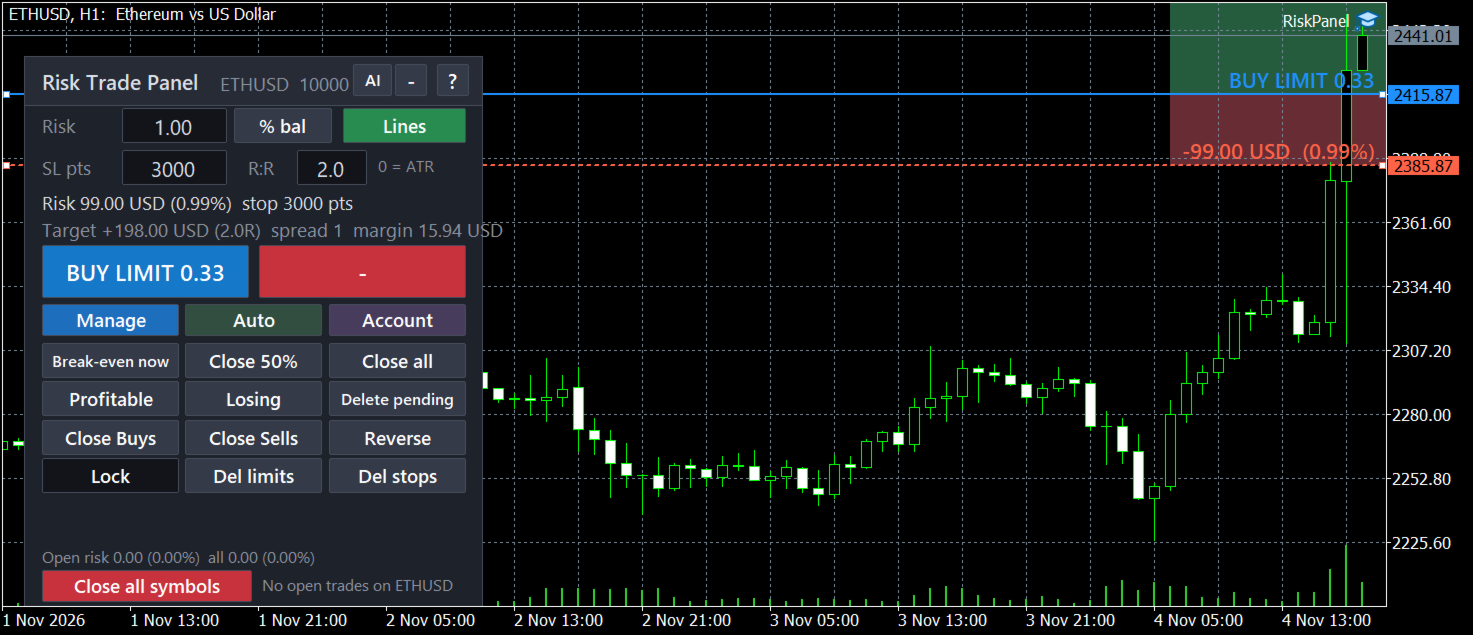
  • Entry, stop and target lines on the chart with the money printed next to each. Entry away from the price becomes a pending order (limit or stop picked automatically). Optional stop-limit orders for breakouts.
  • Stop in points, by ATR or from the last N candles; take profit as an R multiple.
  • Commission is learned from your last closed trade on the symbol or typed in. Margin and stop level are checked before sending.
  • High-risk question: a trade that risks more than 2% of balance (1% in the prop profile) needs a second click. It catches a typo in the risk box and a minimum lot that is bigger than your risk.
  • Maximum lot per order (option). A lot above the broker's maximum can be sent as several orders instead of being cut.
  • Split one order into up to 10 parts with one total risk (hedging accounts): targets as a ladder, or a grid of pending orders further from the price.
  • Presets: save and load the main panel settings by name.

Trade management

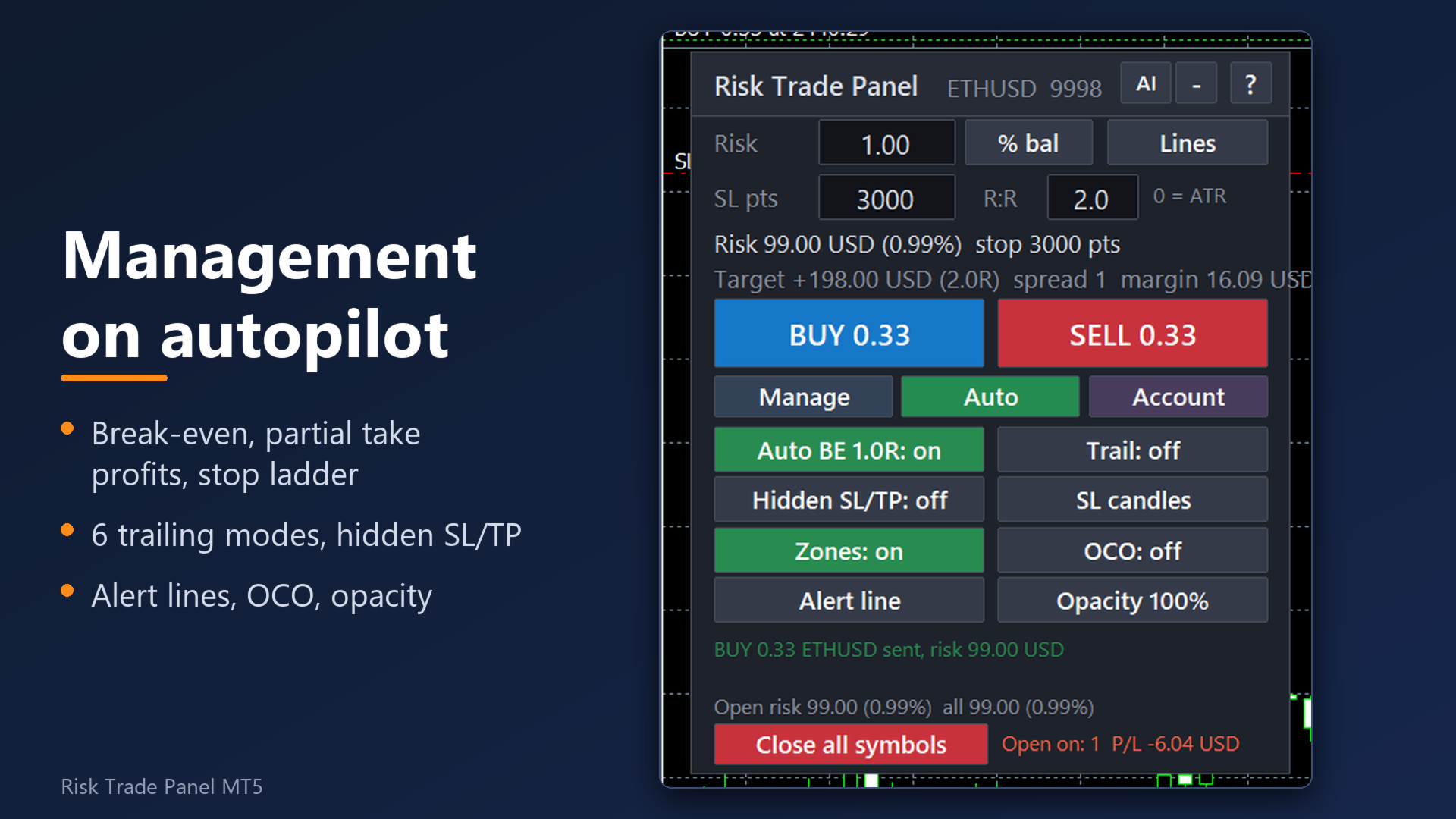
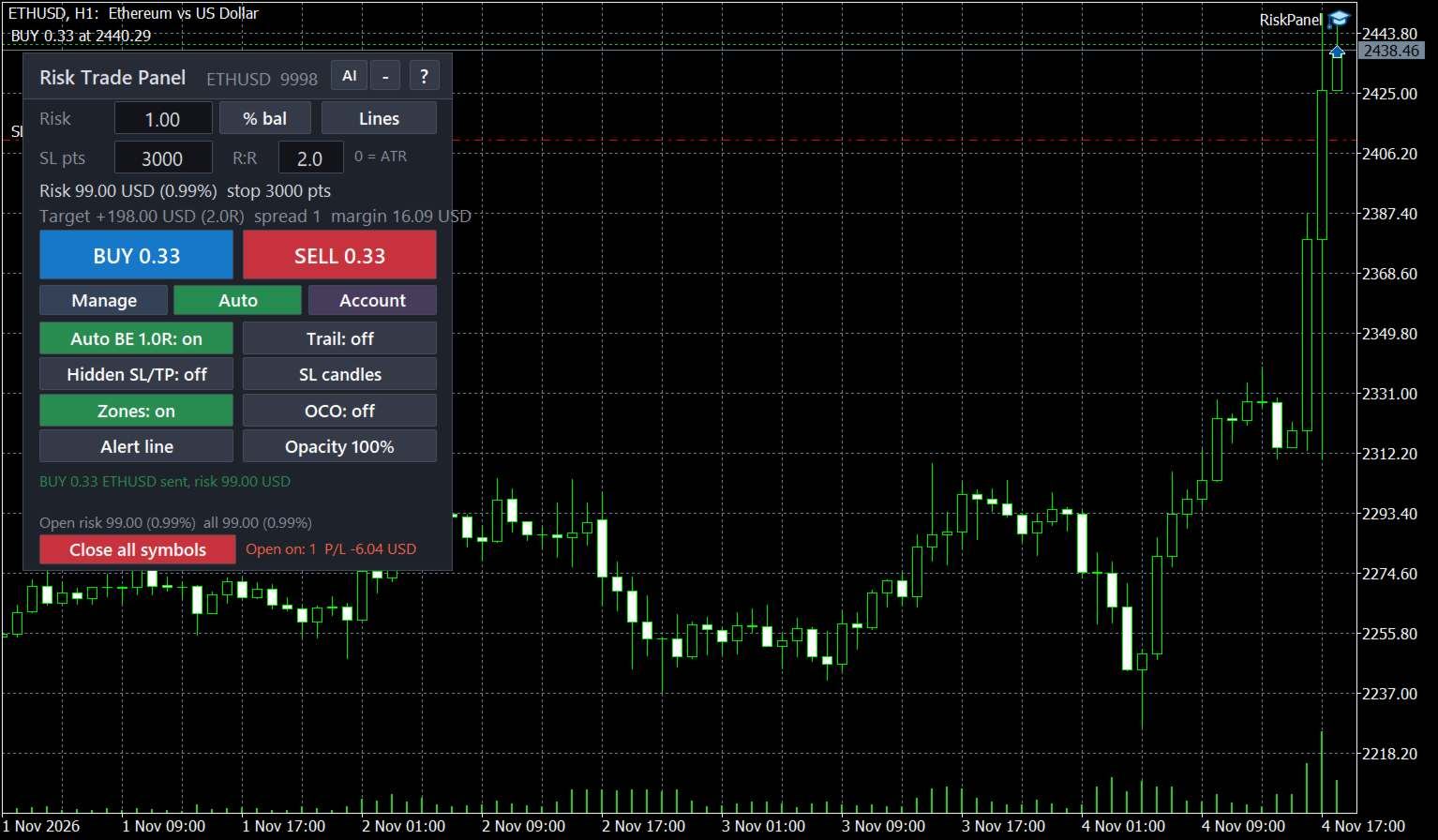
  • Break-even at a chosen R with commission covered, plus a "Break-even now" button.
  • Profit lock steps, e.g. "1:0, 2:1, 3:2": at +1R the stop goes to break-even, at +2R it locks +1R, and so on (up to 8 steps, the stop only tightens).
  • Up to 3 partial closes at chosen R levels; stop ladder after each partial (on by default); if a gap takes the price past the ladder level, the stop is pulled as close to the price as the broker allows. Works on hedging and netting accounts.
  • Partial close on loss: at a set fraction of R the panel closes a part of the trade and keeps the original stop for the rest.
  • Trailing stop in 6 modes: points, ATR, previous bar, moving average, Parabolic SAR, fractals. Trailing by partial close: every N R of profit close a % of what is left.
  • Hidden stop and target kept by the panel, with a real emergency stop at the server 1R further (on by default, re-placed if removed; 0 = none).
  • Virtual pending orders: in hidden mode the broker sees no pending order; at the price the panel enters at market with your stop, target and plan.
  • Trades opened by hand or from the MT5 mobile app get a stop automatically; their volume can be cut to your risk. Other robots' trades only if you list their magic numbers.
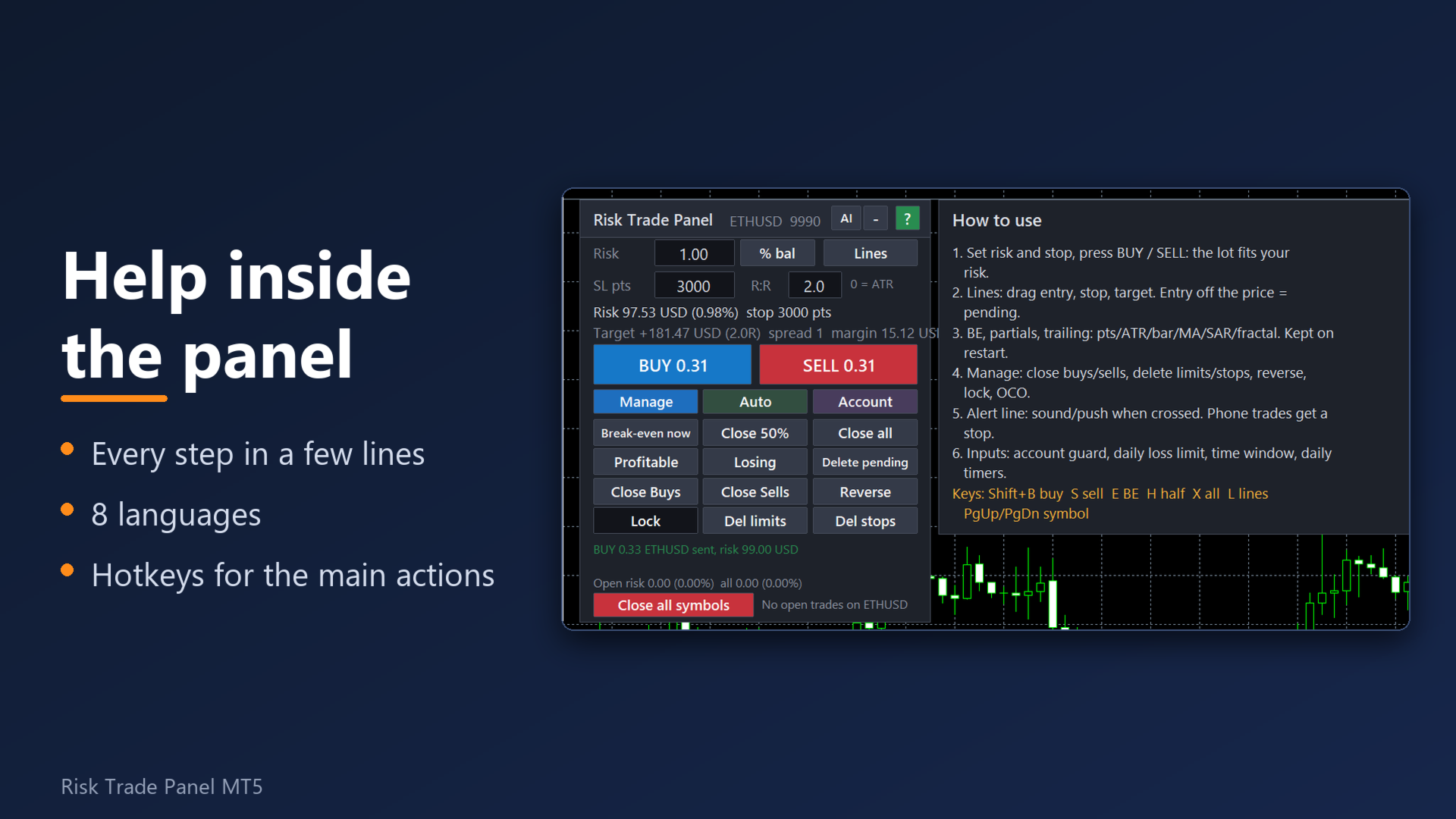
  • 12 one-click actions: close all / buys / sells / profitable / losing / half, delete all / limit / stop pending orders, reverse, lock (hedge), break-even.
  • OCO pairs, pending order trailing toward the price, pending order expiry done by the panel (works with brokers that have no expiry).

Account guard

  • Daily loss limit and daily profit target (money or % of the start-of-day balance): after either one the panel refuses new orders until the next day. The counter survives a restart.
  • Maximum trailing drawdown of equity from its peak (%), losing-streak limit for the day, max new trades per day, max open trades (positions + pending).
  • Optional: close everything when the loss or drawdown limit is hit. Equity floor. Cap on the open risk of the whole account.
  • News pause: no new orders N minutes before and after a calendar event of the symbol's currencies (built-in MT5 economic calendar, no web setup).
  • Trading window, close-all and delete-pending times once a day (server time).
  • "Close all symbols" button with a two-click confirmation.
  • Normal / Prop button on the Account tab: the prop profile turns on a 4.5% daily loss limit and a 9% drawdown stop unless you set your own. Check your firm's own rules: the limits are yours to set.

Warnings before the trap

  • Stop closer than N current or N average spreads.
  • Session close within N minutes, and the rollover window around midnight (or your own window).
  • Warn only by default; optionally refuse new orders in these windows.

Notifications and remote control

  • Phone push through MetaTrader's MetaQuotes ID and e-mail through the terminal's e-mail settings: orders sent, closed trades with the result, panel warnings. No web setup.
  • Alert lines: drag a line on the chart, get a pop-up, sound, push or Telegram message when the price crosses it.
  • Telegram (optional, your own bot): the same messages, plus commands from your private chat if you switch them on: /status, /stats, /help, and trade commands /buy, /sell, /be, /half, /close, /flat. Trade commands are off by default and use the symbol panel's own risk settings and limits.

AI assistant (optional, your own key)

  • An "AI" button sends this chart (last 80 bars, daily closes, spread, ATR and your plan) or your journal (last 90 days of closed trades and the balance) to the AI provider you choose, with your own API key, and shows the answer in the panel language. Supported: OpenAI, Claude, DeepSeek, Grok, OpenRouter.
  • The assistant never places or changes a trade. Its view of the chart is an opinion, not investment advice and not a signal; you decide.
  • Local statistics by panel, manual trades and each robot (trades, win rate, net, profit factor, max drawdown) need no AI and nothing leaves your PC.

Interface

  • 8 languages: English, Russian, Spanish, Portuguese, German, French, Turkish, Indonesian (terminal language or your choice). Built-in short manual ("?"), every input has a description.
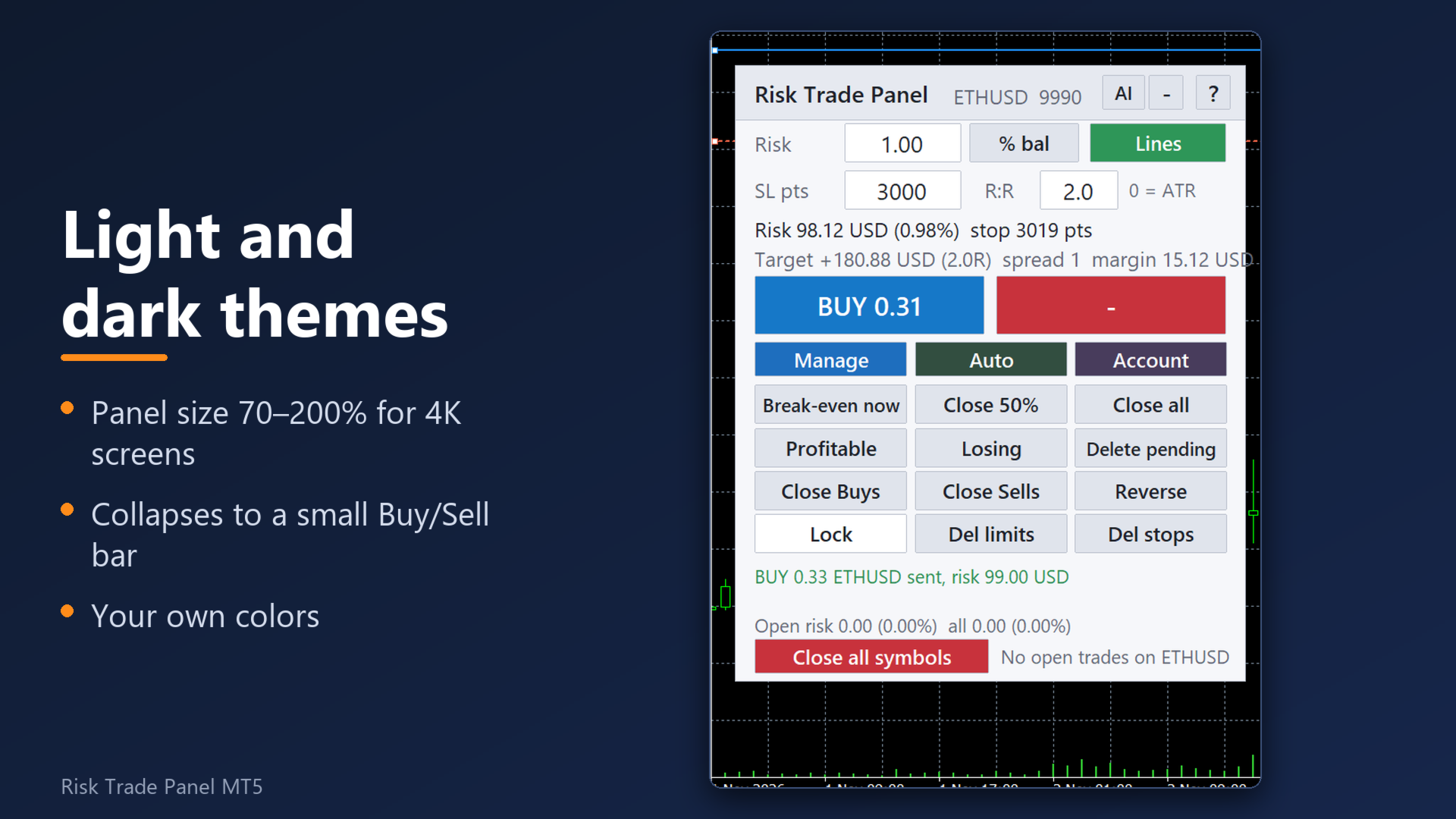
  • Three tabs under BUY / SELL: Manage, Auto, Account. About 316 px high at 100%, fits a chart with the Toolbox open; size 70–200% for large screens.
  • Light or dark theme, 16 colour settings, opacity 30–100% with optional fade when the mouse is away. Collapse to a small bar with BUY, SELL and the floating P/L.
  • 31 hotkey actions (8 set by default: Shift+B buy, Shift+S sell, Shift+E break-even, Shift+H close half, Shift+X close all, Shift+L lines, Shift+PgUp / PgDn symbol), all re-assignable.
  • Week and month statistics on the Account tab: net result after costs, closed trades, win rate, profit factor.
  • Works in the visual Strategy Tester: buttons and hotkeys are active there.

Reliability

  • State and panel values are written to files per account and symbol and read back after a restart, an update or a VPS migration of the chart.
  • Light on the CPU: the panel redraws only when a value changes. Measured: the whole terminal with the panel and another EA used under 2% of one CPU core.
  • An automated self-test runs in the Strategy Tester before each release: risk at the stop, partial volumes, break-even, trailing, schedule, no duplicate orders, on BTC, gold, silver, EURUSD, USDJPY, an S&P 500 CFD and a stock (AAPL). PASS or FAIL.
  • No DLL. No login of its own and no licence check of its own: activations are counted by the Market.

Start in 3 steps

1. Drag the panel onto a chart and allow algo trading (the toolbar button and "Allow Algo Trading" in the panel's properties).

2. Set the risk and the stop (or keep the ATR default). Drag the entry, stop and target lines if you want.

3. Press BUY or SELL. Break-even, the first partial (50% at 1R) and your other rules run by themselves. "?" opens the short manual.

FAQ

What is switched on by default?

Auto break-even at 1R, the first partial close (50% at 1R), the stop ladder, spread and gap warnings, the open-risk strip, and adoption of manual trades (a stop by ATR is added to a manual trade without one). Everything else, including Telegram, AI, flatten, equity floor and the news pause, is off until you turn it on.

Does it open trades by itself?

No. An order is sent only when you click BUY / SELL, press the buy / sell hotkey, when the price reaches a virtual pending order you placed, or when you send /buy or /sell from your own Telegram chat after turning trade commands on.

Which trades does it touch?

By default its own trades and your manual or mobile trades. Other robots' trades are touched only if you list their magic numbers. Manual trades can be excluded with one setting.

What has to be allowed in Tools > Options > Expert Advisors > WebRequest?

Nothing for the panel itself, phone push, e-mail or the news pause. For Telegram: api.telegram.org. For the AI: only the host of the provider you chose (api.openai.com, api.anthropic.com, api.deepseek.com, api.x.ai or openrouter.ai). Keep your bot token and API key private: do not share screenshots of the inputs.

Does the AI cost money?

The AI provider bills your own API key for each request. The panel adds no fee. While a request is running (up to 60 seconds) the panel waits, so AI requests are refused while hidden stops or virtual orders are active.

Do Telegram, AI and the news pause work in the Strategy Tester demo?

No, they need the live terminal. Everything else can be tried in the tester.

How does the licence work?

The product has the maximum of 20 activations the Market allows, so a reinstall, a new PC or a VPS needs no support request.

The panel is blank or gone (VPS, after a pause).

All elements are rebuilt on every start, timeframe change and reconnect, and the saved state is read from files. Check that algo trading is allowed and that the panel is listed in the top-right corner of the chart. Only one panel can run per symbol: a second one on the same symbol explains this and stops.

Does it run on Mac?

MT5 on Mac runs through a compatibility layer from the broker or MetaQuotes. The panel uses only standard terminal functions and no DLL. Please try the free Strategy Tester demo first.

Is the lot exact? What about slippage?

The lot is sized so that the stop costs about your risk, spread and commission included. The fill price and the price at which a stop executes belong to the broker: slippage and gaps can make a loss larger than planned. Warnings and the open-risk strip are information, not a guarantee. Check your settings on a demo account first.

Inputs (groups)

Risk: risk mode (7), risk per trade, stop in points / ATR multiple, take profit in R, commission per lot (-1 = learn), allow minimum lot, maximum lot, split above broker maximum, max spread, high-risk threshold.

Management: auto break-even (R, extra points), profit lock steps, trailing mode, distance, start, step and indicator settings, trailing by partial close, partials 1-3, partial close on loss, stop ladder, hidden stop and target, emergency stop (R), virtual pending orders, stop-limit offset, pending order trailing and expiry.

Manual trades and robots: manage manual trades (this chart / all symbols), stop and target for trades without one, cut volume to risk, delete manual pending orders too, other robots' magic numbers.

Account guard: close at floating profit / loss, daily loss limit, daily profit target, max drawdown from the peak, losing streak, trades per day, open trades, close everything on limit, equity floor, open-risk cap, account profile, spread added to sell stops.

Spread, gaps, news, schedule: stop vs current / average spread, warning before session close, rollover window, refuse orders in gap windows, news pause (minutes, high impact only), trading window, close-all time, delete-pending time, OCO.

Notifications: alert-line pop-up / sound / push, phone push, e-mail, trade sound, Telegram bot token and chat id, Telegram commands, Telegram trade commands.

AI assistant: provider, API key, model, your own tasks for chart and journal review, extra rules for every answer.

Hotkeys: 31 actions, risk step for the risk keys.

Look: language, theme, size, position, opacity, fade, 16 colours, hide the terminal's own trade lines, zones on the chart.

Other: magic number, order comment, max slippage, file command interface (automation).

Trading involves risk. The panel is a tool for sizing and managing orders; it does not predict the market and does not promise any result.
추천 제품
Click Trading
Jawad Tauheed
5 (2)
One Click Trading – Auto TP SL Developer TraderLinkz Version 1.00 Category Utility What it does Adds missing TP and SL to your manual trades and pending orders Sets them once per ticket Lets you move TP and SL afterward Works on hedging and netting accounts Scans on every tick and reacts on trade events Why you want it You place faster entries You get consistent risk and exit targets You reduce fat finger errors You keep full manual control Quick start Attach the EA to any chart Keep TP and SL e
FREE
Quick Trade Panel Pro
Nicolas Olivier Menetrey
5 (1)
자동 랏 및 리스크 관리 원클릭 트레이딩 패널 Quick Trade Panel Pro 는 리스크를 완벽하게 통제하면서 빠르게 주문을 실행하고자 하는 트레이더를 위해 설계된 직관적인 트레이딩 패널입니다. 주요 기능 사용 가능한 마진 비율에 따른 자동 랏 크기 계산 포인트 단위로 설정 가능한 스탑로스, 모든 거래에 자동 적용 일관된 포지션 크기를 보장하기 위해 거래 시리즈 동안 랏 크기 고정 스마트 헤지 시스템 헤지 모드로 기존 거래와 반대 방향의 포지션 개설 가능 독립적인 헤지 비율 (50%, 100%, 200% 이상) 정밀한 컨트롤을 위한 방향별 거래 제한 자동 수익 보호 Auto Secure : 일정 수익 도달 시 스탑로스를 손익분기점으로 이동 Trailing Stop : 가격을 추적하여 수익을 보호하면서 승리 거래 유지 두 시스템을 함께 사용하여 최적의 보호 가능 현대적이고 심플하며 전문적인 인터페이스 실시간 표시: 최대 랏, 최종 랏, 헤지 랏 한도 도달 시 BUY/SE
FREE
Trade assistant pro v8
Ahmed Mohammed Bakr Bakr
2 (1)
FREE FREE FREE Trade Assistant MT5 – Professional Trading & Risk Management Panel Trade Assistant MT5 is an advanced trading panel designed to help traders execute orders faster, safer, and more professionally . It simplifies manual trading by combining smart order management , precise risk control , and one-click execution , making it ideal for both beginners and advanced traders. This tool does not trade automatically . Instead, it empowers you with full control while applying professional-gra
FREE
Grid Trading EA is a semi-automated one-click trading EA for both Normal Trading and Grid/Martingale Trading . Normal Trading Simply click Buy or Sell directly from the chart. The EA will automatically manage trades by: Setting Stop Loss and Take Profit Managing Trailing Stop Grid / Martingale Trading (For Hedging Account Type Only) When Grid Trading mode is enabled, the EA will automatically open additional grid orders at specified distances while increasing the lot size based on your settings.
Trade Manager DaneTrades
Levi Dane Benjamin
4.13 (31)
거래 관리자는 위험을 자동으로 계산하는 동시에 거래를 빠르게 시작하고 종료하는 데 도움을 줍니다. 과잉 거래, 복수 거래 및 감정 거래를 방지하는 데 도움이 되는 기능이 포함되어 있습니다. 거래를 자동으로 관리할 수 있으며 계정 성과 지표를 그래프로 시각화할 수 있습니다. 이러한 기능은 이 패널을 모든 수동 거래자에게 이상적으로 만들고 MetaTrader 5 플랫폼을 향상시키는 데 도움이 됩니다. 다중 언어 지원. MT4 버전  |  사용자 가이드 + 데모 트레이드 매니저는 전략 테스터에서 작동하지 않습니다. 데모를 보려면 사용자 가이드로 이동하세요. 위기 관리 % 또는 $를 기준으로 위험 자동 조정 고정 로트 크기 또는 거래량과 핍을 기반으로 한 자동 로트 크기 계산을 사용하는 옵션 RR, Pips 또는 Price를 사용한 손익분기점 손실 설정 추적 중지 손실 설정 목표 달성 시 모든 거래를 자동으로 마감하는 최대 일일 손실률(%)입니다. 과도한 손실로부터 계정을 보호하고 과도한
Core function Intelligent transaction management one-click opening and closing operation, which supports user-defined lots to set multiple closing modes: all closing, closing by direction and closing by profit and loss status. Professional risk control, real-time risk monitoring and spread control to avoid high-cost trading environment. Visual control panel has an intuitive graphical interface, and all functions can be operated with one button to display position information, profit and loss sta
FREE
The Ultimate All-In-One Trade Manager & Prop Firm Guardian for MT5. Nexus Pro Trade Manager is the most advanced, all-in-one trading assistant designed for both manual traders and Prop Firm challengers. Featuring a stunning, lag-free UI (Dark/Light mode), it completely transforms your MT5 into a professional trading terminal. Whether you are trading a personal account or trying to pass evaluations for FTMO, FundedNext, or other prop firms, Nexus Pro protects your capital, automates your risk cal
When executing an order, whether through the Metatrader ticket on a computer or the Metatrader app on a mobile device, either manual or pending, Easy Trade will automatically set the take profit and stop loss levels, as well as a limit order with its respective take profit and stop loss levels. It follows the trading strategy for market open (US30, US100, US500), but it can be applied to any market asset.
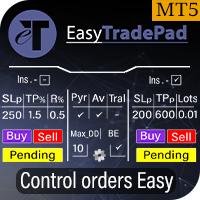
EasyTradePad for MT5
Sergey Batudayev
5 (5)
EasyTradePad – MetaTrader 5용 트레이딩 패널 EasyTradePad   는 수동 및 반자동 거래를 위한 도구입니다. 이 패널을 통해 주문 및 포지션을 빠르게 관리하고, 한 번의 클릭으로 위험 관리 계산을 수행할 수 있습니다. 패널 특징: 사전 정의된 위험(% 또는 예치 통화)으로 거래를 시작하고 마감합니다. SL 및 TP를 포인트, 백분율 또는 금전적 가치로 설정하세요 위험 대비 보상 비율을 자동으로 계산합니다 손절매를 손익분기점으로 이동 부분 포지션 마감 트레일링 스톱(포인트 또는 캔들 섀도우 기준) 위치 평균화 및 피라미딩 활성 거래의 매개변수 수정 [   데모   ] [   지침   ] 추가 기능: 피라미딩 가격이 이익실현을 향해 움직일 때마다 거래를 단계적으로 추가합니다. 각 새 거래의 위험을 줄일 수 있습니다. 추가되는 거래 수는 쉽게 설정할 수 있습니다. 평균화 차트에서 사용자 지정 수준으로 추가 주문을 할 수 있습니다. 포지션은 평균 진입 가
Account Monitor Pro — Your Ultimate Trade Statistics Hub Account Monitor Pro is a professional information dashboard designed for traders who combine Expert Advisors (EAs) and manual trading. The indicator separates statistics in real-time based on your Magic Number, allowing you to clearly see who is driving the profit: the algorithm or yourself. Key Features: Split Monitoring: Instant separation of "Robot" positions (by Magic Number) and "Manual" trades. Multi-language Support: 11 languages in
FREE
Open Risk Budget Cap enforces a total open stop-loss risk budget across your account. It does not choose direction and does not open discretionary trades on a live chart. Attach it to one chart; the symbol and timeframe do not matter. What it measures Every open position and every pending order is priced to its stop-loss in account currency using OrderCalcProfit. Positions or orders without a stop-loss are counted and shown on the panel as "without stop-loss". They are excluded from the budget
Easy Trade Executor는 MT5용 빠른 포지션 크기 계산, 주문 실행 및 거래 관리 도구입니다. Open Price, Stop Loss 및 Take Profit 레벨을 차트에 직접 배치하고, 포지션 크기를 자동으로 계산한 후 몇 번의 클릭만으로 리스크를 관리하면서 거래를 실행할 수 있습니다. 왜 Easy Trade Executor를 선택해야 할까요? Easy Trade Executor는 단순히 리스크를 계산하는 것을 넘어, 차트에서 직접 빠르고 효율적으로 거래를 관리하고자 하는 트레이더를 위해 설계되었습니다. 이 도구는 포지션 크기 계산, 주문 실행 및 거래 관리를 하나의 워크플로우로 통합하여 수동 계산이나 여러 터미널 창 사이를 오가는 대신 거래 자체에 집중할 수 있도록 도와줍니다. Easy Trade Executor의 주요 기능: 리스크 기반 자동 포지션 크기 계산; 차트에서 직접 Market Order 및 Pending Order 실행; 자동 거래 관리를 위한 T
TradeMngrMT5
Edgar Enrique Retontali
TradeManager 1.0   is an Expert Advisor for MetaTrader 4 y 5 that streamlines real-time trade management. Through a graphical control panel, you can send market and pending orders, move stop losses to breakeven, and automatically calculate position size based on your risk settings. Below is a comprehensive overview of its features and input parameters. Key Features Market Orders & Pending Orders BUY/SELL Buttons : Instantly open long or short positions at market. BUY STOP / SELL STOP / BUY LIMI
CosmiCLab FIBO
Kirils Subins
CosmiCLab SMC FIBO CosmiCLab SMC FIBO is a professional trading indicator designed for traders who use Smart Money Concepts (SMC), market structure analysis and Fibonacci retracement levels. The indicator automatically detects market swings and builds Fibonacci levels based on the latest impulse movement. It also identifies market structure changes such as BOS (Break of Structure) and CHOCH (Change of Character), helping traders understand the current market direction. CosmiCLab SMC FIBO also pr
ATC Alert Manager를 사용하면 차트에서 직접 가격 알람을 설정하고 하나의 작은 패널에서 관리할 수 있습니다. 각 알람은 차트의 선으로 표시되며 새 가격으로 드래그할 수 있습니다. 알람은 가격이 레벨을 횡단하는 순간에 한 번 발생하며, 팝업 알림, 소리 및 휴대폰으로의 선택적 푸시 알림이 함께 제공됩니다. 이미 레벨을 지난 가격은 트리거하지 않으므로 매 틱마다 반복 알림을 받지 않습니다. 이 도구는 포지션 도구, 거래 관리 및 성과 분석과 함께 All In One Trade Management Panel MT5 의 일부이기도 합니다.  데모 계정용 무료 체험판 – 라이브 차트에서 사용해 보세요, 시간 제한 없음. 주요 기능: 한 번의 클릭으로 알람을 추가합니다. 가격 필드는 현재 가격에서 시작하며 방향을 선택합니다: Above 또는 Below. 모든 알람에 메모를 추가합니다. 예: "런던 고점". 메모는 알림 메시지에 포함됩니다. 각 알람은 차트 오른쪽에 가격
FREE
VR 컬러 레벨은 추세선, 직사각형, 텍스트 등의 요소를 사용하여 기술적 분석을 적용하는 사람들에게 편리한 도구입니다. 차트에 직접 텍스트를 추가하고 스크린샷을 찍는 것이 가능합니다. 설정, 세트 파일, 데모 버전, 지침, 문제 해결 등은 다음에서 얻을 수 있습니다. [블로그] 다음에서 리뷰를 읽거나 작성할 수 있습니다. [링크] 버전 [MetaTrader 4] 표시기 작업은 한 번의 클릭 으로 수행됩니다. 이렇게 하려면 선이 있는 버튼을 클릭하세요. 그러면 커서 아래에 추세선이 나타납니다. 그런 다음 커서를 움직여 선 위치 를 선택하고 다시 클릭하여 수정하면 됩니다. 표시기 의 특징은 스타일과 색상의 모든 변경 사항이 자동으로 저장되고 나중에 새로 생성된 모든 그래픽 개체에 적용된다는 것입니다. 이 지표에는 서로 다른 스타일의 추세선을 설정하기 위한 두 개의 독립 버튼, 서로 다른 스타일의 두 개의 독립 직사각형, 자체 스타일이 있는 하나의 텍스트 필드 및 스크린샷 생성용 버튼
FREE
Protect your funded accounts and personal capital with military-grade precision. This utility continuously monitors your floating equity against your daily starting balance. The moment your custom drawdown threshold is breached, it instantly liquidates all open positions, deletes pending orders, and completely unloads from the chart. Stop revenge trading and never fail a prop firm evaluation due to a margin breach again.
FREE
WAP TP Stealth EA – Intelligent Basket Management for Precision Exits WAP TP Stealth EA is a specialized trade management expert advisor designed for traders who rely on basket strategies, recovery systems, and multi-position workflows. Instead of closing trades individually, the EA dynamically calculates the Weighted Average Price (WAP) of all open positions and executes a coordinated closure once your defined profit target is reached. This approach enables efficient drawdown management, smooth
FREE
Use for risk management and opening positions as per the user settings. The user is allowed to set the stop loss and take profits in pips. The user can also choose the risk percentage per trade that he/she wants to use while opening the trade. The volume of the trade that the user wants to sent shall be calculator according to the stoploss and the risk percentage that the user has selected.
RBM Quick Entry Panel
Renato Brendim Medici
RBM Quick Entry Panel PRO SHORT DESCRIPTION One-click on-chart entry panel: lot size, stop loss, take profit, up to 3 partial exits and automatic breakeven. FULL DESCRIPTION Anyone who trades every day knows the hard part is rarely the analysis. It's the execution. Opening the order window, typing the lot, working out the stop, remembering to take partials, moving to breakeven at the right moment. In a fast market every one of those steps costs seconds and leaves room for mistakes. RBM Quick Ent
FREE
Breakevan Utility
Jose Luis Thenier Villa
BreakEvan Utility  Is a simple tool in a panel with this utilities: This utility will draw a Golden Line in the chart applied showing the breakeven price, considering all the positions opened for that specific symbol. Also the information panel shows: Balance Breakeven Price for that chart Force Breakeven (for that symbol) as ON/OFF Force Breakeven Global (takes into account all trades opened) as ON/OFF Total Lots opened for Symbol Total Lots opened Global And two buttons: Force Breakeven: Whe
️ Trade Manager oneclick  ( Reverse Trade,  Partial Close,  Breakeven, Close All Running Trade )   control – Smart Manual Trade Control for MT5 Trade Manager oneclick control is a powerful yet lightweight trade management utility built for manual traders who want precise control over their open positions — directly from the MT5 chart. This EA does not open or close trades automatically based on any strategy. It simply provides one-click management tools to handle your running trades efficient
FREE
Smart SLTP ATR Trade Manager A trade management utility for MetaTrader 5 that automatically assigns Stop Loss and Take Profit levels to open positions, and trails Stop Loss as price moves in the trader's favor. Compatible with manual trades, Expert Advisors, and copy trading signals simultaneously. Overview The utility monitors all open positions on the chart and assigns SL/TP levels immediately upon trade entry, based on one of four configurable calculation modes. An optional step-based traili
FREE
HedgeSafe Trade Assistant 위험 관리를 우선하는 MetaTrader 5용 수동 매매 패널입니다. HedgeSafe는 BUY 또는 SELL을 누르기 전에 차트에서 거래를 준비하고 검증하며 관리할 수 있도록 돕습니다. HedgeSafe는 신호 서비스, 시장 예측 도구, AI 봇 또는 자동매매 전략이 아닙니다. 거래 방향을 선택하거나 수익을 보장하지 않습니다. 모든 거래 결정은 트레이더의 책임입니다. 주요 기능 계좌 잔액 비율 또는 계좌 통화의 고정 금액으로 랏 계산. Stop Loss를 포인트 또는 가격으로, Take Profit을 포인트, 가격 또는 R 배수로 설정. 금액 위험, 예상 보상, 거래량 및 위험/보상 비율 미리 보기. Entry, Stop Loss, Take Profit 차트 라인을 패널 값과 동기화. BUY와 SELL 준비 상태를 별도로 표시하고 실행 직전에 방향별 검증 수행. 최소/최대 거래량, 거래량 단계, tick size, tick value,
A position size calculator that won’t round you past your risk. QRM Risk Calculator sizes your trade from your risk %, stop distance and current broker data, separately for BUY and SELL, because Bid/Ask prices, currency conversion and broker rules can give different results in each direction. Volume is never rounded up if that would exceed your risk budget. If the broker’s minimum lot would break it, the calculator shows RISK_BELOW_MIN_LOT instead of forcing the trade. What you see. For each dir
FREE
Trade Manager G2 MT5
Ida Bagus Putu Mahardika
TRADE MANAGER G2 – PRODUCT DESCRIPTION By Ida Bagus Putu Mahardika Trade Manager G2 – All-in-One Trading Panel for Professional Execution & Risk Management Trade Manager G2 is a next-generation trading panel designed to give you full control over order execution, position management, and profit optimization in real time on MetaTrader 5. With a modern card-based user interface and individual TP actions per level, this panel elevates your trading experience to the next level. KEY ADVANTAGES OF
Equity monitor This is a simple means change informer. I wrote it for myself, maybe someone will need it... 1. Displays the change in funds for the day. Every day, when the terminal is first launched, it remembers the current funds and monitors changes throughout the day. 2. The first day of the month, well remembers the money and, within months, to monitor changes. 3. Well, it displays the profit of the open position. To work, you need to create 4 global variables: gvarEqityDay , gvarEq
FREE
This tool will perform Trailing stop loss and Break even management for orders. Helps you limit or reduce the time spend watching orders on the screen, especially when you need to go to sleep. Just add this EA to 1 chart, you can manage all pairs. You can filter orders by comment, magic number, symbol and order ticket number. When Breakeven it can add shift/offset pips (to cover the commission...). You can try in strategy tester before purchase. The EA will add Buy and Sell alternately, so you
SLTPSetter
Raphael Djangmah Osro Agbo
SLTPSetter - StopLoss Take Profit Setter HOW DOES IT WORK? Risk and account management is a very critical aspect of trading. Before entering a position, you must be fully aware how much you will be willing to loss both in percentage and value. This is where SLTPSetter gets you covered.  All you need to do is attach the indicator on the chart and PRESS BUY OR SELL automatically, all parameters needed for placing the trades will be provided at the top left corner of the screen. Feel free to adjust
Real Trade Assistant
Muhammad Muzaffar Hussan
Real Trade Assistant Plan it. Size it. Place it. Manage it. Practise it. All from one panel on your chart. Real Trade Assistant is a trading cockpit for MetaTrader 5. It does not trade for you. It gives you fast, precise control over your own trades, and it adds a complete practice lab inside the same panel, so you can rehearse a setup before risking money. Real Trade Assistant User guide. Only in Real Trade Assistant Seconds Chart Open a 1s, 5s, 15s, 90s chart, or any number of seconds you choo
이 제품의 구매자들이 또한 구매함
Trade Assistant MT5
Evgeniy Kravchenko
4.43 (216)
거래당 위험 계산, 라인을 사용한 손쉬운 신규 주문, 부분 청산 기능을 통한 주문 관리, 7가지 유형의 트레일링 스탑 및 기타 유용한 기능을 제공합니다. 추가 자료 및 지침 설치 지침   -   애플리케이션 지침   라인 기능       - 차트에 개시선, 손절매, 차익실현을 표시합니다. 이 기능을 사용하면 새로운 주문을 쉽게 하고 개봉 전에 추가 특성을 볼 수 있습니다. 위기 관리       -       위험 계산 기능은 설정된 위험과 손절매 주문의 크기를 고려하여 새 주문의 볼륨을 계산합니다. 이를 통해 손절매 크기를 설정하고 동시에 설정된 위험을 존중할 수 있습니다. 로트 계산 버튼 - 위험 계산을 활성화/비활성화합니다. 필요한 위험 값은 위험 필드에 0에서 100 사이의 백분율 또는 예금 통화로 설정됩니다. 설정 탭에서 위험 계산 옵션을 선택합니다. $ 통화, % 잔액, % 지분, % 자유 마진, % 사용자 정의, % AB 이전 일, % AB 이전 주, % AB 이전
Trade Manager EA에 오신 것을 환영합니다. 이 도구는 거래를 보다 직관적이고 정확하며 효율적으로 만들기 위해 설계된 궁극적인 리스크 관리 도구 입니다. 단순한 주문 실행 도구가 아닌, 원활한 거래 계획, 포지션 관리 및 리스크 제어를 위한 종합 솔루션입니다. 초보자부터 고급 트레이더, 빠른 실행이 필요한 스캘퍼에 이르기까지 Trade Manager EA는 외환, 지수, 상품, 암호화폐 등 다양한 시장에서 유연성을 제공합니다. Trade Manager EA를 사용하면 복잡한 계산은 이제 과거의 일이 됩니다. 시장을 분석하고 진입, 손절 및 익절 수준을 차트의 수평선으로 표시한 후 리스크를 설정하면, Trade Manager가 이상적인 포지션 크기를 즉시 계산하고 SL 및 TP 값을 실시간으로 표시합니다. 모든 거래가 간편하게 관리됩니다. 주요 기능: 포지션 크기 계산기 : 정의된 리스크에 따라 거래 크기를 즉시 결정합니다. 간단한 거래 계획 : 진입, 손절, 익절을 위한
Farmed Hedge Yield Farming | All Markets (Manual - Hybrid - Semi/Automated EA) VERIFIED TRADING RESULTS - Farmed Hedge Yield Axi Copy:  https://www.mql5.com/en/signals/2356376 - Farmed Hedge Yield Exn Copy:   https://www.mql5.com/en/signals/2356404 - Farmed Hedge Yield V Copy:  https://www.mql5.com/en/signals/2357156 IMPORTANT NOTICE: FarmedHedge is a MANUAL-FOCUSED TRADING UTILITY ,not a fully automated EA. Results shown on this Signal include manual trades and overall strategic management.
Telegram to MT5 Multi-Channel Copier   는 Telegram 및 Discord 채널의 트레이딩 시그널을 MetaTrader 5로 자동 복사합니다. 봇도, 브라우저 확장도, 수동 복사도 필요 없습니다. Telegram이나 Discord에 시그널이 도착하면 EA가 몇 초 안에 터미널에서 주문을 실행합니다. 그리고 채널을 복사하기 전에, 내장 백테스터가 그 채널이 내 계좌에서 어떤 결과를 냈을지 보여줍니다. 제품은 두 가지 구성 요소로 이루어집니다: Telegram 채널을 수신하는 Windows 애플리케이션과, MT5 터미널에서 시그널을 실행하는 본 EA입니다. MT4 버전도 제공됩니다   여기 . 구매 전에 사용해 보세요:   애플리케이션은 무료로 다운로드할 수 있습니다. 본인의 채널을 연결하고 각 시그널이 어떻게 읽히는지 확인하세요. Backtest 탭과 실제 거래에는 구매하거나 임대한 EA가 필요합니다. 이 페이지의 무료 데모는 전략 테스터에서만 실행되며
TradePanel MT5
Alfiya Fazylova
4.88 (172)
Trade Panel은 다기능 거래 도우미입니다. 이 애플리케이션에는 50개 이상의 수동 거래 기능이 포함되어 있으며 대부분의 거래 작업을 자동화할 수 있습니다. 앱 사용 설명서: https://www.mql5.com/en/blogs/post/756482 데모 계정용 앱 체험판: https://www.mql5.com/en/blogs/post/750865 앱 설치 방법: https://www.mql5.com/en/blogs/post/756239 시각 모드에서 앱 테스트 방법: https://www.mql5.com/en/blogs/post/770277 VPS MetaTrader에 앱 설치 방법: https://www.mql5.com/en/blogs/post/770190 거래. 한 번의 클릭으로 거래를 수행할 수 있습니다: 리스크 자동 계산과 함께 예약 주문 및 포지션 열기. 한 번의 클릭으로 여러 주문 및 포지션 열기. 주문 그리드 열기. 예약 주문 및 포지션을 그룹별로 닫기. 포지션
News Trade EA MT5
Konstantin Kulikov
4.55 (11)
제가 몇 년 동안 사용하고 있는 유용한 로봇을 소개드립니다. 반자동뿐만 아니라 자동 모드로도 사용할 수 있습니다. >>> Chat <<< 본 프로그램에는 경제 캘린더의 뉴스별로 유연한 거래 설정이 포함되어 있습니다. 전략 테스터에서 확인할 수 없습니다. 진짜 작업뿐입니다. 최신 설정 아카이브 다운로드: https://www.mql5.com/en/blogs/post/747929 신호 모니터링: https://www.mql5.com/en/signals/author/test-standart 이 전문가를 위해 고유 설정 세트를 만들 때 블로그의 모든 매개변수에 대한 설명을 참조하십시오: https://www.mql5.com/en/blogs/post/748545 . 기본 설정 설명 작업은 한 차트에서 GBP(GBPUSD, EURGBP, GBPJPY, GBPCAD, GBPAUD, GBPCHF)와 쌍으로 이루어집니다. GBP는 가장 변동성이 큰 통화로서 거래 수행 시 거래를 성공적으로
내 거래 규칙에 맞춰 Telegram 신호 복사 Telegram to MT5 Signal Trader 는 공개 및 비공개 Telegram 채널과 그룹의 텍스트 기반 거래 신호를 MetaTrader 5로 자동 복사합니다. 하나의 데스크톱 앱에서 여러 신호 제공자와 MT5 계좌를 관리하고, 제공자마다 위험 관리 및 거래 설정을 개별적으로 지정 할 수 있습니다. 신호 복사에는 Telegram 봇이나 API 설정이 필요하지 않습니다. 전화번호 또는 QR 코드로 본인의 Telegram 계정에 로그인한 후, 이미 가입한 채널이나 그룹을 선택하면 됩니다. 봇을 만들거나 Telegram API 토큰, API ID 또는 API 해시를 입력할 필요가 없습니다. 포지션 크기를 선택하고, 여러 익절 목표에 청산 물량을 배분하며, 손익분기점 이동과 트레일링 스톱을 자동화하세요. 제공자의 신호를 따르면서도 실제 거래 방식은 직접 설정할 수 있습니다. 이 제품은 MT5 Expert Advisor와 필수 Win
================================================================================ POC BREAKOUT - V20.72. Full Professional Grade Toolkit ================================================================================ POC Breakout is a full MetaTrader 5 trading dashboard for discretionary traders who want breakout signals, Point of Control (POC) context, volume profiles, order flow, market structure, news, alerts, and advanced trade planning in one professional workspace. Attached directly to you
The product will copy all telegram signal to MT5 ( which you are member) , also it can work as remote copier.  Easy to set up, copy order instant, can work with almost signal formats, image signal,  s upport to translate other language to English Work with all type of channel or group, even channel have "Restrict Saving Content", work with  multi channel, multi MT5 Work as remote copier: with signal have ticket number, it will copy exactly via ticket number. Support to backtest signal. How to s
EA Overfitter
Stephen J Martret
5 (3)
That backtest looks great. But will it still be making money tomorrow, next week, next month? EA Overfitter re-runs your EA on 100 price histories it has never seen. One score tells you if the edge is real. A backtest tells you what an EA did on one price history — the one that happened to occur. What you cannot tell from it is how much of that result was the strategy and how much was the particular path. EA Overfitter answers that. It builds up to 100 synthetic price histories your EA has n
파워 캔들 전략 스캐너 - 자체 최적화 다중 종목 설정 찾기 도구 파워 캔들 전략 스캐너는 마켓 워치에 등록된 모든 종목에 대해 파워 캔들 지표와 동일한 자체 최적화 엔진을 동시에 실행합니다. 하나의 패널에서 현재 통계적으로 거래 가능한 종목, 각 종목별 최적의 전략, 최적의 손절매/익절 조합을 알려주며, 새로운 신호가 발생하면 즉시 알림을 전송합니다. 이 도구는 Stein Investments 에코시스템의 일부입니다. 18개 이상의 도구와 함께 당신의 1대1 AI 트레이딩 멘토 Max.  항상 대기 중, 모든 인디케이터를 깊이 있게 이해, 무언가를 차근차근 생각해보고 싶은 순간에 도움을 줍니다.  https://stein.investments 에서 만나보세요 완벽한 시장 모니터링. 종목당 3,000건 이상의 자동 최적화. 2가지 알림 유형. 한 번의 클릭으로 차트를 전환하고 바로 거래하세요. 이 도구가 필요한 이유 대부분의 다중 종목 스캐너는 가격 변동만 보여줍니다. 티커별
Trade Indicator Assistant   is a powerful MT5 utility designed to turn indicators into automated trading systems. Its main feature is the ability to automatically detect an indicator’s   BUY and SELL signal buffers , without requiring you to know the buffer numbers, search through indicator settings, or modify the indicator source code. Bonus Indicator:   After purchasing Trade Indicator Assistant, contact me to receive   Trade Signal Pro   completely free as a bonus indicator. [Download Demo V
다음 업데이트 — 버전 2.52 곧 출시! [신규] 시장 분석 및 트레이딩 워크플로를 향상시키기 위해 설계된 4가지 주요 신규 기능을 기대해 주세요. 트레이딩 요구 사항을 충족하도록 설계된 4가지 새로운 기능으로 시장 분석을 한 단계 더 발전시킵니다. 다음 기능을 소개합니다: 1. TRADE OVERVIEW DASHBOARD 2. CONFLUENCE AT ZONE 3. STRONG & WEAK HIGH/LOW 4. OTE 1. TRADE OVERVIEW DASHBOARD 시장 전체 상황을 더 쉽게 파악할 수 있도록 도와주는 대시보드입니다. 트레이딩 의사결정을 지원하는 가이드를 제공하며, 하나의 화면에서 시장을 분석하고 체계적으로 트레이딩을 계획할 수 있도록 도와줍니다. 멀티 타임프레임 시장 개요 (Multi-Timeframe Market Overview) 시장 방향과 가격 구조를 더욱 명확하게 파악 시장 상황을 빠르게 확인 체계적인 시장 분석 및 진입 계획을 위한 가이드 2. CO
DrawDown Limiter
Haidar Lionel Haj Ali
5 (23)
DrawDown Limiter v5.0 — 고급 계좌 보호 컨트롤러 DrawDown Limiter v5.0은 거래 계좌를 모니터링하고 설정된 리스크, 수익, 뉴스, 일정, 롤오버 또는 포지션 수 제한에 도달했을 때 자동으로 대응하도록 설계된 클라이언트 측 계좌 보호 컨트롤러입니다. 하나의 전용 차트에서 수동 거래, 자동화 전략, 여러 Expert Advisor, 대기 주문 및 오픈 포지션 을 모니터링할 수 있습니다. 전체 계좌를 보호하거나 Magic Number를 사용하여 특정 EA 또는 여러 EA 그룹만 모니터링하도록 설정할 수도 있습니다. DrawDown Limiter의 목적은 단순히 드로다운을 표시하는 것이 아닙니다. 설정한 거래 규칙을 적극적으로 적용 하고 보호 조건이 활성화되어 있는 동안 해당 규칙을 계속 시행하는 것이 목적입니다. DrawDown Limiter v5.0은 단순히 얼마나 손실이 발생하고 있는지만 모니터링하는 것이 아니라, 전략이 언제 계속 거래할 수 있는지,
RETAILBERG FOOTPRINT CHART PRO — Order-Flow Workspace for MetaTrader 5 Version 7.00  |  Professional System  |  31 tools  |  One chart A full 150-page illustrated User Manual is included. Please read the full manual to understand this feature packed footprint chart elements and ui. https://www.mql5.com/en/blogs/post/777982 DEMO / STRATEGY TESTER — PLEASE READ FIRST
Master Your Trading Discipline   Stop losing your hard-earned gains to overtrading and emotional decisions. The Discipline Tool is your ultimate trading assistant, ensuring strict risk management in real-time. Key Protection Features: Advanced Drawdown Defense : Automatically halts trading if your daily drawdown exceeds a preset threshold (percentage or dollar amount). Real-Time Equity Lock : Safeguard profits by referencing peak equity, ensuring drawdown stays within control. Hard Profit Target
Dealer's Panel No signal decides anything here — a hand does. One click, and the panel calculates what's underneath: lot size from risk, target from a 30-step balance ladder that remembers exactly how far an account has climbed. Toggle between market and pending without touching an input field. Set a stop, and the take-profit can write itself — a fixed share of the balance, translated into price with no arithmetic left for the trader to get wrong. One trade live at a time; it won't let a seco
My Chart Generator
Trade The Volume Waves Single Member P.C.
5 (1)
What if your chart adapted to the market instead of the clock?   THE PROBLEM IT SOLVES   Instead of trying to find the best indicator that fits your timeframe chart, build a chart and find the most appropriate indicator.   My Chart Generator is a MetaTrader 5 background service that builds  live, fully historical three types of custom charts :1. Range/Volume Balanced chart, 2.  Range/Volume Absorption chart and 3. Constant Volume chart from any symbol — Forex pairs, crypto, indices, commodities,
Auto DCA EA
Truong Giang Hoang
5 (1)
All new interface and function Add telegram notify (you have to get Telegram bot API and chat ID). With this ea, you can earn 10-40% even more profit/month! 1. This EA is used to automatically take profit or DCA your orders on MT5 according to the parameters you set. You can enter first order on your phone or MT5 terminal on your computer and it automatically take profit or DCA your orders. 2. Enter buy/sell limit-stop price * Buy limit price/ Sell limit price/ Buy stop price/ Sell stop price:
AlgoRadar
Stephen J Martret
5 (4)
AlgoRadar is an on-chart analytics dashboard for MT5 that aggregates Expert Advisor performance across multiple accounts, brokers, and platforms, including both MT4 and MT5 data, into a single live view on your MT5 chart. All analysis runs from the chart interface, with no external applications or manual report processing required. EA Analysis and Ranking For traders running multiple Expert Advisors, AlgoRadar provides a consolidated view of each EA's performance across accounts. Active EAs a
REVDEN AI Desk: REVDEN의 시장 컨텍스트 위에서, 당신만의 AI와 나누는 하나의 대화로 트레이딩을 운영하세요 하나의 대화로 트레이딩을 운영한다고 상상해 보세요. REVDEN AI Desk 는 이를 MetaTrader 5로 가져옵니다. 당신만의 AI에게 시장을 어떻게 읽는지 물으면, AI는 당신이 거래하는 종목에 대한 REVDEN의 전체 컨텍스트, 즉 각 종목의 상태와 리스크 현황, 예정된 발표를 바탕으로 답합니다. AI의 제안은 진입, 스톱, 타겟, 리스크를 갖추고 도착하며, 맞는 제안을 당신이 승인합니다. 규칙도 같은 방식으로 바뀝니다. 무엇을 바꿀지 적으면 AI가 새 룰북의 초안을 작성하고, 받아들일지 버릴지는 당신이 정합니다. 대화를 둘러싸고 시장 전체가 하나의 화면에 펼쳐집니다. 데스크와 설정 가이드를 확인하세요. 모든 화면, 모든 설정, 그리고 당신만의 AI와 함께하는 첫 단계: stein.investments/products/revden-ai-desk 당신
Grid Manual MT5
Alfiya Fazylova
4.74 (23)
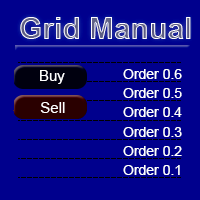
"Grid Manual"은 주문 그리드 작업을 위한 거래 패널입니다. 이 유틸리티는 보편적이며 유연한 설정과 직관적인 인터페이스를 제공합니다. 그것은 손실을 평균화하는 방향뿐만 아니라 이익을 증가시키는 방향으로 주문 그리드와 함께 작동합니다. 거래자는 주문 그리드를 만들고 유지할 필요가 없으며 유틸리티에서 수행합니다. 거래자가 주문을 시작하는 것으로 충분하며 "Grid Manual"는 자동으로 그를 위한 주문 그리드를 생성하고 거래가 마감될 때까지 그와 동행할 것입니다. 전체 설명 및 데모 버전 여기 . 유틸리티의 주요 기능: 모바일 터미널을 포함하여 어떤 방식으로든 열린 주문과 함께 작동합니다. "제한" 및 "중지"의 두 가지 유형의 그리드와 함께 작동합니다. 고정 및 동적(ATR 표시기 기반)의 두 가지 유형의 그리드 간격 계산과 함께 작동합니다. 오픈 오더 그리드의 설정을 변경할 수 있습니다. 차트에서 각 주문 그리드의 손익분기점 수준을 표시합니다. 각 주문 그리드에 대한 이익
Quant AI Agents
Ho Tuan Thang
5 (1)
Quant AI Agents are independent trading Expert Advisors. Instead of trading using a fixed strategy like other conventional EAs, Quant AI Agents   is a   multi-agent AI trading framework   that turns natural-language strategy prompts into live.  WANT THE SAME RESULTS AS MY LIVE SIGNAL?   Use the exact same brokers I do:   IC MARKETS , IC TRADING   .  Unlike the centralized stock market, Forex has no single, unified price feed.  Every broker sources liquidity from different providers, creating un
EasyInsight AIO MT5
Alain Verleyen
4.92 (12)
EASY Insight AIO – 스마트하고 손쉬운 트레이딩을 위한 올인원 솔루션 개요 외환, 금, 암호화폐, 지수, 심지어 주식까지 — 전 시장을 몇 초 만에, 수동 차트 확인이나 복잡한 설치, 인디케이터 설정 없이 스캔할 수 있다고 상상해 보세요. EASY Insight AIO 는 AI 기반 트레이딩을 위한 궁극의 플러그 앤 플레이(Plug & Play) 데이터 내보내기 도구입니다. 단 하나의 깔끔한 CSV 파일로 전체 시장 스냅샷을 제공하며, ChatGPT, Claude, Gemini, Perplexity 등 다양한 AI 플랫폼에서 즉시 분석할 수 있습니다. 창 전환, 복잡함, 차트 오버레이는 더 이상 필요 없습니다. 자동으로 내보내지는 순수하고 구조화된 데이터 인사이트만으로, 반복적인 차트 감시 대신 데이터 기반의 스마트한 의사결정에 집중할 수 있습니다. 왜 EASY Insight AIO인가요? 진정한 올인원 • 별도의 설정, 인디케이터 설치, 차트 오버레이가 필요 없습
YuClusters
Yury Kulikov
4.93 (43)
Attention: You can view the program operation in the free version  YuClusters DEMO .  YuClusters is a professional market analysis system. The trader has unique opportunities to analyze the flow of orders, trade volumes, price movements using various charts, profiles, indicators, and graphical objects. YuClusters operates on data based on Time&Sales or ticks information, depending on what is available in the quotes of a financial instrument. YuClusters allows you to build graphs by combining da
EA Portfolio Control & Cloud Monitoring for MetaTrader 5 Your EAs manage trades. KONTROL_01 manages your EAs. A control system for traders running multiple Expert Advisors on the same account. Coordinate EA activity, manage trading risks and monitor your setup remotely. A detailed User Manual is available via DM after purchase. IN PRACTICE Multiple EAs. No coordination. Your EAs trade independently, unaware of each other's activity. KONTROL_01 coordinates them, limits simultaneous activity a
MT5 Trading Deck
Manuel Michiels
5 (2)
One button. One trade. MT5 Trading Deck is a hotkey trading panel for MetaTrader 5 that turns the platform into a keyboard-driven execution cockpit. Stop loss, take profit and lot size are pre-calculated for every key; the moment you press, a market order is live on the broker. A complete technical user manual is attached in the product Comments section. It documents every input parameter, the full hotkey map, the recommended Stream Deck XL layout, and the advanced workflows for Pre-Limit orders
Premium Trade Manager - 코치가 내장된 트레이딩 패널 Premium Trade Manager 는 차트 안에 트레이딩 코치를 심어놓은 도구입니다. 주문을 확정하기 전에, AI 트레이딩 코치 Max가 설정된 거래를 직접 읽고 명확한 판단을 내려줍니다. 스톱이 규율 있는 접근 방식에 맞는지, 리스크 크기가 합리적인지, 고영향 뉴스 이벤트가 몇 분 후에 있는지, 프롭 펌 한도에 근접했는지. 그 아래에는 완전한 실행 엔진이 있습니다. 원클릭 리스크 기반 진입, 차트에서 드래그로 세우고 거래가 진행되는 동안에도 계속 움직일 수 있는 플랜, 최대 4단계 분할 익절, 7가지 트레일링 방식, 실시간 프롭 펌 컴플라이언스, 뉴스 가드, 그리고 자체 비용을 평가하는 스프레드까지. 결정은 당신이 내립니다. Max가 두 번째 시선으로 확인합니다. 패널이 그 이후의 모든 것을 처리합니다. 구매 전에 직접 체험해 보세요. 브라우저에서 라이브 패널을 직접 클릭해볼 수 있습니다. 구매 전에 실제
Prop Guardian Risk Manager MT5 – Drawdown, Risk & Hedge Protection for Prop Firm and Managed Accounts Prop Guardian Risk Manager is a professional risk-control utility for MetaTrader 5, designed for prop firm traders, money managers and anyone who wants strict account-level risk protection. It does not generate trading signals, strategy entries or trading decisions. Instead, it runs in the background, monitors your account risk and can automatically block new exposure, close managed positions or
EA Auditor
Stephen J Martret
5 (7)
EA Auditor is an independent analysis tool for traders evaluating Expert Advisors and trading signals on MetaTrader 5. It audits backtest reports, reviews posted developer signals, and cross-verifies the two against each other to help traders assess strategies before committing capital. The MQL5 market offers a wide range of Expert Advisors from many developers, with varying approaches, quality, and transparency. EA Auditor provides a consistent, data-driven framework for reviewing them, answer
필터:
리뷰 없음
리뷰 답변