Risk Trade Panel MT5
- Yardımcı programlar
- Sürüm: 1.2
- Güncellendi: 5 Kasım 2026
- Etkinleştirmeler: 20

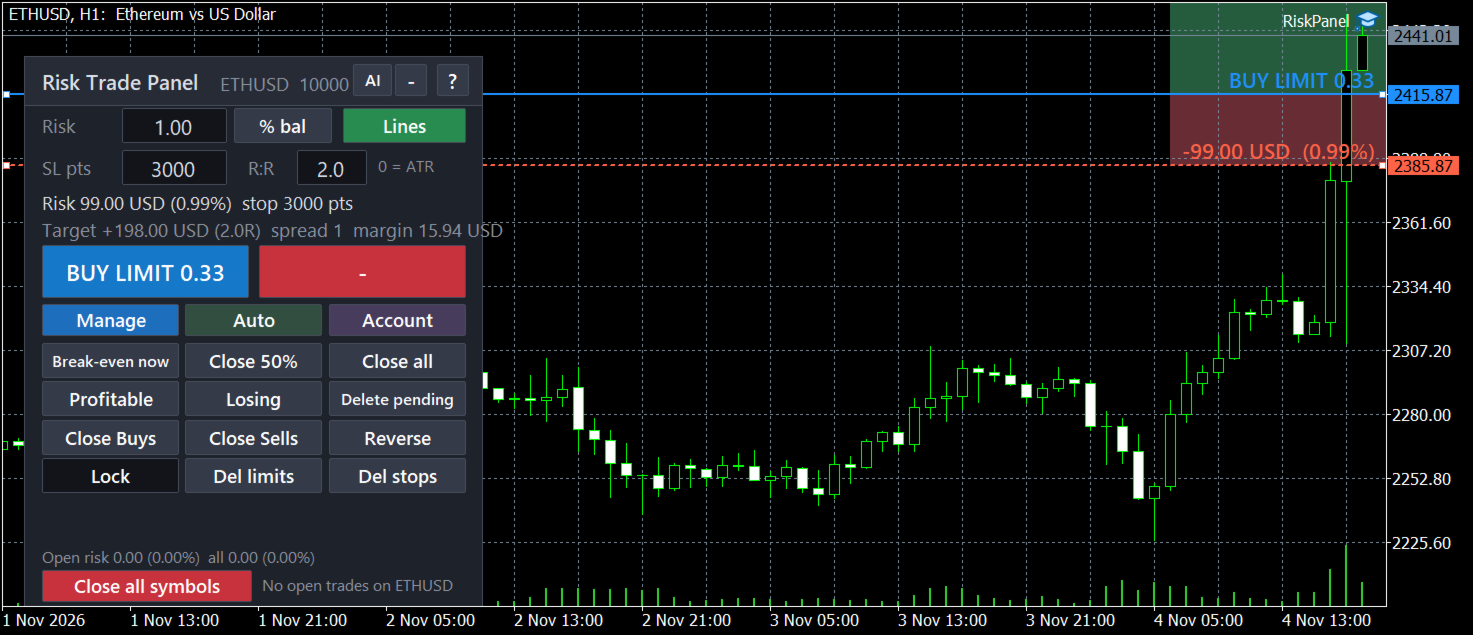
Set the risk, drag the lines, click. The panel sizes the lot and manages the trade.
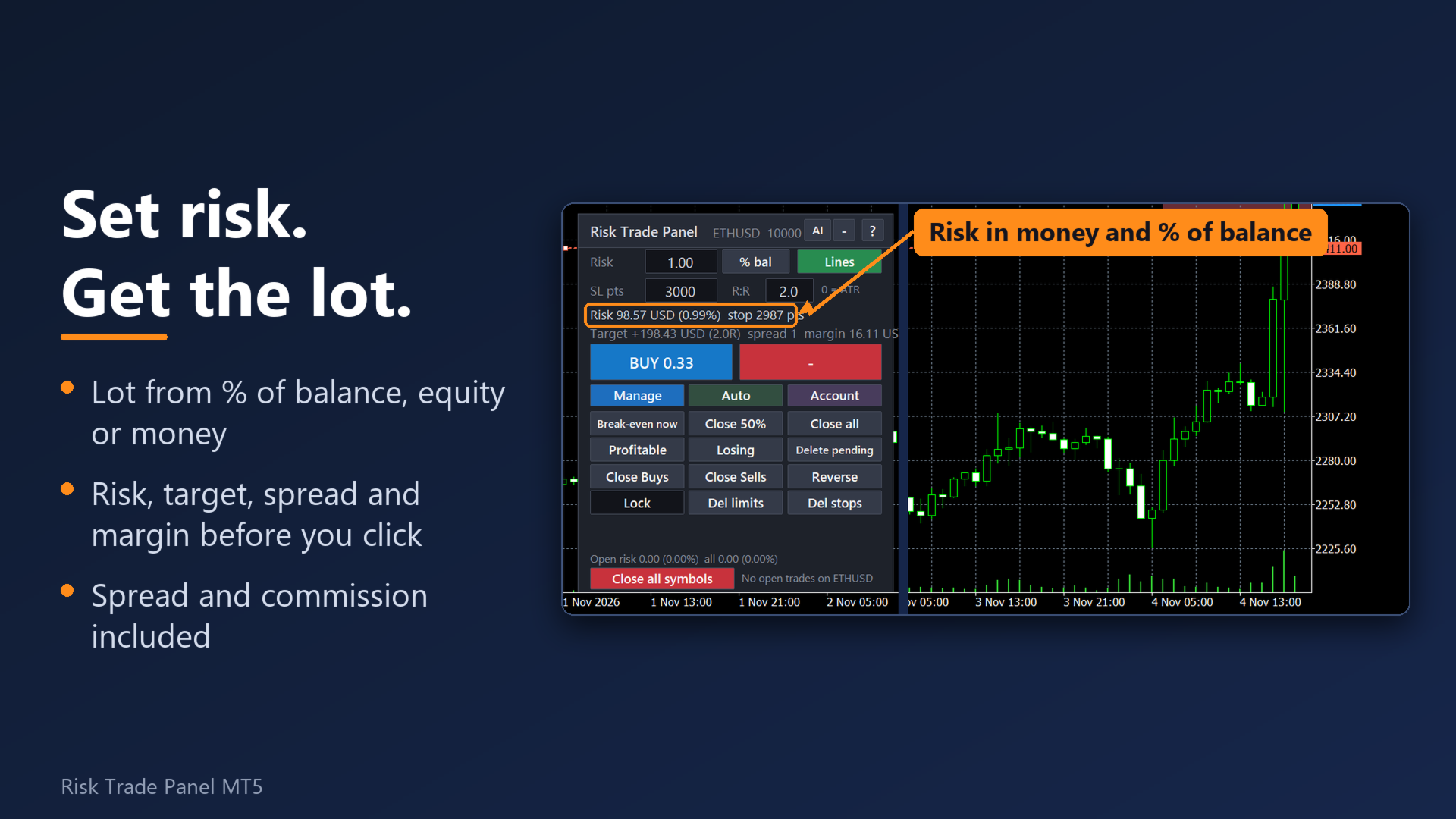
Risk is entered as % of balance, % of equity, a fixed amount or % of the day / week / month start balance. Before you send the order the panel shows the lot and the money at the stop and at the target, with spread and commission included.
Why traders pick this panel
- The lot is right on every symbol. Forex, gold, silver, indices, crypto and stocks: the lot comes from the symbol's own contract data, spread and commission are included. If the broker's tick value looks inconsistent, the panel says so instead of quietly sending a wrong lot.
- Nothing is forgotten after a restart. Break-even, partials, hidden levels, virtual orders, the daily counters and the drawdown peak are saved to files and restored after a restart of the terminal, VPS or PC.
- One click = one order. A double-click guard and a check of open positions before each send. Optional two-click confirmation on BUY / SELL; no modal window that could freeze trade management on a VPS.
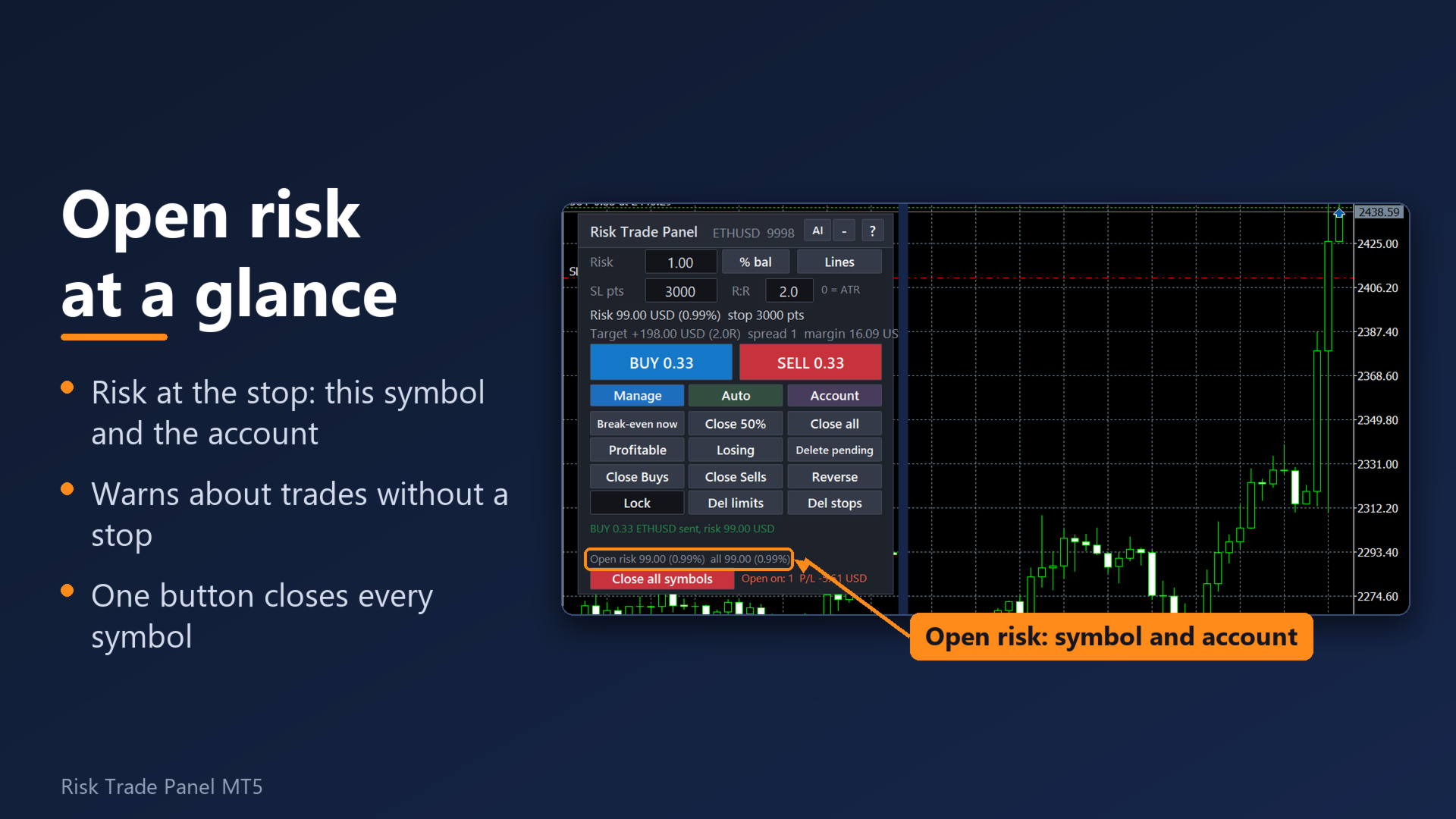
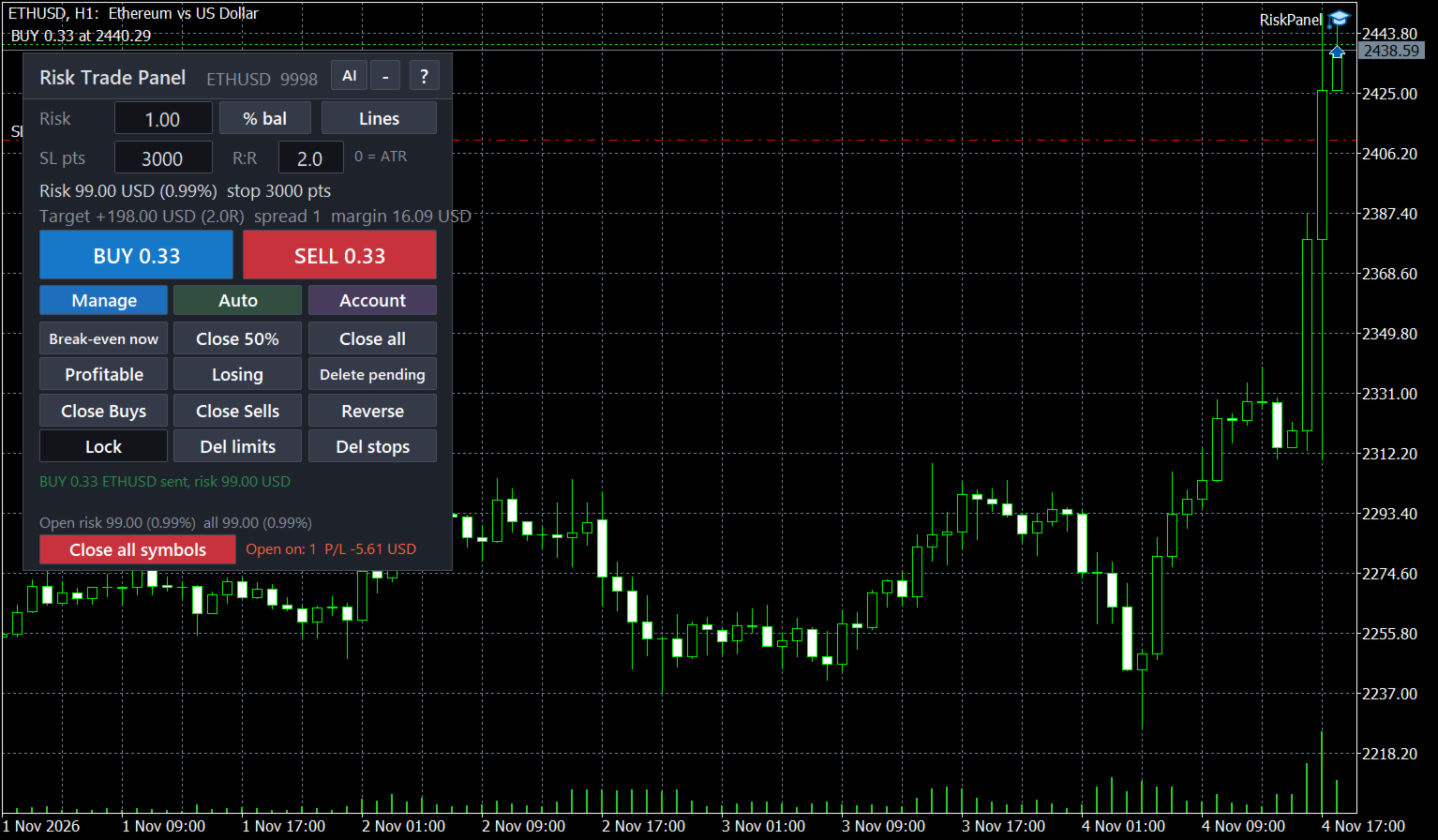
- Your real exposure on one line. The open-risk strip shows the money at risk for the symbol and the whole account, net of hedges, and flags positions without a stop.
- Guards a prop-firm style account. Daily loss limit, daily profit target, trailing drawdown from the equity peak, losing-streak stop, trade count limits, equity floor and news pause. Each one is your own setting.
- Clear about errors. 16 common broker errors are explained in plain words with what to do next ("the market is closed now", "AutoTrading is off: press the Algo Trading button"), in 8 languages.
Risk and entry
- 7 risk modes: % of balance, % of equity, money, % of the start-of-day balance, % of free margin, % of the start-of-week or start-of-month balance. One button cycles them.
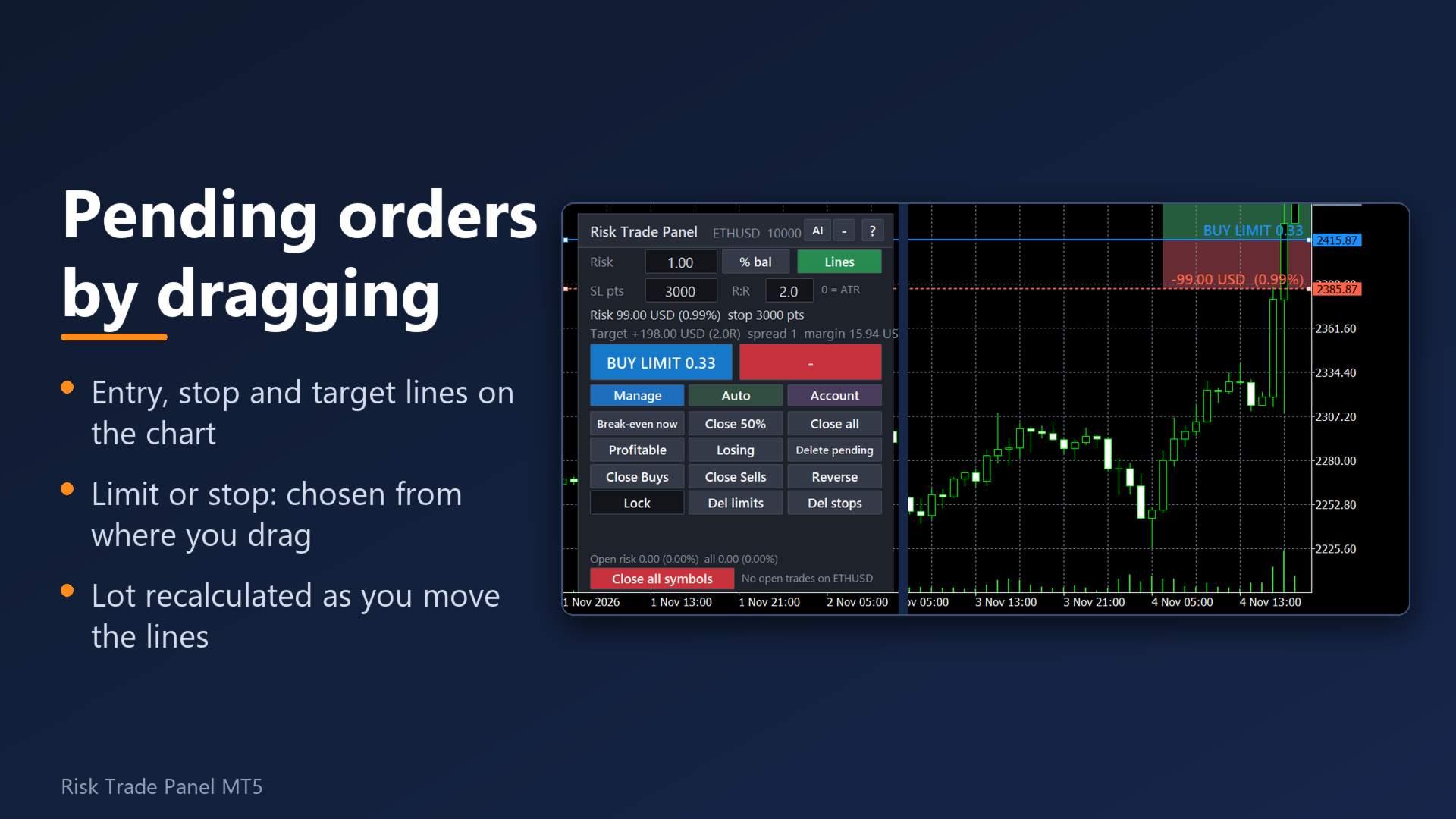
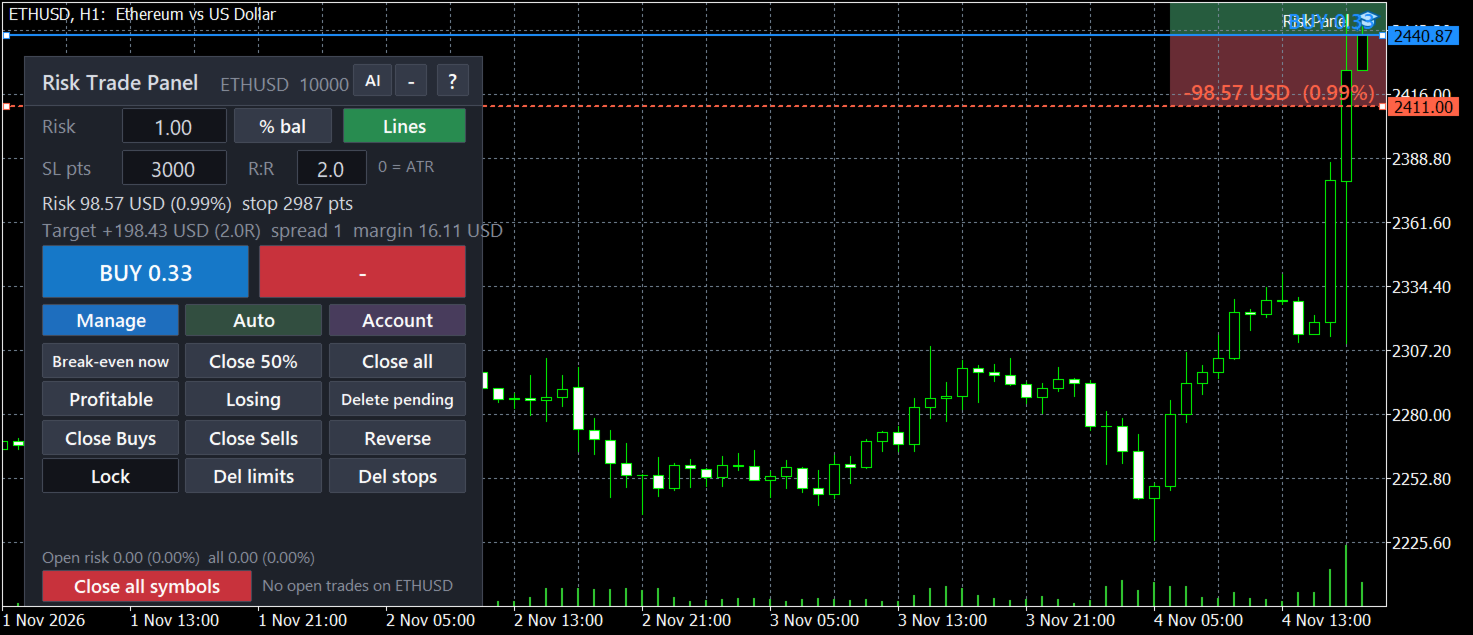
- Entry, stop and target lines on the chart with the money printed next to each. Entry away from the price becomes a pending order (limit or stop picked automatically). Optional stop-limit orders for breakouts.
- Stop in points, by ATR or from the last N candles; take profit as an R multiple.
- Commission is learned from your last closed trade on the symbol or typed in. Margin and stop level are checked before sending.
- High-risk question: a trade that risks more than 2% of balance (1% in the prop profile) needs a second click. It catches a typo in the risk box and a minimum lot that is bigger than your risk.
- Maximum lot per order (option). A lot above the broker's maximum can be sent as several orders instead of being cut.
- Split one order into up to 10 parts with one total risk (hedging accounts): targets as a ladder, or a grid of pending orders further from the price.
- Presets: save and load the main panel settings by name.
Trade management
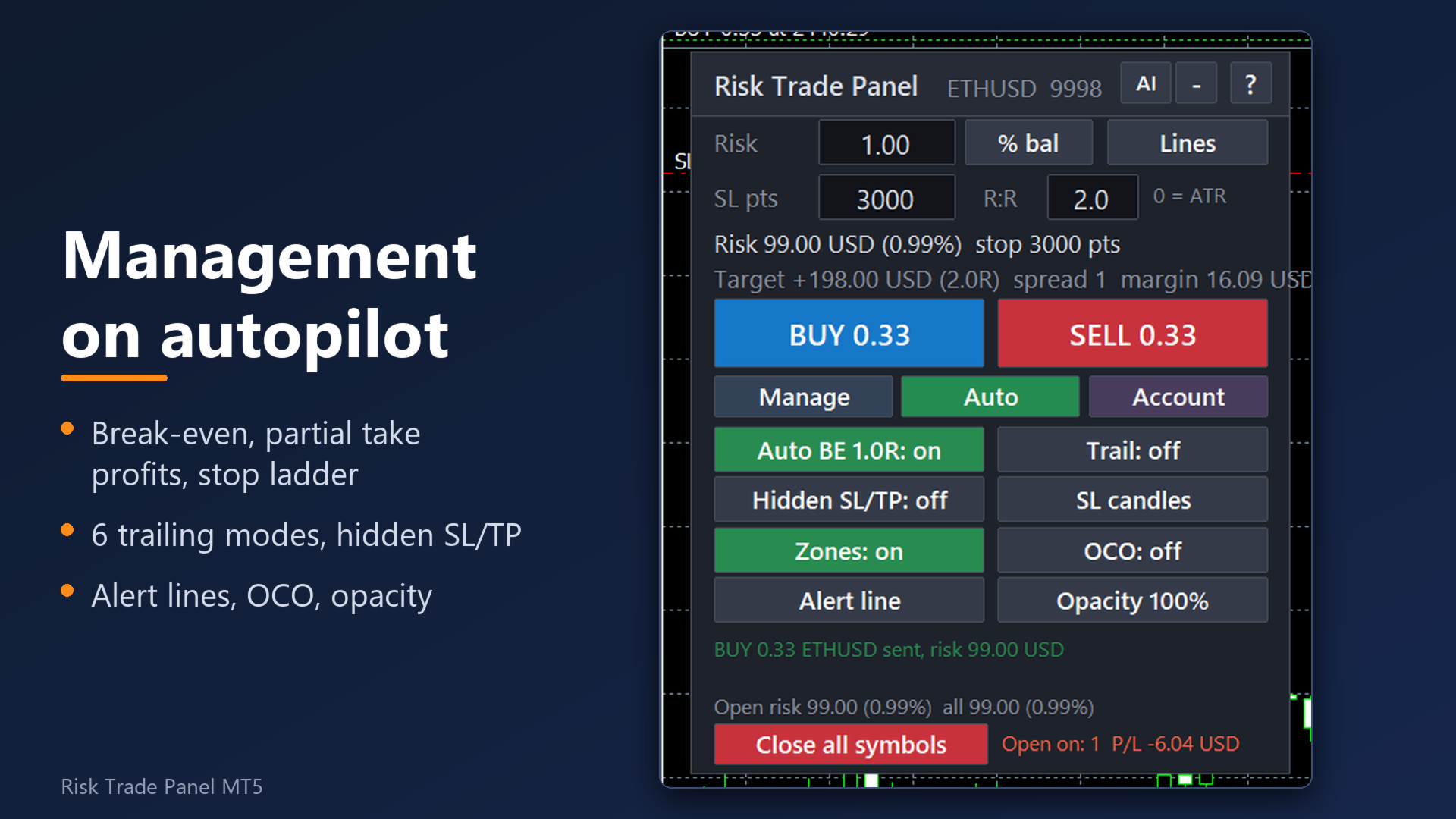
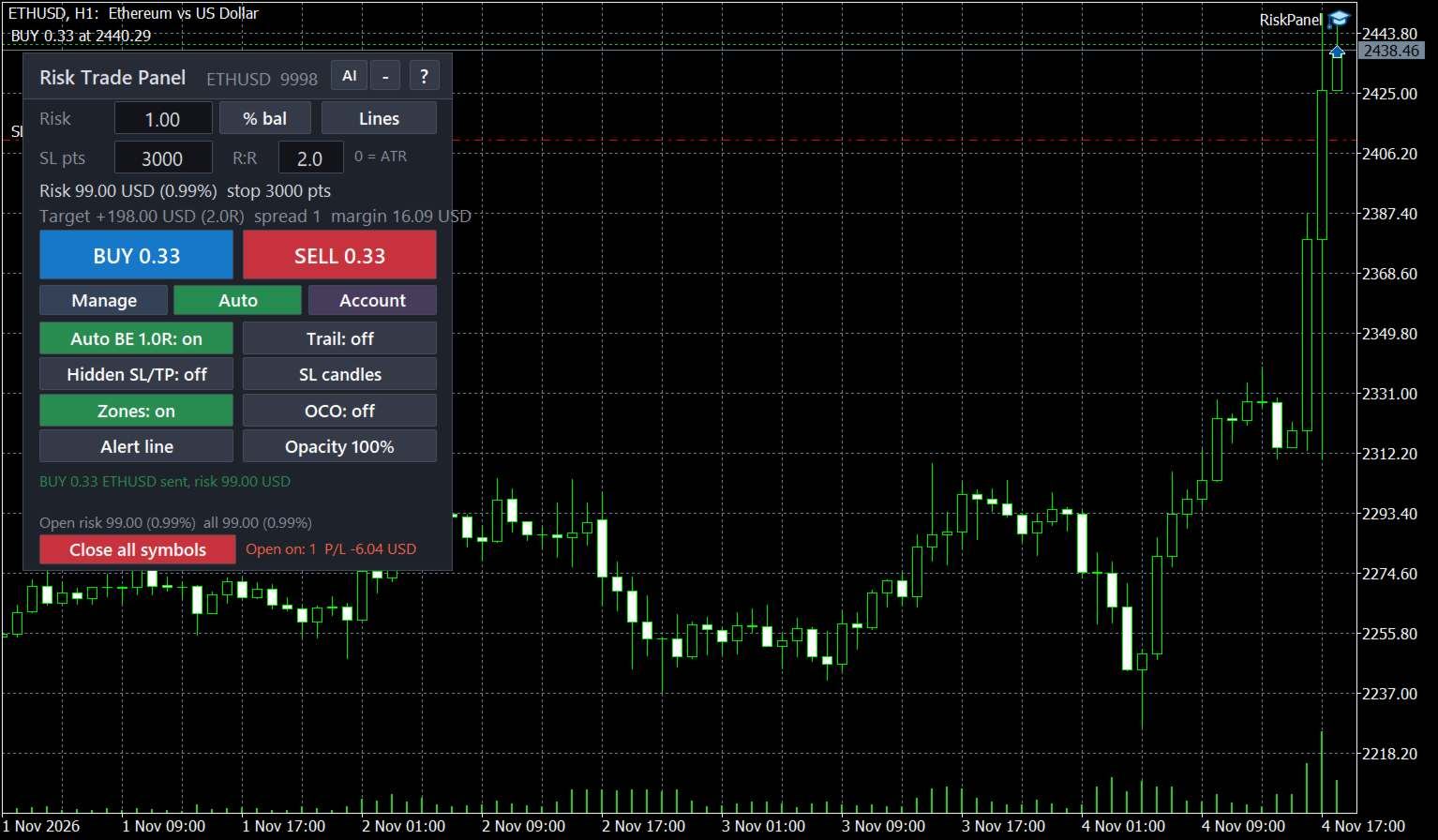
- Break-even at a chosen R with commission covered, plus a "Break-even now" button.
- Profit lock steps, e.g. "1:0, 2:1, 3:2": at +1R the stop goes to break-even, at +2R it locks +1R, and so on (up to 8 steps, the stop only tightens).
- Up to 3 partial closes at chosen R levels; stop ladder after each partial (on by default); if a gap takes the price past the ladder level, the stop is pulled as close to the price as the broker allows. Works on hedging and netting accounts.
- Partial close on loss: at a set fraction of R the panel closes a part of the trade and keeps the original stop for the rest.
- Trailing stop in 6 modes: points, ATR, previous bar, moving average, Parabolic SAR, fractals. Trailing by partial close: every N R of profit close a % of what is left.
- Hidden stop and target kept by the panel, with a real emergency stop at the server 1R further (on by default, re-placed if removed; 0 = none).
- Virtual pending orders: in hidden mode the broker sees no pending order; at the price the panel enters at market with your stop, target and plan.
- Trades opened by hand or from the MT5 mobile app get a stop automatically; their volume can be cut to your risk. Other robots' trades only if you list their magic numbers.
- 12 one-click actions: close all / buys / sells / profitable / losing / half, delete all / limit / stop pending orders, reverse, lock (hedge), break-even.
- OCO pairs, pending order trailing toward the price, pending order expiry done by the panel (works with brokers that have no expiry).
Account guard
- Daily loss limit and daily profit target (money or % of the start-of-day balance): after either one the panel refuses new orders until the next day. The counter survives a restart.
- Maximum trailing drawdown of equity from its peak (%), losing-streak limit for the day, max new trades per day, max open trades (positions + pending).
- Optional: close everything when the loss or drawdown limit is hit. Equity floor. Cap on the open risk of the whole account.
- News pause: no new orders N minutes before and after a calendar event of the symbol's currencies (built-in MT5 economic calendar, no web setup).
- Trading window, close-all and delete-pending times once a day (server time).
- "Close all symbols" button with a two-click confirmation.
- Normal / Prop button on the Account tab: the prop profile turns on a 4.5% daily loss limit and a 9% drawdown stop unless you set your own. Check your firm's own rules: the limits are yours to set.
Warnings before the trap
- Stop closer than N current or N average spreads.
- Session close within N minutes, and the rollover window around midnight (or your own window).
- Warn only by default; optionally refuse new orders in these windows.
Notifications and remote control
- Phone push through MetaTrader's MetaQuotes ID and e-mail through the terminal's e-mail settings: orders sent, closed trades with the result, panel warnings. No web setup.
- Alert lines: drag a line on the chart, get a pop-up, sound, push or Telegram message when the price crosses it.
- Telegram (optional, your own bot): the same messages, plus commands from your private chat if you switch them on: /status, /stats, /help, and trade commands /buy, /sell, /be, /half, /close, /flat. Trade commands are off by default and use the symbol panel's own risk settings and limits.
AI assistant (optional, your own key)
- An "AI" button sends this chart (last 80 bars, daily closes, spread, ATR and your plan) or your journal (last 90 days of closed trades and the balance) to the AI provider you choose, with your own API key, and shows the answer in the panel language. Supported: OpenAI, Claude, DeepSeek, Grok, OpenRouter.
- The assistant never places or changes a trade. Its view of the chart is an opinion, not investment advice and not a signal; you decide.
- Local statistics by panel, manual trades and each robot (trades, win rate, net, profit factor, max drawdown) need no AI and nothing leaves your PC.
Interface
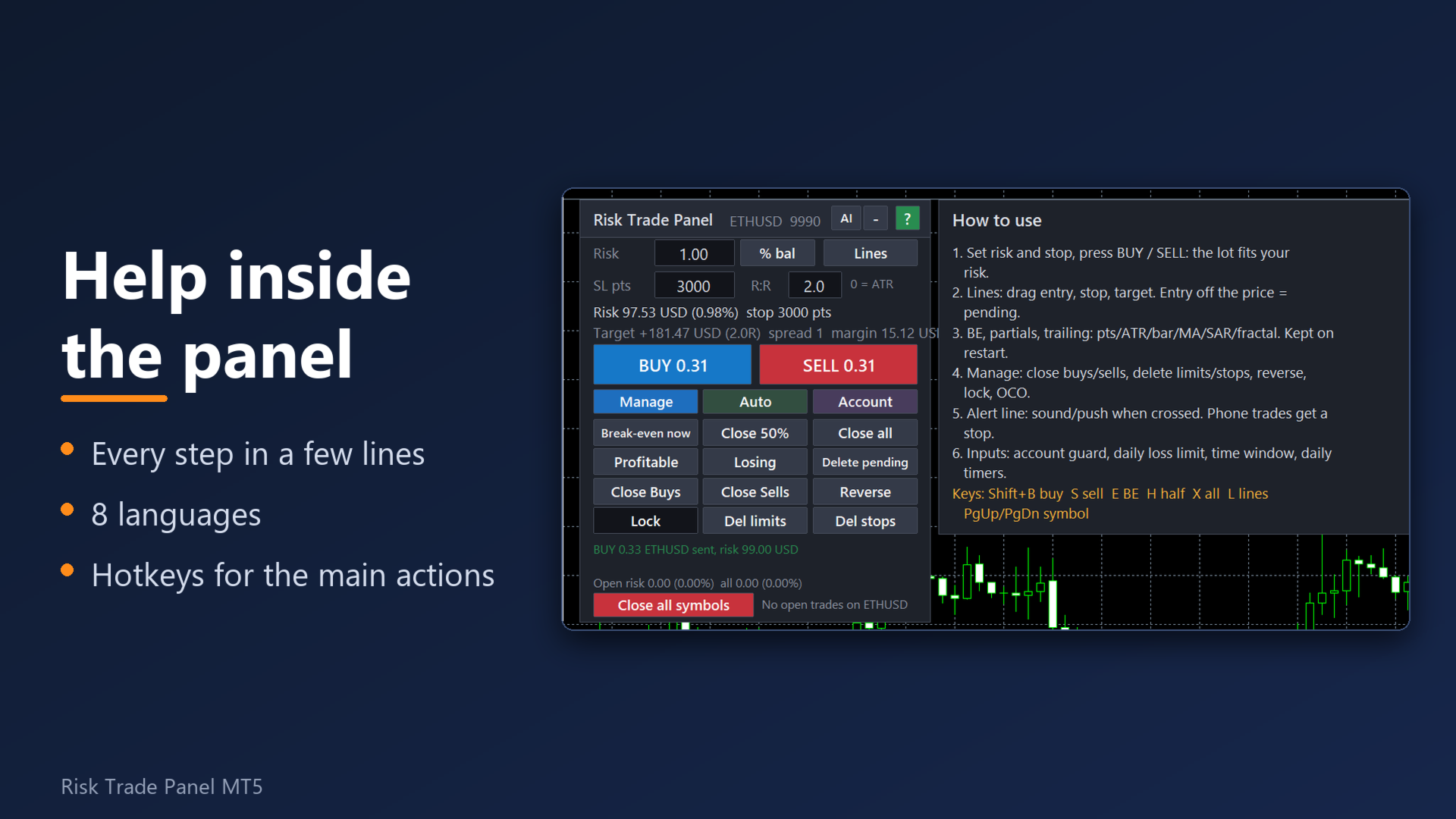
- 8 languages: English, Russian, Spanish, Portuguese, German, French, Turkish, Indonesian (terminal language or your choice). Built-in short manual ("?"), every input has a description.
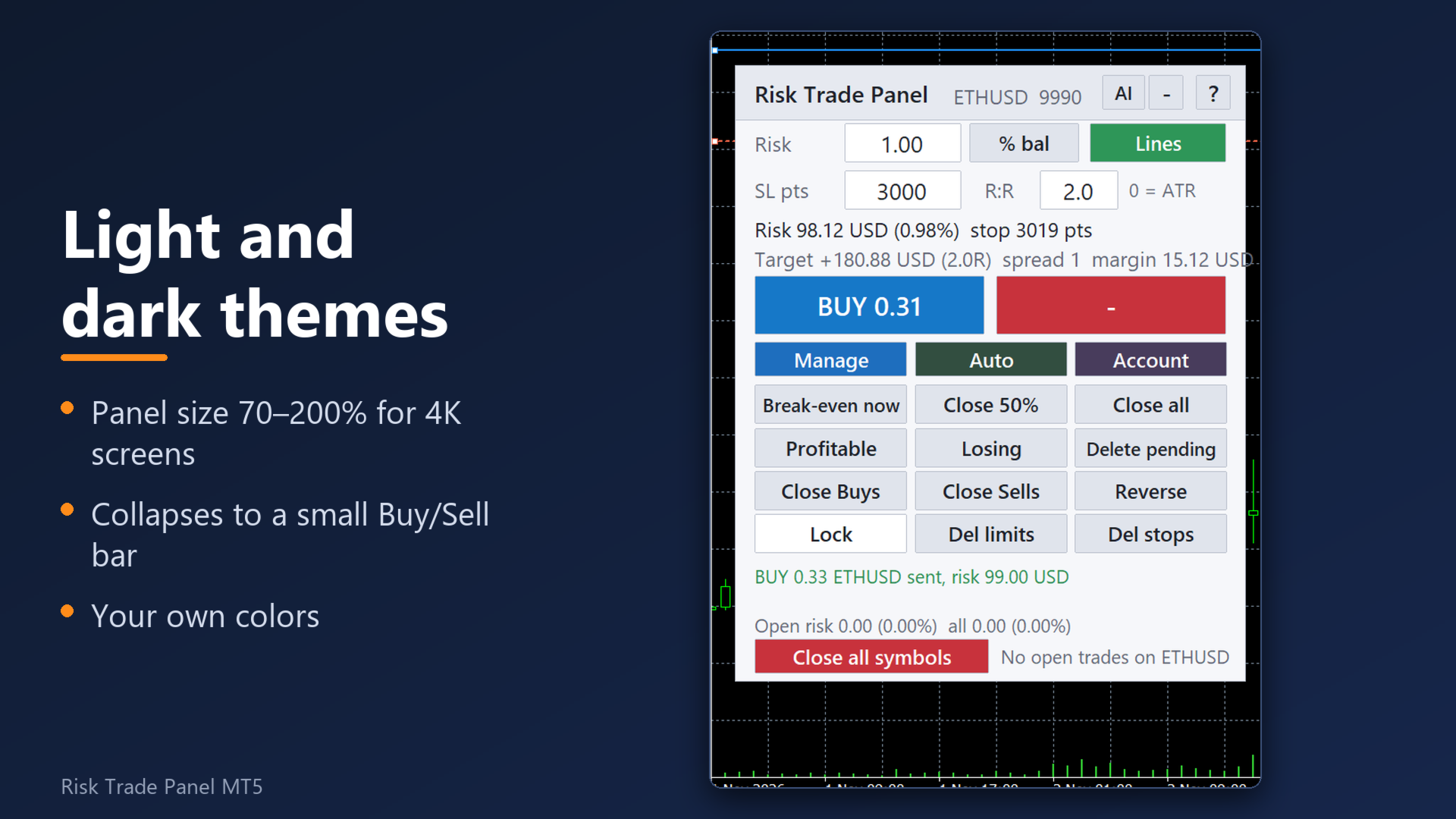
- Three tabs under BUY / SELL: Manage, Auto, Account. About 316 px high at 100%, fits a chart with the Toolbox open; size 70–200% for large screens.
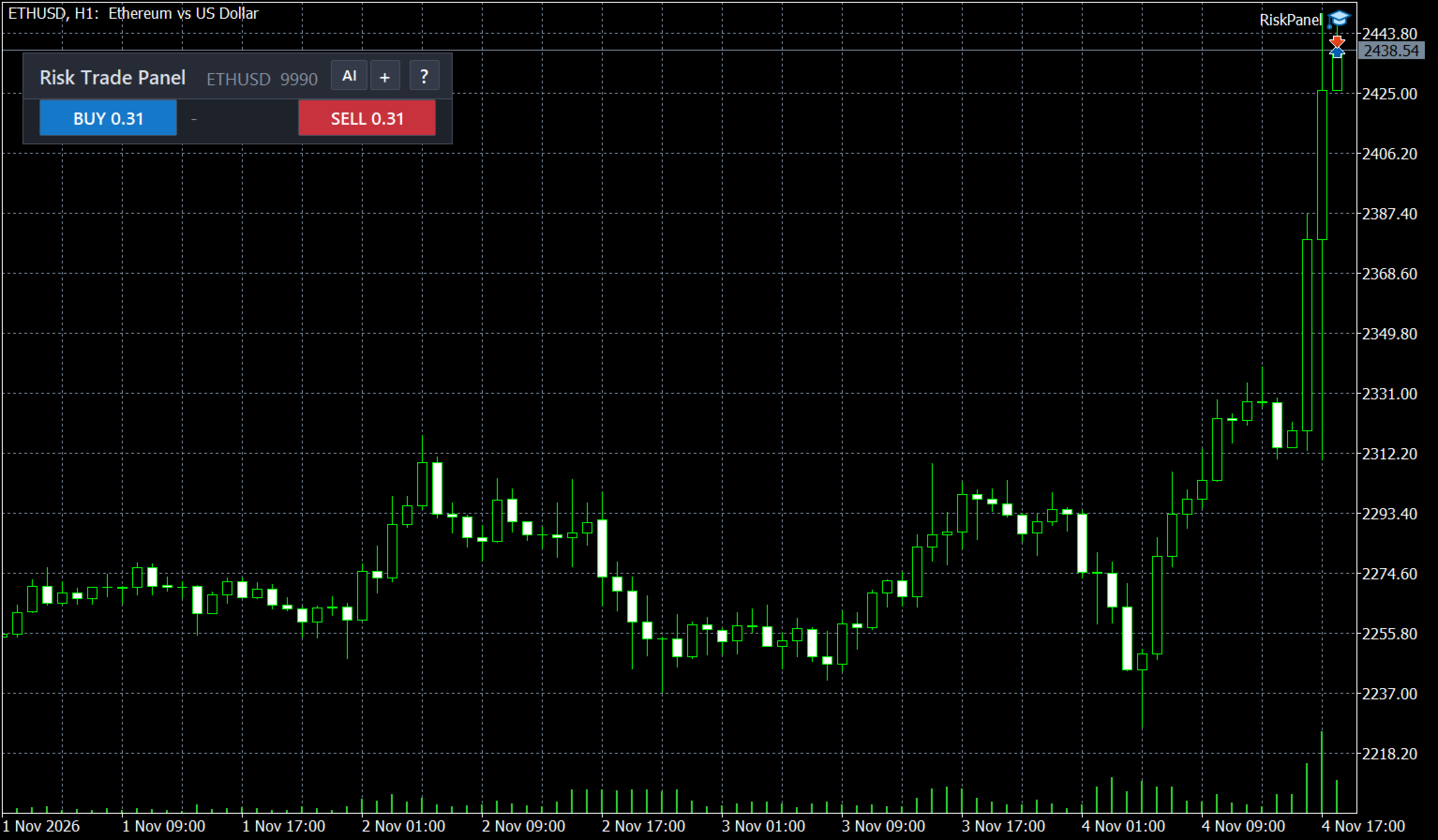
- Light or dark theme, 16 colour settings, opacity 30–100% with optional fade when the mouse is away. Collapse to a small bar with BUY, SELL and the floating P/L.
- 31 hotkey actions (8 set by default: Shift+B buy, Shift+S sell, Shift+E break-even, Shift+H close half, Shift+X close all, Shift+L lines, Shift+PgUp / PgDn symbol), all re-assignable.
- Week and month statistics on the Account tab: net result after costs, closed trades, win rate, profit factor.
- Works in the visual Strategy Tester: buttons and hotkeys are active there.
Reliability
- State and panel values are written to files per account and symbol and read back after a restart, an update or a VPS migration of the chart.
- Light on the CPU: the panel redraws only when a value changes. Measured: the whole terminal with the panel and another EA used under 2% of one CPU core.
- An automated self-test runs in the Strategy Tester before each release: risk at the stop, partial volumes, break-even, trailing, schedule, no duplicate orders, on BTC, gold, silver, EURUSD, USDJPY, an S&P 500 CFD and a stock (AAPL). PASS or FAIL.
- No DLL. No login of its own and no licence check of its own: activations are counted by the Market.
Start in 3 steps
1. Drag the panel onto a chart and allow algo trading (the toolbar button and "Allow Algo Trading" in the panel's properties).
2. Set the risk and the stop (or keep the ATR default). Drag the entry, stop and target lines if you want.
3. Press BUY or SELL. Break-even, the first partial (50% at 1R) and your other rules run by themselves. "?" opens the short manual.
FAQ
What is switched on by default?
Auto break-even at 1R, the first partial close (50% at 1R), the stop ladder, spread and gap warnings, the open-risk strip, and adoption of manual trades (a stop by ATR is added to a manual trade without one). Everything else, including Telegram, AI, flatten, equity floor and the news pause, is off until you turn it on.
Does it open trades by itself?
No. An order is sent only when you click BUY / SELL, press the buy / sell hotkey, when the price reaches a virtual pending order you placed, or when you send /buy or /sell from your own Telegram chat after turning trade commands on.
Which trades does it touch?
By default its own trades and your manual or mobile trades. Other robots' trades are touched only if you list their magic numbers. Manual trades can be excluded with one setting.
What has to be allowed in Tools > Options > Expert Advisors > WebRequest?
Nothing for the panel itself, phone push, e-mail or the news pause. For Telegram: api.telegram.org. For the AI: only the host of the provider you chose (api.openai.com, api.anthropic.com, api.deepseek.com, api.x.ai or openrouter.ai). Keep your bot token and API key private: do not share screenshots of the inputs.
Does the AI cost money?
The AI provider bills your own API key for each request. The panel adds no fee. While a request is running (up to 60 seconds) the panel waits, so AI requests are refused while hidden stops or virtual orders are active.
Do Telegram, AI and the news pause work in the Strategy Tester demo?
No, they need the live terminal. Everything else can be tried in the tester.
How does the licence work?
The product has the maximum of 20 activations the Market allows, so a reinstall, a new PC or a VPS needs no support request.
The panel is blank or gone (VPS, after a pause).
All elements are rebuilt on every start, timeframe change and reconnect, and the saved state is read from files. Check that algo trading is allowed and that the panel is listed in the top-right corner of the chart. Only one panel can run per symbol: a second one on the same symbol explains this and stops.
Does it run on Mac?
MT5 on Mac runs through a compatibility layer from the broker or MetaQuotes. The panel uses only standard terminal functions and no DLL. Please try the free Strategy Tester demo first.
Is the lot exact? What about slippage?
The lot is sized so that the stop costs about your risk, spread and commission included. The fill price and the price at which a stop executes belong to the broker: slippage and gaps can make a loss larger than planned. Warnings and the open-risk strip are information, not a guarantee. Check your settings on a demo account first.
Inputs (groups)
Risk: risk mode (7), risk per trade, stop in points / ATR multiple, take profit in R, commission per lot (-1 = learn), allow minimum lot, maximum lot, split above broker maximum, max spread, high-risk threshold.
Management: auto break-even (R, extra points), profit lock steps, trailing mode, distance, start, step and indicator settings, trailing by partial close, partials 1-3, partial close on loss, stop ladder, hidden stop and target, emergency stop (R), virtual pending orders, stop-limit offset, pending order trailing and expiry.
Manual trades and robots: manage manual trades (this chart / all symbols), stop and target for trades without one, cut volume to risk, delete manual pending orders too, other robots' magic numbers.
Account guard: close at floating profit / loss, daily loss limit, daily profit target, max drawdown from the peak, losing streak, trades per day, open trades, close everything on limit, equity floor, open-risk cap, account profile, spread added to sell stops.
Spread, gaps, news, schedule: stop vs current / average spread, warning before session close, rollover window, refuse orders in gap windows, news pause (minutes, high impact only), trading window, close-all time, delete-pending time, OCO.
Notifications: alert-line pop-up / sound / push, phone push, e-mail, trade sound, Telegram bot token and chat id, Telegram commands, Telegram trade commands.
AI assistant: provider, API key, model, your own tasks for chart and journal review, extra rules for every answer.
Hotkeys: 31 actions, risk step for the risk keys.
Look: language, theme, size, position, opacity, fade, 16 colours, hide the terminal's own trade lines, zones on the chart.
Other: magic number, order comment, max slippage, file command interface (automation).
Trading involves risk. The panel is a tool for sizing and managing orders; it does not predict the market and does not promise any result.