Auto Risk Order Manager
- 유틸리티
-
Xuan Phuong Tran
 ### 👤 About Me — Algorithmic Trader & Quantitative MQL Developer
Welcome to my profile! I am a professional financial market software developer specializing in automated algorithmic systems, custom indicators, and quantitative tools for MetaTrader 4 and MetaTrader 5 (MQL4 / MQL5). - 버전: 3.0
- 활성화: 5
Are you tired of hesitating when entering trades? Do you lack the time to constantly monitor open positions? Or do you simply want to trade like a seasoned professional without staring at charts 24/7?
**Auto Risk Order Manager (AROM)** is your ultimate chart-side assistant designed to eliminate manual calculation stress, streamline entry execution, and protect your profits automatically.
---
### 🌟 Key Features
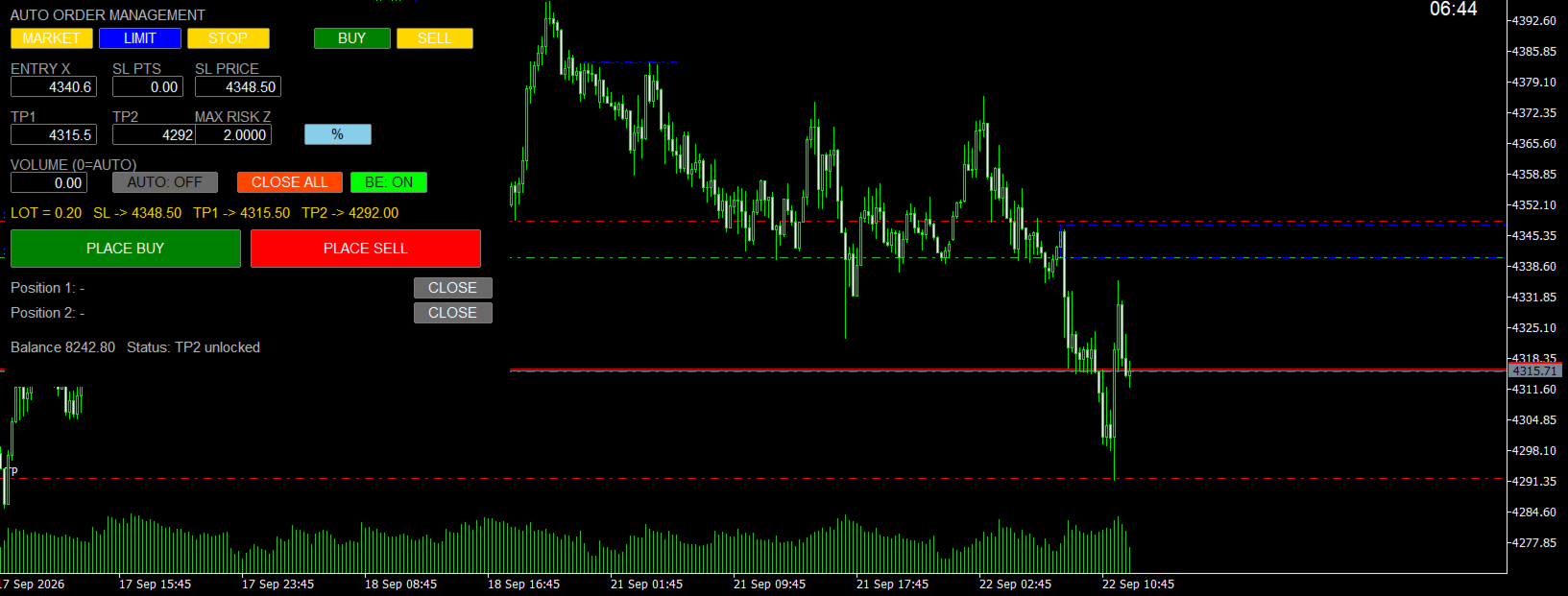
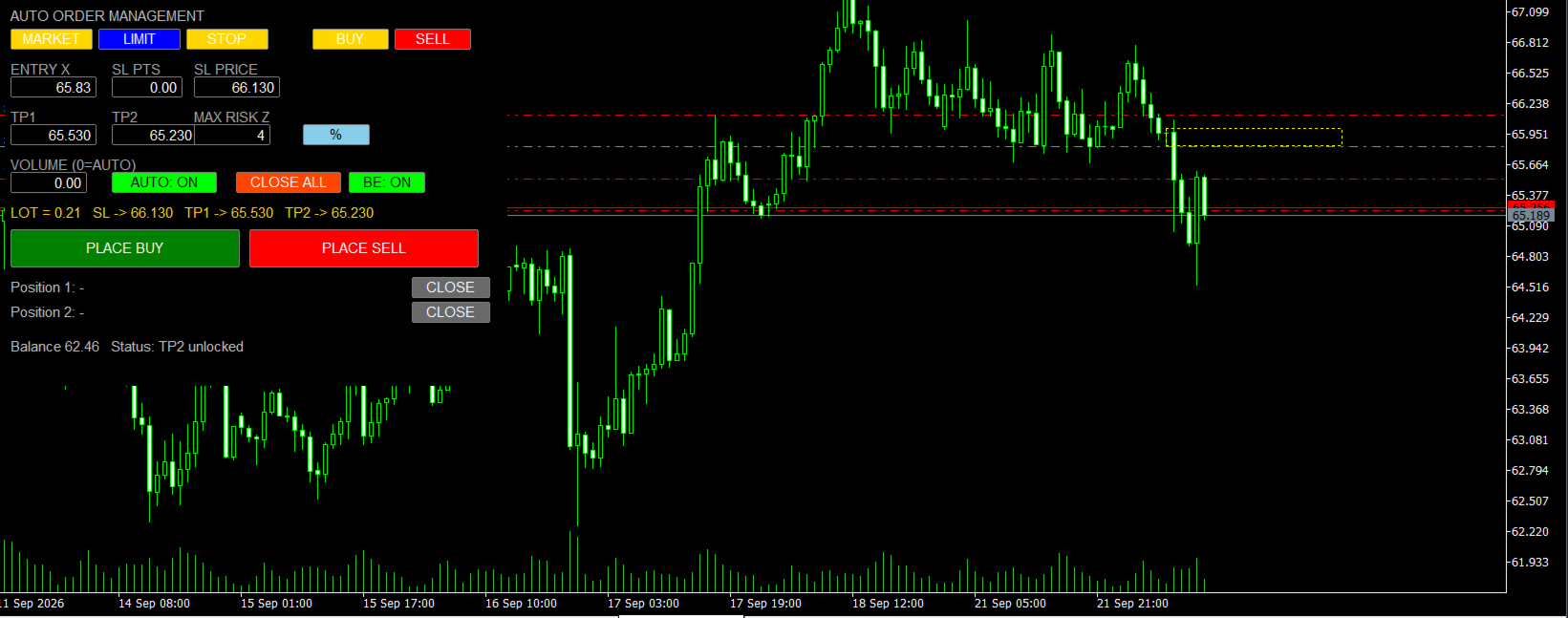
- **Instant Risk-Based Lot Calculation:** Forget manual lot sizing. Type your risk (% of Equity or fixed USD) and Stop Loss—AROM instantly calculates the exact lot size before you enter.
- **Auto Partial Close at TP1 (50%):** Automatically locks in partial profits when price hits your first target.
- **Smart Break-Even (BE):** Automatically moves Stop Loss to Entry once TP1 is achieved, leaving the remaining position 100% risk-free.
- **1-Click Execution:** Place Market, Limit, or Stop orders instantly with custom SL/TP presets directly from your chart.
- **Auto R:R Ratio Calculator:** Automatically computes TP1 and TP2 based on your preferred Risk/Reward ratios (R1 / R2).
- **Fast Exit Controls:** Dedicated one-click CLOSE buttons for single positions or CLOSE ALL for full emergency exit.
- **Prop Firm Friendly:** Ideal for traders aiming to pass evaluation challenges with strict risk control.
---
### 📘 How to Use in 3 Simple Steps
1. **Attach to Chart:** Drag **Auto Risk Order Manager** onto any chart and ensure **Algo Trading** is enabled in your terminal.
2. **Set Your Parameters:** Input your planned Entry Price, Stop Loss (Points or Price), and Max Risk Z (press **ENTER** after changing any box).
3. **Click Place Order:** Hit **PLACE BUY** or **PLACE SELL** and let AROM automatically manage your TP1, TP2, and Break-Even!
---
### ❓ Frequently Asked Questions (Q&A)
**Q: Does it work on all symbols?**
Yes! AROM dynamically reads digits, contract sizes, tick values, and broker stop levels across Forex, Gold, Crypto, Indices, and Stocks.
**Q: Why is the TP2 box dark red / locked?**
This is an automatic safety lock. It indicates that your current lot size is too small to split between TP1 and TP2 based on your broker's minimum volume. The order will run as a single trade to TP2 and unlock automatically when lot size permits.
**Q: Does it support both Hedging and Netting accounts?**
Yes, AROM auto-detects account types and handles order splitting (Hedging) or partial closures (Netting) seamlessly.
---
⚠️ *Note: Always press ENTER on your keyboard after editing input values on the panel. Test on a demo account first to familiarize yourself with execution.*