Prop Firm Shield News Guard
-
유틸리티
-
-
버전:
3.10
-
업데이트됨:
18 9월 2026
-
활성화:
5
Prop Firm Shield is an account-level risk lock for MetaTrader 5.
It does not generate signals. It does not size lots. It does not promise you will pass a challenge. It measures live equity against the rules you configured and, at a buffer you choose, it closes, blocks and logs.
Not affiliated with FTMO, FundedNext, FundingPips, The5ers, E8 or any other proprietary trading firm. Built-in presets are snapshots of public rules (verified 2026-09-17). Always confirm the live program before an evaluation.
WHAT IT DOES
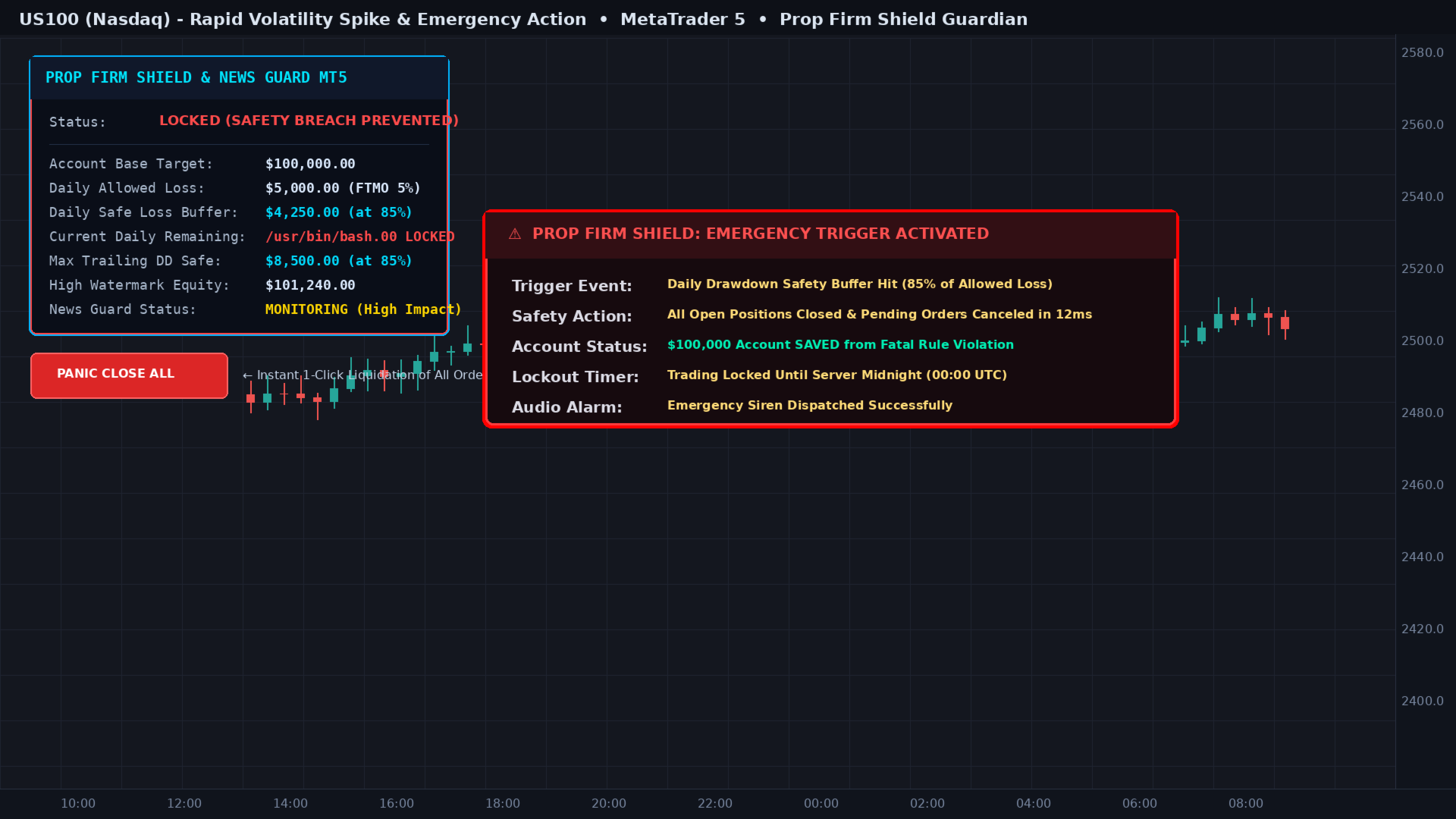
- Daily loss and max drawdown with a flatten buffer (default 85% of the LIMIT, not of the account).
- Soft 60% / hard 80% / flatten 85% / lock. Soft warns. Hard blocks new entries. Flatten closes worst-loser first and locks until the prop-day reset.
- Prop-firm timezone reset (CET/CEST), not broker midnight. Wrong timezone is how funded accounts get burned on a "green" day.
- Persistent baseline and locks per account login. A VPS restart does not invent a new day.
- News: BlockNewOnly by default (funded-safe: hold is allowed, new entries are not). Flatten around news is opt-in — closing in the red can cause the daily loss you wanted to avoid.
- US indices and gold inherit USD high-impact events.
- Weekend flatten (opt-in, used by some programs).
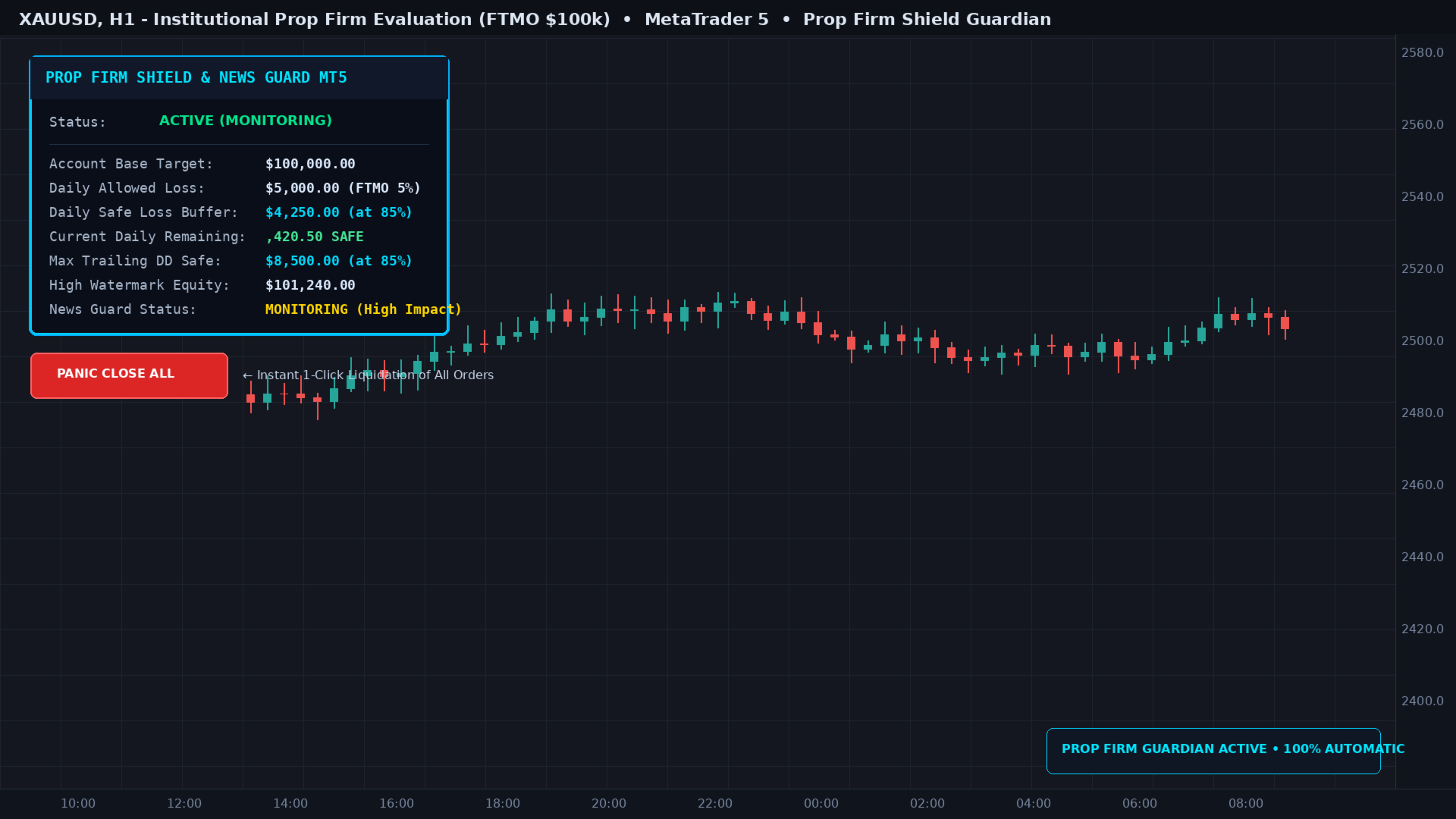
- Panic button on the chart: two clicks in 3 seconds, then flatten + lock.
- Cooperative kill switch GlobalVariable PFS_LOCK_<login>. Other EAs are NOT unloaded (MQL5 cannot do that cleanly). They must read the variable and stand down.
- Projected headroom: a new order is refused if its stop would pierce the buffer.
- Audit CSV in Common/Files (time, reason, equity, balance, baseline).
WHAT IT DOES NOT DO
- It cannot protect a closed terminal, a down VPS, or AutoTrading=off.
- Gaps and news spikes can pierce any buffer. That is how markets work. Anyone who tells you otherwise is selling theatre.
- The native MT5 calendar omits events. Do not treat it as a complete economic wire.
- Strategy Tester does not reproduce calendar gaps or NFP slippage. Demo the EA on a live demo feed before a challenge.
- It will not pass the evaluation for you.
HOW TO USE
1. Attach to any chart (M1 is enough — this is an account EA, not a timeframe EA).
2. Enable Algo Trading on the chart and the AutoTrading button on the terminal (must be green).
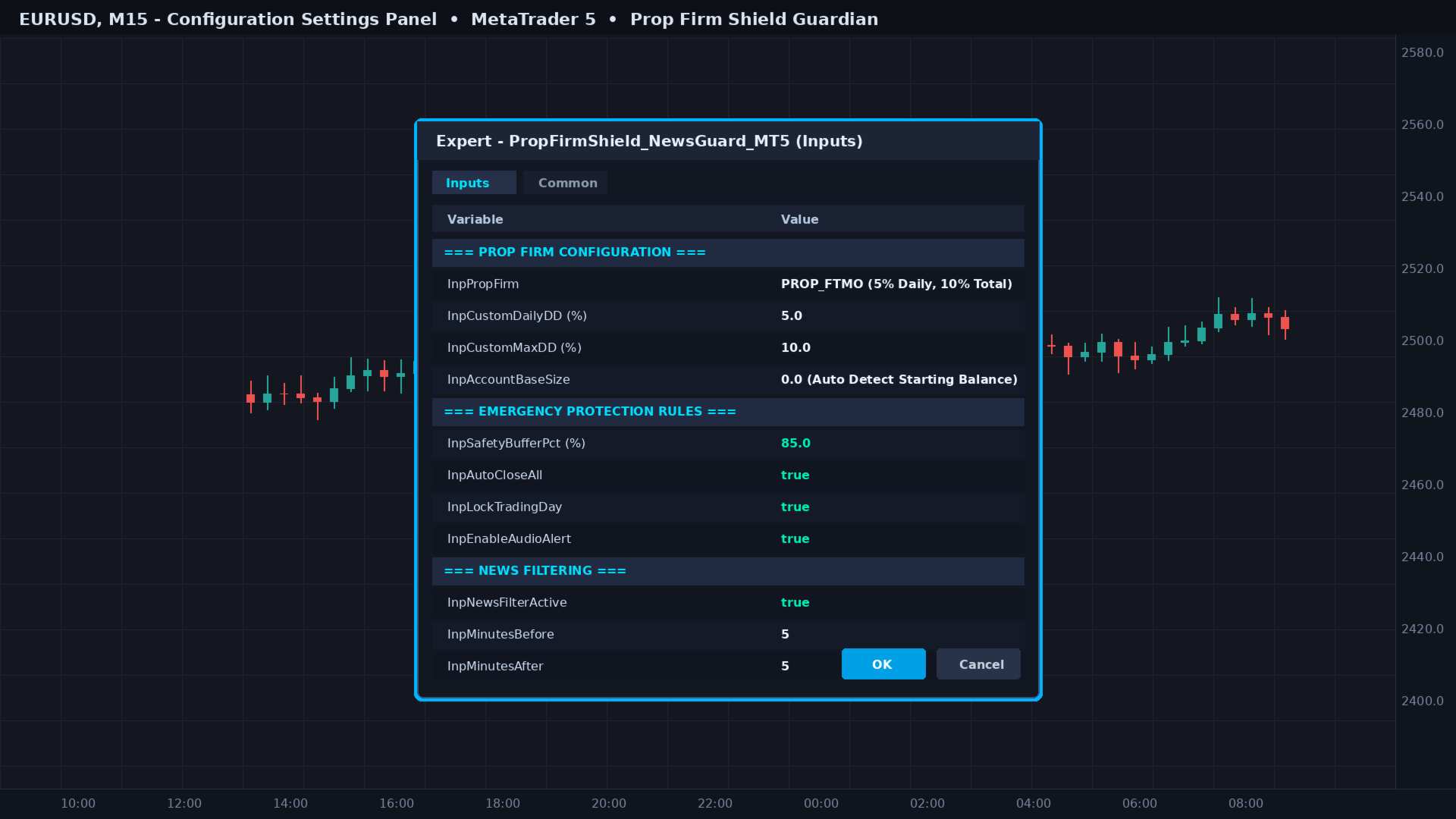
3. Pick a preset (FTMO Challenge, FTMO Funded, FundedNext, FundingPips, The5ers, E8) or Custom.
4. Set InpGmtOffsetHours to the firm timezone (FTMO in September = 2, CEST). Check the HUD clock against the firm clock.
5. Set InpAccountSize to the challenge / funded size.
6. Leave news on BlockNewOnly unless you have a written reason to flatten.
7. If you run other experts, add this guard in their OnTick:
if(GlobalVariableGet("PFS_LOCK_"+IntegerToString((long)AccountInfoInteger(ACCOUNT_LOGIN)))>0.5) return;
PANIC
The HUD button arms for 3 seconds. A second click confirms. One click does nothing. That is intentional.
HONEST LIMIT
A lock is not a force field. If the quote jumps through the buffer, you close at the next tradable price. The CSV will show the fill. Trade as if the EA can fail — because on a gap, it can.