TrendSync MTF Dashboard
- 유틸리티
-
Juliano Guzlinki Pacheco
 I believe that technology is one of the main competitive differentiators in the modern financial market. While many traders still rely exclusively on manual analysis and emotional decision-making, the use of automation, algorithms, and intelligent systems allows for more precise, fast, and
 - 버전: 2.0
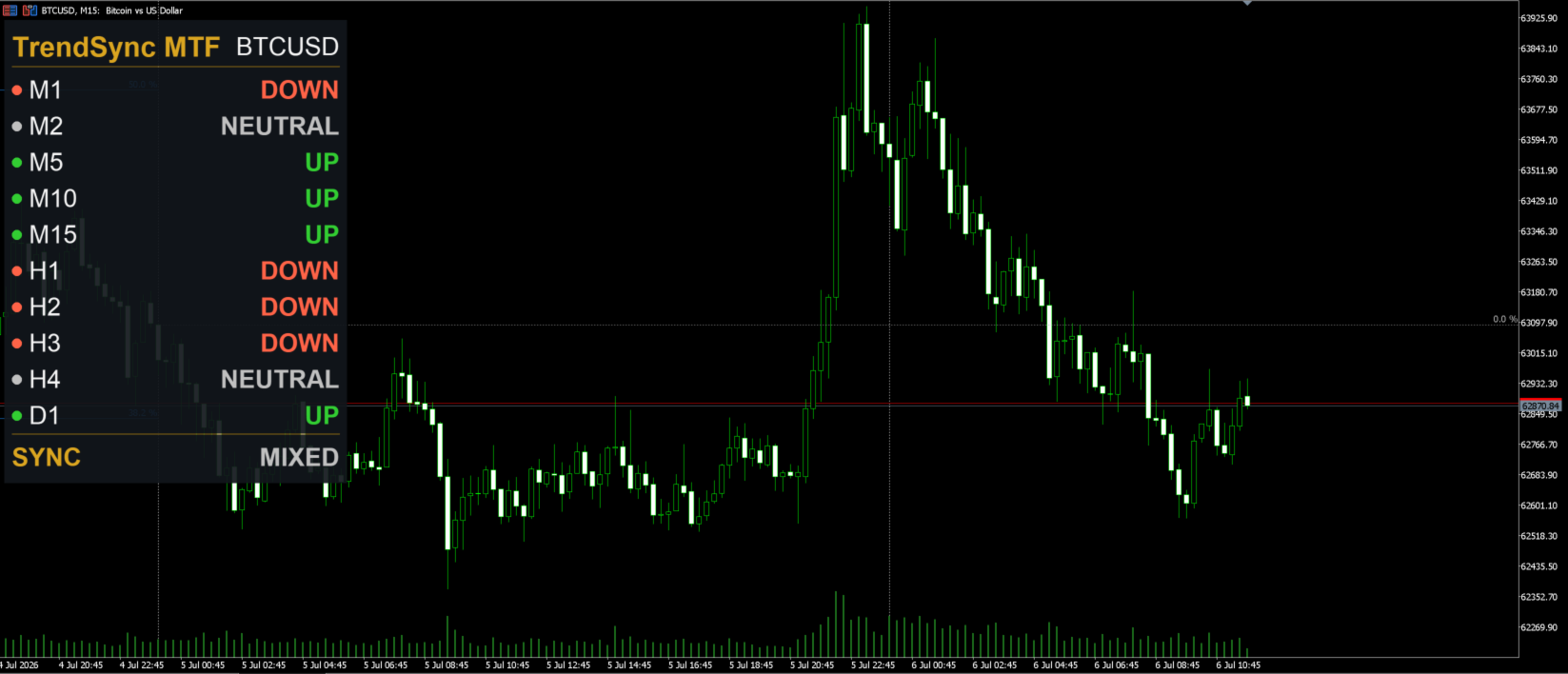
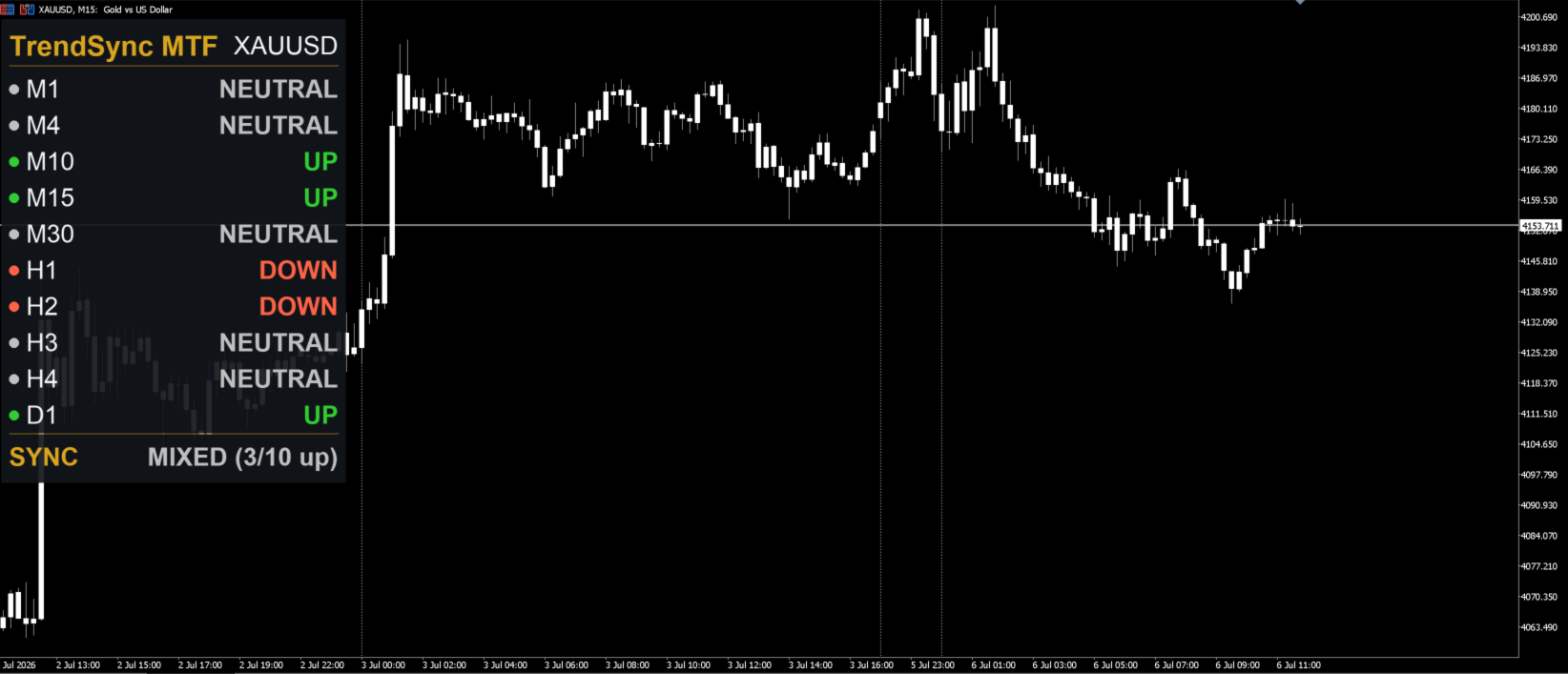
Trading against the higher timeframe is one of the most common (and most expensive) mistakes in manual trading. This dashboard makes multi-timeframe alignment visible at a glance: green when a timeframe is trending up, red when trending down, gray when neutral. When your timeframes align, the SYNC line lights up — and the indicator can alert you on your desktop or phone.
▶ YOUR TIMEFRAMES, YOUR RULES
✔ Choose up to 10 timeframes — any MT5 period, including the exotic ones (M1, M2, M10, M12, H2, H8, W1, MN1...) ✔ Each slot is a simple dropdown; set a slot to "Current" to disable it ✔ The panel automatically sorts your selection from the lowest to the highest timeframe and ignores duplicates — no configuration errors possible ✔ Default setup: M5, M15, H1, H4, D1 — ready to use out of the box
▶ HOW THE TREND IS MEASURED
Each timeframe is evaluated with a Zero Lag MACD engine (reduced-lag double EMA construction):
✔ UP — ZL-MACD above its signal line AND above zero ✔ DOWN — ZL-MACD below its signal line AND below zero ✔ NEUTRAL — anything in between
All states are calculated on the CLOSED bar of each timeframe. No repainting, no backpainting, no signals that disappear. What you see on the panel is what actually happened.
▶ SMART SYNC ALERTS
✔ SYNC summary line: "5/5 UP", "8/10 DOWN" or "MIXED (6/10 up)" ✔ Configurable sync threshold: alert when ALL timeframes align (default) or when a minimum number of them do — e.g. get notified at 8 of 10 aligned instead of waiting for a perfect 10/10 ✔ Popup, push notification and sound ✔ Alerts fire only when the sync state CHANGES — never on indicator attach, so no false alarms when you load your charts
▶ BUILT PROPERLY
✔ Non-repainting: closed-bar evaluation on every timeframe ✔ Lightweight: recalculates only when a new bar opens on each timeframe — zero impact on chart performance ✔ High-DPI aware: the panel scales correctly on 4K monitors and Windows scaling above 100% ✔ Fully customizable: colors, font size, panel corner and position, MACD periods ✔ Works on any symbol and any chart timeframe
▶ QUICK START
- Attach the indicator to any chart.
- Higher timeframes may show "..." for a few seconds while history loads — the panel fills automatically.
- Pick your timeframes in the inputs (up to 10; "Current" = slot disabled).
- Enable push notifications in your terminal (Tools → Options → Notifications) to receive sync alerts on your phone.
▶ WANT THIS LOGIC TO TRADE FOR YOU?
This dashboard visualizes the exact core concept behind our flagship expert advisor. If you like watching the timeframes sync, you will love having it traded automatically:
★ TrendSync MACD Pro EA — [LINK-EA] ★ TrendSync MACD Pro Indicator (full Zero Lag MACD with MTF panel and signal arrows) — [LINK-IND]
▶ SUPPORT
Found a bug or have a suggestion? Leave a comment on this page — the indicator is actively maintained and user feedback shaped this very version: the 10-timeframe selection was the most requested feature.
- Up to 10 fully selectable timeframes (any MT5 period, M1 to MN1). Set a slot to "Current" to disable it.
- Automatic sorting (lowest to highest) and silent duplicate removal.
- New sync threshold input: fire the alert when a minimum number of timeframes align (0 = all, same behavior as v1).
- Alert message now includes the aligned count (e.g. "8/10 timeframes UP").
- Panel width now adapts to the widest selected timeframe label.
- Default configuration unchanged (M5, M15, H1, H4, D1) — existing users see no difference until they customize.