IndicatorLab MT5 Standard
- 유틸리티
- 버전: 1.142
- 업데이트됨: 3 11월 2026
- 활성화: 5

When your indicator changes direction, do you know what price does next? Does your indicator tend to move before price, after it, or within the same observation window? Do you know how responsive your indicator is across symbols, timeframes, and market periods?
IndicatorLab MT5 can help with that! IndicatorLab MT5 is a utility that samples indicator values alongside price and analyzes their movement and timing relationships, presenting the results in clear HTML reports built from CSV data checked for integrity and consistency.
It was developed for indicator-based traders who want to explore and compare a variety of indicators, understand how they relate to price across symbols and changing market activity, and evaluate them conveniently before putting real money at risk.
See how your indicators behaved on your chosen symbol and timeframe, through an HTML report and supporting CSV data.
HOW IT WORKS
IndicatorLab MT5 has two test modes: Buffer Probe and Main.
-
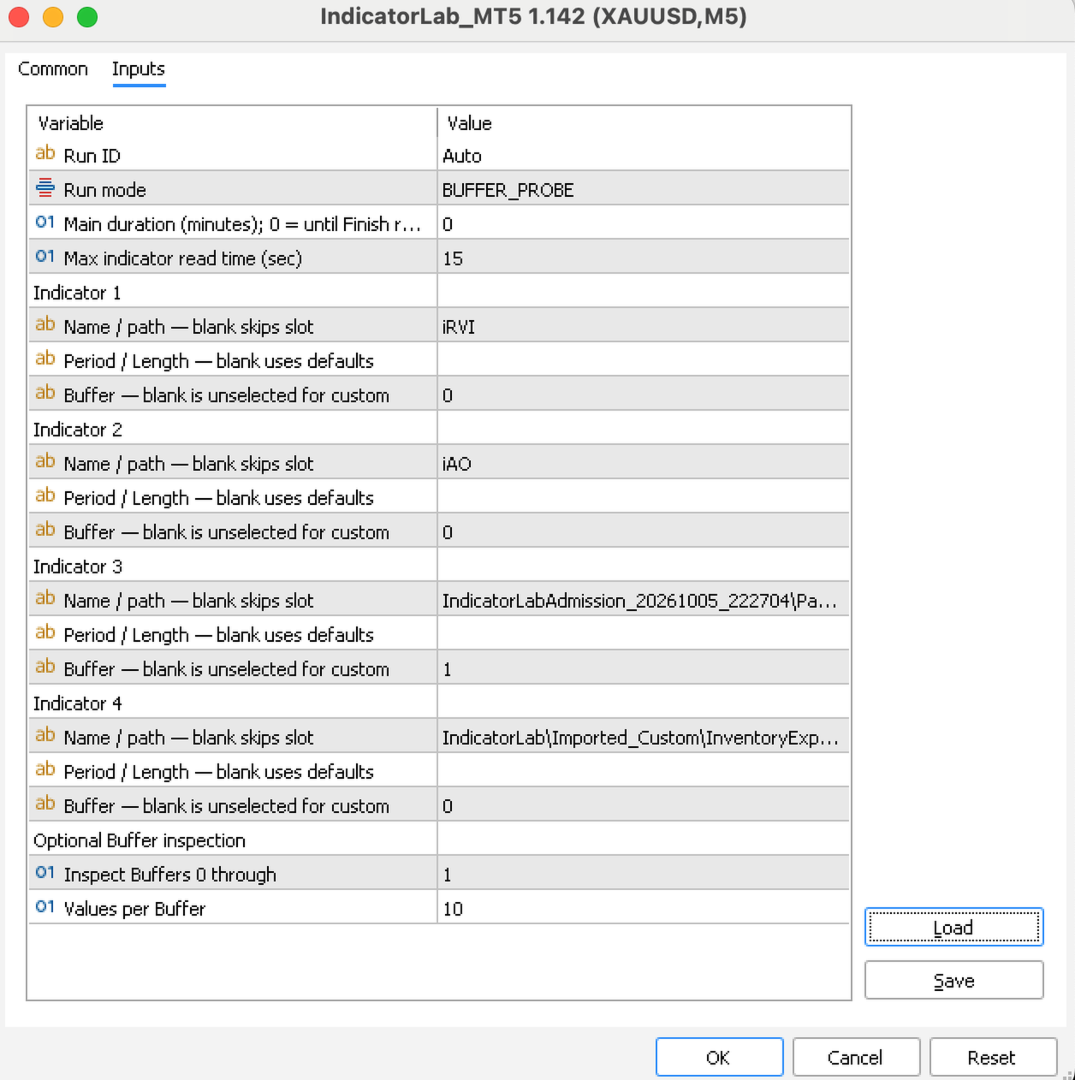
Check outputs if needed. If you’re unsure which indicator buffers to use or whether they provide readable values, configure your indicators in Buffer Probe and run it. Review the results before selecting buffers for Main.
-
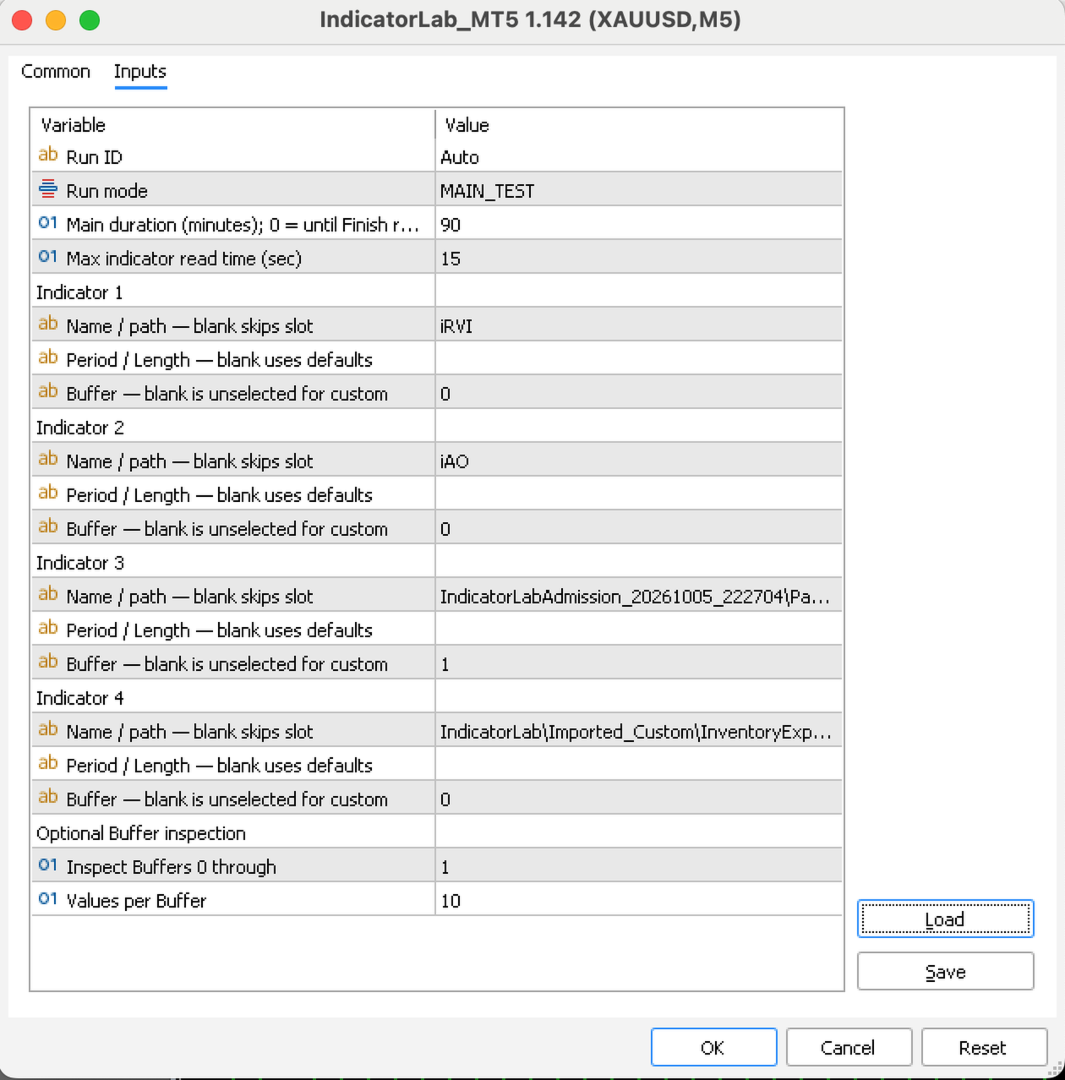
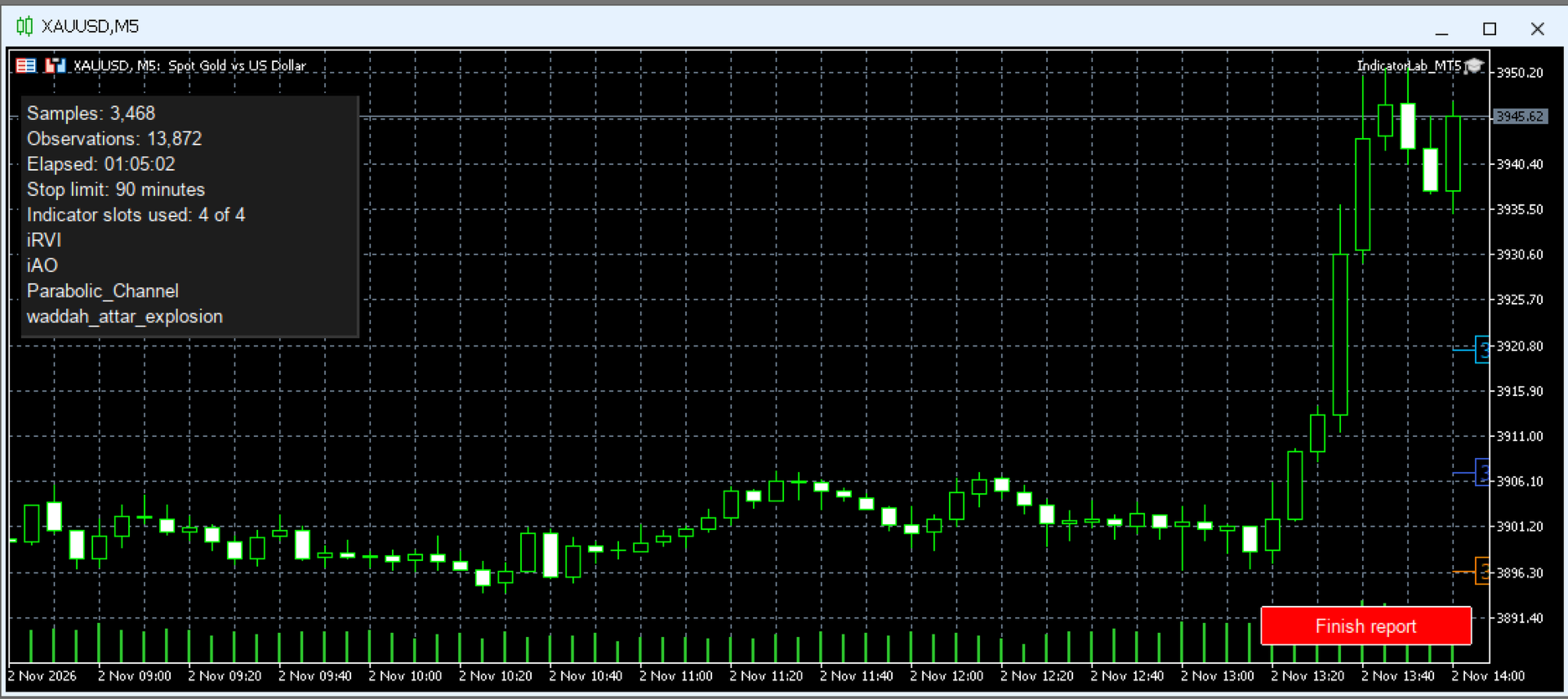
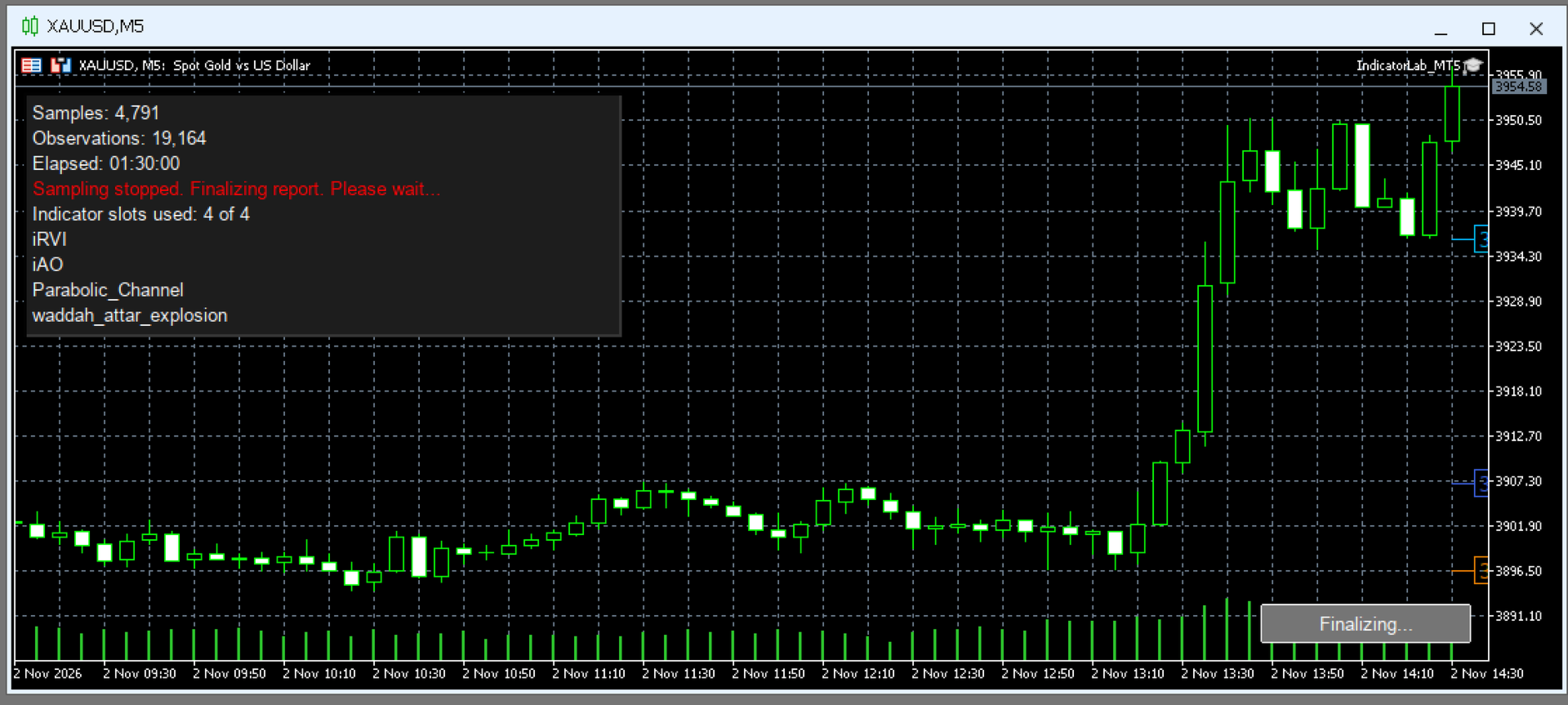
Configure and run Main. Choose a symbol, timeframe, and one to four built-in or compatible installed custom indicators, including mixed combinations. Select their output buffers, test duration, and maximum indicator read time. Run on a chart or in the local Strategy Tester. Collection stops automatically when the selected duration elapses; on a chart, you can also stop early with Finish report. Allow finalization to complete before opening the report.
-
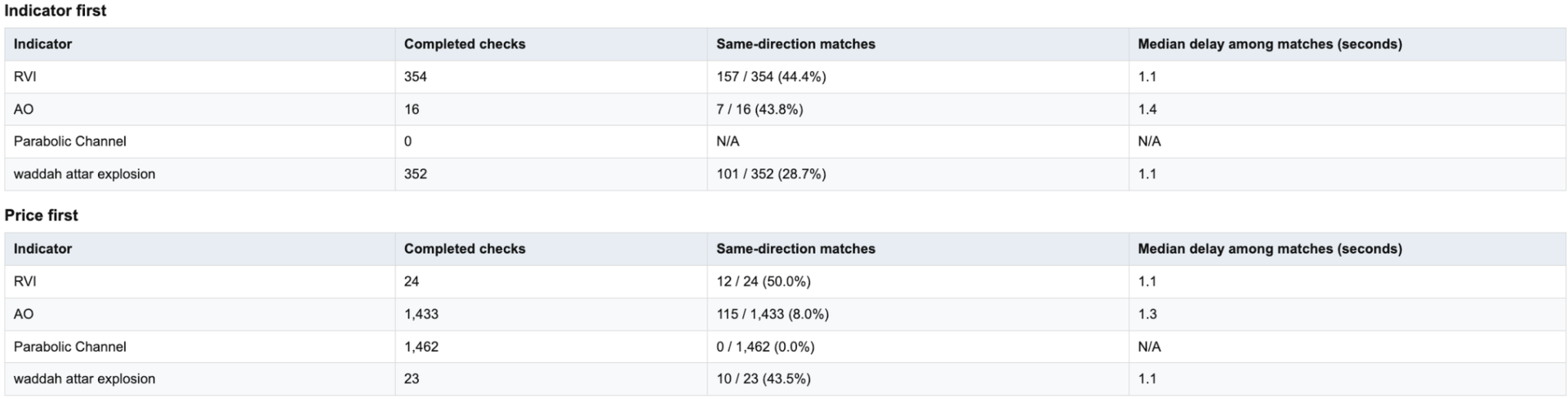
Review the results. After finalization, open the HTML report to examine indicator-to-price movement, response timing, and data coverage. Supporting CSV files are available for reference or further analysis in spreadsheets and other tools.
-
Build and refine your own strategy. Use what you learn to select indicators, define your trading rules, and test your ideas across symbols, timeframes, and market conditions. You decide what fits your approach, then evaluate it in strategy testing and demo trading before risking real money.
IndicatorLab MT5 helps you move from chart impressions to recorded evidence:
-
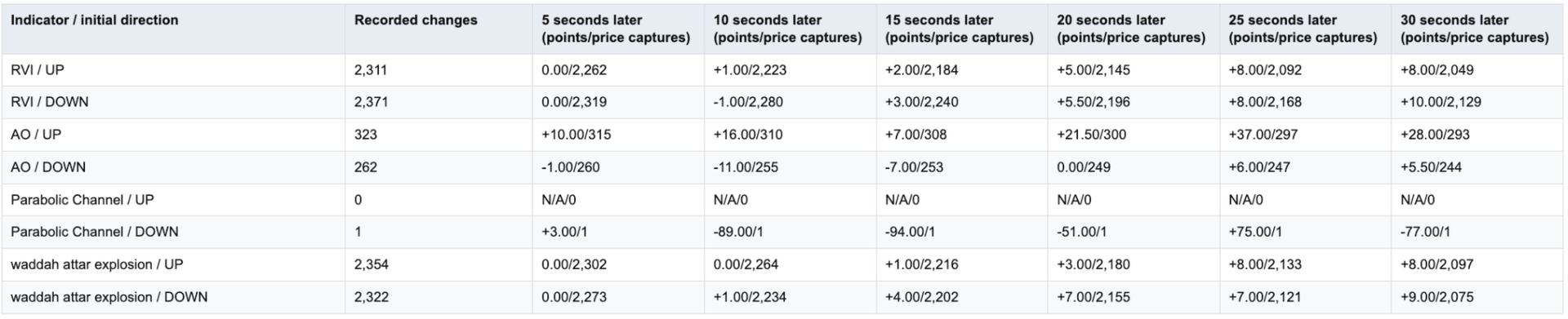
See what follows an indicator change: examine subsequent price movement and observed response timing.
-
Compare indicators on common ground: evaluate built-in and compatible custom indicators over the same recorded period.
-
Explore different market conditions: compare behavior across the symbols, timeframes, and periods you test.
-
Know what supports your conclusions: distinguish usable observations from missing data and limited coverage.
-
Keep the evidence: revisit HTML reports or explore the supporting CSV data in Excel, Google Sheets, Python, and other tools.
-
Make the strategy your own: use your findings to choose indicators and refine your trading ideas before putting money at risk.
Don’t just watch your indicators. Understand their behavior—and decide how they fit your strategy.
COMPATIBILITY AND LIMITS
-
Indicator access: Custom indicators must be installed, licensed where required, and provide readable buffer values. Chart drawings alone may not be readable. Required dependencies must also be installed.
-
Settings: IndicatorLab uses indicator defaults with supported Period / Length adjustments. Arbitrary custom parameter lists and Parameter Probe are not available.
-
Markets and testing: Tested examples include currencies and gold. Symbols and history depend on your broker; local Strategy Tester support depends on the indicator. Remote/cloud use with custom indicators and Market-demo exports are not guaranteed.
-
Interpretation: Sampling can miss activity between observations. Results describe recorded behavior, not predictions, trading signals, or proof of simultaneous movement.
Runs directly in MT5. No separate launcher or Python required.
Support: Product comments or MQL5 messaging.
INDICATORLAB MT5 USER GUIDE
Record indicator and price activity, then explore their relationships in an HTML report with supporting CSV data. IndicatorLab observes; it does not place or manage trades.
1. Install and prepare
Install IndicatorLab through your Market purchase, or place an authorized EX5 file in MQL5/Experts. Install custom indicators and their required dependencies according to the supplier’s instructions.
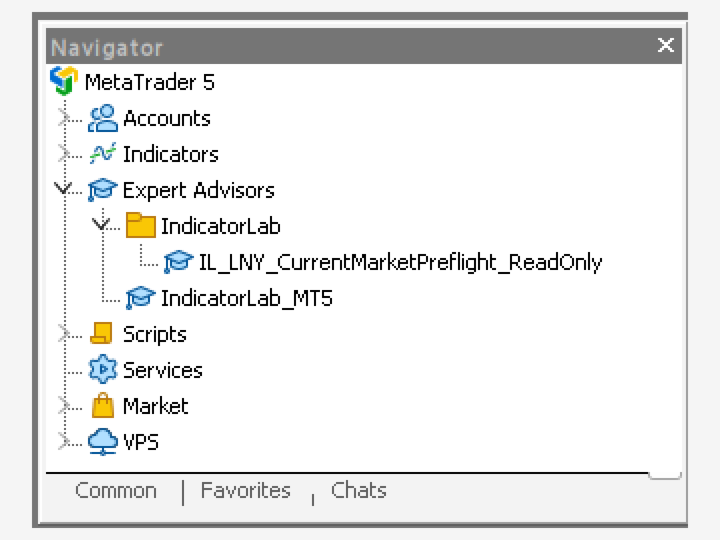
Open your chosen symbol and timeframe, then attach IndicatorLab from Navigator → Expert Advisors. Load a preset or enter your settings in Inputs. A preset does not change the chart’s symbol or timeframe. Review your settings and capture any screenshots before clicking OK.
No separate launcher, Python, or configuration file is needed. Do not enable DLL access or trading permissions just to run IndicatorLab.
2. Check buffers if needed
Choose Buffer Probe if you’re unsure which outputs to read. Configure up to four indicators and set the buffer range and values to inspect. The probe checks each enabled indicator, saves its findings, and finishes automatically.
A zero can be a valid value; an empty buffer does not necessarily mean an indicator is broken. Review the findings, then select the intended custom buffer in Main yourself. Probe does not transfer settings automatically.
3. Configure and run Main
Select MAIN_TEST and configure one to four built-in or compatible custom indicators:
-
Name/path: Enter a built-in name, such as iRSI, or a custom path relative to MQL5/Indicators. Leave unused slots blank.
-
Period/Length: Leave blank for defaults. Only supported adjustments are accepted; this is not a general custom-parameter editor.
-
Buffer: Select the custom output you want to examine. A blank custom buffer is unselected. Built-ins can use their supported primary output when left blank.
-
Duration: The default is 8 minutes. Choose another positive duration, or 0 to continue until you select Finish report on a chart.
-
Run ID: Leave Auto selected to keep each run’s results separate.
-
Maximum read time: The default is 15 seconds.
For a simple first test, use iRSI, Period 14, Buffer 0, and leave the other slots blank. Settings on a separate chart indicator do not configure IndicatorLab’s reads.
4. Finish and review
Let the duration expire or click Finish report. Wait for finalization before closing the terminal or removing IndicatorLab. Saving may take several minutes; check Experts for confirmation. Normal completed closeout removes IndicatorLab from the chart.
For chart results, open File → Open Data Folder → MQL5 → Files → IndicatorLab, then the run folder shown in Experts. Open IndicatorLab_IndicatorLab_Report.html and keep its companion CSV files. You can export a PDF through your browser.
Start with the outcome, stopping reason, duration, and data health:
-
PASS: The run met its success requirements; this is not a trading recommendation.
-
Completed with limited coverage: Useful results are available, with stated limitations.
-
FAIL: Review the reported cause before drawing conclusions.
Finishing early or recording fewer than 500 observations does not, by itself, reduce an otherwise successful result. The sample-size recommendation is advice, not a configurable requirement.
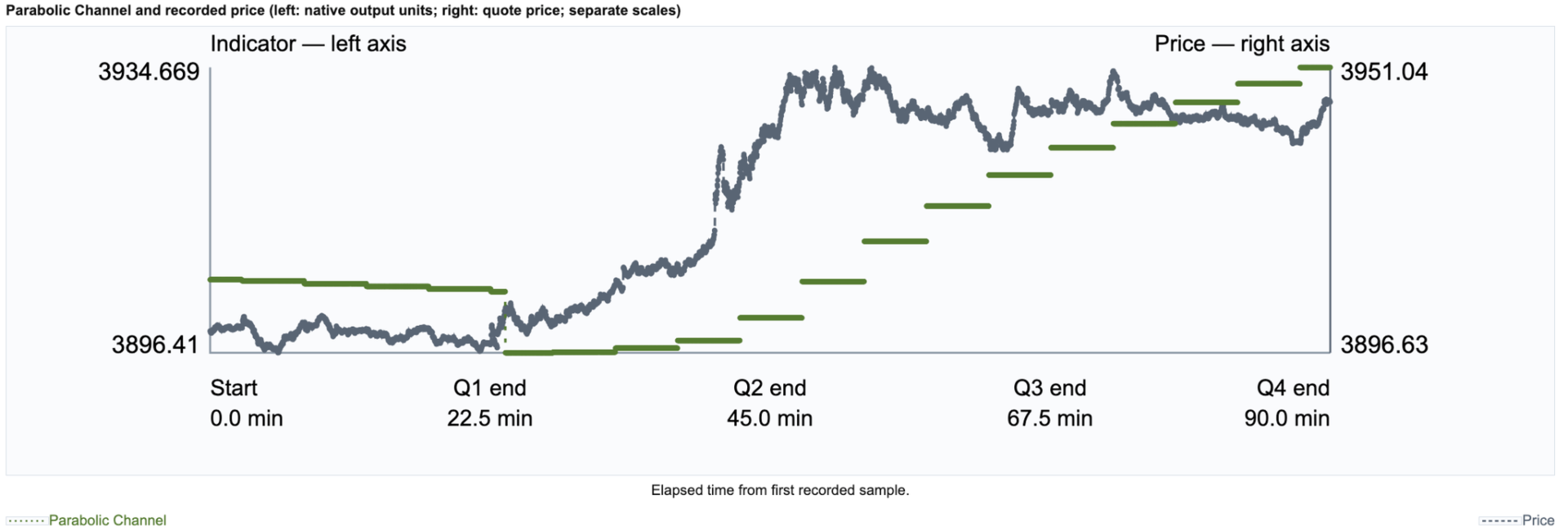
Read chart labels carefully: indicators may share price units or use separate scales. Coverage notes explain overlapping lines and missing comparisons. Results describe sampled behavior, not predictions or trading signals.
USING STRATEGY TESTER
Select IndicatorLab as the Expert Advisor, choose the symbol, timeframe, historical dates, and tick model, then configure Main. Custom indicators and their dependencies must work in that local Tester environment.
Let the test finish by duration or available history; do not rely on an interactive Finish button in a nonvisual test. Local Main testing is supported. Grouped Buffer Probe in Tester, remote/cloud custom delivery, and Market-demo exports are not guaranteed.
IMPORTANT LIMITS
-
Sampling has a one-second minimum interval, but ticks, data availability, and read time affect the actual rate. Activity between samples can be missed.
-
Reads are sequential. The read-time limit detects an overrun only when the call returns; it cannot interrupt a frozen indicator.
-
Supported Period/Length edits are limited to mapped indicators. Arbitrary custom parameter lists and Parameter Probe are unavailable.
-
Symbols, history, indicator access, and Tester compatibility depend on your broker and indicator supplier.
TROUBLESHOOTING AND SUPPORT
If a run does not start or save, check Experts/Journal and retain its diagnostics. Do not restart over an unfinished run.
Contact support through product comments or MQL5 messaging. Include the version, mode, symbol/timeframe, Run ID, exact message, and relevant files, with private account information removed.