Key level fvg pro mt5
- 지표
- 버전: 1.0
- 활성화: 10

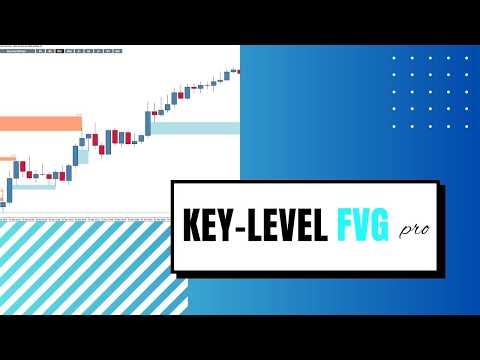
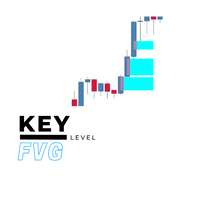
Key Level FVG Pro is a highly advanced, fully interactive Smart Money Concepts (SMC) indicator designed to detect high-probability Fair Value Gaps (FVGs) across all timeframes. Whether you are a day trader, scalper, or swing trader, this tool keeps your charts clean and highlights the most crucial imbalances in the market.
Unlike basic indicators that clutter your screen, Key Level FVG Pro features an interactive on-chart multi-timeframe (MTF) panel. With a single click, you can toggle FVGs from the 1-Minute chart all the way up to the Monthly chart.
Furthermore, it features True Auto-Mitigation Logic. When price action or a lower-timeframe wick touches an existing FVG, the indicator accurately trims the zone and removes the signal arrow, ensuring you only see fresh, untested levels.
🔥 Key Advantages
-
Interactive MTF Panel: Clickable buttons directly on your chart allow you to instantly show or hide FVGs from 9 different timeframes (M1 to MN1).
-
True Mitigation (No Chart Clutter): Zones dynamically stop extending the moment price touches them. Advanced cross-timeframe logic ensures that even if a Lower Timeframe wick touches a Higher Timeframe FVG, the zone is perfectly trimmed.
-
Smart Money Precision: Filters out low-quality zones by requiring consecutive zone formations or specific wick-rejection rules.
-
All-in-One Alerts: Never miss a setup. Get instant notifications directly to your phone, email, or PC screen when a new FVG is confirmed.
🌟 Main Features
-
Detects both Bullish (Support) and Bearish (Resistance) Fair Value Gaps based on the classic 3-candle imbalance pattern.
-
Renders precise rectangles with entry arrows and timeframe text labels.
-
Fully customizable visual panel (colors, fonts, positioning, and sizing).
-
Advanced Lower Timeframe (LTF) filtering to ensure gaps align with the immediate trend.
-
Extremely lightweight and optimized to run without lagging your terminal.
⚙️ Parameters & Inputs
___ Fair Value Gaps ___
-
History (bars): The number of past candles to scan for FVGs (keeps terminal running fast).
-
Minimal Gap: The minimum point size required between the 1st and 3rd candle to qualify as a valid FVG.
-
Minimum Consecutive Zones: Requires a specific number of consecutive gaps before drawing the zone (set to 1 by default).
-
Buy / Sell zone colour: Customize the colors of your Bullish and Bearish rectangles.
-
Buy / Sell tf text color: Customize the text colors identifying the timeframe of the gap.
___ LTF FVG Filters ___
-
Match Current Candle Direction: If true, the FVG will only be drawn if the confirming candle matches the direction of the gap (Bullish candle for Buy FVG, Bearish for Sell FVG).
-
Completely Inside Wick Only: If true, strict filtering is applied requiring the FVG to exist entirely within the wicks of the price action.
___ Fill Options ___
-
Current TF Filled Zone: Choose whether to color-fill the FVGs found on your current active timeframe.
-
Other TFs Filled Zone: Choose whether to color-fill FVGs pulled from other timeframes via the panel.
-
Zone Outline Width: Thickness of the FVG rectangle borders.
___ Panel ___
-
Corner: Which corner of the chart the interactive button panel anchors to (Left Upper works best for horizontal layout).
-
X / Y offset: Adjust the horizontal and vertical distance from the chart corner.
-
Cell width / height: Customize the size of the clickable timeframe buttons.
-
Font / Font size: Set your preferred text style for the panel.
-
Colors (Font, BG, Border): Fully customize the button panel aesthetics to match your dark or light chart template.
___ Alert Condition ___
-
Fair Value Gap Alerts: Master toggle to turn FVG confirmation alerts ON or OFF.
___ Alert Type ___
-
Print: Send alert messages to the MT5 Experts/Journal log.
-
Popup: Show standard MT5 visual pop-up alerts.
-
Push Notification: Send mobile notifications directly to your MT5 mobile app.
-
Email: Send alerts to your configured email address.
-
Sound: Play an audio alert.
-
Sound file name: Specify the custom .wav file you want to play (default is Alert2.wav).