Account flip MT4 scalper
- 지표
- 버전: 2.0
- 업데이트됨: 19 7월 2026
- 활성화: 10

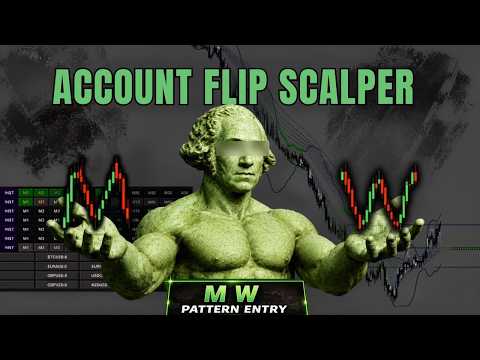
Welcome to the Account Flip MT4 Scalper V2.0: The Ultimate 10-in-1 Scalping Workstation.
Successfully scaling a small account or passing a prop-firm challenge requires high-probability setups, strict filtering, and explosive momentum. We have taken everything traders loved about V1 and completely supercharged it.
The Account Flip MT5 Scalper V2.0 combines Smart Money Concepts (FVG), Orderflow, Volatility Squeezes, and Advanced Reversal Patterns (M/W, Traps, Sharkfins) into one seamless, space-saving dashboard. Designed for fast-paced scalpers, it scans multiple timeframes and symbols simultaneously, giving you a top-down view of the market's true direction before you execute.
WHAT'S NEW IN VERSION 2.0?
-
5 NEW Dashboard Engines: We added Multi-Timeframe tracking for M/W Patterns, Bull/Bear Traps, TDI Sharkfins, OB/OS (Overbought/Oversold), and brought the Volatility Squeeze directly onto the dashboard!
-
Auto-Drawing Chart Patterns: The indicator now dynamically draws M/W Pattern legs/necklines and Bull/Bear Trap zones directly on your chart!
-
Collapsible / Minimizable UI: Want your chart space back? Click the main dashboard title to instantly minimize the entire massive panel into a single sleek button.
-
Advanced 4-State Alert System: Click the timeframe buttons to cycle your alert states: *Off ➔ Confluence Only (Gold) ➔ Confluence + Individual Alerts (Aqua) ➔ Individual Alerts Only (Aqua + ).
UNIQUE FEATURE: True Historical Backtesting (HIST Mode)
Most dashboards only show live data, making them impossible to manually backtest. We changed that.
Turn on our proprietary HIST Mode, and a vertical line appears. Drag this line to any point in the past, and the entire 10-row multi-timeframe dashboard and pattern scanners will instantly calculate and display the data exactly as it was at that historical moment!
CORE FEATURES
1. The 10-in-1 Multi-Timeframe Confluence Dashboard
Instantly know the trend and momentum across every timeframe. The dashboard monitors:
-
Trend & Momentum: Slow Trend (ADX), Fast Trend (RSI), and OB/OS Extremes.
-
Custom Orderflow (Up to 4 Tiers): The heartbeat of the indicator.
-
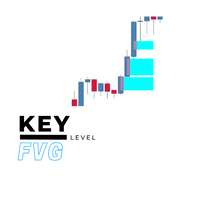
Smart Money FVGs: Tracks Bullish/Bearish Fair Value Gaps across all timeframes.
-
Reversal Patterns (NEW): Tracks M/W formations, Sharkfins, and Bull/Bear Traps.
-
Volatility Squeeze (NEW): Squeeze contraction tracking added directly to the panel.
2. Chart Auto-Drawing (Smart Money & Price Action)
No more manual charting. The indicator dynamically draws zones directly on your chart:
-
FVG Zones: Highlights fresh unmitigated Fair Value Gaps and auto-hides them once mitigated.
-
M/W Patterns: Auto-draws the legs, necklines, and projected targets for W (Buy) and M (Sell) setups.
-
Trap Zones: Highlights failed engulfing candles (Traps) at extreme RSI/TDI levels for explosive reversals.
3. Volatility Squeeze Breakouts
Catch massive moves right before they happen.
🟢 Paints a Lime band for Buy Contractions.
🟣 Paints a Magenta band for Sell Contractions.
4. One-Click Multi-Symbol Scanner
Monitor your entire watchlist from a single chart. If your selected criteria (Trend, Orderflow, Patterns) line up perfectly across multiple timeframes, the scanner panel lights up Green or Red. Simply click the symbol button to instantly switch your chart!
5. Smooth Drag & Drop UI + Live Spread Tracker
-
Draggable & Minimizable Panel: Grab the panel to move it, or click the title to minimize it.
-
Blue Spread Visualizer: A dynamic visual tracker so you always know your exact spread cost.
-
Auto-Centering Watermark: A sleek, non-intrusive background watermark.
HOW TO CATCH HIGH-PROBABILITY SCALPS
-
Step 1 (Find the Setup): Look for a Volatility Squeeze building up on your chart, OR wait for the indicator to auto-draw a high-probability reversal pattern (M/W Pattern, FVG, or Trap).
-
Step 2 (Check Dashboard Confluence): Look at your dashboard. Wait for your selected rows (e.g., Fast Trend, Orderflow, Sharkfin) to turn solid Green (Bullish) or Red (Bearish) across your traded timeframes.
-
Step 3 (Execute): Once your HTF (Higher Timeframe) and LTF (Lower Timeframe) boxes align in the same color, execute the trade targeting the next liquidity pool or M/W neckline.
PRO-TIP: For the absolute highest win rate, trade these confluences when price is reacting off major Support & Resistance zones.
CUSTOMIZATION & ALERTS
-
Fully Customizable: Select which of the 10 rows to display. Turn off features you don't need to keep the panel clean.
-
Comprehensive Alerts: Pop-up alerts, Push Notifications (Mobile), Email, and Sound alerts.
(Note: We highly recommend downloading the FREE Strategy Tester demo before purchasing so you can experience the incredible HIST historical backtesting feature for yourself!)