ABQ Portfolio Correlation Scorer

ABQ Portfolio Correlation Scorer: Inteligencia Artificial de Grado Institucional para la Gestión de Riesgo

La mayoría de los traders no fracasan por una mala estrategia de entrada, sino por una falla invisible en la arquitectura de su portafolio. El error más común es la sobreexposición por correlación: abrir múltiples posiciones pensando que se está diversificando, cuando en realidad se está multiplicando el riesgo sobre un mismo factor.

ABQ Portfolio Correlation Scorer es un Copiloto de Supervivencia basado en Inteligencia Artificial de vanguardia que actúa como un Gestor de Riesgos Senior las 24 horas del día, analizando lo que el ojo humano ignora.

El Poder de la IA: Conectividad Total y Flexible

Este sistema ha sido diseñado con una arquitectura de comunicación abierta, permitiéndole elegir el "cerebro" que analizará su cuenta:

  • Conexión por Defecto (Gemini 3.1 Flash Lite): El software viene optimizado y preconfigurado para conectar con la IA de Google de última generación. Es rápida, precisa y ofrece un análisis profundo de riesgos de margen y correlación sin latencia.
  • Compatibilidad Universal vía API: Gracias a sus inputs de Endpoint y Model Name, usted no está limitado. Puede configurar el sistema para conectar con DeepSeek, OpenAI, Anthropic o cualquier servicio de IA que soporte peticiones POST JSON, dándole libertad total de elección tecnológica.

Características Principales

  • Análisis Integral y Reactivo: La IA no solo lee números; analiza la salud de su cuenta en tiempo real. Si usted abre o cierra una operación, el sistema detecta el cambio en el Health Score y solicita un nuevo diagnóstico inmediato.
  • Acción Quirúrgica de Corrección: El Scorer calcula matemáticamente el lotaje exacto que sobra en su portafolio para alcanzar su nivel de apalancamiento objetivo. La IA recibe este dato y le recomienda exactamente qué hacer: "Sugiero cerrar 0.45 lotes de USDJPY para estabilizar el margen".
  • Dashboard Elástico "Flicker-Free": Interfaz de vanguardia con estética Neón diseñada para no parpadear. El cuadro se expande automáticamente para mostrar el análisis detallado de la IA y se contrae cuando el riesgo desaparece, manteniendo su gráfico limpio.
  • Control de Sensibilidad y Eficiencia: Incluye filtros de refresco y umbrales de sensibilidad. Esto evita consultas innecesarias a la API por fluctuaciones mínimas, ahorrando recursos y enfocándose en cambios reales de riesgo.

¿Cómo funciona el análisis experto?

Cuando la salud de su portafolio cae por debajo del nivel de seguridad, el sistema envía un paquete de datos cifrado a la IA incluyendo:

  1. Equidad y Exposición Nominal en USD.
  2. Nivel de Apalancamiento Efectivo.
  3. Símbolo "Tóxico" (Mayor Drawdown).
  4. Sugerencia matemática de reducción de lotaje.

La IA procesa estos datos bajo un rol de "Senior Risk Manager" y le entrega una recomendación profesional sobre correlaciones, riesgos de margen e incluso consejos sobre activos correlacionados.

Configuración Técnica

  • Target Leverage: Defina el apalancamiento máximo que está dispuesto a tolerar.
  • AI Customization: Personalice el Prompt, el modelo, el endpoint y el idioma de respuesta (por defecto ENGLISH, editable a cualquier idioma).
  • Estética: Ajuste el color de la fuente neón y la ubicación del panel según su preferencia.

Instrucciones de Instalación

1. Cargue el EA en cualquier gráfico.
2. En Herramientas > Opciones > Asesores Expertos, añada la URL de la IA seleccionada (Ej: https://generativelanguage.googleapis.com para Gemini).
3. Ingrese su API Key personal en los inputs del software.
4. Configure su nivel de riesgo y deje que la ciencia de datos de AbacuQuant proteja su capital.

Deje de adivinar su riesgo. Obtenga ABQ Portfolio Correlation Scorer y opere con la claridad de la Inteligencia Artificial.

Autor: Cristian Castillo | Versión 1.00 | AbacuQuant Inc.

추천 제품
TradeVision Pro
Ian Nganga Comba
TradeVisonPro Forex Analyzer Pro MT5 거래 계좌 분석 및 모니터링 대시보드 TradeVisonPro Forex Analyzer Pro는 MetaTrader 5 사용자를 위해 설계된 거래 분석 및 계좌 모니터링 솔루션입니다. 본 제품은 MT5 거래 데이터를 구조화된 웹 기반 대시보드에 정리하여 사용자가 계좌 정보를 확인하고, 오픈 포지션을 모니터링하고, 거래 내역을 분석하고, 전략을 추적하고, 거래 일지를 작성하고, 성과 통계를 검토할 수 있도록 합니다. TradeVisonPro Forex Analyzer Pro는 거래 정보를 체계적으로 관리하고 지원되는 데스크톱 및 모바일 웹 브라우저를 통해 접근할 수 있도록 설계되었습니다. 주요 기능 • MT5 계좌 대시보드 • 오픈 포지션 모니터링 • 거래 내역 분석 • 거래 캘린더 • 전략 추적 • 거래 일지 • 계좌 성과 통계 • 성과 보고서 • 거래 알림 • 다중 계좌 지원 • 공유 가능한 읽기 전용 보고서 MT
FREE
Smart Ratio Maker What it is: A trading control panel that sits on your chart and helps you manage multiple open trades together, as one group. What it does, simply 1. Basket Control Instead of setting Take Profit and Stop Loss on each trade one by one, you set them once for all trades together as a group. The EA does the math for you — even if you have Buy and Sell trades at the same time. 2. Auto Partial Levels (P1 / P2 / P3) You can tell the EA: "When price reaches this point, close this m
FREE
This indicator automatically detects harmonic price patterns on your chart, both bullish and bearish, and shows them as soon as they form, including potential patterns that are still developing. For every pattern it draws the Potential Reversal Zone (PRZ), and for completed patterns it also draws two take-profit and two stop-loss levels. Supported Patterns: Gartley, Bat, Butterfly, Crab, Deep Crab, Shark and Cypher. Each pattern can be switched on or off individually. Key Features: Completed
FREE
Ninja Trend Matrix MT5 Ninja Trend Matrix MT5는 여러 시간대의 추세 방향, 상대 강도, ATR 기반 변동성 상태를 하나의 패널에 모아 보여 주는 MetaTrader 5용 지표입니다. 재량 판단을 내리거나 다른 거래 시스템을 사용하기 전에 현재 시장 환경을 빠르게 확인하는 데 도움이 됩니다. 이 지표는 주문을 열거나 수정하거나 청산하지 않습니다. 진입 화살표, TP/SL, 승률 또는 수익 예측도 표시하지 않습니다. 주요 기능 선택한 각 시간대를 STRONG UP, UP, RANGE, DOWN, STRONG DOWN 또는 N/A로 분류 0~100의 상대 추세 강도 표시 ATR 기반 변동성을 LOW, NORMAL, HIGH 또는 SHOCK로 표시 EMA 20/50, EMA 기울기, 최근 고점·저점 구조, ADX, +DI/-DI를 결합 현재 형성 중인 캔들이 아닌 마감된 캔들 데이터 사용 패널 직접 드래그, 최소화, 자동 배치, 콤팩트 그리드 시간대 DE
FREE
AI Weekly Open Bias Trader
Fadi Hassan Khaled Ghanem
주간 시가를 바이어스 라인으로 사용하고, 주간 바이어스 방향으로 해당 라인에서의 거부를 거래합니다. 작동 방식 EA는 시그널 타임프레임(기본값 H1)의 봉이 마감될 때마다 한 번씩 규칙을 평가하므로 시그널이 리페인트되지 않으며, 테스터와 라이브 차트에서 동일한 로직으로 작동합니다. 셋업이 나타나고 해당 심볼에 이 EA의 포지션이 없으면 스탑로스와 목표가를 설정한 시장가 주문 하나를 엽니다. 주요 기능 잔고 대비 비율에 따른 리스크 기반 랏 크기, 최대 랏 제한 및 여유 증거금 확인 최대 거리 제한이 있는 ATR 기반 스탑로스, 스탑의 배수로 설정되는 목표가 ATR 기반 브레이크이븐 및 트레일링 스탑 거래 간 최소 봉 수 한 번에 하나의 포지션만, 그리드 없음, 마틴게일 없음, 물타기 없음 모든 거래는 SL과 TP를 설정하여 진입 차트 위 소형 상태 패널 권장 사항 주요 외환 통화쌍, XAUUSD 및 지수. 시그널 타임프레임은 기본값 H1이며, 입력값에서 변경할 수 있습니다. 입력값
FREE
KD MTF Candle Timer
Dien Du Khanh Duong
KD MTF Candle Timer — Multi-Timeframe Candle Countdown & Synchronized Clocks for MetaTrader 5 Have you ever entered a trade prematurely on the lower timeframe, only to watch a Higher Timeframe (H1 or H4) candle wick violently against you before closing as a rejection pinbar? Or entered right before the candle close and suffered severe slippage during the transition? In discretionary trading and prop firm challenges, entry timing relative to candle closure is just as critical as your price level
FREE
Smart Copier Pro
Mirel Daniel Gheonu
4.83 (6)
Smart Copier Pro – MetaTrader 5를 위한 고급 트레이딩 동기화 Smart Copier Pro 는 MetaTrader 5 터미널 간의 거래 복사를 위한 고성능 솔루션으로, 여러 브로커에서 다수의 계정이나 복잡한 전략을 관리하는 트레이더를 위해 특별히 설계되었습니다. 일반 복사기와 달리 Smart Copier Pro는 고급 가격 상관관계 엔진을 포함하고 있어, 시세 차이가 있는 브로커 간(다른 스프레드, 유동성 변동 또는 다른 데이터 제공업체)에서도 정밀한 주문 실행이 가능합니다. 주요 기능: 고급 가격 상관관계: 당사의 독자적인 기술이 실시간으로 시세를 분석하여 슬레이브(Slave) 계정에서 최적의 실행 가격을 식별합니다. 이를 통해 브로커 간의 가격 불일치와 관계없이 마스터(Master) 계정과 동일한 시각적 맥락에서 거래가 체결되도록 보장합니다. 멀티 마스터 및 멀티 슬레이브 지원: 단일 인터페이스에서 여러 마스터로부터 동시에 거래를 수신하거나 여러 슬레이브
FREE
Risk Calculator EA – Utility for Precise Trade Sizing If you find this tool useful consider to  Buy me a coffee!   The Ultimate Risk Calculator is a lightweight in-chart Expert Advisor (EA) designed to help you easily and quickly calculate position size and set stop-loss / take-profit levels with full control over risk management directly on the chart. What it does? It turns manual risk decisions into fast, visual, and accurate calculations. You draw or adjust the Entry, Stop-Loss and Take-P
FREE
Aegis Gold Dashboard
Ayman Ishaq Jundi Tawadros
Aegis Gold Dashboard is a free, lightweight visual indicator created to help traders monitor key market conditions in a clean and professional way. This indicator is designed as a visual companion to automated or discretionary trading systems and does not execute any trades. Features: • Informational signal overview (non-executable) • ATR-based volatility display • Market session open / closed status • Real-time spread monitoring • Last closed trade overview • Simple market condition tips De
FREE
Value Chart Candlesticks
Flavio Javier Jarabeck
4.57 (14)
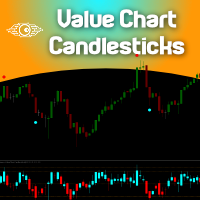
The idea of a Value Chart indicator was presented in the very good book I read back in 2020 , " Dynamic Trading Indicators: Winning with Value Charts and Price Action Profile ", from the authors Mark Helweg and David Stendahl. The idea is simple and the result is pure genius: Present candlestick Price analysis in a detrended way! HOW TO READ THIS INDICATOR Look for Overbought and Oversold levels. Of course, you will need to test the settings a lot to find the "correct" one for your approach. It
FREE
IBI Gamma Levels draws the main options gamma levels of the Nasdaq-100 on your MNQ / NQ chart: CALL WALL — largest positive gamma exposure (often acts as resistance), PUT WALL — largest negative gamma exposure (often acts as support), GAMMA 0 (gamma flip) — where total exposure changes sign: above it the market tends to be calmer, below it more volatile, GEX bars of the strikes near the price, and a small panel with each level and its distance to price. Data: free CBOE delayed quotes for NDX opt
FREE
Pin Bars MT5
Yury Emeliyanov
Main purpose:   "Pin Bars"   is designed to automatically detect pin bars on financial market charts. A pin bar is a candle with a characteristic body and a long tail, which can signal a trend reversal or correction. How it works:   The indicator analyzes each candle on the chart, determining the size of the body, tail and nose of the candle. When a pin bar corresponding to predefined parameters is detected, the indicator marks it on the chart with an up or down arrow, depending on the directi
FREE
Apex Point
Marco Engstermann
Apex Point is a trend-following indicator for MetaTrader 5, transforming complex market data into signals for traders. It displays blue dots for uptrends, red dots for downtrends, and yellow crosses at potential reversals, helping users identify momentum shifts quickly. Key features include a confirmation system requiring multiple bars (default: 3) to validate changes, reducing false signals; dynamic ATR-based offsets for adaptive trailing, with instant ratcheting in the trend direction and smo
FREE
이 유틸리티는 차트에 경제 뉴스를 직접 표시합니다. 예정된 이벤트, 발표까지 남은 시간, 중요도를 보여주고 알림을 전송합니다. 대상: 경제 뉴스를 주시하는 트레이더 뉴스에 기반한 거래를 하는 트레이더 적시에 알림을 받고 싶은 트레이더 차트에서 간편하고 직관적인 캘린더를 필요로 하는 사용자 주요 기능 뉴스 패널 - 차트에 가장 가까운 경제 이벤트를 표시합니다. 통화 필터 - 거래하는 통화에 대한 뉴스만 표시합니다. 알림 - 뉴스 발표 전 선택한 시간에 알림을 보냅니다. 푸시 알림 - MetaTrader 모바일 기기로 알림을 보냅니다. 소리 알림 - 사용자 지정 가능한 소리 알림 색상 표시기 - 중요도 및 긴급도를 시각적으로 표시합니다. 설정 알림 시간(분) - 이벤트 발생 몇 분 전에 알림을 보낼지 설정합니다. 최소 중요도 - 알림을 보내기 위한 최소 뉴스 중요도 통화별 필터 - 현재 거래 중인 종목의 통화로 뉴스를 필터링합니다. 소리 알림 활성화 - 소리
FREE
Trade Behavior Mirror는 오직 자신의 계좌에서 이미 청산된 거래 이력만 읽어서, 손실이 확정된 직후에 평소보다 큰 랏으로 새 포지션을 여는 패턴 하나만을 셉니다. 이 도구는 아무것도 예측하지 않고 아무런 조언도 하지 않습니다. 패널에 나오는 모든 숫자는 이 계좌에서 이미 일어난 일입니다. 숫자가 만들어지는 방식: 모든 종목과 모든 매직 넘버를 대상으로 최대 31일치 청산된 거래를 읽습니다 - 이는 차트의 종목만이 아니라 계좌 전체에 대한 그림입니다. 오늘 이전 30일 동안의 일별 신규 진입 건수의 중앙값과, 그 진입들의 랏 크기 중앙값을 계산합니다. 평균이 아니라 중앙값을 쓰는 이유는, 유난히 큰 거래 하나가 전체 기준을 왜곡하지 않도록 하기 위해서입니다. 이 30일 구간 안에 진입이 5건 미만이면 공정한 기준을 세우기에 이력이 충분하지 않다고 보고, 너무 적은 데이터로 만든 숫자 대신 "Collecting history"를 표시합니다. 핵심 집계는 패널에서 En
FREE
MultiTF Moving Average Panel
Mohamed Amine Talbi
5 (1)
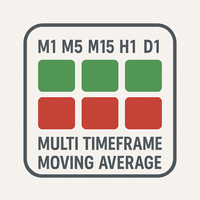
The   "MultiTF Moving Average Panel"   indicator is more of a helping tool than an indicator, it serves to help know the trend direction for the current currency pair of all timeframes in one place. It is best used with other indicators and signals, to help filter the signals according the trend based on multiple timeframes. Indicator inputs : - Moving Average period   : Default is set to 34. - Moving Average method   : The method of calculation of the Moving Average. Default is set to Exponent
FREE
Show Pips for MT5
Roman Podpora
4.5 (32)
이 정보 표시기는 계정의 현재 상황을 항상 알고 싶어하는 사람들에게 유용합니다. VERSION MT 4 -   More useful indicators 표시기는 포인트, 백분율, 통화 단위의 이익뿐만 아니라 현재 쌍의 스프레드와 현재 기간에서 막대가 마감될 때까지의 시간과 같은 데이터를 표시합니다. 차트에 정보선을 배치하는 데는 여러 가지 옵션이 있습니다. 가격 오른쪽(가격보다 뒤에 있음) 코멘트(차트의 왼쪽 상단) 화면의 선택된 모서리에 있습니다. 정보 구분 기호를 선택할 수도 있습니다. | / \ # 이 표시기는 사용하기 쉽고 매우 유익합니다. 설정에서 불필요한 정보 항목을 비활성화할 수 있습니다. 설정 외모의 종류       - 정보 라인 표시 유형. 세 가지 옵션이 있습니다: 가격을 따르세요       - 가격을 따르세요. 댓글로       - 코멘트로; 화면의 선택된 모서리에서       - 화면의 선택한 모서리에 있습니다. 첨부용 그래프 코너       - 화면의 선택한
FREE
Candle Timer and Spread and Session  in a smart way displays the remaining time before the current bar closes and a new bar forms and also the Current Session in place. It can be used for time management and at the same time you keep an eye on Spread changes and Session Change. Real-Time Edge in Your Trading: Candle Timer & Spread Overlay – FREE for a Limited Time! Smart Display of  Candle Timer and Spread and Session in a single place Lightning-Fast Candle Countdown Timer Instant Spread Monito
FREE
AZ session scalper
Yurii Shvechikov
5 (1)
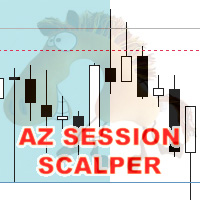
AZ session scalper A small but useful session indicator, designed primarily for scalping. Enable the session you plan to trade, watch the reaction of the M5/M15 candlesticks to the level of the previous trading session, and enter. We always look at the reaction of the current session to the previous one. For example, if you trade the Americas, enable the European session, and watch how one session takes away liquidity from another. Important: adjust the time to your broker's time zone in the i
FREE
Girassol Sunflower MT5 Indicator
Saullo De Oliveira Pacheco
3.86 (7)
This is the famous Sunflower indicator for Metatrader5. This indicator marks possible tops and bottoms on price charts. The indicator identifies tops and bottoms in the asset's price history, keep in mind that the current sunflower of the last candle repaints, as it is not possible to identify a top until the market reverses and it is also not possible to identify a bottom without the market stop falling and start rising. If you are looking for a professional programmer for Metatrader5, please
FREE
TradeMasterPanel — One-Click Manual Trading Panel for MT5 TradeMasterPanel is a professional one-click trading assistant for MetaTrader 5, designed to help traders execute, manage, and protect positions directly from the chart. All settings can be adjusted on-chart and are automatically saved for each trading symbol, eliminating the need to reopen the Inputs dialog or reattach the EA. The interface is fully scalable and DPI-aware for modern high-resolution displays. 1. Market Order Entry Open B
FREE
Close Vol (%N): 미체결 포지션 랏(lot) 크기의 절반(또는 원하는 비율)을 청산합니다. 예를 들어 0.06랏의 미체결 주문이 5개 있고 각각의 절반을 청산하려는 경우, 단순히 클릭만 하면 개별 주문에서 지정된 물량이 청산됩니다. Close Order (%N): 총 미체결 주문 수의 절반(또는 원하는 수량)을 청산합니다. 예를 들어 미체결 주문이 10개 있고 그 중 절반 또는 특정 수량을 청산하려는 경우에 사용합니다. (참고: 청산 과정은 주문의 수익을 기준으로 합니다. 수익이 가장 적은 주문부터 먼저 청산됩니다). AUTO BE (ON & OFF): 수익이 100핍(또는 지정한 목표치)에 도달하면 자동으로 주문을 손익분기점(Break Even)으로 이동시킵니다. (참고: 각 주문을 개별적으로 계산합니다. 예를 들어 두 개의 미체결 주문 중 하나는 100핍 수익 중이고 다른 하나는 50핍 수익 중이라면, 100핍 수익 주문만 손익분기점으로 이동시킵니다). SL @ EN
FREE
Server Clock
Flavio Javier Jarabeck
5 (5)
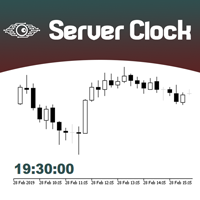
Many friends asked me for a simple, non-obtrusive, resource-friendly clock to track the time during their trades. It seems pretty obvious, but it is a must-have for those trading the market manually, waiting for the Market News, or just to visually know what time it is... Trading is an absorbing endeavor! So, here it is... Totally configurable, including Font Type, Font Size and Chart Location: Upper Left/Center/Right OR Lower Left/Center/Right, with a little twist of adjusting the Offset, just
FREE
Stochastic   +   RSI   Multi-Timeframe   Dashboard   with   Momentum   Strength Need Trade Assistant? Trade Panel Pro MT 5 Please leave a review, if you like this.   OVERVIEW A   professional   multi-timeframe   dashboard   indicator   that   displays   Stochastic   Oscillator   and   RSI   (Relative   Strength   Index)   values   from   7   different   timeframes   simultaneously   on   a   single   compact   panel.   Perfect   for   scalpers   and   day   traders   who   need   quick   m
FREE
TrendVision AI
Murtadha Majid Jeyad Al-Khuzaie
TrendVision AI – Smart Trend Channels & Price Forecasting for MetaTrader 5 Discover market structure and explore potential future price direction with TrendVision AI, an advanced technical indicator for MetaTrader 5 that combines automatic trendline analysis with a machine-learning-based price forecasting model. How Does TrendVision AI Work? TrendVision AI analyzes historical candlestick data within a configurable lookback window. It automatically draws two trendlines directly on the chart:
FREE
VP-MTF PRO - Institutional Volume Profile Multi-Timeframe                               OVERVIEW VP-MTF PRO is a professional-grade Volume Profile indicator designed for serious traders who want institutional-level analysis. It combines multi-timeframe volume profiling with automated signal generation, VPOC migration tracking, and HVN/
FREE
PriceAlert
Ryoma Iwayama
Here's how to use the BTC_PriceAlert.mq5 indicator in MetaTrader 5: What it does It's a custom indicator (not an EA) for BTCJPY that draws horizontal alert lines on your chart and fires a notification when price touches your specified upper or lower target. It checks the high/low of each bar (wick touches count, not just closes). Install the indicator Copy BTC_PriceAlert.mq5 into your MT5 data folder under MQL5/Indicators (File > Open Data Folder in MetaEditor or MT5). Compile it in MetaEditor
FREE
This tool allows you to export Ticks for any financial instrument available in MetaTrader 5. You can download multiple symbols into the same CSV file. You can also schedule the download frequency (every 5 minutes, 60 minutes, etc.). There is no need to open multiple charts to get the latest data—the tool downloads the data directly. The CSV file will be stored in the following folder: \MQL5\Files . How it works Select the symbols to download: Click an item to select or deselect it. Enter the CSV
FREE
Native Account Stats
Ubaldo Barranco Jimenez
Native Account Stats breaks your own closed-trade history down by symbol, by hour of day and by weekday, with profit factor, win rate, expectancy and the drawdown of the closed-trade equity curve. Trades are reconstructed from MT5 deals, so deposits, credits and corrections never count as winning trades. WHAT IT SHOWS A panel on the chart reports: Trades, net result, profit factor, win rate, expectancy and max drawdown Average win, average loss, largest win, largest loss A breakdown by symbol
FREE
USDJPY Keltner Range M15 Strategy is a fully automated MetaTrader 5 strategy designed to capture structured breakout opportunities on USDJPY using daily directional confirmation, Keltner Channel reference levels, volatility-buffered pending STOP entries and simple fixed-risk management. The strategy is designed for USDJPY on the M15 timeframe. Its goal is to participate when the market shows directional intent through daily high or daily low behavior, while using Keltner Channel structure and
FREE
이 제품의 구매자들이 또한 구매함
Trade Assistant MT5
Evgeniy Kravchenko
4.43 (216)
거래당 위험 계산, 라인을 사용한 손쉬운 신규 주문, 부분 청산 기능을 통한 주문 관리, 7가지 유형의 트레일링 스탑 및 기타 유용한 기능을 제공합니다. 추가 자료 및 지침 설치 지침   -   애플리케이션 지침   라인 기능       - 차트에 개시선, 손절매, 차익실현을 표시합니다. 이 기능을 사용하면 새로운 주문을 쉽게 하고 개봉 전에 추가 특성을 볼 수 있습니다. 위기 관리       -       위험 계산 기능은 설정된 위험과 손절매 주문의 크기를 고려하여 새 주문의 볼륨을 계산합니다. 이를 통해 손절매 크기를 설정하고 동시에 설정된 위험을 존중할 수 있습니다. 로트 계산 버튼 - 위험 계산을 활성화/비활성화합니다. 필요한 위험 값은 위험 필드에 0에서 100 사이의 백분율 또는 예금 통화로 설정됩니다. 설정 탭에서 위험 계산 옵션을 선택합니다. $ 통화, % 잔액, % 지분, % 자유 마진, % 사용자 정의, % AB 이전 일, % AB 이전 주, % AB 이전
Trade Manager EA에 오신 것을 환영합니다. 이 도구는 거래를 보다 직관적이고 정확하며 효율적으로 만들기 위해 설계된 궁극적인 리스크 관리 도구 입니다. 단순한 주문 실행 도구가 아닌, 원활한 거래 계획, 포지션 관리 및 리스크 제어를 위한 종합 솔루션입니다. 초보자부터 고급 트레이더, 빠른 실행이 필요한 스캘퍼에 이르기까지 Trade Manager EA는 외환, 지수, 상품, 암호화폐 등 다양한 시장에서 유연성을 제공합니다. Trade Manager EA를 사용하면 복잡한 계산은 이제 과거의 일이 됩니다. 시장을 분석하고 진입, 손절 및 익절 수준을 차트의 수평선으로 표시한 후 리스크를 설정하면, Trade Manager가 이상적인 포지션 크기를 즉시 계산하고 SL 및 TP 값을 실시간으로 표시합니다. 모든 거래가 간편하게 관리됩니다. 주요 기능: 포지션 크기 계산기 : 정의된 리스크에 따라 거래 크기를 즉시 결정합니다. 간단한 거래 계획 : 진입, 손절, 익절을 위한
Farmed Hedge Yield Farming | All Markets (Manual - Hybrid - Semi/Automated EA) VERIFIED TRADING RESULTS - Farmed Hedge Yield Axi Copy:  https://www.mql5.com/en/signals/2356376 - Farmed Hedge Yield Exn Copy:   https://www.mql5.com/en/signals/2356404 - Farmed Hedge Yield V Copy:  https://www.mql5.com/en/signals/2357156 IMPORTANT NOTICE: FarmedHedge is a MANUAL-FOCUSED TRADING UTILITY ,not a fully automated EA. Results shown on this Signal include manual trades and overall strategic management.
Telegram to MT5 Multi-Channel Copier   는 Telegram 및 Discord 채널의 트레이딩 시그널을 MetaTrader 5로 자동 복사합니다. 봇도, 브라우저 확장도, 수동 복사도 필요 없습니다. Telegram이나 Discord에 시그널이 도착하면 EA가 몇 초 안에 터미널에서 주문을 실행합니다. 그리고 채널을 복사하기 전에, 내장 백테스터가 그 채널이 내 계좌에서 어떤 결과를 냈을지 보여줍니다. 제품은 두 가지 구성 요소로 이루어집니다: Telegram 채널을 수신하는 Windows 애플리케이션과, MT5 터미널에서 시그널을 실행하는 본 EA입니다. MT4 버전도 제공됩니다   여기 . 구매 전에 사용해 보세요:   애플리케이션은 무료로 다운로드할 수 있습니다. 본인의 채널을 연결하고 각 시그널이 어떻게 읽히는지 확인하세요. Backtest 탭과 실제 거래에는 구매하거나 임대한 EA가 필요합니다. 이 페이지의 무료 데모는 전략 테스터에서만 실행되며
Local Trade Copier EA MT5
Juvenille Emperor Limited
4.94 (150)
Local Trade Copier EA MT5는 동일한 Windows 컴퓨터 또는 Windows VPS에서 여러 MetaTrader 5 계정 간에 거래를 복사하고 관리할 수 있는 빠르고 유연한 거래 복사기입니다. 로컬 거래 동기화 기능과 함께 Receiver 측에서 로트 크기, 리스크 관리, 거래 필터링, 심볼 매핑, 거래 관리 및 계정 보호를 독립적으로 설정할 수 있습니다. Transmitter와 Receiver 터미널을 약 1분 안에 설정하고, 동일한 브로커 또는 서로 다른 브로커의 계정 간에 수동 거래 또는 EA 거래를 복사할 수 있습니다. 적절한 조건에서는 로컬 MetaTrader 터미널 간의 거래 정보가 0.5초 이내 에 동기화될 수 있습니다. 실제 체결 속도는 브로커 지연 시간, 네트워크 상태, 컴퓨터/VPS 성능 및 터미널 부하에 따라 달라집니다. 구매 전에 무료 데모를 사용해 보세요 MT5 데모 계정에서 Local Trade Copier EA MT5의 모든 기능을
EA Overfitter
Stephen J Martret
5 (4)
That backtest looks great. But will it still be making money tomorrow, next week, next month? EA Overfitter re-runs your EA on 100 price histories it has never seen. One score tells you if the edge is real. A backtest tells you what an EA did on one price history — the one that happened to occur. What you cannot tell from it is how much of that result was the strategy and how much was the particular path. EA Overfitter answers that. It builds up to 100 synthetic price histories your EA has n
TradePanel MT5
Alfiya Fazylova
4.89 (174)
Trade Panel은 다기능 거래 도우미입니다. 이 애플리케이션에는 50개 이상의 수동 거래 기능이 포함되어 있으며 대부분의 거래 작업을 자동화할 수 있습니다. 앱 사용 설명서: https://www.mql5.com/en/blogs/post/756482 데모 계정용 앱 체험판: https://www.mql5.com/en/blogs/post/750865 앱 설치 방법: https://www.mql5.com/en/blogs/post/756239 시각 모드에서 앱 테스트 방법: https://www.mql5.com/en/blogs/post/770277 VPS MetaTrader에 앱 설치 방법: https://www.mql5.com/en/blogs/post/770190 거래. 한 번의 클릭으로 거래를 수행할 수 있습니다: 리스크 자동 계산과 함께 예약 주문 및 포지션 열기. 한 번의 클릭으로 여러 주문 및 포지션 열기. 주문 그리드 열기. 예약 주문 및 포지션을 그룹별로 닫기. 포지션
내 거래 규칙에 맞춰 Telegram 신호 복사 Telegram to MT5 Signal Trader 는 공개 및 비공개 Telegram 채널과 그룹의 텍스트 기반 거래 신호를 MetaTrader 5로 자동 복사합니다. 하나의 데스크톱 앱에서 여러 신호 제공자와 MT5 계좌를 관리하고, 제공자마다 위험 관리 및 거래 설정을 개별적으로 지정 할 수 있습니다. 신호 복사에는 Telegram 봇이나 API 설정이 필요하지 않습니다. 전화번호 또는 QR 코드로 본인의 Telegram 계정에 로그인한 후, 이미 가입한 채널이나 그룹을 선택하면 됩니다. 봇을 만들거나 Telegram API 토큰, API ID 또는 API 해시를 입력할 필요가 없습니다. 포지션 크기를 선택하고, 여러 익절 목표에 청산 물량을 배분하며, 손익분기점 이동과 트레일링 스톱을 자동화하세요. 제공자의 신호를 따르면서도 실제 거래 방식은 직접 설정할 수 있습니다. 이 제품은 MT5 Expert Advisor와 필수 Win
Strategy Ledger Pro
Abdullah Uygar Tuna
5 (17)
이제 한국어로 이용할 수 있습니다. Strategy Ledger Pro 는 MetaTrader 5용 읽기 전용 계좌 분석 패널입니다. 계좌 성과를 전문가 어드바이저(EA), 전략, 심볼, 매직 넘버별로 나누어 각각이 실제로 얼마나 기여하는지 보여줍니다. 패널은 11개 언어를 지원합니다: English, Français, Deutsch, Español, Italiano, Português, Русский, Türkçe, 中文, 日本語, 한국어. 데모를 다운로드하기 전에. Market은 모든 유료 제품의 데모를 전략 테스터에서만 실행합니다. 이 패널은 사용자 자신의 계좌 거래를 분석하는데, 전략 테스터에는 읽을 계좌 기록이 없으므로 데모는 빈 패널로 열리고 그 사실을 표시합니다. 이는 데모 방식에 따른 것이며 제품의 제약이 아닙니다. 이 설명의 동영상에서 실계좌에서 작동하는 패널을 확인할 수 있습니다. 모든 기능을 설명한 자세한 매뉴얼 (영문)과 토론 및 공지를 위한 AureusAI
Exp COPYLOT CLIENT for MT5
Vladislav Andruschenko
3.97 (35)
MetaTrader 5용 전문 트레이드 복사기 MetaTrader 용 빠르고 전문적이며 신뢰할 수 있는 트레이드 복사기 입니다. COPYLOT 은 MT4와 MT5 터미널 간의 Forex 거래 복사를 지원하며, Hedge 및 Netting 계좌를 모두 지원합니다. COPYLOT MT5 버전 지원 구성: - MT5 Hedge → MT5 Hedge - MT5 Hedge → MT5 Netting - MT5 Netting → MT5 Hedge - MT5 Netting → MT5 Netting - MT4 → MT5 Hedge - MT4 → MT5 Netting MT4 버전 전체 설명 + DEMO + PDF 구매 방법 설치 방법 로그 파일 확인 방법 테스트 및 최적화 방법 Expforex의 모든 제품 MT4 터미널로도 거래를 복사할 수 있습니다(MT4 → MT4, MT5 → MT4): COPYLOT CLIENT for MT4 COPYLOT은 2개, 3개, 심지어 10개의 터미널과 동시에 작동할
News Trade EA MT5
Konstantin Kulikov
4.55 (11)
제가 몇 년 동안 사용하고 있는 유용한 로봇을 소개드립니다. 반자동뿐만 아니라 자동 모드로도 사용할 수 있습니다. >>> Chat <<< 본 프로그램에는 경제 캘린더의 뉴스별로 유연한 거래 설정이 포함되어 있습니다. 전략 테스터에서 확인할 수 없습니다. 진짜 작업뿐입니다. 최신 설정 아카이브 다운로드: https://www.mql5.com/en/blogs/post/747929 신호 모니터링: https://www.mql5.com/en/signals/author/test-standart 이 전문가를 위해 고유 설정 세트를 만들 때 블로그의 모든 매개변수에 대한 설명을 참조하십시오: https://www.mql5.com/en/blogs/post/748545 . 기본 설정 설명 작업은 한 차트에서 GBP(GBPUSD, EURGBP, GBPJPY, GBPCAD, GBPAUD, GBPCHF)와 쌍으로 이루어집니다. GBP는 가장 변동성이 큰 통화로서 거래 수행 시 거래를 성공적으로
Power Candles Strategy Scanner: 스스로 최적화하는 멀티 심볼 셋업 파인더 작은 움직임마다 울리는 스캐너는 결국 무시하게 됩니다. 분주한 캔들 마감 한 번에 알림이 연달아 쏟아지고, 정작 실제로 거래하는 단 하나의 셋업은 소음에 묻혀 버립니다. Power Candles Strategy Scanner 는 스스로 최적화하는 Power Candles 엔진을 Market Watch의 모든 심볼에서 실행하고, 당신이 직접 정한 필터를 통과한 것만 알려줍니다. 기준은 마지막 확정 캔들의 강도, 셋업의 손익비, 실시간 스프레드, 그리고 당신이 거래하는 자산군입니다. 심볼이 리스트에 들어오면 스캐너가 당신을 부릅니다. 필터로 걸러낸 것은 모두 조용히 남아 있고, 같은 캔들 마감에서 나온 모든 신호는 하나의 메시지로 도착합니다. 구매 전에 패널과 모든 필터를 확인하세요. 스크린샷, 전체 기능 투어, Power Candles와 함께 쓰는 워크플로: stein.investment
================================================================================ POC BREAKOUT - V20.72. Full Professional Grade Toolkit ================================================================================ POC Breakout is a full MetaTrader 5 trading dashboard for discretionary traders who want breakout signals, Point of Control (POC) context, volume profiles, order flow, market structure, news, alerts, and advanced trade planning in one professional workspace. Attached directly to you
The product will copy all telegram signal to MT5 ( which you are member) , also it can work as remote copier.  Easy to set up, copy order instant, can work with almost signal formats, image signal,  s upport to translate other language to English Work with all type of channel or group, even channel have "Restrict Saving Content", work with  multi channel, multi MT5 Work as remote copier: with signal have ticket number, it will copy exactly via ticket number. Support to backtest signal. How to s
Unlimited Trade Copier Pro MT5 is a tool to copy trade remotely to multiple MT4, MT5 and cTrader accounts at different computers/locations over internet. This is an ideal solution for you if you are a signal provider and want to copy your trades to other receivers globally on your own rules. One provider can copy trades to multiple receivers and one receiver can get trade from multiple providers as well. The provider can even set the subscription expiry for each receiver, so that receiver will n
MetaTrader 5용 order block, BOS, ChoCH 전문가 어드바이저, Telegram 알림 포함 SMC Trade Pilot MT5는 차트의 시장 구조를 읽고 신호를 Telegram으로 전송합니다. 구조 돌파(BOS)와 성격 변화(ChoCH)를 표시하고, 강도 점수가 있는 order block 을 그리며, fair value gap(FVG)과 liquidity sweep을 추적하고, point of control, value area high, value area low가 포함된 volume profile을 표시하며, 멀티 타임프레임 패널, 컨플루언스 점수, kill zone 세션을 갖춘 간결한 대시보드에 모두 요약합니다. 종가에 표시하고, 그다음 확정 돌파는 캔들 종가 즉시 PENDING 으로 표시되며, 어떤 확인보다 먼저 나타납니다. 새로운 고점 또는 저점이 확인하면 확정으로 바뀌고, 설정한 캔들 수가 지나면 스스로 만료되며, 가격이 무효화하면 사라집니다. 하나
VirtualTradePad PRO SE MT5 — MetaTrader 5용 전문 트레이딩 컨트롤 센터 VirtualTradePad PRO SE 는 MetaTrader 5 용 프리미엄 차트 기반 트레이딩 패널이자 거래 관리 워크스페이스입니다. 더 빠른 주문 실행, 더 명확한 포지션 관리, 구조화된 거래 관리, 시각적인 레벨 계획, 그리고 차트에서 직접 작업하는 전문적인 워크플로를 원하는 트레이더를 위해 설계되었습니다. 이 제품은 단순한 BUY / SELL 패널이 아닙니다. PRO SE는 수동 트레이딩, 예약 주문, 포지션 관리, 부분 청산, 바스켓 손익 관리, 평균가 레벨, ATM 규칙, 신호 모니터링, 실시간 시장 정보, 전략 테스터 (Strategy Tester) 워크플로, VPS 중심 운용을 하나의 연결된 인터페이스로 통합합니다. MT4 버전 | 전체 설명 및 스크린샷 | 구입 방법 | 설치 방법 | 로그 파일을 얻는 방법 | 테스트 및 최적화 방법 | Expforex의 모든
Timeless Charts
Samuel Manoel De Souza
5 (9)
Timeless Charts is an all-in-one trading utility for professional traders. It combines custom chart types such as Seconds Charts and Renko with advanced order flow analysis using Footprints , Clusters , Volume Profiles , VWAP studies, and anchored analysis tools for deeper market insight. Trading and position management are handled directly from the chart through an integrated trade management panel , while Market Replay and Virtual Accounts provide environments for practicing trading skills and
Equity Protect Pro: 안심 거래를 위한 종합 계좌 보호 전문가 계좌 보호, 자산 보호, 포트폴리오 보호, 다중 전략 보호, 수익 보호, 수익 확보, 거래 보안, 위험 관리 프로그램, 자동 위험 관리, 자동 청산, 조건부 청산, 예약 청산, 동적 청산, 추적 손절매, 원클릭 종료, 원클릭 청산, 원클릭 복원 등의 기능을 찾고 있다면 Equity Protect Pro가 바로 필요한 프로그램입니다. 설정이 간편하고 사전 설정된 조건이 충족되면 모든 차트를 닫을 수 있으며 신호 구독 취소도 지원합니다(이는 모든 거래 프로그램도 중지됨을 의미합니다). 이 시점에서 새로운 주문이 생성되지 않으며 최종적으로 모든 주문이 종료되어 예상치 못한 손실을 효과적으로 방지하고 안심하고 거래할 수 있습니다. Equity Protect Pro (Technical Manual) Equity Protect Pro Demo Version for yo u to test   Equity Protect
HINN MagicEntry Extra
ALGOFLOW OÜ
4.74 (19)
HINN MAGIC ENTRY – the ultimate tool for entry and position management! SIMPLE. FASTEST. INTUITIVE. MAX AUTOMATED. Place orders by selecting a level directly on the chart! full description   ::  demo-version  :: 60-sec-video-description Key features: - Market, limit, and pending orders - Automatic lot size calculation - Automatic spread and commission accounting - Unlimited partitial take-profits  - Breakeven and trailing stop-loss and take-profit  functions - Invalidation leves - Intuitive, a
Strategy Builder offers an incredible amount of functionality. It combines a trade panel with configurable automation (covert indicators into an EA), real-time statistics (profit & draw down) plus automatic optimization of SL, TP/exit, trading hours, indicator inputs. Multiple indicators can be combined into an single alert/trade signal and can include custom indicators, even if just have ex4 file or purchased from Market. The system is easily configured via a CONFIG button and associated pop-u
News Filter EA
Rashed Samir
5 (2)
News Filter EA: Advanced Algo Trading Assistant News Filter EA is an advanced algo trading assistant designed to enhance your trading experience. By using the News Filter EA , you can integrate a Forex economic news filter into your existing expert advisor, even if you do not have access to its source code. In addition to the news filter, you can also specify trading days and hours for your expert. The News Filter EA also includes risk management  and equity protection features. MT4 Version Ma
Trade copier MT5
Alfiya Fazylova
4.61 (57)
Trade Copier는 거래 계정 간의 거래를 복사하고 동기화하도록 설계된 전문 유틸리티입니다. 복사는 공급자의 계정/단말기에서 동일한 컴퓨터 또는 vps에 설치된 수신자의 계정/단말기로 발생합니다. 구매하기 전에 데모 계정에서 데모 버전을 테스트할 수 있습니다. 데모 버전 여기 . 전체 지침 여기 . 주요 기능 및 이점: 복사기는 "МТ5> МТ5", "МТ4> МТ5", "МТ5> МТ4" 복사를 지원합니다. 복사기는 데모 계정 > 실 계정, 실 계정 > 데모 계정, 데모 계정 > 데모 계정 및 실제 계정 > 실 계정 복사를 지원합니다. 복사기는 읽기 전용 암호가 적용된 투자자 계정에서 복사를 지원합니다. 하나의 공급자 터미널은 여러 수신 터미널로 트랜잭션을 보낼 수 있고 하나의 수신 터미널은 여러 공급자 터미널에서 트랜잭션을 수신할 수 있습니다. 복사기는 귀하 또는 귀하의 고문이 거래하는 동일한 터미널에서 작동할 수 있습니다. 높은 복사 속도(0.5초 미만). 복사기에는 간편
MetaTrader 5용 트레이딩 패널 — 차트와 키보드에서 실행하는 프로페셔널 원클릭 트레이딩 활동적인 트레이더를 위해 설계된 고급 Trading Panel로, MetaTrader 기본 인터페이스보다 훨씬 빠르고 직관적으로 포지션과 주문을 열고, 관리하고, 종료할 수 있습니다. 이 패널은 포지션 관리, 대기 주문 제어, 총수익 관리, 체결 속도를 하나의 전문적인 작업 공간에 통합하고 싶은 트레이더를 위한 솔루션입니다. 이것은 단순한 보조 유틸리티가 아닙니다. MetaTrader 5를 위한 진정한 trading cockpit입니다. 차트에서 직접 거래하고, 키보드로 빠르게 명령을 실행하며, 자동 계산과 시각적 가이드를 통해 수동 트레이딩을 더 빠르고, 더 명확하고, 더 편리하게 만들어 줍니다.  이 패널을 사용하면 차트에서 단 한 번의 클릭으로 거래를 실행할 수 있으며, 표준 MetaTrader 컨트롤보다 최대 30배 빠르게 거래 작업을 수행할 수 있습니다. 새로운 프리미엄 버전
Trade Dashboard MT5
Fatemeh Ameri
4.94 (135)
Trade Dashboard simplifies how you open, manage, and control your trades, with built-in lot size calculation. It allows you to execute trades, manage risk, and control positions directly on the chart, with tools such as partial close, breakeven, and trailing stop. Designed to reduce manual work and help you stay focused on your trading decisions. A demo version is available for testing. Detailed explanations of features are provided within the MQL5 platform. Installation instructions are include
Telegram To MT5 Ultra
Mirel Daniel Gheonu
5 (5)
Telegram To MT5 — 시그널 카피어 텔레그램 채널의 트레이딩 콜을 실제 MT5 주문으로 바꿔 드립니다 — 자동으로, 원하는 만큼의 계좌에서, 리스크와 규칙을 완전히 당신의 통제 아래 둡니다. Telegram To MT5는 이미 텔레그램에서 팔로우하고 있는 VIP / 시그널 채널을 당신의 MetaTrader 5 터미널에 연결합니다. 무료 동반 데스크톱 앱이 메시지를 읽고(봇을 차단하는 채널에서도 가능), 이 EA가 당신의 계좌에서 이를 실행합니다 — 당신만의 리스크 설정, 심볼 매핑, 익절(TP) 처리, 세션 및 뉴스 필터를 적용합니다. 이것은 블랙박스 전략이 아니라 시그널 카피어입니다. 어떤 채널을 신뢰할지, 각 거래의 수량과 관리 방식을 당신이 결정합니다. 단계별 설정 및 동반 앱 설치 가이드 작동 방식 [당신의 텔레그램 채널] -> [동반 데스크톱 앱] -> [MT5 + 이 EA] -> 주문 동반 데스크톱 앱(무료, 포함)은 당신의 텔레그램 계정으로 로그인하여 선택한
Trade Manager DashPlus
Henry Lyubomir Wallace
4.85 (13)
DashPlus 는 MetaTrader 5 플랫폼에서 거래 효율성과 효과를 향상시키기 위해 설계된 고급 거래 관리 도구입니다. 리스크 계산, 주문 관리, 고급 그리드 시스템, 차트 기반 도구 및 성과 분석 등 포괄적인 기능을 제공합니다. 주요 기능 1. 리커버리 그리드 불리한 시장 상황에서 거래를 관리하기 위한 평균화 및 유연한 그리드 시스템을 구현합니다. 거래 회복을 최적화할 수 있도록 전략적인 진입 및 종료 포인트를 제공합니다. 2. 스택 그리드 강한 시장 움직임 동안 포지션을 추가하여 유리한 거래에서 잠재적 수익을 극대화하도록 설계되었습니다. 유리한 시장 트렌드에서 승률을 높이며 거래를 확장할 수 있도록 합니다. 3. 손익(P&L) 라인 차트에서 잠재적인 수익 및 손실 시나리오를 시각적으로 표현합니다. 설정을 조정하고 P&L 라인을 드래그하여 실행 전에 다양한 거래 결과를 평가할 수 있습니다. 4. 바스켓 모드 동일한 심볼에 여러 포지션을 단일 집계 포지션으로 결합하여 관리합니
훌륭한 신호를 찾았지만 공급자의 로트가 너무 작습니까? 더 큰 위치 볼륨이 필요하지만 터미널 설정이 너무 좋지 않습니까? Signal Lot Manager는 필요한 볼륨의 중복 주문을 통해 공급자의 포지션 볼륨을 증가시킵니다. 주문을 복사하기 위한 로트 크기와 신호 이름을 설정하기만 하면 됩니다. Signal Lot Manager는 터미널에서 주문을 복제하기 위한 로트 승수 유틸리티입니다. 소스는 고문, 수동 거래, 별도의 거래 신호를 선택할 수 있습니다. 간단한 설정으로 다양한 기능을 제공할 뿐만 아니라 빠른 속도와 안정성을 제공합니다. Signal Lot Manager 설치 및 입력 가이드 EA에 대한 알림을 받으려면 MT4/MT5 터미널에 URL을 추가하십시오(스크린샷 참조). MT4 버전       https://www.mql5.com/en/market/product/34864 MT5 버전       https://www.mql5.com/en/market/product/416
Boleta Scalper Ultra
Nelson Lopes De Paula Neto
ScalperBoleta Ultra — MetaTrader 5 트레이딩 패널 ScalperBoleta Ultra 는 MetaTrader 5용으로 개발된 수동 거래 패널로, 스캘핑 및 데이 트레이딩에 중점을 두고 있습니다. 주문 실행, 포지션 관리 및 위험 관리 기능을 차트에 통합하여 거래의 편의성과 운영 효율성을 높입니다. 주요 기능: 매수 및 매도: 화면 버튼 또는 키보드 단축키를 이용한 주문 실행. 포지션 관리: 보유 포지션의 전체 청산 또는 부분 청산. 거래 수량 관리: 패널에서 직접 거래 랏 크기 조정. Stop Loss 및 Take Profit: 손실 제한 수준과 수익 목표 설정. Break Even: 설정 가능한 오프셋을 적용하여 손절매 가격을 진입 가격으로 이동. Trailing Stop: 설정된 매개변수에 따라 가격 움직임에 맞춰 손절매 수준을 자동으로 조정. 일일 손실 한도: 설정된 일일 손실 한도에 도달하면 거래를 차단하는 기능. 캔들 타이머: 현재 캔들의 남은 시
Trade Manager DaneTrades
Levi Dane Benjamin
4.13 (31)
거래 관리자는 위험을 자동으로 계산하는 동시에 거래를 빠르게 시작하고 종료하는 데 도움을 줍니다. 과잉 거래, 복수 거래 및 감정 거래를 방지하는 데 도움이 되는 기능이 포함되어 있습니다. 거래를 자동으로 관리할 수 있으며 계정 성과 지표를 그래프로 시각화할 수 있습니다. 이러한 기능은 이 패널을 모든 수동 거래자에게 이상적으로 만들고 MetaTrader 5 플랫폼을 향상시키는 데 도움이 됩니다. 다중 언어 지원. MT4 버전  |  사용자 가이드 + 데모 트레이드 매니저는 전략 테스터에서 작동하지 않습니다. 데모를 보려면 사용자 가이드로 이동하세요. 위기 관리 % 또는 $를 기준으로 위험 자동 조정 고정 로트 크기 또는 거래량과 핍을 기반으로 한 자동 로트 크기 계산을 사용하는 옵션 RR, Pips 또는 Price를 사용한 손익분기점 손실 설정 추적 중지 손실 설정 목표 달성 시 모든 거래를 자동으로 마감하는 최대 일일 손실률(%)입니다. 과도한 손실로부터 계정을 보호하고 과도한
제작자의 제품 더 보기
ABQ Visual Risk Sizer
Cristian David Castillo Arrieta
ABQ Visual Risk Sizer - Institutional Risk & Trade Execution 카테고리: 유틸리티 / 리스크 관리 수동 로트 계산은 시간과 비용을 낭비하게 합니다. 현대 트레이딩, 특히 프랍 펌(Prop Firms) 계좌를 운영할 때 로트 계산 오류나 단 5초의 주문 지연은 일일 드로다운(Daily Drawdown) 규정 위반으로 이어지거나 최적의 진입 가격을 놓치는 원인이 됩니다. ABQ Visual Risk Sizer 는 이 문제를 완벽하게 해결하기 위해 설계된 기관급 도구입니다. 복잡한 리스크 수학 계산을 MetaTrader 5 차트 위에서 직접적이고 빠르며 100% 정확한 시각적 경험으로 변화시킵니다. 이제 외부 계산기나 엑셀 시트는 잊으십시오. 차트 위의 라인을 드래그하고 클릭 한 번으로 거래를 실행하기만 하면 됩니다. 왜 ABQ Visual Risk Sizer가 필요한가요? 프랍 펌을 위한 완벽한 보호: 모든 거래에서 사용자가 설정한 정확한
FREE
Equity guardian and prop risk radar
Cristian David Castillo Arrieta
AbacuQuant Equity Guardian is an essential, 100% free institutional risk management utility designed for both Prop-Firm challenges (FTMO, FundedNext, The5ers) and Live personal accounts. Tired of losing your prop challenge or wiping weeks of profits in a single revenge-trading tilt? Equity Guardian stands watch 24/7 on your MetaTrader 5 chart and enforces strict, disciplined risk limits before emotions destroy your account. KEY FEATURES: Daily Loss Limit Guard: Tracks equity vs. broker day-
FREE
AbacuQuant
Cristian David Castillo Arrieta
AbacuQuant는 MetaTrader 5용 멀티 전략 Expert Advisor이자 리스크 관리 프레임워크로, 재량 트레이더, 다중 EA 포트폴리오 운용자, 프랍펌 챌린지 트레이더를 위해 설계되었습니다. 10가지 설정 가능한 전략, 실시간 포트폴리오 상관관계 스코어링, 선택적 AI 시그널 필터, 그리고 다층 자본 보호 코어를 DLL 의존성 없는 단일 파일에 통합했습니다. 실시간 시그널: https://www.mql5.com/en/signals/2362926 일관성 유지, 감정적 의사결정, 엄격한 드로다운 규칙 준수가 주된 어려움이라면, AbacuQuant가 규칙 기반의 실행을 대신 수행합니다. 결정을 내리기 전에 무료 데모 버전을 다운로드하여 전략 테스터에서 모든 기능을 테스트해 보실 수 있습니다. 12가지 사전 설정 리스크 프로필을 통한 프랍펌 규율 준수 펀딩 계좌 평가를 통과하려면 엄격한 규칙이 필요합니다. AbacuQuant에는 프랍 트레이딩 회사들이 일반적으로 사용하는 규
Abacuquant Portfolio
Cristian David Castillo Arrieta
AbacuQuant Portfolio 는 MetaTrader 5(MT5) 전용 다중 자산 및 다중 통화 퀀트 트레이딩 전문가 시스템(Expert Advisor)입니다. 단 하나의 H1 차트에서 상관관계가 낮은 11개 시장을 동시에 거래하며, 계좌 전체를 아우르는 단일 기관급 리스크 관리 엔진으로 통제됩니다: 마틴게일 금지, 그리드 금지, 손실 시 물타기 매수 금지 . 모든 주문은 진입 시점부터 수학적으로 정밀 계산된 손절매(Stop Loss) 및 이익 실현(Take Profit)을 수반하여 시장에 전송됩니다. 검증된 거래 시장: EURUSD, USDJPY, AUDUSD, EURJPY, 금(XAUUSD) 및 전 세계 6대 핵심 주가지수(다우존스/US30, 나스닥 100/NAS100, 닛케이 225/JP225, 호주 200/AUS200, 유로 스톡스 50/STOXX50, FTSE 100/UK100). 검증된 실계좌 시그널: AbacuQuant on Darwinex-Live 개발자 본인의
필터:
리뷰 없음
리뷰 답변