NewsRForestExpert

Trading assistant NewsRForestExpert v4.01

  1. Purpose and principle of operation

NewsRForestExpert is a trading assistant for MetaTrader 5, using the built-in economic calendar
and the machine learning model "Random Forest" of the ALGLIB library (hereinafter simply "model").

The assistant:

  • in this version works only on the EURUSD currency pair timeframes M1 – M5;

  • loads news history for the selected period and forms training and test samples;

  • trains on the obtained data or loads an already trained model;

  • tests the quality of model training;

  • draws news on the chart, shows a control panel. On an additional chart shows quality metrics of training/testing;

  • in the Strategy Tester checks on history the quality of trading of the trained model, or conducts training of a new model with the possibility of optimizing model parameters and checking trading quality on history;

  • in real time receives new events, the trained model forms signals: SELL / OUT OF DEAL / BUY;

  • can work in auto-trading mode or with manual confirmation.

  • is not intended for intensive trading and scalping

  1. Requirements

MetaTrader 5 terminal (current version).
Internet connection.
Availability of the built-in economic calendar in the terminal.
Quality price history M1/M5 for correct synchronization and calculations.
Allowed autotrading, if ExpertAutoTrade = true is planned.
Currency pair EURUSD, timeframes M1 – M5.

  1. Installation and launch

Copy the files to the MT5 terminal directory. The assistant (*.ex5) should be located in MQL5/Experts.
Launch MT5 and drag the assistant onto a regular trading chart of the required instrument (EURUSD, period M1 - M5). Do not install on "service" charts.
Allow Algo Trading.
Press OK. When launched, the assistant:

  • will prepare "train" and "test" samples (train - for the specified period, test - the day of the end date of the train sample until the current time);

  • will train the model or load a saved one, depending on user settings;

  • will create a subwindow with a control panel, draw news on the chart;

  • will output to the log recommended dates for Strategy Tester;

Further the expert advisor will update news and forecasts by timer and new M1 bar. In non-auto-trading mode, a confirmation window will appear before opening a position.

  1. Control panel on the chart

Elements:

  • four date pickers: start and end of the TRAIN period (for training) and start and end of the TEST period (for verification);

Buttons:

  • TRAIN - retrain the model on the selected TRAIN period. After training, "train" metrics/charts are built;

  • TEST - test the model on the selected TEST period. "Test" metrics/charts are built and recommended testing dates for Strategy Tester are printed to the log;

  • SAVE - save the current trained model (will overwrite the previous one);

Behavior:

  • subwindow and panel are restored if accidentally closed;

  • panel color adapts to the chart background (dark/light);

  • when incorrect dates are entered (start >= end − 1 day) a warning is issued.

  1. Work in Strategy Tester

Before starting the tester, prepare the data:
Launch the expert advisor on a real chart, this will load historical economic calendar data and form training and test samples, according to the dates set in the user settings.
The log of the expert advisor will output recommended dates "Testing start date" and "Test completion date".

In Tester (Ctrl+R):
Set the expert advisor, symbol, mode "Every tick" or "1 Minute OHLC".
Set the recommended dates.
Parameter SavedModelUse:
true - load a previously saved model (StateRandomForest).
false - train anew on train. Option SaveStateModel = true will save the model trained in the Strategy Tester with the Tester suffix.

Inside the tester, the expert advisor synchronizes with event timestamps and executes trades at the "minute of release" of the news. News clusters are processed collectively as in real trading.

  1. Input parameters

PARAMETERS OF PREPARATION OF INPUT FEATURES
**Begin date for loading economic calendar events (datetime) - start date of train.
**End date for loading economic calendar events (datetime) - end date of train.
**Minimum news importance (lov_level, medium_level, high_level) - minimum importance of events.
*Normalization of input features (without_normalization, MinMax_method, RobustScaler_method) - normalization of features (basic).

RANDOM FOREST PARAMETERS
Use a previously saved Random Forest (bool) - use a previously trained and saved model.
Selecting Random Forest Model Variants ( stationary model_1, random model_2) - forest implementation variant (for Free by default model_1).
Number of trees in a Random Forest (int) - number of trees in the model.
Share of data used to train the tree (double) - share of sample for training each tree "bootstrap" (0.2 - 0.95).
Number of features for each split (int) - number of features for each split (0 - 48; if -1 then auto)
Auto selection of the best Forest parameters (bool) - auto-selection of the best Forest parameters (beta option).
Minimum value of forecast probability (double) - threshold of model confidence in its forecast (0.2 - 0.95).

TRADE TRANSACTION PARAMETERS
*Expert Auto Trade (bool) - enable autotrading.
*Magic number (int) - magic number.
Lot size (double) - lot size.
Stop loss in points / Take profit in points (int, points) - SL/TP levels.
Slippage in points (int, points) - slippage.

TESTING PARAMETERS IN STRATEGY TESTER
*Save the state of the model trained in the strategy tester (bool) - save the model trained in the tester.

PARAMETERS OF VISUALIZATION OF ECONOMIC CALENDAR EVENTS
*Low importance – LowImpactColor.
*Medium importance – MediumImpactColor.
*High importance - HighImpactColor.
*Line width – line width.
*Line style – line style.

Footnote:
Parameters marked "*" in the source code do not affect optimization in the tester.
Parameters marked "**" must match in the tester and real settings,
otherwise work and optimization in the Strategy Tester will be incorrect.

  1. Signal logic and trade execution

The model issues a forecast for each event: class and confidence (probability).
The final signal is built on the sum of "weighted votes" at the minute of the event release:
Weight = forecast confidence × news importance.
Sums are calculated for BUY and SELL for all events in the minute.
If BUY weights > SELL weights - BUY signal, if SELL weights > BUY weights - SELL signal, otherwise NEUTRAL.
The ProbabilityOfPrediction threshold cuts off forecasts with low confidence.

When a signal is given:
In non-autotrading mode, a confirmation window is displayed; if there is already a position in the same direction - notification, the trade is not repeated.
Before opening a new position, the expert advisor closes opposite positions of this MagicNumber.
Positions are opened by trade_signal with specified Lot/SL/TP/Slippage.

  1. Generated files and names

Prefix: account number + currency pair + timeframe, for example "34764EURUSD_5_".

Main files created by the assistant:
StateRandomForestC.bin - saved trained model (real).
StateRandomForestTesterC.bin – saved trained model (tester).
FilteredCalendarData_train.bin / _test.bin - binary datasets (used by the Strategy Tester).

Additional files created by the assistant (control):
FilteredCalendarData_train.csv – dataset prepared for model training (real).
FilteredCalendarData_test.csv – dataset prepared for testing model quality (real).
DatasetDataForTester_train.csv – dataset prepared for model training (tester).
DatasetDataForTester_test.csv – dataset prepared for checking model operation in trading on history (tester).
ControlDatasetTester_test.csv — control dataset – for checking the correctness of data feed during testing in the Strategy Tester.

File location: C:\Users\User\AppData\Roaming\MetaQuotes\Terminal\Common\Files

  1. Verification and testing procedure

On a real chart:
Train the model (TRAIN) on the training period - get metrics and a heat map.
Check (TEST) on another, test period - get metrics and a heat map.
If the training results are satisfactory, save the model with the Save button

In the strategy tester:
Use the recommended dates from the log.
Run in the strategy tester, evaluate the trading results of the model.

Out-of-sample:
Move the period windows to avoid overfitting.
Periodically retrain the model to account for fresh data.

IMPORTANT!
Since quotes provided by one broker may differ from quotes of other brokers, it is recommended before using the NewsRForestExpert assistant in real trading to train the model using optimization.
The parameter Use a previously saved Random Forest must be set to false.

List of optimizable model parameters:

  • Number of trees in a Random Forest (10 – 4000);

  • Share of data used to train the tree (0.2 - 0.95);

  • Number of features for each split (0 - 48);

  • Minimum value of forecast probability (0.2 - 0.95).

Also at the user's discretion, parameters from the section "TRADE TRANSACTION PARAMETERS" can be optimized.
After optimization, reload the assistant setting the parameters of the best result.

  1. Frequent problems and solutions

No data/signals:
Make sure the calendar is available (View → Calendar), internet is available.
Check the Begin/EndDateForLoad range, lower NewsImportance.

Low quality:
Increase TreeCount/TrainRatio, adjust ProbabilityOfPrediction.
Check the integrity of price history, broker time shifts.

Times do not match in the tester:
Use the recommended dates from the log after pressing TEST in real.

  1. Limitations and features

Events with undefined time ("during the day") are excluded.
For reliable testing, use exactly the dates that the expert advisor outputs in the logs after data preparation on a real chart.

  1. Checklist before enabling autotrading

Tested in Strategy Tester with prepared files and correct dates.
Checked metrics on TRAIN and TEST in the panel.
Optimized model parameters in the Strategy tester (if necessary).
Set a unique MagicNumber on each symbol/timeframe.
Selected SL/TP and lots according to volatility and risks.
ProbabilityOfPrediction optimized for the desired signal selectivity.

  1. Notes on normalization

Basic normalization methods are available (Without/MinMax/RobustScaler).
Default parameters in this build are focused on stable operation; increase power (TreeCount, etc.) gradually.

  1. Security and risk management

Start with demo and manual confirmation (ExpertAutoTrade = false).
Consider spread widening and slippage on news.
Regularly retrain the model and monitor out-of-sample results.
Automated trading carries significant risks of loss of funds. The NewsRForestExpert assistant uses news analysis and machine learning, but does not guarantee profit. Test the strategy on a demo account before real trading. You use the assistant at your own risk.


추천 제품
HFT Flame Mt5
Shamary A Guy
5 (3)
This is the HFT Flame Ea....This is a complex Expert Advisor that basically pick trades from price movements, it is also a none-martingale mechanism with netting strategy that makes this Ea more interested and profitable throughout your trading journey. The HFT Flame EA can be super consistent on profits depending on the inputs selected for your style of trading. This is a hand free trading robot that can trade your way to success while you are away from the charts, another perfect advantage abo
FREE
PZ Goldfinch Scalper EA MT5
PZ TRADING SLU
3.31 (52)
This is the latest iteration of my famous scalper, Goldfinch EA, published for the first time almost a decade ago. It scalps the market on sudden volatility expansions that take place in short periods of time: it assumes and tries to capitalize of inertia in price movement after a sudden price acceleration. This new version has been simplified to allow the trader use the optimization feature of the tester easily to find the best trading parameters. [ Installation Guide | Update Guide | Troublesh
FREE
Go Long Advanced
Phantom Trading Inc.
4.78 (9)
Go Long EA는 다중 기술적 확인을 통한 체계적인 일일 거래 원칙을 기반으로 한 고급 장중 거래 전략을 구현합니다. 많은 트레이더들이 복잡한 알고리즘을 찾는 반면, 이 EA는 단순하지만 효과적인 개념과 정교한 위험 관리 및 다중 기술적 필터를 결합합니다. EA는 매일 특정 시간에 포지션을 열지만, 시장 조건이 여러 기술적 지표와 일치할 때만 실행됩니다. 이러한 체계적인 접근 방식은 수익을 잠식할 수 있는 야간 보유 비용을 피하면서 장중 움직임을 포착하는 데 도움이 됩니다. EA는 사전 설정된 시간에 자동으로 포지션을 종료하므로, 야간 노출을 피하고자 하는 트레이더에게 완벽합니다. 이 EA를 특별하게 만드는 것은 적응형 위험 관리 시스템입니다. 포지션 크기는 여러 요인을 기반으로 자동 조정됩니다: - 기본 자금 및 위험 비율 설정 - 기술적 지표 조건 (이동평균선, RSI, MACD 등) - 조건이 특히 유리할 때 포지션 크기를 증가시키는 특별 승수 EA는 활성화/비활성화
FREE
SolarTrade Suite Financial Robot: LaunchPad Market Expert - 거래를 시작하도록 설계되었습니다! 이 거래 로봇은 특별하고 혁신적이며 고급 알고리즘을 사용하여 가치를 계산합니다. 금융 시장의 세계에서 여러분의 조수입니다. SolarTrade Suite 시리즈의 지표 세트를 사용하여 이 로봇을 시작할 순간을 더 잘 선택하세요. 설명 하단에서 SolarTrade Suite 시리즈의 다른 제품을 확인하세요. 투자와 금융 시장의 세계를 자신 있게 탐색하고 싶으신가요? SolarTrade Suite Financial Robot: LaunchPad Market Expert는 정보에 입각한 투자 결정을 내리고 수익을 늘리는 데 도움이 되도록 만들어진 혁신적인 소프트웨어입니다. SolarTrade Suite Financial Robot: LaunchPad Market Expert의 장점: - 정확한 계산: 로봇은 고급 알고리즘과 분석 방법을 사
Golden Square X
Huynh Tan Linh N
4 (9)
This is my latest Free version for Gold. With optimized parameters and user-friendly features, this version is likely very easy to use and highly effective. You can customize TP and SL parameters as you wish, but the default settings should work well for you without the need for further adjustments.  This version is designed for the M5. This version does not require a large capital investment; only $100-$200 is sufficient for Golden Square X to run and generate profits for you. Based on backtest
FREE
The only EA for TRADING PSYCHOLOGY:Discipline, Mindset Training & Risk Control  Checklist-Enforced Trading (No trades allowed until  strategy checklist is met)  1-Click Revenge Trade Blocker (Auto-freezes account after losses)  Overtrading Circuit Breaker (Hard daily trade limits enforced)  Neuroplasticity Training (Rewires retail habits into institutional discipline)  Institutional Risk Protocols (Auto SL/TP, position sizing, daily loss cutoffs)  Prop Firm  and account Safeguard (Preve
Phoenix Volume Trader
Nigel Nii Darku Narnor Darko
The Phoenix Volume Trader is a high-performance Semi-Automatic Execution EA designed for traders who prioritize Order Flow and Momentum Analytics. Built for the MetaTrader 5 platform, it bridges the gap between complex Volume Profile analysis and lightning-fast trade execution. At its core, the Phoenix Engine identifies the Point of Control (POC)—the price level with the highest trading activity—and visualizes it as a dynamic "Value Zone." By monitoring the Volume Ratio, the EA alerts traders t
FREE
Gifted FX
Michael Prescott Burney
Gifted FX for GBPUSD H1 Chart Overview: Gifted FX for GBPUSD on the H1 chart is an advanced trading system designed for precision and profitability. It is engineered to adapt to various market conditions, ensuring consistent performance. Key Features: 100 Strategy Index: Leveraging a robust index of 100 unique strategies to cover a wide range of market scenarios. High Win Rate: Boasts an exceptionally high win rate, ensuring frequent successful trades. Super Low Drawdown (DD): Designed to mainta
This EA finds Fair Value Liquidity (FVL) on the chart, tracks when they get mitigated , and then looks for an inversion signal (price “fails” through the zone). When that inversion happens, it places a trade in the opposite direction of the original Liquidity gap (an Inverse FVG approach). It also lets you control when it trades using market sessions , and it can auto-close positions at New York open (all positions or profitable-only). Key advantages Clear, rule-based entries (no guessing): trad
FREE
SL Limiter Pro
Carlito Manaloto Jr
Experience a new level of precision and control with the SL Limiter Pro , an enhanced version of the SL Limiter, now available on MetaTrader 5. Built for serious traders, SL Limiter Pro offers sophisticated features that allow you to manage your trades more effectively and with greater flexibility. Take your trading strategy to the next level with this powerful risk management tool! Whether manual trading, EA trading, or using Trade Signals, SL Limiter Pro will help you minimize your risk! Anoth
Break Runner
Damaso Perez Moneo Suarez
BreakRunner - 자동 거래 및 고급 리스크 관리 BreakRunner는 Price Action 기반의 스캘핑 전략과 고급 리스크 관리 기능을 제공하는 자동 거래를 원하는 트레이더를 위해 설계된 전문가 어드바이저입니다. 이 로봇은 가격 축적을 식별하고 중요한 최고점이나 최저점이 돌파되면 매수 또는 매도 주문을 실행합니다. 주요 특징 거래 전략: 가격 축적의 돌파를 인식하여 스캘핑 거래를 실행합니다. 권장 타임프레임은 5분이며, 설정 가능합니다. 리스크 관리: 변동 리스크: 이전 거래가 손실일 경우, 다음 거래에서 리스크를 증가시킬 수 있는 기능. 추가 리스크는 설정하여 이전 손실을 회복하는 데 도움이 됩니다. 거래는 SL로 종료되므로 "마틴게일" 방식은 아닙니다. 변동 SL/TP: 가격 축적 범위의 최고값 또는 최저값을 기준으로 SL과 TP를 자동으로 조정하며, 권장 비율은 1:2입니다. 고정 SL/TP: 각 자산에 맞게 고정된 SL/TP 값을 설정할 수 있습니다. 브레이크이
FREE
Universal Breakout MT5
Sergey Ermolov
4.23 (48)
설정 및 보고서 |  MT4 버전  |  Universal Box 거래 세션 표시기   |  FAQ Universal Breakout  이것은 고전적인 가격 범위 분석 전략에 대한 전문가 고문 거래입니다. 시간 간격에 의해 설정된 가격 코리더에서 가격의 종료를 의미하는 모든 전략에 대해 구성할 수 있습니다. 예를 들면:아시아,유럽 또는 미국 무역 세션의 극단의 고장,일일 극단의 고장 또는 월요일의 첫 번째 4 촛불. 개량 설정에서는 개수가 최대 및 최소 가격대를 검색하는 시간 범위를 설정합니다. 또한 고문이 보류중인 주문을 할 시간을 지정합니다. 지정된 시간에 매장은 해당 범위의 최대 및 최소 가격 수준에서 두 개의 보류 중인 매수 중지 및 매도 중지 주문을 배치합니다. 보류중인 주문이 일정 시간 동안 실행되지 않은 경우(설정에서 설정),고문은 이러한 주문을 삭제하고 다음 거래일을 기다립니다. 이익 및 가능한 손실을 수정하려면수익,정지 손실뿐만 아니라 포지션을 손익분기 점,후행
FREE
SimpleTrade by Gioeste
Giovanni Scelzi
4 (3)
Discover the power of automated trading with **SimpleTradeGioeste**, an Expert Advisor (EA) designed to optimize your trading operations in the Forex market. This innovative EA combines advanced trading strategies with proven technical indicators, offering an unparalleled trading experience. video backtest :  https://youtu.be/OPqqIbu8d3k?si=xkMX6vwOdfmfsE-A ****Strengths**** - **Multi-Indicator Strategy**: SimpleTradeGioeste employs an integrated approach that combines four main technical ind
FREE
Exclusive EA for FOREX HEDGE account The EA (FuzzyLogicTrendEA) is based on fuzzy logic strategies based on the analysis of a set of 5 indicators and filters. Each indicator and filter has a weight in the calculation and, when the fuzzy logic result reaches the value defined in the EA parameter, a negotiation is opened seeking a pre-defined gain. As additional functions it is possible to define maximum spread, stop loss and so on . Recommended Symbol: EURUSD, AUDUSD, GBPUSD, NZDUSD, USDCAD, AUD
YenSync
Michael Prescott Burney
1 (1)
원형 동기화       YenSync는 Fujinami Systems의 검증된 핵심 로직을 기반으로 개발된 USD/JPY 1시간 차트용 고급 거래 시스템입니다. USD/JPY 통화쌍의 독특한 가격 변동에 맞춰 특별히 개발되었으며, 다양한 변동성 조건 하에서 정확한 시장 진입, 추세 동기화 및 위험 관리에 중점을 둡니다. 이 시스템은 내부 모멘텀 추적 및 방향성 정렬 필터를 활용하여 명확하고 일관된 시장 추세를 파악하고 단기 변동의 영향을 최소화합니다. 거래 시점, 최대 스프레드, 자본 감소 필터는 물론, 거래량, 최대 포지션 규모, 거래 빈도를 정밀하게 제어할 수 있어 사용자가 원하는 대로 위험 관리 및 거래 전략을 조정할 수 있습니다. YenSync는 효율성과 적응성을 염두에 두고 개발되었으므로 USD/JPY 쌍의 높은 변동성에 대처하기 위한 안정적이고 체계적인 접근 방식을 찾는 트레이더에게 이상적인 선택입니다.
Grid Scalper MA MT5 EA
Allan Munene Mutiiria
4.39 (59)
Grid Scalper MA MT5 EA Step into the fast lane of forex trading with Grid Scalper MA MT5 EA , a powerhouse expert advisor crafted for MetaTrader 5 that turns market volatility into your playground. This isn’t your average EA—it’s a precision scalping machine driven by a dynamic grid trading strategy, blending razor-sharp Moving Average (MA) crossover signals with a robust set of customizable features. Whether you’re a scalper hunting quick pips or a strategist riding market waves, this EA deli
FREE
Babel Assistant
Iurii Bazhanov
4.33 (9)
Babel assistant 1     The MT5 netting “Babel_assistant_1” robot uses the ZigZag indicator to generate Fibonacci levels on M1, M5, M15, H1, H4, D1, W1  periods of the charts , calculates the strength of trends for buying and selling. It opens a position with "Lot for open a position" if the specified trend level 4.925 is exceeded. Then Babel places pending orders at the some Fibonacci levels and places specified Stop Loss , Take Profit. The screen displays current results of work on the position
FREE
ICT Premium Discount Zone EA
Charles Antoine Dominique Julien Fournel
October Sales : Free until 31th October 2025 ! ! Introducing the ICT Premium Discount Zone EA – Smart Trading for EUR/USD The ICT Premium Discount Zone EA is a cutting-edge Expert Advisor engineered for traders who demand precision, safety, and consistent performance. Built on the proven principles of ICT Premium/Discount Zones , this EA executes only Buy Stop  and Sell Stop  orders, ensuring entries are always aligned with optimal market structure. Key Features: Already set up for EUR / USD P
FREE
Neuro Edge
Agus Wahyu Pratomo
5 (4)
Please give review to support development of this Expert Advisor NeuroEdge EA is an advanced trend-following scalper designed to adapt dynamically to market behavior. Built with precision algorithms and smart averaging logic, it maintains minimal drawdown while capturing high-probability setups in trending conditions. NeuroEdge continuously analyzes market flow to ensure optimal entries and exits — giving traders the edge they need in volatile markets. ️ Core Features: Adaptive Trend Detection
FREE
King Experts V2
Craig Alden Matteo
King_Expert EA - Professional Trading System Overview King_Expert EA is a sophisticated automated trading system for MetaTrader 5 that combines trend-following strategies with intelligent risk management. The EA uses a multi-layered approach to identify high-probability trading opportunities while incorporating advanced features like grid averaging and dynamic position management. Core Trading Strategy Primary Signal Generation EMA Crossover System : Uses dual Exponential Moving Averages (21/50
FREE
Long Waiting
Aleksandr Davydov
Expert description Algorithm optimized for Nasdaq trading The Expert Advisor is based on the constant maintenance of long positions with daily profit taking, if there is any, and temporary interruption of work during the implementation of prolonged corrections The Expert Advisor's trading principle is based on the historical volatility of the traded asset. The values of the Correction Size (InpMaxMinusForMarginCallShort) and Maximum Fall (InpMaxMinusForMarginCallLong) are set manually. Recomm
FREE
Adx rsi orion
Murtadha Majid Jeyad Al-Khuzaie
ADX RSI Orion — Smart Trend Alignment Expert Advisor ADX RSI Orion is a precision-engineered Expert Advisor that combines two of the most respected indicators in technical trading — the Relative Strength Index (RSI) and the Average Directional Movement Index (ADX) — into one intelligent and adaptive trading system. Designed for traders who want clarity and automation, this EA identifies high-probability entries only when both momentum and trend strength agree, delivering smart, data-driven dec
FREE
Brent Trend Bot
Maksim Kononenko
4.47 (15)
The Brent Trend Bot special feature is simple basic tools and logic of operation. There are no many strategies and dozens of settings, like other EAs, it works according to one algorithm. The operating principle is a trend-following strategy with an attempt to get the maximum profitability adjusted for risk. Therefore, it can be recommended for beginners. Its strong point is the principle of closing transactions. Its goal is not to chase profits, but to minimize the number of unprofitable trans

FREE
The Techno Deity — XAUUSD 디지털 도미넌스 프로모션: Cryon X-9000 어드바이저를 선물로 받으실 수 있습니다. 조건 및 액세스 문의는 직접 연락해 주세요. The Techno Deity는 골드 시장의 혼돈 속에서 구조적 질서를 찾는 트레이더를 위한 하이테크 트레이딩 시스템입니다. 가격 추종을 넘어 기관의 관심 구역과 시장 불균형을 식별하는 디지털 직관 알고리즘을 사용합니다. 주요 장점 유동성 지능: 숨겨진 유동성 클러스터를 스캔하여 강력한 임펄스 지점에서 진입합니다. 신경망 트렌드 필터: 노이즈와 가짜 조정을 걸러내고 진정한 추세를 포착합니다. 제로 그리드 철학: 마틴게일이나 그리드 전략을 사용하지 않습니다. 수학적 우위를 바탕으로 한 '원 엔트리-원 엑시트' 원칙을 고수합니다. 기술 사양 종목: 골드 (XAUUSD) 타임프레임: H1 추천 예치금: 500 USD 이상 (최소 200 USD) 실행 타입: 모든 브로커 호환 (낮은 스프레드 권장) 면책 조항
Use this expert advisor whose strategy is essentially based on the Relative Strength Index (RSI) indicator as well as a personal touch. Other free expert advisors are available in my personal space as well as signals, do not hesitate to visit and leave a comment, it will make me happy and will make me want to offer content. Expert advisors currently available: LVL Creator LVL Creator Pro LVL Bollinger Bands   Trading is not a magic solution, so before using this expert on a live account, carry
FREE
BlackHoleV12
Sif-eddine Tabet
V12 Black Hole — High-Power Grid Trading EA for MT5 V12 Black Hole is a powerful and professionally engineered Expert Advisor for MetaTrader 5 , designed specifically for EURCAD on the H1 timeframe . Built with a strong execution framework and disciplined risk structure, V12 Black Hole operates as a grid-based trading system with a dynamic basket management model , engineered to handle complex market conditions with control and precision. The EA is designed to adapt its internal behavior to evol
FREE
EurowaveFX
Fabio Sorrentino
FX_EUXXX is a free expert advisor designed primarily for EURUSD on the H4 chart. It operates without hedging, grid, martingale, or anti-martingale basically, no gambling. I encourage you to request the updated set file for free. Subscribe   to our new channel for   promo/FREE  and   updates! :  MQL5 Group   OR  Telegram Channel Subscribe  to get new   announcements   and look behind the scenes!  MQL5_Channel   Please support me to building   FREE EAs!   Leave a   review ! Thank you Recommendati
FREE
Pro Trader Assistant 1.1 - The Ultimate Trading Companion NB: DOES NOT WORK ON STRATEGY TESTER. FOR TESTING, DM ME   Trade Simple, Smarter, Safer, and More Efficiently Are you ready to transform your trading with institutional-grade risk management? Pro Trader Assistant 1.1  is your complete solution for mastering trading psychology, risk control, and execution efficiency. Built for both prop firm challenges and retail trading. Why Choose Pro Trader Assistant 1.1 Perfect for retail trading
EquityShield is a lightweight and dependable Expert Advisor (EA) for MetaTrader 5, crafted to protect your trading account from excessive losses with minimal resource usage. It monitors your account's equity drawdown and automatically closes all open positions and pending orders if the drawdown exceeds your specified threshold, either in percentage (%) or a fixed amount ($). Designed as a robust safety barrier, EquityShield ensures your capital remains secure during unexpected market volatility
FREE
Smart Scalper SG
Aleksandr Parshukov
Скальпирующий алгоритм полностью автоматической торговли на FORTS для фьючерсов Сбербанка и Газпрома Московской биржи. Рабочий таймфрейм 5 минут. Алгоритм анализирует: 1) Импульсное изменение цены в моменте и на истории сопряженных активов. 2) Глубину рынка на наличие повышенных объемов в стакане. 3) Роботизированные и айсберг заявки в стакане. 4) Потенциальные ценовые и фрактальные уровни. 5) Историю на хорошо отработавшие паттерны прайс экшен. В случае когда алгоритму удалось выбрать подходящ
이 제품의 구매자들이 또한 구매함
Trade Assistant MT5
Evgeniy Kravchenko
4.42 (207)
거래당 위험 계산, 라인을 사용한 손쉬운 신규 주문, 부분 청산 기능을 통한 주문 관리, 7가지 유형의 트레일링 스탑 및 기타 유용한 기능을 제공합니다. 추가 자료 및 지침 설치 지침   -   애플리케이션 지침   -   데모 계정용 애플리케이션 평가판 라인 기능       - 차트에 개시선, 손절매, 차익실현을 표시합니다. 이 기능을 사용하면 새로운 주문을 쉽게 하고 개봉 전에 추가 특성을 볼 수 있습니다. 위기 관리       -       위험 계산 기능은 설정된 위험과 손절매 주문의 크기를 고려하여 새 주문의 볼륨을 계산합니다. 이를 통해 손절매 크기를 설정하고 동시에 설정된 위험을 존중할 수 있습니다. 로트 계산 버튼 - 위험 계산을 활성화/비활성화합니다. 필요한 위험 값은 위험 필드에 0에서 100 사이의 백분율 또는 예금 통화로 설정됩니다. 설정 탭에서 위험 계산 옵션을 선택합니다. $ 통화, % 잔액, % 지분, % 자유 마진, % 사용자 정의, % AB 이전
Trade Manager EA에 오신 것을 환영합니다. 이 도구는 거래를 보다 직관적이고 정확하며 효율적으로 만들기 위해 설계된 궁극적인 리스크 관리 도구 입니다. 단순한 주문 실행 도구가 아닌, 원활한 거래 계획, 포지션 관리 및 리스크 제어를 위한 종합 솔루션입니다. 초보자부터 고급 트레이더, 빠른 실행이 필요한 스캘퍼에 이르기까지 Trade Manager EA는 외환, 지수, 상품, 암호화폐 등 다양한 시장에서 유연성을 제공합니다. Trade Manager EA를 사용하면 복잡한 계산은 이제 과거의 일이 됩니다. 시장을 분석하고 진입, 손절 및 익절 수준을 차트의 수평선으로 표시한 후 리스크를 설정하면, Trade Manager가 이상적인 포지션 크기를 즉시 계산하고 SL 및 TP 값을 실시간으로 표시합니다. 모든 거래가 간편하게 관리됩니다. 주요 기능: 포지션 크기 계산기 : 정의된 리스크에 따라 거래 크기를 즉시 결정합니다. 간단한 거래 계획 : 진입, 손절, 익절을 위한
Local Trade Copier EA MT5
Juvenille Emperor Limited
4.96 (132)
Local Trade Copier EA MT5 를 사용하여 매우 빠른 거래 복사 경험을 해보세요. 1분 안에 간편하게 설정할 수 있으며, 이 거래 복사기를 사용하면 Windows 컴퓨터 또는 Windows VPS에서 여러 개의 MetaTrader 터미널 간에 거래를 0.5초 미만의 초고속 복사 속도로 복사할 수 있습니다. 초보자든 전문가든   Local Trade Copier EA MT5 는 다양한 옵션을 제공하여 사용자의 특정 요구에 맞게 맞춤 설정할 수 있습니다. 이는 수익 잠재력을 높이려는 모든 사람을 위한 최고의 솔루션입니다. 지금 사용해보시고 이것이 왜 시장에서 가장 빠르고 쉬운 무역용 복사기인지 알아보세요! 팁: 여기 에서 데모 계정에서 Local Trade Copier EA MT5 데모 버전을 다운로드하여 사용해 볼 수 있습니다. 다운로드한 무료 데모 파일을 MT5 >> File >> Open Data Folder >> MQL5 >> Experts 폴더에 붙여넣고 터
TradePanel MT5
Alfiya Fazylova
4.87 (149)
Trade Panel은 다기능 거래 도우미입니다. 이 애플리케이션에는 50개 이상의 수동 거래 기능이 포함되어 있으며 대부분의 거래 작업을 자동화할 수 있습니다. 구매하기 전에 데모 계정에서 데모 버전을 테스트할 수 있습니다. 데모 계정용 애플리케이션 체험판 다운로드: https://www.mql5.com/en/blogs/post/750865 . 전체 지침 여기 . 거래. 한 번의 클릭으로 거래를 수행할 수 있습니다: 리스크 자동 계산과 함께 예약 주문 및 포지션 열기. 한 번의 클릭으로 여러 주문 및 포지션 열기. 주문 그리드 열기. 예약 주문 및 포지션을 그룹별로 닫기. 포지션 방향 전환 (Buy 닫기 > Sell 열기, Sell 닫기 > Buy 열기). 포지션 잠금 (부족한 포지션을 열어 Buy와 Sell 포지션의 수량을 동일하게 만들기). 모든 포지션 한 번의 클릭으로 부분적으로 닫기. 모든 포지션의 테이크 프로핏과 스톱로스를 같은 가격 수준에 설정. 모든 포지션의 스톱로스를
베타 출시 Telegram to MT5 Signal Trader 는 곧 공식 알파 버전을 출시할 예정입니다. 일부 기능은 아직 개발 중이며, 작은 버그가 발생할 수 있습니다. 문제가 있으면 꼭 보고해 주세요. 여러분의 피드백은 소프트웨어 개선에 도움이 됩니다. Telegram to MT5 Signal Trader 는 Telegram 채널 또는 그룹의 거래 신호를 자동으로 MetaTrader 5 계정으로 복사하는 강력한 도구입니다. 공개 및 비공개 채널을 모두 지원하며, 여러 신호 제공자를 여러 MT5 계정에 연결할 수 있습니다. 소프트웨어는 빠르고 안정적으로 동작하며, 복사된 거래를 완벽히 제어할 수 있습니다. 인터페이스는 깔끔하며 대시보드와 차트가 시각적으로 구성되어 있고, 직관적인 네비게이션이 가능합니다. 여러 Signal Account를 관리하고, 공급자별 설정을 세밀하게 조정하며, 모든 동작을 실시간으로 모니터링할 수 있습니다. 필수 조건 MQL의 제한으로 인해 EA는 Te
HINN Lazy Trader
ALGOFLOW OÜ
5 (2)
The core idea: using the user interface, you configure the parameters the chart must meet before entering a position (or positions), choose which entry models to use, and set the rules for when trading and planning should end. Lazy Trader  handles the rest: it  takes over all the routine chart watching and execution! full description  :: 3 key videos [1] ->  [2]   ->  [3] What can it do? - Understands Larry Williams market structure - Understands swing market structure by Michael Huddleston
VERIFIED TRADING RESULTS - Farmed Hedge Yield Axi Copy:  https://www.mql5.com/en/signals/2356376 - Farmed Hedge Yield Exn Copy:   https://www.mql5.com/en/signals/2356404 - Farmed Hedge Yield V Copy:  https://www.mql5.com/en/signals/2357156 Contact me via private message to receive the User Manual and Setup. * Thai Lauguage Support Available Farmed Hedge Yield Farming - Professional Pair Trading Dashboard (Manual - Hybrid - Semi/Automated EA) VERSION 3 - WILD HARVEST UPDATE Trading Approac
Trade Dashboard MT5
Fatemeh Ameri
4.94 (118)
Tired of complex order placement and manual calculations? Trade Dashboard is your solution. With its user-friendly interface, placing orders becomes effortless, by a single click, you can open trades, set stop loss and take profit levels, manage trade lot size, and calculate risk to reward ratios, allowing you to only focus on your strategy. Say goodbye to manual calculations and streamline your trading experience with Trade Dashboard. Download  Demo Version  right now. You can find  Details of
Exp COPYLOT CLIENT for MT5
Vladislav Andruschenko
3.82 (34)
MT5용 트레이드 복사기는 metaТrader 5 플랫폼용 트레이드 복사기입니다   . 그것은 사이의   외환 거래를 복사합니다       모든 계정   COPYLOT MT5 버전의 경우   MT5   -   MT5, MT4   -   MT5 (또는 COPYLOT MT4 버전의 경우   MT4 -   MT4 MT5   -  MT4) 믿을 수 있는 복사기! MT4 버전 전체 설명   +DEMO +PDF 구입 방법 설치하는 방법     로그 파일을 얻는 방법     테스트 및 최적화 방법     Expforex의 모든 제품 МТ4 터미널에서 거래를 복사할 수도 있습니다(   МТ4   -   МТ4, МТ5   -   МТ4   ):   COPYLOT CLIENT for MT4 이 버전은 МТ5   -   МТ5, МТ4   -   МТ5   터미널 간을 포함합니다. 거래 복사기는 2/3/10 터미널 사이의 거래/포지션을 복사하기 위해 만들어졌습니다. 데모 계정 및 투자 계정에서
MT5 to Telegram Signal Provider 는 사용하기 쉽고 완전히 커스터마이즈 가능한 유틸리티로, 특정 신호를 Telegram의 채팅, 채널 또는 그룹으로 전송하고, 귀하의 계정을 신호 제공자 로 만듭니다. 경쟁 제품과 달리 DLL 임포트를 사용하지 않습니다. [ 데모 ] [ 매뉴얼 ] [ MT4 버전 ] [ 디스코드 버전 ] [ 텔레그램 채널 ]  New: [ Telegram To MT5 ] 설정 단계별 사용자 가이드 가 제공됩니다. 텔레그램 API에 대한 지식은 필요하지 않습니다; 개발자가 제공하는 모든 것이 필요합니다. 주요 특징 구독자에게 보낸 주문 상세 정보를 커스터마이즈할 수 있습니다. 예를 들어, 브론즈, 실버, 골드와 같은 계층 구독 모델을 만들 수 있습니다. 골드 구독에서는 모든 신호를 받습니다. id, 심볼, 또는 코멘트로 주문을 필터링할 수 있습니다. 주문이 실행된 차트의 스크린샷이 포함됩니다 보낸 스크린샷에 닫힌 주문을 그려 추가 검증을 합니다
Copy Cat More Trade Copier MT5 (복사 고양이 MT5) 는 오늘날의 거래 과제를 위해 설계된 로컬 거래 복사기이자 완전한 위험 관리 및 실행 프레임워크입니다. 프롭펌 챌린지부터 개인 포트폴리오 관리까지, 견고한 실행, 자본 보호, 유연한 구성 및 고급 거래 처리의 조합으로 모든 상황에 적응합니다. 복사기는 마스터(송신자)와 슬레이브(수신자) 모드 모두에서 작동하며, 시장 주문과 예약 주문, 거래 수정, 부분 청산 및 헷지 청산 작업의 실시간 동기화를 제공합니다. 데모 및 실계좌, 거래 또는 투자자 로그인과 호환되며, EA, 터미널 또는 VPS가 재시작되어도 지속적인 거래 메모리 시스템을 통해 복구를 보장합니다. 고유 ID로 여러 마스터와 슬레이브를 동시에 관리할 수 있으며, 브로커 간 차이는 접두사/접미사 조정 또는 사용자 정의 심볼 매핑을 통해 자동으로 처리됩니다. 매뉴얼/설정  | Copy Cat More MT4 | 채널  특별 기능: 설정이 간편함 —
HINN MagicEntry Extra
ALGOFLOW OÜ
4.71 (14)
HINN MAGIC ENTRY – the ultimate tool for entry and position management! Place orders by selecting a level directly on the chart! full description   ::  demo-version  :: 60-sec-video-description Key features: - Market, limit, and pending orders - Automatic lot size calculation - Automatic spread and commission accounting - Unlimited partitial take-profits  - Breakeven and trailing stop-loss and take-profit  functions - Invalidation leves - Intuitive, adaptive, and customizable interface - Works
The News Filter MT5
Leolouiski Gan
4.74 (19)
이 제품은 뉴스 시간 동안 모든 전문가 어드바이저 및 수동 차트를 필터링하여 수동 거래 설정이나 다른 전문가 어드바이저가 입력한 거래가 파괴될 수 있는 급격한 가격 상승으로부터 걱정하지 않아도 됩니다. 이 제품은 또한 뉴스 발표 전에 열린 포지션과 대기 주문을 처리할 수 있는 완전한 주문 관리 시스템이 함께 제공됩니다.   The News Filter  를 구매하면 더 이상 내장 뉴스 필터에 의존할 필요가 없으며 이제부터 모든 전문가 어드바이저를 여기서 필터링할 수 있습니다. 뉴스 선택 뉴스 소스는 Forex Factory의 경제 캘린더에서 얻어집니다. USD, EUR, GBP, JPY, AUD, CAD, CHF, NZD 및 CNY와 같은 어떤 통화 기준으로 선택할 수 있습니다. Non-Farm (NFP), FOMC, CPI 등과 같은 키워드 식별을 기준으로 선택할 수도 있습니다. 저, 중, 고 영향을 가지는 뉴스를 필터링할 수 있도록 선택할 수 있습니다. 차트와 관련된 뉴스만 선
The product will copy all telegram signal to MT5 ( which you are member) , also it can work as remote copier.  Easy to set up, copy order instant, can work with almost signal formats, image signal,  s upport to translate other language to English Work with all type of channel or group, even channel have "Restrict Saving Content", work with  multi channel, multi MT5 Work as remote copier: with signal have ticket number, it will copy exactly via ticket number. Support to backtest signal. How to s
Trade copier MT5
Alfiya Fazylova
4.56 (39)
Trade Copier는 거래 계정 간의 거래를 복사하고 동기화하도록 설계된 전문 유틸리티입니다. 복사는 공급자의 계정/단말기에서 동일한 컴퓨터 또는 vps에 설치된 수신자의 계정/단말기로 발생합니다. 구매하기 전에 데모 계정에서 데모 버전을 테스트할 수 있습니다. 데모 버전 여기 . 전체 지침 여기 . 주요 기능 및 이점: 복사기는 "МТ5> МТ5", "МТ4> МТ5", "МТ5> МТ4" 복사를 지원합니다. 복사기는 데모 계정 > 실 계정, 실 계정 > 데모 계정, 데모 계정 > 데모 계정 및 실제 계정 > 실 계정 복사를 지원합니다. 복사기는 읽기 전용 암호가 적용된 투자자 계정에서 복사를 지원합니다. 하나의 공급자 터미널은 여러 수신 터미널로 트랜잭션을 보낼 수 있고 하나의 수신 터미널은 여러 공급자 터미널에서 트랜잭션을 수신할 수 있습니다. 복사기는 귀하 또는 귀하의 고문이 거래하는 동일한 터미널에서 작동할 수 있습니다. 높은 복사 속도(0.5초 미만). 복사기에는 간편
Timeless Charts
Samuel Manoel De Souza
5 (3)
Timeless Charts is an advanced charting solution designed for professional traders seeking for custom charts / custom timeframes , including seconds charts / seconds timeframe, renko charts / renko bars, cluster charts / footprint charts and advanced tools present in most of the popular platforms. Unlike traditional offline charts or simplistic custom indicators, this solution constructs fully custom bars with true timestamp accuracy , down to miliseconds, allowing for a powerful and precise tr
Smart Stop Scanner – 실제 시장 구조 기반의 멀티자산 스톱로스 분석 시스템 개요 Smart Stop Scanner는 여러 시장에서 스톱로스 구조를 전문적으로 모니터링하기 위해 설계된 강력한 도구입니다. 실제 시장 구조, 핵심 브레이크아웃, 가격 행동 로직을 기반으로 가장 의미 있는 스톱 영역을 자동으로 감지하며, 고해상도(DPI 지원)의 깔끔하고 일관된 패널에 모든 정보를 표시합니다. 포렉스(FOREX), 금, 지수, 금속, 암호화폐 등 다양한 자산군을 지원합니다. 스톱 레벨 계산 방식 이 시스템은 기존의 인디케이터 공식을 사용하지 않습니다. 대신 브레이크아웃, 더 높은 고점, 더 낮은 저점 과 같은 실제 시장 구조 이벤트를 분석합니다. 스톱 레벨은 이러한 구조적 지점에서 직접 생성되므로 시장의 실제 움직임과 자연스럽게 일치하며, 더 신뢰도 높은 스톱 시스템을 제공합니다. 주요 기능 • 고정밀 멀티자산 호환성 포렉스, 금속, 금, 지수, 암호화폐 등 다양한
Telegram To MT5 Receiver
Levi Dane Benjamin
4.31 (16)
가입한 모든 채널에서 (개인 및 제한된 채널 포함) 시그널을 바로 MT5로 복사합니다.   이 도구는 사용자를 고려하여 설계되었으며 거래를 관리하고 모니터하는 데 필요한 많은 기능을 제공합니다. 이 제품은 사용하기 쉽고 시각적으로 매력적인 그래픽 인터페이스로 제공됩니다. 설정을 사용자 정의하고 제품을 몇 분 안에 사용할 수 있습니다! 사용자 가이드 + 데모  | MT4 버전 | 디스코드 버전 데모를 시도하려면 사용자 가이드로 이동하십시오. Telegram To MT5 수신기는 전략 테스터에서 작동하지 않습니다! Telegram To MT5 특징 여러 채널에서 동시에 신호를 복사합니다. 개인 및 제한된 채널에서 신호를 복사합니다. Bot 토큰이나 채팅 ID가 필요하지 않습니다.   (원하는 경우에는 사용할 수 있습니다) 위험 % 또는 고정된 로트로 거래합니다. 특정 심볼을 제외합니다. 모든 신호를 복사할지 또는 복사할 신호를 사용자 정의할지 선택할 수 있습니다. 모든 신호를 인
한 번의 클릭으로 거래할 수 있는 거래 패널.   위치 및 주문 작업!   차트 또는 키보드에서 거래. 당사의 거래 패널을 사용하면 차트에서 직접 클릭 한 번으로 거래를 실행할 수 있으며 표준 MetaTrader 컨트롤보다 30배 빠르게 거래 작업을 수행할 수 있습니다. 매개변수와 기능의 자동 계산을 통해 트레이더는 더욱 빠르고 편리하게 거래할 수 있습니다. 그래픽 팁, 정보 라벨, 무역 거래에 대한 전체 정보는 MetaTrader 차트에 있습니다. MT4 버전 전체 설명   +DEMO +PDF 구입 방법 설치하는 방법     로그 파일을 얻는 방법     테스트 및 최적화 방법     Expforex의 모든 제품 열기 및 닫기, 반전 및 잠금, 부분 닫기/오토로트. 가상/실제 손절매/이익 실현/후행 정지/손익분기점, 주문 그리드 ... MetaТrader 5   의 주요 주문 거래 컨트롤 패널: 구매, 판매, 구매 중지, 구매 제한, 판매 중지, 판매 제한, 닫기, 삭제, 수
Pulsar Terminal 은 Astralys LLC 의 상표인 Pulsar Technologies 의 제품입니다. Pulsar Terminal은 MetaTrader 5용 유틸리티 애드온입니다. Expert Advisor 를 통해 MetaTrader 5 계정에 연결되는 동반 애플리케이션 내에서 실행 도구와 결합된 비주얼 인터페이스 입니다. 표준 MT5 패널보다 더 고급 비주얼 인터페이스와 워크플로우를 제공하기 위해 동반 애플리케이션을 사용하여 도구의 기능을 극대화합니다. Pulsar Terminal은 독립형 애플리케이션이 아니며 작동하려면 MetaTrader 5가 필요합니다. EA는 Pulsar Terminal 동반 애플리케이션과 localhost를 통해서만 통신합니다. 동반 애플리케이션 설치 프로그램은 설치 가이드(MQL5 블로그 게시물)를 통해 구매자에게 제공됩니다. 인터페이스를 통해 주문 실행, 리스크 관리, 거래 통계 확인, 그리고 MetaTrader 5에 연결된 동반
Smart Stop Manager – 전문 트레이더 수준의 자동 스톱로스 실행 개요 Smart Stop Manager는 Smart Stop 라인업의 실행 계층으로, 여러 개의 오픈 포지션을 보유한 트레이더를 위해 설계된 구조적이고 신뢰할 수 있으며 완전 자동화된 스톱로스 관리 시스템입니다. 모든 활성 거래를 지속적으로 모니터링하고, Smart Stop 시장 구조 로직을 사용해 최적의 스톱레벨을 계산하며, 명확하고 투명한 규칙에 따라 스톱을 자동으로 업데이트합니다. 단일 자산부터 전체 멀티심볼 포트폴리오까지, Smart Stop Manager는 모든 거래에 규율, 일관성, 그리고 완전한 리스크 가시성을 제공합니다. 감정적 판단을 제거하고, 수동 작업을 줄이며, 모든 스톱이 항상 시장 구조 기반의 논리적 진행을 따르도록 보장합니다. 하이라이트 시장 구조 기반 자동 스톱 배치 • 모든 오픈 포지션을 평가하여 Smart Stop 로직에 기반한 최적의 스톱로스를 자동 적용합니다. 포트폴
Trade Manager DaneTrades
Levi Dane Benjamin
4.36 (28)
거래 관리자는 위험을 자동으로 계산하는 동시에 거래를 빠르게 시작하고 종료하는 데 도움을 줍니다. 과잉 거래, 복수 거래 및 감정 거래를 방지하는 데 도움이 되는 기능이 포함되어 있습니다. 거래를 자동으로 관리할 수 있으며 계정 성과 지표를 그래프로 시각화할 수 있습니다. 이러한 기능은 이 패널을 모든 수동 거래자에게 이상적으로 만들고 MetaTrader 5 플랫폼을 향상시키는 데 도움이 됩니다. 다중 언어 지원. MT4 버전  |  사용자 가이드 + 데모 트레이드 매니저는 전략 테스터에서 작동하지 않습니다. 데모를 보려면 사용자 가이드로 이동하세요. 위기 관리 % 또는 $를 기준으로 위험 자동 조정 고정 로트 크기 또는 거래량과 핍을 기반으로 한 자동 로트 크기 계산을 사용하는 옵션 RR, Pips 또는 Price를 사용한 손익분기점 손실 설정 추적 중지 손실 설정 목표 달성 시 모든 거래를 자동으로 마감하는 최대 일일 손실률(%)입니다. 과도한 손실로부터 계정을 보호하고 과도한
Equity Protect Pro: 안심 거래를 위한 종합 계좌 보호 전문가 계좌 보호, 자산 보호, 포트폴리오 보호, 다중 전략 보호, 수익 보호, 수익 확보, 거래 보안, 위험 관리 프로그램, 자동 위험 관리, 자동 청산, 조건부 청산, 예약 청산, 동적 청산, 추적 손절매, 원클릭 종료, 원클릭 청산, 원클릭 복원 등의 기능을 찾고 있다면 Equity Protect Pro가 바로 필요한 프로그램입니다. 설정이 간편하고 사전 설정된 조건이 충족되면 모든 차트를 닫을 수 있으며 신호 구독 취소도 지원합니다(이는 모든 거래 프로그램도 중지됨을 의미합니다). 이 시점에서 새로운 주문이 생성되지 않으며 최종적으로 모든 주문이 종료되어 예상치 못한 손실을 효과적으로 방지하고 안심하고 거래할 수 있습니다. Equity Protect Pro (Technical Manual) Equity Protect Pro Demo Version for yo u to test   Equity Protect
AntiOverfit PRO MT5
Enrique Enguix
5 (2)
당신의 돈을 조용히 빼앗고 있는 Market의 숨은 오류 (많은 개발자들조차 보지 못하는 문제) 보기 좋은 백테스트 하나가 당신에게 수백, 심지어 수천 달러의 손실을 안길 수 있습니다. 대부분의 트레이더는 첫 번째 실거래 포지션을 열기도 전에 이미 돈을 잃습니다. 초록색 곡선 하나만 보고 EA를 구매하는 그 순간에 돈을 잃는 것입니다. 공정하게 말하자면, Market의 대부분의 개발자들은 당신을 일부러 속이려는 것이 아닙니다. 그들은 몇 달 동안 시스템을 프로그래밍하고, 전략 테스터에서 완벽한 수익 곡선을 본 뒤, 자신이 걸작을 만들었다고 진심으로 믿습니다. 하지만 그들은 자기 자신의 도구에 의해 오히려 속고 있는 것입니다. 실제로 일어난 유일한 과거에 시스템이 정확히 맞아떨어지도록 최적화하는 과정에서, 그들은 스스로도 모르게 과최적화의 함정에 빠집니다. 전통적인 백테스트만으로는 충분하지 않습니다. 그것은 하나의 환상을 보여줄 뿐입니다. 그리고 EA 제작자에게 악의가 없더라도,
ManHedger MT5
Peter Mueller
4.83 (6)
THIS EA IS A SEMI-AUTO EA, IT NEEDS USER INPUT. Manual & Test Version Please TEST this product before BUYING  and watch my video about it. The price of the ManHedger will increase to 250$ after 20 copies sold. Contact me for user support or bug reports or if you want the MT4 version! MT4 Version  I do not guarantee any profits or financial success using this EA. With this Expert Advisor, you can: Implement your own Zone Recovery strategy to capitalize on trending markets. Create Grid trading s
Ultimate Extractor
Clifton Creath
5 (9)
Ultimate Extractor - Professional Trading Analytics for MT5 *****this is the local HTML version of Ultimate Extractor. For the online version please reach out to me directly****** Ultimate Extractor transforms your MetaTrader 5 trading history into actionable insights with comprehensive analytics, interactive charts, and real-time performance tracking. What It Does Automatically analyzes your MT5 trading history across all Expert Advisors and generates detailed HTML reports with interactive vi
Entry In The Zone with SMC Multi Timeframe is a real-time market analysis tool developed based on Smart Money Concepts (SMC). It is designed to analyze market structure, price direction, reversal points, and key zones across multiple timeframes in a systematic way. The system displays Points of Interest (POI) and real-time No Repaint signals, with instant alerts when price reaches key zones or when signals occur within those zones. It functions as both an Indicator and a Signal System (2-in-1),
The Expert Advisor is a comprehensive risk manager helping users to control their trading activities. With this tool being a safeguard you can easily configure various risk parameters. When any limit is exceeded, the risk manager can force close opened positions, close other EAs, and even close the terminal to prevent emotional trading that doesn't correspond to your trading strategy. Risk Manager Settings Account Protection Check min equity limit to close all (account currency) - check the min
Advanced Dashboard Ultra
Mirel Daniel Gheonu
5 (1)
MT5용 통계 대시보드 & 저널 ULTRA (Stats Dashboard & Journal ULTRA) 완벽한 트레이딩 지휘 본부: 분석, 자동화 및 뉴스 인텔리전스. Stats Dashboard ULTRA는 Pro 분석 도구의 궁극적인 진화형입니다. 이는 MetaTrader 5를 전문 트레이딩 스테이션으로 변모시키며, 기관급 성과 분석과 자동화된 뉴스 보호 및 고급 심리 지표를 결합합니다. 완전한 통제력을 원하는 수동 트레이더와 EA 포트폴리오 관리자를 위해 설계되었습니다. ULTRA 버전의 새로운 기능 뉴스 인텔리전스 엔진 (News Intelligence Engine): 뉴스를 보기만 하지 말고 분석하십시오. 대시보드는 과거 뉴스 이벤트가 오픈된 포지션에 어떤 영향을 미쳤는지 시뮬레이션하여 포지션을 보유할지 청산할지 알려줍니다. EA 봇 가드 (자동 보호): 중요도가 높은 뉴스(High-Impact News) 발표 중에 다른 전문가 자문(EA)을 자동으로 일시 중지하고 시장이
YuClusters
Yury Kulikov
4.93 (43)
Attention: You can view the program operation in the free version  YuClusters DEMO .  YuClusters is a professional market analysis system. The trader has unique opportunities to analyze the flow of orders, trade volumes, price movements using various charts, profiles, indicators, and graphical objects. YuClusters operates on data based on Time&Sales or ticks information, depending on what is available in the quotes of a financial instrument. YuClusters allows you to build graphs by combining da
제작자의 제품 더 보기
TickScalp
Vitaliy Davydov
5 (5)
Free version of the TickScalper indicator. The Tick Scalp indicator is a trading assistant for a scalping trader. Works in a separate window. Tracks the momentary activity of the market, shows the graph of the movement of ticks and the strength of bulls or bears. Sometimes it can anticipate the beginning of a strong movement before any other indicators. Helps the trader to make a decision to open the desired order. Designed to work on any instrument. Used timeframes from M1 to M15. Has simple a
FREE
CandlestickForMt5
Vitaliy Davydov
5 (9)
CANDLESTICK_MT5 A very interesting indicator of candlestick patterns, converted from the free version of the CANDLESTICK indicator for the MetaTrader4 terminal to the version for the MetaTrader5 terminal. In addition to candlestick patterns, it draws support and resistance lines, which are perfectly worked out by the price on the chart. It can work on any timeframe. Has simple settings. When converting, the logic of work and the design of the original CANDLESTICK indicator for the MT4 terminal
FREE
Risk Control Utility: Margin Call & Loss Level Calculator Info Loss Level is an information utility for MetaTrader 5 traders that monitors critical risk levels in real-time and provides clear visualization of deposit loss points.   Key Features Critical Risk Level Calculations Margin Call Level - price level where broker force-closes positions   Loss Level - theoretical price level for complete deposit depletion   The difference between levels shows your account's "safety buffer"   Critica
FREE
Assistant_for_Reopen - an Expert Advisor that helps to re-set pending orders. Many brokers force the order to expire at the end of the trading session or at the end of the trading day. Therefore, a trader has to restore all pending orders manually every time at the beginning of a new trading session. Assistant_for_Reopen frees the trader from this routine work. It controls expiration by the order expiration time and resets it if the trader ticked the checkbox. The maximum number of orders the EA
FREE
Tredi
Vitaliy Davydov
The indicator Tredi shows the direction of the price channel and its correction. The indicator shows the points of support and resistance of the price channel with thin lines, the thick lines show the narrowing or expansion of the price channel, as well as the simplest patterns - the triangle and the flag. Divergence confirms or refutes this direction. The indicator works on any charts and time frames, both on the currency exchange and others. Has clear and simple settings.
SmartZigZag
Vitaliy Davydov
The SmartZigZag indicator is a generated system for successful trading, consisting of two indicators - a modified ZigZag and a trend indicator. The system automatically determines the expected reversal levels of the chart price, and also, using the Alert function, gives signals about a favorable situation for buying or selling. Has simple and straightforward settings. It can work in all foreign exchange and non-foreign exchange markets. Any timeframe.
Ziraf
Vitaliy Davydov
This indicator is intended for both beginners and more experienced traders. The indicator is based on the price channel, which shows the direction of price movement: up (BUY), flat (sideways movement), down (SELL). The channel does not roll over when the price is corrected, but corrects with it. The indicator arrows show price fluctuations in the market and are not redrawn. The ExtrLineLenght lines can be increased to determine the nearest supports and resistances. The indicator is simple and ea
ChannelVM
Vitaliy Davydov
ChannelVM - is a  channel indicator converted from an indicator for MT4 to an indicator for working in MT5. In addition to displaying price channels on a chart, it recognizes the simplest patterns - "triangle" and "flag". Helps to determine further price movement. Has simple and understandable settings that do not need a description. When redesigning for the MT5 trading terminal, the logic of work and the appearance of the original indicator were preserved as much as possible.
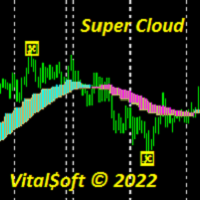
Super Cloud
Vitaliy Davydov
The Super Cloud indicator helps to determine the direction of the trend when trading. Shows on the chart signals about a possible upcoming trend change.   The indicator provides an opportunity to detect various features and patterns in price dynamics that are invisible to the naked eye. Based on this information, traders can anticipate further price movement and adjust their strategy accordingly. Works on all timeframes except MN.
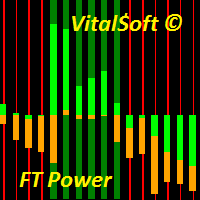
FT Power
Vitaliy Davydov
The FT Power indicator system is designed to determine the trend direction of the price chart. Consists of two histograms. The central histogram Bull/Bear Power determines the predominance of bullish or bearish power. When the indicator value is above zero, Bull/Bear Power shows that the bulls are strong, and when the histogram goes below 0, the bulls are exhausted and further growth becomes doubtful. The main histogram is used to determine the trend or flat sections of the chart and confirm the
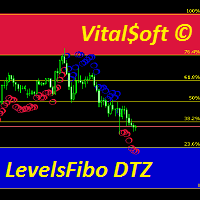
LevelsFib DTZ
Vitaliy Davydov
The combined Levels Ib DTZ indicator helps to determine the trend direction when trading. Displaying signals on the chart about a possible upcoming trend change. The indicator is a combination of Fibonacci levels with overbought and oversold zones and a trend indicator based on ZigZag and ATR indicators. The Levels Ib DTZ indicator helps traders predict future price movements and adjust their strategy accordingly. It works on all timeframes.
필터:
리뷰 없음
리뷰 답변