Konstantin Chechnev / プロファイル
- 情報
|
7+ 年
経験
|
11
製品
|
72
デモバージョン
|
|
0
ジョブ
|
0
シグナル
|
0
購読者
|
────────────────────────
インジケーター、トレードパネル、ユーティリティから、多層型分析システム、EA、最適化ツール、市場研究用の専用ツールまで、規模や難易度を問わず開発します。
トレードや分析のアイデアを明確なロジックとして定義できれば、MetaTrader 上で動作する実用的なツールとして実装できます。
⚙️ 02 / 対応可能な開発
────────────────────────
• 売買アルゴリズムおよび戦略の自動化
• 市場データ分析用インジケーターおよびシステム
• Tick データ、価格フロー、統計データの処理
• 取引パラメータの最適化および検証
• 高度なインターフェース、操作パネル、データ可視化
• 個別要件に応じた独自の取引・分析ロジック
🧩 03 / アイデアから完成品まで
────────────────────────
アイデアと数理ロジックの検討から、システム設計、プログラム実装、インターフェース、パフォーマンス最適化、テスト、完成品まで、プロジェクト全体を一貫して担当します。
良いツールとは、単にコードが動くことではありません。高速で分かりやすく、安定していて使いやすく、開発目的となった課題を正確に解決できることが重要です。
🧭 04 / 7年以上の開発経験
────────────────────────
MetaTrader および金融市場向けソフトウェアの開発に7年以上携わっています。
小規模な売買アルゴリズムからスタートし、現在では高度な市場研究・分析システムまで開発しています。
💬 05 / アイデアや開発案件がありますか?
────────────────────────
最初から大きな技術仕様書を用意する必要はありません。
MQL5 のプライベートメッセージから、実現したい内容を自由にお伝えください。実現可能性を確認し、不要な機能を省いた最適な実装方法を提案したうえで、作業範囲、納期、予算を事前に明確にします。
小規模な案件は可能な限り迅速に対応します。複雑なプロジェクトは明確な工程に分け、最初の相談から完成まで私自身が一貫して担当します。
すべての工程で開発者本人と直接やり取りできるため、相談内容と実装の間で重要な詳細が失われることはありません。
Smart DOM Tick Flow は、適応型 SmartDOM、ティックフロー分析、価格変動のスペクトル評価、市場活動レベル、取引シグナルの多段階確認を統合した独自開発のデイトレード向けインジケーターです。 インジケーターの中心となるのは SmartDOM です。価格バランスの移動と価格帯ごとの活動分布を示す動的なマップとして機能します。 価格の方向だけでなく、現在の市場オークションの内部構造も把握できます。参加がどこに集中しているか、動きに対する抵抗がどこで形成されているか、活動の中心がどこへ移動しているか、現在の買い圧力または売り圧力がどれほど安定しているかを確認できます。インジケーターは、価格、ティック、出来高、値動きの速度、レベルへの反応、インパルスの質が相互に確認し合う一つの統合システムとして市場を分析します。 SmartDOM — インテリジェントな市場深度モデル SmartDOM は、ブローカーが提供する限られた注文だけに依存せず、正規化された Bid、Ask、Last
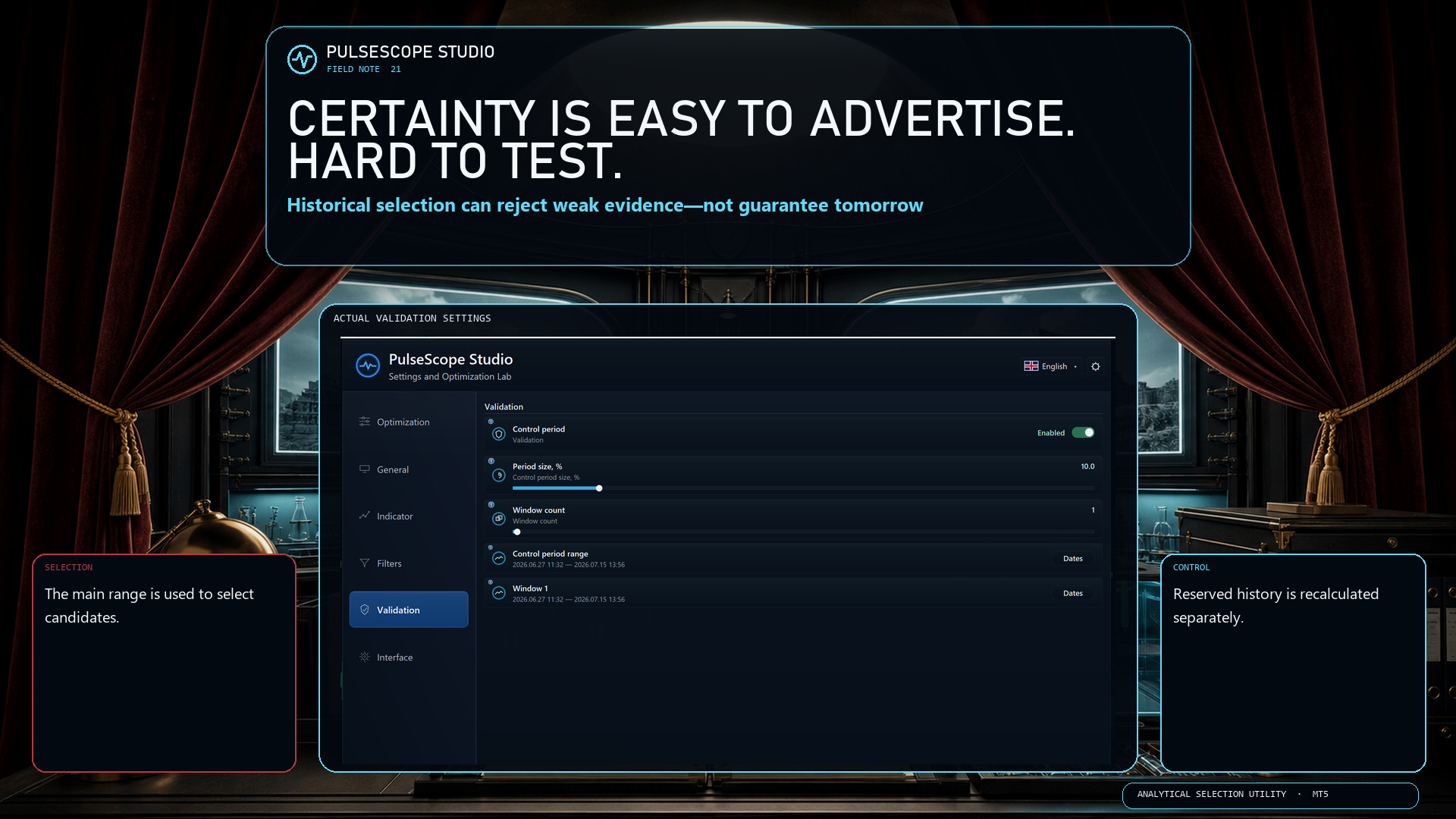
Historical analysis can compare configurations, reject weak evidence and expose dependence on one convenient segment. It cannot sign a contract with tomorrow.
PulseScope Studio keeps that limitation visible by separating the workflow:
🧭 the main range is used for selection;
🛡️ a reserved control period does not participate in that selection;
🔁 promising candidates are recalculated from scratch on the control window;
🗂️ the selected configuration and its context can be saved and reopened.
The product is a disciplined way to work with uncertainty—and to document how a decision was reached.
👉 PulseScope Studio:
https://www.mql5.com/ru/market/product/185833
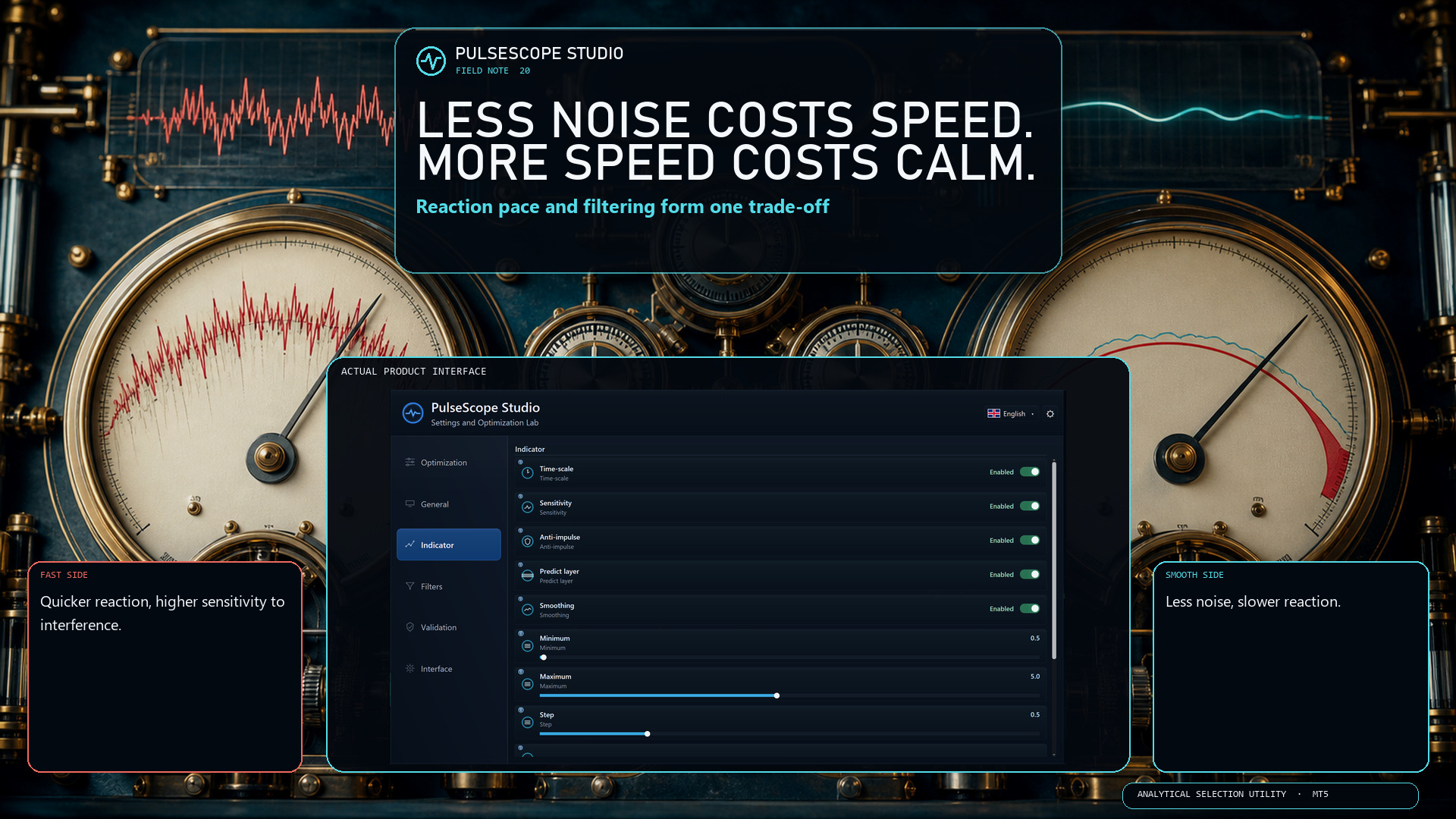
More smoothing can reduce noise, but it also slows the reaction. Less smoothing reacts faster, but becomes more sensitive to interference. Sensitivity and Time-scale change that balance again; Anti-impulse and Predict layer add their own effects.
PulseScope Studio treats these as interacting modules, not isolated cosmetic sliders. You can define a range for each one and search for a coordinated configuration for the selected instrument, timeframe and data window.
There is no universally perfect setting. There is only a trade-off that should be measured in context.
👉 PulseScope Studio:
https://www.mql5.com/ru/market/product/185833
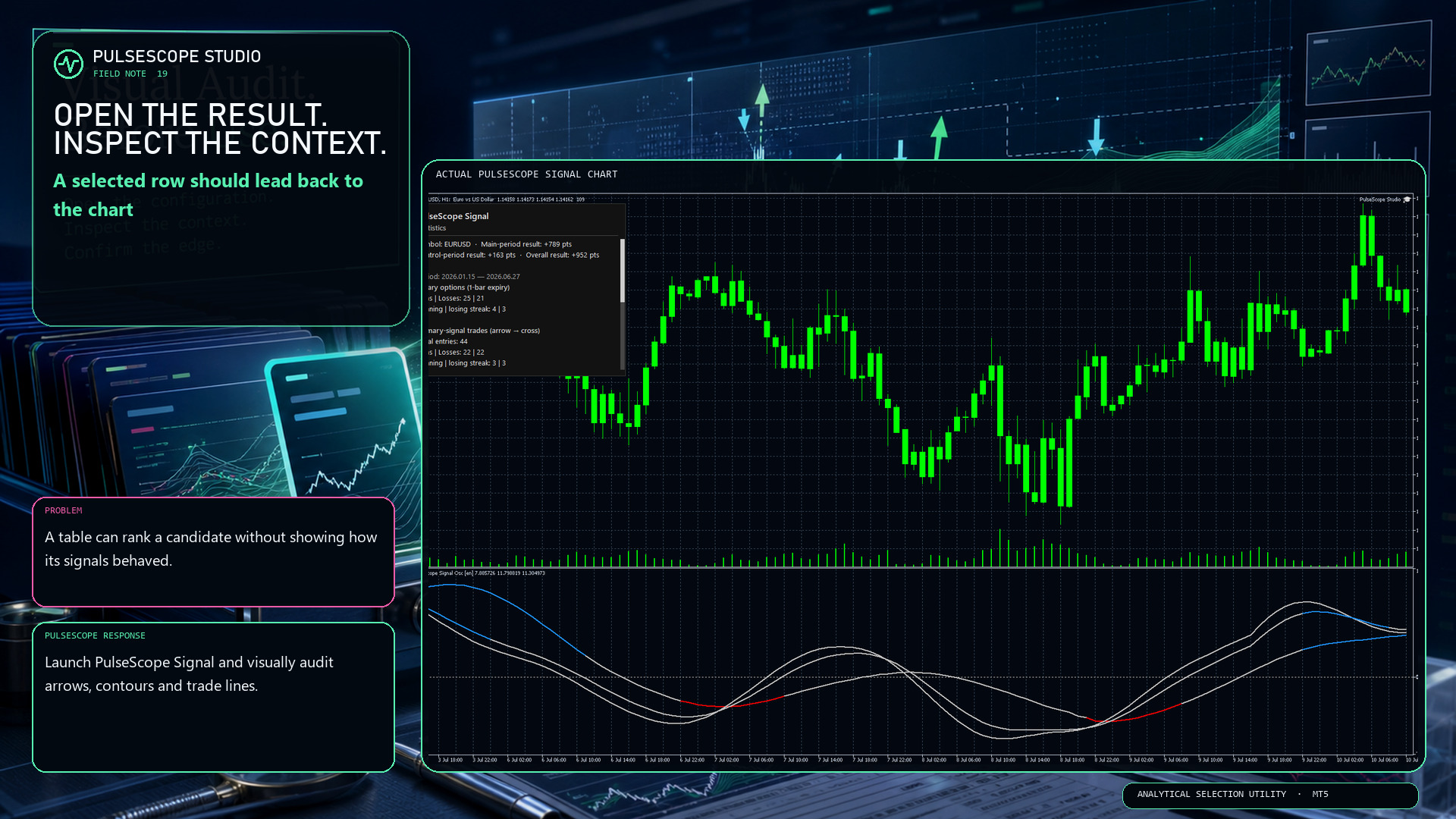
A table can summarize a candidate, but it cannot show every decision in context. PulseScope Studio can launch the built-in PulseScope Signal on the matching chart so you can inspect:
📍 signal arrows against the actual bars;
〰️ contour behavior through changing movement;
↔️ optional trade lines from entry to exit;
🧾 the result in points for visual verification.
Historical display is still historical evidence, not a forecast. Its value is that the path can be examined instead of being hidden behind one final number.
👉 PulseScope Studio:
https://www.mql5.com/ru/market/product/185833
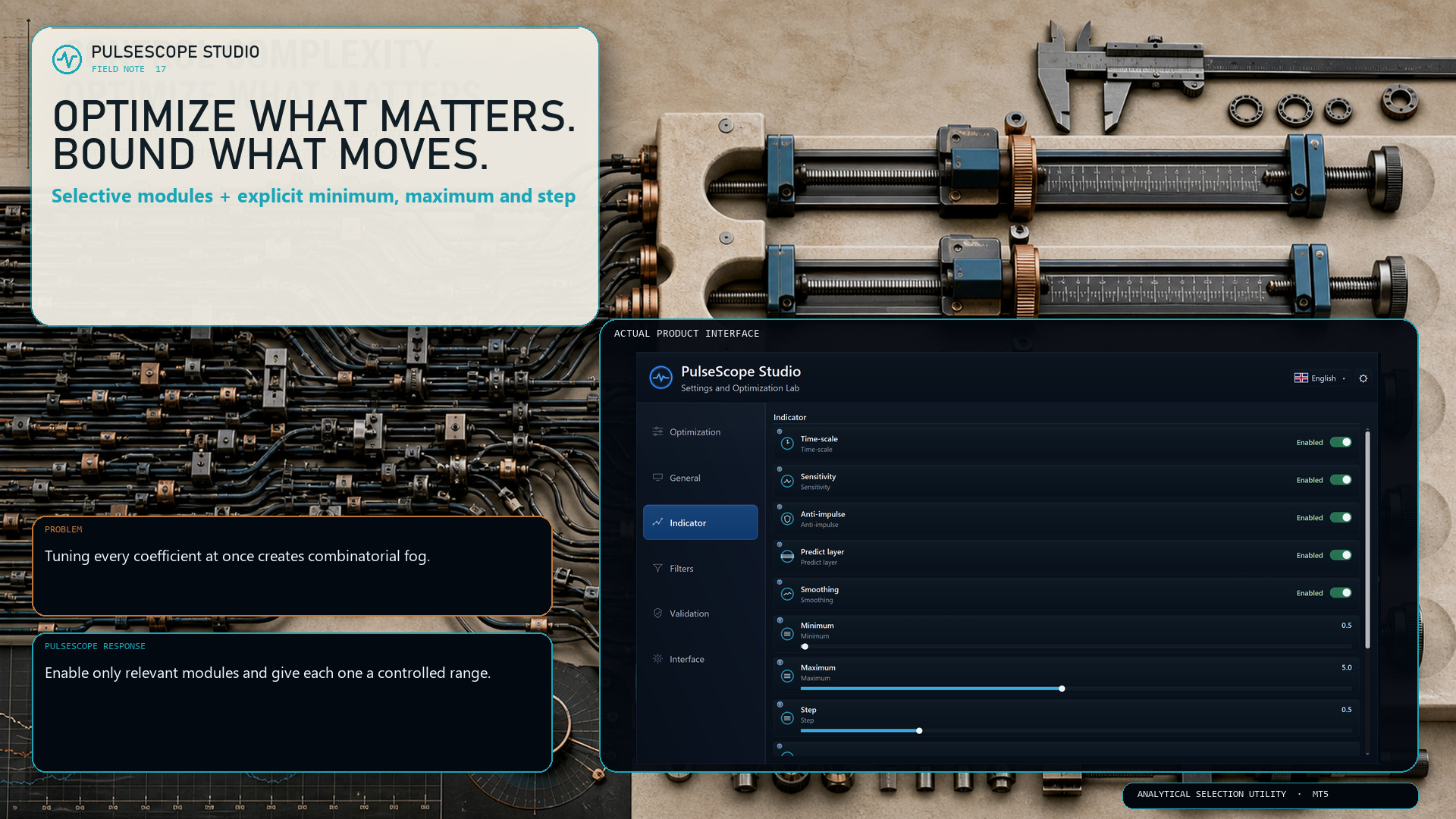
PulseScope Studio lets you decide which parts of the signal architecture should move during optimization:
• Time-scale
• Sensitivity
• Anti-impulse
• Predict layer
• Smoothing
For each enabled module, the minimum, maximum and step define the searchable range. A smaller step increases precision—but it can also increase the number of combinations sharply.
The useful question is not “How much can I optimize?” It is “Which dimensions deserve the budget?”
👉 PulseScope Studio:
https://www.mql5.com/ru/market/product/185833
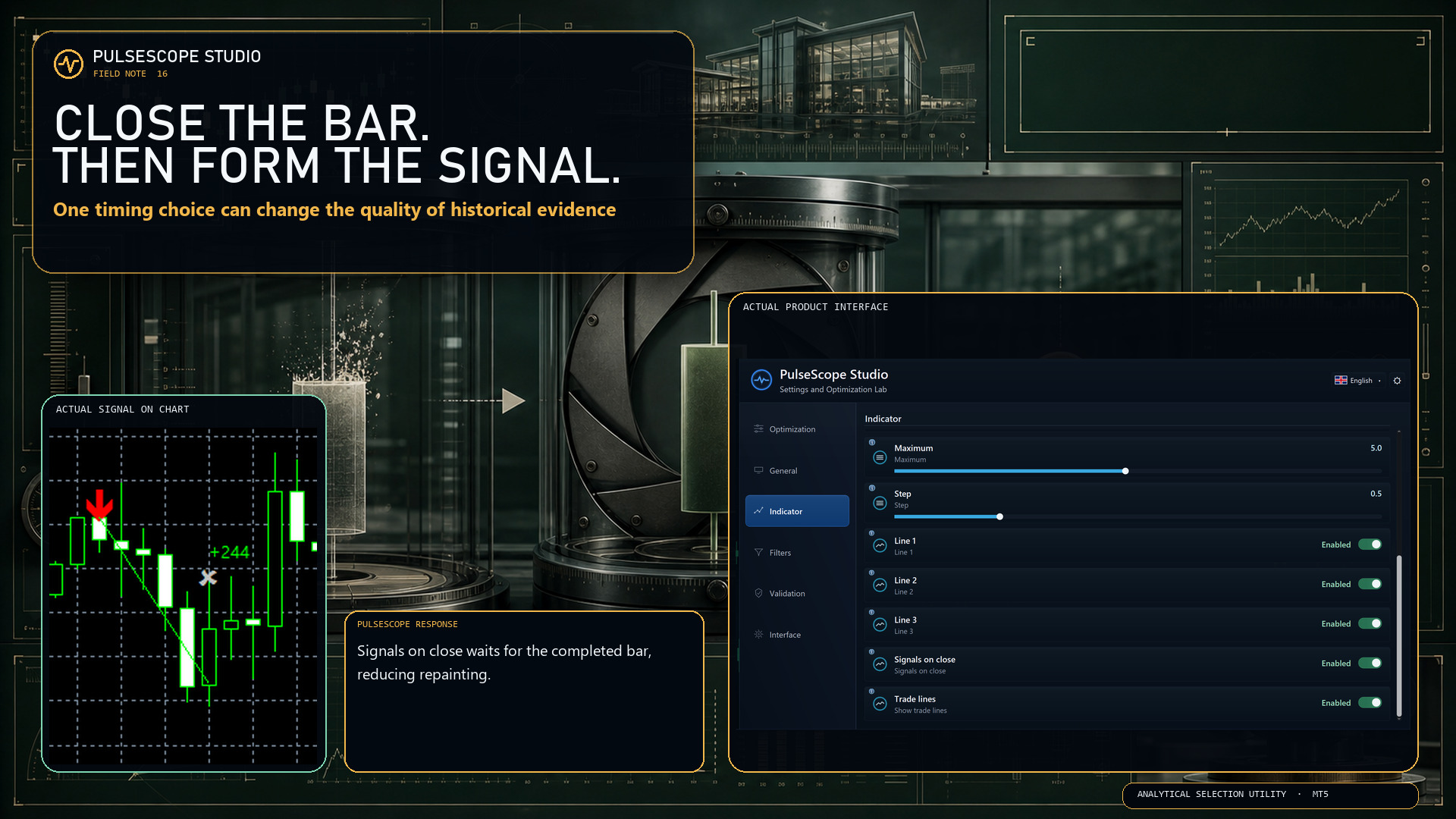
With Signals on close enabled, PulseScope forms the signal only after the bar has closed. The setting is designed to:
🔒 reduce repainting;
📊 produce more stable historical statistics;
🧭 make the timing rule explicit and reproducible.
This does not make every signal correct. It removes one avoidable source of ambiguity from how the signal is formed.
First close the bar. Then judge the decision.
👉 PulseScope Studio:
https://www.mql5.com/ru/market/product/185833
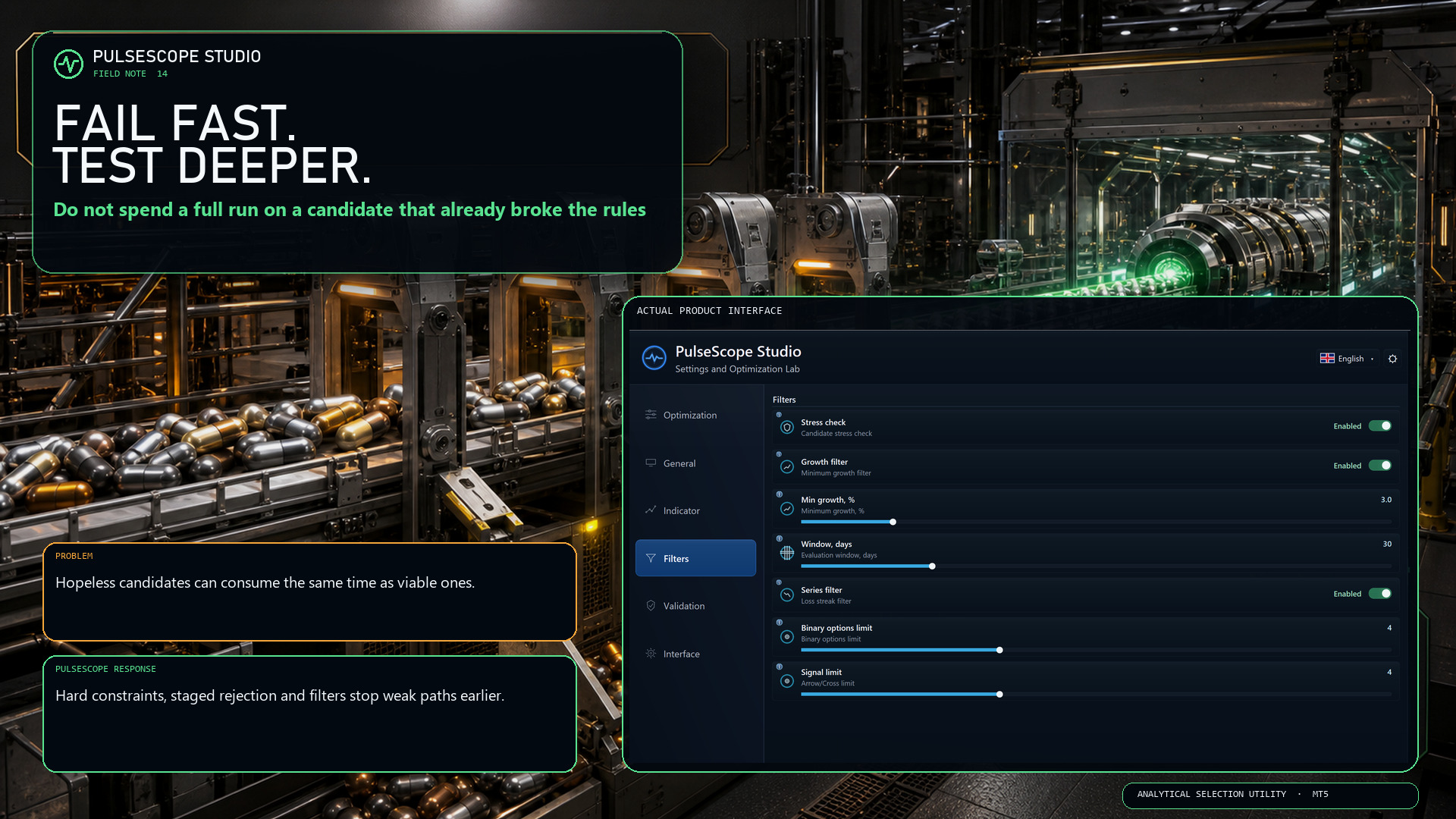
If a configuration has already breached a hard condition, continuing the entire calculation only turns an obvious rejection into a slower rejection.
PulseScope Studio combines staged early abort with configurable quality gates, including robustness, growth and losing-series controls.
⛔ Reject a broken path when the evidence is already sufficient.
⏱️ Keep more of the run budget for candidates that still qualify.
🔍 Apply deeper checks where they can still change the decision.
“Fail fast” is not impatience. It is disciplined resource allocation.
👉 PulseScope Studio:
https://www.mql5.com/ru/market/product/185833
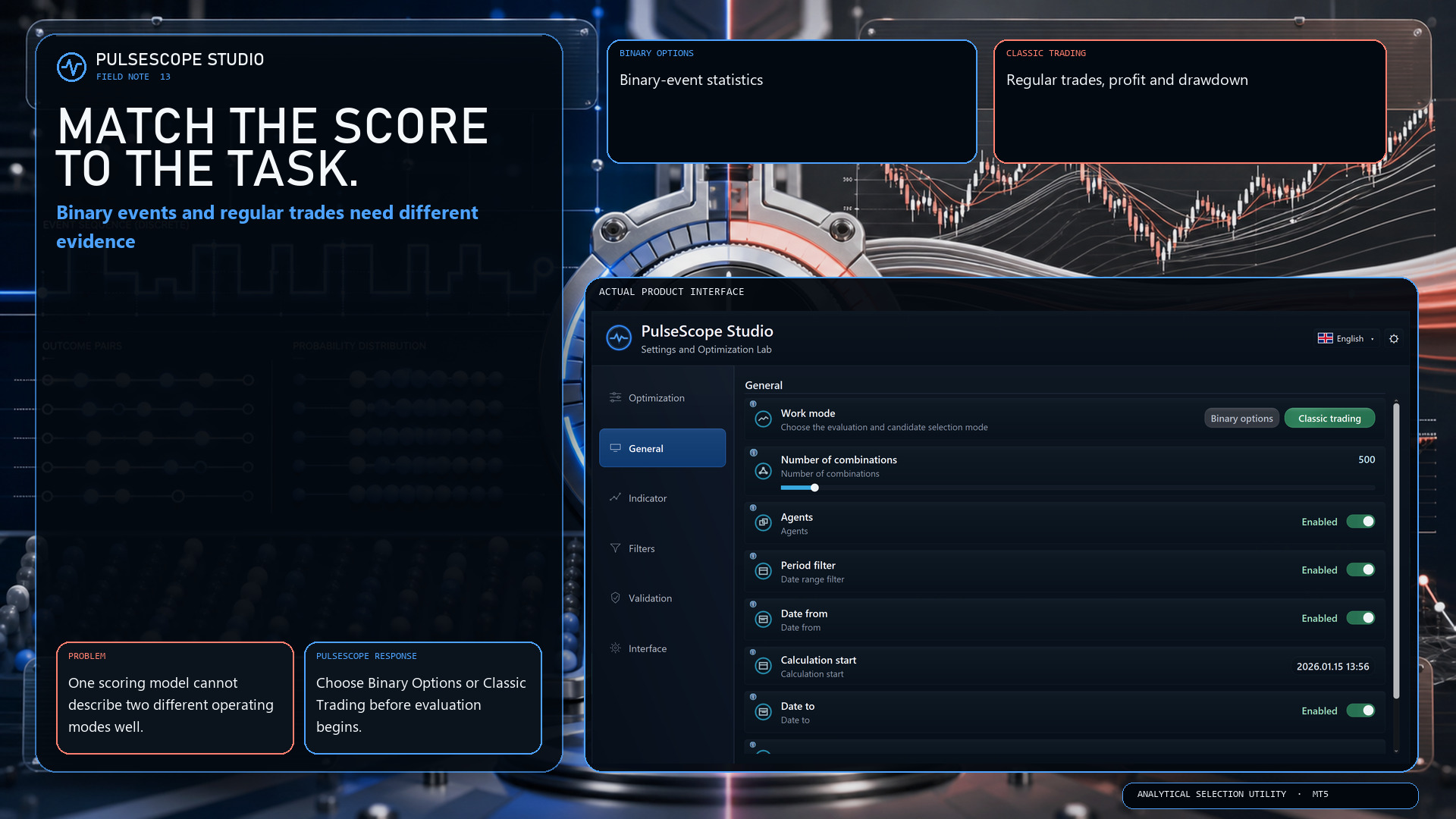
Binary options and classic trading do not describe outcomes in the same way. PulseScope Studio therefore separates the two work modes before the search begins:
🔹 Binary Options focuses on binary-event statistics.
🔸 Classic Trading evaluates regular trades, profit and drawdown.
This is not a cosmetic switch. It changes which evidence is relevant to candidate selection.
Choose the model first. Then compare configurations inside the correct analytical frame.
👉 PulseScope Studio:
https://www.mql5.com/ru/market/product/185833
A polished button can start a process. It cannot decide whether the data window is relevant, whether a parameter set survives neighboring checks, or whether a separate control period agrees.
PulseScope Studio is deliberately less theatrical:
🧭 search the parameter space;
🚧 filter weak and unsuitable candidates;
🛡️ recheck selected candidates on control data;
▶️ launch a saved configuration in its original context.
No instant certainty. Just visible stages, explicit criteria and a setup you can return to.
👉 PulseScope Studio:
https://www.mql5.com/ru/market/product/185833
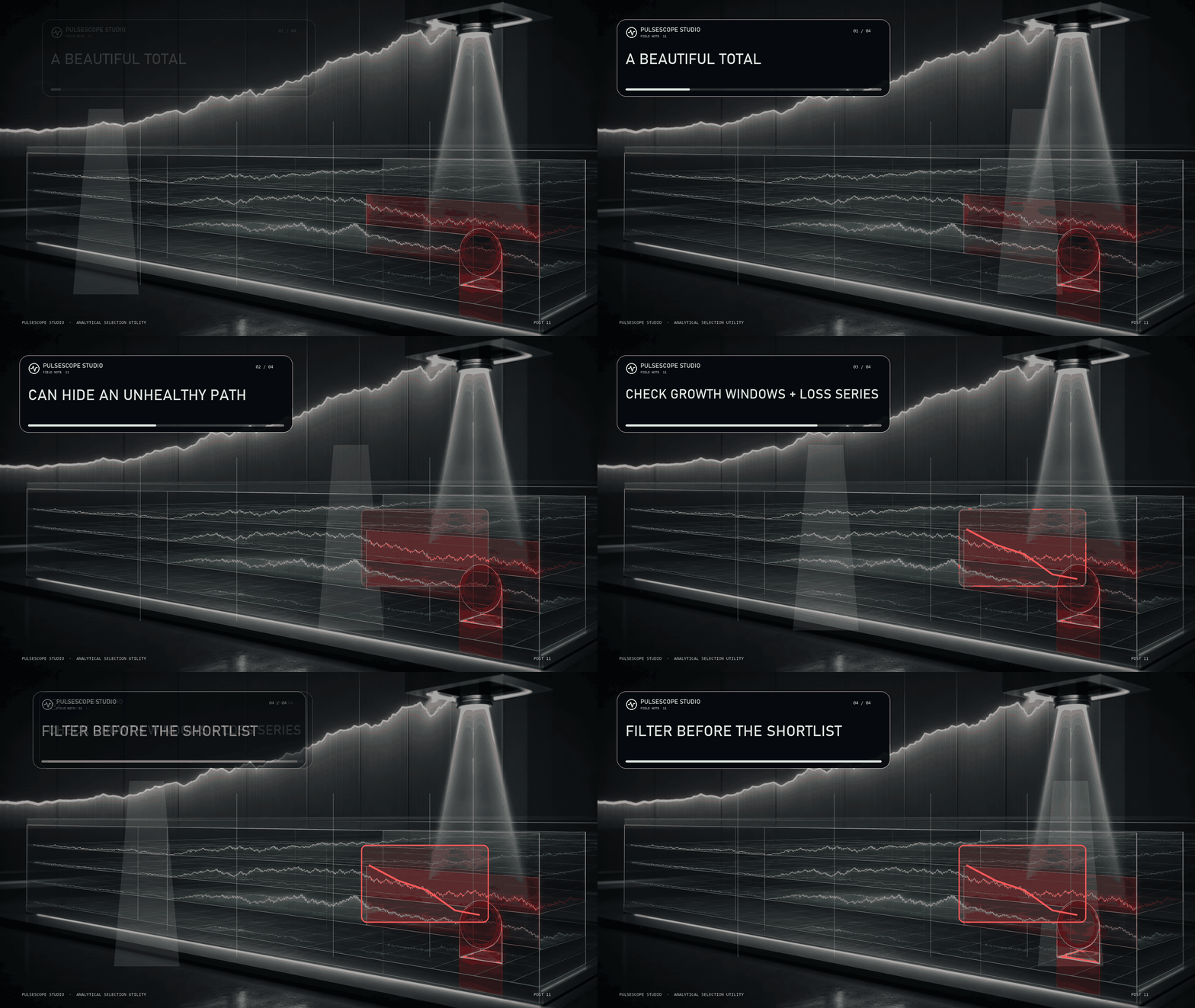
A candidate may look strong overall while most of its growth is concentrated in one short window—or while the route includes a losing streak you would never accept in practice.
PulseScope Studio can add path-aware quality gates:
📈 Growth Filter checks whether the required development appears across defined windows;
🧱 Series Filter rejects configurations that exceed the allowed losing streak for the selected work mode.
These filters do not guarantee future behavior. They make the shortlist answer a harder question than “Which final number is highest?”
Inspect the journey before you trust the destination.
👉 PulseScope Studio:
https://www.mql5.com/ru/market/product/185833
Terminals are restarted. Workstations need maintenance. Some searches simply take longer on weaker hardware.
With Resume enabled, PulseScope Studio can continue an optimization after the terminal is restarted. The option is designed for long runs where preserving continuity matters more than pretending interruptions never happen.
🔒 Keep the workflow recoverable.
▶️ Return to the run.
🧭 Continue the search instead of rebuilding it from zero.
Serious analytical tools should be designed for real operating conditions—not perfect laboratory uptime.
👉 PulseScope Studio:
https://www.mql5.com/ru/market/product/185833
PulseScope Signal uses three independent contours with different sensitivities. Each contour analyzes impulse behavior at its own scale and follows its formation, development and weakening.
The three streams are not simply averaged. They are combined through proprietary multi-stage agreement, confirmation and adaptive-threshold logic.
PulseScope Studio therefore optimizes the parameters of the complete analytical architecture—not one coefficient from a standard indicator.
Different scales. Independent processing. One coordinated decision framework.
👉 PulseScope Studio:
https://www.mql5.com/ru/market/product/185833
Inside each PulseScope Signal contour, the price series passes through a dedicated processing chain that includes:
🧹 outlier suppression;
🧭 an estimate of fractal market structure;
⚖️ impulse normalization relative to current volatility;
🔬 SSA analysis and reconstruction of the price increments.
The objective is to separate a structural component of movement from random fluctuations before the multi-stage signal logic evaluates it.
PulseScope Studio optimizes this analytical architecture as a system—not as a cosmetic line on a chart.
👉 PulseScope Studio:
https://www.mql5.com/ru/market/product/185833
A configuration found on an older segment does not automatically remain suitable for a newer one. PulseScope Studio makes recalibration a controlled workflow:
📅 refresh the evaluation range;
🧬 launch a new adaptive search cycle;
🛰️ let parallel agents assess candidates;
🚫 filter weak and repeated directions as results accumulate.
The output is a newly selected set for the current symbol, timeframe and data context—not a promise about the future, but a disciplined way to respond when the market changes.
👉 PulseScope Studio:
https://www.mql5.com/ru/market/product/185833
Parameter space can be crowded with exact repeats and nearly identical configurations. Testing the same neighborhood again may consume time without adding meaningful evidence.
PulseScope Studio keeps track of what has already been evaluated:
🚫 exact and near-duplicate variants are excluded;
📉 values that repeatedly lead to weak results lose priority;
🧭 exploration is redirected toward more distinct regions.
The objective is not to inflate the pass counter. It is to make each new evaluation contribute something new to the selection process.
👉 PulseScope Studio:
https://www.mql5.com/ru/market/product/185833
PulseScope Studio can distribute evaluations across parallel agents running on separate charts. While candidates are being checked, the main dashboard coordinates status, progress and results in one workflow.
⚡ More evaluations can move at the same time.
🧭 The search logic remains centralized.
📊 Progress stays visible.
Parallelism is not magic—actual speed depends on the terminal, processor and selected workload. But it removes the one-chart-at-a-time limitation from the design.
👉 PulseScope Studio:
https://www.mql5.com/ru/market/product/185833
PulseScope Studio uses adaptive genetic search instead of exhaustive sequential scanning:
🧬 stronger configurations survive into the next generation;
🔀 their parameters are recombined;
🧭 dynamic mutation redirects exploration into new areas;
🎯 directions that repeatedly remain weak lose priority.
The search does not restart blindly with every combination. It changes its focus as evidence accumulates.
👉 PulseScope Studio:
https://www.mql5.com/ru/market/product/185833
If performance disappears after a small parameter change—or on data that never participated in selection—you may have found a spike, not a stable regime.
PulseScope Studio adds two reality checks:
🧭 it explores neighboring configurations to look for a broader stable region;
🛡️ it recalculates promising candidates from scratch on an independent control period.
This does not predict the future. It helps stop one convenient historical fragment from earning more trust than it deserves.
👉 PulseScope Studio:
https://www.mql5.com/ru/market/product/185833
Finding an impressive historical result is easy.
Understanding whether it deserves your trust is much harder.
PulseScope Studio is not built to chase one “perfect” number. It is designed for a complete configuration selection workflow:
🧬 Adaptive genetic search
⚡ Parallel calculation agents
🛡 Separate validation on a control period
🚫 Filtering of weak and duplicate directions
📊 Results history and favorite configurations
📈 Direct launch of the built-in PulseScope Signal on a chart
Two operating modes are supported:
🔹 Classic Trading
🔹 Binary Options
The Studio also includes 13 interface languages and built-in parameter explanations, so every important setting is explained directly inside the application.
From parameter search to a validated and reproducible configuration.
👉 PulseScope Studio:
https://www.mql5.com/ru/market/product/185833
PulseScope Studioは、MetaTrader 5用のトレーディングインジケーター自動最適化ツールです。安定性の高いパラメーターを探索し、過去データ上の偶然による好成績を排除し、候補を独立した検証期間で評価したうえで、選択した設定をチャート上ですぐに起動できます。 市場が最も人を惑わせるのは、結果がとりわけ説得力を持って見えるときです。規則性と偶然の一致を切り分けることこそ、本当の課題です。 PulseScope Studio は、内蔵トレーディングインジケーター PulseScope Signal のための本格的な最適化環境です。目的は、過去データ上で最良の結果を見つけることではありません。検索・選別・検証からなる多段階プロセスを通じて、特定の銘柄、時間足、市場構造に適した安定的な動作モードを見つけ出すことです。つまり、元のデータ区間を離れても分析・予測特性を維持できる動作モードを探します。 内部で何が行われているか 機械的な総当たりではなく、適応型の検索。 PulseScope Studio