Konstantin Chechnev / Perfil
- Información
|
7+ años
experiencia
|
12
productos
|
65
versiones demo
|
|
0
trabajos
|
0
señales
|
0
suscriptores
|
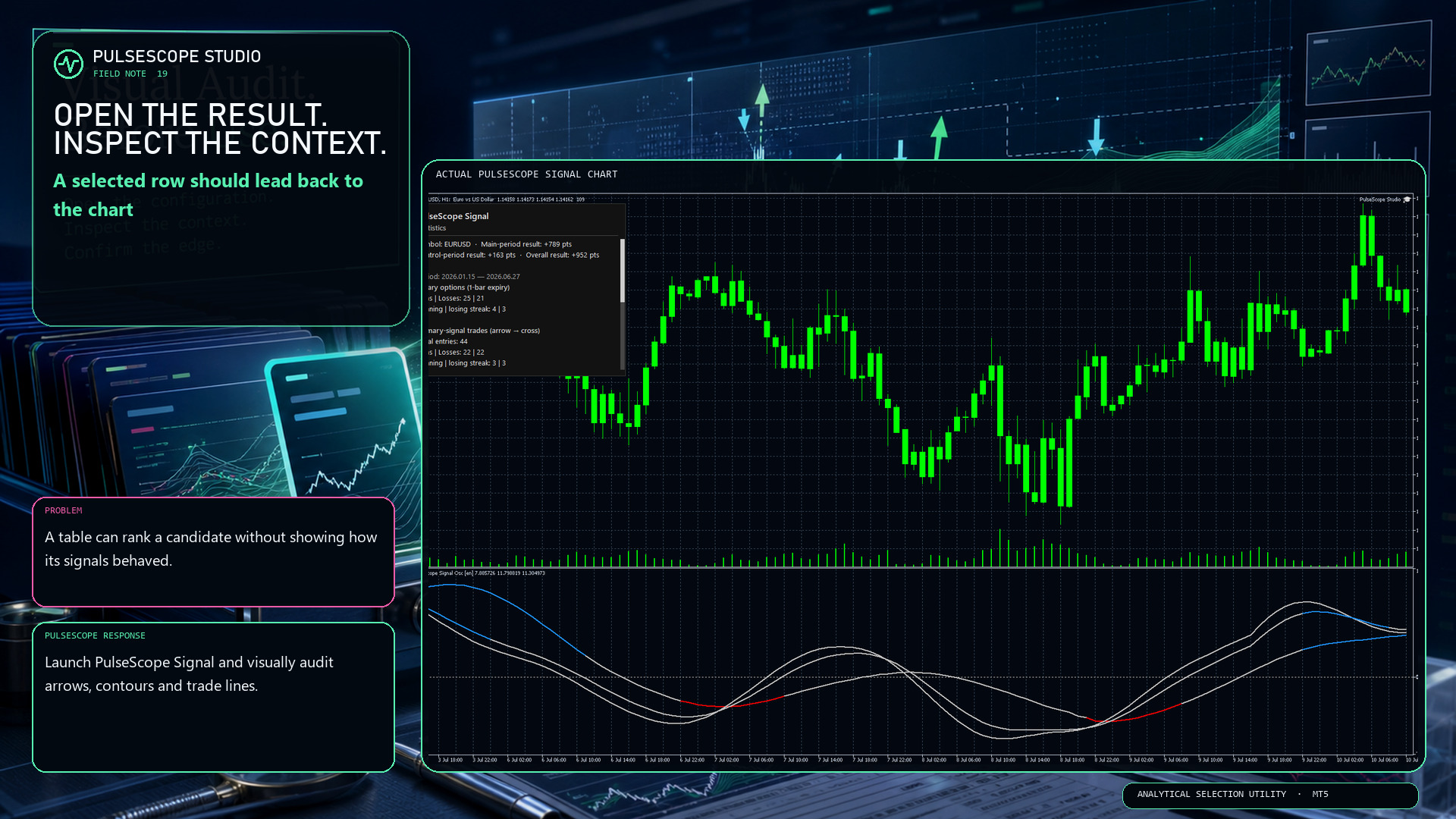
A table can summarize a candidate, but it cannot show every decision in context. PulseScope Studio can launch the built-in PulseScope Signal on the matching chart so you can inspect:
📍 signal arrows against the actual bars;
〰️ contour behavior through changing movement;
↔️ optional trade lines from entry to exit;
🧾 the result in points for visual verification.
Historical display is still historical evidence, not a forecast. Its value is that the path can be examined instead of being hidden behind one final number.
👉 PulseScope Studio:
https://www.mql5.com/ru/market/product/185833
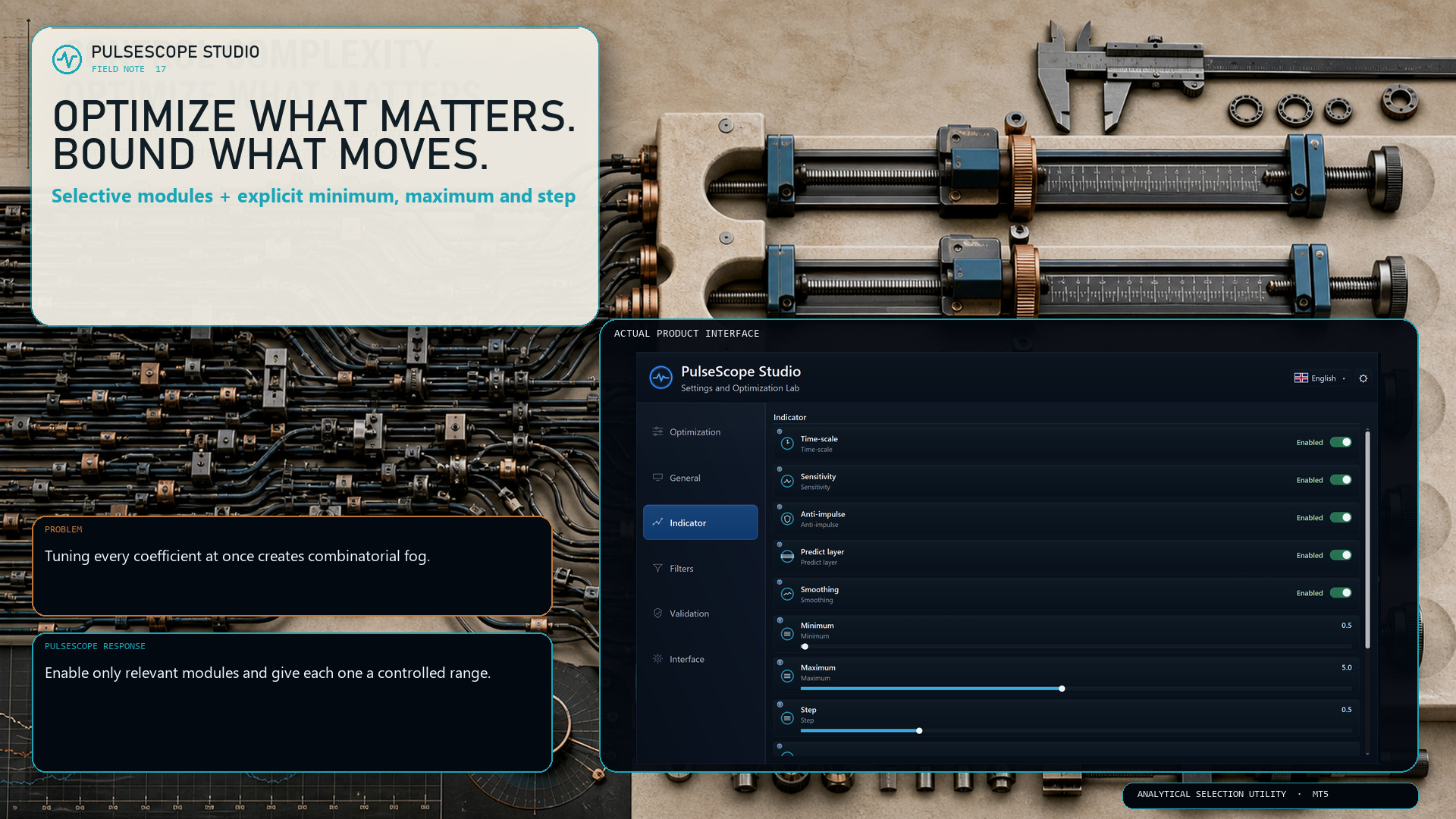
PulseScope Studio lets you decide which parts of the signal architecture should move during optimization:
• Time-scale
• Sensitivity
• Anti-impulse
• Predict layer
• Smoothing
For each enabled module, the minimum, maximum and step define the searchable range. A smaller step increases precision—but it can also increase the number of combinations sharply.
The useful question is not “How much can I optimize?” It is “Which dimensions deserve the budget?”
👉 PulseScope Studio:
https://www.mql5.com/ru/market/product/185833
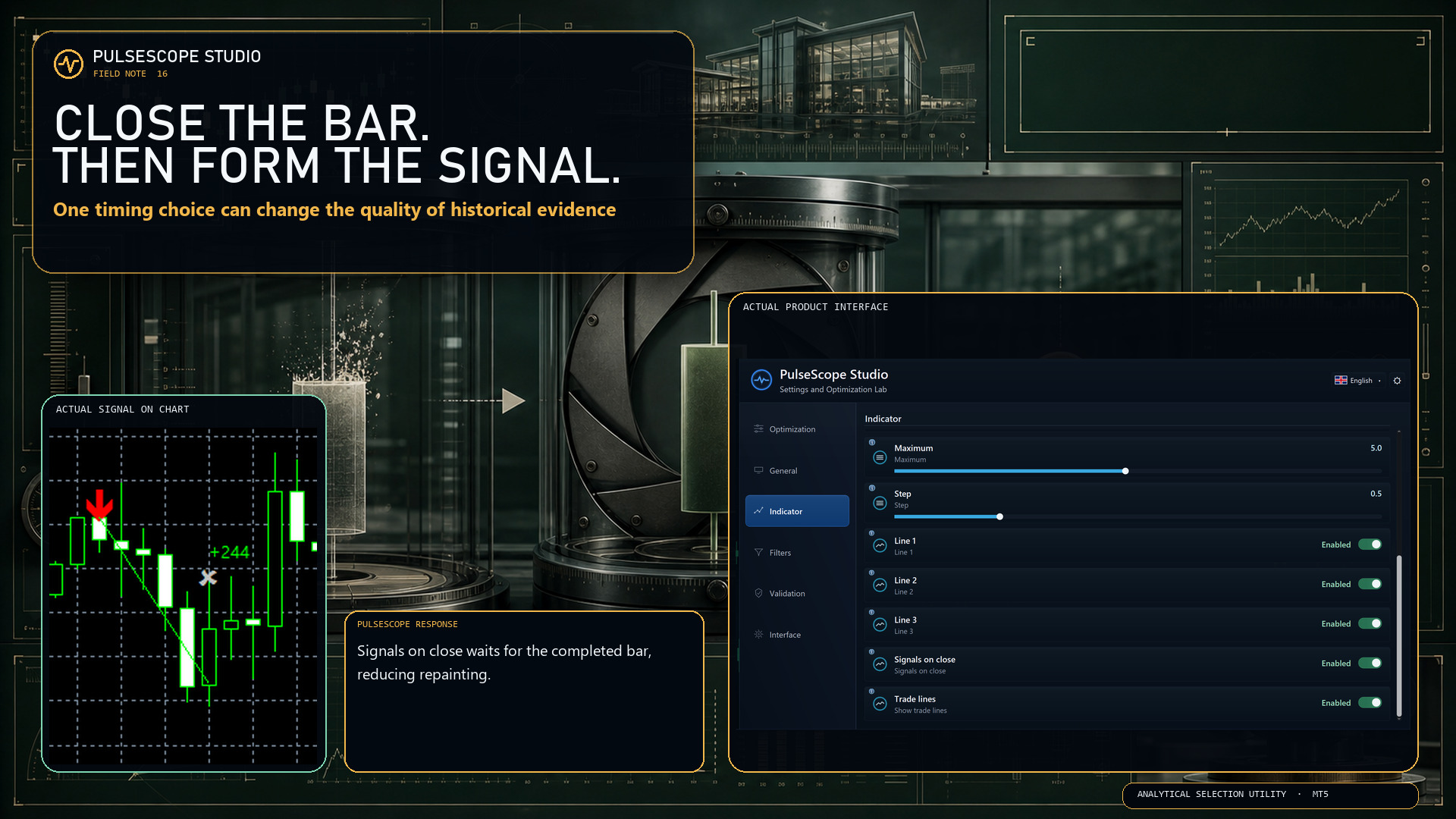
With Signals on close enabled, PulseScope forms the signal only after the bar has closed. The setting is designed to:
🔒 reduce repainting;
📊 produce more stable historical statistics;
🧭 make the timing rule explicit and reproducible.
This does not make every signal correct. It removes one avoidable source of ambiguity from how the signal is formed.
First close the bar. Then judge the decision.
👉 PulseScope Studio:
https://www.mql5.com/ru/market/product/185833
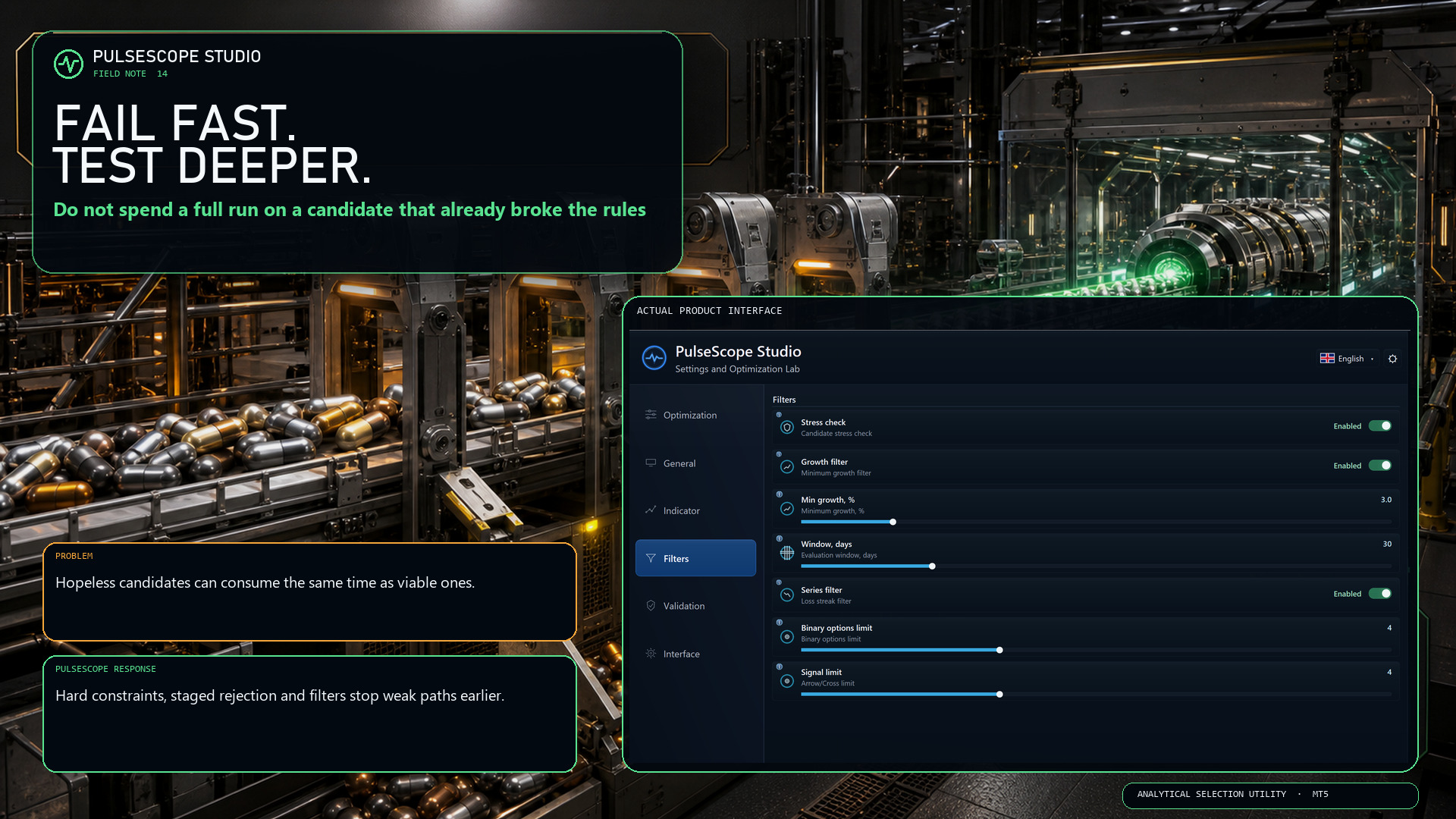
If a configuration has already breached a hard condition, continuing the entire calculation only turns an obvious rejection into a slower rejection.
PulseScope Studio combines staged early abort with configurable quality gates, including robustness, growth and losing-series controls.
⛔ Reject a broken path when the evidence is already sufficient.
⏱️ Keep more of the run budget for candidates that still qualify.
🔍 Apply deeper checks where they can still change the decision.
“Fail fast” is not impatience. It is disciplined resource allocation.
👉 PulseScope Studio:
https://www.mql5.com/ru/market/product/185833
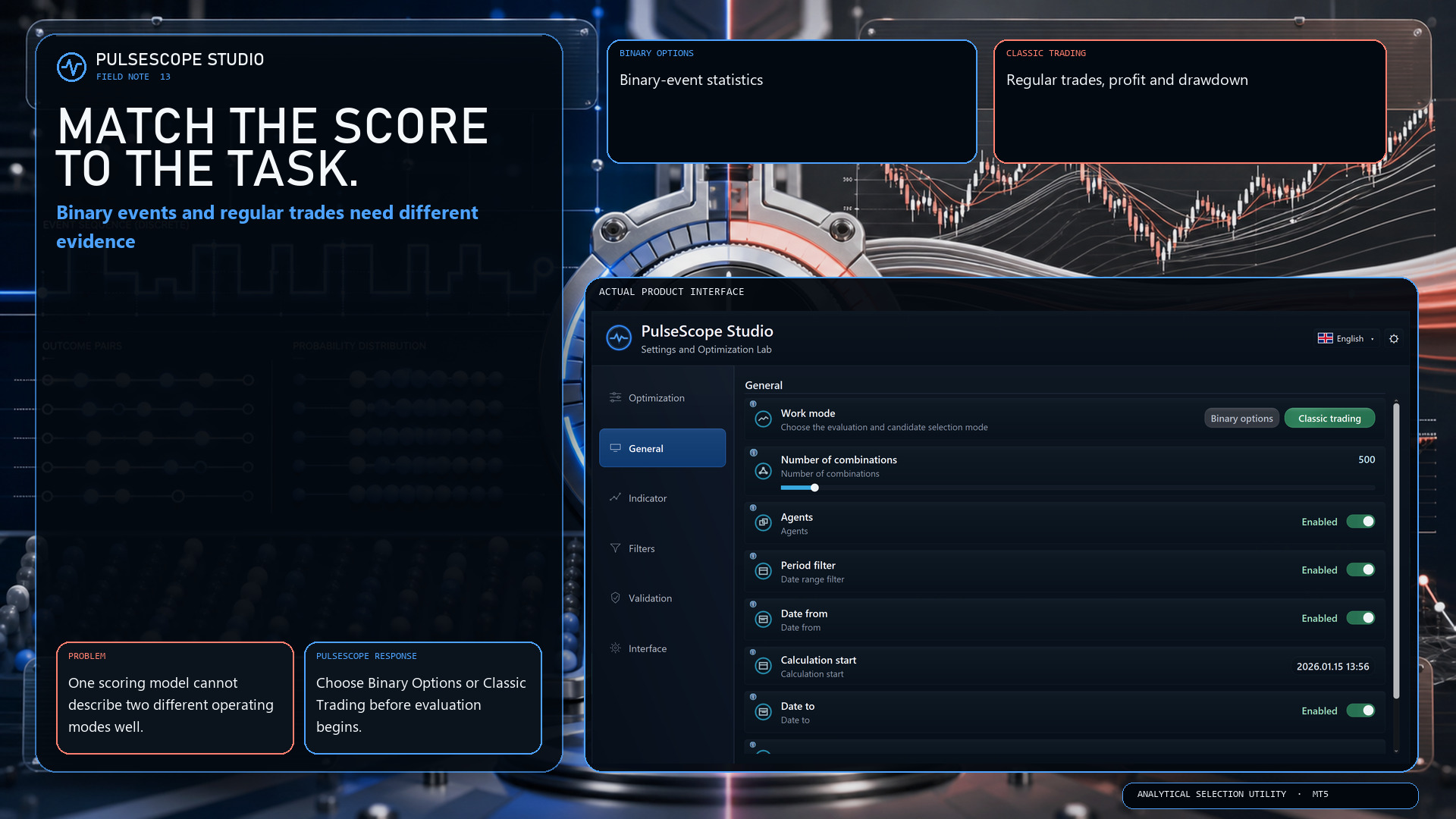
Binary options and classic trading do not describe outcomes in the same way. PulseScope Studio therefore separates the two work modes before the search begins:
🔹 Binary Options focuses on binary-event statistics.
🔸 Classic Trading evaluates regular trades, profit and drawdown.
This is not a cosmetic switch. It changes which evidence is relevant to candidate selection.
Choose the model first. Then compare configurations inside the correct analytical frame.
👉 PulseScope Studio:
https://www.mql5.com/ru/market/product/185833
A polished button can start a process. It cannot decide whether the data window is relevant, whether a parameter set survives neighboring checks, or whether a separate control period agrees.
PulseScope Studio is deliberately less theatrical:
🧭 search the parameter space;
🚧 filter weak and unsuitable candidates;
🛡️ recheck selected candidates on control data;
▶️ launch a saved configuration in its original context.
No instant certainty. Just visible stages, explicit criteria and a setup you can return to.
👉 PulseScope Studio:
https://www.mql5.com/ru/market/product/185833
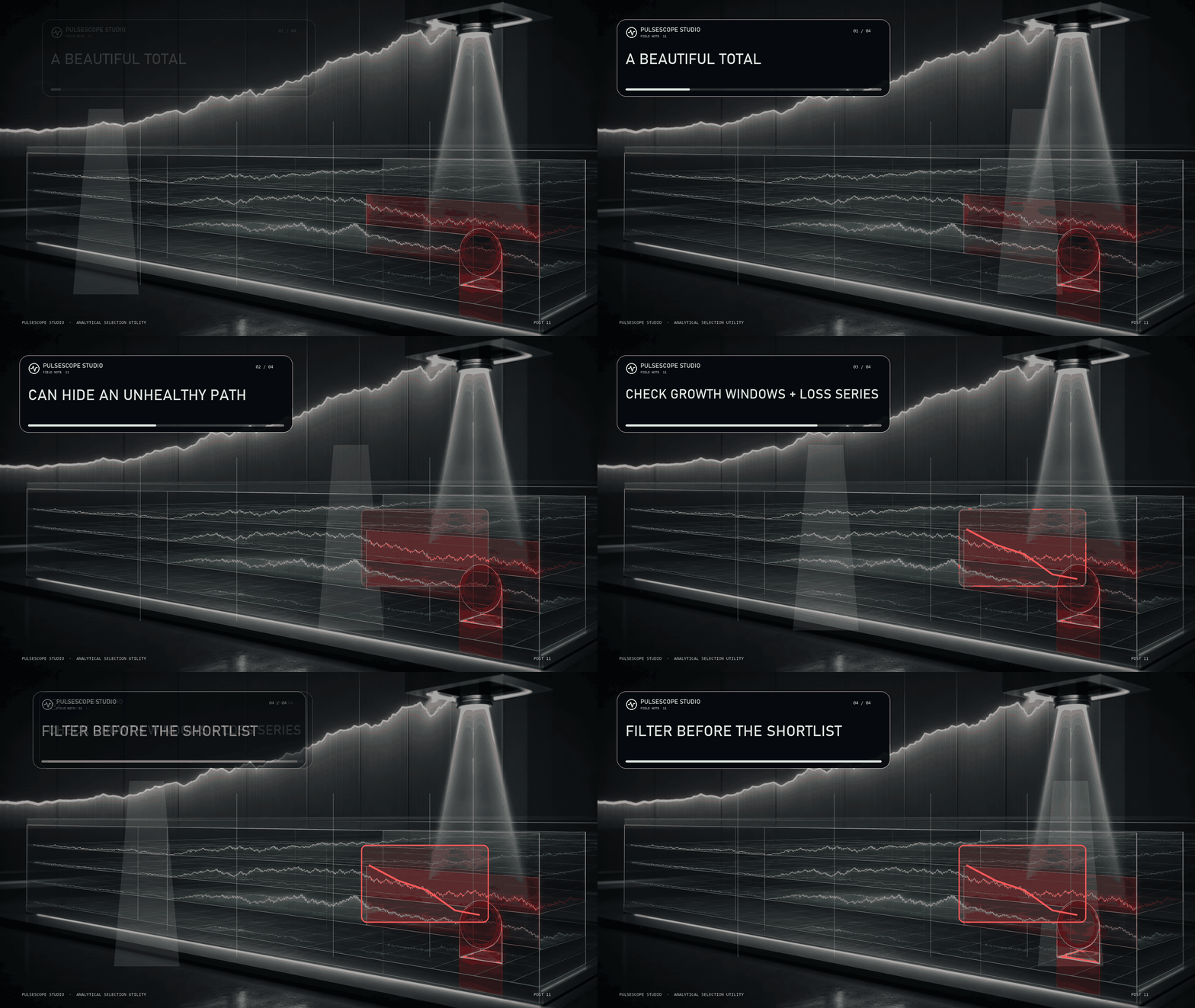
A candidate may look strong overall while most of its growth is concentrated in one short window—or while the route includes a losing streak you would never accept in practice.
PulseScope Studio can add path-aware quality gates:
📈 Growth Filter checks whether the required development appears across defined windows;
🧱 Series Filter rejects configurations that exceed the allowed losing streak for the selected work mode.
These filters do not guarantee future behavior. They make the shortlist answer a harder question than “Which final number is highest?”
Inspect the journey before you trust the destination.
👉 PulseScope Studio:
https://www.mql5.com/ru/market/product/185833
Terminals are restarted. Workstations need maintenance. Some searches simply take longer on weaker hardware.
With Resume enabled, PulseScope Studio can continue an optimization after the terminal is restarted. The option is designed for long runs where preserving continuity matters more than pretending interruptions never happen.
🔒 Keep the workflow recoverable.
▶️ Return to the run.
🧭 Continue the search instead of rebuilding it from zero.
Serious analytical tools should be designed for real operating conditions—not perfect laboratory uptime.
👉 PulseScope Studio:
https://www.mql5.com/ru/market/product/185833
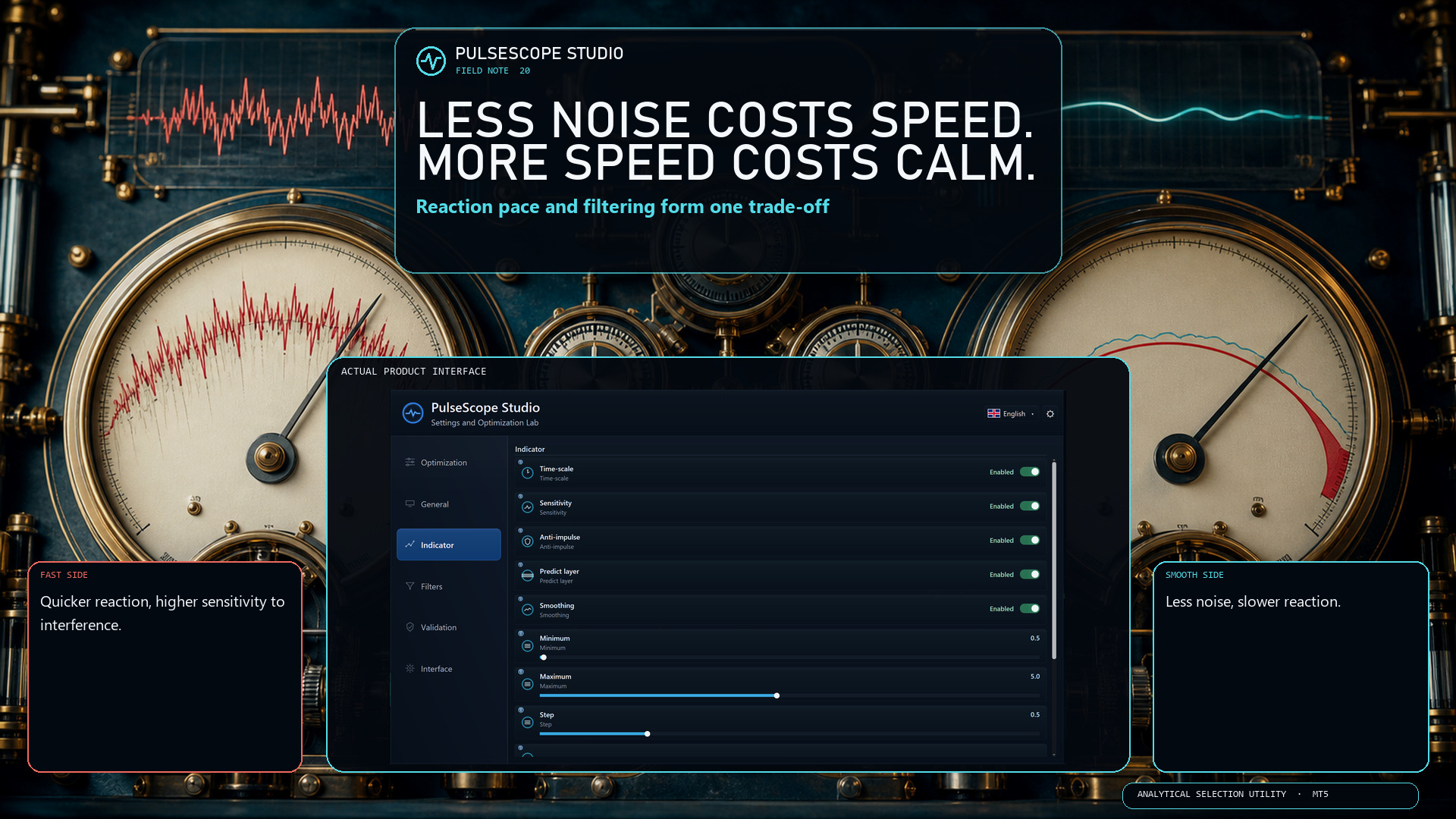
PulseScope Signal uses three independent contours with different sensitivities. Each contour analyzes impulse behavior at its own scale and follows its formation, development and weakening.
The three streams are not simply averaged. They are combined through proprietary multi-stage agreement, confirmation and adaptive-threshold logic.
PulseScope Studio therefore optimizes the parameters of the complete analytical architecture—not one coefficient from a standard indicator.
Different scales. Independent processing. One coordinated decision framework.
👉 PulseScope Studio:
https://www.mql5.com/ru/market/product/185833
Inside each PulseScope Signal contour, the price series passes through a dedicated processing chain that includes:
🧹 outlier suppression;
🧭 an estimate of fractal market structure;
⚖️ impulse normalization relative to current volatility;
🔬 SSA analysis and reconstruction of the price increments.
The objective is to separate a structural component of movement from random fluctuations before the multi-stage signal logic evaluates it.
PulseScope Studio optimizes this analytical architecture as a system—not as a cosmetic line on a chart.
👉 PulseScope Studio:
https://www.mql5.com/ru/market/product/185833
A configuration found on an older segment does not automatically remain suitable for a newer one. PulseScope Studio makes recalibration a controlled workflow:
📅 refresh the evaluation range;
🧬 launch a new adaptive search cycle;
🛰️ let parallel agents assess candidates;
🚫 filter weak and repeated directions as results accumulate.
The output is a newly selected set for the current symbol, timeframe and data context—not a promise about the future, but a disciplined way to respond when the market changes.
👉 PulseScope Studio:
https://www.mql5.com/ru/market/product/185833
Parameter space can be crowded with exact repeats and nearly identical configurations. Testing the same neighborhood again may consume time without adding meaningful evidence.
PulseScope Studio keeps track of what has already been evaluated:
🚫 exact and near-duplicate variants are excluded;
📉 values that repeatedly lead to weak results lose priority;
🧭 exploration is redirected toward more distinct regions.
The objective is not to inflate the pass counter. It is to make each new evaluation contribute something new to the selection process.
👉 PulseScope Studio:
https://www.mql5.com/ru/market/product/185833
PulseScope Studio can distribute evaluations across parallel agents running on separate charts. While candidates are being checked, the main dashboard coordinates status, progress and results in one workflow.
⚡ More evaluations can move at the same time.
🧭 The search logic remains centralized.
📊 Progress stays visible.
Parallelism is not magic—actual speed depends on the terminal, processor and selected workload. But it removes the one-chart-at-a-time limitation from the design.
👉 PulseScope Studio:
https://www.mql5.com/ru/market/product/185833
PulseScope Studio uses adaptive genetic search instead of exhaustive sequential scanning:
🧬 stronger configurations survive into the next generation;
🔀 their parameters are recombined;
🧭 dynamic mutation redirects exploration into new areas;
🎯 directions that repeatedly remain weak lose priority.
The search does not restart blindly with every combination. It changes its focus as evidence accumulates.
👉 PulseScope Studio:
https://www.mql5.com/ru/market/product/185833
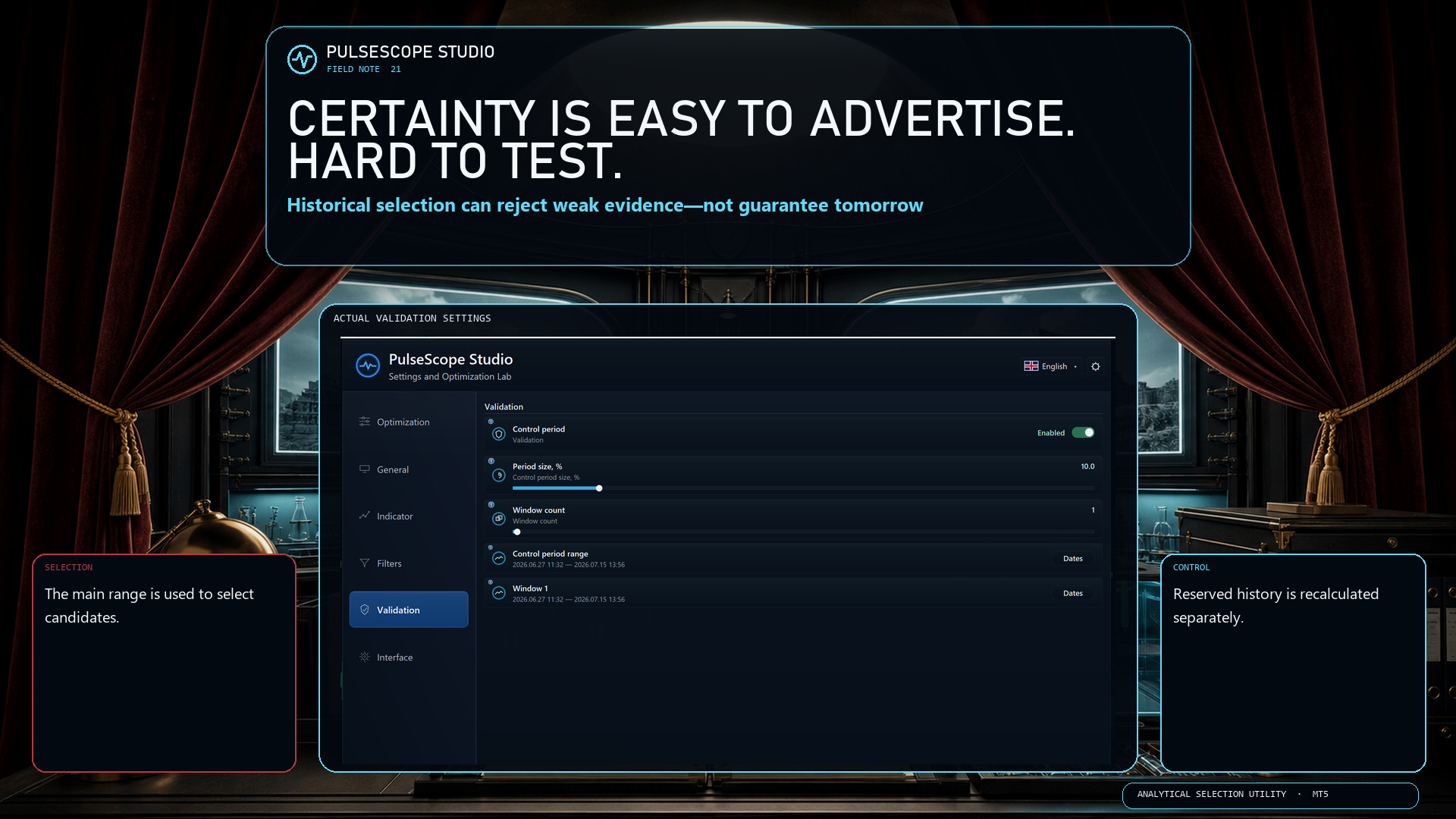
If performance disappears after a small parameter change—or on data that never participated in selection—you may have found a spike, not a stable regime.
PulseScope Studio adds two reality checks:
🧭 it explores neighboring configurations to look for a broader stable region;
🛡️ it recalculates promising candidates from scratch on an independent control period.
This does not predict the future. It helps stop one convenient historical fragment from earning more trust than it deserves.
👉 PulseScope Studio:
https://www.mql5.com/ru/market/product/185833
Finding an impressive historical result is easy.
Understanding whether it deserves your trust is much harder.
PulseScope Studio is not built to chase one “perfect” number. It is designed for a complete configuration selection workflow:
🧬 Adaptive genetic search
⚡ Parallel calculation agents
🛡 Separate validation on a control period
🚫 Filtering of weak and duplicate directions
📊 Results history and favorite configurations
📈 Direct launch of the built-in PulseScope Signal on a chart
Two operating modes are supported:
🔹 Classic Trading
🔹 Binary Options
The Studio also includes 13 interface languages and built-in parameter explanations, so every important setting is explained directly inside the application.
From parameter search to a validated and reproducible configuration.
👉 PulseScope Studio:
https://www.mql5.com/ru/market/product/185833
PulseScope Studio es un optimizador automático de indicadores de trading para MetaTrader 5. Busca parámetros robustos, descarta picos de rendimiento fortuitos en los datos históricos, valida los candidatos en un período de control independiente y permite ejecutar inmediatamente la configuración seleccionada en el gráfico. El mercado suele engañar precisamente donde el resultado parece más convincente. Separar una pauta real de una coincidencia fortuita es el verdadero reto. PulseScope
FiboSens es un Asesor Experto para MetaTrader 5 desarrollado no a partir de un trazado formal de Fibonacci, sino de un análisis profundo de la estructura del mercado. Identifica automáticamente puntos de anclaje relevantes, selecciona la configuración más fiable para construir la malla de Fibonacci y trabaja únicamente con escenarios en los que la lógica del movimiento del precio sigue vigente. Allí donde el análisis manual suele convertirse en dudas, inconsistencias y decisiones imprecisas
A veces apetece simplemente tomar aire un minuto: mientras el gráfico “respira”, puedes desconectar un poco y despejar la mente — sin salir del terminal. ARKAVELLE se dibuja прямо en el chart: una pequeña arcade para un descanso tranquilo entre ideas y operaciones. Las reglas son sencillas • Objetivo: devolver la pelota con la plataforma y romper los ladrillos. • Controles: flechas ← / → o el ratón (movimiento dentro del panel). Atrapa los бонусы que caen — cambian el ritmo y añaden diversión: •