Konstantin Chechnev / 个人资料
- 信息
|
6+ 年
经验
|
12
产品
|
57
演示版
|
|
0
工作
|
0
信号
|
0
订阅者
|
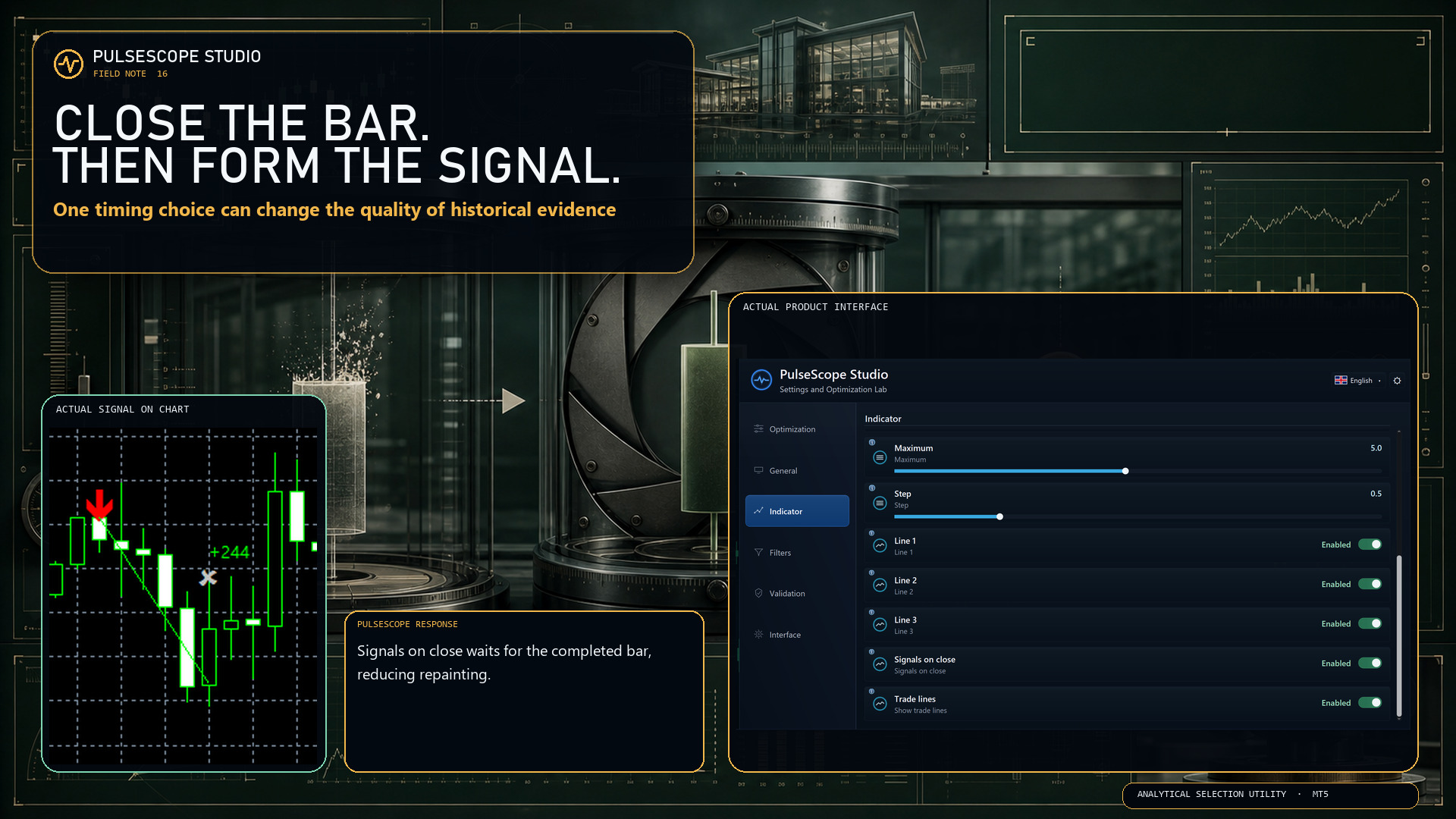
用于二元期权的信号指标,也可以在外汇以及其他市场上高效使用。适合在 M1–M5 上进行短线网格交易,并包含逐步加仓的信号。 免费版本仅适用于 XAUUSD 货币对。MetaTrader 5 的完整版在这里: https://www.mql5.com/en/market/product/156185 该指标使用两级自适应机制:基础速度轮廓(从一开始就可设置为“快速/平滑”)以及基于交易结果的自动自适应,根据当前市场调整过滤器,并考虑连续获利和亏损信号的情况。 模型在图表上寻找短暂的定向脉冲,并在 K 线收盘时用 CALL(买入)和 PUT(卖出)箭头标记出来,不会重绘。该指标也可以用于传统的 Forex/CFD 账户,但由于持仓周期较短,务必控制点差和佣金,避免成本“吞噬”大部分价格波动。 工作原理 使用自有的多级自适应预测模型,而不是标准的经典指标组合; 分析价格运动的形态与斜率、趋势以及局部波动率; 通过多层噪音和异常波动过滤来分析信号;
https://www.mql5.com/en/market/product/156185
The indicator’s auto-tuning has been brought back, but in an updated form — with improved logic, more stable behavior, and expanded control options. The mechanism for automatically adapting internal coefficients has also been refined and improved.
After “version 2”, where sensitivity parameters were adjusted manually, the model has been switched back to automatic adaptation. The redesigned algorithm now:
analyzes the length of winning/losing signal series more effectively;
increases the “strictness” of filters in proportion to the number of losing trades and the depth of the drawdown (including for traders using grid strategies outside of binary options);
speeds up or slows down its reaction depending on statistics;
includes protection against excessive parameter swings so that the model does not “overreact”;
uses a separate Base Speed parameter, which defines the initial character of the indicator (fast/reactive or smoother/more filtered) even before auto-adaptation kicks in, with a normalized range so that values stay within reasonable limits on any timeframe.
This produces a clear, controllable effect — the model actually feels more “alive” and responsive to the market, rather than mechanical.
Additionally, the extremum-filter algorithms have been improved.
Manual tuning proved useful in tests, but on real data it required constant user attention: adjusting to volatility, market “noisiness”, trend phase, and impulse strength. Auto-adaptation and the Base Speed parameter remove this burden and allow the model to react on its own to changes in market structure, instead of working with fixed coefficients.
https://www.mql5.com/en/market/product/156185
📊 The main changes are under the hood: the trend/flat, impulse, and extreme filters have been updated, which makes the behavior of the arrows more stable in different market regimes. Entries now pass through a stricter combination of filters.
✅ Improved signal engine and filtering system. Many small adjustments that overall have a positive impact on signal quality.
✅ Sensitivity is now controlled by three linked parameters, Sens 1–3.
✅ The statistics panel has been redesigned: we now display information only for the current trading instrument, which reduces the load on the terminal.
✅ Removed drawing of arrows on past history. Signals are now generated only in real time, taking into account impulses and price behavior. This makes the signals more honest and realistic.
👇 Try it now:
https://www.mql5.com/en/market/product/156185
用于二元期权的信号指标,同时也能高效应用于外汇和其他市场。适合在 M1–M5 上进行短线网格交易,并包含分步加仓信号。 指标采用双层自适应机制:基础速度配置(从一开始就可以选择“快速/平滑”模式),以及基于交易结果的自动自适应,会根据当前市场情况调整过滤器,考虑连续盈利与亏损信号的组合。 模型在图表上寻找短促的方向性脉冲,并在 K 线收盘时用 CALL(买入)和 PUT(卖出)箭头标记出来,不重绘。指标同样可以用于经典的 Forex/CFD 账户,但由于持仓周期较短,必须密切关注点差和佣金,避免交易成本“吞噬”大部分价格波动。 工作原理 使用自有的多级自适应预测模型,而不是传统的经典指标组合; 分析价格运动的形态与倾斜程度、趋势以及局部波动率; 通过多层过滤来处理噪音和异常波动; 只有在通过所有内部检查后才输出箭头信号——智能平滑、反趋势剔除逻辑、自适应极值过滤器(尽量避免在潜在拐点给出信号)、以及在线适应市场的轻量级神经子系统,用于阻止与其预测相反的信号; 按信号质量进行自动自适应:跟踪连续盈利/亏损的交易,根据统计数据与回撤深度收紧或放宽内部阈值;
There’s another quiet problem that eats money and time:
during the day you’re away from the screen — a good trend is missed
you open the terminal in the evening — half of the move is already gone
you scroll through symbols: one is just noise, on another the “train has left”, on the third it’s unclear whether it’s worth touching at all
And every time it’s the same: lots of charts, very few clear decisions.
🧩 Solution: don’t try to see everything — filter the best
Things get much easier when you have a tool that:
collects statistics of its own signals across different symbols
shows where the model actually performs well, and where the market just doesn’t fit it
helps you see on which symbols trends are “alive” right now, and where it’s nothing but chop
In my own toolkit, this role is covered by Adaptive NeuroMatrix Trend (MT5):
it doesn’t just draw phases (trend / flat / impulse), it also keeps a numeric history — by instruments and by time. In essence, it helps quickly answer:
“On which pairs/instruments does this approach make sense today, and which ones are better to skip?”
💡 Benefit for the trader
This approach gives several tangible advantages:
fewer pointless trades on “favorite but dead” instruments
focus only on the symbols where your logic actually works
a clear reason why you picked these specific 3–5 instruments out of the whole list
stats not in a notebook and not “from memory”, but right inside the indicator
If you want to see how such filtering looks in practice, you can run Adaptive NeuroMatrix Trend (MT5) in the tester on your own instrument list:
Adaptive NeuroMatrix Trend (MT5)
https://www.mql5.com/ru/market/product/155563
Have you ever seen a “perfect” indicator in the tester and a totally different story on a live chart?
Most of the time it’s because of repainting – signals look great on history, but in real time they change after the fact 😤
Adaptive NeuroMatrix Trend was built specifically to avoid that. It’s a price-action based trend indicator that works **only on bar close**, so what you see in real time is exactly what will stay on the chart 💹
What it helps you see:
🔵 when buyers dominate (bullish phase)
🔴 when sellers dominate (bearish phase)
⚪ when the market is basically flat and better to stay out or take profit
🟡🟠 impulse zones that may lead to a reversal or at least to a pause in the current move
Inside, it combines smoothing, volatility and statistics to cut out random noise and leave a clean, readable structure of trend / flat / impulse ✅
You can tune its behavior to match your style:
⏱ adjust reaction speed vs. smoothness
🎯 make entries more conservative or more aggressive
🚫 suppress random spikes and noisy bars
🧠 enable a predictive layer that helps to catch trend phase shifts a bit earlier
Possible uses in a trading plan:
🧭 trend filter for your existing strategies and EAs
🔎 quick scan of symbols to see where a real move is happening right now
📌 spotting exit and re-entry areas after strong impulses
If you’re tired of indicators that “know the future” only on history and want a clearer view of who’s in control – buyers, sellers or nobody – take a look at Adaptive NeuroMatrix Trend, run it in the Strategy Tester on your own symbols and timeframes, and see how it behaves in your approach 📉📊
Page of the indicator:
https://www.mql5.com/ru/market/product/155563
[https://www.mql5.com/ru/market/product/155563](https://www.mql5.com/ru/market/product/155563)
🚀 Adaptive NeuroMatrix Trend — price-action indicator with NO repainting 💹
Traders constantly face the same problems: lagging signals from classic MA/RSI/MACD, noisy breakouts, and indicators that repaint on history 😤
Adaptive NeuroMatrix Trend solves this with its own price-action model of price movement (not based on standard MT5 indicators) and works strictly on bar close, so there is NO repainting ✅
📈 What the indicator shows in a separate window:
🔵 Buy phase — bullish trend dominant
⚪ Flat / Exit — better to stay out or lock in profit
🔴 Sell phase — bearish trend dominant
🟡🟠 Gold/orange segments — impulse spikes and early warnings of potential reversals
✨ Key features:
✅ No repainting — signals are formed only at bar close; the picture does not change afterwards.
⚙️ Flexible tuning to your trading style via parameters:
⏱ Time-scale — reaction speed vs. smoothing
🎯 Entry sensitivity — how aggressively to enter
🚫 Anti-impulse strength — filters out noisy spikes
🧠 Predict layer strength — predictive smoothing of trend turns
🧩 Trend / flat / impulse separation — the internal algorithm combines smoothing filters, volatility and statistics to cut market “chop” and leave a clear trend structure.
📊 Built-in performance statistics:
📌 Cumulative result for the current symbol
🧾 Efficiency over the last 8 instruments
⏳ Tracking over a selected window in days — you immediately see where the model works best.
💡 How traders can use it:
🧭 As a trend filter for existing strategies and EAs
🔍 For pre-session instrument selection — finding “clean” trending symbols
📌 For spotting exit and re-entry zones after strong impulses
👇 Try it now:
Go to Adaptive NeuroMatrix Trend on MQL5, download the indicator and run it in the Strategy Tester on your favorite symbols and timeframes 🧪📉📊
If the results match your style — confidently add it to your trading setup as your main trend filter and statistics assistant 💼💰
➡️ Download Adaptive NeuroMatrix Trend:
[https://www.mql5.com/ru/market/product/155563](https://www.mql5.com/ru/market/product/155563)
Adaptive NeuroMatrix Trend 是一个价格方向指标,使用自适应矩阵模型,而不是传统的 MA/RSI/MACD。信号基于价格波动和成交量的定量特征生成。图表上显示三种状态:Buy / Flat / Sell;信号只在 K 线收盘时固定(不重绘),这简化了信号验证和交易分析。 主要功能 自有的自适应模型,替代标准指标组合。不依赖传统趋势、振荡、波动率或成交量指标。方向和信号由矩阵模型计算,基于多种自适应市场数据分析方法——提供单一、逻辑一致的信号来源。 带成交量确认的反冲击过滤。价格或成交量的单次尖峰在生成最终信号前会被过滤掉。信号只在 K 线收盘时确认且不重绘,有助于保持进出场纪律,并减弱新闻“尖刺”对信号的影响。 四步设置:时间尺度、入场敏感度、反冲击过滤强度以及预测系数。可以快速适配不同品种和周期。 直观的状态分类。蓝色 = 买入,灰色 = 空仓/平仓,红色 = 卖出;趋势线上额外高亮冲击性区段。指标帮助结构化决策:在买/卖阶段持有仓位,避免在中性区域入场。直观的标记和按品种统计,简化纪律控制和事后复盘。
Direction Oscillator(方向振荡器) —— 指标不继承传统 MA/RSI/MACD 的行为;信号由自有的价格运动模型生成,并带有 反冲击过滤 与 成交量校验 。图表展示三种状态: Buy / Flat / Sell ;信号在K线收盘时确认并固定( 不重绘 ),便于回测与复盘。 主要功能 自研模型替代标准组合。 不依赖传统的趋势、振荡、波动率或成交量指标——用一个逻辑一致的信号源取代一堆相互交叉的公式。 反冲击过滤 + 成交量确认 减少偶发尖刺的影响;信号固定不重绘,规范进出场。 三步完成设置。 时间尺度、入场灵敏度、反冲击强度——几分钟即可适配任意品种。 图表标记与结果标签。 事件K线上绘制箭头,并以“点数”显示盈亏,便于记录与分析。 直观分类。 蓝=买入,灰=观望/退出,红=卖出。 帮助结构化决策:在买入/卖出阶段持仓,在中性区间避免入场。清晰的标记与按品种统计便于纪律管理与复盘。 重要说明 本指标不自动交易,亦不保证盈利。它仅提供当前市场状态的分析信息;结果取决于品种、周期与参数。实盘前请先在模拟账户测试。历史表现不代表未来。 参数
Correlation Monitor 是用于快速发现品种间关系的指标:帮助你找到具有强正 / 负相关性的品种对,识别背离,并在对冲、配对交易和篮子交易中做出更有依据的决策。 Meta traider 5. 主要功能 • 相关性矩阵与紧凑列表:即时显示所选品种之间的相关强度,颜色标识便于阅读。 • 相关品种的迷你图,与主图可见区域同步,方便直观地对比走势。 • Top‑5 模式:突出显示最强的正相关与负相关,便于快速聚焦。 • 多周期:可在不同周期上评估,并可设置计算窗口( K 线数量)。 • 支持 “ 市场报价 (Market Watch)” 中的任意交易品种,包括非标准品种。 • 资源优化:在大型品种列表下也能平滑更新,避免不必要的负担。 • 内置 50+ 语言界面,自动识别终端语言以本地化消息与标题。 • 切换图表时快速刷新数据。 Correlation Monitor
Correlation Monitor 是用于快速发现品种间关系的指标:帮助你找到具有强正 / 负相关性的品种对,识别背离,并在对冲、配对交易和篮子交易中做出更有依据的决策。 Meta traider 4. 主要功能 • 相关性矩阵与紧凑列表:即时显示所选品种之间的相关强度,颜色标识便于阅读。 • 相关品种的迷你图,与主图可见区域同步,方便直观地对比走势。 • Top‑5 模式:突出显示最强的正相关与负相关,便于快速聚焦。 • 多周期:可在不同周期上评估,并可设置计算窗口( K 线数量)。 • 支持 “ 市场报价 (Market Watch)” 中的任意交易品种,包括非标准品种。 • 资源优化:在大型品种列表下也能平滑更新,避免不必要的负担。 • 内置 50+ 语言界面,自动识别终端语言以本地化消息与标题。 • 切换图表时快速刷新数据。 Correlation Monitor 通过一体化方案节省日常对比品种的时间,帮助你更快做出更稳妥的决策:避免仓位重复暴露、寻找潜在对冲配对、并在不同周期上发现趋势背离。 参数 Correlation pair symbol —
Arrow Strategy Builder Pro is an MT5 Expert Advisor that automatically collects signals at ZigZag pivot points and compares them with previously saved readings of up to four user indicators. When the specified match percentage is reached, it opens a trade in the chosen direction. It supports manual “training” and automatic updates of the signal base. Suitable for scalping and for calmer trading. Capabilities — Automate your indicator strategy without constant re‑optimization; — Scale the same
Fixed the advisor's slow backtest issue. On average, speed has increased 10×.
We kicked the snail out of the advisor that was dragging calculations from one logic to another 🐌➡️✈️
No changes to the trading logic — just a few speed-pills in the code.We may speed it up further. Stay tuned for updates.
https://www.mql5.com/ru/market/product/148422
https://www.mql5.com/ru/market/product/148422?source=Site+Profile
--- Update recommendation ---
Install the update on a demo account and run it for 24–72 hours in live/demo trading mode.
In short: we added automatic closing on an opposite signal and a ban on simultaneously opened opposite trades in the market. We focused on visualization and usability — spend less time in settings and more time understanding exactly what the advisor does. It’s a bit “heavier” (codebase grew roughly twofold), but more informative and more tolerant in operation.
--- What’s important (brief) ---
The main goal of this update is better visual feedback: all key parameters are now visible directly on the chart.
New trading logics were added to control the appearance of “opposite” trades.
Panel interfaces are localized into five languages; English is used by default for other locales.
It’s recommended to test the update on a demo account before switching to a real account.
--- Changes — detailed list ---
[Added]
Close on Opposite Signal — an option to automatically close a trade (or group of trades) when an opposite signal appears. Allows positions to be closed when the market clearly changes direction.
Prohibit opening opposite trades — blocks opening opposite trades: if long positions exist, short entries are blocked and vice versa. Simple logic — less cross-fire and trade noise.
Disable Panels Display — fully hide all panels on the chart for users who prefer a “clean” chart.
[Navigation & Visualization]
New operational notifications on the control panel — short statuses and messages about key events (standalone, non-intrusive).
Info panel — displays main settings and current modes of the advisor (quick overview without opening menus).
Auto arrow-signal search panel — shows active search parameters and arrow placement status.
When switching timeframes in automatic mode, the advisor automatically recalculates parameters and repositions arrows so they match the new timeframe.
All panels are collapsible to save chart space.
[Localization]
Panels are localized into: Russian, English, Simplified Chinese, Japanese, and German. If the terminal uses another language, English will be applied by default.
[Trading behavior / logic]
New options for handling “opposite” signals let you configure either soft blocking or hard closing/forbidding, depending on your strategy.
P.S.
If the terminal starts complaining about chart space and things feel cramped — tell it this is an investment in clarity :) You can’t have too many panels.
Good trading!
Real-time fast auto-learning for 2024 and backtest for 2025.
Lot trade 0.01
https://www.mql5.com/ru/market/product/148422
I added a cool feature — multi-currency trading. Now the advisor can work not only on one pair (as before, on the one where it is installed), but also on several currency pairs at the same time.
This is useful if you want to diversify risks and trade different instruments such as EURUSD, GBPUSD, or USDCAD.Previously, the advisor traded only on the current pair and used one signal file ("Data File Name = SignalFile" in the advisor settings). If the file was missing, it took signals from the built-in code inside the advisor. Now, if you enable the multi-currency mode (parameter Enable Multi Currency Mode = true), the advisor can trade up to 3 additional pairs. For each pair, you can specify your own signal file. If the file is not specified, it uses the general file Data File Name = SignalFile.
If that is also missing, it uses the built-in signals.If the mode is disabled (false), everything works as before — only on the current pair.I also added an option to close positions by equity separately for each pair. This means that if one pair reaches the profit threshold, the advisor will close only the positions of that pair, without affecting others.In addition, the automatic signal placement mode now includes a function called "Minimum ZigZag Bars for Signal."
Now you can filter not only by the number of points but also by the length of the ZigZag indicator, in order to avoid false news movements that may consist of 2–4 bars and later produce poor trading signals.
The most honest EA.
The price will triple soon.
https://www.mql5.com/ru/market/product/148422
how auto-learning works. For the sake of interest, we trained on the signals of 2025, but demo test for 2024 :) https://www.mql5.com/ru/market/product/148422
5 year backtest EURUSD M5. 100% quality tick.Set and SignalFile in comments https://www.mql5.com/ru/market/product/148422