Konstantin Chechnev / Profile
- Information
|
7+ years
experience
|
18
products
|
47
demo versions
|
|
0
jobs
|
0
signals
|
0
subscribers
|
────────────────────────
I develop solutions of any complexity — from indicators, trading panels and utilities to multi-level analytical systems, Expert Advisors, optimizers and specialized market research tools.
If a trading or analytical idea can be formalized, I can turn it into a complete MetaTrader tool.
⚙️ 02 / WHAT I CAN BUILD
────────────────────────
• automation of trading algorithms and strategies;
• indicators and market data analysis systems;
• tick, price-flow and statistical data processing;
• optimization and validation of trading parameters;
• advanced interfaces, control panels and data visualization;
• custom trading and analytical logic for specific tasks.
🧩 03 / FROM IDEA TO FINISHED PRODUCT
────────────────────────
I handle the entire project — from the initial idea and mathematical logic to architecture, implementation, interface design, performance optimization, testing and a finished working product.
A good tool is more than code that simply works. It must be fast, clear, stable, convenient to use and solve precisely the task it was created for.
🧭 04 / EXPERIENCE — 7+ YEARS
────────────────────────
I have more than 7 years of experience developing software for MetaTrader and financial markets.
During this time, my work has evolved from small trading algorithms to complex research and analytical systems.
💬 05 / HAVE AN IDEA OR A PROJECT?
────────────────────────
You do not need to turn your idea into a lengthy technical specification before contacting me.
Send me a private message via MQL5 and describe the task in your own words. I will assess its feasibility, propose the most effective implementation without unnecessary features, and define the scope, timeframe and budget in advance.
I aim to complete smaller tasks as quickly as possible. Complex projects are divided into clear stages and handled personally — from the initial discussion to the finished result.
Throughout the project, you communicate directly with the developer, so important details are not lost between discussion and implementation.
A forecast at the start of a candle, a result check after it closes. Forex Next Candle Forecast 3D for MetaTrader 5 estimates the direction and range of a new candle on its first tick. The forecast is displayed on a three-dimensional panel and recorded for comparison with actual price movement. The indicator uses the sequence of quotes, completed market episodes, and current context. Once recorded, a forecast is not changed using subsequent data. Adaptive memory updates after the candle closes
Tick Flow Market Depth Signals for MetaTrader 5 combines tick-flow analysis, price levels, and synthetic market depth. The indicator helps you compare current activity with price behavior and generates intraday signals when the model's conditions are met. Smart DOM builds a calculated view of market depth from price and tick data. Its zones and position maps are model estimates, not records of actual pending orders, other traders' positions, or a complete market order book. Main features
Draw a level and observe how price reacts after tracking begins. Support Resistance Price Action for MetaTrader 5 works with your horizontal lines, rectangular zones, and trend lines. It records touches, bounces, and breakouts, and compiles statistics on subsequent price movement. Create an object on the chart, select it, and press Track. The indicator records its geometry and activation time. Events that occurred before that point are not included in the observations for the activated version
Eight currencies, up to 28 pairs, and an overview of their movements on one screen. Pair Currency Strength Meter for MetaTrader 5 compares related currency pairs, calculates the relative strength of each currency, and helps you assess a selected pair in the context of the currency network. The analysis covers USD, EUR, GBP, JPY, CHF, CAD, AUD, and NZD. The indicator first evaluates the available data and the state of each currency. It then selects a pair and creates an analytical plan when the
A breakout and the return through a level can be studied as a sequence of events. False Breakout Trap Radar for MetaTrader 5 tracks price behavior around key levels and marks signs of a false breakout once confirmation is complete. You can watch an event as it develops. An arrow and any enabled alert appear only after confirmation by a closed candle. The indicator distinguishes a quick move beyond a level followed by a return, a failed attempt to hold beyond a level, and areas of range
Review a trade idea before entry and see which conditions are met and which are still missing. Entry Quality Filter Analyzer for MetaTrader 5 assesses buy and sell scenarios against six criteria, explains the restrictions, and helps you build an analytical plan. The states BLOCKED, SKIP, WAIT, READY, and LATE distinguish a blocked scenario, a rejected scenario, pending confirmation, conditions met, and signs of a late entry. READY means the model's conditions are satisfied, not that an outcome
Two instruments, their relationship, and their divergence on one panel. Correlation Impulse 3D for MetaTrader 5 compares two price series on the H1 hourly timeframe and generates signals for the symbol on the current chart. The decision uses a closed candle, and the arrow appears at the next bar's open. With source history and settings unchanged, subsequent candles do not alter a confirmed signal. The second instrument provides a comparison, not an instruction to open an opposite trade. Main
Lexicon Pattern analyzes sequences of closed candles and uses their statistics for automated trading in MetaTrader 5. The default configuration is intended for EURUSD M5. On the first processed tick of a new bar, the Expert Advisor chooses to buy, sell, or skip entry (ABSTAIN). When algorithmic trading is enabled and the conditions are met, it submits a market order with Stop Loss and Take Profit. Main features Candle classification. Each closed bar is assigned to one of eight structural states
Fibonacci levels, entry rules, and automated execution on one chart. Dynamic Fibonacci Levels EA for MetaTrader 5 selects two confirmed swing points, draws a Fibonacci grid between them, and trades near the selected levels. The Expert Advisor assesses price structure, momentum, the age of swing points, range, and volatility. The working grid can be rebuilt when market structure changes. Its anchor points can also be moved manually. Main features Anchor selection. Analyzes up to 220 bars
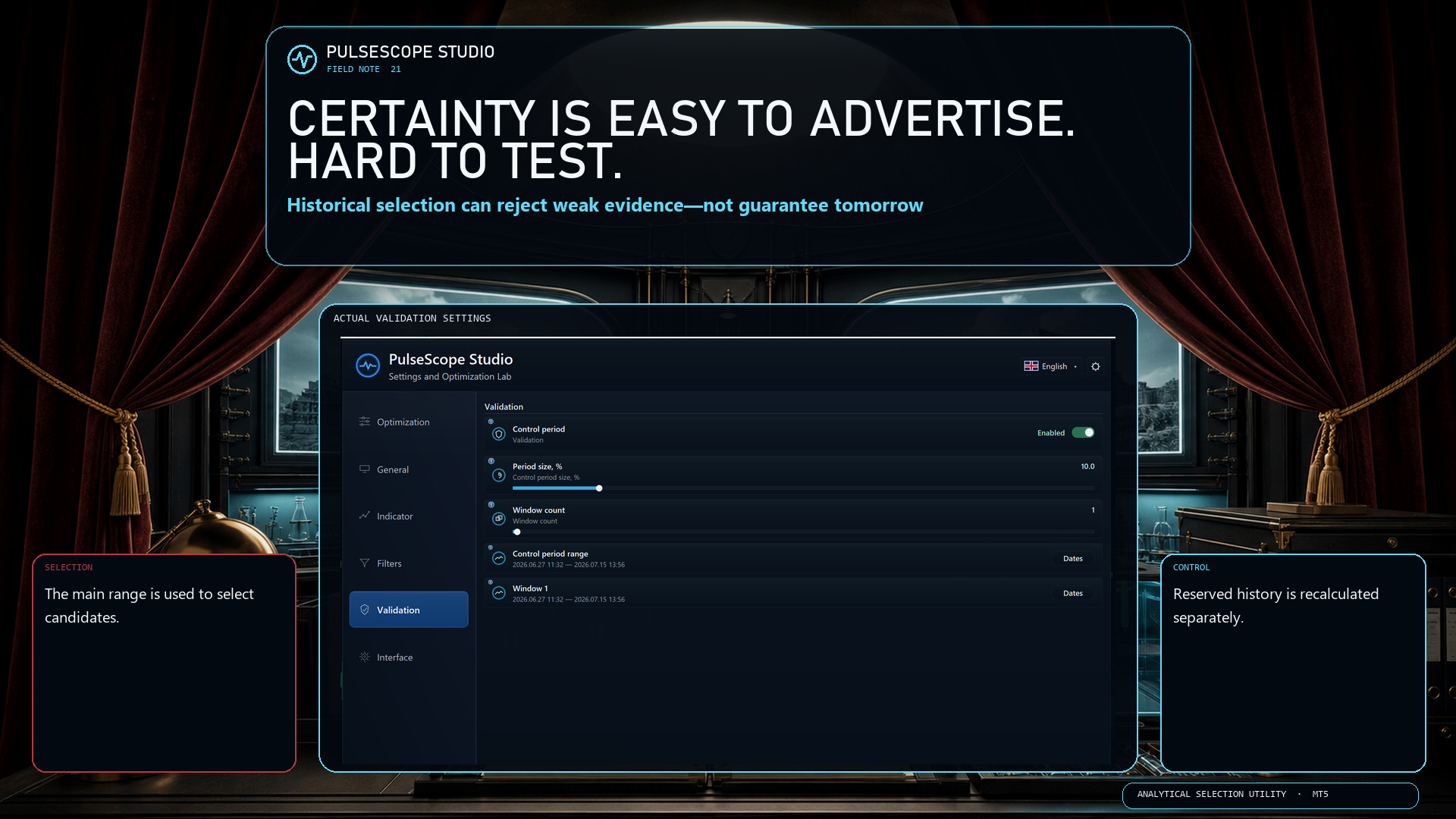
Historical analysis can compare configurations, reject weak evidence and expose dependence on one convenient segment. It cannot sign a contract with tomorrow.
PulseScope Studio keeps that limitation visible by separating the workflow:
🧭 the main range is used for selection;
🛡️ a reserved control period does not participate in that selection;
🔁 promising candidates are recalculated from scratch on the control window;
🗂️ the selected configuration and its context can be saved and reopened.
The product is a disciplined way to work with uncertainty—and to document how a decision was reached.
👉 PulseScope Studio:
https://www.mql5.com/ru/market/product/185833
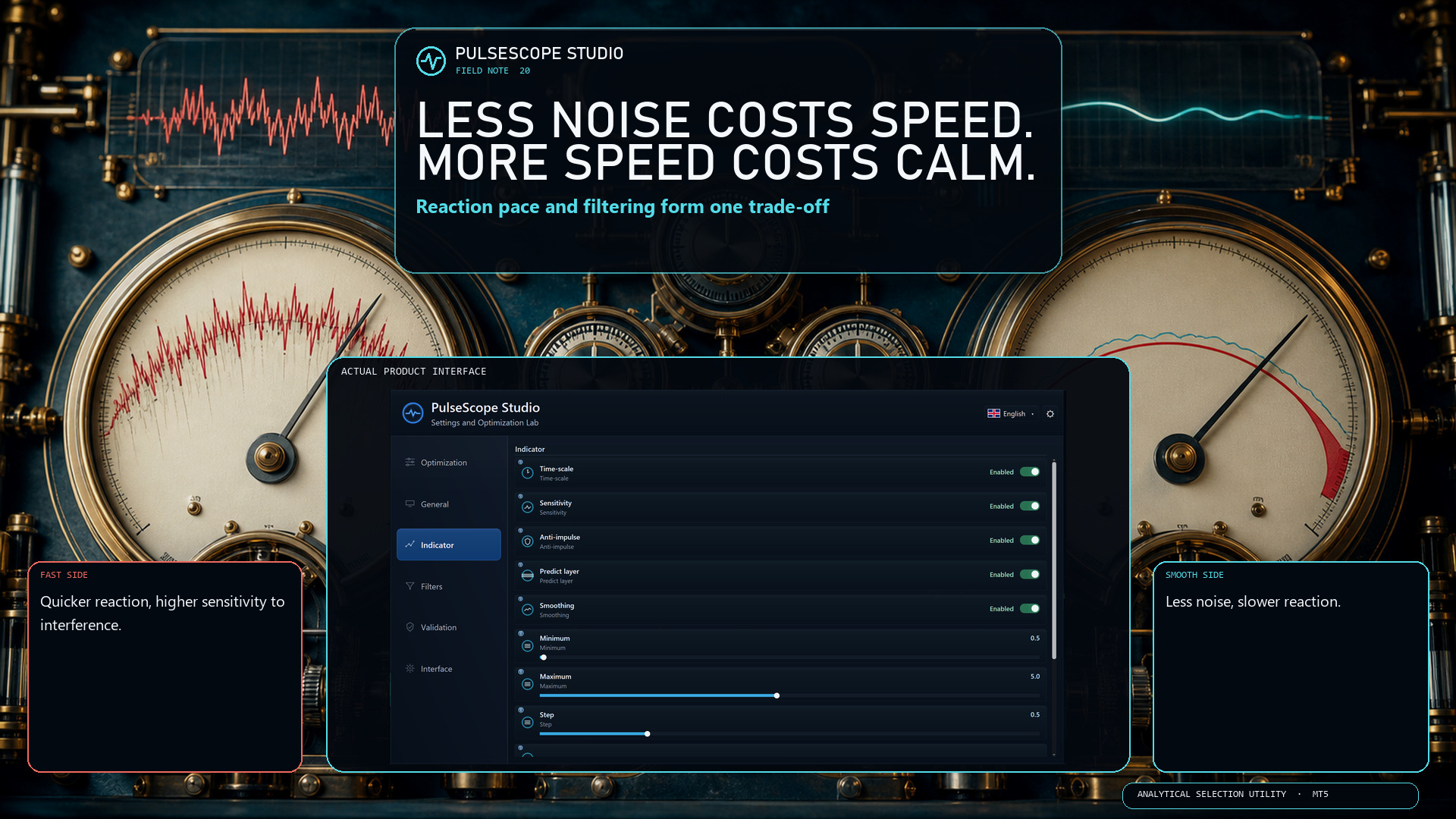
More smoothing can reduce noise, but it also slows the reaction. Less smoothing reacts faster, but becomes more sensitive to interference. Sensitivity and Time-scale change that balance again; Anti-impulse and Predict layer add their own effects.
PulseScope Studio treats these as interacting modules, not isolated cosmetic sliders. You can define a range for each one and search for a coordinated configuration for the selected instrument, timeframe and data window.
There is no universally perfect setting. There is only a trade-off that should be measured in context.
👉 PulseScope Studio:
https://www.mql5.com/ru/market/product/185833
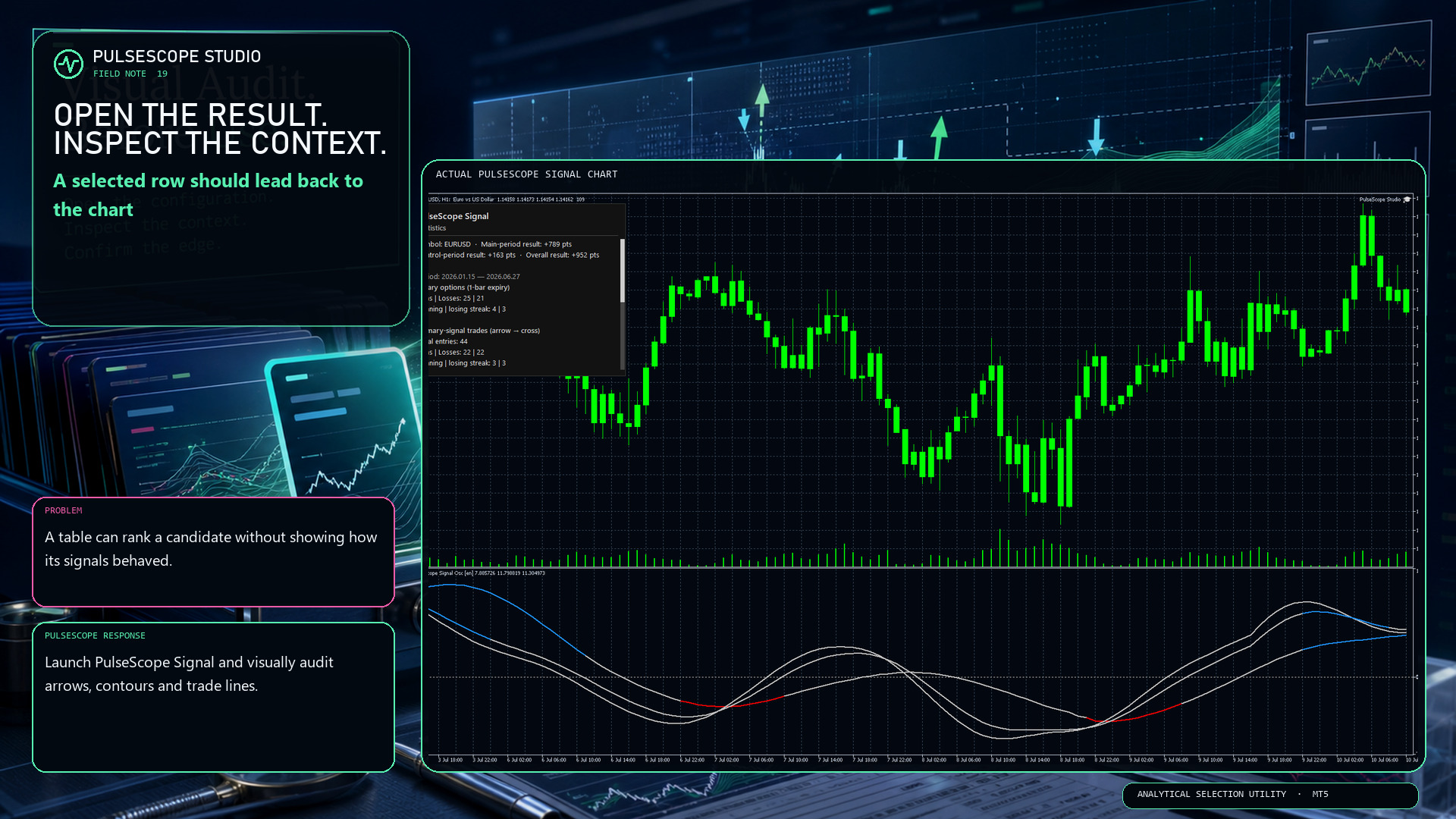
A table can summarize a candidate, but it cannot show every decision in context. PulseScope Studio can launch the built-in PulseScope Signal on the matching chart so you can inspect:
📍 signal arrows against the actual bars;
〰️ contour behavior through changing movement;
↔️ optional trade lines from entry to exit;
🧾 the result in points for visual verification.
Historical display is still historical evidence, not a forecast. Its value is that the path can be examined instead of being hidden behind one final number.
👉 PulseScope Studio:
https://www.mql5.com/ru/market/product/185833
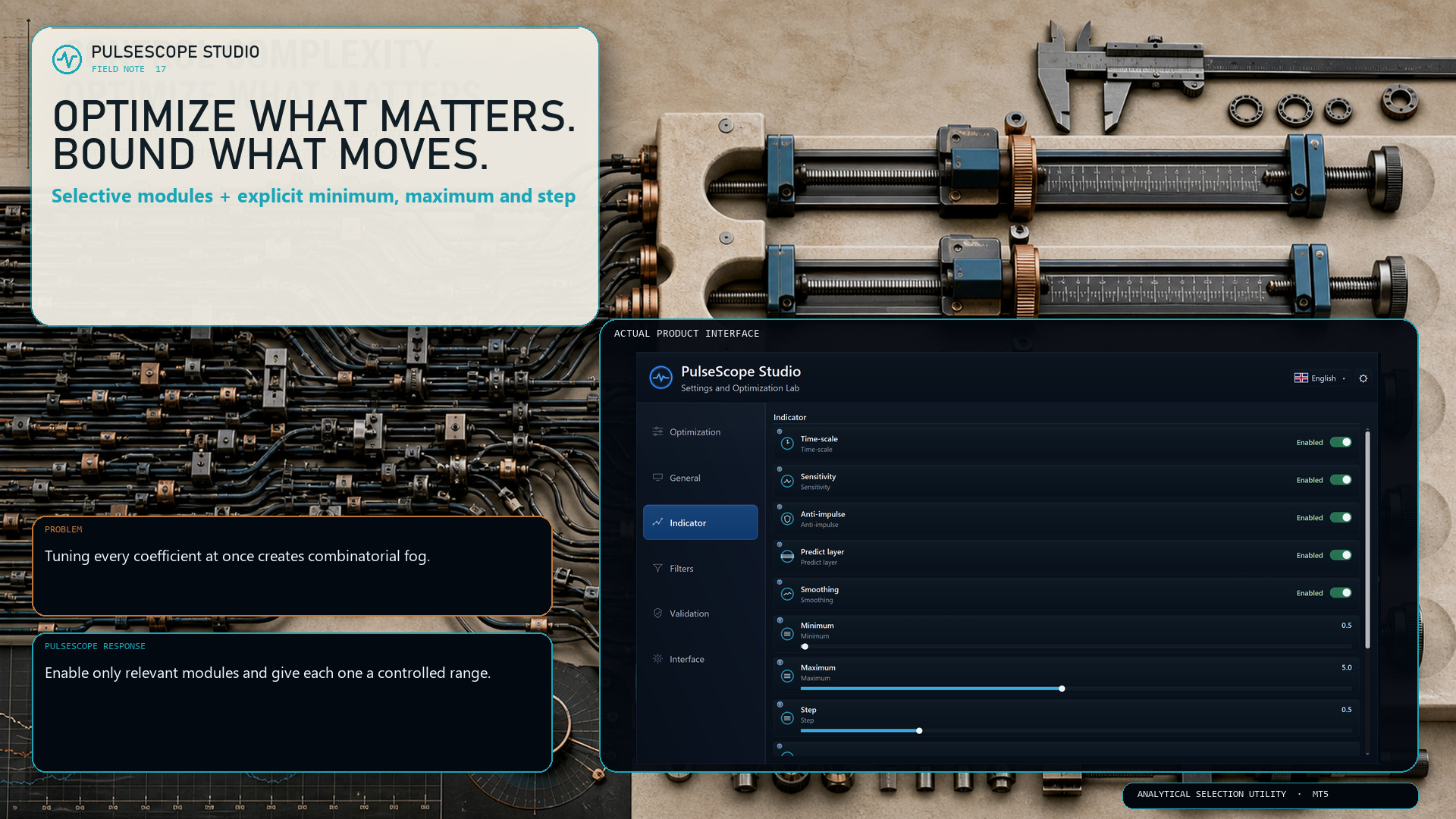
PulseScope Studio lets you decide which parts of the signal architecture should move during optimization:
• Time-scale
• Sensitivity
• Anti-impulse
• Predict layer
• Smoothing
For each enabled module, the minimum, maximum and step define the searchable range. A smaller step increases precision—but it can also increase the number of combinations sharply.
The useful question is not “How much can I optimize?” It is “Which dimensions deserve the budget?”
👉 PulseScope Studio:
https://www.mql5.com/ru/market/product/185833
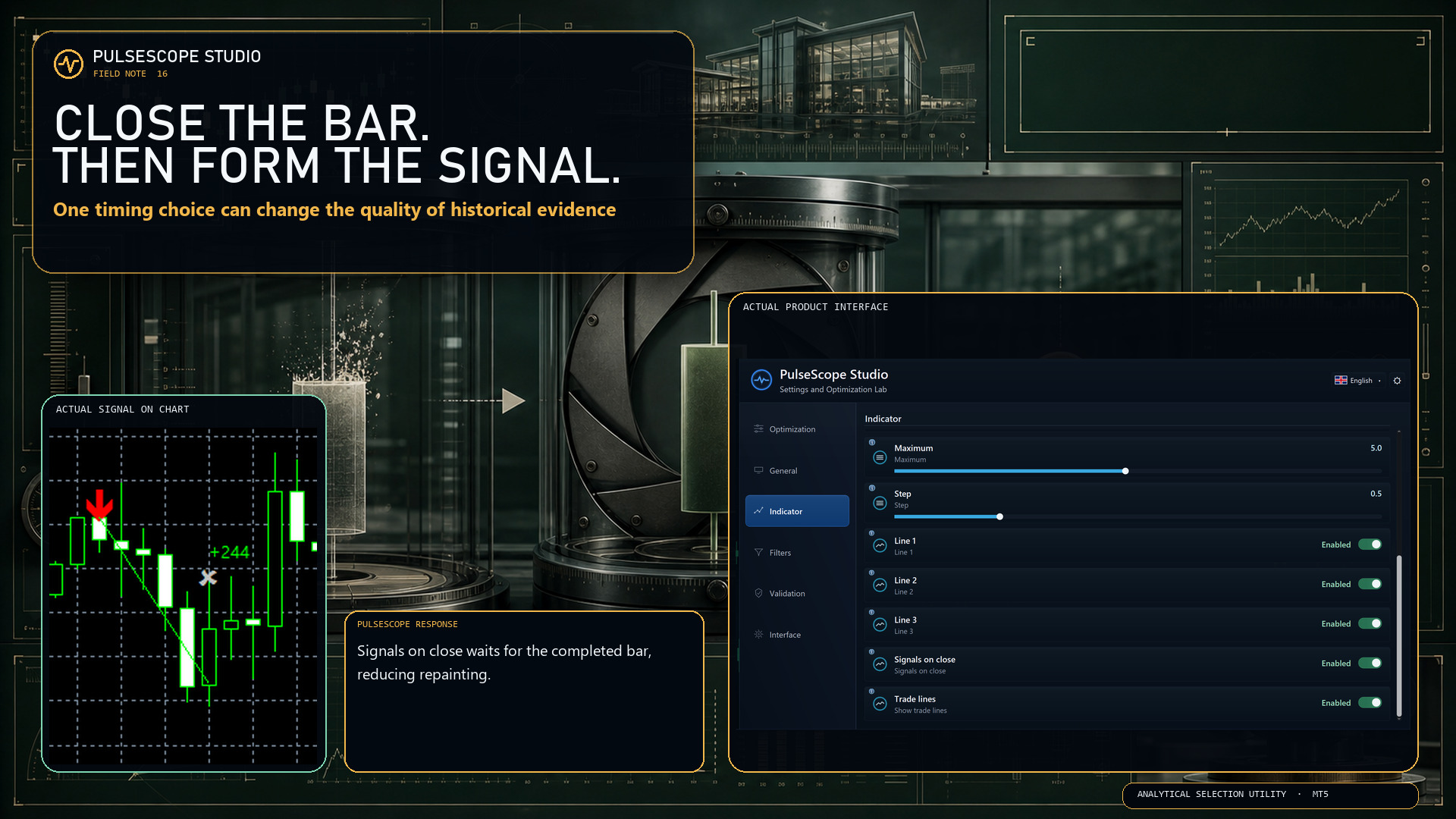
With Signals on close enabled, PulseScope forms the signal only after the bar has closed. The setting is designed to:
🔒 reduce repainting;
📊 produce more stable historical statistics;
🧭 make the timing rule explicit and reproducible.
This does not make every signal correct. It removes one avoidable source of ambiguity from how the signal is formed.
First close the bar. Then judge the decision.
👉 PulseScope Studio:
https://www.mql5.com/ru/market/product/185833
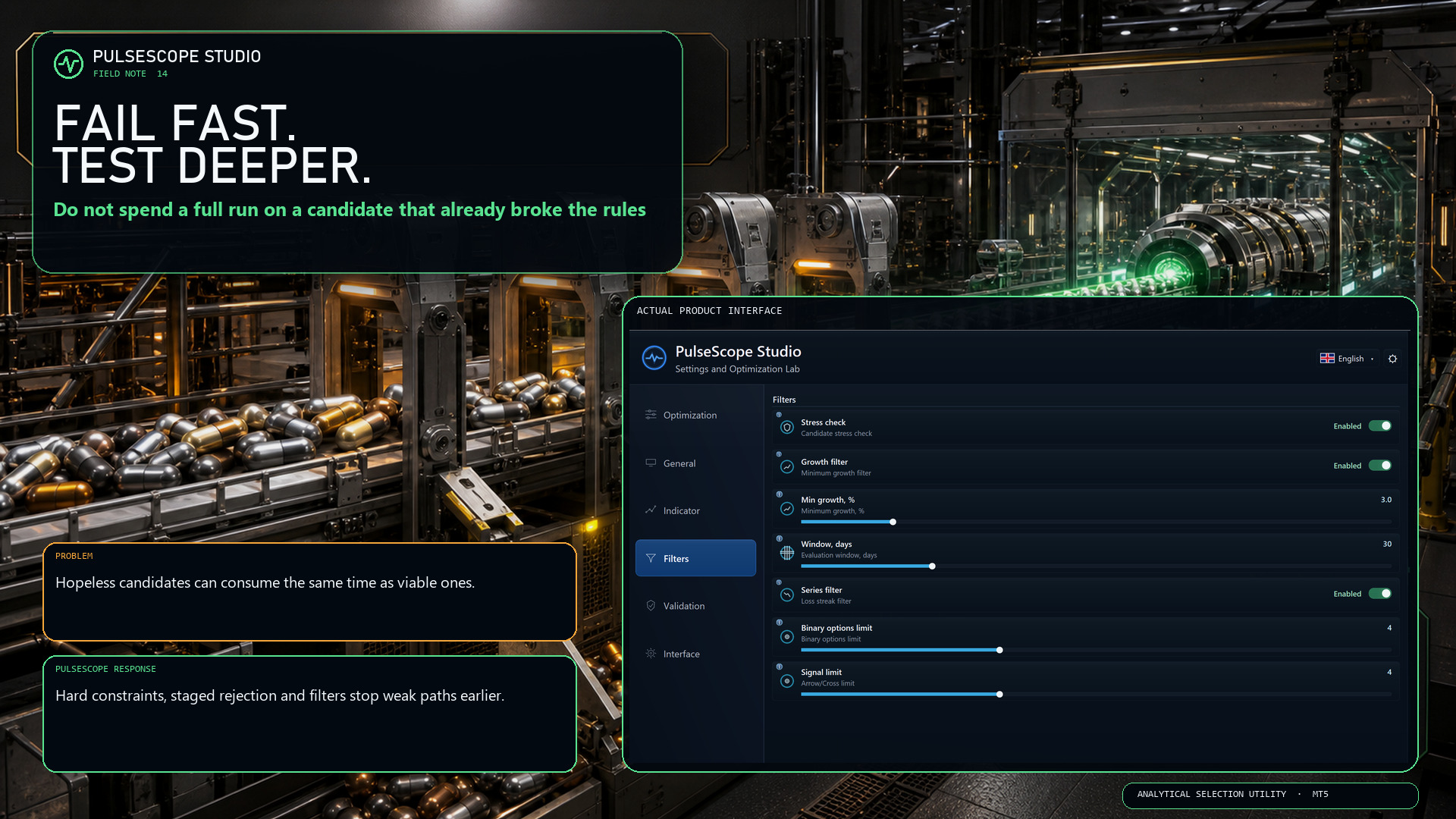
If a configuration has already breached a hard condition, continuing the entire calculation only turns an obvious rejection into a slower rejection.
PulseScope Studio combines staged early abort with configurable quality gates, including robustness, growth and losing-series controls.
⛔ Reject a broken path when the evidence is already sufficient.
⏱️ Keep more of the run budget for candidates that still qualify.
🔍 Apply deeper checks where they can still change the decision.
“Fail fast” is not impatience. It is disciplined resource allocation.
👉 PulseScope Studio:
https://www.mql5.com/ru/market/product/185833
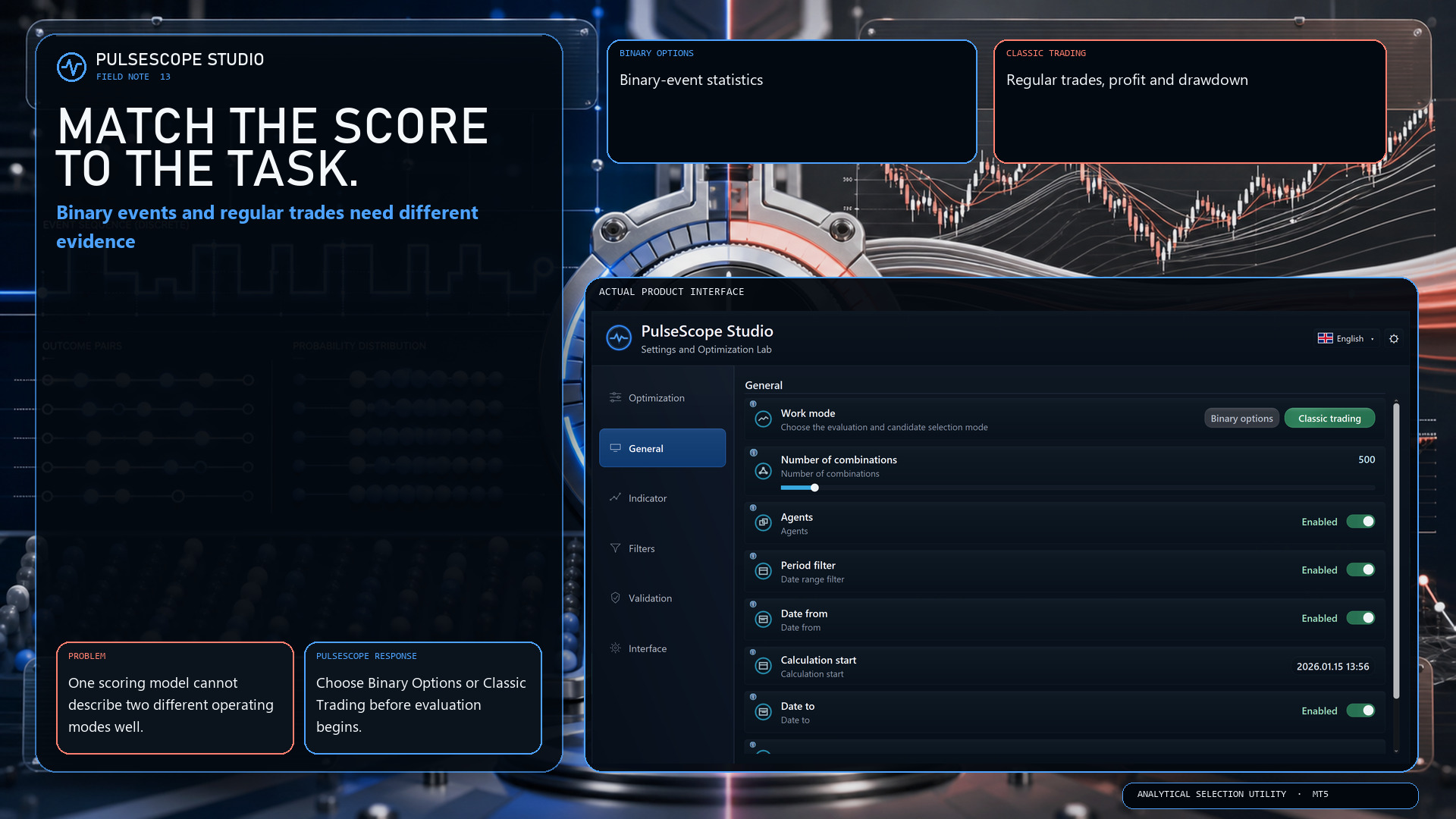
Binary options and classic trading do not describe outcomes in the same way. PulseScope Studio therefore separates the two work modes before the search begins:
🔹 Binary Options focuses on binary-event statistics.
🔸 Classic Trading evaluates regular trades, profit and drawdown.
This is not a cosmetic switch. It changes which evidence is relevant to candidate selection.
Choose the model first. Then compare configurations inside the correct analytical frame.
👉 PulseScope Studio:
https://www.mql5.com/ru/market/product/185833
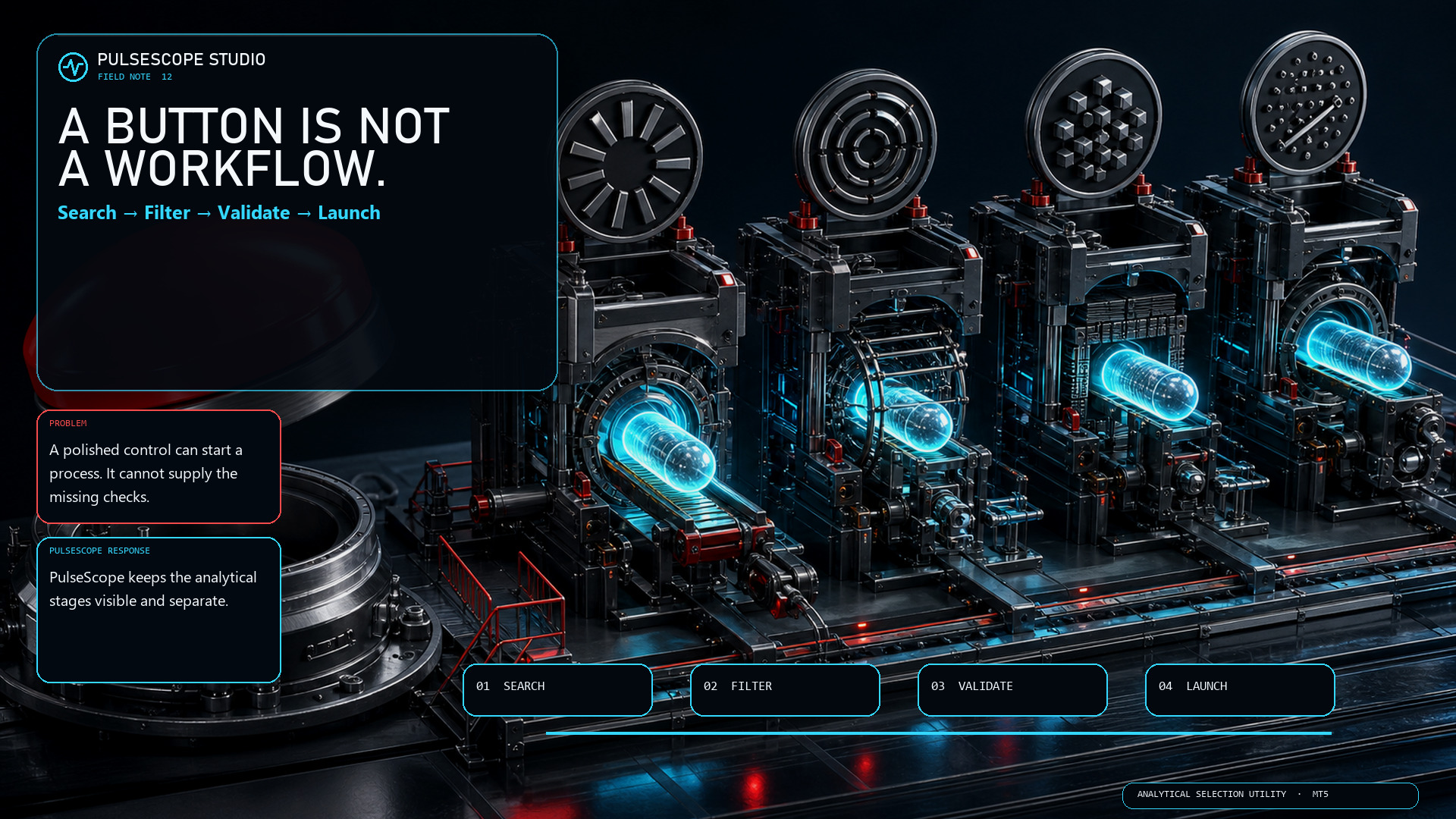
A polished button can start a process. It cannot decide whether the data window is relevant, whether a parameter set survives neighboring checks, or whether a separate control period agrees.
PulseScope Studio is deliberately less theatrical:
🧭 search the parameter space;
🚧 filter weak and unsuitable candidates;
🛡️ recheck selected candidates on control data;
▶️ launch a saved configuration in its original context.
No instant certainty. Just visible stages, explicit criteria and a setup you can return to.
👉 PulseScope Studio:
https://www.mql5.com/ru/market/product/185833
A candidate may look strong overall while most of its growth is concentrated in one short window—or while the route includes a losing streak you would never accept in practice.
PulseScope Studio can add path-aware quality gates:
📈 Growth Filter checks whether the required development appears across defined windows;
🧱 Series Filter rejects configurations that exceed the allowed losing streak for the selected work mode.
These filters do not guarantee future behavior. They make the shortlist answer a harder question than “Which final number is highest?”
Inspect the journey before you trust the destination.
👉 PulseScope Studio:
https://www.mql5.com/ru/market/product/185833