KT EA Manager MT4
- ユーティリティ
- バージョン: 1.0
- アクティベーション: 10

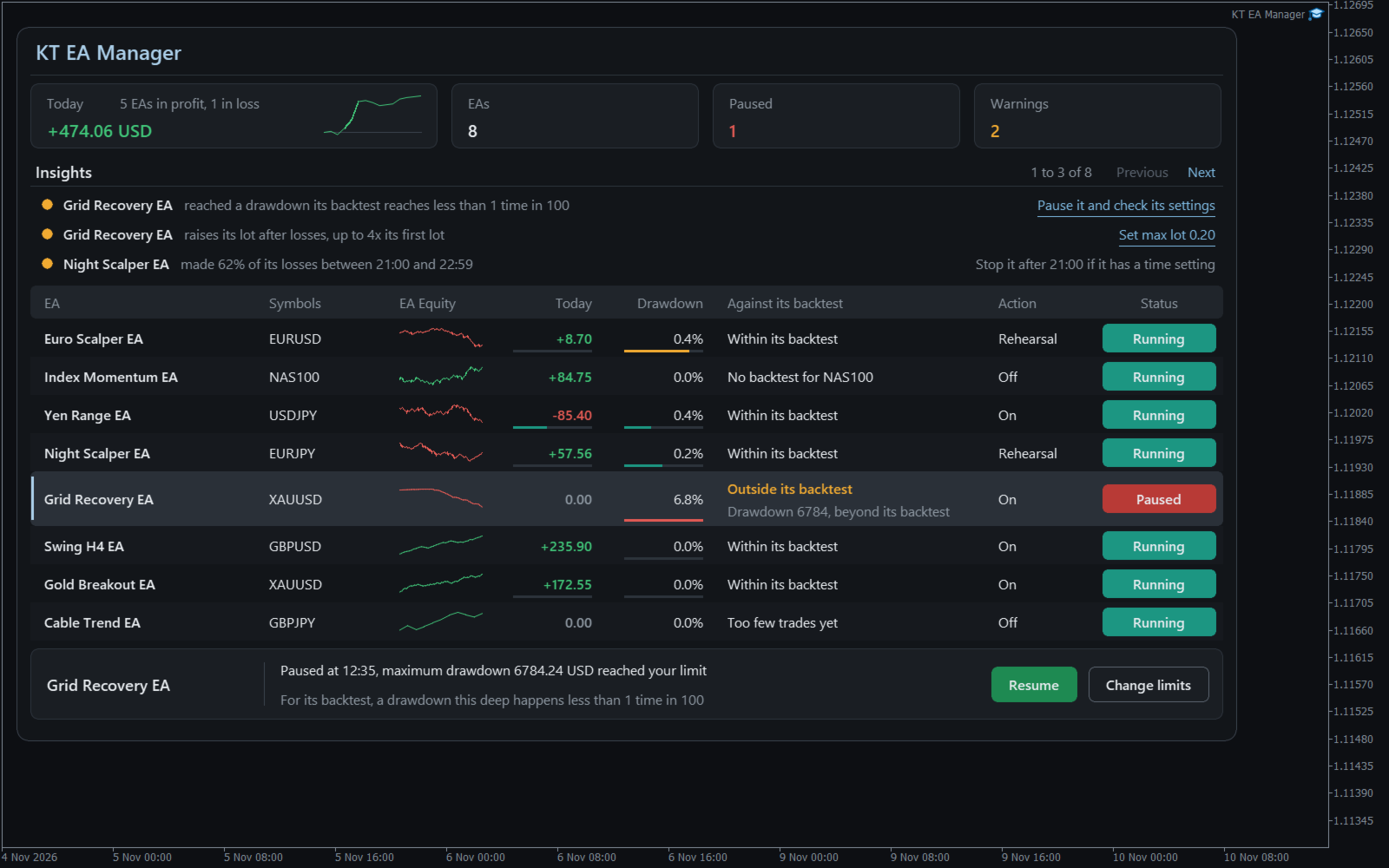
Utility EA that gives each of your EAs its own results, its own limits and its own stop button. One chart watches them all, tells you if each one still behaves like its backtest, and can take a single EA off its chart while the rest keep trading.
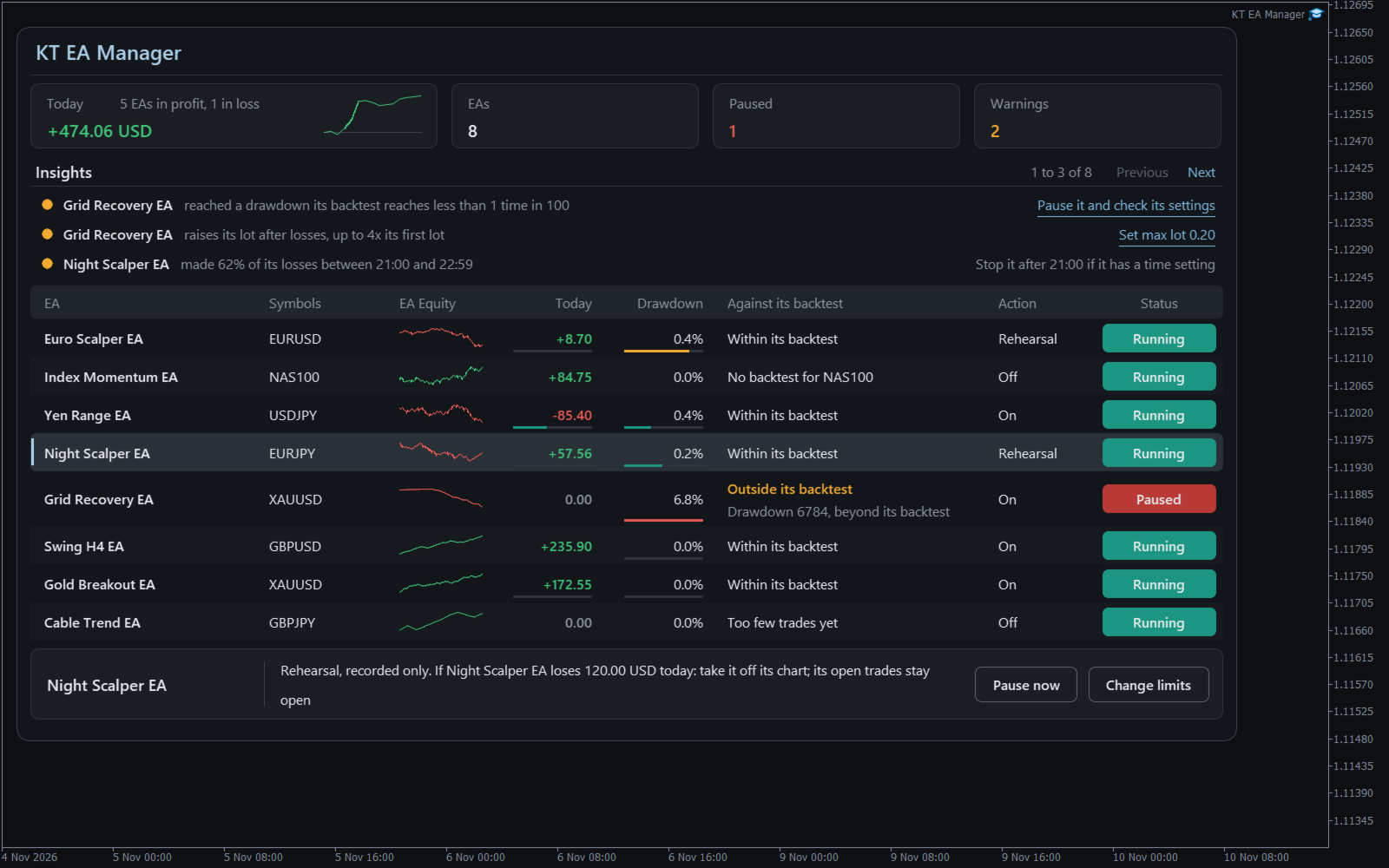
Your balance falls and you cannot say which EA did it, or whether that loss is normal for it. KT EA Manager settles that: every magic number becomes a row, and nothing happens to any EA until you allow it for that EA.
What you control
- A verdict for each EA: Within its backtest or Outside its backtest, with the reason written out. It warns and never acts.
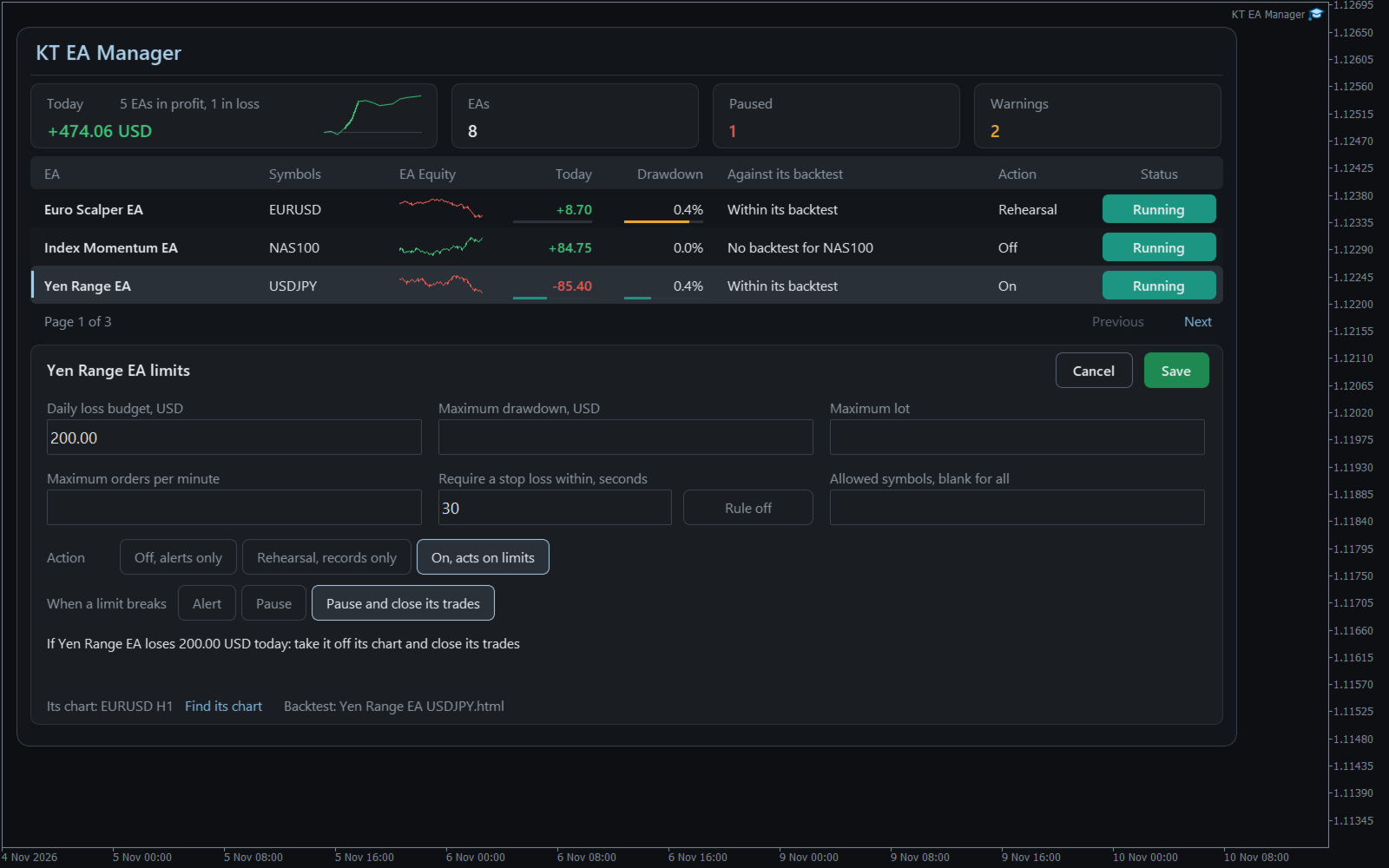
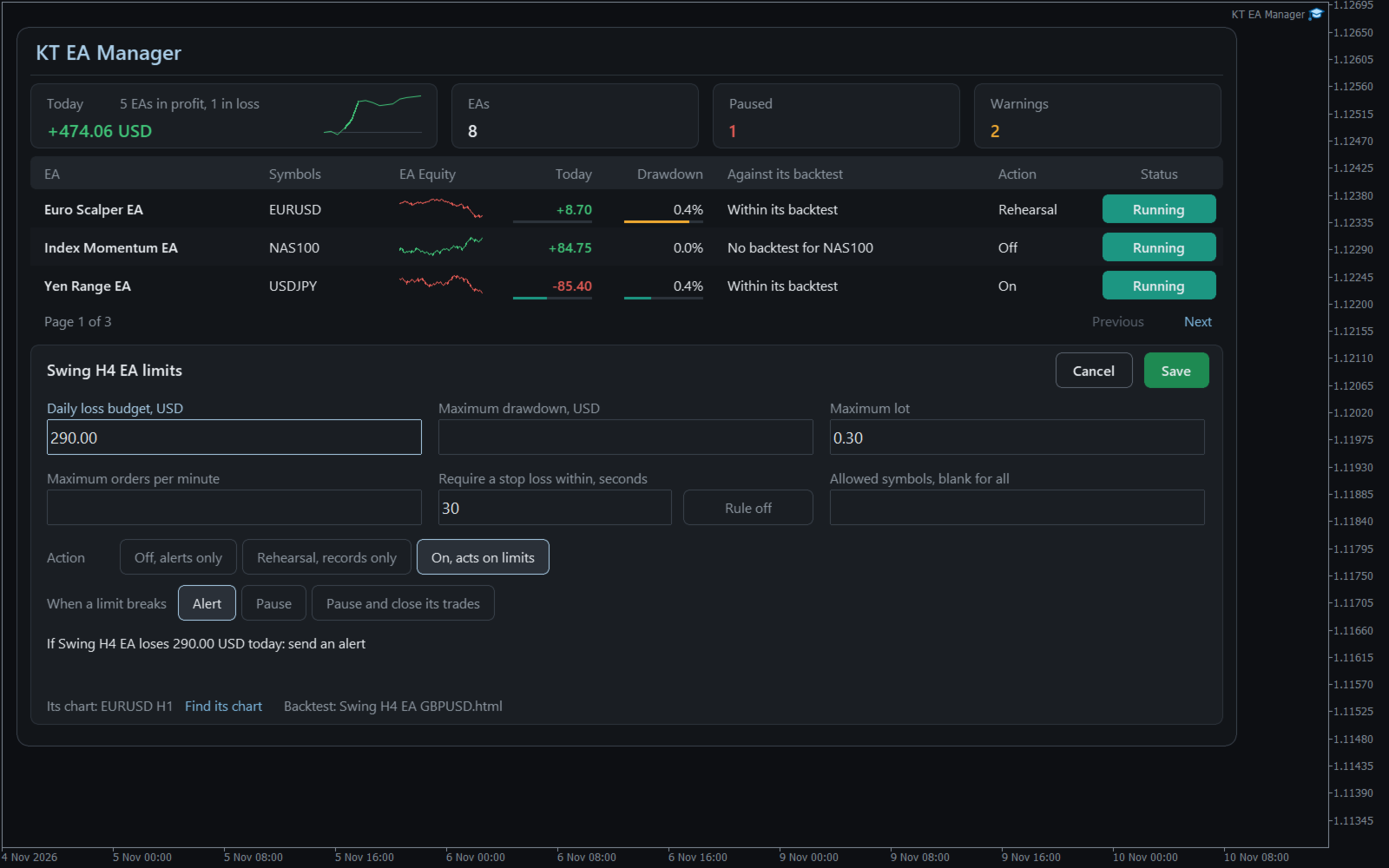
- Six limits per EA: daily loss budget, maximum drawdown, maximum lot, stop loss required, orders per minute and allowed symbols.
- Three steps per EA: Off sends alerts, Rehearsal records what would have happened, On acts on your limits.
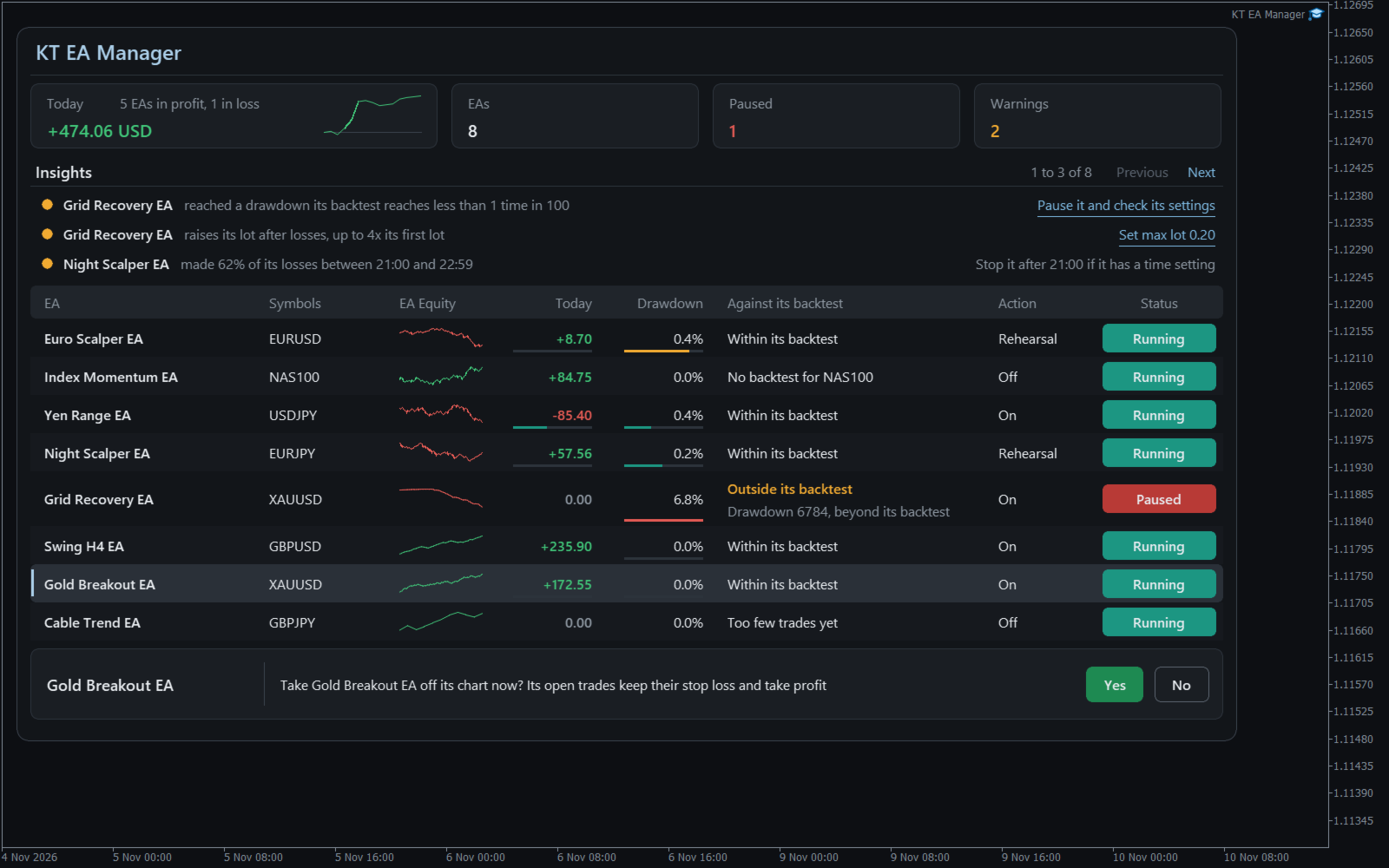
- Your choice of action: Alert, Pause, or Pause and close that EA's trades. Other EAs and your manual trades are left alone.
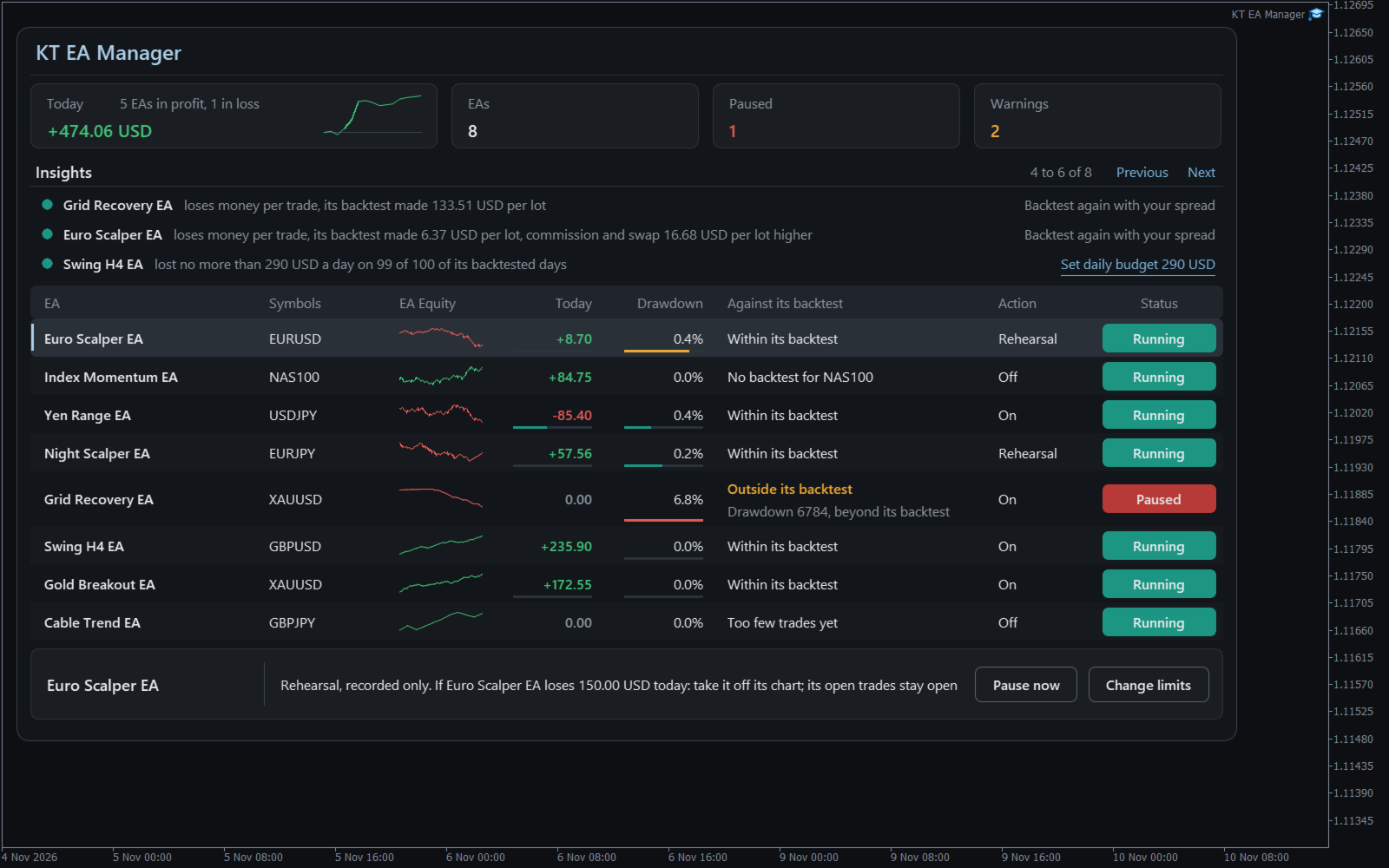
- Findings in words: an EA that raises its lot after losses, two EAs losing on the same days, costs higher than in the backtest.
- A daily budget from the EA's own past: a suggestion you can apply with one click and then confirm.
- A record of everything: each alert, rehearsal and action saved with its result.
How to use it
Open one chart for KT EA Manager and tick Allow Algo Trading. Your EAs appear by themselves. Save each EA's backtest HTML report in the Backtests folder to start the comparison; a report counts only for its own symbol.
Select an EA, type a limit, and read the plain sentence the panel shows before anything can happen. A paused EA comes back only when you press Resume and confirm, with the settings it had.
Recommendations
Works with any EA that trades with a magic number, on any symbol. Give each EA its own number, keep the terminal running on a computer that stays on or a VPS, and try Rehearsal for a week before you choose On.
Input parameters
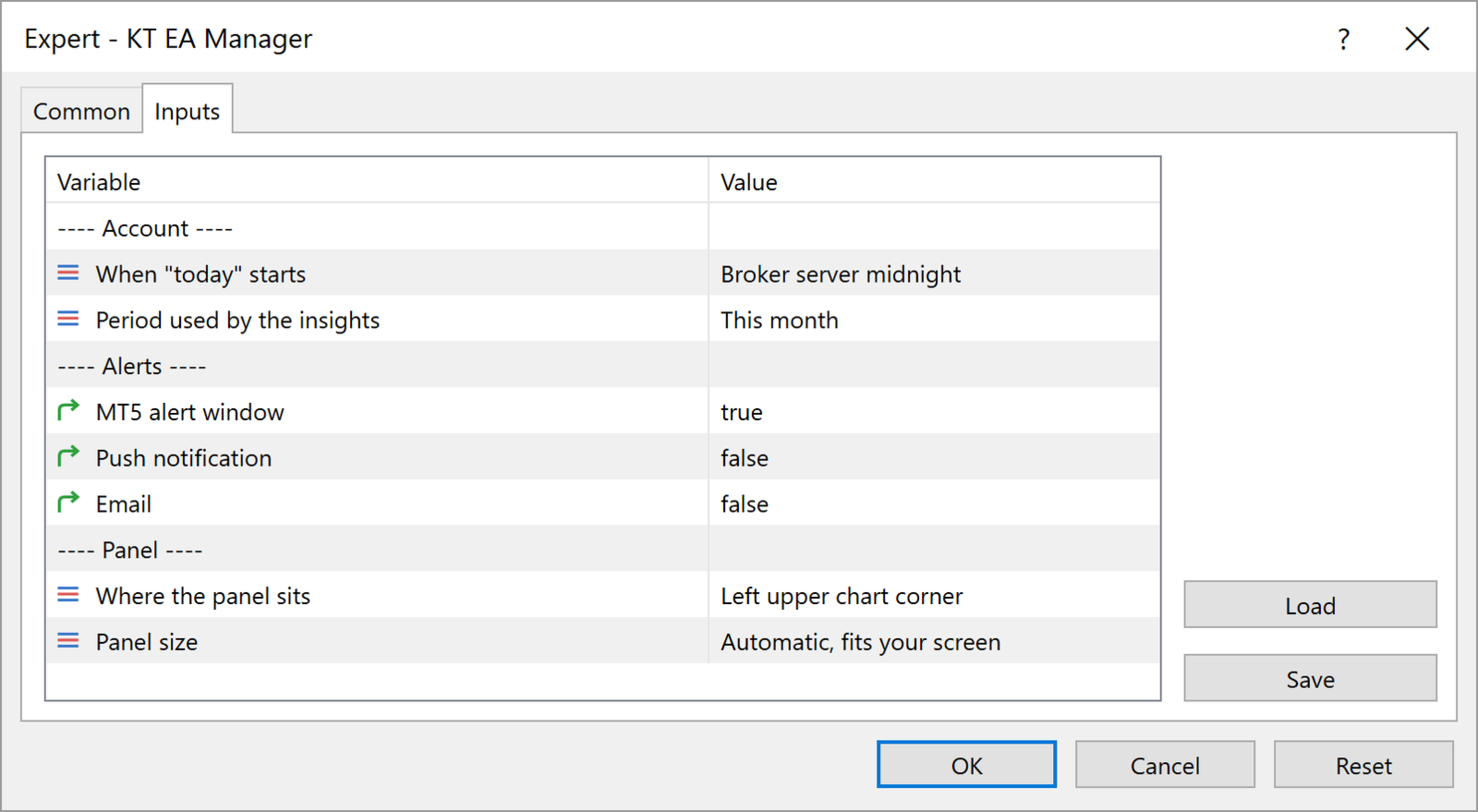
- When "today" starts: when the day and the daily budgets restart.
- Period used by the insights: the period the findings look at.
- Alert window, Push notification, Email: where alerts arrive.
- Where the panel sits and Panel size: the corner and the size of the panel.
All limits are set on the panel, for each EA.
Keep the EAs that work
You see each EA for what it is, and one bad day from one EA no longer decides the day for the others. KT EA Manager stops only what you told it to stop.