Trade Manager ChartSteer
- ユーティリティ
- バージョン: 3.0
- アクティベーション: 20

Plan the trade. See the risk.
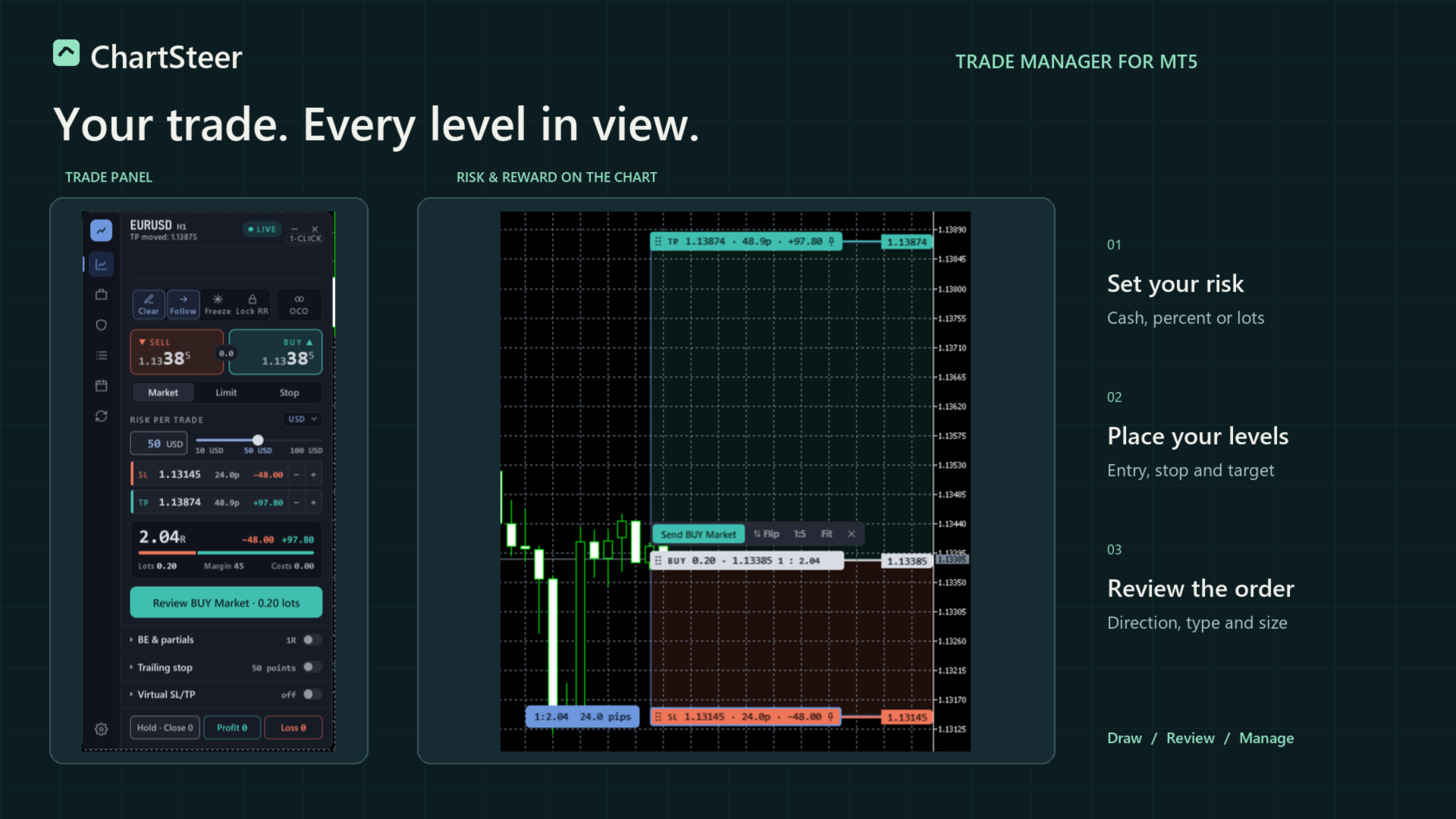
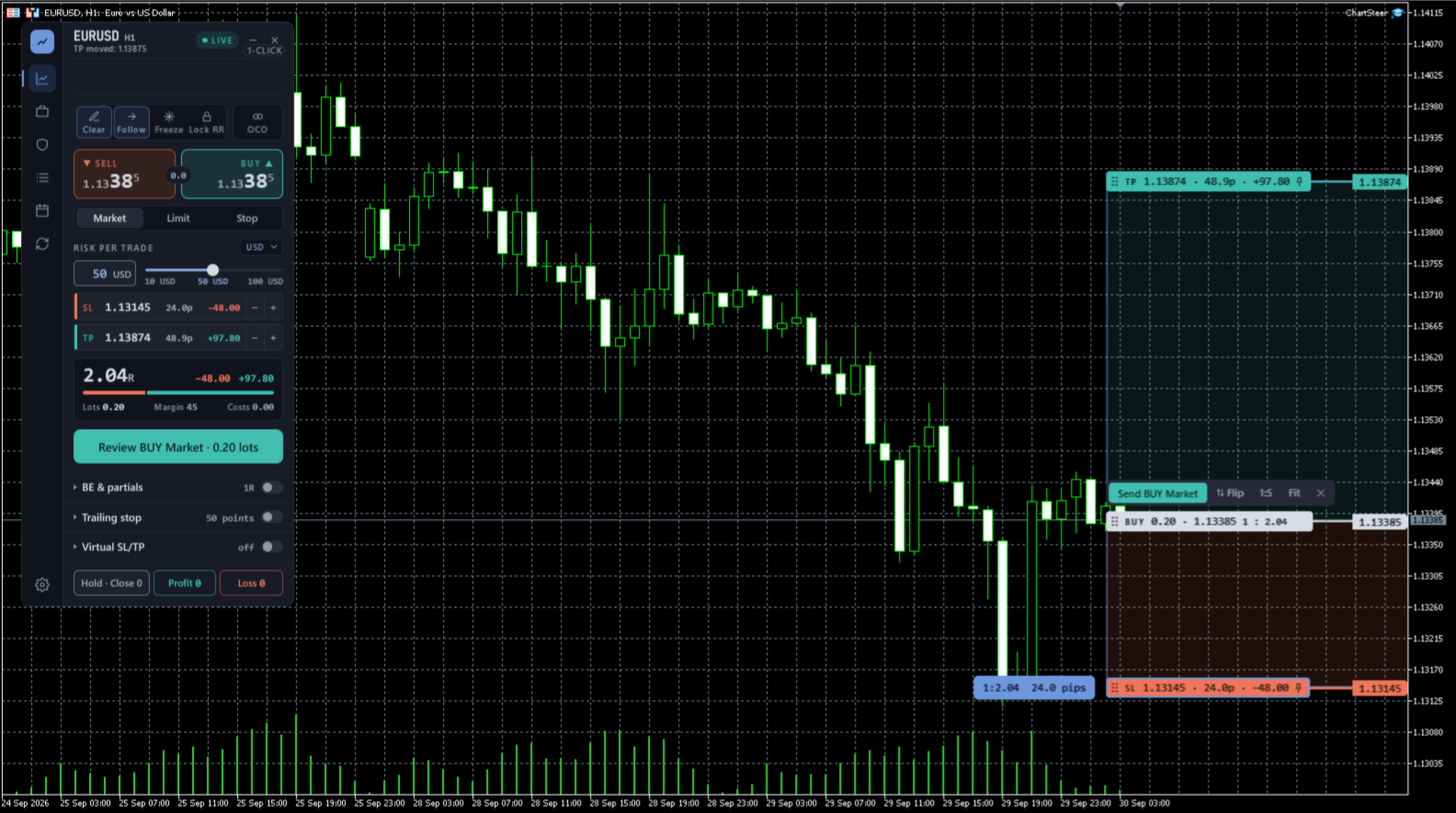
Trade Manager ChartSteer is a manual trade manager for MetaTrader 5. Draw your entry, stop loss and take profit on the chart, choose how to size the position, and review the order before sending it. The panel keeps chart planning, partial exits, grid baskets and trade management in one workspace.
Read the setup and workflow guide
Visual planning and position sizing
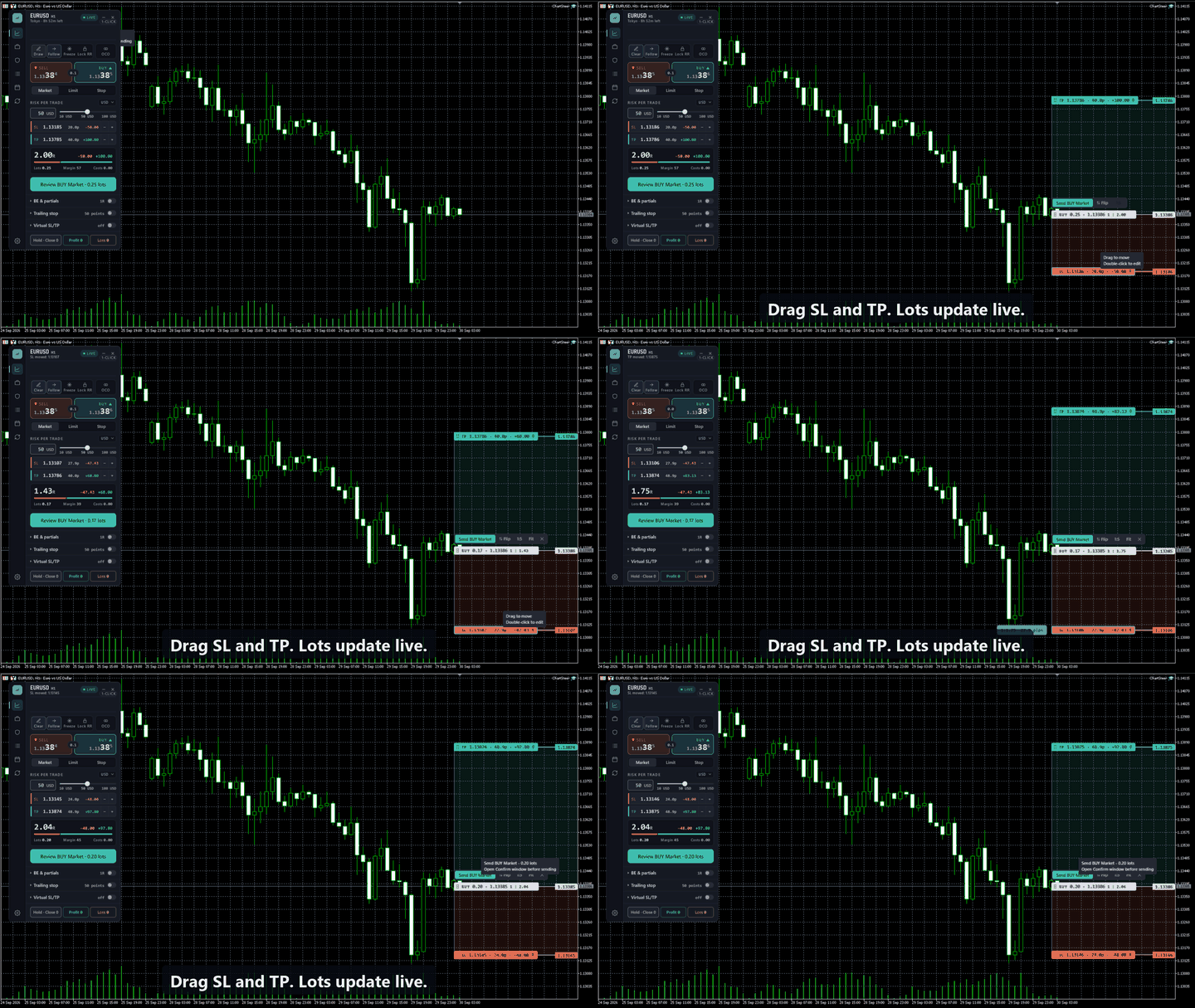
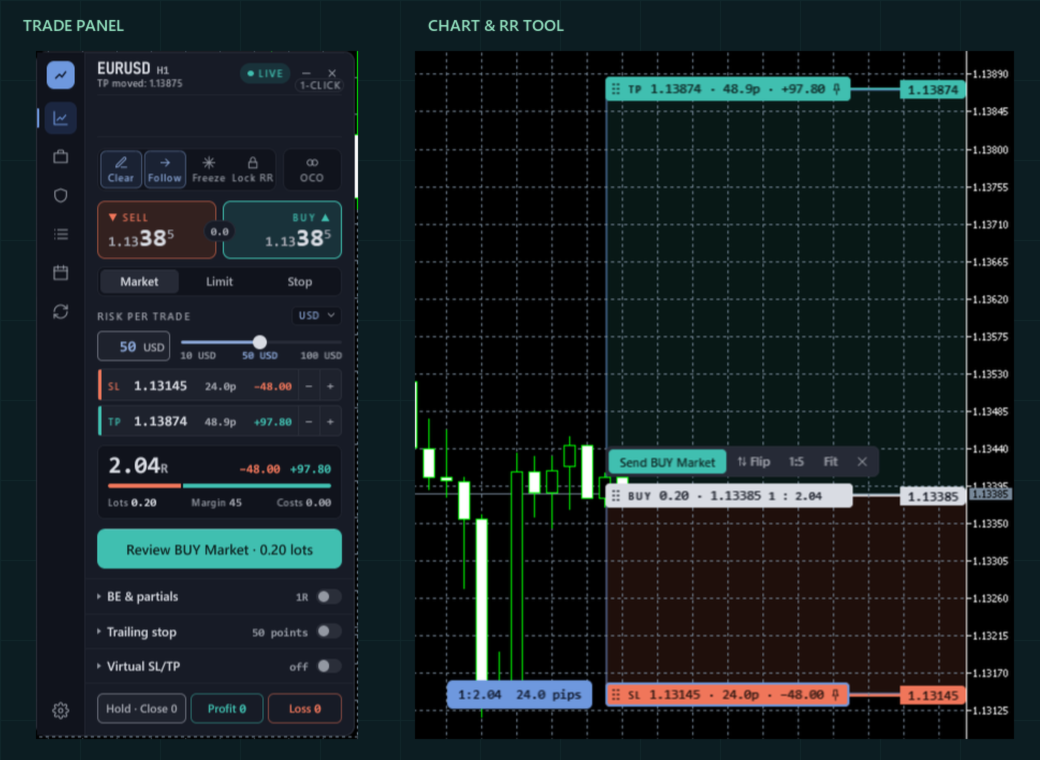
- Move entry, stop and target directly on the chart and read the resulting risk and reward.
- Choose fixed lots, cash risk, or percentage risk based on balance or equity.
- Use Follow for a Market plan at the live quote. Freeze and Lock R:R give separate control over price levels and the planned ratio.
- Review the complete Send label to check direction and order type before execution.
Order review and trade management
- Market and pending-order workflows, with order confirmation enabled by default.
- Optional one-click execution for users who deliberately enable it.
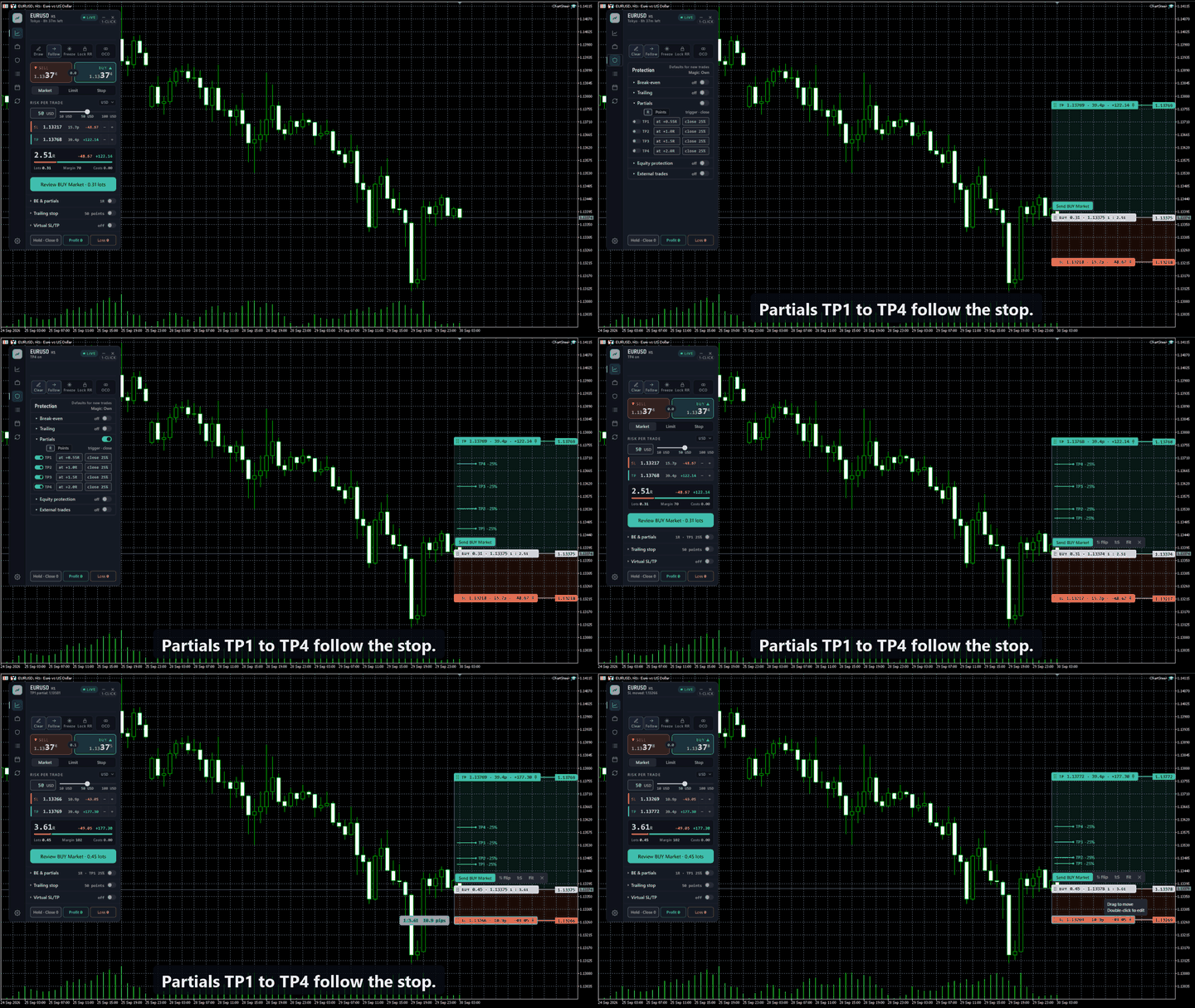
- TP1 through TP4 partial-exit planning, subject to the symbol's volume limits and step.
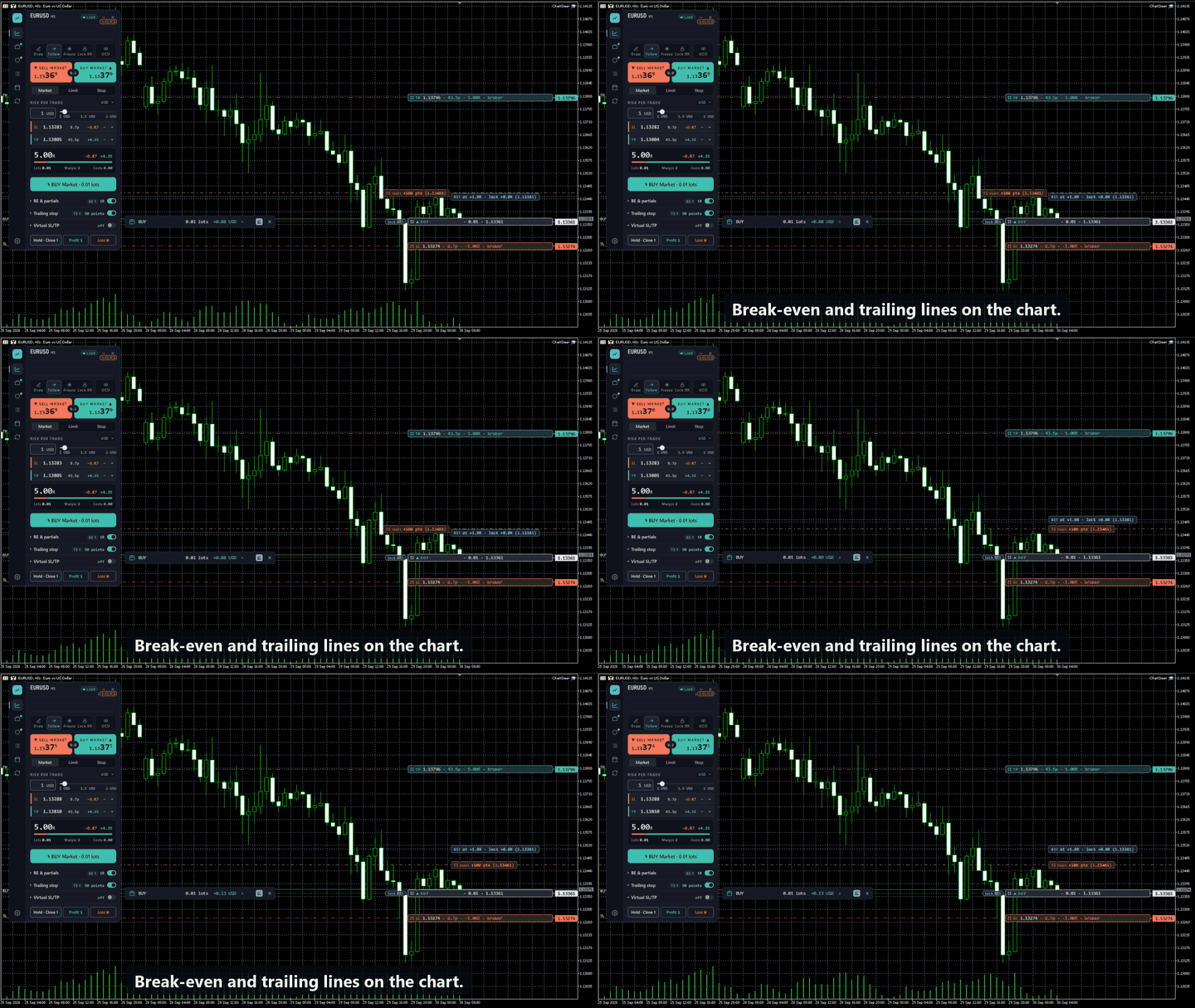
- Break-even and trailing settings, with a Rules editor for existing positions.
- Broker and virtual levels, with chart tags for inspecting and editing the selected plan or trade.
- Positions and Pending views for reviewing the items you manage.
Grid mode: plan and manage a basket
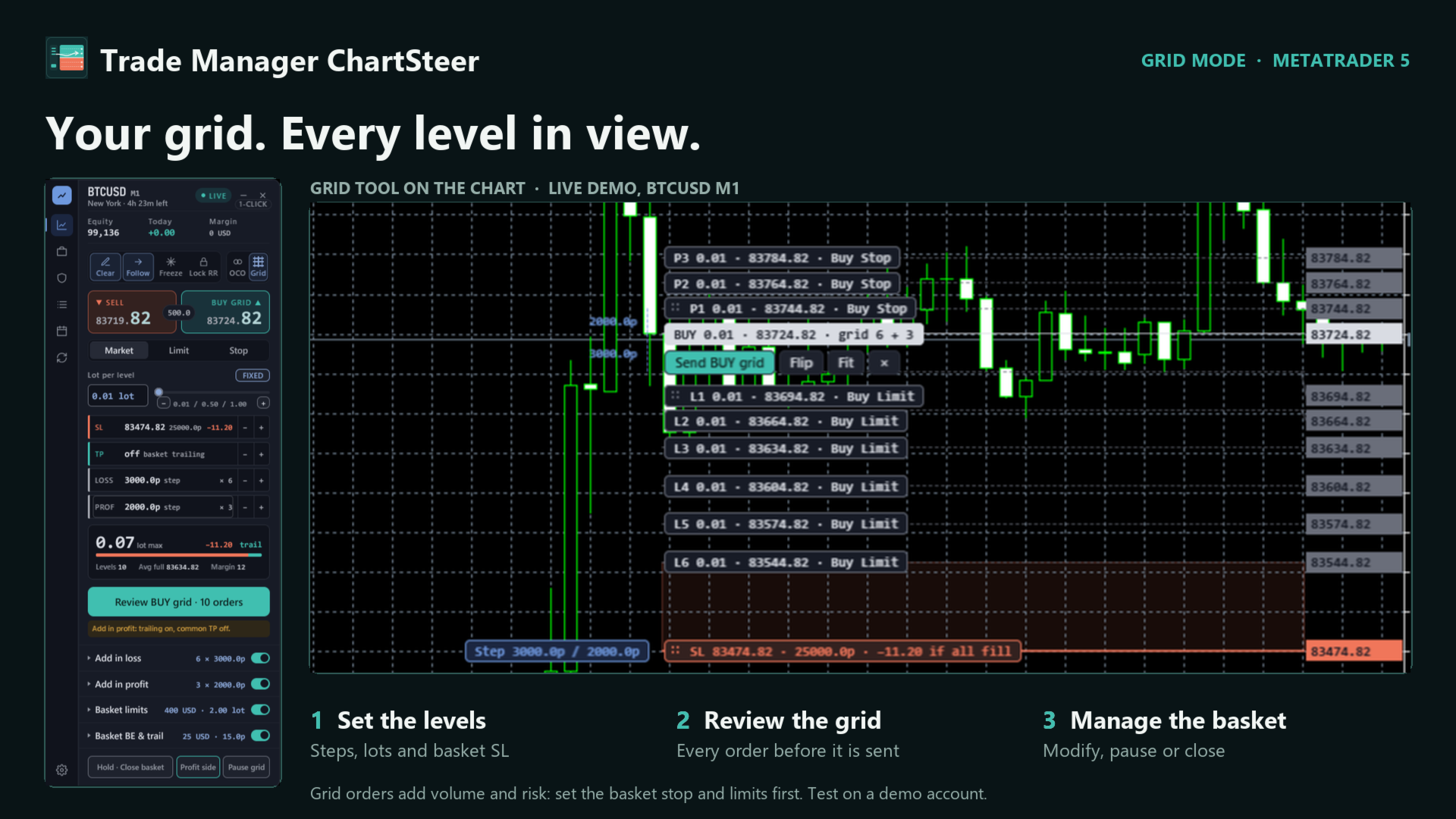
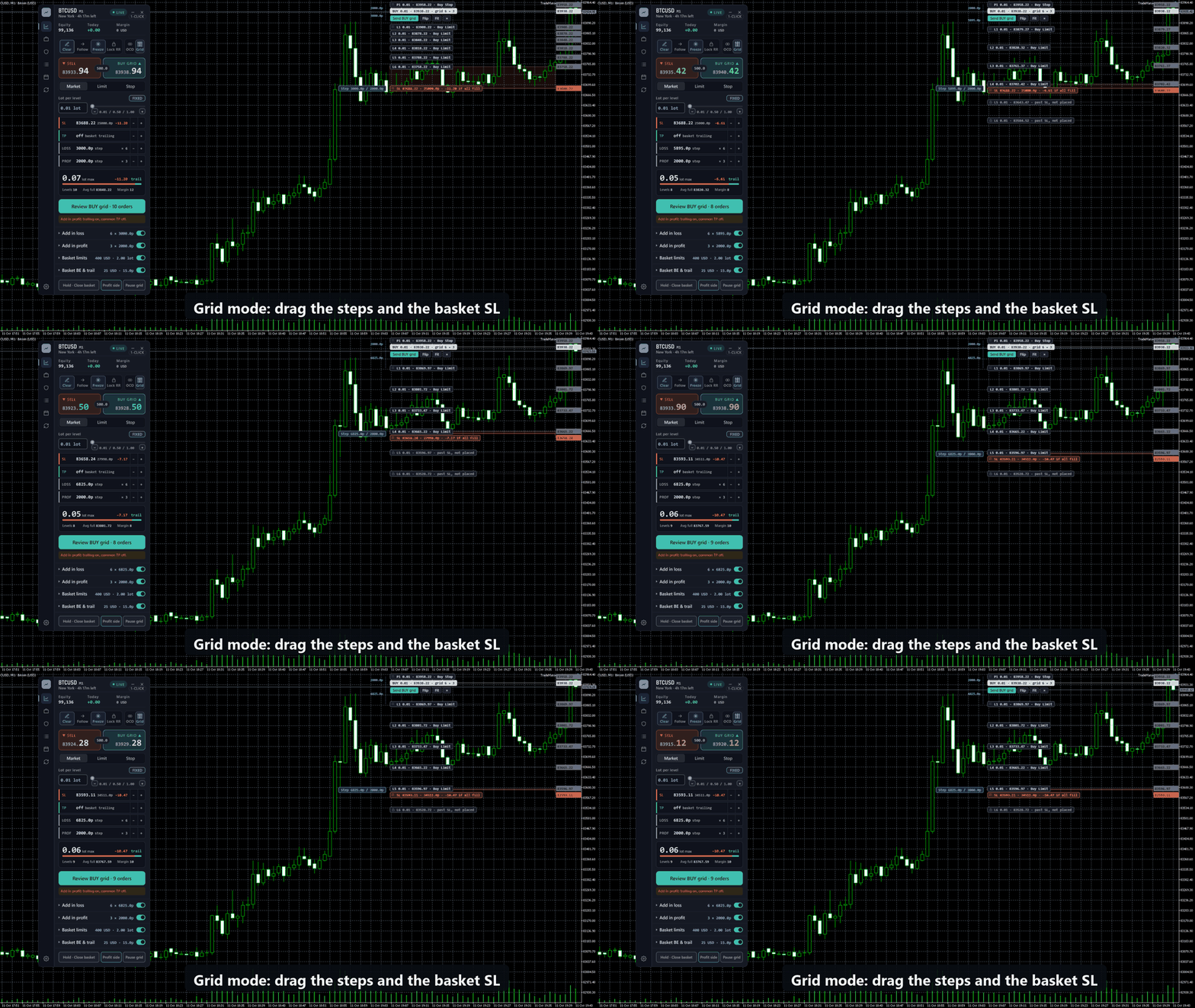
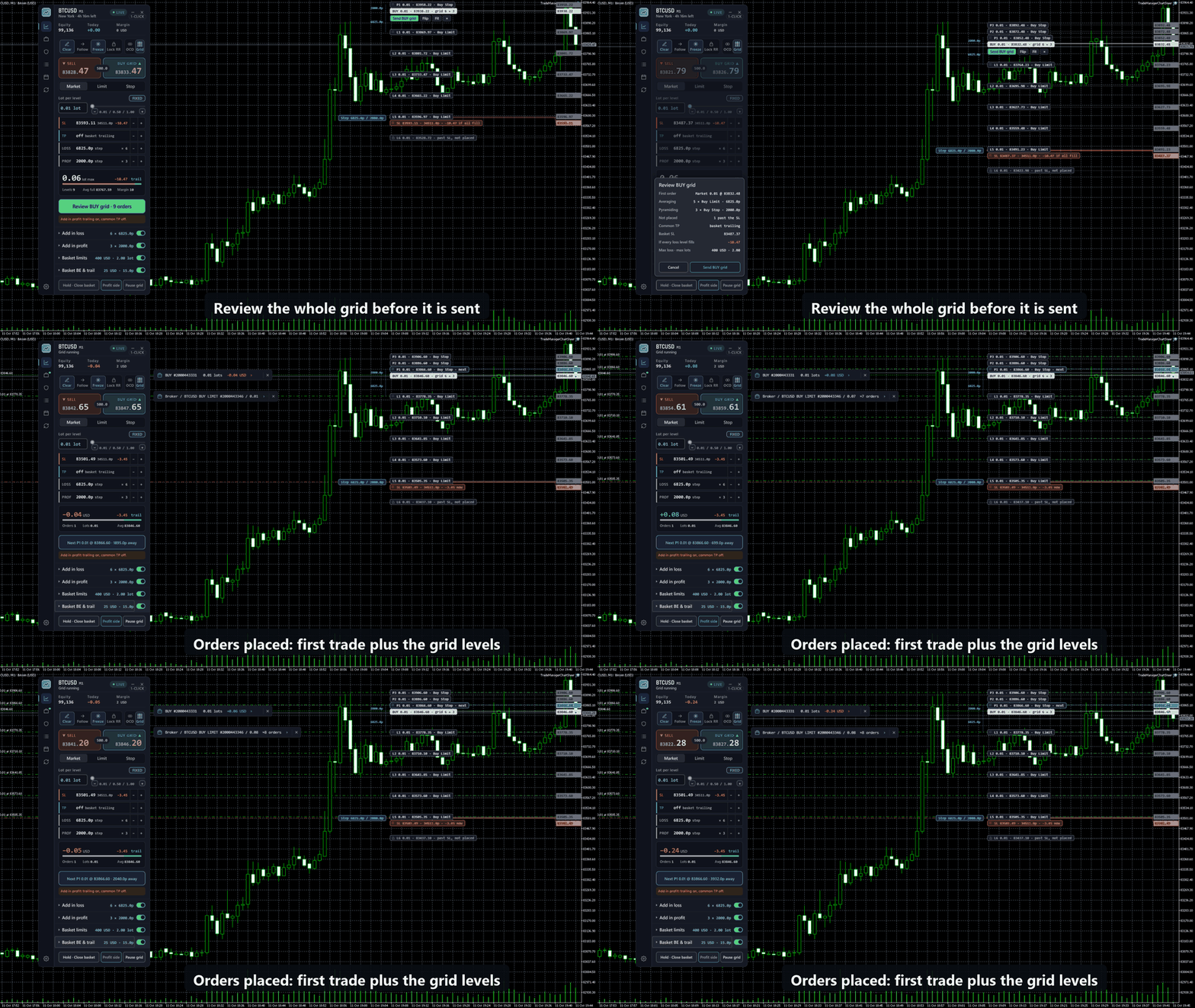
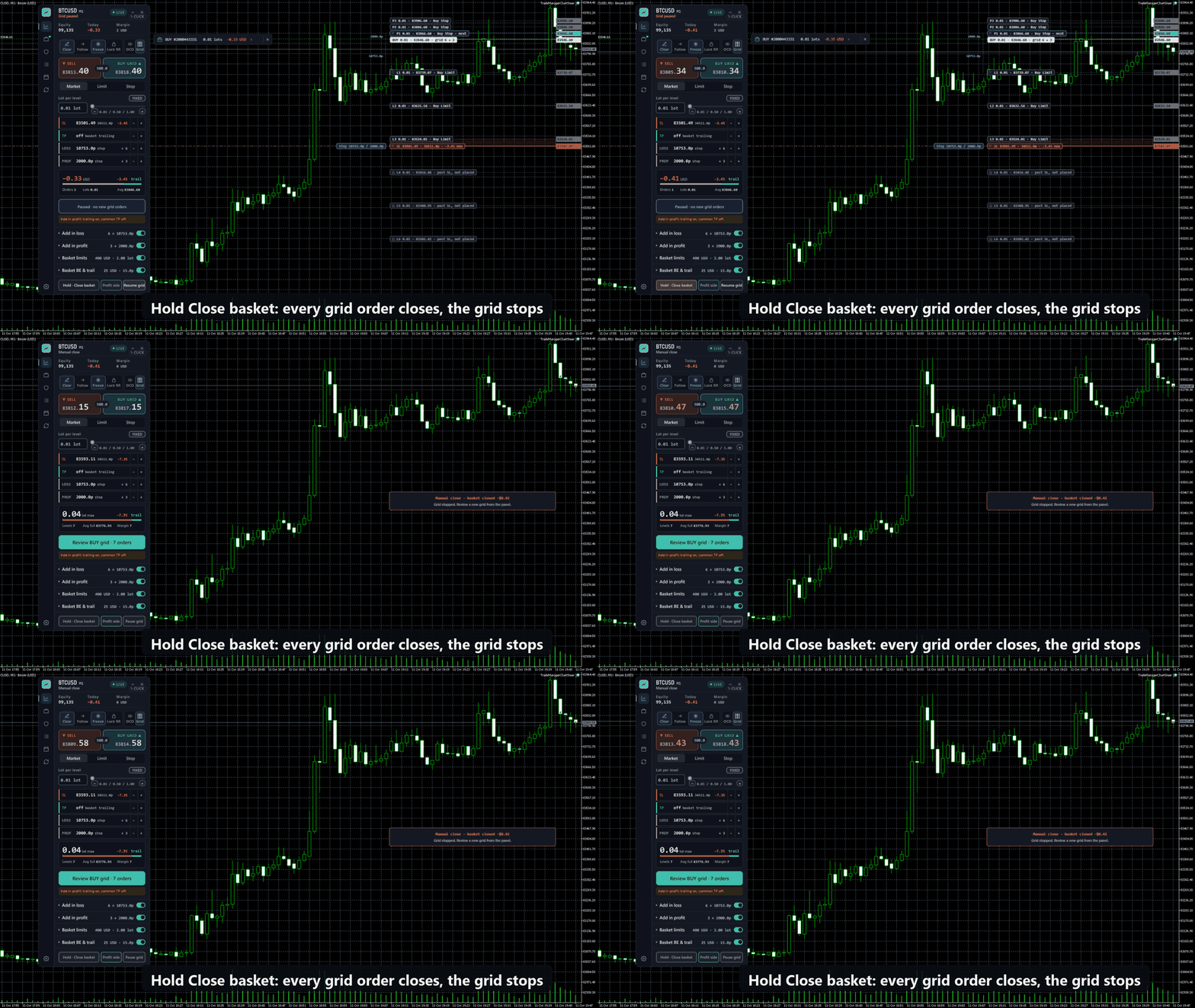
Grid mode is a switch in the tool strip, beside OCO. When it is on, the RR tool becomes a grid tool and the panel shows the basket controls. Every level, its lot and its order type are drawn on the chart before anything is sent, and you review the whole grid before it goes to the broker.
- Grid orders as Market (opened by the panel when price reaches a level) or Pending (Limit and Stop orders placed at the broker).
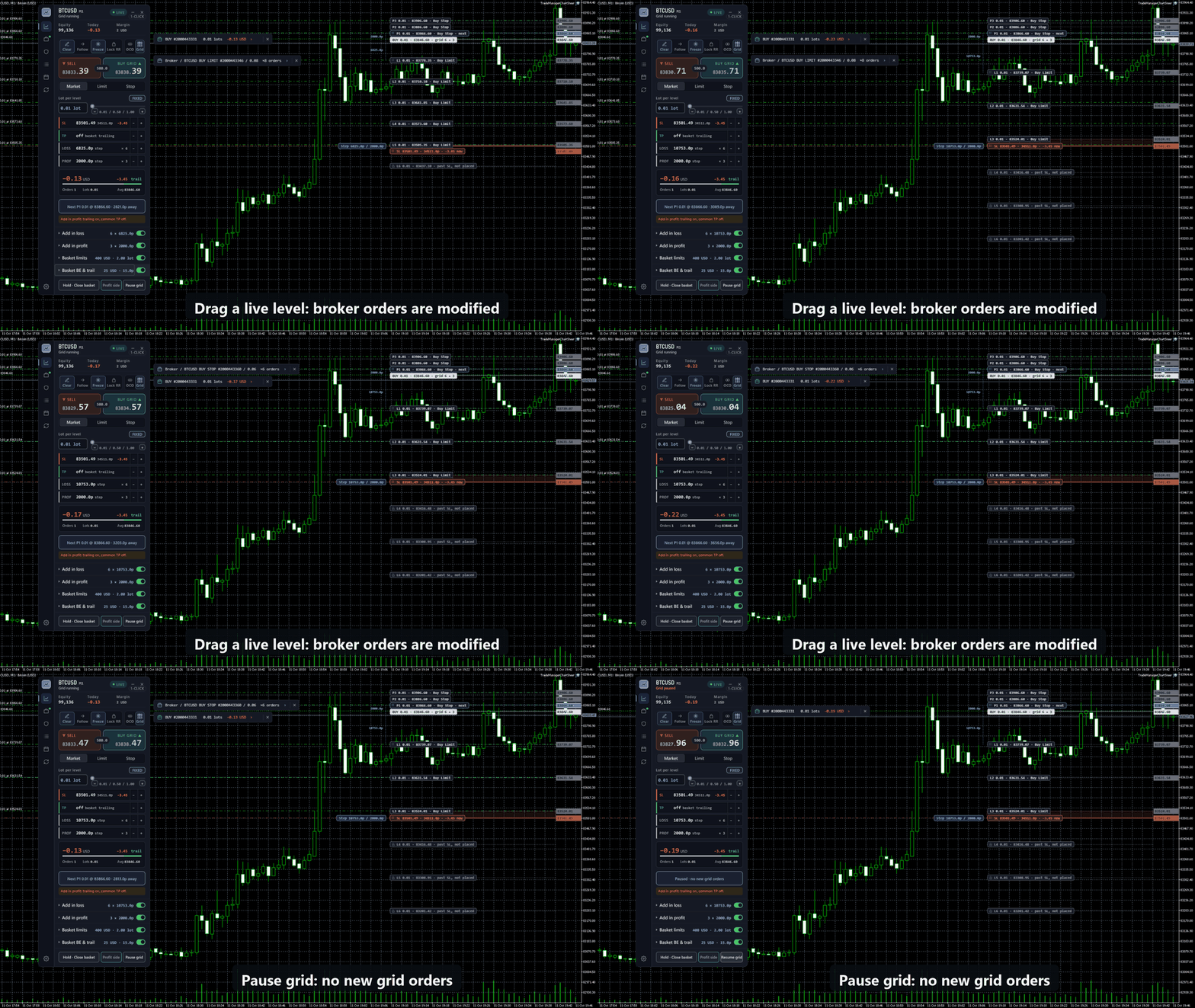
- Add in loss, add in profit, or both, each with its own step and maximum number of orders. Drag the levels on the chart to change the steps.
- Lot per level: fixed, multiplier with a maximum-lot cap, or risk-based (a total risk in money or percent, split across the levels down to the basket stop).
- Common take profit from the lot-weighted average price, updated on every grid order after each new fill. When Add in profit is on, basket trailing manages the exit instead.
- Basket limits that you set: basket stop loss, maximum loss in money or percent of equity, maximum orders, maximum total lots, and drawdown reduction.
- Basket break-even and basket trailing, plus Close basket, Close profit side and Pause grid buttons.
- Start a new grid with its first trade, or attach a grid to an open position. A Buy grid and a Sell grid can run at the same time.
- After a basket closes, the grid stops. The next grid starts only when you start it.
Grid mode needs a hedging account. Grid orders use the basket rules, not the per-trade break-even, trailing and partial-exit settings, and they stay under the equity protection. Adding orders against the price increases the open volume and the possible loss: set the basket stop and limits before you send a grid, and try it on a demo account first.
A workspace you can adjust
Choose Night desk, Day desk, Graphite or Deep ocean. Adjust panel scale, density and colours to suit your chart. Partial-stage marks can be hidden while their saved settings are retained. Floating RR tag help is hidden by default.
Getting started
Install through the MetaTrader 5 Market and attach Trade Manager ChartSteer to a chart. Set EnableTrading = false for drawing and sizing practice without sending orders. Execution requires both the panel's trading input and the terminal's trading permissions. DLL imports are not required.
ShowRrTagHelp controls the floating RR tag instructions. Keep it off for a quieter chart, or enable it while learning. Risk defaults, execution preferences, grid settings, protection and appearance are configured inside the panel.
Operating requirements
The documented test environment is Windows MetaTrader 5, build 6182, on a USD hedging account. Other account types and VPS operation have not been verified. Virtual entries, virtual SL/TP and Market-type grid levels need the terminal, panel, connection and trading permissions to remain available. They are monitored locally.
Break-even and trailing defaults apply to trades opened afterwards. To change an existing trade, inspect its Rules. Drawing sync is local to the same Windows computer and user and has a known limitation under heavy load.
Trade Manager ChartSteer does not supply entry signals or guarantee returns. Planned risk is an estimate: costs, gaps, slippage and execution constraints can change the result. Test the workflow on your broker's demo account and read the guide before using it with real funds.