Trade Manager Simple
- ユーティリティ
- バージョン: 1.0
- アクティベーション: 5

Trade Manager Simple NQ and XAUUSD — Manual Trading Panel and Local Replicator
Open the trade once. Your other MT5 terminals open it on their own, each with the lot size that fits that account.
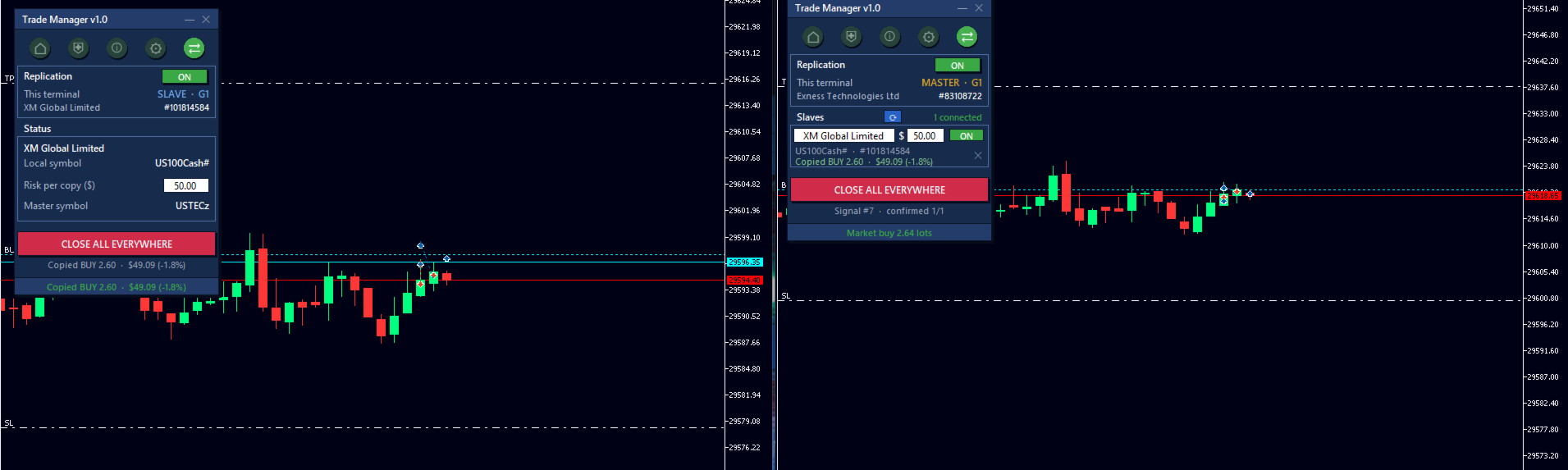
TMS is two tools in one: a panel for trading by hand with your risk under control, and a replicator that copies your entries to every other MetaTrader 5 terminal running on the same computer.
No VPS, no signal service, no connection between brokers. The terminals talk through MetaTrader's shared folder, on your own PC. The slave terminal polls every 100 milliseconds.
Who it is for
Traders running several accounts at once who cannot realistically enter by hand on every terminal while price is moving: the session open, a news release, a level that breaks in seconds.
How risk is shared across accounts
It does not copy the lot size. That is the classic mistake: 0.50 lots on a 100,000 account and on a 5,000 account are not the same trade, they are two completely different risks.
What travels between terminals are price distances, never levels and never points. Each slave applies them to its own price and works out its own lot to risk the amount you assigned to that account. That is why it works even when one broker quotes the cash index and another the futures one, when they use a different number of decimals, or when the symbol is named differently on each.
Every row shows the real risk that account took after rounding to its broker's volume step, and how far that lands from what you asked for: green when it matches, amber when it falls short or long, orange when the deviation is large. That figure is never exactly zero, and the EA does not hide it from you.
The panel
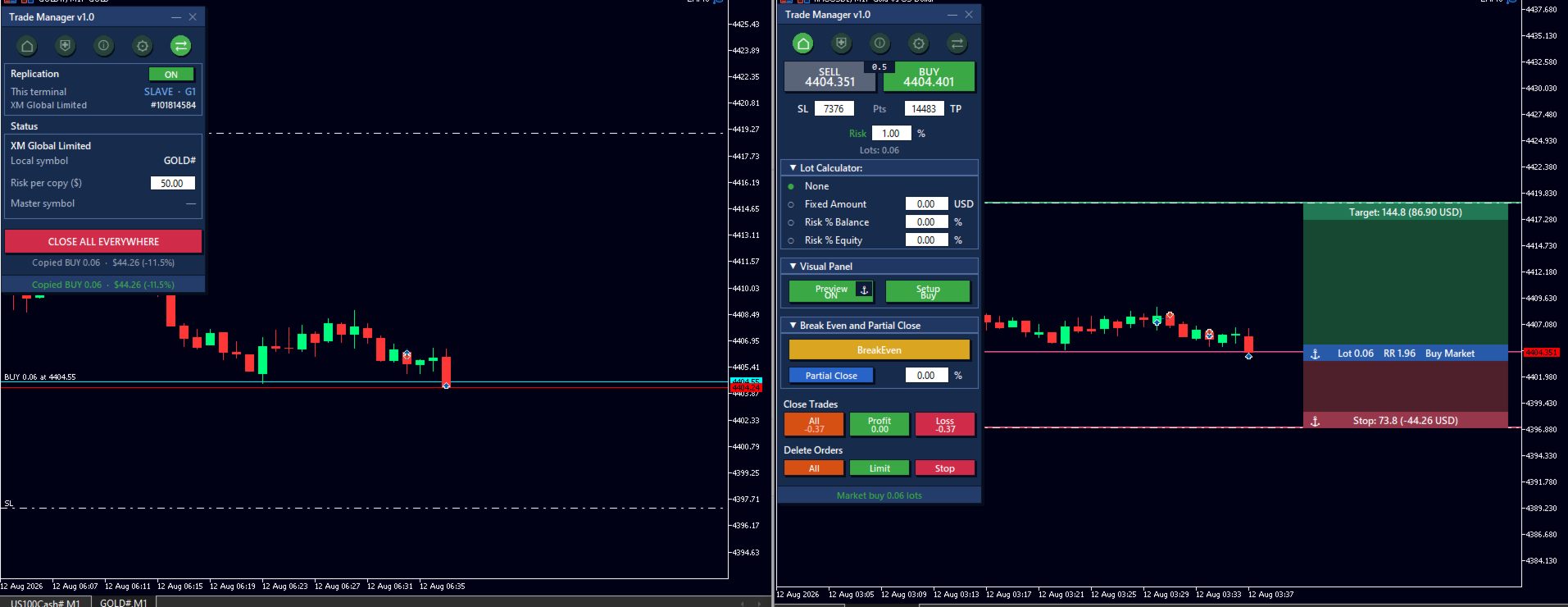
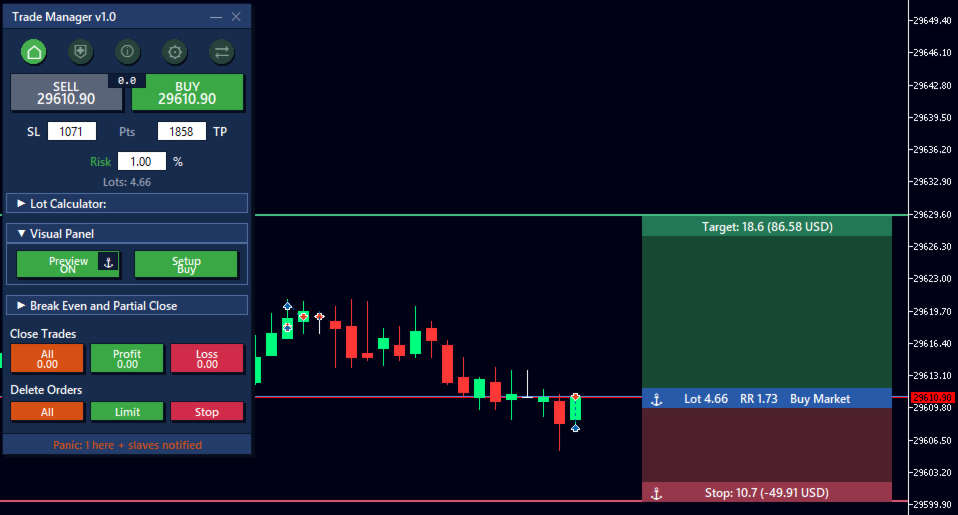
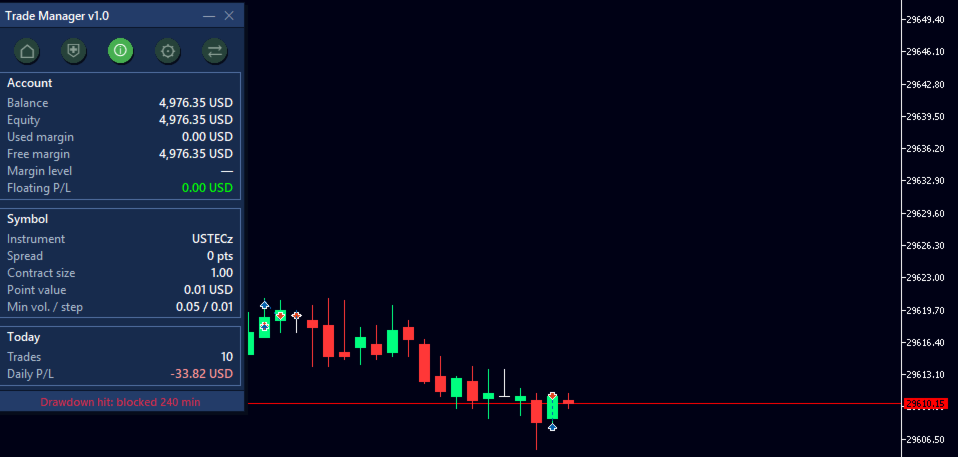
Main. Buy and sell buttons with live price and the spread between them. SL and TP in points. Lot calculator with four modes: none, fixed amount, percentage of balance, or percentage of equity. Close trades by group (all, only those in profit, only those in loss) with each group's floating P/L live on the button. Delete pending orders by type. Break even and partial close by percentage.
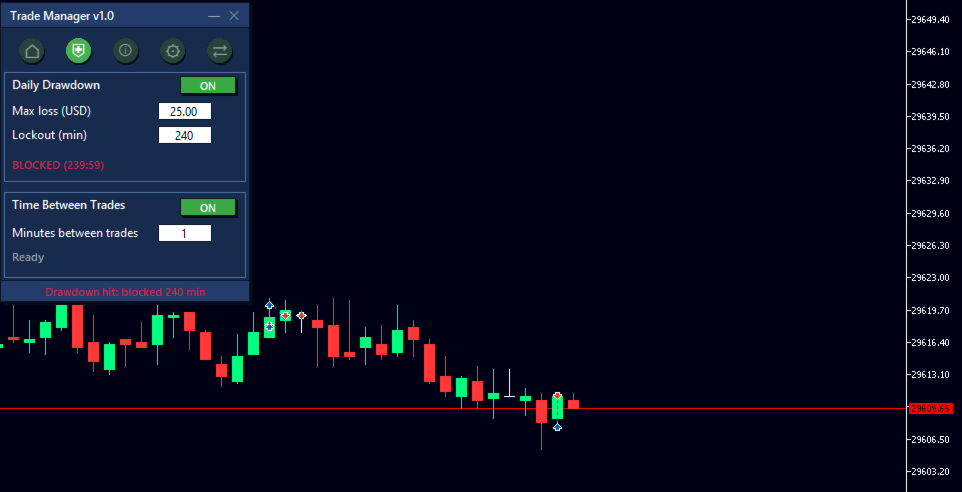
Security. Daily drawdown lock: set the maximum loss in money and, if it is reached, the EA closes and blocks new entries for as many minutes as you choose. Plus a minimum time between trades, for revenge trading.
Account info. Balance, equity, used and free margin, margin level and floating P/L. For the symbol: spread, contract size, point value, minimum volume and step. For the day: number of trades and result.
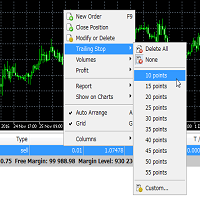
Automatic management. Automatic break even at X points, with the offset you want. Trailing stop with configurable start and distance. Automatic partial close by percentage at X points. All three act only on positions opened by the EA.
Replication. Terminal role, list of connected accounts with live status, name and risk amount editable per account from either side, and an emergency close-everything button.
The on-chart preview
Three draggable lines (target, entry and stop) with the risk and reward zones shaded between them. The boxes tell you, in your account currency, how much you make if it reaches target and how much you lose if the stop is hit, plus the lot, the ratio and the order type.
Drag the target or the stop and the panel fields update themselves. They never drift apart.
Two anchors change how it behaves:
- Entry pinned (⚓): follows price, the order goes to market.
- Entry unpinned (◇): stays at the price you choose and leaves a pending order, limit or stop depending on which side it falls.
- Stop pinned (⚓): keeps its distance in points even when you move the entry.
- Stop unpinned (◇): stays fixed at one specific price.
Configurable keyboard shortcuts to toggle the preview, flip between buy and sell, and switch the stop anchor.
Several groups at once
You can run two independent masters on the same computer, each with its own slaves. The group number is part of the channel's file name, so the separation is physical: a group 1 terminal never even opens the group 2 file.
Safety net
Closes are not replicated (see limitations). That is what the panic button is for: it closes everything here and orders every connected account to close as well. It asks for two clicks, because there is no undo.
On top of that, every signal carries a sequence number and an expiry. A slave will not run the same order twice even if you restart it, and it discards any signal older than 3 seconds (configurable): if your PC freezes for a minute, it will not open a stale entry when it comes back.
Language
Full panel in Spanish or English, selectable in the inputs.
Requirements and limitations — please read before buying
- This is a manual panel. The EA does not trade on its own, does not analyse the market and does not generate signals. You decide and click; it sizes, executes and replicates.
- All terminals must run on the same computer, under the same Windows user, in standard installations. That is what lets them share MetaTrader's common folder. It does not replicate between different computers or over the internet.
- Only ENTRIES are replicated, both market and pending. Closes, partial closes and SL or TP modifications are not replicated. That is why every replicated trade is born with its own SL and TP, and why the panic button exists.
- Replication cannot be tested in the Strategy Tester, because there are no multiple terminals and no shared folder there. The panel itself does work in the Tester; copying between accounts can only be seen with real terminals open, on demo.
- Each slave trades the symbol of the chart you attach the EA to. The symbol does not need to share a name across brokers: just open the equivalent instrument's chart on each terminal. If you prefer to pin it by hand, there is a forced symbol input. The flip side: check that each slave sits on the right chart, because the wrong chart means a trade on the wrong instrument.
- The preview's target, stop and spread figures are calibrated for instruments quoted with 2 decimals (indices and metals). Execution is correct on any instrument — SL and TP land exactly where they should — but on 5-decimal currency pairs the displayed number reads ten times smaller than pips.
- If you trade prop firm accounts, check their rules on copying trades between accounts before using this. Many restrict or forbid it. That is your responsibility.
- The close and delete buttons act on all positions of the chart's symbol, not only those opened by the EA. Automatic management (break even, trailing and partial), by contrast, only touches the EA's own positions.
Inputs
Language — Spanish or English.
Panel design — text font and headings font.
Trading — magic number, maximum deviation in points, trade sound and button sound.
Keyboard shortcuts — keys for the preview, for flipping buy/sell and for the stop anchor.
Local replication:
- Role of this terminal: disabled, master or slave.
- Group: only terminals with the same number talk to each other.
- Forced symbol: leave empty for automatic detection.
- Fixed risk in dollars per copy, or percentage of balance if left at zero.
- Signal expiry in seconds.
- Require SL and TP to replicate.
- Slave polling frequency in milliseconds.