Tachi Prop Guard MT5

Tachi Prop Guard MT5 — Prop Firm Risk Manager with Drawdown Limits and Audit Log

Prop firm risk manager for MT5: transparent daily loss and max drawdown limits, SL projection, auto-close and a full audit log.


Trading a prop firm challenge or a funded account fails for one reason more than any other: a daily loss limit or maximum drawdown breach. Tachi Prop Guard is a lightweight risk management utility for MetaTrader 5 that watches your entire account in real time, shows exactly how much risk budget you have left, and can automatically close your positions before a limit is crossed — with a full audit log of everything it does.

This is not another lot-size calculator. Its value is clarity and control: you always know which formula is being used, how much room remains, why the guard acted, and you can verify every action afterwards.

=================

Why traders use Tachi Prop Guard

Protect a prop firm or funded evaluation, see your daily loss and max drawdown usage on one clean panel with no mental math, get warned early, optionally let the tool close all trades at a safety threshold, and keep a tamper-evident CSV audit trail for your own review and for prop-firm disputes.


Transparent rule engine

Daily loss limit in percent or account currency, with a selectable day baseline: start-of-day balance, start-of-day equity, or max(balance, equity) at reset. Floating profit/loss, commission and swap are all included.

Maximum drawdown as Static from initial balance, Trailing by equity peak, or Trailing by balance peak, with an optional lock at initial balance. A profit target progress bar is available for display.

The panel prints the formula in plain words and live numbers, for example: Daily = 3.0% x 10,000.00 (start-of-day balance) = 300.00, Used 115.25, Left 184.75.

=================

Protection you control

Monitor mode observes only. Protect mode acts on a breach: close positions, delete pending orders, and lock trading until the next reset or a manual unlock. An on-panel Auto-Protect toggle can auto-close all positions and pendings when daily or max drawdown usage reaches your own threshold, with a cooldown to avoid repeated closes. A hard-stop buffer lets it act a chosen percentage earlier to absorb slippage and gaps. Order closing uses retry with error handling for requote, off quotes, market closed and trade disabled, and logs the result code. You can scope actions to all symbols, the current chart symbol only, or by magic number.


Reset clock and restart-safe state

The daily reset runs on server time with a timezone offset to match your firm schedule, and a live countdown is shown. If the terminal was closed over the reset time, the day baseline is reconstructed from account history and logged. Baselines, equity and balance high-water marks and lock state are saved across restarts with an integrity check, and are tied to your account login and server.

=================

Risk projection before it happens

The projected loss if every Stop Loss is hit is calculated per symbol using the terminal profit calculation. Positions and pending orders without a Stop Loss are listed separately as unbounded risk, never hidden inside a single number.


Audit log

Every event is written as one CSV line: startup, daily reset, deposit and withdrawal, warning, breach, each order closed, close errors, unlock, and input changes. The panel shows the most recent events, and the full file is written to the terminal Files folder.


Clean dashboard

A modern Canvas panel with light and dark themes, DPI scaling, draggable and collapsible, with position remembered. Warning alerts are configurable as popup, push notification and sound, each on or off, with anti-repeat.

=================

Who it is for

Prop firm challenge takers, funded traders, and any discretionary or EA trader who wants a hard risk framework and a clear view of the daily loss and maximum drawdown budget.


Requirements

MetaTrader 5, hedging or netting accounts. Attach it to one chart; it monitors the whole account. Enable AutoTrading for Protect and Auto-Protect actions to close orders. No DLLs, no internet access, and no external files — it runs fully inside the MT5 sandbox.


Important — honest limits

MetaTrader 5 has no pre-trade hook, so this tool cannot block another EA order before it is sent; it detects and closes such an order after it appears, and logs it. It cannot guarantee a fill during gaps, weekends, or when the market is closed or trading is disabled. It does not promise an absolute, un-defeatable lock and does not guarantee that you will pass any challenge or avoid every breach. It is a risk-management assistant, not a guarantee of results. It does not open trades or provide trading signals.


おすすめのプロダクト
Overtrading Stopper MT5 1. 概要 Overtrading Stopper MT5 は、裁量トレードにおける取引ルールの実行を支援するMetaTrader 5用ユーティリティEAです。 「今日は何回まで取引するか」「何連敗したら止めるか」「負けた後、何分休むか」「短時間に連続でエントリーしない」といった、自分で決めたルールをあらかじめ設定できます。 設定した上限や条件に達すると、EAはチャート上に保護状態の理由を表示し、必要に応じて新規ポジションの決済や保留注文の削除を行います。 このツールは売買シグナルを出すEAではありません。トレード判断そのものは行わず、ユーザーが事前に決めたリスク管理・取引規律のルールを運用しやすくするためのツールです。 2. このようなトレーダーに向いています Overtrading Stopper MT5 は、次のような課題を持つ裁量トレーダー向けです。 取引回数の上限を決めても、相場を見ているうちに回数が増えてしまう 損失後にすぐ取り返そうとして、連続エントリーしてしまう 連敗した日は一度休止したいが、感情的な判断で取引を続けてしま
FREE
EA Health Monitor is a free indicator for MetaTrader 5 that shows how each Expert Advisor on your account is doing. It groups the account history by magic number. Every EA gets its own row. Manual trades have a row of their own, and a total sits at the bottom. It only reads the account history and open positions. It never opens, changes or closes a trade. Standalone: Everything is built in. You do not need to buy or install any other product named on this page. Quick start Attach EA Health Monit
FREE
One Click Trading – Auto TP SL Developer TraderLinkz Version 1.00 Category Utility What it does Adds missing TP and SL to your manual trades and pending orders Sets them once per ticket Lets you move TP and SL afterward Works on hedging and netting accounts Scans on every tick and reacts on trade events Why you want it You place faster entries You get consistent risk and exit targets You reduce fat finger errors You keep full manual control Quick start Attach the EA to any chart Keep TP and SL e
FREE
EA Follower Version any Follow Copy Account  (Acc. Number)  need a open MT Terminal, download multiple times Step1:   Open Master MT5 Terminal    =  install master- Version   (on any Symbol just one Time) Step2:   Open Follower MT5 Terminal = install follower- Version  (on any Symbol just one Time) Step3:   all Trades from any Symbol or any Robot are copy now to follow- Terminal immediately for simple copy set on Chart and   Start   no optimization. This Robot is a Trade Copier for MT5 that auto
FREE
This tool is designed to measure the distance between two points on a chart and much more. List of measured values:  Distance in points  Profit (with and without spread)  Time difference  Percentage price change  Slope angle  Number of bars (various variations)  Ratio of distance in points to the reference value Features:  Snap to OHLC prices  Automatic color profile setting based on chart background color  Various types of pointers to choose from  Display of values ​​of selected points on th
FREE
Exact Time — detailed time on the seconds chart. The utility shows the opening time of the selected candle. This is necessary when working with seconds charts. For example, it can be used on a seconds chart built using the Seconds Chart utility. Inputs Base corner — the chart corner to which an object Is attached. X distance — the horizontal distance from the chart corner. Y distance — the vertical distance from the chart corner. Text font — font name Font size — font size Color — text color
FREE
Risk Lines Trade Panel は、リスクからロットサイズを計算する MetaTrader 5 用のトレードパネルです。 使い方 LINES を押すと、チャート上に Entry、Stop Loss、Take Profit のラインが表示されます。 ラインをドラッグします。ドラッグ中、ラベルにロット、リスク金額、利益、R:R がリアルタイムで表示されます。 PLACE を押すと、Stop Loss と Take Profit 付きで注文が送信されます。 売買方向は自動です。Stop Loss がエントリーより下なら BUY 、上なら SELL 。エントリーを現在価格から離すと、Buy Limit、Buy Stop、Sell Limit、Sell Stop が自動で選択されます。 主な機能 リスクモード:残高の%、有効証拠金の%、固定金額、固定ロット 成行注文と待機注文、さらにクイック BUY / SELL ボタン FX、ゴールド、指数、暗号資産、CFD で正しいロットを計算。口座通貨は問いません わかりやすい警告:ロットが最小値未満、または証拠金が不足している場合は注文を送
FREE
This Expert Advisor provides an advanced on-chart trading panel designed for discretionary traders. It simplifies position sizing, risk management, and trade execution directly from the chart without manual calculations. Key Features  On-chart trading panel  Fixed lot and balance percentage risk mode  Risk-based lot calculation using stop loss  Market and pending order execution  Partial close management  Break-even automation  Trailing stop control  Equity protection system  Daily loss lock  S
FREE
Gold and Bitcoin Zones is a visual indicator for MetaTrader 5 that displays potential M1 and M5 demand and supply zones together on a single chart. Zones are identified from price bases followed by a bullish or bearish impulse. Each zone is labelled M1 or M5 to identify its source timeframe. Chart Guide Green: potential demand zone. Transparent red: potential supply zone. Grey: invalidated zone or interrupted historical data. Untested / Retested: indicates whether price has returned to the zone
FREE
SPS Lite – Limited Edition (XAUUSD & US30) SPS Lite is a simple, straightforward automated trading system built specifically for XAUUSD and US30 . This is a Limited Edition Free Version of my upcoming SPR Trading Pro EA , which will be released once our ongoing live market testing is complete. What Makes SPS Lite Different? I am not here to bluff or sell you hype. No "AI Integration" Gimmicks: Not a fake AI bot or a "get rich quick" system. No Common Indicator Clutter: Does not rely on
FREE
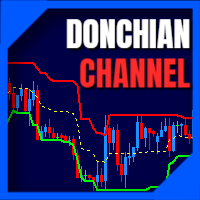
DC Indicator
Lamont Simone Reynecke
The donchian channel indicator might just be the best fit for you Trading in derivative products such as futures, options, CFD's, forex and certificates contains significant risk. These products are not suitable for every investor. Investors could potentially lose all or more than the original investment. If anything, only money equal to personal risk capital should be used and can be lost without jeopardizing financial security or lifestyle. Partially or fully automated trading programs can
FREE
SmartPanelEA — an interactive trading panel for the MetaTrader 5 terminal, designed to optimize manual trading, risk control, automate position entry, and provide visual trade management directly on the chart. The utility eliminates the need for the trader to manually calculate trade volume, set Stop Loss and Take Profit via the broker's standard dialog windows, and also helps to pre-visualize risk zones, profit zones, and programmatic partial Take Profit levels. The Expert Advisor is intende
FREE
SI Ruler A clean, one-click price ruler that shows points and exact dollar cost between any two levels on your chart. Every trader needs to quickly measure the distance between two price levels and know what it costs in real money. Most platforms make this harder than it should be. SI Ruler puts a single icon in the corner of your chart — click it, click your entry level, and drag to your stop or target. The label tells you instantly how many points that distance is and exactly what it costs in
FREE
Profit return — an Expert Advisor for funds trading ( SFP ). I previously used this trading idea in manual trading. The core of the strategy is a return of price to the Bollinger Bands range, but not blindly and not on every touch. For the fund market, bands alone are not enough, so the EA uses additional filters that eliminate weak and non-working market situations. Trades are opened only when the return logic is truly justified.
This indicator is especially for the binary trading. Time frame is 1 minutes and exp time 5 or 3 minutes only. You must be use martingale 3 step. So you must put lots size is 10 % at most. You should use Mt2 trading platform to connect with my indicator to get more signal without human working. This indicator wining rate is over 80% but you may get 100% of profit by using martingale 3 step. You should use MT2 Trading Platform to connect meta trader platform and binary platform . You can get mt2
FREE
Chart Drawing Toolkit
Allan Munene Mutiiria
4.91 (11)
Chart Drawing Toolkit is a complete drawing and chart-analysis workspace for MetaTrader 5 . It places more than 50 drawing and markup tools in one fast, clean panel that docks to the edge of your chart, so every manual analysis tool you need is a single click away. It runs as an indicator, so it works alongside your Expert Advisors and other indicators on the same chart. JOIN ALL OUR TOOLS public channel for UPDATES: CLICK HERE . Read the detailed TOOL ROADMAP in this post: CLICK TO READ POST .
FREE
Intenza Prop & Equity Guard is a professional account risk monitor and protection system for MT5 traders. Daily loss and drawdown tracking, hard equity floor, trailing profit lock, optional auto-close on breach, full trade journal with calendar, statistics and branded HTML/CSV reports. Single .ex5, no DLL. Everything you need to see, respect, and enforce your risk limits, all in one unified panel. Why Intenza Prop & Equity Guard? Most risk tools either just display numbers or blindly close trad
AlgoTrade Close All Panel places six buttons on the chart to quickly close open positions (all, buys, sells, those in profit, those in loss) and delete pending orders. Each button requires confirmation and displays what it will close. It operates only within your chosen scope and never opens a trade. What it does Buttons: Close all, Close buys, Close sells, Close in profit, Close in loss, Delete orders. Each shows how many trades it would close. Scope: the chart symbol or all symbols; any magic
FREE
Constructor Pro
Aleksei Sarychev
5 (2)
EA Constructor Pro Build the trading robot you want EA Constructor Pro is a free modular trading system builder for MetaTrader 5. It is not a single Expert Advisor with one predefined strategy. You decide how your robot should enter the market, which filters it should use, how trading volume should be calculated, how positions should be managed, whether Grid or Dollar Cost Averaging is required, how the basket should be closed and which risk limits should be applied. Change several modules or pa
FREE
Trade With Price is a powerful and user-friendly MetaTrader 5 Expert Advisor designed to simplify and accelerate your trading execution. This EA provides a smart one-click trading panel that allows traders to instantly place BUY, SELL, and pending orders directly at the current market price—eliminating the need to calculate distances in pips. Key Features One-click BUY & SELL execution Place pending orders based on market price instead of pips Clean and intuitive trading panel interface
FREE
Gives you a trading environment where you can do forward testing without the use of a live trading account. You will be able to trade the same Market without having to wait for the next day, but by just fast forwarding  on the strategy tester and going straight to that session. You can trade it over and over again without having to just look at the charts and have a bias analysis when  back testing on a chart that is not moving
FREE
ConsistencyGuard
Vanessa Cristina Ribeiro Dos Anjos
バージョン 7.04 デイトレードの規律と口座保護をさらに強化するための大型アップデートです。 • Post-Session Review モードを追加。レビュー時間は 0~60分の範囲で設定できます。 • 許可された取引回数を完了した後も、MetaTrader 5 を開いたままにして、チャートの確認、スクリーンショットの保存、トレード日誌の記録を行うことができます。 • 1日の取引回数上限に達した後に新しい取引を行うと、Emergency Close 保護機能が作動します。 • Emergency Close は未決済ポジションを決済し、保留中の注文をキャンセルした後、取引セッションをロックして MetaTrader 5 を終了します。 • 永続的なデイリーロックにより、重大なルール違反後に MetaTrader 5 を再起動して取引を続けることを防止します。 • 最大許可ロットの保護機能。 • 最大ロットの引き上げは7日間ロックされます。より小さいロットでの取引は引き続き可能です。 • 取引回数のカウントを改善。 • ポジションの部分決済は新しい取引としてカウントされません。 •
FREE
この情報インジケーターは、アカウントの現在の状況を常に把握したい人にとって役立ちます。 VERSION MT 4 -   More useful indicators このインジケーターには、ポイント、パーセンテージ、通貨での利益、現在のペアのスプレッド、現在の時間枠でバーが閉じるまでの時間などのデータが表示されます。 チャート上に情報線を配置するには、いくつかのオプションがあります。 価格の右側 (価格の後ろにあります)。 コメントとして (グラフの左上隅に); 画面の選択した隅。 情報区切り記号を選択することもできます。 | / \ # このインジケーターは使いやすく、非常に有益です。設定で不要な情報項目を無効にすることも可能です。 設定 外観の種類     - 情報行の表示タイプ。次の 3 つのオプションがあります。 価格に従ってください     - 価格に従う。 コメントとして     - コメントとして; 画面の選択した隅に     - 画面の選択した隅にあります。 添付用グラフコーナー     - 表示タイプを選択した場合 画面の選択されたコーナーでは、この項目を使用して
FREE
Overview The Dynamic Candle Timer is a lightweight and efficient utility designed for MetaTrader 5. Unlike traditional candle timers that remain static in the corner of the chart, this indicator dynamically attaches to the current Bid price line. This allows traders to monitor the remaining candle time directly at the point of action, enhancing focus during fast-paced market movements. It is highly suitable for day traders and scalpers operating on XAUUSD, Forex, Crypto, or Indices. Key Feature
FREE
MT5 History Checker Can you trust the historical data behind your MT5 backtest? MT5 History Checker is a diagnostic utility designed to identify missing periods and coverage problems in the historical data supplied by your MetaTrader 5 broker. Select the symbol and date range you want to examine and run the checker. The utility analyses the available history and provides a clear PASS, WARNING or FAIL result. What it checks Historical tick-hour coverage M1 historical-data coverage Missing periods
FREE
Mobile-EA is an Android-first trading companion for MetaTrader 5 , bringing market tools and connected account management together on your phone. This product is the companion MT5 Expert Advisor that links your terminal to the Mobile-EA Android app. The mobile app is available for Android; iPhone/iOS is not currently supported. The Android app is now available on Google Play , and new users receive a free 14-day Ultimate trial starting at registration . Watch the app introduction here: https://y
FREE
Axilgo PipPiper CoPilot
Theory Y Technologies Pty Ltd
5 (2)
Axilgo Pip Piper CoPilot Elevate your trading game with the Axilgo Pip Piper CoPilot, the first in our revolutionary Pip Piper Series. This all-inclusive toolset is meticulously crafted for serious traders, focusing on key areas such as Risk Management, Trade Management, Prop Firm Rule Compliance, and Advanced Account Management . With CoPilot, you’re not just investing in a tool—you’re gaining a strategic partner in the intricate world of trading. Important Notice: To ensure you receive the fu
FREE
PZ Trade Pad MT5
PZ TRADING SLU
4.46 (24)
This simple visual expert advisor allows you to trade easily from the chart. It handles risk management for you and can perform several useful tasks with your existing trades, saving time and making risk-management for each individual trade easier.  [ Installation Guide | Update Guide | Troubleshooting | FAQ | All Products  |  Get Help ] Trade easily from the chart Trade with precise risk management, hassle free Trade pending order with drag and drop price selection Set SL and TP levels with d
FREE
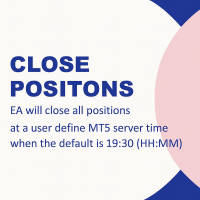
This EA help traders close their open positions at a specific MT5 server time before news or before ending of H4 timeframe of the morning New York session to protect their profit or prevent from unexpected loss. The default setting is 19:30 (HH:MM) and you can adjust as require to fit trading strategies. It very user friendly where contain only single input parameter to specify a time that position will be closed.  
QuickClose EA: Manage Trades Quickly and Efficiently QuickClose EA is a tool designed to help traders manage orders on the current chart easily and quickly. It provides full control over your trading status with clear feedback. Key Features of QuickClose EA: User-Friendly Control Panel: Clearly displays essential information such as the current symbol name, total profit/loss for Buy and Sell positions, and open lot sizes, giving you an immediate overview of your trading status. Precise Lot Size
FREE
このプロダクトを購入した人は以下も購入しています
Trade Assistant MT5
Evgeniy Kravchenko
4.43 (216)
取引 ごとのリスクの 計算、新規注文 の 簡単 な 設置、部分的 な 決済機能 を 持 つ 注文管理、 7 種類 のトレーリングストップなど 、便利 な 機能 を 備 えています 。 追加の資料と説明書 インストール手順   -   アプリケーションの手順   ライン機能 チャート上にオープニングライン、ストップロス、テイクプロフィットを表示します。この機能により、新規注文を簡単に設定することができ、注文を出す前にその特徴を確認することができます。   リスク計算 リスク計算機能は、設定されたリスクとストップロス注文のサイズを考慮して、新規注文のボリュームを計算します。ストップロスの大きさを自由に設定できると同時に、設定したリスクを守ることができます。 Lot calc ボタン - リスク 計算 を 有効 / 無効 にします 。 Risk フィールドでは 、必要 なリスクの 値 を 0 から 100 までのパーセンテージまたは 預金通貨 で 設定 します 。 設定」 タブで 、 リスク 計算 の 種類 を 選択 します :「 $ 通貨」、「 % 残高」、「 % エクイティ 」、「
Trade Manager EAへようこそ。これは、取引をより直感的、正確、そして効率的にするために設計された究極の リスク管理ツール です。これは単なるオーダー実行ツールではなく、包括的な取引計画、ポジション管理、リスク管理のためのソリューションです。初心者から上級者、迅速な実行を必要とするスキャルパーまで、Trade Manager EAはあらゆるニーズに対応し、為替、指数、商品、暗号通貨などさまざまな市場で柔軟に対応します。 Trade Manager EAを使用すると、複雑な計算が過去のものになります。市場を分析し、エントリーポイント、ストップロス、テイクプロフィットのレベルをチャート上のラインでマークし、リスクを設定するだけで、Trade Managerが最適なポジションサイズを即座に計算し、SLとTPをピップ、ポイント、口座通貨でリアルタイムに表示します。すべての取引が簡単かつ効果的に管理されます。 主な機能: ポジションサイズ計算機 :定義されたリスクに基づいて取引サイズを瞬時に決定します。 簡単な取引計画 :エントリー、ストップロス、テイクプロフィットを設定するためのド
Farmed Hedge Yield Farming | All Markets (Manual - Hybrid - Semi/Automated EA) VERIFIED TRADING RESULTS - Farmed Hedge Yield Axi Copy:  https://www.mql5.com/en/signals/2356376 - Farmed Hedge Yield Exn Copy:   https://www.mql5.com/en/signals/2356404 - Farmed Hedge Yield V Copy:  https://www.mql5.com/en/signals/2357156 IMPORTANT NOTICE: FarmedHedge is a MANUAL-FOCUSED TRADING UTILITY ,not a fully automated EA. Results shown on this Signal include manual trades and overall strategic management.
Telegram to MT5 Multi-Channel Copier   は、 Telegram と Discord チャンネルのトレードシグナルを MetaTrader 5 へ自動コピーします。ボット不要、ブラウザ拡張不要、手動コピー不要。Telegram や Discord にシグナルが届くと、EA が数秒であなたのターミナルに注文を出します。 さらに、チャンネルをコピーする前に、内蔵バックテスターでそのチャンネルがあなたの口座でどう動いたかを確認できます。 製品は 2 つのコンポーネントで構成されます:Telegram チャンネルを監視する Windows アプリと、MT5 ターミナルでシグナルを執行する本 EA です。MT4 版もあります   こちら . 購入前にお試しください:   アプリは無料でダウンロードできます。ご自身のチャンネルを接続し、各シグナルがどのように読み取られるかをご確認ください。Backtest タブと実際の取引には、購入またはレンタルした EA が必要です。このページの無料デモはストラテジーテスターでのみ動作し、テスターでは Telegram と D
Local Trade Copier EA MT5
Juvenille Emperor Limited
4.94 (149)
Local Trade Copier EA MT5 は、同一の Windows PC または Windows VPS 上で稼働する複数の MetaTrader 5 口座間で、取引をコピーおよび管理するための高速で柔軟なトレードコピーツールです。 ローカルでの取引同期に加え、Receiver 側でロットサイズ、リスク管理、取引フィルター、シンボルマッピング、取引管理、口座保護を個別に設定できます。 Transmitter と Receiver のターミナルは約 1分 で設定でき、同一ブローカーまたは異なるブローカーの口座間で、手動取引や EA による取引をコピーできます。適切な条件下では、ローカルの MetaTrader ターミナル間で取引情報を 0.5秒未満 で同期できます。実際の約定速度は、ブローカーのレイテンシー、ネットワーク状況、PC/VPS の性能、ターミナルの負荷によって異なります。 ご購入前に無料デモをお試しください Local Trade Copier EA MT5 の完全機能版無料デモ を、MT5 デモ口座で 1回につき4時間 テストできます。 Local Trad
TradePanel MT5
Alfiya Fazylova
4.88 (172)
Trade Panelは多機能なトレーディングアシスタントです。アプリには手動取引用の50以上のトレーディング機能が搭載されており、ほとんどの取引作業を自動化することができます。 アプリの説明書: https://www.mql5.com/en/blogs/post/756482 デモ口座用アプリの試用版: https://www.mql5.com/en/blogs/post/750865 アプリのインストール方法: https://www.mql5.com/en/blogs/post/756239 アプリをビジュアルモードでテストする方法: https://www.mql5.com/en/blogs/post/770277 VPSのMetaTraderにアプリをインストールする方法: https://www.mql5.com/en/blogs/post/770190 取引。 ワンクリックで取引操作を行うことができます: リスクを自動計算して指値注文やポジションを開く。 複数の注文やポジションをワンクリックで開く。 注文のグリッドを開く。 保留中の注文やポジションをグループごとに閉じる
News Trade EA MT5
Konstantin Kulikov
4.55 (11)
僕自身が数年間使っている便利なロボットをご紹介します。半自動モードでも完全自動モードでもお使いいただけます。 >>> Chat <<< 当プログラムは経済指標カレンダーで発表されるニュースをもとにした取引の柔軟な設定が可能です。戦略テスターでは確認不可です。実際の取引のみです。 最新の設定アーカイブをダウンロードしてください: https://www.mql5.com/en/blogs/post/747929 シグナルモニタリング: https://www.mql5.com/en/signals/author/test-standart 当該エキスパート・アドバイザーのためのカスタマイズ設定セットを作る場合は、ブログの全パラメータの説明を参照してください :   https://www.mql5.com/en/blogs/post/748545 。 基本的なデフォルト設定について 一つのチャートからGBPとの通貨ペア(GBPUSD、EURGBP、GBPJPY、GBPCAD、GBPAUD、GBPCHF)で取引をします。GBPは最もボラティリティの高い通貨のため、取引が成功するチ
自分の取引ルールで Telegram のシグナルをコピー Telegram to MT5 Signal Trader は、Telegram の公開・非公開チャンネルやグループから、テキスト形式の取引シグナルを MetaTrader 5 へ自動でコピーします。1つのデスクトップアプリで複数の配信者と MT5 口座を管理し、 配信者ごとにリスクと取引設定を個別に指定 できます。 シグナルのコピーに Telegram ボットや API 設定は必要ありません。 電話番号または QR コードでご自身の Telegram アカウントにログインし、すでに参加しているチャンネルやグループを選ぶだけです。ボットの作成や、Telegram API トークン、API ID、API hash の入力は不要です。 ポジションサイズを選び、複数の利確水準に分けて決済し、建値へのストップ移動やトレーリングストップを自動化できます。配信者のシグナルを受け取りながら、実際の取引方法は自分で管理できます。 本製品は、この MT5 エキスパートアドバイザ(EA)と、必須の Windows 連携アプリで構成されます。 インス
================================================================================ POC BREAKOUT - V20.72. Full Professional Grade Toolkit ================================================================================ POC Breakout is a full MetaTrader 5 trading dashboard for discretionary traders who want breakout signals, Point of Control (POC) context, volume profiles, order flow, market structure, news, alerts, and advanced trade planning in one professional workspace. Attached directly to you
Exp COPYLOT CLIENT for MT5
Vladislav Andruschenko
3.97 (35)
MetaTrader 5 用のプロフェッショナル取引コピー機 MetaTrader 向けの高速・高性能・信頼性の高い 取引コピー機 です。 COPYLOT は、MT4 と MT5 のターミナル間で Forex 取引をコピーでき、 Hedge 口座と Netting 口座の両方に対応しています。 COPYLOT MT5 版の対応構成: - MT5 Hedge → MT5 Hedge - MT5 Hedge → MT5 Netting - MT5 Netting → MT5 Hedge - MT5 Netting → MT5 Netting - MT4 → MT5 Hedge - MT4 → MT5 Netting MT4 版 完全な説明 + DEMO + PDF 購入方法 インストール方法 ログファイルの取得方法 テストと最適化の方法 Expforex のすべての製品 MT4 ターミナルへのコピーも可能です(MT4 → MT4、MT5 → MT4): COPYLOT CLIENT for MT4 COPYLOT は、2台、3台、さらには10台のターミナル間で同時に動作できる、プロフェッ
The product will copy all telegram signal to MT5 ( which you are member) , also it can work as remote copier.  Easy to set up, copy order instant, can work with almost signal formats, image signal,  s upport to translate other language to English Work with all type of channel or group, even channel have "Restrict Saving Content", work with  multi channel, multi MT5 Work as remote copier: with signal have ticket number, it will copy exactly via ticket number. Support to backtest signal. How to s
REVDEN AI Desk:あなた自身の AI との一つの会話で、REVDEN のマーケットコンテキストをもとにトレードを運営する トレードのすべてを一つの会話で運営する姿を想像してみてください。 REVDEN AI Desk はそれを MetaTrader 5 にもたらします。あなた自身の AI に相場をどう読んでいるかを尋ねると、AI はあなたが取引する銘柄について REVDEN の完全なコンテキストをもとに答えます。銘柄の状態、リスク像、今後の指標発表まで含めてです。AI の提案はエントリー、ストップ、ターゲット、リスクとともに届き、合うものをあなたが承認します。ルールの変更も同じ方法です。変えたい点を書けば、AI が新しいルールブックの草案を作り、採用するかどうかはあなたが決めます。会話の周りには、マーケット全体が一つの画面にまとまっています。 デスクとセットアップガイドをご覧ください。 すべての画面、すべての設定、そしてあなた自身の AI との最初のステップ: stein.investments/products/revden-ai-desk AI との一つの会話、マーケッ
EA Overfitter
Stephen J Martret
5 (3)
That backtest looks great. But will it still be making money tomorrow, next week, next month? EA Overfitter re-runs your EA on 100 price histories it has never seen. One score tells you if the edge is real. A backtest tells you what an EA did on one price history — the one that happened to occur. What you cannot tell from it is how much of that result was the strategy and how much was the particular path. EA Overfitter answers that. It builds up to 100 synthetic price histories your EA has n
Power Candles Strategy Scanner - 自動最適化型マルチシンボル設定ファインダー パワーキャンドル・ストラテジー・スキャナーは 、パワーキャンドル・インジケーターを駆動するのと全く同じ自己最適化エンジンを、マーケットウォッチに登録されているすべての銘柄に対して並行して実行します。1つのパネルで、現在統計的に取引可能な銘柄、各銘柄で勝率の高い戦略、最適なストップロス/テイクプロフィットの組み合わせが表示され、新たなシグナルが発生した瞬間に通知が届きます。 このツールは、Stein Investmentsのエコシステムの一部です。  18種類以上のツールをすべて閲覧し、AIを活用したセットアップの推奨を受け取り、  https://stein.investments でコミュニティに参加しましょう 市場動向を網羅。銘柄ごとに3,000件以上の自動最適化。2種類のアラート。ワンクリックでチャートを切り替えて即座にアクション。 なぜこれが必要なのか 多くのマルチ銘柄スキャナーは、 価格の動き (ボラティリティ、変動率、銘柄ごとのRSI)を表示するだけです。それ
Timeless Charts
Samuel Manoel De Souza
5 (9)
Timeless Charts is an all-in-one trading utility for professional traders. It combines custom chart types such as Seconds Charts and Renko with advanced order flow analysis using Footprints , Clusters , Volume Profiles , VWAP studies, and anchored analysis tools for deeper market insight. Trading and position management are handled directly from the chart through an integrated trade management panel , while Market Replay and Virtual Accounts provide environments for practicing trading skills and
MetaTrader 5 用トレーディングパネル — チャートとキーボードから行うプロフェッショナルなワンクリック取引 アクティブトレーダーのために設計された高機能 Trading Panel。標準の MetaTrader 操作よりも、はるかに速く、直感的に、そして効率的に取引を実行できます。 本パネルは、ポジション管理、未決注文管理、利益コントロール、執行スピードをひとつのプロフェッショナルなワークスペースに集約した実践的なソリューションです。 これは単なる補助ツールではありません。MetaTrader 5 のための本格的な trading cockpit です。チャートから直接操作し、キーボードで素早くコマンドを実行し、自動計算や視覚的なガイドを活用することで、手動トレードをより速く、より明確に、より快適にします。 このパネルを使えば、チャート上からワンクリックで注文を実行でき、標準の MetaTrader コントロールと比べて最大 30 倍速く取引操作を行うことができます。 新しいプレミアム版が利用可能です: VirtualTradePad PRO SE で取引ワークフローを強
Your EAs cannot see each other, but Anchor can. Anchor gives you one place to coordinate your EAs, manage risk, and decide when trading is allowed. It works alongside the trading bots you already use without any changes to them. The Problem One EA opens a trade. Then another starts trading. The next thing you know, you wake up to multiple grids built across your account. Each EA may be doing exactly what it was designed to do, but together they can place far more risk on your account than you in
VirtualTradePad PRO SE MT5 — MetaTrader 5向けプロフェッショナル取引コントロールセンター VirtualTradePad PRO SE は、 MetaTrader 5 向けのプレミアムなチャートベースの取引パネルであり、トレード管理ワークスペースです。より速い執行、明確なポジション管理、構造化されたトレード管理、視覚的なレベル計画、そしてチャート上で完結するプロフェッショナルなワークフローを求めるトレーダー向けに設計されています。 これは単なる BUY / SELL パネルではありません。PRO SE は、手動取引、予約注文、ポジション管理、部分決済、バスケット損益管理、平均化レベル、ATMルール、シグナル監視、リアルタイム市場情報、ストラテジーテスター (Strategy Tester) ワークフロー、VPS向け運用を、1つの連携されたインターフェースに統合します。 MT4版 | 完全な説明とスクリーンショット | 購入方法 | インストール方法 | ログファイルの取得方法 | テストと最適化の方法 | Expforex のすべての製品 PRO
RETAILBERG FOOTPRINT CHART PRO — Order-Flow Workspace for MetaTrader 5 Version 7.00  |  Professional System  |  31 tools  |  One chart A full 150-page illustrated User Manual is included. Please read the full manual to understand this feature packed footprint chart elements and ui. https://www.mql5.com/en/blogs/post/777982 DEMO / STRATEGY TESTER — PLEASE READ FIRST
Trade Dashboard simplifies how you open, manage, and control your trades, with built-in lot size calculation. It allows you to execute trades, manage risk, and control positions directly on the chart, with tools such as partial close, breakeven, and trailing stop. Designed to reduce manual work and help you stay focused on your trading decisions. A demo version is available for testing. Detailed explanations of features are provided within the MQL5 platform. Installation instructions are include
Trade Indicator Assistant   is a powerful MT5 utility designed to turn indicators into automated trading systems. Its main feature is the ability to automatically detect an indicator’s   BUY and SELL signal buffers , without requiring you to know the buffer numbers, search through indicator settings, or modify the indicator source code. Bonus Indicator:   After purchasing Trade Indicator Assistant, contact me to receive   Trade Signal Pro   completely free as a bonus indicator. [Download Demo V
Seconds Chart - MetaTrader 5で秒足チャートを作成するユニークなツールです。 Seconds Chart を使用すると、秒単位のタイムフレームでチャートを構築でき、標準的な分足や時間足チャートでは得られない柔軟性と分析精度を実現します。例えば、 S15 は15秒足を表します。カスタムシンボルをサポートしているインジケーターやEAをすべて使用できます。標準的なチャートと同様に便利に操作できます。 標準的なツールとは異なり、 Seconds Chart は超短期のタイムフレームでも高い精度と遅延なく作業できるように設計されています。 Free Demo: Seconds Chart v2.29 Demo.ex5 無料デモをダウンロードしてご自身でお確かめください: 完全機能版 - すべての機能が利用可能 24時間テスト - 精度と利便性を評価するのに十分な時間 デモ口座のみ - ほとんどのブローカーで簡単に開設可能 GBPCADチャートのみ - ほとんどの端末で利用可能 これらの制限はデモ版のみに適用されます。製品版は、あらゆる口座タイプ(リアル、デモ、コンテス
Trade Manager は、リスクを自動的に計算しながら、取引を迅速に開始および終了するのに役立ちます。 過剰取引、復讐取引、感情的な取引を防止する機能が含まれています。 取引は自動的に管理され、アカウントのパフォーマンス指標はグラフで視覚化できます。 これらの機能により、このパネルはすべてのマニュアル トレーダーにとって理想的なものとなり、MetaTrader 5 プラットフォームの強化に役立ちます。多言語サポート。 MT4バージョン  |  ユーザーガイド + デモ Trade Manager はストラテジー テスターでは機能しません。 デモについてはユーザーガイドをご覧ください。 危機管理 % または $ に基づくリスクの自動調整 固定ロットサイズを使用するか、ボリュームとピップに基づいた自動ロットサイズ計算を使用するオプション RR、Pips、または価格を使用した損益分岐点ストップロス設定トレーリングストップロス設定 目標に達したときにすべての取引を自動的に終了するための 1 日あたりの最大損失 (%)。 過度のドローダウンからアカウントを保護し、オーバートレードを防ぎます
次回アップデート — バージョン 2.52 近日公開!【新機能】 市場分析とトレードワークフローを強化する、4つの主要な新機能にご期待ください 皆様のトレードニーズに応える4つの新機能により、市場分析を次のレベルへと引き上げます。新機能をご紹介します: 1. TRADE OVERVIEW DASHBOARD 2. CONFLUENCE AT ZONE 3. STRONG & WEAK HIGH/LOW 4. OTE 1. TRADE OVERVIEW DASHBOARD 市場全体の状況をより簡単に把握できるダッシュボードです。トレード判断をサポートするガイダンスを提供し、市場分析とトレード計画を体系的に行えるよう支援します。すべてを1つの画面で確認できます。 マルチタイムフレーム市場概要(Multi-Timeframe Market Overview) 市場の方向性と価格構造をより明確に把握 市場状況をすばやく確認 体系的な市場分析とエントリー計画のためのガイダンス 2. CONFLUENCE AT ZONE 価格が重要なゾーンに入るとき…いくつのサポート要因が一致しているかを確認で
MT5 to Telegram Signal Provider は、Telegramのチャット、チャンネル、またはグループに 指定された シグナルを送信することができる、完全にカスタマイズ可能な簡単なユーティリティです。これにより、あなたのアカウントは シグナルプロバイダー になります。 競合する製品とは異なり、DLLのインポートは使用していません。 [ デモ ] [ マニュアル ] [ MT4版 ] [ Discord版 ] [ Telegramチャンネル ]  New: [ Telegram To MT5 ] セットアップ ステップバイステップの ユーザーガイド が利用可能です。 Telegram APIの知識は必要ありません。必要な全ては開発者から提供されます。 主な特長 購読者に送信する注文の詳細をカスタマイズする機能 例えば、Bronze、Silver、Goldといった階層型のサブスクリプションモデルを作成できます。Goldサブスクリプションでは、すべてのシグナルが提供されます。 id、シンボル、またはコメントによって注文をフィルターできます 注文が実行されたチャート
DrawDown Limiter
Haidar Lionel Haj Ali
5 (23)
DrawDown Limiter v5.0 — 高度な口座保護コントローラー DrawDown Limiter v5.0 は、取引口座を監視し、設定されたリスク、利益、ニュース、スケジュール、ロールオーバー、またはポジション数の制限に達した際に自動的に対応する、クライアント側で動作する口座保護コントローラーです。 1つの専用チャートから、 手動取引、自動売買戦略、複数のExpert Advisor、指値・逆指値注文、保有ポジション を監視できます。口座全体を保護することも、Magic Numberを使用して特定のEAまたは複数のEAのみを監視することもできます。 DrawDown Limiter の目的は、単にドローダウンを表示することではありません。 設定した取引ルールを積極的に適用し 、保護条件が有効である限り、そのルールを継続的に実行することを目的としています。 DrawDown Limiter v5.0 は、損失額だけを監視するのではなく、戦略がいつ取引を継続できるのか、どのエクスポージャーを維持できるのか、いつ取引を停止すべきか、そして自動売買環境をいつ安全に再開できるのかま
RS Trade Copier - 超高速 で動作するローカルトレードコピー機。 真の グラフィカルインターフェース搭載。口座番号の手動入力はもう終わりです。200項目を超える長大なパラメータリストとも、これでおさらばです。 複数のMT5とMT4ターミナル間で取引操作をコピーするための、信頼性が高く柔軟なツールです。経験豊富なトレーダーやシグナルサービス、個人投資家に適しています。1つまたは複数のシグナルソース(Provider)から1つまたは複数のレシーバー(Client)へ、高い精度と最小限の遅延で 取引を同期 します。シンプルな自動設定と高度な手動設定の両方をサポートしています。手動または他のEAで開かれた注文に干渉しません。すべての処理は MT5内でローカルに 行われ、サードパーティサーバーを使用しません。 RS Trade Copierと他のソリューションの比較 RS Trade Copier 他のソリューション 設定 ビジュアルステップバイステップウィザード。 設定時間は約1分。 200以上の分かりにくい入力パラメータ。 設定時間は約20分。 速度 非同期トレード操作。 5
25% discount on the release of the tool: only for the next 3 buyers Send a message to receive a demo version. AstroTrade Trading Assistant AstroTrade is a comprehensive multi-functional trading utility developed for the MetaTrader 5 platform. It integrates essential tools for trade execution, risk management, and technical monitoring into a single unified interface. The application is designed to assist traders in managing their daily operations through a visual and structured environment. Vi
Zentral Trading Manager
Ray Zeanrik Parreno Fredeluces
5 (4)
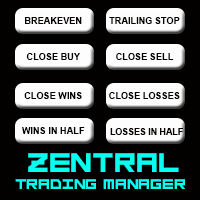
Zentral Manager Your Command Center for Precision Trading — Now Stronger than Ever Take control of your trades like never before. Zentral Trading Manager is your all-in-one manual trading panel for MetaTrader 5 — built for scalpers, day traders, and serious strategy execution. Fully compatible with both Mac and Windows laptops. High-DPI safe. No more layout issues. Key Features (Latest 2025 Update): • One-Click Close – Instantly close Buy/Sell, winning/losing trades, or even half positions with
Master Your Trading Discipline   Stop losing your hard-earned gains to overtrading and emotional decisions. The Discipline Tool is your ultimate trading assistant, ensuring strict risk management in real-time. Key Protection Features: Advanced Drawdown Defense : Automatically halts trading if your daily drawdown exceeds a preset threshold (percentage or dollar amount). Real-Time Equity Lock : Safeguard profits by referencing peak equity, ensuring drawdown stays within control. Hard Profit Target
作者のその他のプロダクト
Institutional Blueprint   (MT4) — Market Structure, Order Blocks & Risk/Reward Zones Institutional Blueprint reads the chart the way professional price-action traders do. On every closed bar it maps live market structure, marks the Order Block behind each move, and turns the most relevant block into a ready-to-read trade plan with a clear Entry, Stop Loss and three Take-Profit targets — drawn as a green reward zone and a red risk zone, so the trade geometry is obvious at a glance. Based on Sm
Trailing Stop and Breakeven Manager - Trail Architect Auto Trailing Stop and Breakeven Manager for MT5. Protect profit with automatic break even, then trail your stop loss using Classic, Step, ATR or Candle trailing - all from one professional panel. Every trader knows the pain: a winning trade turns into a loss because the stop loss was never moved. Watching the chart all day just to move your stop to break even and trail the stop loss by hand is exhausting - and one missed move can wipe out a
Lot Architect — Trade Panel and Position Size Calculator for MT4 Lot Architect is a trade panel and risk-based position size calculator for MetaTrader 4. It helps calculate lot size from the selected risk, displays trade parameters before entry, and supports Market, Limit and Stop orders from the chart. The utility is designed for traders who want a structured workflow for position sizing, stop-loss placement, take-profit planning and order execution. Purpose Before opening a trade, a trader nee
Trailing Stop and Breakeven Manager - Trail Architect MT4 Auto Trailing Stop and Breakeven Manager for MT4. Protect profit with automatic break even, then trail your stop loss using Classic, Step, ATR or Candle trailing - all from one professional panel. Every trader knows the pain: a winning trade turns into a loss because the stop loss was never moved. Watching the chart all day just to move your stop to break even and trail the stop loss by hand is exhausting - and one missed move can wipe o
Waddah Attar Explosion Pro MT4 A momentum and volatility indicator for MetaTrader that shows trend strength and volatility expansion in one clean, color-coded histogram. Waddah Attar Explosion Pro MT4 is a momentum and volatility indicator for MetaTrader 4. It combines a MACD based momentum histogram with Bollinger Bands volatility and a Dead Zone filter, so you can read trend strength and volatility expansion at a glance. It is a modern, redesigned version of the classic Waddah Attar Explosio
Passband Filter Pro Passband Filter Pro is a trend and cycle oscillator for MetaTrader 4. It is built on the Ehlers Super Passband Filter, a band pass filter that removes long term trend drift and short term noise so that only the dominant market cycle remains. The result is a clean oscillator with a color cloud that shows overbought and oversold conditions, cycle turns, and momentum on forex, gold, indices, stocks and crypto. Most traders enter too early or too late. Simple moving averages l
Standard Deviation Channel -  SDC Pro MT4 Linear regression channel with standard deviation bands. Multi-timeframe, shaded deviation zones, price labels and an information panel for MetaTrader 4. SDC Pro draws a linear regression channel with standard deviation bands on the price chart. It is a visual tool for reading trend direction, price structure, and how far price is stretched from its regression mean. The indicator works on any symbol and any timeframe. The center line is a least-squares
ADX MA: The Ultimate Trend Strength Guide In forex trading, the Average Directional Index (ADX) is a vital indicator for gauging trend strength. Here's a streamlined approach to using ADX for effective trading: 1. Add ADX to your forex chart. 2. Interpret ADX values: <20 is weak, >40 is strong. 3. Identify trend direction: +DI above -DI indicates an upward trend, and vice versa. 4. Execute trades based on ADX and trend: Strong up trend, consider buying; strong down trend, consider selling; we
Dot Histogram Trend for Buy Sell (or) Squeeze Momentum Pro — TTM Squeeze Momentum Indicator for MT4 Squeeze Momentum Pro is a professional Squeeze Momentum indicator for MT4 that combines a volatility squeeze detector with a color‑coded momentum oscillator in a single window. Built on the well‑known TTM Squeeze concept (Bollinger Bands inside Keltner Channels), this MT4 momentum indicator helps forex, indices, metals and crypto traders spot low‑volatility compression before a potential breakout
M1 GoldSniper Pro:  The sniper-precision scalping system built for Gold traders. Most M1 indicators flood your chart with false signals. M1 GoldSniper Pro is different — it uses a Triple Confirmation System that requires three independent filters to agree before printing a single arrow. The result: fewer signals, higher quality, and the confidence to actually pull the trigger. Signals are calculated on closed candles only. They never repaint. Never move. Never disappear. MetaTrader 5 ve rsion: 

TrendPulse Pro MT4 identifies trend direction and reversals on any symbol and timeframe. It colors each candle by trend, marks reversal bars with clear arrow signals, and instantly draws ATR-based Stop Loss and Take Profit levels — so you always know where to enter, where to protect capital, and where to take profits, without any manual calculation. Every signal is based on closed bars and does not repaint.  MT5:  https://www.mql5.com/en/market/product/179548 How It Works Each closed bar is scor
ICT Kill Zones   marks the four main intraday sessions on your chart and the high and low of each session. It is an analytical tool for traders who follow the ICT and Smart Money approach. It does not place orders and does not give automatic buy or sell signals. It shows when the active sessions occur and where session liquidity rests, so you can make your own trading decisions.  Session high and low levels and sweep events are confirmed on closed candles only. Past levels are not redrawn. The M

Order Block Pro — Institutional Order Blocks with Entry, SL & 3 Take-Profits (ICT / SMC) See where smart money entered and trade the retest with a complete Entry, Stop-Loss and TP1/TP2/TP3 plan — automatically, on closed candles only. Non-repaint. FULL DESCRIPTION Order Block Pro maps the institutional Order Blocks that drive price in the ICT / Smart Money Concepts framework and turns every valid one into a clean, ready-to-trade plan. No more guessing where to draw your zones: it finds the last
Edge Radar Pro MT4 — every pair, scored by edge. Edge Radar Pro scans your entire Market Watch and, for every symbol, auto-optimizes three price-action strategies — Momentum, Reversal and Breakout — across a grid of signal strengths and ATR-based SL/TP pairs. Each combination is backtested on closed bars only (non-repaint), and the winner is ranked by a single honest number: the Edge Score. Most scanners rank by raw Profit Factor — which flatters tiny samples. The Edge Score is a confidence-adju
Click Close Manager — One-Click Close All Trades Panel for MT4 (Close All / Buy / Sell / Profit / Loss / Symbol • Partial Close • Break-Even • Delete Pending) ================================================================ OVERVIEW ================================================================ Click Close Manager is a lightweight on-chart trade panel that lets you close and manage your positions with a single click. When the market spikes, news hits, or you simply need to flatten the accou
Think of this EA as an "order management assistant" rather than a robot that automatically finds entry points. The EA helps you automatically set or hide Stop Loss (SL) and Take Profit (TP) levels, move the stop-loss to break-even, lock in profits, and apply trailing stops to open orders. =============== Simple Explanation You open a Buy or Sell order first. Then, the EA manages that order based on your configured settings. Example: - StopLossPoints = 250: Exit or set SL if the loss reaches 250
Passband Filter Pro Passband Filter Pro is a trend and cycle oscillator for MetaTrader 5. It is built on the Ehlers Super Passband Filter, a band pass filter that removes long term trend drift and short term noise so that only the dominant market cycle remains. The result is a clean oscillator with a color cloud that shows overbought and oversold conditions, cycle turns, and momentum on forex, gold, indices, stocks and crypto. Most traders enter too early or too late. Simple moving averages la
RSI Experiment Extended Pro RSI Experiment Extended Pro is an adaptive RSI indicator for MT4 and MT5 that combines a smoothed RSI oscillator with self-adjusting overbought and oversold levels, non-repaint buy and sell signals, multi-timeframe analysis, on-screen alerts, and an information dashboard. This RSI indicator works on any symbol and any timeframe, including forex, indices, metals, stocks, and crypto, and is built for both intraday and swing trading. The problem this RSI indicator sol
Smoothed Repulse Pro — Momentum Oscillator with Multi-Timeframe Dashboard & Divergence A self-normalizing bull/bear momentum oscillator for MetaTrader 5 with an adaptive floating-level zone, a multi-timeframe confluence dashboard, and automatic divergence detection. Non-repaint on closed bars. --------------------------- Smoothed Repulse Pro is a momentum oscillator and trend indicator for MetaTrader 5. It measures the buying pressure against the selling pressure behind each candle, smooths the
Supply and Demand Zones Indicator for MT5 Supply Demand Zone Confirm Pro is a supply and demand indicator for MetaTrader 5 that automatically detects and draws support and resistance zones on your chart. Instead of marking demand zones and supply zones by hand, you get objective supply and demand zones that are graded by strength, so you can focus on the levels that price actually respects. The Problem Drawing supply and demand zones manually is slow and subjective. Two traders mark the same
M1 GoldSniper Pro - MetaTrader 5 Triple Confirmation Scalping System for XAUUSD M1  M1 GoldSniper Pro generates non-repaint BUY and SELL signals on XAUUSD M1 using three independent filters that must all agree before any arrow appears on the chart. The result is a low-noise, high-clarity signal system designed for scalpers who need precision on the 1-minute chart.  All signals are locked to closed candle data. They do not repaint, move, or disappear.  MetaTrader 4 version:  https://www.mql5
TrendPulse Pro MT5    identifies trend direction and reversals on any symbol and timeframe. It colors each candle by trend, marks reversal bars with clear arrow signals, and instantly draws ATR-based Stop Loss and Take Profit levels — so you always know where to enter, where to protect capital, and where to take profits, without any manual calculation. Every signal is based on closed bars and does not repaint. How It Works Each closed bar is scored by three independent conditions: •          Fas
Product: Currency Strength Compass MT5 (CSM_Pro) Currency Strength Compass shows, at a glance, which currency is being bought and which is being sold. It measures the relative strength of the eight major currencies and Gold from a basket of 28 pairs and presents it two ways: a ranked list, or a multi-timeframe grid that places M15, H1, H4 and D1 side by side. Every reading is calculated on closed bars only, so the lines and the panel are non-repainting. A value never changes after its bar has cl
Institutional Blueprint (MT5) — Market Structure, Order Blocks & Risk/Reward Zones Institutional Blueprint reads the chart the way professional price-action traders do. On every closed bar it maps live market structure, marks the Order Block behind each move, and turns the most relevant block into a ready-to-read trade plan with a clear Entry, Stop Loss and three Take-Profit targets — drawn as a green reward zone and a red risk zone, so the trade geometry is obvious at a glance. Based on Smar
ICT Kill Zones marks the four main intraday sessions on your chart and the high and low of each session. It is an analytical tool for traders who follow the ICT and Smart Money approach. It does not place orders and does not give automatic buy or sell signals. It shows when the active sessions occur and where session liquidity rests, so you can make your own trading decisions.  Session high and low levels and sweep events are confirmed on closed candles only. Past levels are not redrawn.  The MT

Order Block Pro — Institutional Order Blocks with Entry, SL & 3 Take-Profits (ICT / SMC) See where smart money entered and trade the retest with a complete Entry, Stop-Loss and TP1/TP2/TP3 plan — automatically, on closed candles only. Non-repaint. FULL DESCRIPTION Order Block Pro maps the institutional Order Blocks that drive price in the ICT / Smart Money Concepts framework and turns every valid one into a clean, ready-to-trade plan. No more guessing where to draw your zones: it finds the last
ConfluX Pro - Multi-Filter Trend Confluence Indicator ConfluX Pro is a multi-filter confluence indicator built to help traders identify higher-quality entries by requiring several independent market factors to agree before a signal is shown. Every signal is calculated on closed candles only - the indicator never repaints and never reads future price data. HOW IT WORKS Specifically optimized for XAUUSD, BTCUSD - this indicator adapts to changing market conditions through ATR-based volatility l
Volatility Apex Pro Know the trend. Time the turn. Trade with confidence. Volatility Apex Pro turns raw price volatility into clear, actionable decisions. Built on an adaptive ATR trailing-stop engine and confirmed by a higher-timeframe trend filter, it tells you where the trend is, where your stop belongs, and exactly when momentum flips - all on the closed bar, with no repainting. Stop staring at messy charts. Get one clean trend line, precise entry arrows, and a live dashboard that answers
Trend Precision — Entry System with HTF Filter & Auto SL/TP TrendPrecision  turns the classic Trend strategy into a complete, decision-ready trading tool. Instead of just drawing a line and leaving you to guess, it tells you where the trend is, when to enter, where to place your stop, and where to take profit — all confirmed on the closed bar so signals do not repaint. It is built for traders who want a clean chart and a clear plan: one glance at the arrow, the coloured trend line, and the on-ch
Volatility Pulse Pro - MT5 Indicator One number. Every market. Always the same meaning. Every market moves at its own speed. A 30-pip move is huge on one pair and barely noticeable on another. Gold can move more in one London hour than it does all night in Asia. So when your RSI says 70 — what does that actually mean? It depends on the pair. It depends on the hour. That is why the same settings never seem to work everywhere. Volatility Pulse Pro fixes that. It measures how strong a move is   com
フィルタ:
レビューなし
レビューに返信