RC ChartTrade
- ユーティリティ
- バージョン: 1.11
- アップデート済み: 28 8月 2026
- アクティベーション: 5

# RC ChartTrade
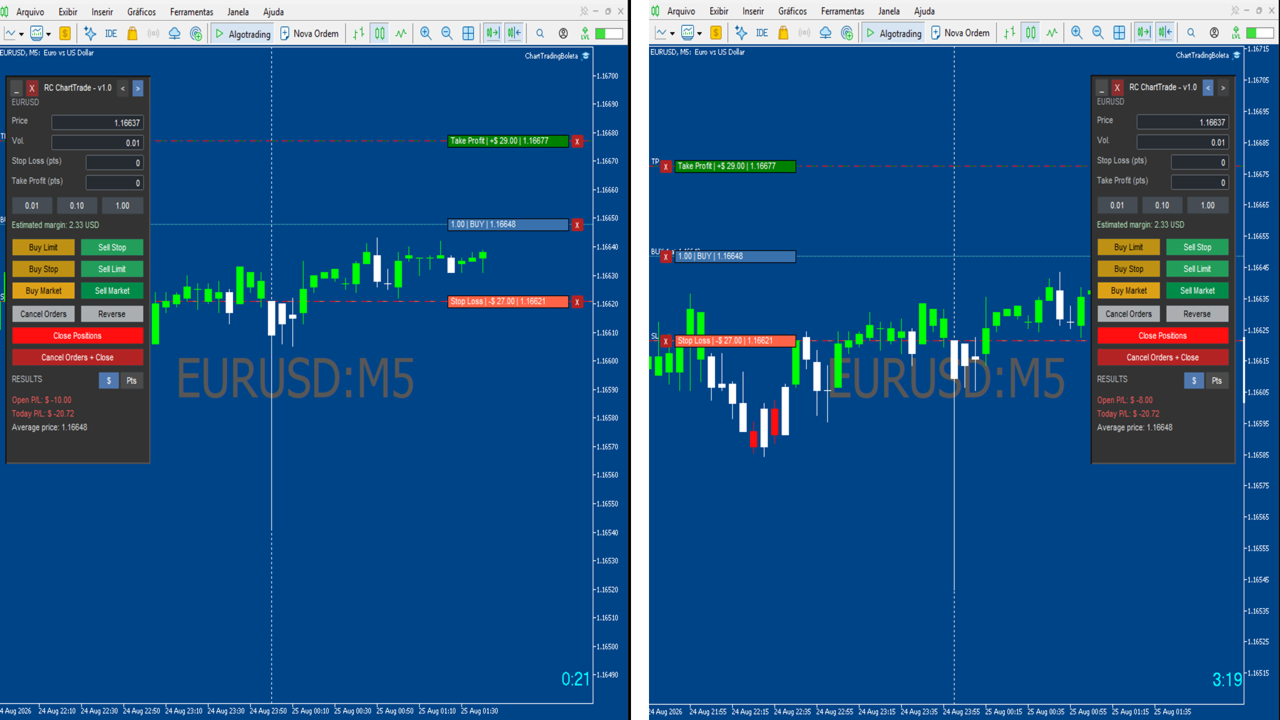
RC ChartTrade is a compact visual trading panel for MetaTrader 5. It allows traders to place and manage market and pending orders directly from the chart through a clear and practical interface.
The panel combines order entry, Stop Loss and Take Profit settings, position monitoring, and chart-based trade management in one workspace.
## Main Features
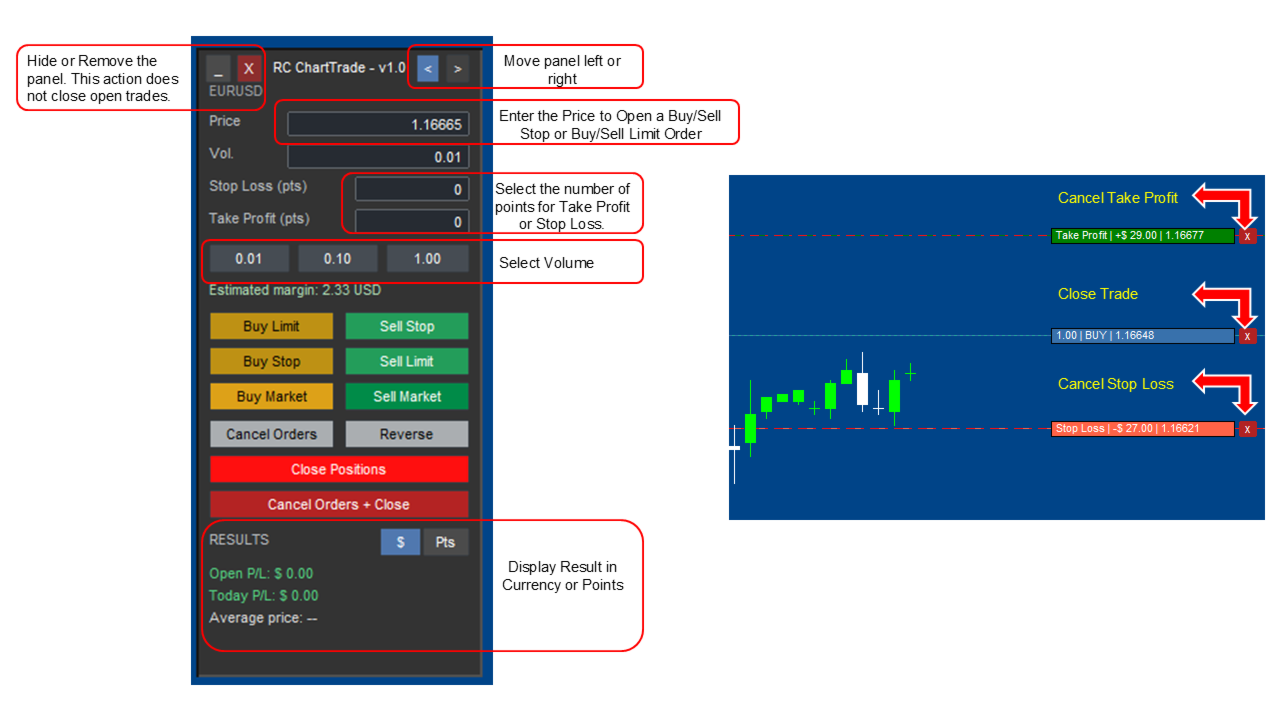
- Buy and sell market orders.
- Buy Limit, Buy Stop, Sell Limit, and Sell Stop pending orders.
- Configurable trading volume.
- Quick volume buttons: 0.01, 0.10, and 1.00.
- Stop Loss and Take Profit distances defined in points.
- Estimated margin display before sending an order.
- Open P/L and daily P/L display in account currency or points.
- Average position price display.
- On-chart entry, Stop Loss, and Take Profit levels.
- Individual actions to close a position or remove its Stop Loss or Take Profit.
- Cancel pending orders, close positions, cancel orders and close positions, or reverse an open position.
- Panel placement on the left or right side of the chart.
- Automatic right-side chart spacing when the panel is positioned on the right.
- Minimize and remove-panel controls. Removing the panel does not close open positions or pending orders.
## Chart Shortcuts
Optional chart shortcuts can be enabled in the EA inputs:
- Hold **Shift** and move the mouse over the chart to preview a buy pending order.
- Hold **Alt** and move the mouse over the chart to preview a sell pending order.
- Click on the chart to confirm the previewed pending order.
## How to Use
1. Attach RC ChartTrade to the chart of the symbol you want to trade.
2. Configure volume, entry price, Stop Loss, and Take Profit.
3. Select a market or pending order type.
4. Monitor positions and order levels directly on the chart.
5. Use the management controls to cancel orders, close positions, or adjust trade protection.
## Inputs
### Panel
- Horizontal margin
- Vertical margin
- Panel width
### Trading
- Default volume
- Magic Number
- Maximum deviation in points
- Enable chart shortcuts
## Important Notes
- RC ChartTrade manages only orders and positions opened on the current chart symbol with its configured Magic Number.
- Stop Loss and Take Profit values are defined in points, not pips.
- The monetary result is displayed in the account currency.
- Order execution depends on market conditions, symbol specifications, spreads, execution mode, and broker restrictions.
- Trading involves risk. RC ChartTrade does not guarantee profits or trading results.