Smart Order Plus
- ユーティリティ
- バージョン: 1.710
- アップデート済み: 10 8月 2026
- アクティベーション: 5

Multilingual workflow and user configuration
The user can also define the panel theme, compact or expanded layout, chart position, default order type, initial volume, Take Profit and Stop Loss distances, and the spread alert threshold. Chart-line color, style, width, information-text size and alignment are configurable. For limit-order planning, users can select automatic entry references based on the previous candle or adjust the entry manually. The standard MetaTrader 5 Inputs window remains in English in the Market build; the panel displayed on the chart is localized at runtime.
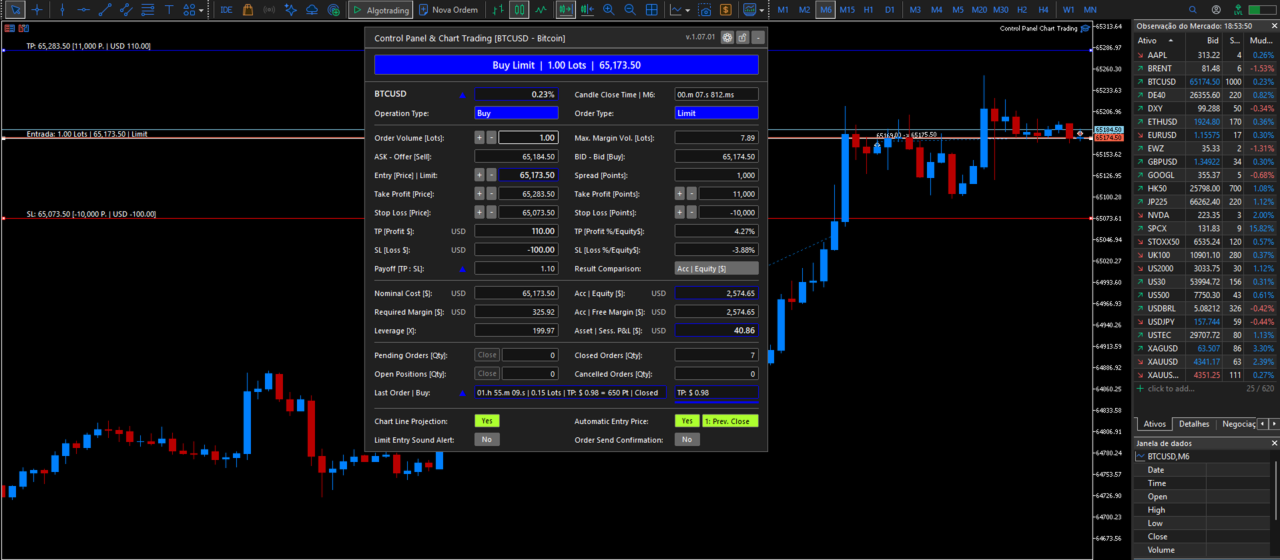
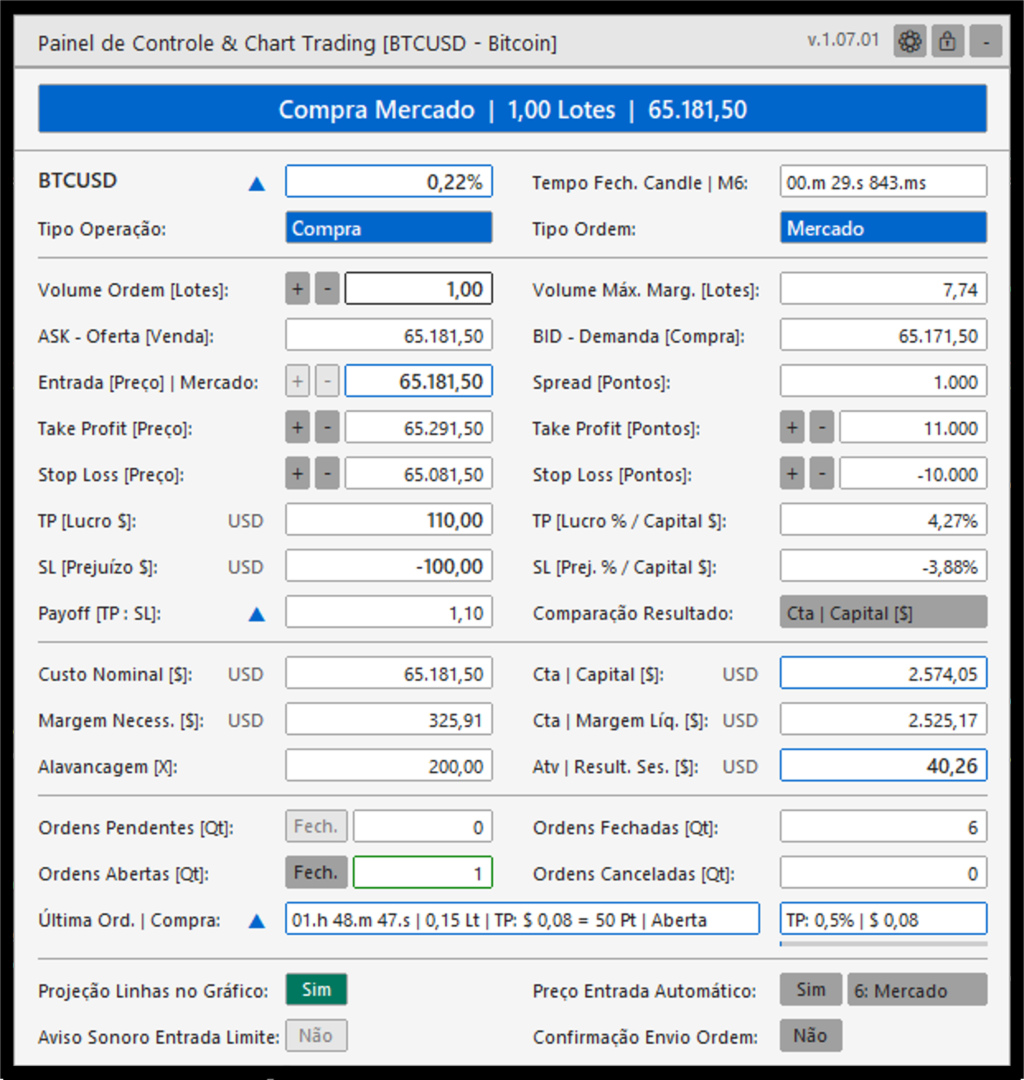
The panel provides visual context before and during the order-preparation workflow. It highlights a spread that exceeds the configured proportion of the Take Profit distance, identifies relevant candle-close timing conditions and can show the presence of pending orders. An optional sound alert can notify the user when the current price reaches a configured limit-entry level. These functions are informational aids; they do not replace the trader's assessment or guarantee that an order will be executed.
Main functions
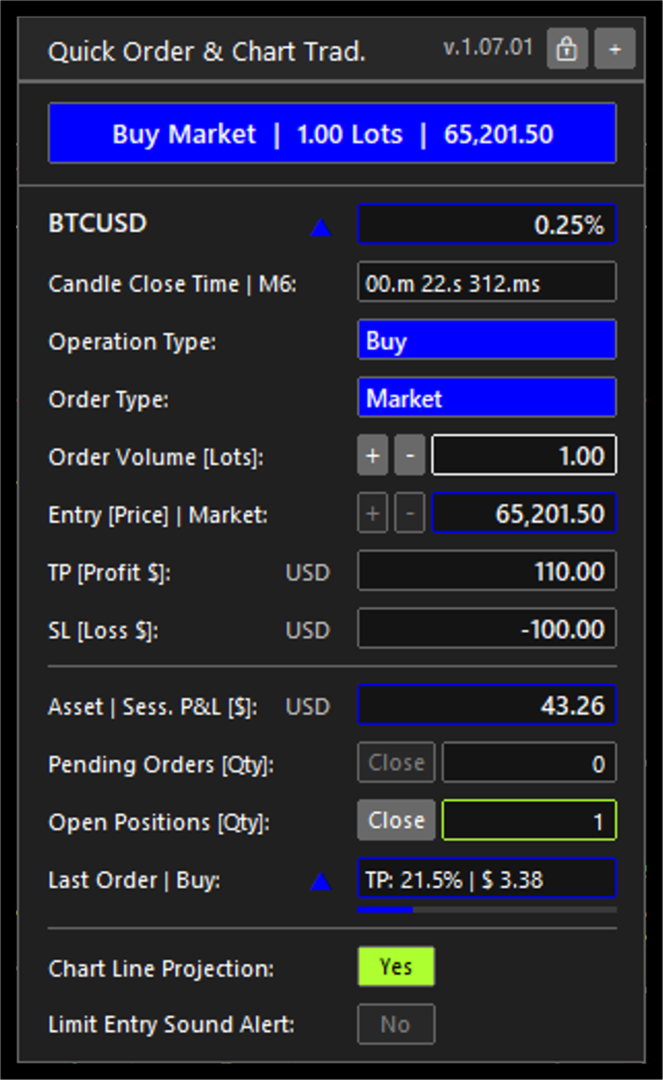
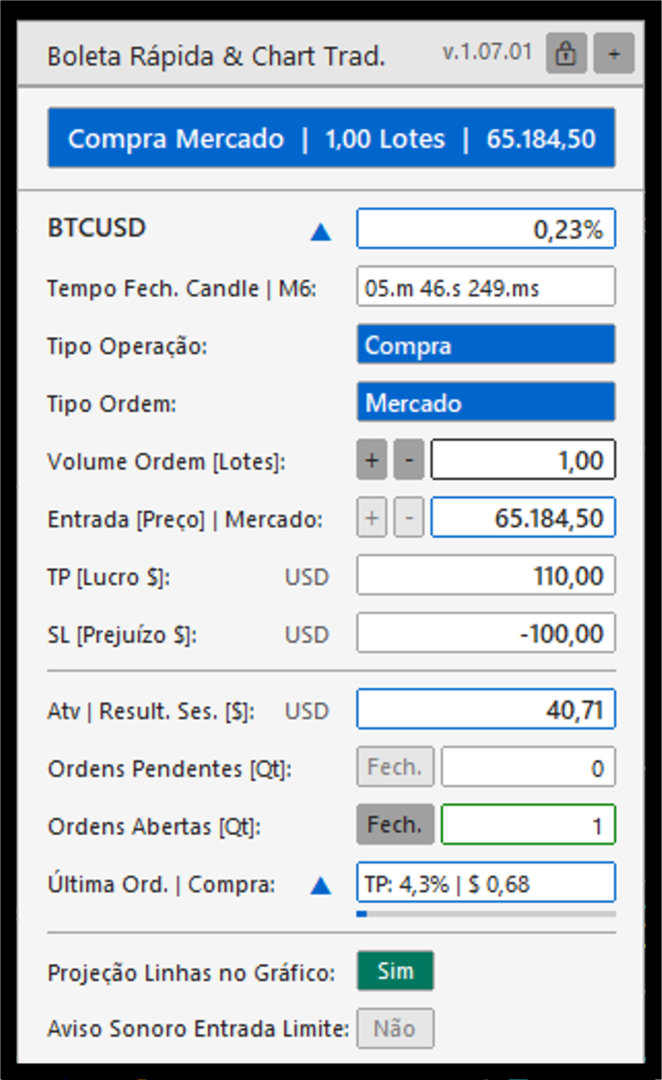
- Use a compact quick-order workflow to send configured buy or sell market orders from the chart.
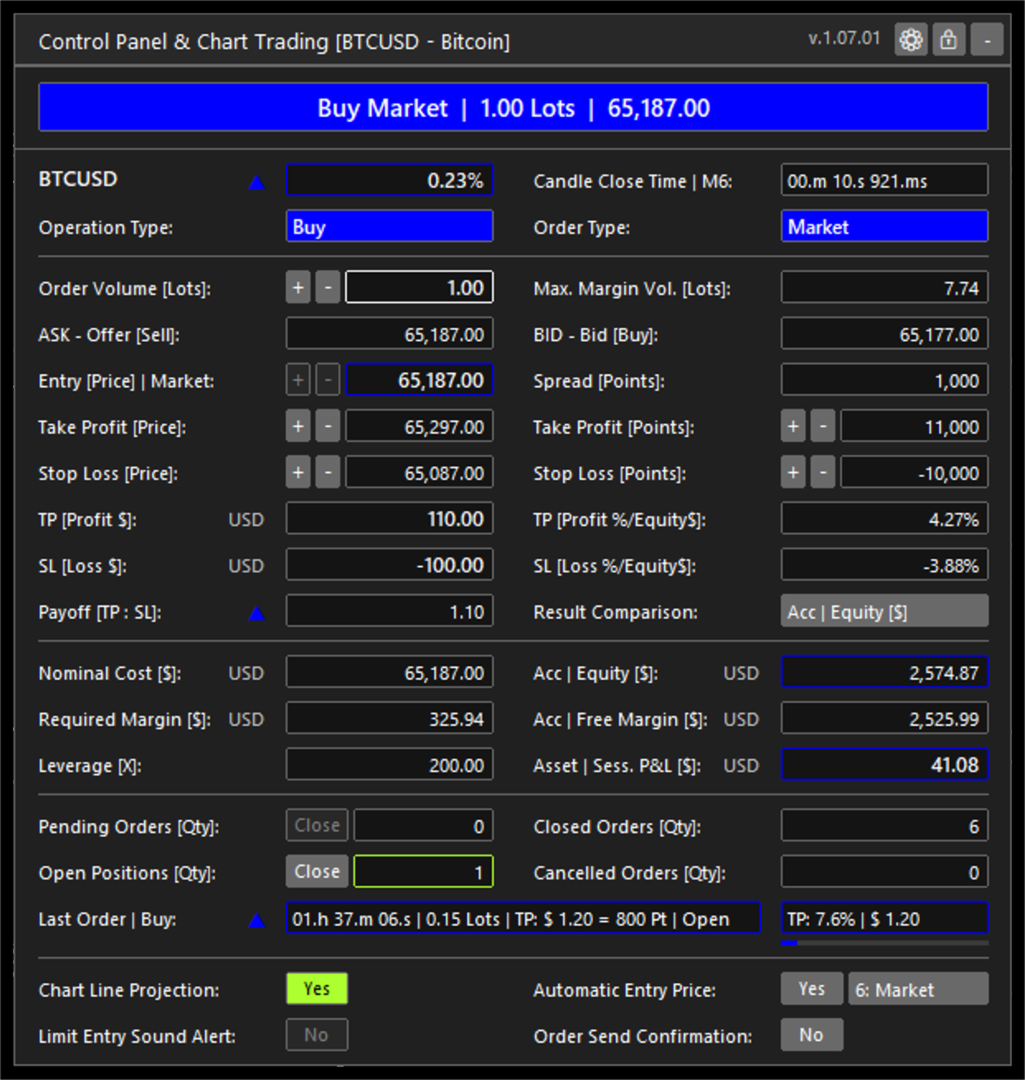
- Prepare buy and sell market orders or limit orders with volume, entry price, Take Profit and Stop Loss levels in one panel.
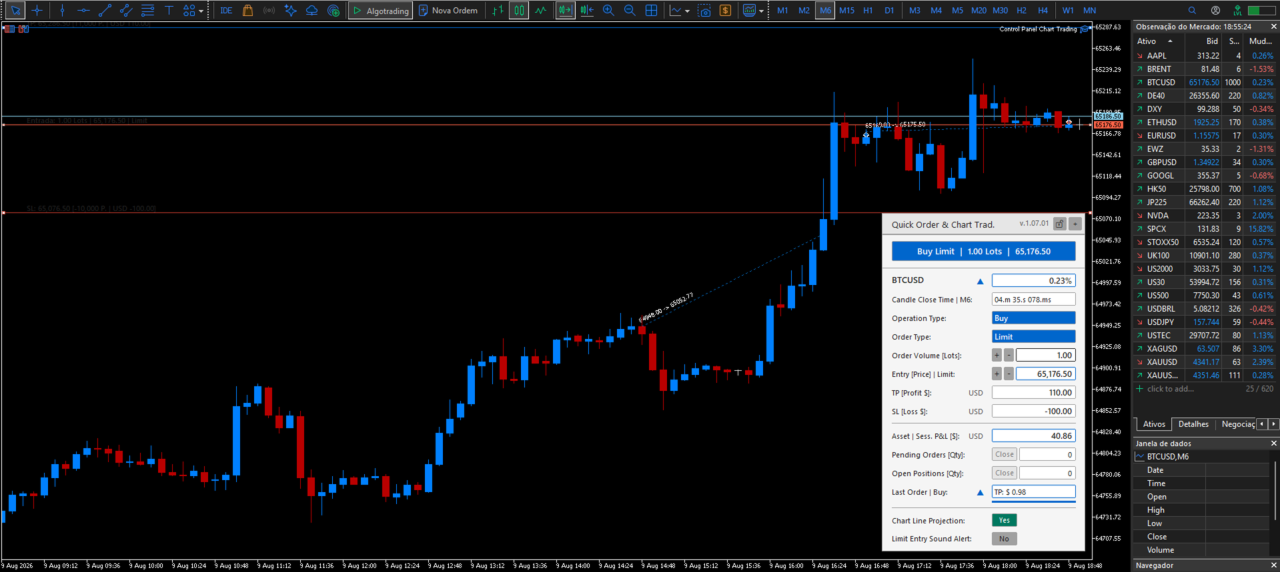
- Display and adjust entry, Take Profit and Stop Loss lines directly on the chart.
- Use the previous candle close, high, low or open as an automatic limit-entry reference. Manual entry and current market price are also available.
- Check the broker's minimum stop distance and freeze distance before sending or changing an order.
- Check order volume limits, estimated margin and available margin before order submission.
- Display the current spread, risk and reward relationship, projected order values in account currency, account equity, free margin, order counts and active-symbol session information.
- Show a concise summary of the latest order, including its state and progress toward its registered Take Profit or Stop Loss level while the position remains open.
- Provide an optional sound alert when price reaches a limit-entry level.
- Display visual alerts for contextual conditions, including a spread above the configured limit and relevant candle-close timing.
- Close pending orders or open positions for the active symbol from the panel.
Interface and configuration
- Dark and light color themes.
- Compact and expanded panel formats, with selectable chart positions.
- Portuguese, English, French, Spanish, German, Japanese, Simplified Chinese and Russian interface options.
- Number formatting that can follow the selected language or be configured separately.
- Configurable default order type, initial volume, Take Profit and Stop Loss distances, and spread-alert threshold.
- Configurable limit-entry sound alert and audio files for buy and sell scenarios.
- Configurable chart-line colors, styles, widths, text size and alignment.
Order handling
The Expert Advisor reads the trading conditions of the active symbol before sending or modifying an order. It applies the broker stop and freeze distances to help avoid invalid price requests. For transient price or connection responses, it uses a limited retry policy and a duplicate-request guard instead of repeatedly sending orders.
Important information
Control Panel & Chart Trading is a trading tool. It does not provide investment advice, trading signals or a guarantee of execution or financial results. The trader remains responsible for verifying order parameters and understanding the risks of trading before sending an order.