OmniChart
- インディケータ
- バージョン: 1.10
- アップデート済み: 16 7月 2026

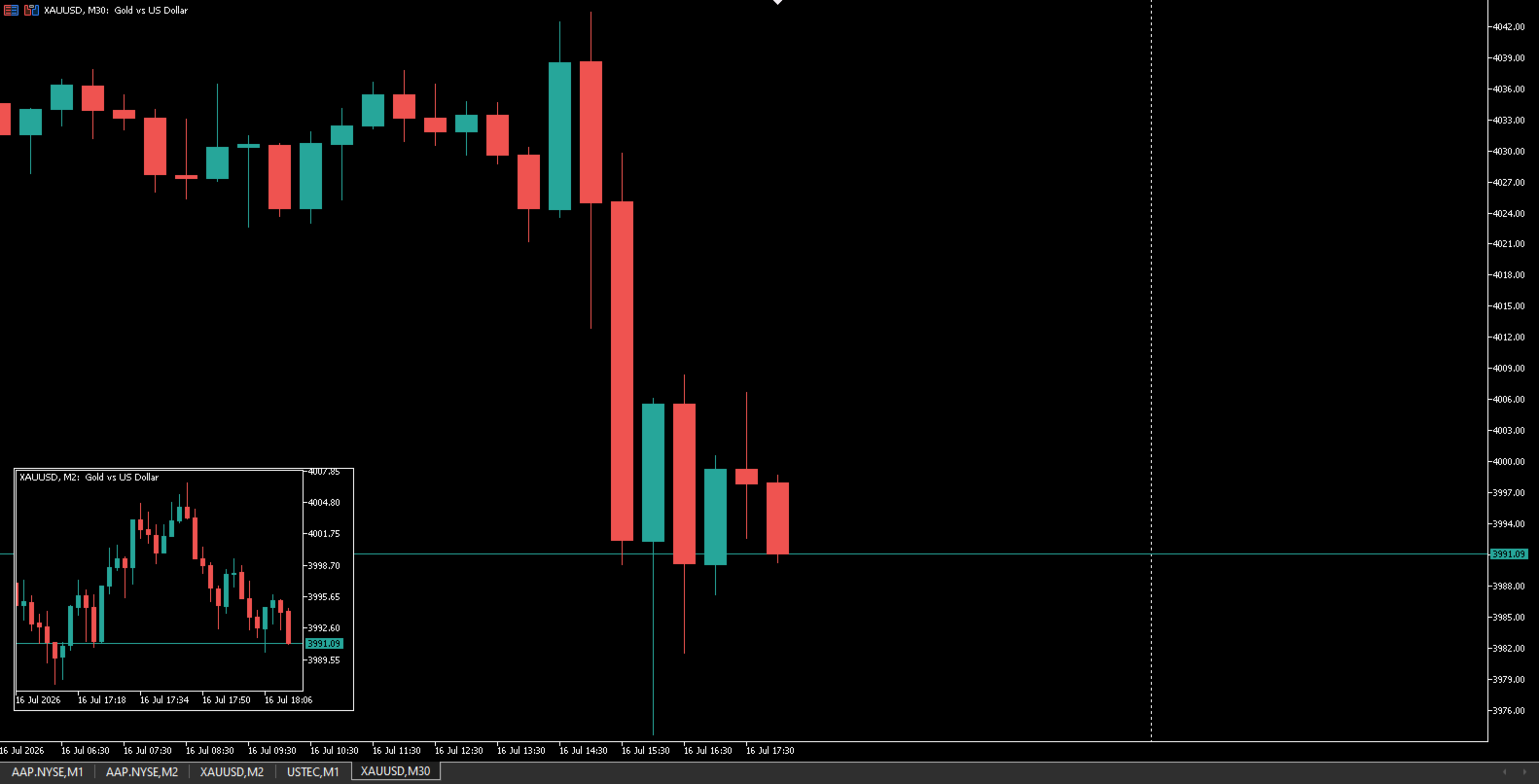
OmniChart is a lightweight, ultra-smooth Picture-in-Picture (PIP) chart indicator designed for professional traders who need seamless multi-timeframe analysis. Keep a close eye on lower timeframes (like M1 or M2) directly on your higher timeframe chart (like M15 or M30) without cluttering your workspace or switching profiles!
Designed with a focus on pure price action, OmniChart removes all distractions. No grids, no confusing axes, no volumes—just pure, clean candlesticks to help you spot entries, pullbacks, and market structure shifts instantly.
Key Features
- Ultra-Smooth Native Performance: Built using MetaTrader 5's native OBJ_CHART technology. It runs flawlessly in the background with absolutely zero lag and virtually no CPU impact.
- Fully Draggable (Drag & Drop): Place your OmniChart anywhere on your screen. Just grab it and drag it to the perfect spot.
- Timeframe-Lock Technology: Unlike standard MT5 objects, OmniChart remembers its position! If you switch the timeframe of your main chart, your OmniChart stays exactly where you left it, completely uninterrupted.
- Clean "Price Action" Design: Stripped down to the essentials. We removed grids, date scales, period separators, and volumes so you can focus entirely on candlestick formations.
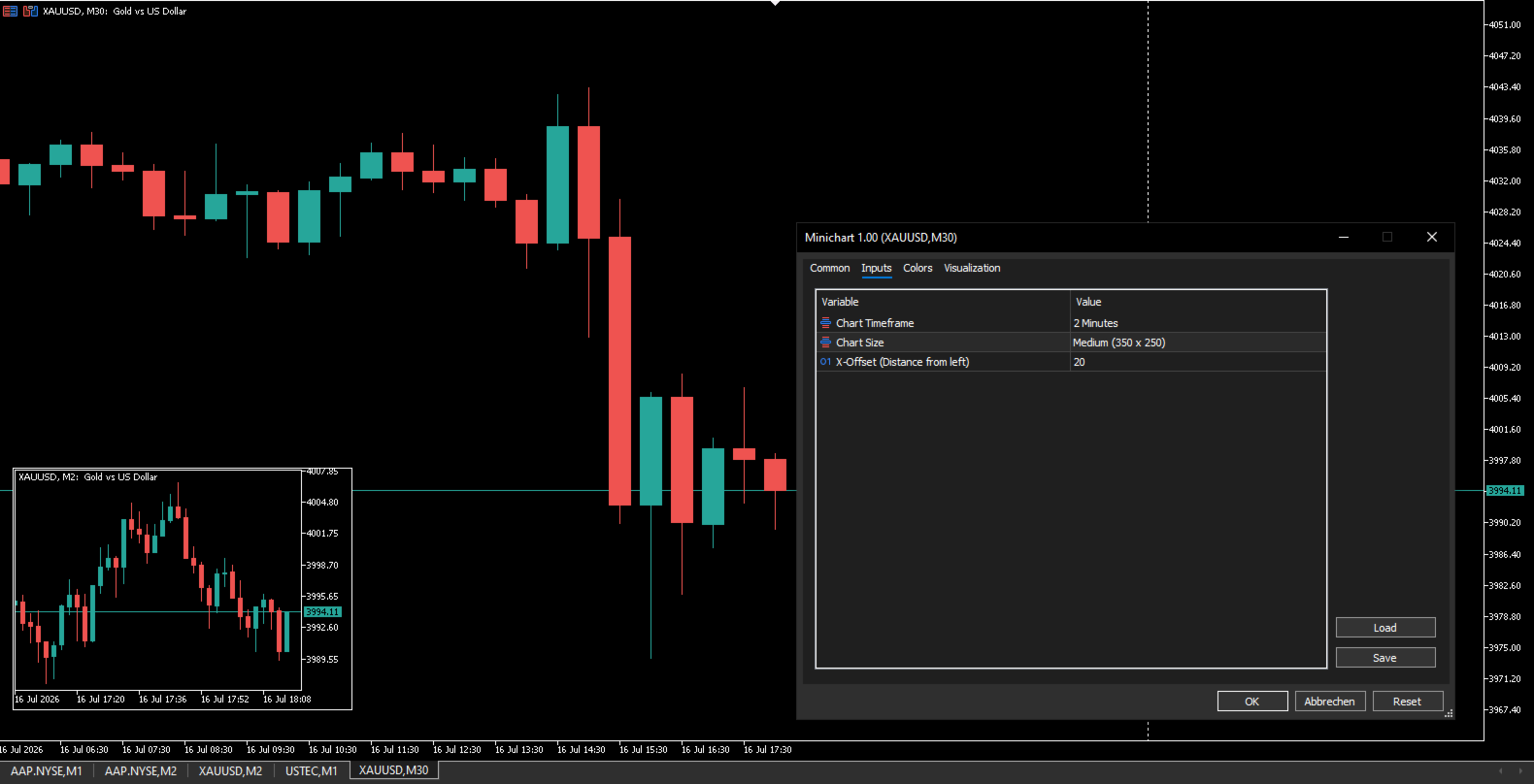
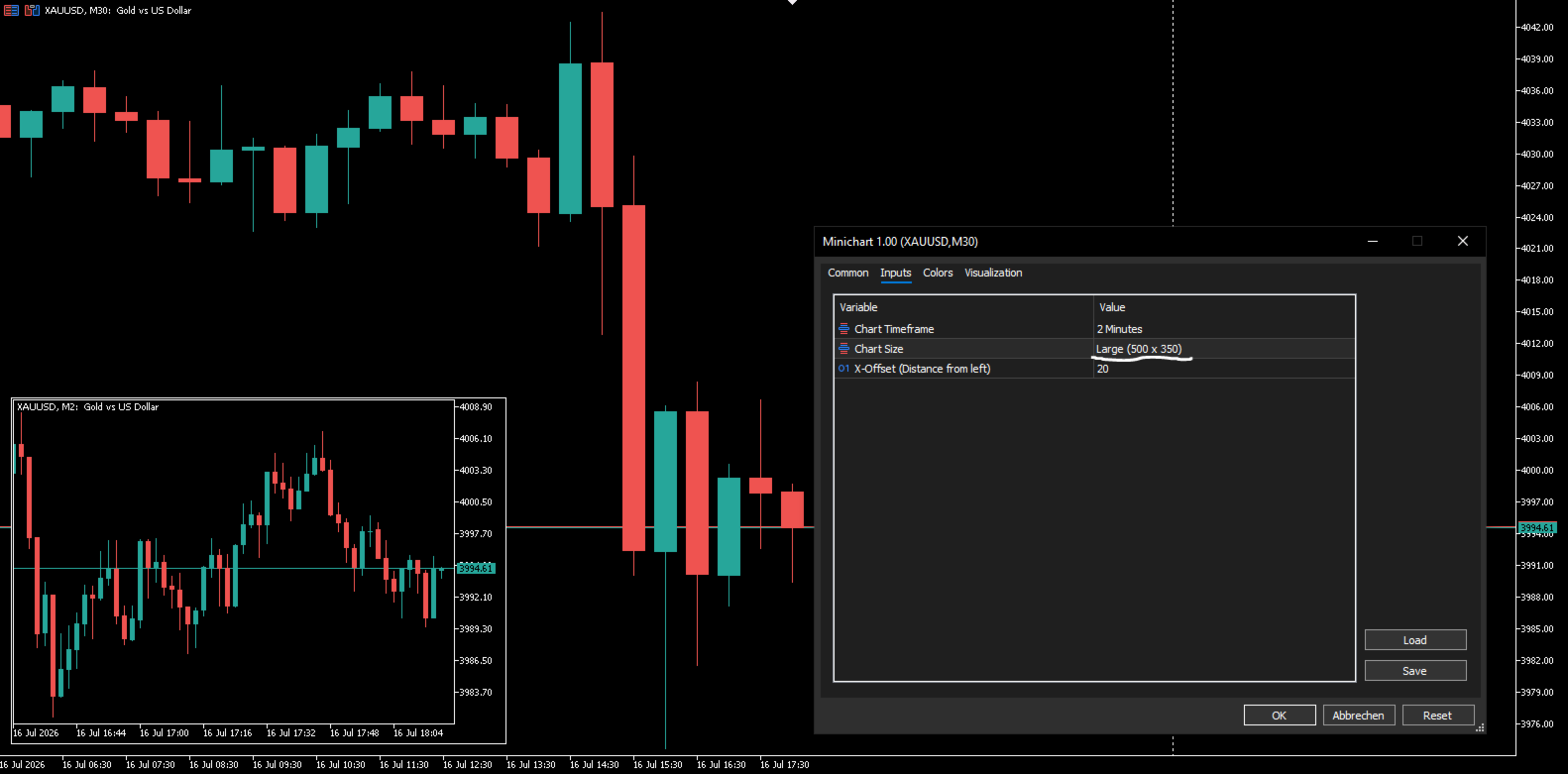
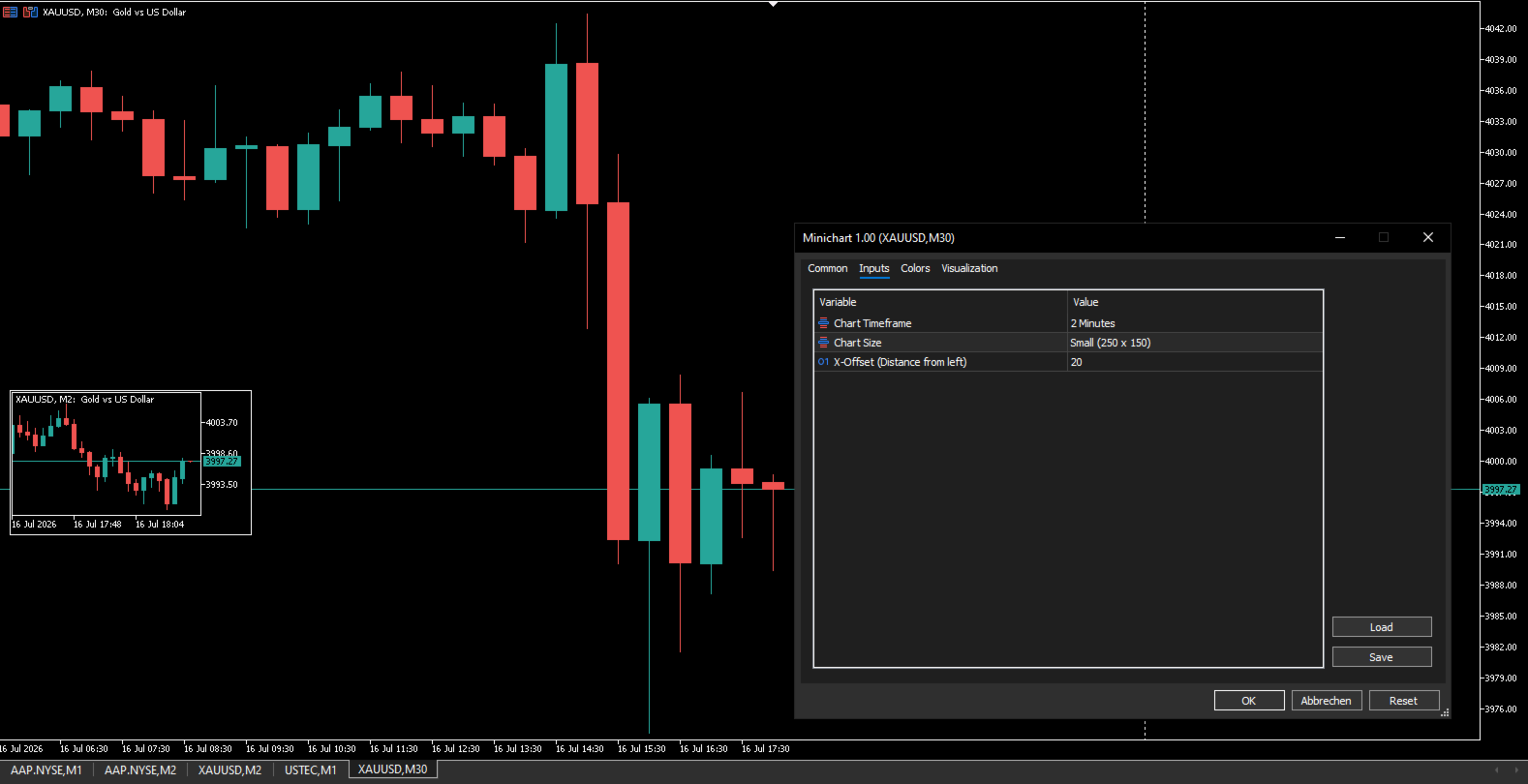
- Customizable Sizes: Choose from three perfectly proportioned preset sizes (Small, Medium, Large) via the input settings to fit any monitor resolution.
- Auto-Updating: Always synchronized with real-time ticks.
How to use it
- Attach the indicator to your main chart.
- In the Inputs, select the Timeframe you want to monitor (e.g., M2 ).
- Select your preferred Size (Small, Medium, or Large).
- Double-click the OmniChart window to enable drag handles, move it to your desired location, and double-click again to lock it in place.
Input Parameters
- Chart Timeframe: Select the timeframe for the OmniChart (M1, M2, M5, etc.).
- Chart Size: Choose between Small (250x150), Medium (350x250), and Large (500x350).
- X-Offset: Set the initial distance from the left border.
Elevate your multi-timeframe analysis and never miss a micro-structure break again. Get OmniChart today!