Trade Manager Pro Institutional Terminal
- ユーティリティ
- バージョン: 1.0
- アクティベーション: 5

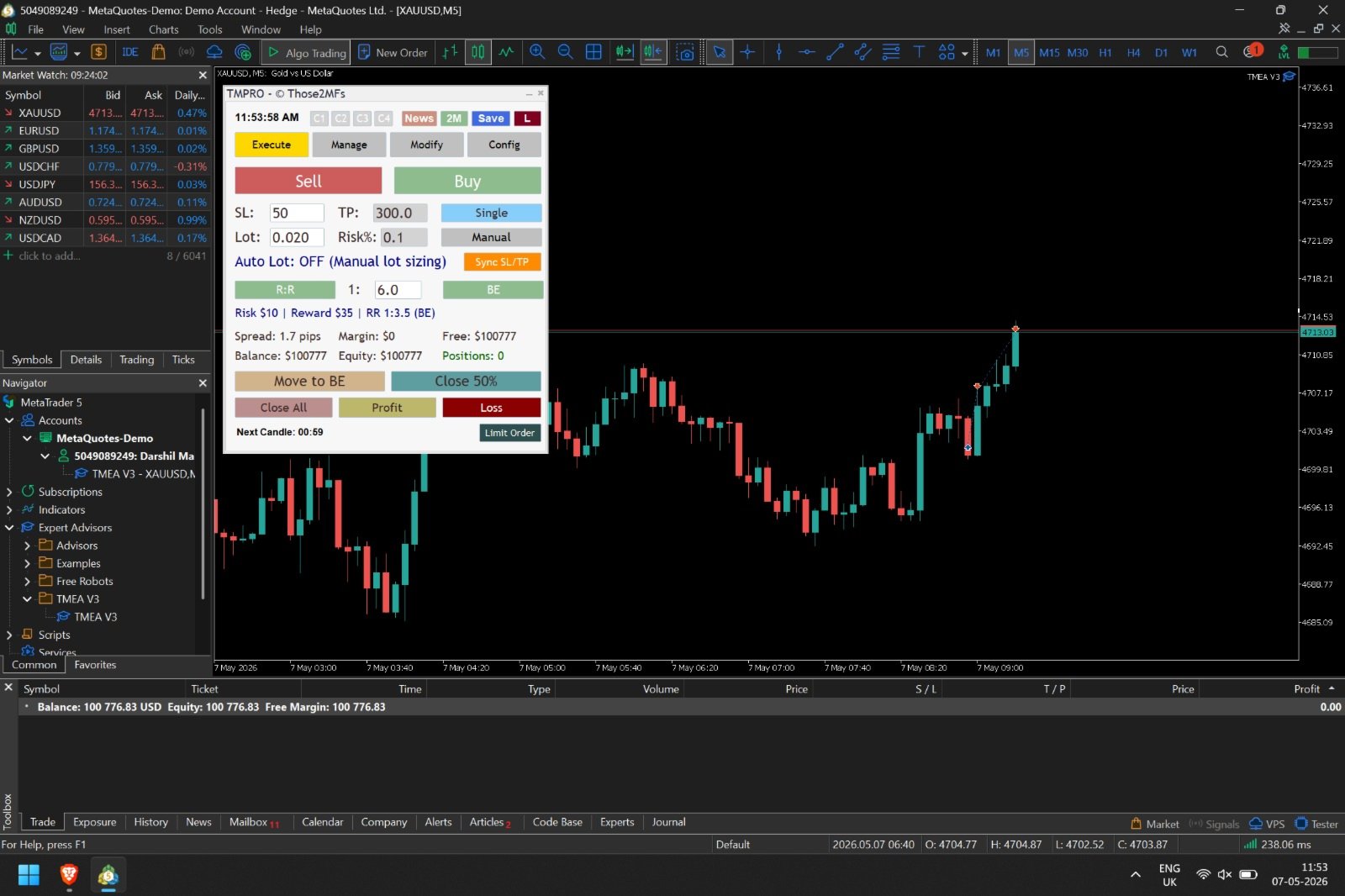
"Trade Manager Pro Institutional Terminal (TMPRO)" is a commercial-grade, on-chart trading terminal designed specifically for manual traders, scalpers, and Prop-Firm funded traders. Built natively for MetaTrader 5, it completely replaces the clunky default order window with a high-resolution, TradingView-style interface.
Whether you need pixel-perfect Auto-Lot sizing, 4-Tier Virtual Partial Take Profits, or advanced Prop-Firm anti-scalp protections,TMPRO executes your strategy with institutional precision.
No DLLs. No external web requests. 100% native, lightning-fast MQL5.
🔥 Core Features
1. 🛡️ Institutional Risk Management (Auto-Lot Sizing)
- Never calculate lot sizes manually again. Simply input your Risk Percentage (e.g., 1%) and your Stop Loss in pips. The EA queries the broker's server directly to calculate the exact lot size down to the micro-lot, automatically adjusting for Gold (XAUUSD), Indices, and Forex pairs.
2.🎯 Visual Chart Trading (TradingView Style)
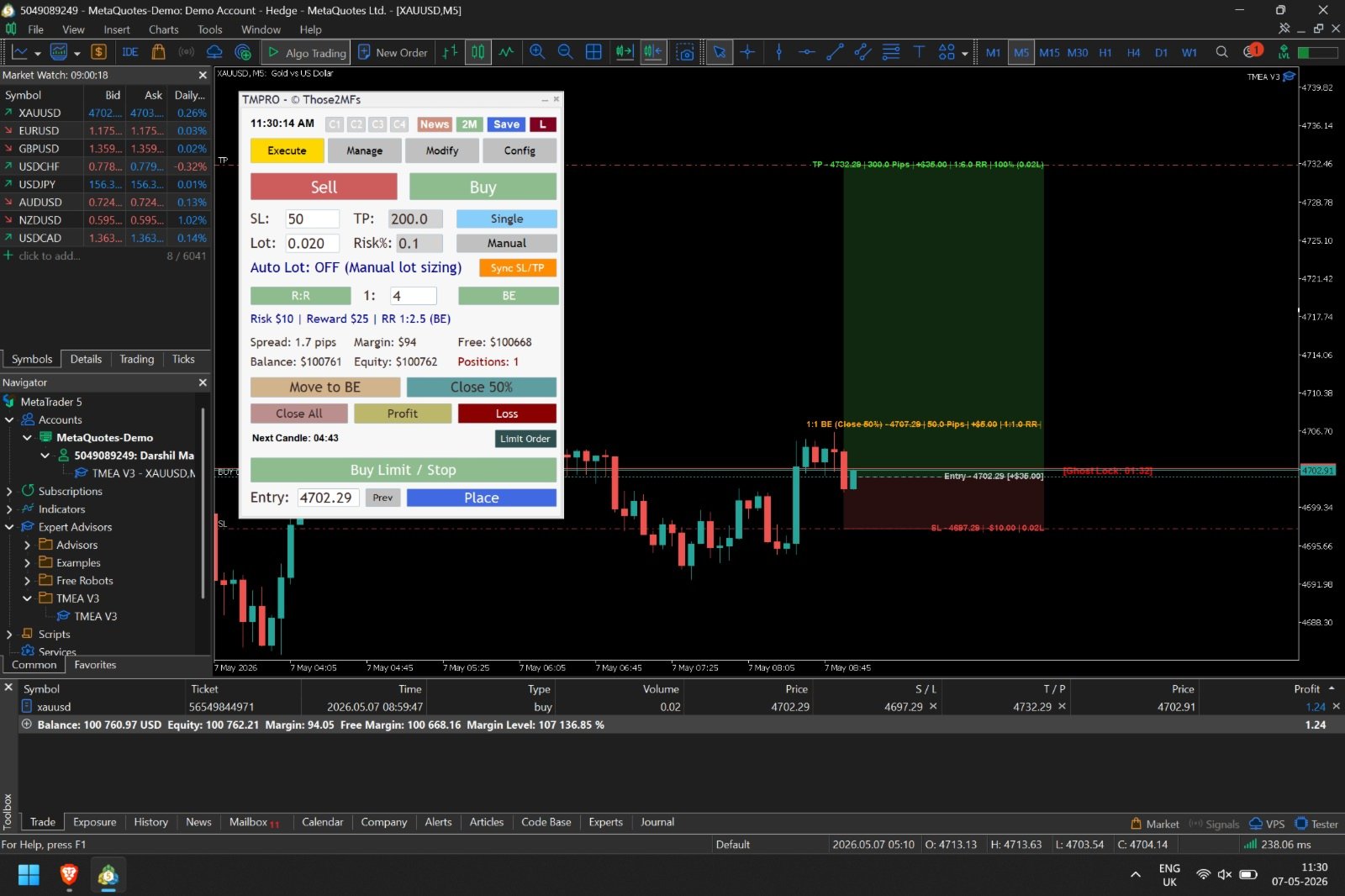
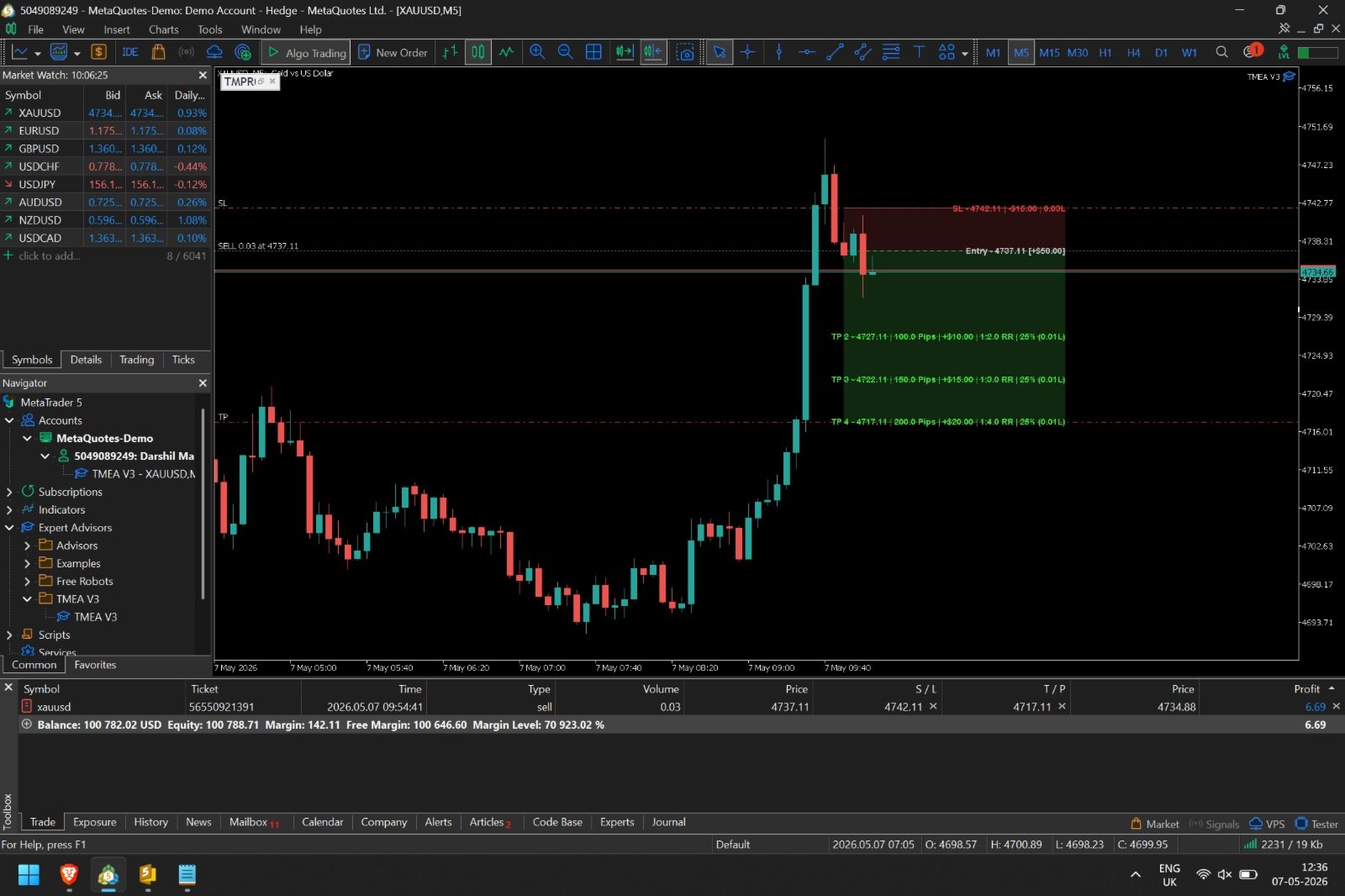
- Drag & Drop: Visually adjust your Stop Loss and Take Profit lines directly on the chart.
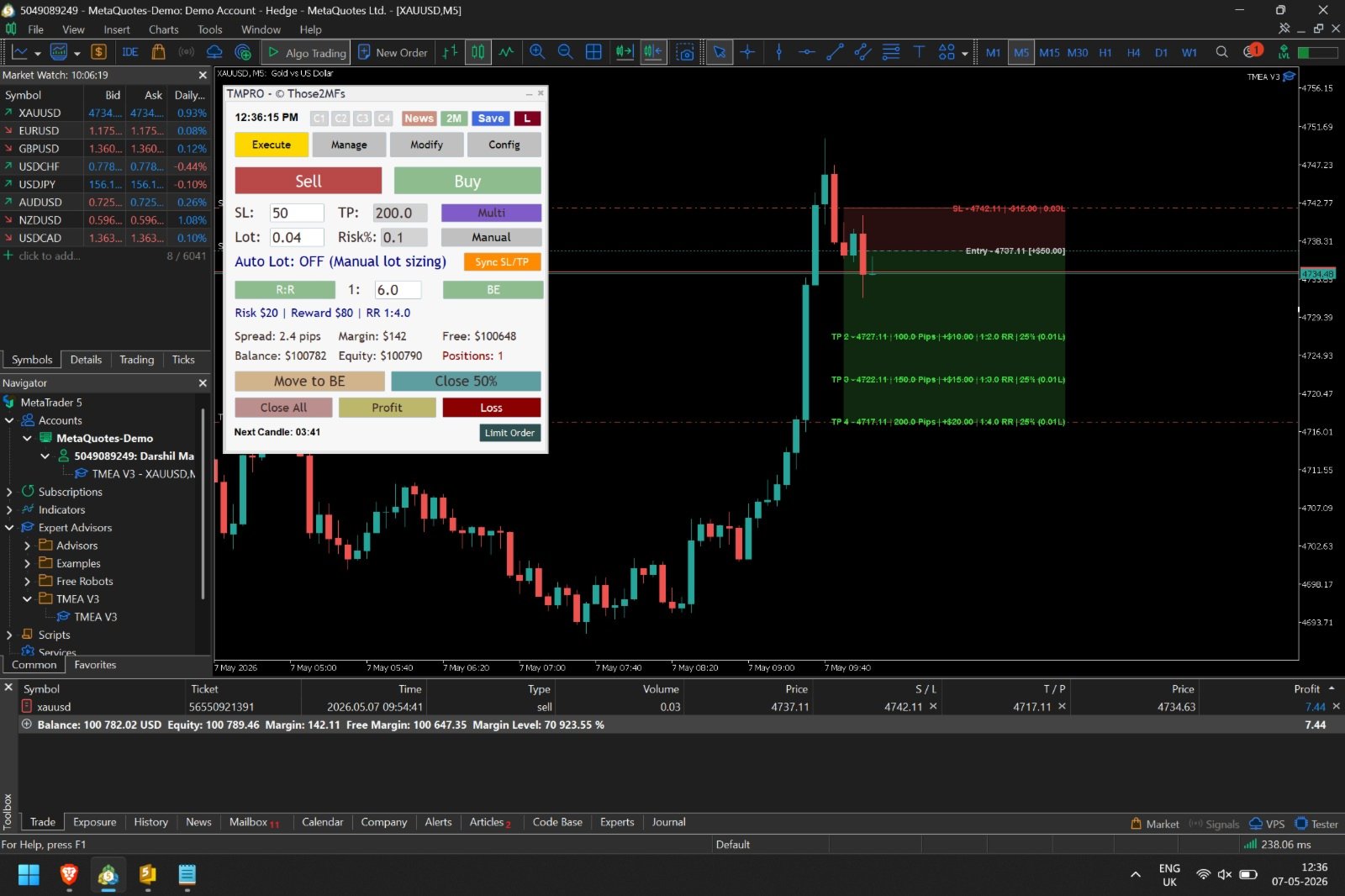
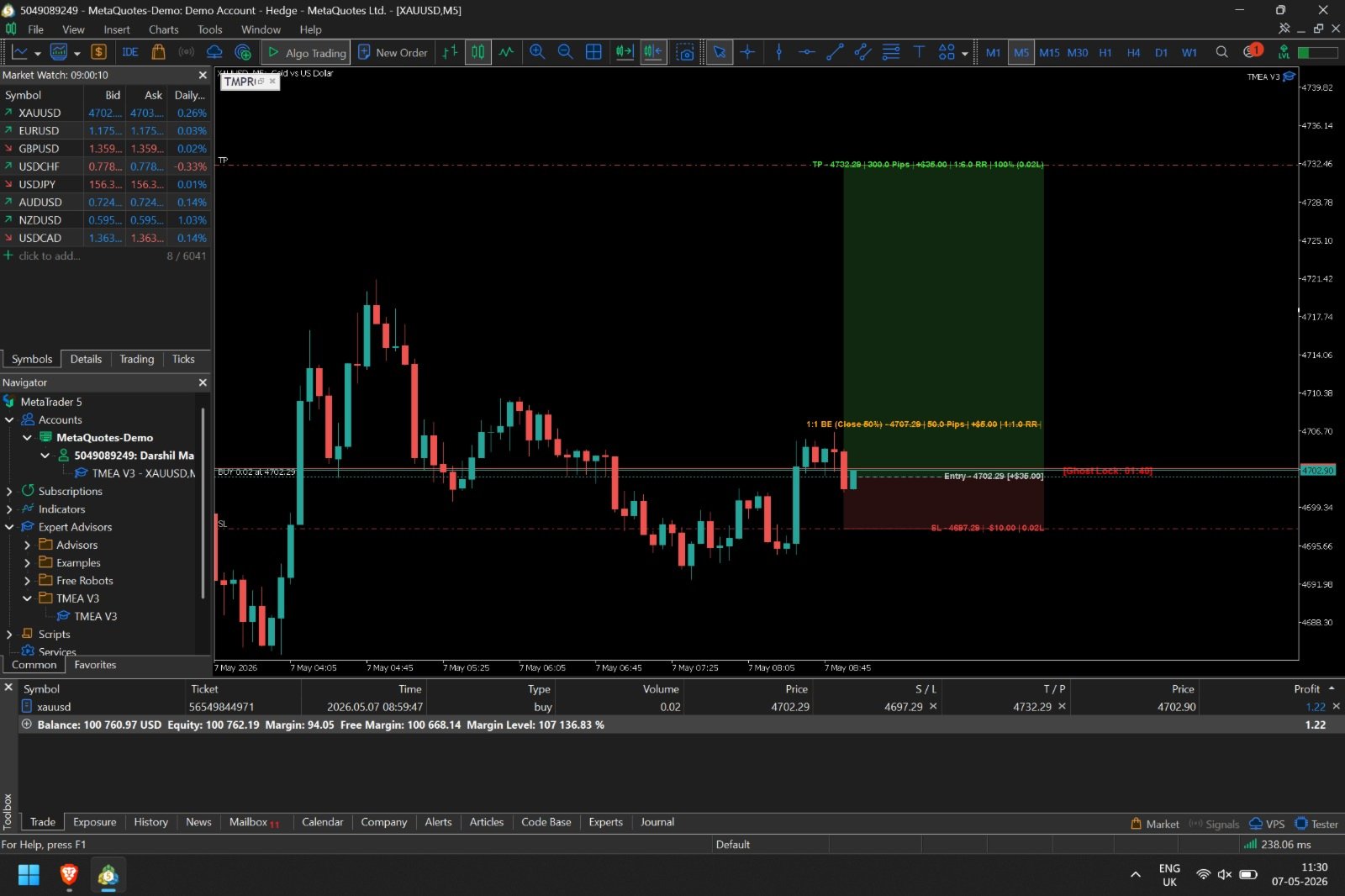
- Live R:R Zones: See your Risk and Reward painted on the chart with beautiful, dynamic background shading.
- Compact & Institutional Labels: View exact PnL, Pips, and Lot configurations hovering directly over your active zones.
3. 🪜 Multi-Tier Partial Take Profits (Virtual Partials)
- Bypass your broker's single-TP limitations. TMPRO allows you to set up to 4 Take Profit Tiers (T1, T2, T3, T4).
- Allocate exactly what percentage of the trade to close at each tier (e.g., 50% at T1, 25% at T2).
- Tiers are executed as Virtual Market Orders, preventing broker slippage traps and hiding your true targets from the dealer.
- The Runner Rule: Easily leave a "Runner" open with mathematically verified trailing stops.
4. 👻 Prop-Firm Safe: "Ghost TP Lock"
- Many prop firms have strict rules against "scalping" (closing trades under 2 minutes). TMPRO features an exclusive Ghost Lock. When you enter a trade, the EA instantly pushes your Broker Hard TP 6x further away, protecting you from accidental or premature closures. A visual countdown timer displays on the chart, and the exact second the lock expires, the EA seamlessly snaps your TP back to its mathematical target.
5. 📆 Native Economic News Engine
- Stay out of the market during red-folder events. TMPRO uses MT5's native economic database (no risky DLLs or external URLs required) to plot Low, Medium, and High-impact news directly on your chart as vertical lines. It dynamically targets currencies based on the pair you are trading.
6. 🧠 Crash-Proof Elastic Memory (The Vault)
- If your MT5 terminal crashes, you change timeframes, or your broker mutates a ticket number during a partial close—TMPRO remembers everything. The EA saves your exact trade states, grid configurations, and R:R ratios to an immutable local .dat vault. Upon restart, it instantly resurrects your entire visual environment.
7. ⚙️ Break-Even & Trailing Mastery
- 1:1 BE Booking: Automatically close 50% of your position the exact millisecond a 1:1 R:R is achieved.
- SL-to-BE: Move your Stop Loss to Break-Even with a customizable pip offset (or dynamically match the live spread).
- Advanced Trailing: Configure custom Start, Gap, and Step parameters to ruthlessly lock in profits.
8. 💾 Strategy Preset Slots
- Switching between strategies? Save up to 4 complete configurations (C1, C2, C3, C4) directly to the panel. Load your scalping profile or your swing-trading profile with a single click.
9. 🖥️ The UI Experience (4-Tab System)
- EXECUTE: The main cockpit. Set your SL, TP, Risk %, and execute Market or visual Limit/Stop orders instantly.
- MANAGE: Your global dashboard for Trailing Stops, Risk-Free logic, and configuring your Multi-TP percentages.
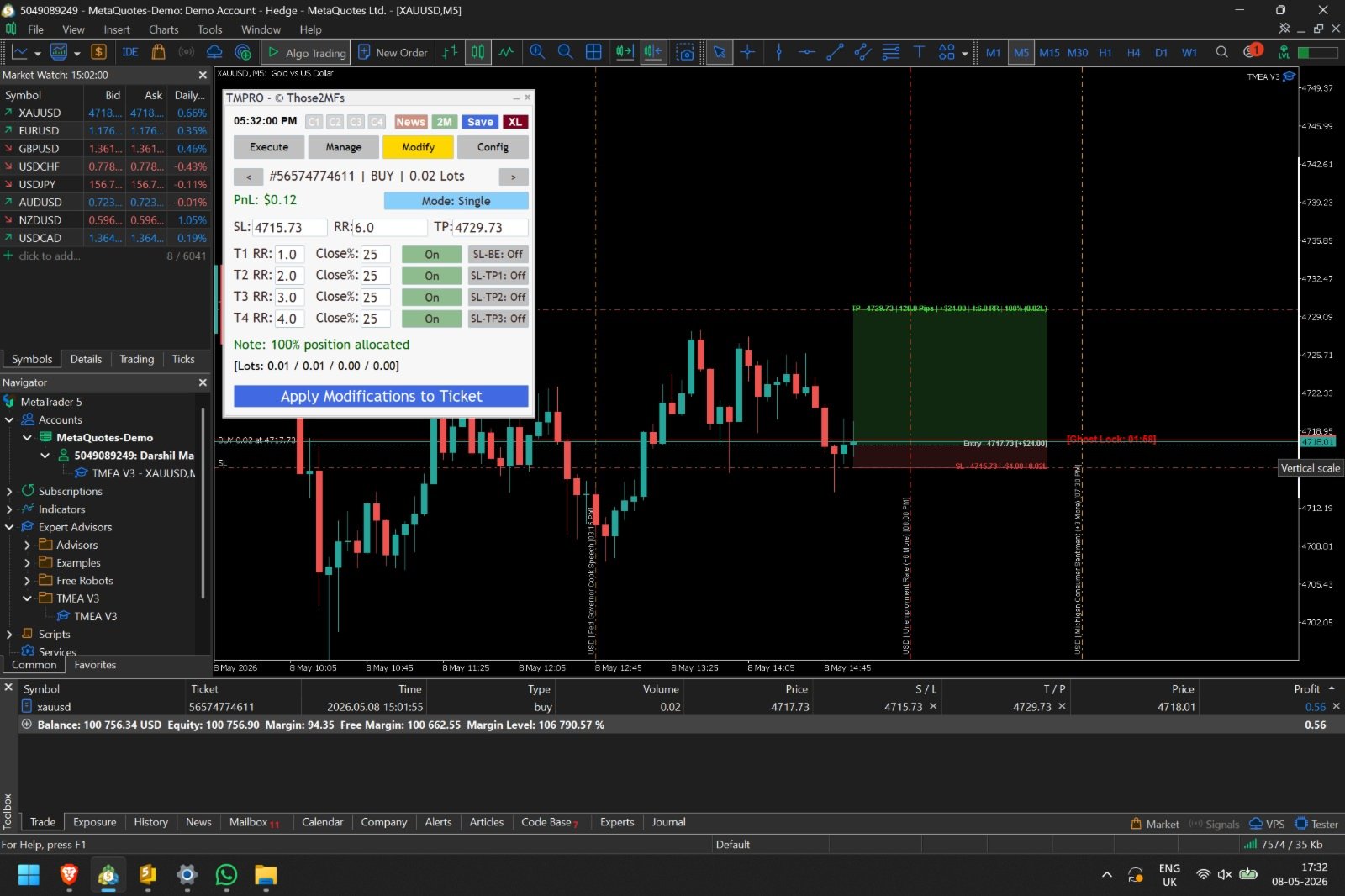
- MODIFY: A surgical dashboard to alter individual live trades. Select a running trade and modify its specific SL, TP, or partial-close grid without affecting your global settings.
- CONFIG: Save your UI presets, adjust DPI scaling (Extra Small to Extra Large for 4K monitors), and manage your local database memory.
⚠️ Important Requirements & Disclaimers
- Account Type: You MUST use a Hedging account. (Netting accounts do not support advanced Multi-TP partial executions and are strictly blocked by the EA).
- Supported Assets: The EA is heavily optimized and mathematically verified for Gold (XAUUSD / GOLD) and Major Forex Pairs.
- Visual Lines: Drag-and-drop lines are active on the current timeframe. Changing timeframes will securely rebuild the visual environment from the memory vault.
📥 Getting Started
- Attach TMPRO to any Gold or FX chart.
- Ensure "Allow Algorithmic Trading" is checked in your MT5 settings.
- Select your UI Scale from the top right corner.
- Set your Risk %, drop your visual Limit Order on the chart, and let the Manager do the heavy lifting!