MT5TradeMMPanelV1

1,交易功能:
   (1)开仓:仓位计算,止损止盈点数、挂单、批量挂单 
   (2)顺势加仓,逆势加仓,加仓倍数,加仓间隔
   (3)跟踪止损:均线突破、高低点突破、ATR、单品种净值比例回撤、单品种亏损金额、 时间止损
   (4)平仓:分批平仓、盈利平仓、亏损平仓
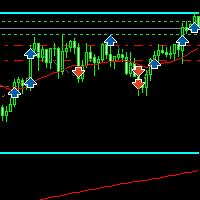
   (5)高低点和跟踪止损价格自动划线
   (6)批量挂单
2,划线下单:仓位计算、止损止盈计算,挂单类型自动判断

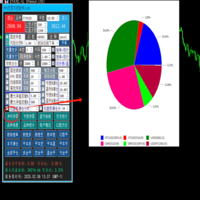
3,统计:持仓统计、历史统计、magic统计、品种统计,盈亏曲线,净利润饼图,亏损饼图

4,账户风控:净值回撤比例报警、净值回撤比例平仓、亏损金额报警、亏损金额平仓,
             盈利比例报警,盈利比例平仓、盈利金额报警,盈利金额平仓

              时间平仓,持仓单数控制、总持仓量控制,magic平仓


おすすめのプロダクト
This Expert Advisor (EA) for MetaTrader 5 (MT5) has been designed to automatically manage Stop Loss (SL) and Take Profit (TP). Main Features Automatic Detection of Manual Positions : Monitors new manual positions without SL/TP and applies the configured rules Multiple Orders : Opening of multiple orders under the same conditions as the original position Hidden SL/TP : The hidden mode allows creating SL/TP invisible to your broker  Equity Protection": Allows defining a threshold for the accou
Panic Panel is a professional manual trade management tool for MetaTrader 5. It allows traders to control open positions quickly and safely directly from the chart. Main Features: - Symbol-specific position control - One-click Break Even - Manual Stop Loss step adjustment - Partial close: 25% / 50% / 75% - Net profit, position count and volume display - Independent per chart operation The panel works only on the active symbol and does not affect other instruments. This tool does NOT open tr
This Expert Advisor monitors all open positions across all symbols in MetaTrader 5. Whenever a Stop Loss (SL) or Take Profit (TP) is manually set or adjusted on any position, the EA automatically applies that value to all other open positions , regardless of symbol or order type (Buy/Sell). This ensures consistent and synchronized SL and TP levels across your account. Perfect for mobile trading via tablet or smartphone!
Risk Controller Expert Advisorは、アカウントのトレーディングアドバイザーの総リスクを管理できるようにするプログラムです。 このプログラムを使用すると、すべてのアドバイザーのアカウントで許可される最大のリスクを制御できます。 たとえば、最大ドローダウンの30%のリスクを設定します。つまり、株式取引ロボットが30%のリスクを超えると、リスクコントローラーはアドバイザーのすべてのポジションを閉じ、開いているすべてのチャートを閉じることもできます。顧問はさらに働くことから。 平均化ロボットをマーチンゲールと交換し、不可抗力やその他の予期しない状況が発生した場合にロボットからの最大損失を制限したい場合は、「安らかな睡眠」のためにエキスパートアドバイザーが必要になります。市場の逆転。 Советник Risk Controller, очень важная и по моему мнению необходимая программа для каждого трейдера который торгует роботами. 制御は、アカウントの最大損失に相当す
* Super Assistant is an useful management tool that helps traders perform management tasks on MT4/MT5 account remotely via Telegram such as: - Get info (account, details of positions, pending orders, floating PL, price, economic news, etc) - Open trade (open instantly with preset parameters) - Manage trade (set SLTP automatically, break-even mode, max risk, close time every day, etc) - Close trade (close all, buy, sell, win positions by one click, set awaiting close by PL, time) - Set up notifi
Position Sizer Trade Panel — Trade Like on TradingView The fastest way to place precise, risk-managed trades on MetaTrader 5. Drag your Entry, Stop Loss and Take Profit lines directly on the chart, type your risk amount, and execute with one click — exactly like TradingView. HOW IT WORKS Attach the EA to any chart Drag the blue Entry line to your desired entry price Drag the red SL line to your stop loss level Drag the green TP line to your take profit level Type your risk amount ($ or %) in the
It is a utility that posts customized messages on Telegram based on account trading activity. Once the utility is on the chart, with each new position opened from the same chart symbol the utility is added, a customized message will be sent to the Telegram group defined in the input parameters. The utility will post to the Telegram group if a new position is opened and if it is the same symbol as the chart the utility is running on. If you are using an Expert Advisor for Buy and Sell and want to
Script for deleting pending orders If you need to delete all pending orders you placed, this script will do it for you! Allow AutoTrading before running the script. Usage: Run the script on a chart. Input parameters: Language of messages displayed (EN, RU, DE, FR, ES) - language of messages displayed (English, Russian, German, French, Spanish). Use Magic: (0 - ignore Magic, else - only this Magic) - if set to zero, the magic number is not considered. Otherwise the script deletes only orders wit
This utilities can constantly monitors and handle the equity/ balance account to prevent drawdowns and protect your account. This Utilities can handle manually order and automatically order by other Expert Advisors.  If the conditions are reached, the open position will be close/ all close (depending your setting). How to use : attach this utilities on new chart (same pair) you need to handle make sure magic number is same with other EA you need to handle entry magic number '0' if you need han
EaInfoMaster
Dustin Ricardo Pierenz
EA Info Display Master Stop clicking through charts to find your EA configurations! Get a complete overview of all running Expert Advisors with their symbols and magic numbers in seconds. Managing multiple EAs across different symbols? Monitoring performance on FX Blue or other platforms? This tool instantly displays: All running EA names Their symbols and magic numbers Account details (number, broker, currency) Direct FX Blue statistics links (other provider will follow! Tell me what you need)
Только сейчас вы можете приобрести  TradeOps Command Center с 10% скидкой всего за 630$. Акция действует до 01.04.2026 Для получение инструкции об использование утилиты обратитесь в личные сообщения! TradeOps Command Center — Профессиональный инструмент контроля риска и дисциплины в трейдинге TradeOps Command Center — это многофункциональная утилита для MetaTrader 5, разработанная для трейдеров, которые стремятся к системному и дисциплинированному подходу к торговле. Продукт объединяет в себе у
トレードの細かすぎる管理はもうやめよう — MT5用 Forexトレードアシスタント まだトレードを細かく管理し、ストップを調整し、すべての値動きに反応していますか? それこそが、ミスや迷い、そしてFOMO(機会損失への恐れ)が生まれる原因です。 このツールは、チャート上で直接トレードを計画・実行・管理できるようにし、明確さとコントロールを提供します。 過剰トレードや迷い、感情的な判断を減らすために設計されています。 早期アクセス — $30(期間限定) 先着100名限定 その後 → 価格は$69に戻ります 早期ユーザー特典: 割引価格 優先サポート 今後のアップデートへの直接的な影響力 このツールの機能 チャート中心のトレード計画 エントリー、ストップロス、テイクプロフィットを視覚的に設定 レベルをチャート上で直接調整 構造とリスクを瞬時に把握 スマートなリスク管理 固定ロットサイズ 固定リスク($) 口座残高に対する割合 自動ポジションサイズ計算 もう手動計算は不要 ビジュアルトレード管理 ブレークイーブン管理 最大3つの部分利確
EA Functionality -------------------------------------------------------------------------------------------------------------------------------- - The EA automatically sets SL (Stop Loss) of the specified size in points for each position immediately after opening position; - EA will close all open positions if their losses exceed the set amount; - Close all positions biggest then set limit; Position automatically closed if it bigger than set limit; - New function how much you can loss per day.
SB-8 – Manual Trading Panel with Fixed Risk & TradingView-Style Visualization for MT5 SB-8 is an advanced manual trading panel for MetaTrader 5 , designed to execute trades visually, quickly and without calculations . It is especially built for traders coming from TradingView , who often find MT5 confusing when it comes to risk management and trade visualization. With SB-8, you don’t calculate lot size, percentages or risk . You simply move the Stop Loss line , and the panel handles everything a
RRPP Script A script for placing a pending order prepared by the Risk Ratio Trade Panel indicator. Reads the entry price, Take Profit, Stop Loss and lot size directly from the indicator lines on the chart. Requirements The Risk Ratio Trade Panel indicator must be attached to the chart and the panel must be open before running the script. How it works Attach the Risk Ratio Trade Panel indicator to the chart, open the panel and set the Entry, TP and SL lines to the desired levels. Then run RRPP Sc
FREE
このアドバイザーは、複数のペアをワンクリックで取引できるダッシュボードです。 クリック   開ける   選択したペアの注文を開くボタン。 クリック   近い   選択したペアの注文を閉じるボタン。 注文ロットはユーザーが入力した番号です。正の数は買い注文に対応し、負の数は売り注文に対応します。 部分的に閉じるのではなく、注文全体を閉じるには、   「CLOSE」 ボタンをクリックします。クロージングアクションはロット数とは関係ありません。 マジックインプットを 0 に設定すると、アドバイザーが同時に手動注文を閉じるのを手伝ってくれます。 エントリーマジックを別のアドバイザーのマジックで構成すると、アドバイザーは、別のアドバイザーがオープンした注文を同時にクローズするのに役立ちます。 三角生垣   ワンクリックで。 取引シンボルはカスタマイズ可能です。市場観察からインポートするか、ユーザーが入力します。 禁止: Magic - アドバイザーのマジックナンバー。 MaxLots: 最大ロット。ロット数がこのMaxLotsを超える場合、注文ロットはMaxLotsとなります。 StopLo
トレーダーの皆さん、こんにちは!私はあなたの取引アシスタントです。あまり話さないで、私の特技を教えてあげましょう: 1.私はあなたの持倉を管理するのが得意で、あなたがどの端で注文しても、私は最初にあなたに合理的な停止線と移動停止線を加えることができます。 2.私はあなたのために上昇や下落を回避し、原則を守れない人間的な弱点を根源から根絶することができます。 3.最適なポイントでモバイル端末のMT 5クライアントに通知メッセージを送信します。参考にしてください。もちろん、モバイルデバイス内のMetaTrader 5 APP内のMetaQuotes IDをMetaTrader 5クライアントに登録する必要があります-->オプション-->通知-->MetaQuotes IDの編集ボックスに登録し、オープン通知ポイントの決定をチェックしてください。 4.ポリシーテストでの手動シミュレーションのためのダッシュボード練習をよくサポートします。 5.追加のAI支援クライアントスーパーアシスタントプログラムを入手できるように連絡してください。 メモ:このプロジェクトでは、お客様が利益を得ることは約束
AxiomSuite SL Locker – Institutional Stop-Loss Protector for MetaTrader 5 AxiomSuite SL Locker is a professional stop-loss integrity module designed for traders who require strict execution rules on MT5. It protects every position opened by manual trading or Expert Advisors by enforcing safe and compliant stop-loss behavior. This module never opens or closes trades. It only supervises SL modifications in real time and corrects any invalid or risky change instantly. Perfect for prop-firm rule
Trade Assistant MT5 Pro – One Click Trading Panel | Auto Lot Size | Risk Management Tool Short Description Trade Assistant MT5 Pro is a professional trading utility for MetaTrader 5 that allows traders to execute trades with one click, manage risk automatically, and improve trading accuracy using advanced tools like ATR stop loss, risk reward ratios, breakeven, and trailing stop. Full Description Trade Assistant MT5 Pro is a powerful manual trading panel designed for traders who want speed, prec
For MT4: TP SL Calculator for MT4 This tool helps you to automatically calculate profit at Take - Profit price and loss at Stop - Loss price. Feature: - Calculate profit at TP price. Apply to all operators (BUY / BUY LIMIT / BUY STOP / SELL / SELL LIMIT / SELL STOP), with TP price is greater than 0. Profit is expressed in money and points. - Calculate loss at SL price. Apply to all operators (BUY / BUY LIMIT / BUY STOP / SELL / SELL LIMIT / SELL STOP), with SL price is greater than 0.   Loss is
Close All and Change Take Profit and Stop Loss All Orders. Main Features     Ability to Close All Orders the Symbol you put this EA.     Ability to Change Take Profit to All Order.     Ability to Change Stop Loss to All Order.     Show Order count.     Show Average price with info and Horizontal Line.     Show lot open.     Show Price diff from average to price now     Show broken price with info and Horizontal Line.     Easy to use . How to use Close All (Symbol) PC : you can click on CloseAl
This utility provides the ability to use hot keys in manual trading instantly responding to the current market situation. You can assign hot keys to open/close positions by their type, open/close all positions on the current chart and remove all orders on the current chart. You can also assign hot keys for five predefined trade volumes and switch between them if necessary with no need to change the volume manually from time to time. It is also possible to set the auto calculation of a trade volu
AIP – TradeManagement The main functions of Ea TradeManagement 1. GUI o      Interact with running EAs o      GUI for placing orders o      Closing orders by Ticket o      Closing orders by MagicNumber o      Closing all orders o      Delete Pending orders 2.  General management: o    Management based on Symbol, manually orders , orders from the EA, and orders from other EAs o    User-friendly trade interface with the ability to drag and drop SL,TP,Entry o      Support backtest 3.  Stoploss man
The purpose   of this utility is to manage one or more subwindow in the same chart by opening and closing them through a button or the keyboard keys How it works: If you want to handle more than one subwindow you need to reinstall the indicator . In this case some setups has to be customized onlu in the last subwindow installed and others setups in the installed subwindow during the first time installation. They are denoted in the input rispectively as ' LW ' and ' IW '. First of all install
これは、任意のシンボルに属するすべての未決済注文のストップロス、利益確定、または注文をクローズするのに役立つ EA です。使い方は簡単で、取引するシンボルを入力し、ストップロス価格またはテイクプロフィット価格を入力して「更新」ボタンをクリックするだけです。 一括注文クローズ機能と同様に、注文をクローズしたいシンボルを入力し、「すべてのシンボルをクローズ」ボタンをクリックするだけです。すべての注文が終了するまで、直ちにご注文は徐々に終了されます。 このツールは、多くの注文をオープンし、以前は一度に 1 つの注文ずつ継続的に SL と TP を設定していた人に適しています。今では、わずか 1 クリックでより速く設定できるようになります。
The script allows you to quickly control positions from the keyboard.: Arrow ↑ → Open BUY Arrow → Open a SELL Arrow → → Close ALL positions Key functions: Automatic closing of opposing positions When a BUY is opened, all SALES are closed, and vice versa. Positions in the same direction remain intact (they can be accumulated). Flexible settings: LotSize. Take Profit in points (TP_Points). Stop Loss is disabled (but can be added if necessary). Safety: Checking the connection to the market. Sup
Executor Trader Panel (Sta) - Standard Version   is a multi-functional trading tool designed for traders. The trading panel integrates over 30 individual functions and more than 10 combined functions, providing traders with a highly flexible operational approach. Main Features of the Executor: Instant Connection Status:   Immediately know if the connection with the broker is lost. Time Synchronization:   Instantly know the current local time and the time of the trading server. Universal Compati
Smart Trade Manager Pro is the ultimate all-in-one trading panel designed to give you complete control over your manual trading. Built for both professional traders and prop-firm challenges (like FTMO), it brings TradingView-style visual planning directly into your MetaTrader 5 charts. KEY FEATURES: 1. Visual Chart Planning (TradingView Style) Plan your trades visually before execution! The EA draws interactive Profit/Loss boxes directly on the chart. Drag the edges of the boxes to seamlessly
Horizontal Line Trade Assistant EA  Semi-Automated Trading Assistant      IMPORTANT :     On the main/purchased program a user can click on the Horizontal line and change it to Buy or Sell, and drag by double clicking on it. Please keep in mind that this option is not available on demo version, due to some restrictions/limitations of Strategy Tester, some Object related operations are not available in the  Strategy Tester. But, it will not prevent you from Testing, please drop an Object to chart
Gold Wire Trader MT5 trades using the RSI Indicator. It offers many customizable RSI trading scenarios and flexible position management settings, plus many useful features like customizable trading sessions, a martingale and inverse martingale mode. The EA implements the following entry strategies, that can be enabled or disabled at will: Trade when the RSI Indicator is oversold or overbought Trade when the RSI comes back from an oversold or overbought condition Four different trading behavio
このプロダクトを購入した人は以下も購入しています
Farmed Hedge Yield Farming | All Markets (Manual - Hybrid - Semi/Automated EA) MULTI-ASSET SUPPORT Trade any asset available on your broker - Forex: Major, Minor, Exotic pairs - Crypto: BTC, ETH, XRP, SOL, BNB - Stocks: Apple, Tesla, Amazon, Google, etc. - Commodities: Gold, Silver, Oil, Gas - Indices: US30, NAS100, SPX500, DAX40 - Any CFD your broker offers VERIFIED TRADING RESULTS - Farmed Hedge Yield Axi Copy:  https://www.mql5.com/en/signals/2356376 - Farmed Hedge Yield Exn Copy:   https:/
The product will copy all telegram signal to MT5 ( which you are member) , also it can work as remote copier.  Easy to set up, copy order instant, can work with almost signal formats, image signal,  s upport to translate other language to English Work with all type of channel or group, even channel have "Restrict Saving Content", work with  multi channel, multi MT5 Work as remote copier: with signal have ticket number, it will copy exactly via ticket number. Support to backtest signal. How to s
The core idea: using the user interface, you configure the parameters the chart must meet before entering a position (or positions), choose which entry models to use, and set the rules for when trading and planning should end. Lazy Trader  handles the rest: it  takes over all the routine chart watching and execution! full description  :: 3 key videos [1] ->  [2]   ->  [3] What can it do? - Understands Larry Williams market structure - Understands swing market structure by Michael Huddleston
YuClusters
Yury Kulikov
4.93 (43)
Attention: You can view the program operation in the free version  YuClusters DEMO .  YuClusters is a professional market analysis system. The trader has unique opportunities to analyze the flow of orders, trade volumes, price movements using various charts, profiles, indicators, and graphical objects. YuClusters operates on data based on Time&Sales or ticks information, depending on what is available in the quotes of a financial instrument. YuClusters allows you to build graphs by combining da
Custom Alerts AIO:マルチマーケット監視を一括で実現 — 設定不要ですぐに使えるインテリジェントツール 概要 Custom Alerts AIO は、追加のインジケーター設定が不要で、インストール後すぐに利用できる高機能マーケットスキャナーです。FX Power、FX Volume、FX Dynamic、FX Levels、IX Power を内部にすべて統合し、主要なすべての資産クラス(為替、金属、指数、暗号資産)を一括監視できます。MetaTrader の仕様により、株式は個別のシンボルとして追加可能ですが、一般的には利用頻度は低めです。 1. なぜ Custom Alerts AIO を選ぶべきか 追加ライセンス不要 • 必要なすべての Stein Investments インジケーターが内蔵されており、すぐに使用可能です。 • チャートに表示されるグラフィックは省略されており、アラート生成に特化した構成です。 市場を広範囲にカバー • 為替、金属、暗号資産、株価指数に対応(株式は手動追加可能)。 • シンボル名を入力する必要はなく、プロパティで資産クラス
FUTURES ORDERFLOW FOOTPRINT CHART Professional OrderFlow EA for MetaTrader 5 Version 1.01| Professional tool for real traders | Institutional-Grade Visualization STRATEGY TESTER USERS - PLEASE SELECT EVERY REAL TICK WHEN TESTING AND YOU HAVE DOWNLOADED HISTORICAL DATA. IF YOU SEE A WAITING SCREEN AND IT IS NOT DOWNLOADING, IT MEANS YOU HAVE LOW HISTORICAL DATA. TRY 1 MIN AND 5 MIN FIRST ON 1 DAY DATA. ONE DAY DATA SHOULD BE THE NEWEST AND MOST CURRENT DATE. PLEASE WAIT UNTIL THE MARKET HAS ROL
ManHedger MT5
Peter Mueller
4.83 (6)
THIS EA IS A SEMI-AUTO EA, IT NEEDS USER INPUT. Manual & Test Version Please TEST this product before BUYING  and watch my video about it. The price of the ManHedger will increase to 250$ after 20 copies sold. Contact me for user support or bug reports or if you want the MT4 version! MT4 Version  I do not guarantee any profits or financial success using this EA. With this Expert Advisor, you can: Implement your own Zone Recovery strategy to capitalize on trending markets. Create Grid trading s
FiboPlusWave Series products Ready-made trading system based on Elliott waves and Fibonacci retracement levels . It is simple and affordable. Display of the marking of Elliott waves (main or alternative option) on the chart. Construction of horizontal levels, support and resistance lines, a channel. Superposition of Fibonacci levels on waves 1, 3, 5, A Alert system (on-screen, E-Mail, Push notifications).    Features: without delving into the Elliott wave theory, you can immediately open one of
The Performance Logger is a utility for MetaTrader 5 designed to track and report account metrics. It identifies trades based on specific criteria and provides summaries of account activity. Main Functions Automated Reporting : Generates summaries of account performance and sends them to specified communication channels (Telegram or Discord) on a weekly, monthly, or yearly basis. Strategy Analysis : Organizes performance data based on the specific Expert Advisor or strategy used for each trade.
Mt5 To InterativeBrokers Copier allows you to copy deals from MT5 account to Interactive Brokers. With this, you can run your EA strategy on a MT5 Demo/Real Account, then copy all the deals to Interactive Brokers account real time. Features: 1. Copy or Invert-Copy deals Realtime from MT5 to IB Account. 2. Synchronizing positions of both accounts periodicaly, in case any missing copying. 3. You can choose only Buy position or Sell position. Symbols Setup: General Format:  {MT Symbol} -> {IB S
The product will copy all  Discord  signal   to MT5   ( which you are member  ) , also it can work as remote copier.  Easy to set up. Work with almost signal formats, support to translate other language to English Work with multi channel, multi MT5. Work with Image signal. Copy order instant, auto detect symbol. Work as remote copier: with signal have ticket number, it will copy exactly via ticket number. How to setup and guide: Let read all details about setup and download Discord To MetaTrader
EASY Insight AIO – スマートで手間いらずな取引のオールインワンソリューション 概要 数秒で市場全体——FX、ゴールド、暗号資産、指数、さらには株式まで——を、手作業のチャート確認や複雑なセットアップ・インジケーター導入なしにスキャンできたらどうでしょうか? EASY Insight AIO はAIトレードのための究極のプラグ&プレイ型エクスポートツールです。市場全体のスナップショットを、クリーンなCSVファイルで一括出力。ChatGPT、Claude、Gemini、Perplexityなど、さまざまなAIプラットフォームで即座に解析できます。 ウィンドウの切り替えやグラフのごちゃごちゃしたオーバーレイはもう不要。自動エクスポートされる純粋で構造化されたインサイトだけで、無駄なチャート監視に悩まされず、スマートなデータ主導の判断に集中できます。 なぜEASY Insight AIOなのか? 本当のオールインワン • セットアップ不要、インジケーターのインストール不要、チャートへのオーバーレイ不要。インストールして起動し、エクスポートするだけです。 マルチアセット対
Introduction Our system is more than just a tool—it’s your personal guide in the dynamic trading landscape. Expertly developed and optimized using advanced strategies, this groundbreaking predictor gives traders a powerful edge. It’s not just about the features; it’s about a trading journey that stands out from the crowd. Get ready for an enhanced trading experience like never before! What It Does Next Candle Prediction: Imagine gaining insights into the market’s next move before it happens. Our
Reward Multiplier is a semi-automatic trade manager based on pyramid trading that opens additional orders with the running profit of your trades to maximize return exponentially without increasing the risk. Unlike other similar EAs, this tool shows potential profit/loss and reward to risk ratio before even entering the first trade! Download Demo here  (starting lot is fixed at 0.01) Guide + tips here MT4 version   here You only open the first order. When your trade goes into profit RM opens a ne
Mentfx Mmanage mt5
Anton Jere Calmes
4.25 (8)
The added video will showcase all functionality, effectiveness, and uses of the trade manager. Drag and Drop Trade Manager. Draw your entry and have the tool calculate the rest. Advanced targeting and close portions of a trade directly available in tool (manage trades while you sleep). Market order or limit order on either side with factored spread. Just draw the entry, the tool does the rest. Hotkey setup to make it simple. Draw where you want to enter, and the stop loss, the tool calculates al
Unlimited Trade Copier Pro MT5 is a tool to copy trade remotely to multiple MT4, MT5 and cTrader accounts at different computers/locations over internet. This is an ideal solution for you if you are a signal provider and want to copy your trades to other receivers globally on your own rules. One provider can copy trades to multiple receivers and one receiver can get trade from multiple providers as well. The provider can even set the subscription expiry for each receiver, so that receiver will n
Trade on crypto exchanges in MT5! GRat_Crypto is a tool for manual and automated trading , including ANY available EA, ANY  cryptocurrency  on most popular crypto exchanges in the familiar MT5 environment 24/7. Features 1. ALL instruments of the 9 most popular crypto exchanges are available: Binance, BingX, Bybit, Coinbase, CoinEx, Kraken,   KuCoin, MEXC and OKX . 2. The ability to place ANY type of order available in MT5, both market and pending, to modify orders and positions, to delete order
Crystal Trade Manager – Advanced MT5 Risk and Trade Control Utility Overview Crystal Trade Manager (CTM) is a professional MetaTrader 5 utility designed for risk management, trade automation, and instant execution control. It provides traders with an integrated system for protecting equity, managing daily drawdowns, controlling lot sizes, and applying automation features such as automatic SL/TP, break-even, and trailing stop. The tool is suitable for manual traders, prop-firm challenge particip
CRT Pro Trading EA Ultimate v10 - プロフェッショナルパターンスキャナー 概要 CRT Pro Trading EA Ultimate v10は、Helios Technologiesが開発した高度なマルチシンボルエキスパートアドバイザーで、インテリジェントなトレンドアライメントを備えたCRT(統合-操作-分配)パターンの検出と取引を専門としています。このEAは、機関投資家の取引コンセプトとスマートシグナル管理を組み合わせ、複数の市場で高確率の取引機会を提供します。 主な機能 トレンドアライメント型シグナル生成 スマートトレンド分析:支配的な市場トレンドに沿ったシグナルのみを生成 マルチタイムフレーム確認:上位タイムフレーム分析を使用して低確率セットアップをフィルタリング アダプティブシグナル方向:強気トレンド = 買いシグナルのみ、弱気トレンド = 売りシグナルのみ、中立トレンド = 両方向許可 マルチシンボル市場スキャナー 12以上の銘柄サポート:EURUSD、GBPUSD、USDJPY、USDCHF、AUDUSD、USDCAD、EURGB
EA price is reduced to 50% discount for limited time period. Spot vs Future Arbitrage EA for MT5 Spot vs Future Arbitrage EA is an automated Expert Advisor designed for MetaTrader 5 that operates using price differences between Gold spot and Gold futures instruments. The strategy opens positions on both instruments simultaneously to take advantage of temporary differences between spot and futures prices. Requirements The trading account must provide both Gold spot and Gold futures instruments
ENGLISH VERSION TICK CHART SERVICE - Professional Tick Chart Service
************************************************ *********************************************** GoldMine Train は、ゴールドのトレンド取引戦略 EA です。 オペレーターは主要なトレンドの方向を決定し、トレインに指示を出します。 トレインはその方向で継続的に売買します。ロット数は、アカウント残高と事前設定されたレバレッジ比率によって異なります。 オペレーターがトレンドの方向を変更すると、トレインは停止し、利益を固定します。 ユーザーはチャート上のボタンを使用してトレンドの方向を簡単に選択できます。 ************************************************ ***********************************************
Here is the corrected, MQL5-compliant version of your second product description. I have removed the custom bullet point symbols, cleaned up the list formatting to use standard markdown, and organized the setup guide into clean, numbered steps. PropFolio Command Manager Pro is an advanced, multi-symbol execution terminal designed to automate your custom arrow indicators. Simply enter the name of your arrow indicator into the settings, and the Command Manager will monitor up to 30 currency pairs
SSFx Ultimate Hedge Manager EA Description: The SSFx Ultimate Hedge Manager EA is the pinnacle of trade management tools for the MT5 platform. Combining the advanced trade management features of the SSFx Hedge Manager EA with the comprehensive backtesting capabilities of the SSFx Manual Backtester, this ultimate product empowers traders to refine and optimize their strategies with unmatched flexibility. This EA focuses on a hedging-based approach to risk management, providing traders with a dyn
PineChart
Muhammad Minhas Qamar
Developed by MMQ —  PineChart: Run PineScript Inside MT5 With A Modern Charting Experience An MQL5 Expert Advisor that runs Pine Script indicators and strategies directly inside MetaTrader 5. PineChart includes a full Pine Script interpreter so you can use your existing Pine Script v5/v6 source code without manually rewriting anything in MQL5. Links [  Website  |  Documentation  |  Demo ] NOTE: Downloading demo through MQL5 will give you limited functionality. To experience PineChart fully, dow
Trading Chaos Expert
Gennadiy Stanilevych
5 (11)
This software has no equals in the world and represents a universal trade "console" covering trading signals, automated market entry, setting of Stop Loss and Take Profit, as well as Trailing Profit for multiple trades at the same time in a single open window. Intuitive control of the Expert Advisor in "three clicks" ensures a comprehensive use of all its functions on different computers, including tablets PCs. Interacting with additional signal indicators that mark the chart to give a real mark
Features   With MT5 to Interactive Brokers(IB) Trader, you can: 1. Load chart data from IB to MT5, and Analyze with all standard or customer Indicators. 2. Place Orders to IB Account Directly in MT5. 3. Make your Own EAs upon IB Securities by only making minus changes of the trading function. Usage 1) Installation Copy the "Mt5ToIBTraderEn.ex4" and sample files to [MT5 Data Folder]->MQL5->Experts.  2)  MT5 Settings Add the IP Address to the MT5 Allowed URLs in 'Tools->Options->Expert Adviso
Online Accounts Manager MT5
Kyra Nickaline Watson-gordon
5 (1)
OneClick Online Account Manager is a powerful utility that helps you to manage all your accounts from a centralized panel. It is suitable for all single account traders and specially for multiple accounts traders. The utility help you to : Monitor status of all accounts on a private web page. Some information such as account connection status, account profit, DD, Balance, Equity, Margin Level, Number of positions and orders, Daily and Weekly profit/loss and also overall summation of all these p
The product will copy all WhatsApp signal to MT5 ( which you are member).  Easy to set up, copy order instant, can work with almost signal formats,  image signal. Work with all type of channel or group, work with  multi channel, multi MT5 Support to translate other language to English How to setup and guide: Let read all details about setup and download WhatsAppCopier apps   here Recommend to all: try install demo version from market to your PC/ VPS because some time you maybe have problem with
如果产品有任何问题或者您需要在此产品上添加功能,请联系我 Contact/message me if you encounter any issue using the product or need extra feature to add on the base version. There is Demo version of this panel Dashboard Babon Scalping System MT5 Demo in my product list, please try it out to get familiar with all functionalities for free. Free version: LINK MT4 version: LINK This system basically utilizes TDI, Heiken Ashi Trend, Price Trend on H1 time-frame and TMA on H1&H4 time-frame to generate the trend (big picture). Then
作者のその他のプロダクト
Single-Symbol Turtle Strategy (Medium-to-Long Term Version 1.00) Recommended Timeframe: H4 Recommended Instruments: GBPUSD | GBPJPY | USDJPY | XAUUSD | XTIUSD | CADJPY | GBPCAD | USTEC | BTCUSD | HK50 | DE40 | JP225 Strategy Overview Entry: Breakout of the long-period Donchian Channel (default: 55 periods). Position Sizing: Percentage-based stop loss to determine position size (default: 1% risk per trade). Exit: Reverse breakout of the short-period Donchian Channel (default: 10 periods). I
-Strategy description: Breakthrough system based on Bolling channel -System elements :1, based on the closing price calculation of the Bolling channel; 2, based on the closing price calculation of the approach filter; 3, adaptive exit average -Admission conditions :1, meet the filter conditions, and the price of the broken Bollinger channel on the track, open multiple single ;2, meet the filter conditions, and the price of the broken Bollinger channel under the track, open short orders -Exit
AdvancedDualThrust Introduces the policy HH: the highest price of the N-day high, and LC: the lowest price of the N-day close HC: the highest price of the N-day closing price, LL: the lowest price of the N-day low The formula for calculating the oscillation Range is range =Max(HH-LC,HC-LL). - UpLine=Open+k1 * Range; DownLine=Open-k2 * Range; Trading rules: 1, the price breaks through the upper and lower rail to open positions; 2, only trade once a day; 3, reverse break through the upper and
MultipleSymbolsTurtleStrategy description this is  a trend following strategy, no grid,no m artingale Entry conditions: 1,If there is no position and the previous breakthrough fails to exit, the price breaks through the short-term period (20) Donchian channel upper and lower bands entry 2, If there is no position and the price breaks through the long-term period (55) Donchian channel upper and lower bands entry Addition conditions: 1,The interval ATR*AddCoef ficient is to increase the position o
TurtleLongTerm Strategy description this is  a trend following strategy, no grid,no martingale Entry conditions:  If there is no position and the price breaks through the long-term period (55) Donchian channel upper and lower bands entry Addition conditions: 1,The interval ATR*AddCoef ficient is to increase the position once, and the stop loss is moved forward by 2*ATR. 2,The maximum position does not exceed MaxPositions Exit conditions: 1,defult stop loss:2*ATR stop loss after entering the
this is  a trend following strategy, no grid,no m artingale Entry conditions:  -  If there is no position and the price breaks through the long-term period (55) Donchian channel upper and lower bands entry Addition conditions: 1,The interval ATR*AddCoef ficient is to increase the position once, and the stop loss is moved forward by 2*ATR. 2,The maximum position does not exceed MaxPositions Exit conditions: 1,defult stop loss:2*ATR stop loss after entering the market 2,trailing stop1:The price b
Single-Product Turtle Strategy (Medium-to-Long Term Version 1.02) Recommended Timeframe: H4 Recommended Instruments: GBPUSD | GBPJPY | USDJPY | XAUUSD | XTIUSD | CADJPY | GBPCAD | USTEC | BTCUSD | HK50 | DE40 | JP225 Strategy Overview Entry: Breakout of the long-period Donchian Channel (default: 55 periods). Position Sizing: Percentage-based stop loss to determine position size (default: 1% risk per trade). Exit: Reverse breakout of the short-period Donchian Channel (default: 10 periods).
Moving Average Trading System Strategy Overview This trading system is a trend-following strategy, enabling multi-instrument trading on a single chart. Recommended trading instruments: GBPUSD|GBPJPY|USDJPY|XAUUSD|XAUJPY|BTCUSD|XTIUSD|USTEC Special Note: Trading instrument codes may have suffixes or prefixes on different platforms; please revise them to the corresponding codes of your platform in the parameter list. Chart timeframes to load: D1, H4 Filter the trend with slow-period moving avera
MT5交易风控面板简介 多种方式跟踪止损、批量挂单、划线下单、多种风控设置、账户统计、分类平仓 、日内交易风控 1,手动交易:根据风险比例和止损计算仓位、批量挂、可视化划线下单 2,多种方式跟踪止损:固定点数跟踪、ATR倍数跟踪、MA跟踪、唐奇安通道跟踪 3,多种风控设置:亏损百分比或金额出场、回撤百分比或金额出场、收盘清仓 4,账户统计:净利润饼图(每个盈利品种利润占比)、账户盈亏曲线、账户历史统计 5,平仓:本币平仓和删除挂单、全部清仓和删除挂单,幻数平仓 ------ update ------- <1>新增:当日盈亏比例和金额清仓 <2>新增:当日交易次数和单笔亏损比例平仓 <3>新增:定时清仓和分批平仓功能 <4>修改:平仓功能修改为异步执行模式 <5>修复:幻数历史统计函数修复

PropFirm Challenge Risk Control EA Introduction Close all positions when reaching maximum capital loss percentage/amount Close all positions when reaching daily maximum capital loss percentage/amount Close single orders when reaching single trade maximum loss percentage/amount Filter & close restricted symbols positions during high-impact economic news events(Support optional modes for FTMO / The 5%ers and other prop trading platforms) Liquidate positions upon reaching profit target percentage
-Liquidate at maximum loss percentage & amount of principal -Liquidate at daily maximum loss percentage & amount of principal -Close position at maximum loss percentage & amount per trade -Liquidate filtered during news events (2–5 mins before & after) -Liquidate at target profit percentage & amount (exit level) -Minimum trading days limit ≥ 4 -Liquidate before market close -Liquidate at maximum equity drawdown percentage (1-step) -Close position at specified equity amount -- -Display
フィルタ:
レビューなし
レビューに返信