 MetaTrader 5
 エキスパート
 インディケータ
 ライブラリ
ライブラリ
 ユーティリティ
 ウィジェット
 ルール
ルール
YouTubeにあるマーケットチュートリアルビデオをご覧ください
ロボットや指標を購入する
仮想ホスティングで
EAを実行
EAを実行
ロボットや指標を購入前にテストする
マーケットで収入を得る
販売のためにプロダクトをプレゼンテーションする方法
MetaTrader 5用取引ユーティリティ - 44
 以下はMetaTrader5での取引を簡素化する取引プログラムです。ユーティリティにカーソルを合わせると、その説明と目的が表示されます。
DYJ TradePanelMT5 allows you to perform trading operations ,opening market positions, placing pending orders, removing pending orders, and closing all positions When you use the "DYJ TradePanelMT5" to make a mistake in the direction of manual trading, you can cooperate with our remote order rescue service to turn the order back into profit. Parameters
Volume = 0.01 - - default volume; InpTP = 1200 -- default takeprofit POINTS; InpSL = 600 -- default stop loss POINTS; InpStep = 200 --

Automatice sus estrategias comerciales con nuestra sencilla herramienta de creación de estrategias "similar a un rompecabezas". Cree fácilmente estrategias que operen por usted en modo de piloto automático. También puede cargar estrategias creadas por otras personas, como la clásica Estrategia Martingala, para usarla como muestra para su propia estrategia.
Características clave Cree su estrategia a través de funciones simples de arrastrar y soltar, sin necesidad de conocimientos de pro

Binance Full Trader is developed for connection to your Binance account and get data, draw price charts and trade easily with any strategy by an indicator. A user-friendly interface has developed for it and has tried to give access to the necessary information such as open orders and wallet balances. · There are two sample indicators (one for trade signal and another for price) that you can download it from these links: https://drive.google.com/file/d/1w2CGuu3rArWKMhS9LkepT9zhVkGR1AO7/vie

Robot Manual Order Manager is a tool that allows you to automatically include Stop Loss, Breakeven, Take Profit and partials in open trades. Be it a market order or a limit order. Besides, it automatically conducts your trade, moving your stop or ending trades, according to the parameters you choose. To make your operations more effective, the Manual Orders Manager Robot has several indicators that can be configured to work on your trade. Among the options you can count on the features: Conducti

Powerful and beautiful trading panel helps you in scheduling or placing multiple trades based on your presets in a single click. It is designed to execute orders immediately or schedule trades in advance to be executed at certain time using multiple filters to avoid non favorable market conditions (wide spread, reduced leverage etc.). Additional functionality developed to sycnhronize two instances of the expert over the internet (Master - Slave Mode), which means trader can open the panel in loc
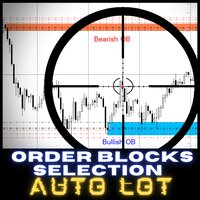
ONLY 4 COPIES FROM 10 TO $60 NEXT PRICE $95 Order Block Selection AUTOLOT is a great tool for all those traders who like to have control in their hands and especially to operate with high precision, thanks to our new control panel you will be able to select the candle where you want to choose the Bullicsh OB zone o Bearish OB
The objective of this Expert Advisor is that you can select Bullish Order Blocks (shopping area) or Bearish Order Block (sales areas) at any time, it will have 3 input pa

This scalper helper helps you manage your trader by placing AUTOMATIC stops and takes. When you enter a position and the market quickly turns against you, it's pretty boring isn't it? but with this helper your StopsLoss and TakeProfit will be AUTOMATIC, just configure how many pips you want and that's it. Besides, the helper has AUTOMATIC BreakEven, you just choose the amount of pips you want to place, and finally it contains a stop protector, whenever a candle closes in profit in your favor, it

This reliable, professional trade copier system is without a doubt one of the best on the market, it is able to copy trades at very fast speeds from one master account (sender) to one or multiple slave accounts (receivers). The system works very fast and mimics the master account a full 100%. So changing stop losses, take profits, pending orders on the master account is executed on the slave accounts too, like each other action. It is a 100% full copy (unlike many other copiers who only copy ma

" A successful trading means being able to master the art of timing, the art of execution and the art of protecting your capital in a very simple and faster way ". HermanGhost Manager is the most powerful tool that's actually designed to help you win in terms of executing different operations BUY,BUY STOP, BUY LIMIT, SELL,SELL STOP, SELL LIMIT, STOP LOSS, TAKE PROFIT, BREAKEVEN, TRAILING STOPS, all can be executed in seconds.
features : The intuitive interface One time configuration One click

(暗号通貨チャート)
指定した数のバーの数だけ履歴が表示され、インスタントデータが直接表示され始めます。
すべての時間枠で働く機会を提供します。
複数のシンボルを操作できます。
このアプリはバックグラウンドサービスです。
マーケットウォッチ画面に「F」で始まるすべてのシンボルの履歴をダウンロードし、ティックデータを表示します。
BinanceFuturesのリアルタイム取引データをMT5に自動的に転送します。
リンク内のスクリプトを実行して、プログラムを使用します。 https://www.mql5.com/en/market/product/68691
このプログラムはインストールが必要です。
https://www.mql5.com/tr/market/product/73887
[ツール]メニュー>> [オプション] >> [エキスパートアドバイザー]からWebRequestを許可し、URLを追加する必要があります:https://fapi.binance.com

EQUITY DRAWDOWN MONITOR This is a simple mt5 advisor that monitors the drawdon levels Features:
Easy to use Useful for money managers How to Use Load the EA once a single chart Type the maximum drawdown desired in inputs
Leave the EA alone and never close that chart The EA monitors all trades and magic numbers in your account.
Input Parameter Drawdown Percent: Maximum drawdown in percentage terms allowable in the account. When the drawdown level is surpassed, the EA will close all trades
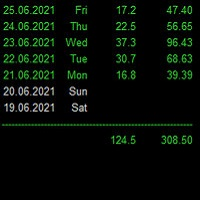
Statistics for each day
Индикатор показывает статистику - итоговую конечную прибыль/убыток по каждому отдельному торговому дню с учетом свопов и комиссий. Параметры : Dey - количество анализируемых дней; Weekday color - цвет будних дней; Weekend color - цвет выходных дней; Loss color - цвет убытка; font_size - размер шрифта; font_face - название шрифта; Для удобства просмотра статистики за большие временные периоды, при инициализации индикатор выгружает данные в Statistics.csv
Созданный файл иск

You can't stop the market, but now you can get out of it with a button! The market doesn't stop for anyone, it doesn't take a break and doesn't have pity on those who sleep. Closing your open trades manually can be time-consuming and take a precious part of your capital, that's why we've launched the Emergency Stop Button, a high-tech emergency button that closes all open trades with just one tap.
Smart shutdown technology Built with advanced coding, only with native MQL5 commands, avoiding im

This Expert Advisor will change how you manage your risk forever.
The EA automatically calculates your position size by either looking at your balance or equity. You need simply type in how much risk you want to have on that particular trade, move your TP line and SL line and it does the rest. Click buy or sell and it enters the position and places your TP/SL for you. It does the same thing for pending buy limits or sell stops. Feel confident knowing your risk before entering your trade! Most

(暗号通貨チャート)
指定した数のバーの数だけ履歴が表示され、インスタントデータが直接表示され始めます。
すべての時間枠で働く機会を提供します。
複数のシンボルを操作できます。
このアプリはバックグラウンドサービスです。
マーケットウォッチ画面に「S」で始まるすべてのシンボルの履歴をダウンロードし、ティックデータを表示します。
BinanceSpotのリアルタイム取引データをMT5に自動的に転送します。
リンク内のスクリプトを実行して、プログラムを使用します。 https://www.mql5.com/en/market/product/69000
このプログラムはインストールが必要です。
https://www.mql5.com/tr/market/product/73887
[ツール]メニュー>> [オプション] >> [エキスパートアドバイザー]からWebRequestを許可し、URLを追加する必要があります:https://api.binance.com https://fapi.binance.com

1日プロモーション価格:$ 49アクティベーション:30 10日間のプロモーション価格:59ドルのアクティベーション:20 前書き クイックビュー
一定期間の収益性をすばやく確認し、統計を表示します
過去のトランザクションをすばやくフィルタリングし、時間、マジックナンバー、通貨、コメントに基づいて統計を作成します
統計には、純利益、LotTotal、利益係数、ショートトレード(win%)、ロングトレード(win%)、平均利益トレードなどが含まれます。
統計データをリアルタイムで更新 計算時間は1秒未満です 特性 1. 2つの時間フィルタリングモード、日数によるフィルタリングと開始時間と終了時間によるフィルタリング
2.マジックナンバー、通貨、コメントに基づいて過去の取引をフィルタリングします
3.白と黒のテーマと互換性があります
4.更新の頻度を調整できます
例 Quick View ---------------------------------------------- 4000000335, Darwinex-Live,

前書き これは毎日の収益性の指標です
特性 統計は、通貨、マジックナンバー、およびメモに基づくことができます 統計は時間に基づくことができます すべての通貨、すべての期間で利用可能 白と黒のテーマがあります 逆ソート リフレッシュレートを調整できます 更新時間を最新に設定できます
パラメータ nD = 30; // 日数 StartTime = D '2021.06.01 00:00:00'; // 始まる時間 EndTime = D '2021.06.27 00:00:00'; // 終了時間 ToCurrent = true; // EndTimeを現在に更新 リバース = 真; // 逆行する MagicNumber = 0;
Signal AO is a simple informational utility. It gives a signal about crossing the zero mark by the Awesome Oscillator (AO) indicator.
Signals will be received depending on the chart on which the utility is located.
The settings are pretty simple:
SYGNAL TYPE: ALERT - The signal gives alert. SOUND - Voice notification. ALERT_AND_SOUND - Alert together with voice notification.
LANGUAGE: Select the language in which the Signal AO will communicate.

As add-on to our professional divergence indicators we also created superb divergence scanners. These scanners give an overview of the different timeframes of the selected instruments and can save your tons of time. You can instantly see which instrument has a divergence on which timeframe. So no need to run through the charts manually anymore searching for good setups, with this scanner you see the whole market and you know where to look for a good trade opportunity. Even when you are not in fr

As add-on to our professional divergence indicators we also created superb divergence scanners. These scanners give an overview of the different timeframes of the selected instruments and can save your tons of time. You can instantly see which instrument has a divergence on which timeframe. So no need to run through the charts manually anymore searching for good setups, with this scanner you see the whole market and you know where to look for a good trade opportunity. Even when you are not in fr

As add-on to our professional divergence indicators we also created superb divergence scanners. These scanners give an overview of the different timeframes of the selected instruments and can save your tons of time. You can instantly see which instrument has a divergence on which timeframe. So no need to run through the charts manually anymore searching for good setups, with this scanner you see the whole market and you know where to look for a good trade opportunity. Even when you are not in fr

As add-on to our professional divergence indicators we also created superb divergence scanners. These scanners give an overview of the different timeframes of the selected instruments and can save your tons of time. You can instantly see which instrument has a divergence on which timeframe. So no need to run through the charts manually anymore searching for good setups, with this scanner you see the whole market and you know where to look for a good trade opportunity. Even when you are not in fr

As add-on to our professional divergence indicators we also created superb divergence scanners. These scanners give an overview of the different timeframes of the selected instruments and can save your tons of time. You can instantly see which instrument has a divergence on which timeframe. So no need to run through the charts manually anymore searching for good setups, with this scanner you see the whole market and you know where to look for a good trade opportunity. Even when you are not in fr

これは視覚的な取引パネルであり、取引を簡単に配置および管理し、人為的エラーを回避し、取引活動を強化するのに役立ちます。使いやすい視覚的なインターフェースと、健全なリスクおよび位置管理アプローチを組み合わせています。 [ インストールガイド | 更新ガイド | トラブルシューティング | よくある質問 | すべての製品 ] 驚くほど使いやすい チャートから簡単に取引 正確なリスク管理との取引、手間のかからない 資本の保存が最優先事項です 気をつけずに利益を上げましょう できるだけ早くリスクのない取引をお楽しみください 開かれているすべての取引の自動トレーリングストップ 最初のストップロスは、取引が行われるとすぐに配置されます EAは、取引を行った後に次のタスクを実行します。 最初のストップロス/テイクプロフィットは自動的に配置されます できるだけ早くフリーライドにロックします(オプション) ストップロスを初めて損益分岐点に移動します(オプション) 停止するまで、希望の方法を使用してストップロスを追跡します その他のクールな機能は次のとおりです。 優れたターミナルアクティビティレポート

製品概要 本製品はMT5のユーティリティツールであり、裁量取引におけるエントリ操作、資金管理に強力な力を発揮します。 MT5によって提供される標準の取引パネルは非常にシンプルではあるものの、裁量取引で特に重要と考えられるいくつかの機能が不足しています。
本ツールは、不足する機能を補いつつも、過剰な機能実装にならないよう細心の注意を払いました。
Flexible Trading And Money Management MT5の利点 主に以下2つの利点が挙げられます。 シンプルで直感的な取引操作 本ツールを用いたエントリープロセスは非常にシンプルです。 リスク資金を任意で設定し、損切・利確レベルまたは指値・逆指値レベルを設定し、エントリボタンを押す、これだけです。 損切・利確や指値・逆指値のレベルはチャート上にラインを表示して直感的に操作することもできます。オープンポジションのクローズや指値・逆指値のキャンセルもパネル上からワンクリックで行うことができます。 もちろん、上記のすべてのステップを飛ばしてスピーディーに成り行きエントリすることも可能です。
柔軟な資金管理 指定したリス

製品概要 本製品はMT5用ツールであり、チャート画面から離れる時間を増やすこと、かつ同時に取引機会を逃さないようにする事を目的としています。 FXを始めたばかりのトレード初心者から長年の経験者までに共通する、トレードにおける最も重要な要素の一つが、良い取引が機会が来るまでしっかりと「待つ」ことであると言われています。
その一方で、最高の取引の機会が訪れたときにいつもチャートの前に座っていられるとは限りません。
同時に、チャート分析について考えた時、エントリーの機会を見つけるために我々が使用する主要なツールは、「水平線」、「トレンドライン」、「垂直線」、「フィボナッチ」です。 トレードで勝つために必要な条件やトレード環境を包括的に考えたとき、「取引の機会が来るまでしっかりと待つ」、「取引の機会を逃さないようにする」、「一般的に使用されているラインツールでそれらが実現できる」という、
これらの条件を1つのツールで実現することはできないかと考えました。その結果、MT5の「取引チャンスを待つこと」に焦点を当ててこのツールを開発することにしました。
また、チャート分析の時間をより節約する方
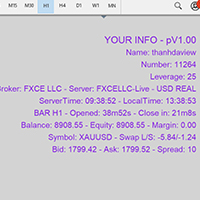
Show Account Information Custom showing your MT5 account information Indicators add account information to chart. Profit, Balance, Equity, Free Margin, Margin and Margin Level % Profit.... Hide account information: Click anywhere on account information text.
The hide/show response is dependent on incoming ticks or chart refresh. In tick scarce or closed markets the indicator hide/show click will appear not to function while waiting for a tick or chart refresh. It is only necessary to attac

Quando você abrir uma operação, mover o Stop Loss para o ponto de entrada (Break-Even) sempre que a operação andar favoravelmente 75 pontos, é uma obrigação! Isto significa que, quando sua operação atingir 75pts você moverá o Stop Loss para 10pts do ponto de entrada, desta forma, basicamente você vai colocar o Stop Loss em um preço 'melhor' que o preço de entrada (Break Even), ou seja, no lucro. Na pior das hipóteses, você sairá no “zero a zero”. A ideia é não deixar que uma operação parcialment
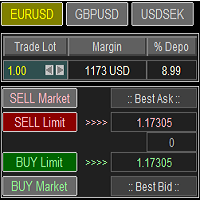
Trade Panel with Loss Breaking for MT5
Multi-instrumental trading panel with the function of transferring the stop loss of positions to loss breaking.
Has the following distinctive properties:
All trading parameters and panel operation are set in the settings. The traded position volume (lot size) is quickly changed. The required margin and the percentage of the required margin of the current deposit for the specified lot size are displayed. Shows profit when take profit is triggered and losses

This script is for changing all open tabs/charts at once on MetaTrader 5 using the drop-down box once the script has been initialized. It has all the standard timeframes available to be selected for MetaTrader 5. This is an individual script for all timeframes. You will need to select the timeframe you want all charts to go. Please watch the video for the installation instructions.
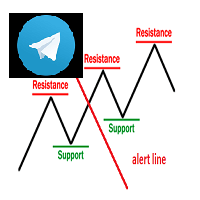
Keylevel and trendline Telegram reminder Having this EA, you do not need to standby on the screen to wait for price touch key level, trend line, or at 50 – 61.8 of Fibonacci retracement. All is automatic and it will notify you when need to take a look at the chart. EA will send you a screenshot through Telegram of the chart at the time of notification. This product can be used for every market, every instrument. The system auto draws and alerts when the price at a key level and at a Fibonacci r
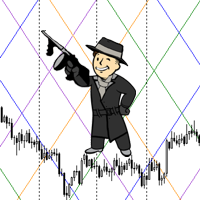
The script statistically reveals the main rate of movement (Gan angle) for the selected instrument. Using mathematical methods, it determines the speed of following the candles of the current timeframe against the background of the older one. Just place AutoGan on the graph and it will perform the required calculations and correctly draw the Gan grid.
The script is very easy to use, only the colors of the grid lines are set in the parameters.
Parameters:
GRID_COLORING : How many colors to us

Open Multiple Trades on MT5 in 1 click at one price. Enter the Symbol you want to trade Enter the Lot size Specify the number of trades you want to open Choose from a dropdown list whether you want to buy, sell, sell limit, sell stop, buy limit, buy stop If they are pending orders, state the number of pips away from the current price that you want to set the trades. Once you are done, click Ok and see the script open your trades in an instant What to Always Note Check the minimum stop levels f

Close all your trades or some of them with this script. If you have multiple trades open on a symbol and you want to close all of them just drag the script onto the chart and close the trades without delay. The Script will ask you how many trades you want to remain open... In case you want to close all trades just click OK Say you want to leave 1 position open out of 7, just type in 1 and click ok. Script closes trades faster than EA because it does not wait for the market to move but rather

PROMOTION!! $499 until 1 Mar. After that, EA will be $1,050 Developed and tested for over 3 years, this is one of the safest EAs on the planet for trading the New York Open. Trading could never be easier. Trade On NASDAQ US30 (Dow Jones Industrial Average) S&P 500 What Does The EA do? The EA will open a Buy Stop Order and a Sell Stop Order(With SL and TP) on either side of the market just a few seconds before the NY Open. As soon as 1 of the 2 trades is triggered, the EA automatically delete
Script that generates a report of possible ATM Straddle operations. It works for any asset on the spot market that has authorized stock options series on the B3 (Brazilian stock exchange).
Straddle operations presented in the report: Short Straddle operations Uncovered Short Straddle Covered Call Short Straddle Diagonal Covered Call Short Straddle (expiration of the covered call after the expiration of the short options) Iron Butterfly Iron Butterfly "Pozinho" Diagonal Iron Butterfly (diagonal
Script that generates a report of possible Calendar options structures .
It works for any asset on the spot market that has authorized series of options on the B3 (Brazilian stock exchange).
The report presents the alternatives for assembling calendars structures, for a defined range of strikes, with the long option expiring in a certain number of months.
The main structures of the report are:
Calendar Calendar Line Covered Calendar Line In addition, the report presents alternatives to cove

[ Googleによる翻訳] Trader Trainerは、一連の構成可能なルールに応じて操作を監視できるロボットです。 構成可能なルールは次のとおりです。 仮想初期資本 これにより、トレーニングを開始するための資本の額を定義できます。正しく操作するためにトレーニングが実行されるデモアカウントの資本と一致する必要があります。 利益目標 テストに合格するには、少なくとも設定された利益目標を達成する必要があります。 トレーリングドローダウン あなたのバランスがこの損失に達することは決してありません、さもなければあなたはトレーニングに合格しません。利益を積み上げると、トレーニングを開始した値に達するまで、残高が到達できるレベルがリアルタイムで上昇します。 毎日の損失 毎日の損失として設定された金額を超えて失うことはできません。 毎週の損失 毎週の損失として設定された金額を超えて失うことはできません。 動作する最小日数 少なくとも構成された日数が動作する必要があります。 1日を計上するには、少なくとも1つの操作を開いたり閉じたりする必要があります。 一貫性 1日で許可される

Small tool that shows the number of current trades and pending trades.
An alarm threshold can also be activated and the user is informed if it is exceeded. This prevents the broker's limit for open trades from being exceeded. For example at IC Markets the limit is 200 trades at the same time. If you are not informed when this threshold is reached, the broker will no longer open new trades, which can lead to heavy losses. Must be applied to a chart.

Assistente para gerenciamento de ordens. Recursos: -> Definição de TP e SL -> Trailing Stop -> Breakeven -> Realização Parcial, manual ou automática -> Operação através de atalhos do teclado -> 3 setups possíveis, com acionamento através de atalho do teclado, permitindo níveis diferentes de TP, SL e Trailing Stop -> Definição automática ou manual do Lote -> Gerenciamento de Risco personalizável -> Contador regressivo para final do candle -> Informações sobre Resultado (em pontos), tanto no candl

Capture Spikes and hold for a long time. Let the Trailing stop follow the Price into profit. Not for Both Boom and Crash, Just for Boom Only. Once it spots a Setup, the EA will enter and you do not need to worry much about drawdown, this EA was tested on a $100 account and maximum drawdown was 9%, with the maximum consecutive losses recorded of $36. Those who ever bought from me know that I provide support promptly if you want to set up or need a Customized approach. Please note that the EA

This is a utility that helps you close market orders and pending orders (optional), using keyboard shortcuts. For me, it's more convenient and faster than clicking a button on the chart. You can set: Keyboard Shortcut Hotkey: You can change and use most of the keys on the keyboard.
Key combination (Ctrl, Shift) also available in case you want to use
(Note that not all combinations work). Magic Number Symbol: All Symbol, or Current Chart Symbol, or Select Symbol List Close Pending orde
The EA opens and closes new orders on time. It can be used to implement trading scenarios of any complexity by creating a list of tasks. There are two options for completing the task The task is executed on the specified date and time - it is executed once and is removed from the list. The task is executed with repetition on the specified day of the week and time - the task with repetitions is not removed from the list. Panel settings Symbol - select the symbol for the trade function. Time -
Automatic calculation and marking of resistance and price reversal levels. The script will perform statistical calculations and plot a regular grid on which the quote moves on the graph. These levels are very stable. Use them in trading planning and for placing pending orders.
Just select a timeframe and AutoLevels will indicate the important places of the chart in the form of horizontal lines.
Solid lines indicate more "dense" areas - areas of price reversal, where the quote happens more oft
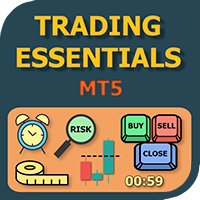
The small control panel which includes an essential set of tools for major trading styles.
Key advantages: The most important tools for trading in one small app. Do not block your graph with large panels. Trading Essentials (TE) uses minimal design, can be dragged and shows important trading parameters. Quickly change trading parameters by using mouse wheel, keyboard, or +/- buttons on the panel. Did you know that, using 3:1 profit/loss ratio in order to breakeven, you have to be only 25% rig
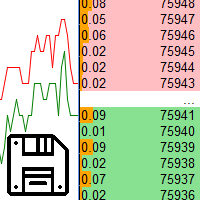
Saving data from the order book. Data replay utility: https://www.mql5.com/en/market/product/71640 Library for use in the strategy tester: https://www.mql5.com/en/market/product/81409
Perhaps, then a library will appear for using the saved data in the strategy tester, depending on the interest in this development. Now there are developments of this kind using shared memory, when only one copy of the data is in RAM. This not only solves the memory issue, but gives faster initialization on each

DLT (Display Local Time) is an INDICATOR which displays local time using GMT timezone that can be easily switched. Support non standard timezones eg. -3:30, +4:45 Useful when you trade in your local market hours, or to evaluate candles in different time zone. This version is for MT5 terminal. For MT4 version click here: https://www.mql5.com/en/market/product/71187 Massive updates on version 3.0:
Choose to show current local time with optional date/GMT on chart's corner you want. Set your o
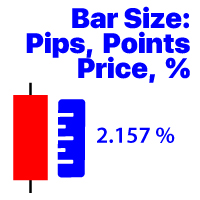
選択した時間枠の最後に閉じたバーの変更を表示します 価格価値; パーセンテージ値(%); ピップス; マーケットポイント; 私の#1アシスタント : 66+機能が含まれています| ご質問がある場合は私に連絡してください プログラムファイルは" Indicators "ディレクトリに配置する必要があります。
インジケータの設定では、次の設定を行うことができます: フォントサイズ; テキストの色; チャート上の配置:左下または右下隅; お使いのコンピュータの現在の時刻の表示をオン/オフにします; 計算のための時間枠(あなたは現在を設定することができます:TFが変更されると値が変更されます); 計算タイプ:
1=価格値;
2=パーセンテージ値(%);
3=ピップ単位のサイズ;
4=ポイント単位のサイズ; 値の計算方法:
true:高-低の値が使用されます;
false:Open-Close値が使用されます;

Pyramid Order Manager is a utility based on the work of two indicators SM ZigZag and SM trend cloud .
With the help of this utility, the trader has the opportunity to set instant or pending orders on the chart in a short time with his lot, take profit and stop loss, as well as the number of orders in the grid, the coefficients of the lot and step change. The utility has two built-in indicators, listed above, with the ability to disable them.
A distinctive feature of this utility is the possib

Account Info Manager(AIM) は、トレーディングアカウントのアドバイザーの作業結果に関する情報を表示するように設計されたユーティリティです。 ユーティリティは、マジックやコメントで注文をグループ化できるため、アカウントで取引された各エキスパートアドバイザーの作業結果を個別に分析できます。 このユーティリティを使用すると、アドバイザーが開いた注文数、勝ち注文の割合、利益値、利益率、平均注文サイズ、最大ドローダウン値(ドローダウンは残高によって決定されます)、最良および最悪の注文などに関する情報を表示できます。 。また、通貨ペアごとに個別にアドバイザーの作業の結果を確認することもできます。 すべての情報は.csvファイルに保存でき、Excelで開いてさらに処理することができます。
注意! ユーティリティはストラテジーテスターでは機能しません。 ユーティリティを使用する前に、チュートリアルビデオをご覧になることをお勧めします。

TradeByTime Manager is a tool to trade based on time. It is semi auto trading. Trader define entry and exit time and EA will manage the rest. Helpful for trader who is usually trading with time range such as trading signal with entry and exit based on time or trading with news event time. Or trader who is familiar with trading binary option, this is another 'sense' of it. Only this is for trading on regular chart. 1. TakeProfit and Stoploss 2. Double time based : Local and Server 3. Time counte

This Expert Advisor is applicable to plot wave charts as per the NeoWave method (Neely Extension of Wave Theory). NeoWave is a scientific, objective and revolutionary style of Elliott Wave Theory that was invented by Glenn Neely in 1990 in the “Mastering Elliott Wave” book. To start analyzing with this method, we need a particular chart called the Wave Chart or Cash Data chart . This is the first step for a good wave analysis. To draw this chart, Highs and Lows should be plotted in the order t

Trade Dragon Pro An expert trade utility perfect for intraday, mid-term and long-term trading. Trade Dragon Pro generates stop-loss and take-profit levels for you based on the previous Tokyo-Sydney session.
In-built risk management Configurable number of entries On-the-fly risk and SL and TP adjustment (TP is based on SL) In-built trade manager for auto break-evens and trailing stop losses Per-day support and resistance levels Pending levels menu 3 MA trend signal Trade projection to show you
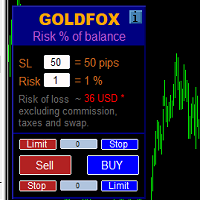
ストップロス(ピップ単位)と口座残高からのリスクのパーセンテージを考慮した取引ロットの自動計算。 Expert Advisorパネルは、左上のチャートにあります。アドバイザのパネルで、ピップ単位のストップロスのサイズとバランスからのリスクのパーセンテージを選択できます。保留中の注文の現在の価格からの偏差をピップで設定できます。赤い色は、ストップロスがトリガーされたときに失う可能性のある預金通貨の金額を示します。この金額には、手数料、スワップ、税金は含まれていません。
主要な外国為替通貨ペア、XAUUSD(ゴールド)、BTCUSD、ETHUSDには、このアドバイザーを使用することをお勧めします。他の機器については、計算の特殊性を考慮すると、エラーが発生する可能性があります。ほとんどの外国為替商品では、ドットの後に5桁のアカウントをお勧めします。
説明
-損失のリスク。預金通貨のリスク額は、アドバイザーの情報パネルに赤で表示されます。この値は、商品の証拠金がこのリスクに対して十分であり、SLフィールドでピップサイズを正しく指定している場合、未決済注文(または保留中
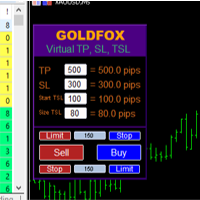
Forex Expert Advisor(ユーティリティ)「仮想ストップロス、トレーリングストップ」を使用すると、仮想(非表示)ストップロスとトレーリングストップを設定できます。 同時に、標準のストップロス注文やトレーリングストップ注文は使用しません。 したがって、アドバイザーが取引を開始するとき、ブローカーとメタトレーダーターミナルはストップロスやトレーリングストップを確認したり設定したりしませんが、アドバイザーは指定した TP SL TSL のパラメーターを制御し、チャート上に対応するラインを描画します。 ...商品の価格がこれらのレベルのいずれかに達すると、取引は終了します。 Meta Trader とブローカーのサーバーの間に接続がない場合、またはアカウントのリモート ホスティング サービスがない場合、アドバイザーはその機能を実行できないため、取引は仮想ストップによって保護されないことに注意してください。 多くのトレーダーは取引に仮想ストップ機能を必要とし、それを探しています。 説明 - 多く。 アドバイザーのメニューに表示されます。 デフォルトは 0.01 です。
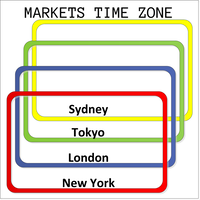
This product displays open and close time zones for four major markets New York, London, Sydney and Tokyo. It spares you the effort to manually check for market hours by conveniently displaying colored zones for different market hours. For serious traders it is essential to understand your preferred currency pair behavior with respect to major markets open and close times. This EA comes in handy when you want to integrate market hours with your other analysis tools all in one visual display. -Th
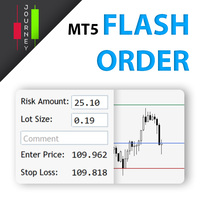
Trading has never been easier! Let's check this out! MT4 version: https://www.mql5.com/en/market/product/72118 The story: How I boost up my trading speed without any "Invalid SL or TP" error
NOW ALL YOU NEED TO DO IS Drag the lines Press Open Order button Enjoy! With this tool, you will no longer have to enter prices manually, which can cause many mistakes and you could miss the trade! From the board, we have: Risk Amount : the risk you want to apply for your trade Risk Unit : USD : If sele
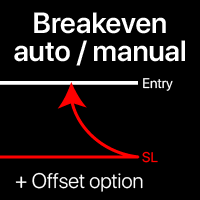
損益分岐点レベル:手動と自動 この ユーティリティを 使用 すると、 わずか 1クリック で トレード を 損益分岐点 に 移動 でき ます: 短期 トレーディング で 特に 重要 です。 また、 トレード が 所望 の 利益 に 達した とき に 自動 SL移動 を 設定 する こと も でき ます。 オフセットオプションも利用可能です。 多機能ユーティリティ :66以上の機能、BEレベルの拡張操作を含む | 質問がある場合は連絡してください | MT4バージョン このツールは2つのサブセクションで構成されています: 1. [SLをBEに今すぐ移動]: 指定したトレードのSLを手動で損益分岐点に移動します。 2. [自動BE]: トレードが利益になったときに自動損益分岐点機能を実行します。
手動モード [SLをBEに今すぐ移動]: 1. 特定の [シンボル] を指定するか、 [すべて] のシンボルを選択します。 2. 損益分岐点を適用する トレードタイプ を選択します: [すべて]:すべてのアクティブなトレード用; [買い]:買いトレードのみ; [売り]:売りト

Auto SL and TP is a program that adds StopLoss and TakeProfit automatically, so you don't need to worry about it anymore. The program checks at any time if StopLoss and TakeProfit are set correctly!!! You can enter your values via the input parameter.
Input-Settings StopLoss: Boolean value, if set to true, will be executed. StopLoss in Points TakeProfit: Boolean value, if set to true, will be executed. TakeProfit in Points
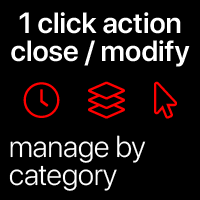
クイックアクション:1クリックで全てのトレードを閉じるまたは変更する この ユーティリティを 使用 すると、 選択 した カテゴリ の 全て の トレード に 必要な アクション を 素早く 適用 できます。 特に 短期 トレーダー に 便利 で、 素早く 行動 する 必要 が ある 場合 に 役立ちます。 多機能ユーティリティ : 66+ 機能、このツールを含む | 質問がある場合は連絡してください | MT4バージョン 1. [ALL] Symbols を選択するか、管理する 特定の [Symbol] を指定します 。 また、 異なるシンボルのグループを同時に管理 することもできます。例えば: ' GBP ' と入力すると、 GBP /USD、EUR/ GBP および ' GBP ' を含む他のシンボルを同時に管理できます。 2. 以下では、 6つの異なるタイプ にグループ化された アクティブなトレード を閉じることができます。 青いスイッチ を使用して、アクティブなトレードのどの部分を閉じるかを選択できます: [Close full] : アクティブなト
Auto set stop loss and take profit and trailing on any open position on chart , Wen you open positions manually it will manage the trade and set the stop loss/take profit and trailing stop based on Average true range calculation with risk reward factor default 1:3 . also you can use normal stop loss take profit and trailing . Inputs Stop Loss (in pips) Take Profit (in pips) Trailing Stop (in pips) Trailing Step (in pips) Use ATR = true ATR period Risk Reward
chart output f
このスクリーナーを使用すると、選択した期間(時間枠)内に通常よりも買われ過ぎ(成長率)または売られ過ぎ(減少率)の資産を特定できます。 市場は法律によって支配されており、より安く購入し、より高価に販売しますが、自動スキャナーがないと、たとえば今週内に、通常よりも買われ過ぎまたは売られ過ぎの通貨/株を特定することは非常に困難です。現在の時間、または月。 数十または数百の機器が存在する可能性があり、すべてを手動で分析する時間がないことが物理的に可能な場合もあります。これらの問題は、Screenerを使用して簡単に解決できます。 スクリーナーができること スキャナーはどのTFでも使用できます スキャナーは、通貨、株式、暗号通貨、商品、インデックス、およびその他の機器で動作します 資産を特定するロジックは、市場の基本法則に基づいているため、普遍的です。 スクリーナーの助けを借りて、あなたはさまざまな戦略に従って作業することができます、最も一般的なものの1つはポンプとダンプです 各商品の平均値を明らかにする-SoftimoTradeScreenerは、選択したTFの資産の買われ過ぎと売られ過ぎ

Ferramenta derivada do DR Assistant, a versão Lite conta com recursos semelhantes, mas sendo mais específica em sua aplicação, destina-se exclusivamente ao uso para gestão de ordens abertas a partir de suas funções. Deste modo, quaisquer outras negociações ou posições abertas por outras ferramentas ou manuais serão ignoradas pelo Assitant Lite. Os parâmetros e configurações disponíveis, bem como suas principais funções são: - Take Profit e Stop Loss: duas opções de Steps, em pontos, para ambas a

Open Risk Profit shows your current risk or possible profit of all open positions. Total open risk is your loss if all positions run into the stop loss.
Total open profit is your profit if all positions reach your take profit.
Total float is your current profit or loss of all positions. The program also breaks down the information into the individual symbols. For example, you can monitor how much is your current profit and your potential risk in EURUSD, no matter how many individual positions
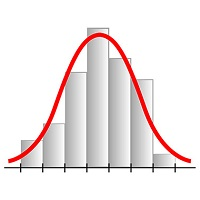
This expert advisor works on price volatility, it scans the market every single tick trying to find great opportunities for day trading. it has alarms, analisys and much more to provide great trades for you, give it a try.
It is a cross-over alarm which bips when standard deviation goes from low to very high so that you can surf the movement. It is all about volatility and high flow.

手動トレードパネルEAMT5 は、MT5で見つけることができる最も簡単で使いやすいトレードパネルです。追加のウィンドウやパネルを開く必要なしに、すべてのオプションと機能が1つのサーフェスにあります。これは、注文管理、リスク計算、部分閉鎖、アカウント保護ユーティリティのすべてを1つにまとめた、非常に便利なインターフェースです。
Manual Trade Panel EA MT5 を使用することで、従来の手動取引方法よりも何倍も速く正確に取引することができ、取引の決定に集中するためのより多くの時間と明確な心を得ることができます。
アカウントの保存は私たちの最優先事項であるため、 手動取引パネルEA MT5 は、アカウントが利益を得るか停止した後、すべての未決済の取引を閉じ、すべての保留中の注文を削除し、EAが添付されているすべてのターミナルチャートを閉じることができる優れたアカウント保護ユーティリティでもあります損失の公平性に達しました。これは、利益条件で非常に便利であり、エクイティが希望のストップロスレベルを下回ったときに、取引口座をさらなる損失から救うことができます。 ヒント:

This script is designed to download a long history of cryptocurrency quotes from the Binance exchange. You will find it perfectly suitable if you want once to download the history of cryptocurrencies for charts analyzing, collecting statistics or testing trading robots in the MetaTrader 5 strategy tester, or if you need to update the history not very frequently (for example, once a day or once a week). After running the script, you will have fully featured (but not automatically updated) cryptoc

1. What is this. This is a very rigorous indicator to show different market trading sessions. It shows the main markets: NewYork, London, Frankfurt, Sydney, Wellington, Tokyo. Very important: Different markets have different start and end dates for daylight saving time, and the trading session of a market can vary depending on daylight saving time and winter time. Also, the daylight saving time system is different for countries in the northern hemisphere and southern

1. What is this. This is a very rigorous indicator to show different market trading sessions. It shows the main markets: NewYork, London, Frankfurt, Sydney, Wellington, Tokyo. Very important: Different markets have different start and end dates for daylight saving time, and the trading session of a market can vary depending on daylight saving time and winter time. Also, the daylight saving time system is different for countries in the northern hemisphere and southern hemisphe

Binance Future用のMt5ボット(エキスパート)
システムはBinanceFuture市場で稼働しています。
独自のコードに簡単に統合して、操作を自動化できます。
手動操作パネルが利用可能です。
ヘッジmod互換。
すべての操作は画面から手動で行うことができます。
これは、同時に多くの暗号通貨を制御するための最も効果的な方法です。
画面はバイナンス画面のテンプレートタイプです。 リンクからテンプレートファイルをダウンロードできます。
https://drive.google.com/file/d/1WHqGhym0QIK31l7kwfit9_tXb7YbqSuT/view?usp=sharing
このプログラムはインストールが必要です。
https://www.mql5.com/tr/market/product/68694
https://www.mql5.com/tr/market/product/73887
パラメーター
APIキー=バイナンスAPIキー
シークレットキー=バイナンスシークレットキー
* [ツール]メニュー>>
MetaTraderマーケットは自動売買ロボットとテクニカル指標を販売するための最もいい場所です。
魅力的なデザインと説明を備えたMetaTraderプラットフォーム用アプリを開発するだけでいいのです。マーケットでプロダクトをパブリッシュして何百万ものMetaTraderユーザーに提供する方法をご覧ください。

取引の機会を逃しています。
- 無料取引アプリ
- 8千を超えるシグナルをコピー
- 金融ニュースで金融マーケットを探索