 MetaTrader 5
 エキスパート
 インディケータ
 ライブラリ
ライブラリ
 ユーティリティ
 ウィジェット
 ルール
ルール
YouTubeにあるマーケットチュートリアルビデオをご覧ください
ロボットや指標を購入する
仮想ホスティングで
EAを実行
EAを実行
ロボットや指標を購入前にテストする
マーケットで収入を得る
販売のためにプロダクトをプレゼンテーションする方法
MetaTrader 5用取引ユーティリティ - 48
 以下はMetaTrader5での取引を簡素化する取引プログラムです。ユーティリティにカーソルを合わせると、その説明と目的が表示されます。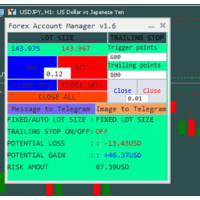
The "Lot Size" button toggles between fixed and auto lot size modes. Fixed mode uses a predetermined lot size, while auto mode calculates lot size based on a customizable percentage of the account balance, displayed at the bottom. The "Trailing Stop" button enables the activation or deactivation of the trailing stop feature. Initially set to "No Trailing," clicking the button changes it to "Trailing ON" when the trailing stop is active, and "Trailing OFF" when it is inactive. Below the button,

基于Goodtrade/GoodX 券商推出的黄金双仓对冲套利的交易模型/策略/系统,在日常的操作遇到的问题: 1、B账户跟随A账户即刻下单。 2:A账户 下单后 B账户 自动抄写止损止盈。 3:A账户平仓B账户同时平仓。 4:B账户平仓A账户也平仓。 5:不利点差下拒绝下单。 6:增加有利点值因子。 通过解决以上问题,改变了熬夜、手工出错、长期盯盘、紧张、恐慌、担心、睡眠不足、饮食不规律、精力不足等问题 目前解决这些问题后,有效提升了工作效率和盈利比例,由原来月10%盈利率提升到月45%的最佳盈利率。 原来的一名交易员只能管理操作两组账户,通过此EA提高到操作管理高达16组交易账户,或许你可以超越我们的记录,期待你的经验交流。 此EA分为: GoodtradeGoodX Tradercropy A GoodtradeGoodX Tradercropy B 是一个组合EA,假设您购买的额 GoodtradeGoodX Tradercropy A 必须同时购买 GoodtradeGoodX Tradercropy B 两个组合使用会到最佳效果。
Close it All is the EA that most of traders want because it help them did not miss their profit or protect them from the loss. Why you need the Close It All ? the EA work to close all open positions and the pending orders in the account when its reached to specified profit or loss. Input Parameters : ProfitInMoney : the number of profit in USD. LossInMoney : the number of loss in USD.
the upcoming versions including more helpful tools.

Trading ICT's OTE Concept is simplified with the ICT Optimal Trade Entry Tool. This semi-automatic EA/utility allows trading with manually defined Fibonacci retracement levels. Simply anchor the Fibonacci between swing highs and lows, select your desired entry level in the graphical panel, and the tool automatically opens positions based on your predefined direction. No more waiting in front of charts for price action to reach your entry levels; set the Fibonacci, enable your chosen entry level,

All in one Multipurpose Telegram Trade Management , Manage and Copy Trades on the go From Telegram Pro Version MT4: www.mql5.com/en/market/product/85691
Execute Trades on mobile with fast execution When away from desktop MT5, or scalping the market with mobile device, or needed to copy trades from telegram groups while away, or doing some other activities, Telegram EA Manager is an effective tool to perform any trade operation with swift execution. In other words, Our Telegram Trade Manag
This EA will set breakeven or breakeven-plus for your trades, whether you have manually or automatically set stop loss or not. If your broker charges commissions per trade, you need to set breakeven plus, not just breakeven, in order to cover up those charges and properly let your trades run at zero risk. Inputs:
In the inputs section , set BEPoffsetPips to 0, to use it as a "breakeven" EA. Or set BEPoffsetPips to any amount of pips you want, to use it as a "breakeven-plus" EA. "OnProf

Introducing the "Auto Timed Close Operations", a useful utility for MetaTrader 5 traders! This utility has been developed to help traders of all levels automatically close their open positions at the exact moment they desire. With the "Auto Timed Close Operations", you gain the required control over your trades and can avoid unwanted surprises at the end of the day or at any other predefined time. We know how important it is to protect your profits and limit your losses, and that's exactly what

このツールは、ポジションにストップを配置します
Metatrade Strategy Tester ですばやくテストします。 ロング ポジションの場合、ストップは最後の底になります。 または、ショート ポジションの場合、ストップは最後のトップになります。
さらに、このツールはオープン ポジションのトレーリングを管理します。 常に最後に形成された高値または最後に形成された底にストップを置きます
上値と下値を作成するには、このリンクからダウンロードできる無料のインジケーター「サポートとレジスタンス ライン」を使用します: メタトレード 5 の無料の上下インジケーターをダウンロード
このツールは、挿入された資産のすべてのオープン ポジションのストップを移動します。

IMPORTANT: Blocks&Levels Alerts MT5 indicador.
Gives you the ability to easy draw Blocks and Levels (support and resistance) using key shortcuts and Alerts when price touch them. Please use it and give me feedback!! It really helps! Thank you very much! DESCRIPTION:
Blocks&Levels Indicator, has useful key shortcuts for draw Levels, Blocks Zones, change chart Time Frames, Select or Deselect all drew objects. SETUP: Just install the Indicator on the Chart
Open and navigate Indicator properties

Copy trades with ease using the MetaTrader5 trade copier - the quickest and easiest way to copy transactions between different MetaTrader 5 accounts! This innovative tool allows you to locally copy trades in any direction and quantity, giving you full control over your investments. Designed to work on both Windows PC and Windows VPS, this program is versatile and adaptable to your trading preferences. Whether you prefer to work from your desktop or a virtual private server, the MetaTrader5 trade
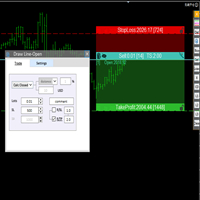
交易者的最佳伙伴! 基本使用设置 基本: 支持语言的选择切换(目前支持中文和英文) 自动识别语言 划线交易
支持英文中文自动选择,自动识别.
1.划线交易 ( 支持拖拉,支持多个订单线 ) 2.手数管理: 两种手数计算模式 ①资金的风险比例,例如设置风险百分比为1的时候,1万美金可交易1手. 计算手数 = 资金(净值或者余额或者剩余保证金) * RISK /10000 ②按亏损金额计算,本设置需要配合止损设置, 计算手数 = ( 当订单被初始下单设置的止损所止损的时候所亏损金额 计算得到的手数,小于最低手数会等于最小手数) ; 3.盈亏比等设置,
设置部分 1. 自动吸附最近高低点 2.高低点偏移 3.自动选择订单习惯 4.SL TP设置方式 5.语言设置

Bot to attach to any different chart than the one using to get the orders and send them to telegram Inputs: Telegram Bot Token, Telegram Chat ID Sends Open Price, Order Type, Lots, Take Profit and Stop Loss instantly after the trade is executed. Easy to SetUp and to use My other Bot for XAUUSD and USDCHF: https://www.mql5.com/en/market/product/94001 Just remember to go to Tolls->Options->ExpertAdvisors->Allow Web Request for listed URL: https://api.telegram.org/

Here is a powerful trading tool that will allow you to trade manually or automatically in any market, but is especially useful in markets with high volatility and liquidity.
This system has two EAs (Expert Advisors): one for Buy and one for Sell, which work independently. The operation is based on the hedging strategy and the increase in lots based on the Fibonacci sequence, which will allow you to always add the two previous lots: 1, 2, 3, 5, 8, 13...
You decide how you want to trade: you ca

Demo version T Position Size Calculator doesn't work in the strategy tester. The Strategy Tester does not support the processing of ChartEvent. It does not support most of the panel's functionality. Contact me for any questions or ideas for improvement or in case of a bug found. Control and manage your trading like a professional trader with T Position Size Calculator. T Position Size Calculator – an MT5 Expert Adviser, is a user-friendly custom tools (Dialog Panel and Three Lines, Order Line

PropAngel EA is a manager EA to help you to pass proprietary firm challenges and evaluations and to keep your funded accounts. PropAngel EA makes sure you do not breach daily drawdown limit which gives you change to continue trading the account and recover from the drawdown. PropAngel EA makes sure that at the moment you have reached your challenge, evaluation or scaling target all trading will be immediately stopped. This is done to prevent account falling away from the target. PropAngel EA giv

TrendFollowing is an multi-currency scanner that just indicates where to buy/sell: Abilities: Opens up the chart automatically with and arrow indicating where to take action. Send the signal to a telegram channel, see @fx_signal_com channel to get the idea. Configuration: Configure "Market Watch" with all the symbol you like to trade. Open a chart and attach the scanner to it. Trading Rules: Use only buystop/sellstop orders above/below arrow on the chart Delete the pending order if price retrac

Demo version T Trading Simulator doesn't work in the strategy tester. The Strategy Tester does not support the processing of ChartEvent. It does not support most of the panel's functionality. Contact me for any questions or ideas for improvement or in case of a bug found. Hi everyone, Trobotrader here. By T Trading Simulator , You can go back to past then analysis and trade with this simulator to develop trading skill. We are going to walk through step-by-step how you can use T Trading Simul

1. What is this Many of the EA's on the market have cheats inside to optimize its money curve, which results in the buyer wasting money and effort and buying a junk EA . This tool is an effective tool for detecting whether an EA is cheating by allowing the data to be panned to the left for 28 years. 2. How to use a. Load it and it will generate a new symbol, usually it will be named with a suffix. For example, EURUSD --> EURUSD_28year. b. If your want to test one EA, you should open The time fr

This utility is a stop loss assistant simply make a trade as you desire, ether a buy or a sell. Manually set your own stop loss as you desire the higher the timeline the lower the stop loss.
When the Algorithm Trading or Auto Trading is enabled the stop loss will follow the market price. Stop/disable the Algorithm Trading or Auto Trading.
This is a simple stop loss tailing utility use at own risk or pleasure.

[ MT4 Version ] [ Telegram Version ] [ Pro: Telegram + Discord ] Post your trades to Discord automatically via webhook — no bot setup, no permissions: paste ONE URL and you are live in 60 seconds . And keep every signal UPDATED: the original message is edited when you modify SL/TP or close the trade. Built for signal providers, trading communities and prop-firm teams living on Discord. WHY THIS ONE WEBHOOK-BASED — no bot to create, no tokens, no permissions. Disc

[ MT4 Version ] [ Discord Version ] [ Pro: Telegram + Discord ] Post your trades to Telegram automatically — and keep every signal UPDATED: this is the only sender that EDITS the original message when you modify SL/TP or close the trade. Your followers always see the real state of every trade, and your channel stays clean and professional. Built for signal providers, VIP channel owners and traders who share their trading. WHY THIS ONE ️ EDITS THE ORIGINAL SIGNAL

El EA Boton pone botones de Buy y Sell en la pantalla Ideal para usuarios que habren muchas ordenes y diferentes pares
9 botones buy desde 0.01 al 0.09 y 9 botones sell de 0.01 al 0.09 9 botones buy desde 0.1 al 0.9 y 9 botones sell de 0.1 al 0.9 Boton Close buy y sell Boton Close buy positivos y Boton Sell positivos Boton Close buy negativos y Boton Sell negativos un boton close all y botones buy de 1, 5 y 10 y botones de sell 1,5, 10

The application works as a service. It sends the report to the e-mail address you enter in your Meta Trade program.
Prepares H1 analysis reports every hour.
Prepares and sends D1 analysis reports after 00:00 at night.
Meta Trader analyzes all symbols loaded from the watch screen.
Below is a report for H1. I have added 2-3 symbols in the market watch as an example.
You have an assistant who does these analyzes for you every hour and sends you an e-mail. All the analysis is now done for yo
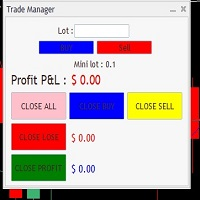
It Will Close Your All Trade in Half of second no matter you open 100 plus trade open it will close all trade half of second .
it good work for 1 -5 min scalping this Ea have many function see the pic i uploaded there .
ea that have function close all trade , close all lossing trade , close all profit trade . also have lot system where you can put your expected lot and buy sell button and it can close 100 trade in 1 second
チャートの任意の場所でマルチシンボルをダブルクリックして、価格アラートを設定し、ターミナルアラートまたはプッシュ通知から通知を受け取ります
1. EA ユーティリティをチャートに追加する
2. <- 左または -> 右矢印キーでチャートをブラウズ
3. チャートの任意の場所をダブルクリックすると、線が追加されます。この線をドラッグして希望の価格を設定すると、アラートが設定されます! 価格がラインに到達すると、ユーティリティの設定に従って端末またはプッシュ通知で通知されます。 ターミナルを再起動しても、このアラートは機能し続けます。
4. マルチシンボルを閲覧し続け、アラートで通知したい多くのチャートに線を追加し続けます.
5. 最初からやり直したい場合は、D を押して、設定したすべてのアラートを削除します。
6. 水平線を削除すると、アラートが無効になります。

Индикатора группирует исторические и актуальные данные по наименованиям инструментов. Индикатор работает с любыми инструментами. Сортировка по наименованию инструмента и прибыли, убытку. Движение средств (ввод / вывод), прибыльность за последние две недели. Информация сведена в таблицы с возможностью настройки формата таблиц. В одном окне информация по всем инструментам с которыми вы когда - либо работ работали.

Because of the variety of strategies that traders and investors have developed over time, quantified, statistics-based strategies over time stand out. Statistical strategies are not based on technical analysis or similar patterns, as some might expect, but on the approach of using recurring patterns in the market, caused, for example, by liquidity effects, on the basis of a period-based entry and exit.
The Quantifier Expert Advisor therefore offers the possibility to implement exactly these sa

The E.A listens for keyboard events and performs specific actions based on the keys that are pressed. When the "C" key is pressed, the script iterates through all open positions and closes them. When the "D" key is pressed, the script iterates through all pending orders and deletes them. This E.A could be useful for traders who want to quickly close all open positions or delete all pending orders with a single keystroke. and specially in times of strong news. if you are SCALPER facing many Prof
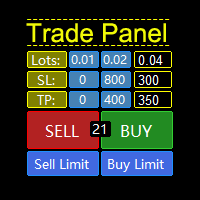
MQL5 Trading Panel SL TP — это мощный инструмент, призванный помочь трейдерам эффективно управлять своими позициями на платформе MetaTrader 5. Эта торговая панель предоставляет простой в использовании интерфейс для установки уровней Stop Loss (SL) и Take Profit (TP) для открытых позиций. MQL5 Trading Panel SL TP обладает широкими возможностями настройки и может быть адаптирована к конкретным потребностям отдельных трейдеров. Панель можно изменять в размере, перемещать и настраивать с помощью ра

--- StudentK Strategy EA --- 1. Various strategies available 2. Private channel for discussion 3. Keep going improvements for opportunities
4. Adapt StudentK's Indicators for advanced usage
5. ** Price must be increased from time to time (old 1-year members will get discount) **
--- Context --- StudentK is not indicated as a master or K Sir for knowledgeable person who claims for winning all the time. (But lots of traders should know the fact that it is rarely truth, especially in fluctuated p

product video: https://vimeo.com/824742776?share=copy Trade Assistant, Trade Manager, Trade Panel for MetaTrader 5 with the following functions:
- Display the remaining candle time and the current time of day
- Open long and short positions without SL and TP at the current market price
- Display of the current ask, bid and spread
- Open long and short positions with predefined lot size, SL and TP at the current market price
- Quick selection of the lot size (freely selectable lot sizes)
-

FX28 Trader Dashboardをご紹介します - あなたの究極のトレードマネージャー FX28 Trader Dashboardは、あなたの外国為替(Forex)取引を新たな高みに押し上げるために設計された包括的で直感的なトレードマネージャーです。経験豊富なトレーダーでも、まだ金融の旅を始めたばかりの方でも、この強力なツールは取引活動を効率化し、意思決定プロセスを向上させるために開発されました。 主な特徴: ユーザーフレンドリーなインターフェース: FX28 Trader Dashboardは、あらゆるレベルのトレーダーに適したユーザーフレンドリーなインターフェースを備えています。さまざまな機能やツールを簡単にナビゲートし、わずか数クリックでトレードを完全にコントロールできます。 リアルタイムマーケットデータ: リアルタイムのマーケットデータフィードで先を見越してください。通貨ペア、トレンド、マーケットの変動に関する最新の情報を提供し、情報を元に自信を持ってトレードを実行できます。 高度なトレードアナリティクス: FX28 Trader Dashboardでは、高度なアナ
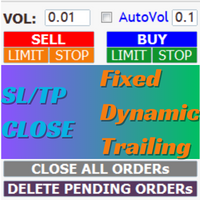
AIP – TradeManagement The main functions of Ea TradeManagement 1. GUI o Interact with running EAs o GUI for placing orders o Closing orders by Ticket o Closing orders by MagicNumber o Closing all orders o Delete Pending orders 2. General management: o Management based on Symbol, manually orders , orders from the EA, and orders from other EAs o User-friendly trade interface with the ability to drag and drop SL,TP,Entry o Support backtest
3. Stoploss man

Instead of sticking to the Charts,let's use OneKey.
Welcome to our new product - OneKey ! This is a great product written in MQL5, a streamlined version of the ALL IN ONE Keylevel product with the only feature removed being Algo trading. Other features of the product are kept intact and not affected. OneKey integrates many notable functions, including trend determination and Kelevel drawing, detecting Engulfing candle signals, Pinbar, Sideway breakout patterns, BOS, CHOCH, along with profession

Breaking TrendLine This Forex Expert Advisor is a semi-automated trading system that utilizes trend lines and support/resistance levels to execute buy and sell orders in the foreign exchange market. The system automatically places stop-loss and take-profit orders based on predefined parameters set by the user. The Expert Advisor operates on an algorithmic approach to trading, allowing for precise and timely execution of trades without the need for human intervention. This system provides traders

Telegram Bot EA This Expert Advisor (EA) is a powerful tool that allows traders to receive Telegram notifications, manage Drawdown alerts, set up charts, and much more, all directly from the MetaTrader 5 platform.
The Expert Advisor (EA) tool, integrated with Telegram, offers extensive customizable options to enhance your trading activities. The product allows you to display the signal name in the messages for easy tracking. It further provides the feature of sending the MQL5 link, either with
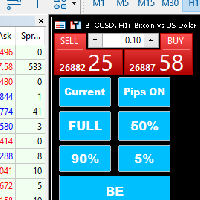
Introducing our MT5 Expert Advisor (EA) with advanced functionality to optimize your trading strategy: Current/All Button: Choose between closing trades on the current chart or all running trades across multiple charts. Enjoy flexibility in managing your positions with a single click. Pips Display Toggle: Easily view or hide your running pips and total pips. Stay informed about your trade progress with real-time updates. Full Close Button: Close all active trades swiftly and efficiently. Streaml

Introducing KML Grid: Maximize Your Trading Potential with the Grid Strategy
KML Grid is the ultimate tool to take your trading to the next level with the Grid strategy. Designed for ambitious traders, KML Grid provides you with an innovative way to capitalize on market fluctuations and maximize your profit potential.
Empower Your Trading with the Grid Strategy: The Grid strategy is known for its ability to harness market conditions within a range. KML Grid intelligently utilizes this strateg
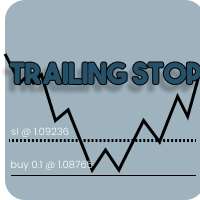
Introducing our Trailing Stop Tool, a powerful solution designed to enhance your trading strategy by trailing your trades based on a selected number of candles. This tool provides an advanced feature that allows you to dynamically adjust your stop loss level as the market moves in your favor, aiming to lock in profits while minimizing potential losses. With the Trailing Stop Tool, you have the flexibility to choose the number of candles you want the tool to trail. Whether you prefer a conservat
取引計算ツールを使用すると、取引を開始する前に取引のパラメータを計算し、証拠金、取引量、リスクの値を取得できます。これにより、起こり得る損失と利益の両方の観点から取引をかなり正確に評価できます。 また、現在の商品の計算方法、利益通貨、換算レート、基本通貨、株式サイズ、ポジション量、リスク(パーセント)、ストップロスとテイクプロフィットのサイズ(ポイント、金額、パーセンテージ)、ストップロスサイズの比率も表示されます。利益を取る。 取引計算機は 2 つのモードで動作します。 その 1 つは、指定されたボリュームに応じて、取引ごとのリスクをパーセンテージで計算することです。 もう 1 つは、利用可能な資金のパーセンテージとして指定されたリスクに応じて取引量を計算することです。 マウスでチャート上で移動できる対応する水平線を表示することで、ポジション開始ポイント、ストップロス、テイクプロフィットの特定の条件下での計画された取引の値の変化を視覚的に監視できます。 したがって、チャート上の希望の位置に線を移動すると、トランザクションのパラメーターがリアルタイムで計算され、表示されます。 商品の

Advanced harmonic filter is a reliable and smart utility that uses an author's algorithm to process continuous data and present them in the form of harmonic oscillations. The utility can identify regularities and patterns in the input data, which are then used to generate output data that is most similar to the input data. This makes it a powerful tool to use with other indicators to predict future trends and identify Elliott waves on selected intervals. The utility is most effective when us

This EA is made for manual trading. It cannot open orders by itself. But it can help close orders according to the conditions that are placed, for example, the profit meets the target or the loss reaches the specified value. so that after opening the order manually, you don't have to waste time watching Don't worry that the investment will be damaged too much . The EA can display an identity message after finishing the job as well. It can display both numbers and letters, but if you don't want t

Close Partial: You can close half of your opened positions (Close Partial). If, for example, you set a predefined number of 100 points, the system will immediately close half of your position when it reaches that profit level. Risk-Free: All your positions in various symbols. For example, when your profit reaches 120 points, the system will automatically adjust your stop loss to secure your profits and minimize risk. Trail Stop: All your positions in various symbols. For example, when your prof

Phoenix MT5 Telegram Notifier is a trading utility that integrates with both MetaTrader5 and Telegram. The utility publishes all your trades as signals in your channels or groups. This allows you to track in real time what is happening with your account via Telegram.
Notifications for :
Opened order Closed order Modified order
Parameters :
Telegram Bot Token - create a bot on Telegram and get a token Telegram Chat Id - input your Telegram group/channel Id Notify for opened order - notifies wh

Phoenix MT5 Discord Notifier is a trading utility that integrates with both MetaTrader5 and Discord. The utility publishes all your trades as signals in your channels or groups. This allows you to track in real time what is happening with your account via Discord .
Notifications for :
Opened order Closed order Modified order
Parameters :
Discord Webhook - Discord webhook which will be used for receiving the info
Discord Bot name - Bot name in Discord server/channel Notify for opened order - no
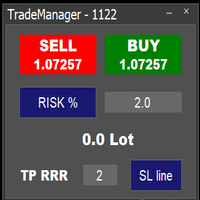
Easy to use trade manager/lotsize calculator. You can chose if you want to risk exact percentage of your account or exact amount of money. You can chose your risk to reward based on stoploss. Then you click on SL line and you can move where exactly you want to have stoploss. When you click on buy or sell, manager will calculate lotsize for you and opens trade. :) :)

Don't want to risk or loose your personal trading account or prop trading firm account because of a simple Margin Call or exceeded Loss Limit?
Then this Utility Expert Advisor is the solution for you! This Expert Advisor monitors your account Equity or Balance or even both! If the Equity and/ or Balance fall under your defined stop limits, the EA closes all of your positions and keeps you so on track.
Options and Variables: Monitored Values: Choose which values should get monitored Equity: if

Trading Toolkitが提供するTradePad Light、通称TradePadLiteは、先進的なオーダー機能とリアルタイムのニュースアラートをダイナミックに組み合わせたものです。この革新的な取引ツールは、取引プロセスを効率化し、市場の動向と同期を保つよう設計されています。 TradePadLiteとは何か? TradePadLiteは、マーケットバイ、マーケットセル、バイリミット、セルリミット、バイストップ、セルストップ - といった6つの明確な注文機能を提供する多機能な取引ツールです。これは様々な取引戦略に対応するためのものです。また、リアルタイムの市場ニュースを提供する統合NewsAlertシステムも搭載しており、重要な市場の動向を見逃すことがありません。 TradePadLiteの操作方法やNewsAlertシステムの使用方法について詳しく説明したチュートリアルは、私のYouTube(プロフィールのlinktreeにリンク)でご覧いただけます。チュートリアルは、初期設定から高度な機能まで全てをカバーしており、製品を最大限に活用するための助けになります。 TradeP

TradePad Proは多様な注文機能と高度な機能を備えたダイナミックな取引ツールです。マーケット買い注文、マーケット売り注文、指値買い注文、指値売り注文、逆指値買い注文、逆指値売り注文の8つの異なる注文タイプを提供しており、さらにYouTubeのチュートリアルで実演されるPro SellとPro Buyの2つの追加機能もあります。NewsAlertシステムはリアルタイムの市場ニュースを提供し、重要な市場の変動に常に最新情報を提供します。 TradePad Proの最新追加機能は革新的なエクイティディフェンスツールです。この機能により、最大日次損失を設定し、資産を保護することができます。口座の資産が指定したレベル以下になった場合、このツールは自動的に全てのオープントレードをクローズし、さらなる損失を防ぎます。また、日次の資産損失を表示し、簡単に追跡できるようにし、新規取引のオープンを次の24時間まで一時停止します。この新機能は特に、日次の資産損失制限を持つプロップファームに関わるトレーダーにとって有益です。 TradePad Proの特徴的な機能はTrailing Stop機能で、

The CSV File Reader Utility executes commands received by text files of type "csv" (Comma Separated Values). This type of utility is ideal for those who process signals in other applications, and want to manage signals and positions based on text files . To read signal commands from the text file, the file must contain a header with column names and the column names must match the input parameter settings . The utility also has some extra functions, such as the possibility of filtering commands
Introducing Smart Signals - Your Ultimate Expert Advisor for Precise Market Analysis and Trading Automation
Are you tired of spending countless hours analyzing market charts, looking for profitable trading opportunities? Look no further! Smart Signals is the expert advisor you've been searching for. With its advanced features and user-friendly interface, Smart Signals empowers traders to make informed decisions and automate their trading strategies effortlessly.
Key Features:
1. Multiple In

The EA is a supervisor that is offering monitoring and control at the account level. It is working even when market is closed.
Here are the main functionalities: set an account stoploss level set an account takeprofit level send notifications ( push, email, telegram ) about new opened / closed trades send notifications ( push, email, telegram ) about daily's performance at the end of day shows today's profit percent shows current live profit percent shows total positions shows today's calenda
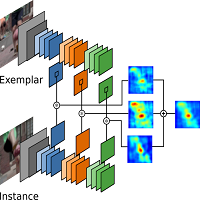
The TradeMetrics Pro indicator enhances trade analysis and performance evaluation by presenting trade history and metrics directly on the chart. It accomplishes this through three key features:
Summary Trade Panel: The Summary Trade Panel provides a concise overview of open and closed trades. It organizes trade summaries by symbol, lots traded, pips gained or lost, profit, and advanced statistics. This panel enables quick assessment and comparison of trade performance across different symbols.

Equity Defenseは、Trading Toolkitによって設計された強力なリスク管理ツールであり、重大な下落からトレード口座を保護するために用意されています。このツールはアカウントのエクイティを細かく監視し、トレードの一日中にあらかじめ設定されたエクイティ損失の割合に達した場合には自動的にすべてのオープンなトレードをクローズします。Equity Defenseツールは、日々の損失があらかじめ設定された損失の閾値を超えないようにし、安心してトレードできるようにサポートします。 主な特徴: 毎日の損失限度額:各トレード日におけるエクイティの最大損失を設定します。この限度額を超えると、すべてのオープンなトレードがクローズされ、その日の残りの時間には新たなトレードは開かれません。 トレードのクローズ:毎日の損失限度額に達すると、自動的にすべてのオープンなトレードがクローズされ、エクイティのさらなる減少が防止されます。 アラート:最大の毎日の損失限度額に達した際には、音の通知で迅速にアラートが発せられます。この機能により、常にアカウントの状態を把握することができます。 チャートラベル

This all-purpose trade utility enables any user remotely or locally duplicate trades between Meta Trader terminals quickly and effortlessly. It works with any machine or server running on Windows. Copying of trade entries between different terminal types (i.e. Meta Trader 4 and Meta Trader 5) is fully supported. Trade copying functionality coves all MetaTrader scenarios - MetaTrader 4 - MetaTrader 4 MetaTrader 4 - MetaTrader 5 MetaTrader 5 - MetaTrader 5 MetaTrader 5 -

What is this indicator? このMT5のインジケーターは 複数のチャートの表示位置を共通の垂直線を基準に同期します 。 共通の垂直線を ホットキー・ドラッグアンドドロップ・日付入力 で移動することで、 共通の垂直線の日付を基準にチャートの位置が同期されます 。
Feature 1: ホットキーでチャート位置を同期できる
このインジケーターによって ホットキーを押すだけでチャートシフトの位置で複数チャートの表示位置を同期することが可能 になります。 インプットタブのパラメーターで ホットキーの組み合わせやチャートシフトの位置を設定することも可能 です。
Feature 2: ドラッグアンドドロップでチャート位置を同期できる このインジケーターによって 共通の垂直線をドラッグアンドドロップするだけで複数チャートの表示位置を同期することが可能 になります。 インプットタブのパラメーターで 共通の垂直線のスタイルを設定することも可能 です。
Feature 3: 日付入力でチャート位置を同期できる このインジケーターによって 共通の垂直線の日付を入力するだ

What is this indicator?
このMT5のインジケーターは チャートの上下の余白の幅を変更します 。 チャートをスクロールしても設定した余白の幅は変わりません 。 チャートの価格スケールを手動で変更しても、 ホットキーで元の余白の幅に戻すことも可能 です。
Prameter 1: Padding properties Enable :
この変数の値がtrueであればパディングの設定が有効になる。 Percentage :
パディングの大きさの数値。
チャートの高さに対しての百分率で設定する。
Prameter 2: Hotkey properties
Update chart padding (default="U") :
チャートの価格スケールを手動で変更した際などに、パディングを元の大きさに戻す。
Notes
このインジケーターはMT5のストラテジーテスターでは動作しません。

What is this indicator? このMT5のインジケーターは チャート上に常に指定したPips数の高さになるゲージを表示します 。 ゲージの高さ・スタイル・表示位置はインプットタブのパラメーターで設定可能で、ゲージの幅はローソク足の幅と同等になります。
Parameter: Gauge properties Enable :
この変数の値がtrueであればゲージがチャートに表示される。 Height (in pips) :
ゲージの高さ。
ピップス単位で設定。 Color :
ゲージの色。 Base corner :
ゲージの表示の基準になる角。
プルダウンリストからチャートの四隅いずれかを選択。 X distance (in pixels) :
ゲージの表示のX座標。
Base cornerからの距離をピクセル単位で設定。 Y distance (in pixels) :
ゲージの表示のY座標。
Base cornerからの距離をピクセル単位で設定。
Notes このインジケーターはMT5のストラテジーテスターでは動作しません。
"One Click Trade" is the most faster risk manager of times! With Auto Mode, I don't even need clicks, only TWO keys to activate trades and send my order. Mouse movement does it ALL, with Auto Mode enabled!
Basic instruccions: ''Tools/Options/Experts Advisor/Allow automated trading'' box should be checked In ''Common'' tab, check ''Allow live trading'' box
In ''Inputs'' tab, set ''Money Risk'', set ''Risk/Reward Ratio'', click on ''Accept''
Press ''A'' and move the mouse on chart (to have Stop

Hi everyone im pleasure to give you an EA who can get economic news
- U can choose ur Timezone in GMT - Prevent Paused trading before news economic Setting how many minutes u want Prevent paused before and after news
- U can choose what news u want
Filter by Low , Medium or Hight impact.
Very good if u have a prop firm with a restriction of the news economic for hight impact

リベンジ トレーディング プロテクターは、リベンジ トレーディングの被害に遭う可能性のあるトレーダーにとって、シンプルですが効果的なツールです。私もデイトレーダーなので、リベンジトレードの心理的側面や損失を埋めたいという気持ちは理解しています。
そこで、損失後に忍耐強くなり、不合理な取引決定を下さないように100%確信できるように、私はこのツールを開発しました(私自身も使用しています)。
損失を被った場合、Revenge Trading Protector EA は、 希望する休憩時間が経過するまで、 別の注文 (指値注文、ストップ注文、成行執行注文のいずれか)を開くことができなくなります。 たとえば、午前 10 時 45 分に損失を出し、30 分のタイム ブレークを設定した場合、午前 11 時 15 分より前に設定した注文は EA によって即座にキャンセルされます。再度許可されると、アラートで通知されます。 30 分が経過する前に取引に参加しようとすると、それぞれ通知されます。
追加機能: 最大株式ドローダウンは、希望する最大株式ドローダウンを超えた場合、残りの日

EmoGuardianを使用して取引口座に高度なリスク制限を課すことで、過剰取引、FOMO、強迫的な行動を回避します。 ポジションにストップロス を自動的に追加 し、 EA の損失を管理し 、 EA を自動的にロード / アンロードします。 ポジションごと、取引ごと、時間範囲ごと、日ごとに リスクを制限します。 リスク管理オプションは、トレーダーが口座を吹き飛ばすような強迫的な行動に特化して開発されました。 注意 : これはユーティリティであるため、ストラテジーテスターでは動作しません。EmoGuardianはネッティング口座では機能しません (ほとんどの取引口座はヘッジ口座です) 完全マニュアル+デモ版 ユニークな機能: 口座残高のパーセンテージまたはピップでポジションにストップロスを自動的に追加します リスク限度に達したらEAを強制終了し、翌日自動的にリロードします VPSサーバー上で動作する EAを管理する ための緊急信号を作成する 日次制限 口座通貨で最小/最大エクイティレベルを設定します 1日あたりの最大損失/最大利益を通貨価値またはパーセンテージで設定します 一日の

EA Summary If you are a scalping trader who wants to place and close trades quickly and efficiently, you need a powerful tool that can help you achieve your goals. That's why we created the Deriv Scalp Manager EA, a smart and easy-to-use expert advisor that automates your trading process and saves you time and money. With the Deriv Scalp Manager , you don't have to worry about calculating your stop loss or take profit levels, or manually closing your trades. All you have to do is enter th

Hello :') I am a trader who trades many currency pairs: Forex, Metals, Indices. And I trade multiple timeframes using demand supply zones. As a result, each trade I have to recalculate lot sizes because my stop loss distance is not the same depending on the zone size.
So I created this EA to help calculate each of my trades. By choosing whether to set the risk as a dollar amount or Percent Risk and then drag Entry line, SL line, TP line to the desired prices. The EA will automatically calculat

Trade Cypherボットは、Cypherハーモニックパターン取引を正確に実行・管理し、貴重な時間を節約し、十分な情報に基づいた有益な意思決定に集中できるようにします。
トレードCypherロボットの使用方法 | Cypher戦略チュートリアル
ストラテジーテスターでは動作しません。
チャート上で4回クリックするだけで、Trade Cypher Botが重要な取引管理タスクをすべて行います。パターン検証を確実に行い、市場の変化をモニターし、様々な資金管理戦略を提供することで、安心してお取引いただけます。
すべての取引を安全に保存し、高度な統計にワンクリックでアクセスできるトレードメモリーの利便性を体験してください。あなたの取引アイデアを簡単にバックテストし、戦略の最適化や最大ドローダウン分析などのエキサイティングなアップデートにご期待ください。精密な自動売買の信頼できるパートナー、Trade Cypher Botでプロのようなトレードをお楽しみください。
自動発注でサイファを4クリックで選択 SLとTPレベルの自動調整 複数の資金管理戦略:取引ごとのパーセンテージリスク、取引ごと

Our selling bot envisions a seamless and efficient selling experience for clients. We understand the importance of optimizing the selling process and maximizing sales potential. With our bot, clients can effortlessly list their products, services, or assets, and attract buyers through intelligent pricing strategies and targeted promotions. Our vision is to provide clients with a user-friendly interface where they can easily input all the necessary details for their listings. We aim to simplify t
This tool allows you to catch possible entries from the M.A.R.B indicator by entering the trades at a click of a button(use link for details on M.A.R.B * https://www.mql5.com/en/market/product/96635 *).M.A.R.B Trader shows a maximum of 4 different possible trades all with different Take profits and different Risk to Reward ratios and you can choose from one by clicking a button.M.A.R.B Trader also allows you to enter Buy stop,Sell stop and Market trades using buttons.
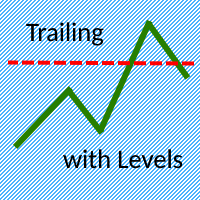
The Trailing with Levels utility is designed for trailing a profitable position with different coefficients, depending on the degree of deviation of the current trading symbol from the opening price of the transaction.
The closer the current price is to the trade opening price, the further the stoploss is set from the current price, and vice versa, if the current price is far from the trade opening price, the closer the stoploss is.
Advisor options:
TrailingStart - minimum distance as a pe

Inputs Available
Lotsizes
Partial Close %
You can change lotsizes as you require
On an open chart click once to select chart to be able to use hotkeys on specific chart.
All Pairs can be used with this expert
We created this expert to be able to still trade C300 with a 0.06 Lotsize
If you enter a 0.6 lot and close 0.90% you can trade with 0.06 Lot
Keys to be used:
B -Buy S -Sell C -Close Profitable D -Breakeven (Note if stoploss is set it won't break even) P -Partial close X -Close all

Big Boss EA MQL5プラットフォームのエキスパートアドバイザーは、アカウント内の異なるチャートを最大6つまで独立して管理する強力なユーティリティです。各チャートおよびアカウント全体に対して目標利益や損失リミットを設定することができます。さらに、フローティング利益、ドローダウンの計算、日次、週次、月次の利益の追跡を行います。このユーティリティは直感的な表示を備えており、異なるストラテジーやエキスパートアドバイザーの比較が容易です。FTMO、Earn2Trade、Rebels Fundingなどの資金提供アカウントを持つユーザーには必須のツールであり、特定のドローダウンルールに基づいてトレードを停止することも可能です。
MetaTraderマーケットはトレーダーのための自動売買ロボットやテクニカル指標を備えており、 ターミナルから直接利用することができます。
MQL5.community支払いシステムはMetaTraderサービス上のトランザクションのためにMQL5.comサイトに登録したすべてのユーザーに利用可能です。WebMoney、PayPal または銀行カードを使っての入金や出金が可能です。

取引の機会を逃しています。
- 無料取引アプリ
- 8千を超えるシグナルをコピー
- 金融ニュースで金融マーケットを探索