 MetaTrader 5
 Эксперты
 Индикаторы
 Библиотеки
 Утилиты
 Виджеты
 Правила
Смотри обучающее видео по маркету на YouTube
Как купить торгового робота или индикатор
Запусти робота на
виртуальном хостинге
виртуальном хостинге
Протестируй индикатор/робота перед покупкой
Хочешь зарабатывать в Маркете?
Как подать продукт, чтобы его покупали
Торговые утилиты для MetaTrader 5 - 44
 Ниже представлены торговые программы, упрощающие трейдинг в MetaTrader 5. Наведите курсор на товар, чтобы прочесть описание товара и его предназначение.

Time Line for MT5
機能: 昨日高値、安値、本日始値、高値、安値の時間から線を引きます。 時間足により表示する時間が変わります。 1分、5分足では1時間ごとの表示 15分、30分足では4時間ごとの表示 1時間、4時間は12時間ごとの表示 日足以降は時間は表示されません。 高値安値は週足より下位足で表示されます。 各ラベルを変更可能になります。 更新頻度を変更できるのでチャート表示が 重くなることはありません。
各パラメータの説明:
Server_Time:6 サーバとの時間差を入力 Yesterday_High_Label:昨日高値 Yesterday_Low_Label:昨日安値 Show_Open:true 始値の線を表示するかどうか Today_Open_Label:本日始値 Today_High_Label:本日高値 Today_Low_Label:本日安値
max_bar:true 使用するバーを制限するかどうか Maxbars:1500 制限を使用した場合に1分では5日分 UpdateFrequency:60 更新頻度、ディフォルトは60秒ご

Old Partridge knew markets which are almost as old as the Earth itself are never wrong. The legend says he knew how to beat a legion of others. This system he will to me. This system I will give to you.
Example [1] = 100 pips, profit boundary [2] = 2.0, take profit [3] = 400, stop loss [4] = 200 You buy EURUSD as 1.1440. SL will be set to 1.1420, TP will be set to 1.1480, when EURUSD = 1.1460 SL will be moved to 1.1450 EA works with the pair it is run on, [5] option allows to escort positions

Отличный Мультиплатформенный Копировщик сделок. Сам пользуюсь регулярно на VPS (Копирую из Mt5 в Mt4).
Мультиплатформенность: копирование из MetaTrader 4 в MetaTrader 4; копирование из MetaTrader 4 в MetaTrader 5; копирование из MetaTrader 5 в MetaTrader 4; копирование из MetaTrader 5 в MetaTrader 5.
Режимы работы: master - текущий терминал - источник сделок (с него копируются сделки); slave - текущий терминал - приемник сделок (на него копируются сделки). from myself - режим "множителя сде

ResiSupo (Traders Club)
このインジケータは直近の高値と安値を抜いたときに何ら方法で 知る方法はないかと思い開発されました。
機能: 指定したローソク足の本数で終値をベースに最高値と最安値の ラインを自動で引きます。 最高値と最安値のラインにタッチするとアラートで通知します。 通知はE-mailやSNSにも送信することができます。 最高値と最安値のラインを終値か高値または安値ベースにするかを選択できます。 Indicator Noを変えることによるこのインジケータを複数適用することができます。 これにより過去80本と20本などでの最高値と最安値のラインを引くことが可能になります。 現在のATRの値を画面に表示します。 これにより現在のボラリティーの状況が一目で分かります。 表示されているSLはディフォルトではATR値の1.5倍になっています。 この数値は現時点でのボラリティーの状況からの損切り幅の目安となります。 ATRのレベルにより表示の色が変わります。 ボタンを押すことによりアラートの通知を無効にできます。 ※ネットワークの不安定な環
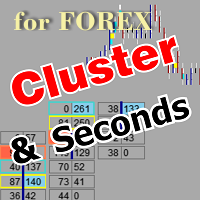
Утилита позволяет строить различные виды графиков: Секундный график от 1 секунды до 86400 секунд Тиковый график от 1 тика и выше Объемный график Дельтовый график Ренко график Рендж график Демоверсия продукта https://www.mql5.com/ru/channels/clustersecondforex
Встроенные индикаторы для объемного анализа: дневной профиль рынка и профиль рынка выбираемого таймфрейма, Cluster Search, Imbalance, VWAP, Dynamic POC, VAH, VAL профиль стакана цен вертикальный объем с различными вариантами отображения,

Utility for know the performance of your acoount.
From dialog you can filter data in this modes:
- You can include or not include the open positions - You can include or not the closed positions - You can filter the data by date (from, to) - You can filter the data by simbols (multi selection) - You can filter the data by magic number (multi selection)
On bottom of table, are show the total of:
- Number of data - Total size - Total commissions paid - Total swap paids - Total profits - Total

Отличная панель для аналитики рынка. Панель помогает анализировать значения индикатора MACD и его сигналы.
С помощью данной панели вы сможете: смотреть текущий сигнал с MACD по всем таймфреймам; смотреть текущий сигнал с MACD по разным символам; смотреть текущее значение MACD (главная и сигнальная линия); смотреть расстояние между главной и сигнальной линией; несколько типов сигналов для аналитики.
Значения в ячейке таблицы: значение Macd главная линия; значение Macd сигнальная

Отличная панель для аналитики рынка. Панель помогает анализировать значения индикатора Ichimoku и его сигналы.
С помощью данной панели вы сможете: смотреть текущий сигнал с Ichimoku по всем таймфреймам; смотреть текущий сигнал с Ichimoku по разным символам; смотреть текущее значение Ichimoku ; несколько типов сигналов для аналитики.
Значения в ячейке таблицы: Значение Tenkan-Sen Значение Kijun-Sen Значение Senkou Span A Значение Senkou Span B Значение Chikou Span Span A - Span B.
Тип

Отличная панель для аналитики рынка. Панель помогает анализировать значения индикатора Stochastic и его сигналы.
С помощью данной панели вы сможете: смотреть текущий сигнал с Stochastic по всем таймфреймам; смотреть текущий сигнал с Stochastic по разным символам; смотреть текущее значение Stochastic ; несколько типов сигналов для аналитики.
Значения в ячейке таблицы: Stochastic - главная линия Stochastic - сигнальная линия Stochastic - Главная линия минус Сигнальная линия
Тип сигна

Отличная панель для аналитики рынка. Панель помогает анализировать значения индикатора Alligator и его сигналы.
С помощью данной панели вы сможете: смотреть текущий сигнал с Alligator по всем таймфреймам; смотреть текущий сигнал с Alligator по разным символам; смотреть текущее значение Alligator ; несколько типов сигналов для аналитики.
Значения в ячейке таблицы: Jaw Teeths Lips Jaw - Teeth Jaw - Lips Teeth - Lips
Тип сигнала: Lips - Teeth - зеленая (lips) пересекает красную (teeth)

Отличная панель для аналитики рынка. Панель помогает анализировать значения индикатора Parabolic SAR и его сигналы.
С помощью данной панели вы сможете: смотреть текущий сигнал с Parabolic SAR по всем таймфреймам; смотреть текущий сигнал с Parabolic SAR по разным символам; смотреть текущее значение Parabolic SAR ; несколько типов сигналов для аналитики.
Значения в ячейке таблицы: Значение индикатора
Тип сигнала: Parabolic SAR пересекает цену Parabolic SAR выше/ниже цены
Вариант работы:

Отличная панель для аналитики рынка. Панель помогает анализировать значения индикатора Momentum и его сигналы.
С помощью данной панели вы сможете: смотреть текущий сигнал с Momentum по всем таймфреймам; смотреть текущий сигнал с Momentum по разным символам; смотреть текущее значение Momentum ; несколько типов сигналов для аналитики.
Значения в ячейке таблицы: Значение индикатора
Тип сигнала: Momentum пересекает уровень 100 Momentum выше/ниже цены уровня 100 Momentum направление индикат

Отличная панель для аналитики рынка. Панель помогает анализировать значения индикатора TRIX (Triple Exponential Moving Average) и его сигналы.
С помощью данной панели вы сможете: смотреть текущий сигнал с TRIX по всем таймфреймам; смотреть текущий сигнал с TRIX по разным символам; смотреть текущее значение TRIX ; несколько типов сигналов для аналитики.
Значения в ячейке таблицы: Значение индикатора
Тип сигнала: TRIX пересекает уровень 0 TRIX выше/ниже цены уровня 0
Вариант работы: в
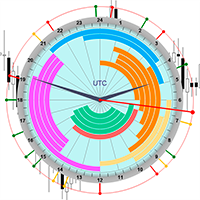
Профессиональный индикатор НОВОСТЕЙ и Торговых Сессий теперь доступен в MetaTrader 5.
Теперь на одном циферблате собрана вся важнейшая рыночная информация!
Новости, расположенные на временной шкале. Планировать своё рабочее время ещё никогда не было так просто и удобно... Шкалу новостей можно переключить на день, два, неделю, месяц вперёд или назад (смотрите подробности в коротком видео). Все новости обновляются в реальном времени.
Благодаря встроенным фильтрам, можно настроить отображение но

Flat è una utility pensata per chi ama operare con take profit e stop loss virtuali ed ordini di copertura come sistema di protezione del capitale, ma a volte ad esempio la notte non è possibile operare quindi si è costretti ad intervenire nel momento e nel modo sbagliato Facciamo un esempio, dopo aver ricevuto un segnale ti posizioni sul mercato con una posizione Long ma il mercato a bassi volumi e comprendi che il tuo posizionamento è valido ma bisogna attendere più di quanto pensavi fosse ne
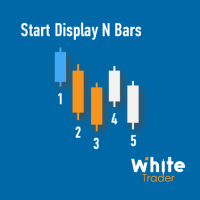
Do you already know Display N Bars?
Do you already know the Start tool (from Midas indicators)?
In this indicator, we unified the two tools, allowing you to define which candle will start counting, or use the automatic numbering that was already available in the previous version.
Description of the utility follows:
Display N Bars
The Display N Bars utility is a simple tool that aims to help identify candles.
If a trader tries to share the knowledge with a colleague but it is difficult t

新機能:Ver3.5 28通貨ペアの強弱も表示するようにしました。 監視ペアで最強、最弱の通貨ペアとなった場合、四つ葉のマークが出るように変更しました。 15分足、1時間足、4時間足単位での通貨ペアの強弱を表示するようにしました。
詳細な情報はこちらにサイトがあります。 https://toushika.top/tc-cs-plus-cfd/
注:こちらはTitanのデモ口座で動作します。 XMで使用したい場合は こちらのでセットファイル を使用してください。
機能: 一目で現在の通貨の方向性と強弱が確認できます。 15M,1H,4Hでの方向性を表示します。 15M,1H,4Hでの方向が揃った場合にドットが表示されます。 通貨の相関が揃った場合にドットが表示されます。 ※相関はピアソン相関係数を使用しています。 より詳しい情報につきましてはこちらを参照してください。 https://www.mql5.com/ja/articles/5481 通貨の強弱を表示します。 現時点でのボラリティーの状況を表示します。 過去20日/過去5日/今日のボラリティーを表示しま

Общие сведения
Советник позволяет получать уведомления на мобильный телефон (или планшетный компьютер), по электронной почте или в виде звукового сигнала о таких событиях, как открытие и закрытие торговой позиции (а также, всех позиций), установка и удаление отложенного ордера, изменение таких параметров, как цена, Stop Loss или Take Profit, достижение указанного в настройках уровня балансом счета, уровнем залога, просадкой, собственными или свободными средствами. Вы можете указать интервал, с к

Общие сведения
Советник позволяет получать уведомления на мобильный телефон (или планшетный компьютер), по электронной почте или в виде звукового сигнала о таких событиях, как открытие и закрытие торговой позиции (а также, всех позиций), установка и удаление отложенного ордера, изменение таких параметров, как цена, Stop Loss или Take Profit, достижение указанного в настройках уровня балансом счета, уровнем залога, просадкой, собственными или свободными средствами. Вы можете указать интервал, с к

Пусть робот просканирует для вас весь рынок и найдет лучшие торговые возможности, пока вы живете своей обычной жизнью.
Сканер отклонения рынка измеряет отклонение цен от заданного среднего значения в процентах.
Рекомендуемая настройка для всех средних значений - 200 ПРОСТЫХ ПЕРЕМЕЩЕНИЙ В ДЕНЬ СРЕДНЕГО, однако любой параметр может быть изменен по желанию - Сканер полностью настраивается.
Есть возможность установить e-mail, MQL push или оповещение в случае нарушения определенного уровня отклон

Возможности: быстрое открытие/закрытие сделок автоматическое закрытие сделок по прибыли/убытку показывается количество сделок и общий профит по Инструменту
Быстрое открытие сделок: указываем размер Лота указываем StopLoss/TakeProfit в пунктах (если указать 0, то не используется) указываем проскальзывание указываем Magic (если необходимо) указываем комментарий (если необходимо)
Возможности быстрого открытия: быстро открыть Buy быстро открыть Sell быстро закрыть ВСЕ открытые ордера по текущему

Аналог Виртуального Stop Loss / Take Profit
Возможности: автоматическое закрытие сделок по прибыли/убытку показывается количество сделок и общий профит по Инструменту
Автоматическое закрытие сделок по прибыли/убытку (аналог виртуального StopLoss/TakeProfit): режим работы: Off - Выключен; by Points - по прибыли/убытку в пунктах by Money - по прибыли/убытку в валюте депозита Типы сделок: Покупка и продажа Только покупка Только продажа Указываем условия закрытия по прибыли на сделку Указывае
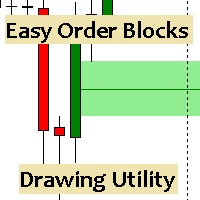
Esta utilidad dibuja Order Blocks y otros bloques fácilmente mediante el trazado rápido de lineas y rectángulos con 1 click y 1 tecla. Las teclas Hotkeys son programables y son 5: Order Blocks Fair Value Gaps (o Liquidity Void) Rejection Blocks Mitigation/Breaker Blocks Fast Object Delete (Borrado Rápido de objetos) Las 4 teclas de dibujo toman las coordenadas de la barra donde se clickeo y trazan 1 linea horizontal y 1 rectángulo delimitando la zona de OTE (Optimal Trade Entry). Automáticamente

Equity X è una utility che chiude tutte le posizioni ed eventuali ordini pendenti ad un importo prestabilito, è possibile fissare il bilancio del tuo conto quando il netto e uguale o superiore oppure uguale inferiore all'importo desiderato Ha integrato un sistema per la notifica mobile instantanea che genera il messaggio ad operazione avvenuta Uno strumento che permette di ottimizzare al massimo il rendimento del tuo investimento, è possibile utilizzarlo anche come gestore virtuale di take prof

Xrade EA is an expert advisor as technical indicator. For short period trade it's the best for next previsions of the trend of the market.
+--------------------------------------------------------------------------------------- Very Important Our robot(data anylizer) does'nt take a trade procedure. If using only our robot you must take positions by yoursels +---------------------------------------------------------------------------------------
The technical indiator provide for a given sma

PanelCME - это инструмент для помощи трейдеру в ручной торговле. Данная панель автоматически выставляет стоп лосс и тейк профик к каждому ордеру. Имеет функцию перевода позиции в безубыток и функцию трала стоп лосса. Основное преимущество данной панели то, что тейк профит выставляется встречным лимитным ордером , что позволяет избежать проскальзывания при закрытии позиции. Данная панель делалась для скальпинга на СМЕ, но может так же работать и на форексе.

Быстрое закрытие всех позиций в один клик. Очень полезная кнопка, когда вы используете устреднение позиций, добавление новых ордеров, и когда цена возвращается на несколько секунд в нужную точку, и ордеров больше 10 очень важно успеть закрыть их все. Второй раз цена может и не вернуться. Сверхбыстрое исполнение. Ордера закрываются асинхнонно не дожидаясь предыдущего результата. Утилита позволяет добавлять кнопку в любое окно. Можно добавлять несколько кнопок для удобства. Кнопку(и) можно двигат

Time Closer can help you closing all the open position at the specified time "Everyday". Mainly for Day trader that don't want to hold position overnight, or over different session, or over a specific time. Simple Parameter to use. Usage Download and drag Time Closer on the chart (Chart Symbol should be the same Chart Symbol as you want the position close) Check Allow AutoTrading is "On" Set parameters
Input Parameters Turnon True - Turnon the utility
False - Turnoff the utility Close all Symb

Profit X invia notifiche sul tuo dispositivo mobile mantenendoti aggiornato sul profitto dei tuoi investimenti anche nei momenti in cui non puoi fisicamente controllare i mercati, ad esempio quando sei alla guida, sul posto di lavoro, in una riunione o con amici, con parenti e non puoi distrarti Può essere disattivata e attivata ed è possibile scegliere la frequenza del aggiornamenti in minuti, ore, giorni, settimanale o mensile La configurazione e personalizzazione è molto semplice, di default
EnkiSoft Trade Clone EA new!
User description in MQL5 blog
You can use it on unlimilted clients for unlimited time! MT4 version download here
With Trade Clone EA you can trade on multiple MetaTrader 4 and MetaTrader 5 accounts simultaneously, clone the trades of any trading robot from server account to your friends and family accounts. Note: All MetaTrader 4 and MetaTrader 5 must run in same computer, or you need copy the trade file to the Client computer. You can run multiple Tr
EnkiSoft Trade Clone EA
User description in MQL5 blog New version 1.57 Read updates MT4 version download here
With Trade Clone EA you can trade on multiple MetaTrader 4 and MetaTrader 5 accounts simultaneously, clone the trades of any trading robot from server account to your friends and family accounts. Note: All MetaTrader 4 and MetaTrader 5 must run in same computer, or you need copy the trade file to the Client computer. You can run multiple Trade Clone EA as server, and yo

Эксперт помогает в ручной торговле или закрывает позиции другого эксперта, он создан для автоматического закрытия позиции или группы позиций при достижении общего положительного баланса. Самостоятельно он сделок не открывает. Умеет закрывать позиции на одном символе, на всём счету или по указанному магическому числу. Можно указывать в настройках общий Тейк и общий СтопЛосс для группы позиций для закрытия. Если у Вас есть вопросы, замечания или предложения пишите мне в группу https://www.mql5.com

Protect your EA from unauthorized use. With EA Locker you can generate individual licenses for your EA to your customers.
Product blog page Download MT4 version from here
Protection consists of three parts: 1. Your Unique EA identifier 2. User Identifier 3. Expiration date
Description of parts: 1. EA ID is your internal EA identifier. Itcan be the short name of the EA. (MyGridEA, TradeCopierEA...) 2. User identifier can be anything user specific data (Mt4 account number, Account number + User

Trader's Panel is a simple EA for managing trades once open. Your options for managing open trades are to close an entire open trade, close a percent of an open trade, which can be input from the trader panel, and then set stop loss to break even on an open trade. The Trader's Panel hovers at top left of screen right below the one click order buttons. **Note that this EA does not open trades. It only manages trades once they are open.

MOST IMPORTANT INFORMATION
<1>
Exactly this program was used to set World Record in Trading 2020
Account Equity was increased from $1,000,000 to $100,000,000 in 16 days
Details => www.mql5.com/en/users/AIS
<2>
In the last days of this record the position was creating by 1000-2000 orders
It was used the computer with 1 core Pentium 4 CPU at 2.8 GHz and 1 GB memory
In the last two days the daily profit was $40,000,000 every day
<3>
It was 100% manual trading
And this special program was used to s
This utility sends notification to trader’s MT5 (for MT4 version, checkout this link ) mobile app, to remind traders about their open positions. Super useful for part time traders to keep track and not forget any positions. To turn on notification, please visit this link (https://www.metatrader4.com/en/trading-platform/help/setup/settings_notifications)
Features Keep track on open orders (pending orders, running orders) Customize time to send notification Customize notification interval (se

Фермеры жестов, позволяющие использовать дополнительные возможности для стоп-лосса, TakeProfit, TrailingStop, BreakEven и Target, редактируются вручную в качестве ссылок. Parâmetros : Magic Number : номер для идентификации вашего советника, используемый при применении к нескольким активам. Distance from Bid Price (ticks): Текущее значение цены для размещения ордера на покупку или продажу по тикам (каждый тик представляет собой наименьшее изменение цены). Slippage (0 = off): представляет собой

Set your Stop Loss, Take Profit and enter the operation and with the Close Position button, exit the operation whenever you want and safely. What's more, let us control your operation with Trailing Stop. With Expert Trade Control, you can enter a trade with your stop loss and take profit defined, but if you want to leave before the market reaches these targets, just click on "close position" and your position will be closed at the same time.
Mechanisms like this prevent a counter-order from be

FX Trade Manager is a tool used to open and manage your buy and sell orders with few clicks and with ease in MetaTrader 5 . Through this fantastic tool you can open orders like: SELL BUY SELL LIMIT BUY LIMIT You can open an order just by informing the lot volume you want, your takeprofit and stoploss and clicking on the opening button, or just placing the lot volume you want and clicking on the opening button.
If you don't know the lot size you want to open, let the FX Trade Manager tool do it
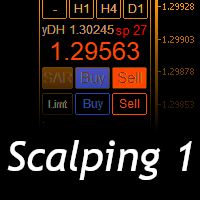
Scalping Day Trading Support Utility Scalping One
setting faile (for white Chart) http://www.emkyuradias.shop/indexenglish.html
One position is displayed with one button. View P & L, Lot, and Point in real time. It is possible to switch the display of positions of only chart currencies and all currency pairs. Supports automatic identification in Japanese and English Account currency notation corresponds to dollar, euro, pound, yen (automatic identification) Lot, take profit and stop los

ATM Auto Trade Manager Expert Advisor will manage all transactions you make using Expert Advisor, or manually from all platforms (Web Trade, MT5 Windows, MT5 Mac, MT5Mobile phone) Multi Currency In one chart, the Tool will manage transactions of all currencies or according to the available list.
Currency Selection All Transactions of All Pairs Based on the Pairs List
Auto Manage, with setup parameters on one chart Auto Close Profit Average Auto Close Profit only Auto SL / TP Auto Trailing
B

News: IDEA 2.0 is out with lot of features, like telegram bot notifications and Limits order! Check the changelog at bottom of page (*).
Hi all,
here you can find my Expert Advisor, called IDEA (Intelligent Detection & managEr Algorithm) . In short, with this software you can: Have a clear view of market status , with an indication of current trend. Simply add symbols you want to monitor to your market watch, and IDEA will notify you if some of them are in trend; Have an automatic lots ca

Indicator to create and manage your own watchlists. It allows you to load one symbol to multiple charts with just one click.
There is an addon to save objects from drawings (lines, fibos etc.) and load when the symbol is changed.
Functions
Supports Multi-Timeframe-Usage
Load one symbols to multiple charts with just one click
Automatically created list with all tradeable symbols
Custom watchlists can be created
Symbols can be added and deleted from the created watchlists
Sortfunction to sort a
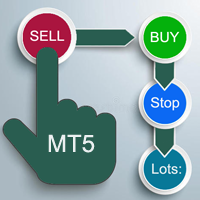
A "simple design" trading panel, which is characterized by small byte size, low CPU usage, simple steps, and quick operation, 1 to 2 clicks to complete a functional operation,
saving time and increasing efficiency . The panel is easy to use, and it is not complicated to set parameters, which is in line with traders' habits. At the same time, its compact-
design, clear at a glance, and comprehensive functions are a powerful tool for manual trading! Key features of the panel:
Click "Bid/Ask Pri

izi hedge is a tool that helps you manage risk, manage hedge orders and rebalance losing orders.
How it works It will place an order opposite to the order you placed with that currency pair. If the order you place is correct, the reverse order will be automatically deleted If the market unfortunately goes against your order and touches the hedge order, it will begin to calculate the hedging volume to limit the risk of the market going in reverse.
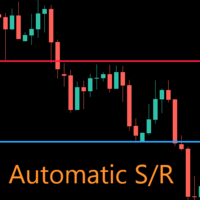
AutoLevels is a precise tool for identifying support and resistance levels. Allows you to trade with reliable information, making your analysis fast and easy. Usage
https://www.youtube.com/watch?v=7tqX4f_QhaA&ab
Features and settings Features : Data based levels Dynamic coloring and width Works on any timeframe Settings : period : sets the averaging the period of the ATR; scale_factor : sets the ATR's multiplicator; levels_number : sets the maximum number of levels on the chart; dynamic_col

THIS PRODUCT CAN NOT BE TEST IN STRATEGY TESTER. PLEASE TRY DEMO VERSION: https://www.mql5.com/en/market/product/58096 RISK AND TRADE MANAGER RISK AND TRADE MANAGER is an advanced trading panel designed for manual trading. Utility helps to manage trades effectively and efficiently with a single click. MAIN FEATURES Convert and display Stop Loss (SL) Pips into % and amount to view the clear picture of the trades if SL hits. Fund allocation for individual trade in % and in amount. Get alert

Com este Expert Advisor tenha a possibilidade de fechar todas as posições de forma automatizada.
Tenha em mãos o recurso de fechar as posições e ordens pendentes por ações, Dólar, Índice ou TODOS estes juntos, algo inovador no mercado.
Ideal para quem quer uma segunda camada de segurança para suas operações automatizadas ou ainda que o próprio robô feche suas operações manuais em um horário programado.
Promoção de 30 dólares para a três primeiras assinatura, posteriormente será cobrado 50 dól

If you want to try the Demo Version, please use this one: https://www.mql5.com/en/market/product/58262
Features: easy positioning of stoploss and takeprofit with horizontal Assistance-lines
automatic Volume calculation fixed risk, set by the trader Closing of all trades of one type, with the click of one button (long or short, for this symbol) Creation of pending orders with one click Direct feedback through responsive buttons
Made for all your needs: Forex Indices Crypto Gold, Silver, Platin

Quickly Helper is a tool to help us deal with multiple orders quickly. It has five function keys. They are: The "清空" button to quickly level out all orders; Quick flat out the long position "平多单" button; Quick flat out the short position "平空单" button; The "买多" button to quickly buy at the current price; The "买空" button to sell quickly at the current price; It has seven display information items. They are: bp: the total income of multiple orders; ( profit of buy/long position ) avgb: avera

The program is used to calculate the lot to be used given a certain amount of financial risk. It allows the creation of lines that will mark the entry and stop prices. From these two values the lot is calculated and shown in a small panel. The program also allows choosing the risk-return ratio and creating a horizontal line marking the target. The system does not create orders. These must be created manually by the user.
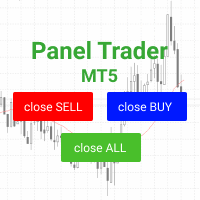
Торговая панель для быстрой и удобной торговли. Панель позволяет быстро открывать и закрывать ордера. Отдельное закрытие ордеров по позиции Sell и Buy. Так же есть возможность закрыть полностью все ордера. Торговая панель выводит информацию о прибыли, общего объема и количестве ордеров по позициям Sell и Buy. Иногда некоторые позиции могут не закрыться это связанно из-за волатильности рынка. В таком случае повторно нажмите закрыть позицию.

Закрывает убыточную позицию. За счет предыдущей непрерывной, прибыльной серии. SymbolsWork: Валютные инструменты (пары), с которыми будет работать советник. Возможен один из вариантов написания пары. Если указать просто EURUSD или GBPUSD: и, как вариант, AUDUSD:ALL , то он будет брать ордера buy и sell . При указании через двоеточие конкретного варианта USDJPY:BUY , будет брать только buy , а при eurjpy:sell - только sell . Пары указываются через запятую. Например, запись "EURUSD, GBPUSD:, AUDUS
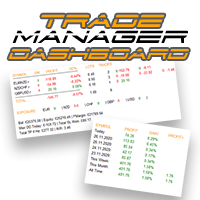
Возьмите под контроль свой форекс-портфель. Мгновенно смотрите, где вы стоите, что работает и что причиняет вам боль! ВЕРСИЯ MT4 ДОСТУПНА ЗДЕСЬ: https://www.mql5.com/ru/market/product/58375
Информационная панель торгового менеджера предназначена для того, чтобы показать вам, где в настоящее время находится каждая ваша позиция на рынке форекс, а также упростить управление рисками и подверженность валютным рискам. Для трейдеров, которые постепенно выходят на рынок с несколькими позициями или исп

Notify To Telegram MT5 Expert Advisor will send notifications via Telegram when orders are opened/modified/closed on your MetaTrader 5 account. Send message to person, channel or group chat. Easy to customize message. Support custom message for all languages Support full Emoji. Parameters Telegram Bot Token - create bot on Telegram and get token. Telegram Chat ID - input your Telegram user ID, group / channel ID, use comma to input multi chat ID as chat_id_1, chat_id_1 Magic number f
Boleta de negociação, para aglizar operação manual no Metatrader 5 no mercado de futuros.
Principais Funções :
Utilização de teclas de atalho para pre-visualizar ordens pendentes; Botões para operações a mercado; Botões para ordens atrás do preço, as quais ajustam o ponto de entrada, esperando o preço voltar uma quantidade de pontos definida no campo "Dist. Atras" para abrir a posição; Botões para zerar posições e para cancelar as ordens pendentes; Botão para colocar uma ordem Tr

It transforms imprecise and crooked lines INTO perfectly STRAIGHT and HORIZONTAL Lines!
DO NOT WASTE your TIME anymore trying to draw perfectly straight lines!
This useful tool straightens crooked lines and saves you from the nervousness!
You can also switch, with a button, between Normal Trendlines and STRAIGHT Horizontal lines! Enjoy it and have a nice trading!
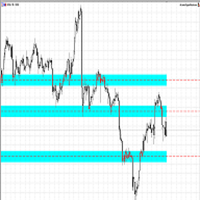
Making Charting simple!
The Support/Resistance EA combines a sophisticated neural network algorithm with an Average Range computation to make your supply and demand zones easy to spot! The EA is very easy to use and can save you valuable time when charting through financial instruments. Areas of consolidation are highlighted according to your preference and timeframe, making it easier to identify areas of break-out or small regions to scalp. Features :
Choose two Timeframes (From 1 Minute up

Мало опыта в торговле? Хочешь попробовать себя профессиональным скальпером ? Этот советник как раз для тебя !
Суть стратегии - от нижней линии (синей) покупаем, от верхней (красной) продаем. Желательно использовать брокера Rannforex или IcMarkets.com Выбираешь относительно флетовый инструмент. Например EURGBP вечером. Включаешь Таймфрейм М1 -М5. И запускаешь советник на чарте. Советник при старте строит канал. И выводит панель с кнопками и информацией о настройках автоматической торговли. Е

zap 43996914141 pelo valor de 50 + brinde
ProTrader B3 Mini é um utilitário para a plataforma de negociação MetaTrader 5
Foi programado especialmente para os ativos WIN (mini índice bovespa) e WDO (mini dólar)
O conceito do B3 Mini é ser simples, prático e intuitivo, um excelente assistente para scalpers/day traders!
Opere totalmente pelo teclado do seu PC, experimente, você vai gostar de usar! ( 'ω' )
Nota:
1 - Este utilitário não funciona no testador de estratégia
2 - Teste a versão demo
Акции, входящие в состав индекса, являются одним из драйверов движения. Анализируя финансовые показатели всех элементов индекса, можно предположить дальнейшее развитие ситуации.
Программа (скрипт) выводит на монитор корпоративные отчёты акций, входящих в состав индекса, выбранного в настройках.
"Indexes" нельзя протестировать в тестере (так как там нет возможности получать информацию из интернета).
Информация скачивается с сайта investing.com: Дата отчета Прибыль на акцию (EPS) Доход (R
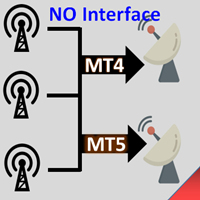
Interfaceless documentary EA. It has been operating stably and efficiently for more than 5 years, and has accumulated many customers. Copier Advanced Version (On sale) Copier-MT4-FULL(click to download) Copier-MT5-FULL(click to download) MT4->DEMO Try(click to download) MT5->DEMO Try(click to download) Copier Interface Version Copier-MT4-FULL(click to download) Copier-MT5-FULL(click to download) MT4->DEMO Try(click to download) MT5->DEMO Try(click to download) Copier No Interface Version Copier

Elliott Wave Helper - панель для построения волнового анализа.
Инструкция/Мануал ( Обязательно читайте перед приобретением ) | Версия для МТ4
Преимущества
1. Построение волнового анализа и волновой структуры в несколько кликов 2. Наличие всех паттернов волнового анализа, включая треугольник и комбинации 3. Все девять стилей отображения волн, включая специальный шрифт с кружочками
4. Изменение цветов и стилей отображения групп волны прямо с графика 5. Привязка всех элементов к установленному т

The Universal Dashboard is a tool for multidimension technical analysis of the market. It allows you to collect a customizable set of trading signals and important performance indicators, and display them in a single table. Multiple symbols, timeframes, and conditions can be monitored and alerted at once. The conditions are specified as expressions which support all built-in indicators, custom indicators, math functions, arithmetic operators and more. The dashboard is implemented as a non-tradi

機能&特徴: ZigZagをもとに主要なレジスタンスとサポートラインを引きます。 各時間足で押し安値、戻り高値を簡単に把握できます。 現在何波目なのか簡単に把握できます。
※ トレンド転換時はカウンターは1、継続時は2,3,4..となります。
※ちなみにこちらはZigZagの谷山を数えています。エリオット波動数ではありません。
現在買い目線でいるべきなのか売り目線なのか簡把握できます。 過去2つのZigZagラインで静的にフィボナッチを引きます。 今の値動きで動的にフィボナッチを引きます。 逆フィボナッチ(静的なフィボナッチのみ)に変更することも可能になります。 ボタンにより以下の操作が可能になります。
1.ZigZagラインの表示、非表示
2.ノーマルフィボナッチ、逆フィボナッチの切り替え ※環境により表示に時間が掛かる場合があります。
3.1分足、5分足、15分足で1つ上のZigZagラインが引けるようになりました。
4.レジスタンスとサポートラインを再描写します。 トレンド継続や変換をアラートで通知します。 エリオット3波発生の
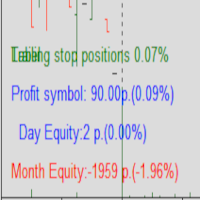
Protected profit это логическое продолжение проекта Equity monitor. Исправлены недочёты и внесены дополнительные моменты. В данном продукте разработан процентный Traling stop, как на отдельную позицию, так и на дневную прибыль в целом. Есть возможность закрыть позицию по заданному проценту убытка, а так же можно закрыть все позиции по проценту дневной прибыли. Настройки просты и понятны. Например: Риск на позицию 1% Позиция закроется если процент убытка превысит 1%. Traling 3% допустимое сниже

Photocopy MT5 is an Copier of transactions through Telegram channel. Will help you instantly publish your trade in Telegram channel or copy trades from Telegram channel. The utility can work in two directions by receiving signals in MT5 and transmitting signals to Telegram . No more missed deals No more panic Capital Management Ease of use You can use it for: Copying your own deals through Telegram channel (via the Internet); Copying trades from MT5 to MT4 and vice versa. Propagation of signa

Tenha a boleta do ProfitChart no seu Metatrader! ........................
Agora é possível ter a boleta do profit no seu Metatrader. Envie ordens de compra e venda, acompanhe o mercado e simule estratégias em momentos de mobilidade, diretamente do seu Metatrader5. Gestão de riscos e otimização de lucros são dois princípios básicos de qualquer operação bem-sucedida. Nesse sentido, utilize as ferramentas de STOPMOVEL, TRAILING STOP, STOPGAIN E ORDENS PARCIAIS DE SAÍDA.
Funcionalidades do

Object replicator is an indicator that allows you to replicate an object in one or as many charts as you like. This indicator is the solution to replicate part of your analysis in exactly the same position and price of a trend line, Fibonacci, vertical line, horizontal line, etc. Download the MT4 version here
Install the indicator on the source chart and follow the steps below: To activate the indicator, simply press the (Activate) button. Once the (Activate) button is pressed, a (Receive o

'Quick Close Panel' is an easy to use interface for managing orders. It has a button for closing all winning trades on the current chart, a button for closing all losing trades and another button for closing all running trades (Losing and Winning) on the current chart. It is very responsive and quick to execute operations due to the effective time complexity of the algorithm used in the program. Vist this link to download demo: https://www.mql5.com/en/market/product/62901?source=Site+Mark
А знаете ли вы, почему MetaTrader Market - лучшее место для продажи торговых стратегий и технических индикаторов? Разработчику у нас не нужно тратить время и силы на рекламу, защиту программ и расчеты с покупателями. Всё это уже сделано.

Вы упускаете торговые возможности:
- Бесплатные приложения для трейдинга
- 8 000+ сигналов для копирования
- Экономические новости для анализа финансовых рынков
Регистрация
Вход
Вы принимаете политику сайта и условия использования
Если у вас нет учетной записи, зарегистрируйтесь