 MetaTrader 5
 Experts
 Indicatori
 librerie
 Utilità
 Widget
 Regole
Guarda i video tutorial del Market su YouTube
Come acquistare un Robot di Trading o un indicatore
Esegui il tuo EA
hosting virtuale
hosting virtuale
Prova un indicatore/robot di trading prima di acquistarlo
Vuoi guadagnare nel Market?
Come presentare un prodotto per venderlo con successo
Nuove utilità di trading per MetaTrader 5 - 9
 Di seguito sono riportati i programmi di trading che semplificano il trading in MetaTrader 5. Passa il mouse su un'utilità per leggerne la descrizione e la sua funzione.
PEPITO MANUAL ASSISTANT
A trading panel for MetaTrader 5 for traders who decide their own entries. You choose when to buy or sell; the panel sizes the trade, places the stops, manages the open positions and shows you where support and resistance are.
It does not open trades by itself. Every entry is your click.
Pepito Agent Assistant helps traders identify and evaluate potential opportunities. It does not automatically open trades if is not enable from trade panels. Trading decisions remain u

Smart Basket Manager Overview Smart Basket Manager is a trade management utility for MetaTrader 5. It is designed for traders who open several positions on a symbol and want to manage them together as one basket. It does not open trades and does not generate entry signals. It manages positions that already exist, according to the rules below. What it does Basket profit protection. When the combined profit of the managed positions reaches a start level, the utility locks a percentage of the highe

Coasyn Value Acceptance is a manual decision-support utility for MetaTrader 5 designed to help traders understand how price is participating relative to value. The system uses weekly and rolling VWAP-based value references to show whether price is holding around value, failing at value, accepting above or below value, or extending away from the field. Use it to monitor: • Weekly VWAP context
• Rolling session value
• Participation around value
• Repeated tests and holds
• Deviation and dista

полноценный советник для MetaTrader 5 на MQL5, который управляет защитными уровнями уже открытых позиций. Логика работы: Проверяет все открытые позиции на счёте, включая позиции, открытые вручную и другими советниками. Устанавливает Stop Loss на расстоянии 300 пунктов MT5 и Take Profit на расстоянии 600 пунктов MT5 от цены открытия. Заменяет существующие SL и TP заданными значениями. Учитывает минимальное расстояние до стопов ( SYMBOL_TRADE_STOPS_LEVEL ) и шаг цены инструмента. Повторяет проверк

PG Signal Sender Pro turns your MetaTrader 5 account into a Telegram signals channel. You trade, the tool posts every signal, update and result automatically, with designed image cards, reports and a FREE + VIP channel system. Launch price: the price will increase after the launch period. WHAT IS SENT New trade: symbol, BUY or SELL, entry, Stop Loss, Take Profit and Risk:Reward. Entry zone: show an entry range instead of one price (for example 4130 - 4134.5). Multiple targets: split one signal i

A risk-based trade panel with a built-in account guard. Set the risk, place the stop, click once: the lot size is worked out for you, the trade is managed in R, and daily and maximum loss limits are enforced on every position on the account.
It places no trade on its own. Every order starts with your click.
ORDER ENTRY
- Size by percent of balance or equity, by a fixed amount of money, or by fixed lots. - Stop loss in pips or points; take profit as a multiple of the stop (R) or as a distanc

Account-wide protection for MetaTrader 5: The Drawdown Limiter monitors the loss, margin level and equity of your account and, when a limit you have set is reached, closes positions and pending orders. Scope of function The Drawdown Limiter does not open positions itself. It runs alongside your other Expert Advisors or your manual trading and evaluates account data only. When the account reaches a configured limit, it sends a message to the MT5 app and, if you have set it up that way, closes th

Circuit Breaker
It doesn't trade. It watches the one who does.
Every position opened, every loss taken, every session crossed — logged, counted, measured against lines drawn in advance. Drawdown past the limit, profit past the ceiling, too many trades before the session even turns — any of it, and the breaker trips. Not a suggestion. A lock.
No persuasion, no override, no "just this once." The account resets at the hour it's told to, and until then, the rules hold whether the trader agrees w

Loss Tripwire
Three groups, three thresholds — gold, bitcoin, ethereum — each watched on its own, never pooled together. One group can bleed quietly while another's already been cut off.
No daily reset, no trailing peak, no session clock. Just a running total per group, checked on every tick, and a line it isn't allowed to cross. Breach it, and every position in that group — only that group — is closed within the same tick it was noticed.
Built to isolate the damage, not just stop it.

ChartThemes
Темы и виды графика на одном окне. Свечи, бары и линия меняют сам график MetaTrader. Зона, мин-макс, базовая линия, ренко, каги и 3D рисуются рядом с панелью.
Темы: Ночь, Классика, Бумага, Контраст, Светлая. Цвета фона, сетки, свечей и текста переключаются кнопкой. Когда индикатор снимают, график возвращается к прежним цветам.
Виды: Свечи — открытие, максимум, минимум, закрытие. Бары — тот же OHLC, плотнее свечей. Линия — только закрытие. Зона — линия закрытия и заливка под ней.

Blade Position Manager Pro – MT5 Trade Management Utility Take Control of Your Trades with One Professional Dashboard Blade Position Manager Pro is a MetaTrader 5 trade management utility designed to help traders manage open positions, control risk, protect floating profits, and simplify everyday trading operations. Whether you trade Gold (XAUUSD), Forex, indices, or other supported instruments, Blade Position Manager Pro provides practical tools for managing your trades from a compact, easy-to-

RISK SIZER PRO v3.2 - Professional Risk & Position Manager
Stop guessing your lot size! RiskSizer Pro automatically calculates the exact lot size based on your risk percentage and dynamic Stop Loss, allowing you to execute trades with one click.
KEY FEATURES: • Dynamic Lot Calculation: Adjusts lot size instantly as you drag SL/TP lines. • Auto SL/TP Flip: Automatically corrects SL/TP levels when switching between BUY and SELL. • Interactive Chart Lines: Drag & Drop Entry, SL, and TP line

DeltForge TradeControl Professional Manual Trading & Position Management Panel for MetaTrader 5 DeltForge TradeControl is a manual trading panel designed for discretionary traders who want to execute and manage positions directly from the chart. The trader decides when and where to trade. TradeControl provides the execution, risk configuration and position-management controls. Trading TradeControl provides direct manual execution for: Buy Sell Buy Limit Buy Stop Sell Limit Sell Stop The panel a
Background Tool for MetaTrader 5 https://elitefx.store/ Personalise your MetaTrader 5 workspace with your own chart background images. Background Tool provides an on-chart control panel for switching images and adjusting their brightness.
Features Display your own background images on your chart. Browse images using Previous and Next. Adjust brightness with Lighter and Darker. Turn the background display on or off. Reload images and save your preferences. Manage backgrounds from a compact on-c

SecondsTicksChart displays seconds and tick candlestick charts in MetaTrader 5. Use fixed time intervals or a fixed number of ticks to examine price movement in more detail than a standard one-minute chart. SecondsTicksChart builds candles from your broker's tick data and displays them on the same chart through a custom symbol. No separate feeder chart is required. This is a charting utility implemented as an Expert Advisor. It is designed for display and analysis and does not place or manage or

Dopo l’acquisto, contattami per prima cosa Inviami un messaggio privato su MQL5 per ricevere il manuale PDF, il corso online, l’accesso al canale MQL5 e assistenza personale per la configurazione. Riceverai anche Smart Universal Expert Advisor GRATIS in regalo. Contatta Issam su MQL5 per richiedere il pacchetto completo. Il regalo è facoltativo e non richiede una recensione. Cynex Discord MT5 Dopo l'acquisto, inviami un messaggio su MQL5 per ricevere GRATUITAMENTE Smart Universal Expert Advisor,

La Sua entrata. La Sua uscita. A modo Suo. Stopline Trade Manager EZ è un pannello di trading compatto per chi sceglie da sé le proprie entrate e vuole che ogni ordine sia dimensionato sul rischio che imposta e sullo stop che colloca. Trascini la linea di stop dove deve stare il Suo stop: il lotto, il denaro a rischio e il rapporto rendimento/rischio si aggiornano durante il trascinamento. Prema Compra o Vendi, oppure allontani la linea di entrata dal prezzo e l'ordine diventa un ordine stop o l

Indicator Signal Trader Kb trasforma un indicatore in un robot di trading senza programmazione. Inizia con una configurazione pronta per un indicatore integrato di MetaTrader 5 oppure collega l'indicatore che già usi: indichi al programma quale buffer significa acquisto e quale vendita, e il programma apre e gestisce le posizioni. Manuale utente Manuale completo (in inglese): configurazione, ricette pronte, filtri, risoluzione dei problemi Inizia con una configurazione pronta La prima riga dei p

Dopo l’acquisto, contattami per prima cosa Inviami un messaggio privato su MQL5 per ricevere il manuale PDF, il corso online, l’accesso al canale MQL5 e assistenza personale per la configurazione. Riceverai anche Smart Universal Expert Advisor GRATIS in regalo. Contatta Issam su MQL5 per richiedere il pacchetto completo. Il regalo è facoltativo e non richiede una recensione. Cynex Copier MT5 Dopo l'acquisto, inviami un messaggio su MQL5 per ricevere GRATUITAMENTE Smart Universal Expert Advisor,

All In One Trade Management Panel trasforma MetaTrader 5 in uno spazio di lavoro di trading completo. Pianifica le operazioni con uno strumento di posizione drag-and-drop, lascia che il pannello dimensioni ogni lotto dal tuo rischio, gestisci e automatizza le operazioni aperte, proteggi il tuo conto con limiti giornalieri, e leggi il mercato con struttura, flusso di ordini e news, tutto da un pannello sul tuo grafico.
Costruito per trader discrezionali, trader di sfide di prop firm e chiunque

My Trade History PRO Analizzare le proprie operazioni è il primo passo per diventare un trader di successo. I trader di successo non si limitano a fare trading: rivedono, analizzano e imparano da ogni posizione. My Trade History PRO rende questa analisi semplice e visiva. Che tu operi manualmente, segua un segnale o utilizzi un EA, l'indicatore ti offre una cronologia completa dei tuoi trade direttamente sul grafico, insieme ad analisi pratiche - per MetaTrader 4 e MetaTrader 5 con lo stesso set

Tandem è un copiatore di operazioni locale per MetaTrader. Copia le operazioni tra terminali che girano sullo stesso computer o VPS: da MT4 a MT4, da MT4 a MT5, da MT5 a MT5 e da MT5 a MT4. Esiste una versione per ciascuna piattaforma, e le due lavorano insieme. Ho messo entrambi i lati in un unico Expert Advisor. Lo applichi a un grafico in ogni terminale, fai clic su MASTER sul conto che opera e lasci SLAVE sui conti che devono seguirlo. Finché usano lo stesso numero di canale, gli slave ripre
FREE

Cynex Telegram MT5 Dopo l'acquisto, inviami un messaggio su MQL5 per ricevere GRATUITAMENTE Smart Universal Expert Advisor, insieme al corso online, al manuale PDF e all'accesso al gruppo privato. Per domande sul prodotto, indicazioni sulla configurazione o supporto tecnico, scrivimi direttamente qui su MQL5. Pubblica segnali. Ricevi messaggi compatibili. Controlla le operazioni gestite dallo strumento. Cynex Telegram MT5 collega MetaTrader 5 a un bot Telegram dedicato tramite una dashboard sul

Individua ogni picco di spread, ogni slippage e ogni incoerenza del broker — con prove esportabili e con marca temporale.
Panoramica
ExecutionProof Auditor è un'utilità di monitoraggio passivo e registrazione delle evidenze per MetaTrader 5. Monitora costantemente la reale qualità di esecuzione — comportamento dello spread, slippage degli ordini e differenza tra lo spread dichiarato dal broker e quello reale — sull'intera watchlist di simboli configurata, e trasforma ogni deviazione significat

Guida completa (tutte le impostazioni, in inglese): https://www.mql5.com/en/blogs/post/778504 Prezzo di lancio: 39 USD per le prime 10 copie. Poi 59 USD, prezzo finale 79 USD. Chi acquista per primo mantiene tutti gli aggiornamenti futuri. Trade Panel Sextant per MetaTrader 5 – ogni trade dimensionato in base al Suo rischio. Lei stabilisce quanto vuole rischiare, posiziona lo stop dove indica il grafico, e Sextant calcola la dimensione del lotto, invia l'ordine e gestisce il trade. Una protezion

Mentaris Trade Manager — Gestisci le operazioni dal grafico MT5
Gestisci singole posizioni e panieri di ingressi graduali, modifica i livelli TP/SL, visualizza in anteprima le chiusure parziali e salva le impostazioni più utilizzate in un unico spazio. Mentaris porta la gestione delle operazioni sul grafico MetaTrader 5, mentre prendi le decisioni secondo la tua strategia.
Gestisci più ingressi come un paniere
Monitora il volume totale e il prezzo medio di ingresso ponderato per volume e ges

MAKO Helix — Dashboard della struttura di mercato multi-timeframe
IL PROBLEMA Ogni trader sa che operare a favore della struttura di mercato rende le decisioni più chiare. Il problema è che confermare quella struttura richiede lavoro: bisogna aprire grafico dopo grafico (M1, M5, M15, H1, giornaliero, settimanale e mensile), segnare massimi e minimi a mano e confrontare tutto a mente. Questo fa perdere tempo, causa errori di lettura e, durante un movimento veloce, si può perdere la visione d'in

Benvenuto in Quantum Trade Assistant , uno strumento gratuito progettato per migliorare il tuo trading manuale. Questo prodotto è progettato per due tipi di trader: coloro che desiderano un assistente di trading semplice ma professionale per eseguire operazioni, chiudere parzialmente le posizioni , proteggere i profitti e gestire altre attività essenziali di trading. La seconda categoria comprende i trader che possiedono già uno dei Quantum Indicators . Quantum Trade Assistant può collegarsi a q
FREE

Strumento di Replay per Trading Manuale Lo Strumento di Replay per Trading Manuale è un'utilità progettata specificamente per il backtesting manuale nella modalità visuale di MT5 Strategy Tester. Il suo scopo non è generare automaticamente segnali di trading. Permette invece al trader di analizzare il mercato storico, aprire operazioni manualmente, impostare Stop Loss e Take Profit e gestire le posizioni come in una situazione di trading reale. Al termine del replay è possibile utilizzare le sta
FREE

EA Pro Risk Manager — Gestione delle operazioni, chiusure parziali e controllo del drawdown per MT5
Un pannello tutto in uno per MT5: pianifica le operazioni, gestisci le posizioni aperte e imposta limiti di drawdown giornalieri, settimanali, mensili e totali. Per conti di prop firm e conti personali.
Provalo gratis: apri la demo nel Tester Strategia, attiva la modalità visuale e premi Avvia. Il pannello compare sul grafico e puoi aprire operazioni di prova. Gli avvisi sul telefono e su Tel

Vantaggi dell'utilizzo di questo assistente 1 - Chiusura di tutte le posizioni al raggiungimento dell'obiettivo di profitto desiderato (in dollari). 2 - Impostazione dei livelli di take-profit al prezzo desiderato con estrema rapidità. 3 - Trailing Break-Even (spostamento automatico del break-even). 4 - Rimozione di tutti i livelli di take-profit con un solo clic. 5 - Rimozione di tutti gli ordini stop-loss con un solo clic. 6 - Impostazione di tutte le posizioni al break-even con un solo clic.
FREE

GTM EA Bot Studio
Costruttore drag-and-drop di Expert Advisor per MetaTrader 5 · v1.42 GTM EA Bot Studio è un costruttore di robot integrato in MetaTrader 5. Crei il tuo Expert Advisor trascinando blocchi colorati su un'area di lavoro sul grafico, poi lo testi su quel grafico e lo avvii dal vivo. Niente codice, niente MetaEditor, nessuna compilazione. Guida utente: la guida completa passo dopo passo (PDF in inglese e singalese) si trova nel mio post sul blog: Come funziona - tre passaggi Costru

Prop Risk Guard applica automaticamente le regole di gestione del rischio del tuo conto. Basta aggiungerlo a un grafico e monitorerà tutte le posizioni del conto. Quando viene raggiunto un limite, chiude le posizioni, elimina gli ordini pendenti e blocca il trading, impedendo che una singola operazione in perdita o un EA fuori controllo violino le regole del conto di valutazione o del conto finanziato. Limite di perdita giornaliera Configurabile in percentuale, con un importo fisso oppure con en

Dual Symbol Bars
disegna un secondo simbolo a candele nella propria sottofinestra, sullo stesso timeframe e sullo stesso asse temporale del grafico. Mostra qualsiasi secondo simbolo a candele in una finestra separata, allineate all'ora del grafico. Utile per l'oro accanto all'indice del dollaro, o qualsiasi altra coppia offerta dal broker. Dual Symbol Bars aggiunge un secondo grafico a candele sotto quello principale. Entrambe le finestre usano lo stesso timeframe e la stessa ora di apertura, co
FREE

Trasforma il tuo trading in un gioco. Confetti Trade Celebration trasforma ogni take-profit in una piccola festa: un'esplosione di coriandoli sul grafico, un banner con il risultato e il botto di uno sparacoriandoli. Raggiungere i tuoi obiettivi diventa come segnare un punto. È anche uno strumento di notifica pratico: vedi subito che un obiettivo è stato raggiunto, anche quando la scheda Trading è nascosta o stai guardando un altro grafico. Come funziona Applica l'indicatore a qualsiasi grafico.

Spread Profile by Hour costruisce la distribuzione dello spread di un simbolo per ogni ora della giornata del server a partire dallo storico tick del tuo broker, e la disegna come 24 barre. La parte piena di una barra è lo spread mediano di quell'ora, il cappuccio più chiaro arriva al 90 percentile. Inserisci la dimensione dello stop che usi normalmente e ogni barra viene etichettata con il suo spread mediano come quota di quello stop, così il costo è nella stessa unità del tuo rischio. È uno s
FREE

Repaint Inspector misura se un indicatore ridisegna, invece di fidarsi di quanto dichiarato. Lo colleghi a un grafico, indichi un qualsiasi indicatore personalizzato e il suo elenco di parametri, e lo strumento rilegge i buffer di quell'indicatore sulle barre già chiuse, contando ogni valore che si sposta, ogni valore che compare e ogni valore che scompare, insieme a quanto indietro nello storico questo accade ancora. È uno strumento di misura. Su un grafico non invia mai alcun ordine. Nel Teste
FREE

Propfirm Metrics è una dashboard semplice e di sola lettura, progettata per aiutare i trader delle prop firm a monitorare le principali metriche del conto direttamente in MetaTrader 5.
Il pannello mostra chiaramente lo stato attuale del conto, inclusi saldo, equity, profitto/perdita flottante, risultato giornaliero, drawdown giornaliero e totale rimanente, regola di consistenza, giorni di trading e progresso verso l'obiettivo di profitto.
È sufficiente inserire le regole del proprio conto pro
FREE

Symbol Spec Auditor riunisce in un unico pannello sul grafico la parte della specifica del contratto di un simbolo che determina la dimensione della posizione e il costo di trading: valore del punto, costo dello spread, margine, swap, regole di esecuzione e sessioni di trading. I valori grezzi della specifica vengono convertiti in denaro per 1,00 lotto nella valuta del conto, e le impostazioni del broker che rompono silenziosamente il codice di calcolo del lotto vengono elencate come avvisi. Un
FREE

Un trade copier locale per MetaTrader 5. Copia le posizioni tra terminali MT5 sullo stesso PC Windows o VPS e dimensiona ogni copia in base alle specifiche di contratto di entrambi i broker (dimensione del contratto, valore del tick, valuta del conto), così una copia ha la stessa esposizione anche quando i due broker definiscono il lotto in modo diverso. Non apre mai una seconda copia della stessa posizione master. Cosa fa Colleghi lo stesso EA a un grafico in ogni terminale: Nel terminale maste

SizePlan MT5 - pianifica l'intero trade prima di aprirlo SizePlan trasforma il tuo grafico MetaTrader 5 in un piano di trading visivo. Trascina Entry, Stop Loss e Take Profit sul grafico e vedi, prima che venga inviato qualsiasi ordine, quanto rischi, quanto puoi guadagnare e quanti lotti sono su questo simbolo con il tuo broker. Poi invia il piano con un clic e gestisci la posizione dallo stesso pannello. Tu scegli il trade. SizePlan si occupa dei calcoli e della meccanica. Nessun segnale, ness

RSI Auto Close MT5 RSI Auto Close è un Expert Advisor (EA) di utilità specializzato, progettato per proteggere il capitale e bloccare i profitti chiudendo automaticamente le posizioni aperte quando l'indice di forza relativa (RSI) raggiunge livelli estremi di ipercomprato o ipervenduto. A differenza dei tradizionali robot di trading, questa utility non apre mai nuove operazioni . Monitora invece il grafico in tempo reale su ogni singolo tick e chiude istantaneamente le posizioni manuali non appe

Stochastic Auto Close MT5 Stochastic Auto Close è un Expert Advisor di utilità sviluppato per bloccare i profitti e proteggere il capitale chiudendo automaticamente le posizioni aperte nel momento in cui l'oscillatore Stocastico raggiunge aree estreme di ipercomprato o ipervenduto. A differenza dei robot di trading tradizionali, questa utility non apre mai nuove operazioni. Monitora il grafico in tempo reale su ogni tick e chiude le posizioni manuali quando il mercato raggiunge livelli di esauri

Trade Desk è un pannello di trading e un gestore operazioni per MetaTrader. Preparate l'ingresso sul grafico, calcolate la size con un calcolatore di lotti e gestite le posizioni aperte dallo stesso pannello: stop loss , più obiettivi, pareggio e trailing stop. Istruzioni aggiuntive: Versione di prova per conti demo — Trade Desk per MetaTrader 4 La maggior parte degli strumenti sul grafico aiuta solo ad aprire l'operazione. Dopo l'esecuzione serve ancora un gestore di posizioni. Trade Desk tiene

Un registro contabile del conto per MetaTrader 5 che suddivide i tuoi risultati per magic number, simbolo, giorno della settimana e ora, mostra in colonne separate il P/L di prezzo, le commissioni, lo swap e le fee, e misura lo spread pagato a ogni esecuzione e lo slippage rispetto al prezzo che avevi richiesto. I totali vengono confrontati con il saldo del conto a ogni aggiornamento. Non opera mai su un grafico. Cosa fa Collegalo a un grafico. Legge lo storico dei deal (operazioni) del conto, r

Barre di secondi (da 1 a 30 secondi), barre di tick e barre di range per MetaTrader 5, costruite dallo storico dei tick reali del broker come simbolo personalizzato e aggiornate a ogni tick. Sul grafico può girare qualsiasi indicatore, template o EA. Un aiuto visivo sul grafico mostra l'ora reale di ogni barra. L'EA non fa mai trading su un grafico. Cosa fa Applica l'EA al grafico di un simbolo del broker. L'EA: crea un simbolo personalizzato, per esempio EURUSD_S5, con le specifiche del simbolo

Isobar Event Shield protegge le tue operazioni dalle notizie economiche in MetaTrader 5. Legge il calendario economico integrato nel terminale, conta il tempo fino a ogni pubblicazione che interessa i tuoi simboli e, poco prima di ciascuna, applica la protezione scelta alle posizioni e agli ordini pendenti che tu o altri Expert Advisor avete già. Non apre mai operazioni proprie. Avvio rapido Collega l'utility a un grafico (una copia per terminale) e attiva Algo Trading nella barra degli strumen

Daytime Auto Close MT5 Daytime Auto Close è un Expert Advisor per la gestione delle posizioni basata sull’orario, che invia automaticamente richieste di chiusura delle posizioni aperte a partire dall’ora limite scelta. Seleziona la chiusura giornaliera o solo il venerdì per adattarlo alla tua routine di fine giornata o di fine settimana di trading. A differenza dei robot di trading tradizionali, questa utility non apre mai nuove operazioni. Gestisce le posizioni BUY e SELL esistenti sull’intero
FREE

Indicator Signal Alerts Kb controlla un indicatore e ti avvisa quando dà un segnale di acquisto o di vendita: finestra pop-up, notifica push sul telefono ed e-mail. Inizia con una configurazione pronta per un indicatore integrato di MetaTrader 5 oppure collega l'indicatore che già usi; fino a quattro indicatori aggiuntivi possono confermare ogni segnale come filtri. Senza programmazione. Manuale utente Manuale completo (in inglese): configurazione, ricette pronte, filtri, risoluzione dei problem
FREE
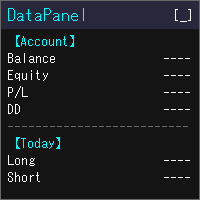
DataPanel mostra lo stato del tuo conto sul grafico, in un unico pannello. Non invia ordini e non usa DLL. L'ho creato inizialmente con Claude Code per vedere a colpo d'occhio come vanno i conti su cui girano i miei altri EA. Con le aggiunte ora mostra molte informazioni, ma puoi visualizzare solo ciò che ti serve: regolalo nelle impostazioni. Cosa mostra Saldo, equity, risultato fluttuante e livello di margine Drawdown di saldo ed equity, con il massimo e l'ora in cui si è verificato. Depositi,
FREE

$500 pagati per una challenge. Un conto da $100.000 in gioco. Una brutta notte — ed è finita.
Non perché la tua strategia ha fallito. Perché alle 04:07 nessuno guardava quando è arrivato il gap, quando il pending dimenticato è stato eseguito, quando una candela ha cancellato tre settimane di disciplina.
PropFirm Shield è la guardia che non dorme mai.
Attaccalo a QUALSIASI grafico — monitora TUTTO il conto: tutti i simboli, tutti i magic, trade manuali, copiatori, altri EA. Se qualcosa minacc

FIRMPILOT — MQL5 UPLOAD FORM (copy each part into its field) ================================================================
PRODUCT TYPE: Utility (platform: MetaTrader 5)
NAME: FirmPilot — Prop Firm Trade Panel
SHORT DESCRIPTION: A one-click trade panel built for prop firm challenges. Every lot is sized from the loss you can still afford today, and the panel closes everything before your daily or max loss rule is broken.
FULL DESCRIPTION: Most challenges are not failed by bad analysis.

ATS Trade Manager is the site foreman of your trades. Plan a trade on the chart with draggable lines and coloured zones, send it with the lot size worked out from your risk, and let the foreman look after it: break-even, trailing stop, up to three take-profit levels with a partial close at each, a daily loss lock and one panel to close groups of trades. It trades only when you press SEND. PLAN A TRADE ON THE CHART Press PLAN and the chart shows the trade before you take it: a blue line and zone
FREE

Know the broker symbol before you evaluate the EA. D7 Symbol Inspector is a free, read-only MetaTrader 5 chart utility. It brings the symbol fields that often decide whether an EA can size, place or protect an order into one panel — without sending or modifying a trade. Who it is for Use it before testing an Expert Advisor on a broker symbol, especially when the symbol has a suffix, unusual contract size, nonstandard volume steps or a spread that changes through the session. What it reads Last a
FREE

Telegram Trade and Pattern Tool
Full-functionality demo account with all features
Telegram Trade and Pattern Tool is a candlestick-pattern and margin monitoring panel with remote trading control through Telegram. It scans charts across multiple symbols and timeframes at once, sends alerts with screenshots — down to a real-time signal for an abnormally large candle — and lets you react right there, in the same chat: open a trade, close a position, set or move a stop, all without opening the ter

Guides and demo test: Installation guide | User guide | Demo account test | Panel and settings guide
DS Universal Trade Manager for MetaTrader 5
Compact trade planning, position management and optional indicator automation
The DS Universal Trade Manager combines the essential tools for manual trade planning and position management in one compact interface. Entry, stop-loss, take-profit, risk, break-even, trailing and partial targets can be planned, adjusted and monitored directly on the char

Account Center — Trading Journal and Account Dashboard for MetaTrader 5 Your platform shows how much you made or lost. It does not show why. Account Center turns one chart into a full-screen account center and trading journal: the chart hides, a clean panel takes its place, and every closed trade gets the human side next to the numbers — your emotion, your plan, your mistakes and your lesson. WHAT YOU GET Dashboard Equity, balance, floating P/L and today's result with your mood before the sessio

Free one-click trade panel for MT5: BUY/SELL on the price line and Breakeven, Partial, Reverse and Close buttons on every position. DESCRIPTION: TrendSync Trade Buttons is a free, lightweight trade panel for manual traders on MetaTrader 5. Open, reduce and close positions straight from the chart, without dialog boxes and without hunting for tickets in the Trade tab. It is an execution tool, not a signal robot . It does not open trades by itself. Every action is yours; it just makes it one click.
FREE

LocalTimePlus — MT5 Local Time Correction × Custom Scale Extension Tool LocalTimePlus replaces MT5’s default time and price scales with a fully custom system featuring automatic local‑time correction , high‑precision crosshair display , intuitive zoom controls , and a transparent canvas rendering engine . It completely solves the “time‑offset problem” for scalpers, short‑term traders, and users trading on overseas servers. Overview LocalTimePlus overlays a transparent canvas on the MT5 cha
FREE

# Ronin Copier - Tactical Prop Sync
**Zero-Latency, Zero-DLL Local Trade Copier Built for Serious Prop Traders.**
**EARLY ADOPTER PROMOTION (LIMITED COPIES):** - **First 10 copies:** **$59** (Current Stage) - **Next 10 copies:** **$99** - **Final Price:** **$199** *Price increases automatically as review milestones are reached.*
---
Managing multiple MT5 accounts across prop firms (FTMO, FundedNext, Alpha Capital, etc.) or private brokers? **Ronin Copier** provides seamless, millisecond-

Launch Special: $30 (First 10 copies only)
Ronin Scalp Tactical Cockpit is an ultra-slim, tactical HUD designed for disciplined scalpers, Gold (XAUUSD) traders, and Prop Firm candidates (FTMO, FundedNext, etc.).
Unlike bulky panels that clutter your chart, Ronin Scalp occupies only 118 pixels on the edge of your screen. Built for high-speed precision, it provides systematic risk management, instant execution protection, and panic defense when milliseconds determine your trade outcome.
======

Ronin Shield - Daily Loss Limiter & Account Guard (MT5)
When your loss limit is hit, your trading day is over. A utility built to stop the "just one more trade" moment during prop firm challenges.
Attach it to just one chart and it protects the whole account: every symbol and every position, including manual trades and other EAs. No need to open a chart for each symbol. No external DLLs. No web requests.
============================== THREE PROTECTION LINES ============================== 1.

Risk rules are easiest to define before a trading session and hardest to follow when pressure rises.
UTrade Risk Guard was created by a trader with more than five years of live trading experience.
Over time, I learned that discipline and psychology influence almost every trading decision. At the same time, constantly checking daily limits, entry counts, position exposure, Stop Losses and the moment when trading should stop consumes attention, energy and focus.
I used to believe that trading

CopyDeck Trade Copier MT5 CopyDeck Trade Copier MT5 copies trades between MetaTrader terminals on the same Windows PC or VPS and lets you see and control every copied trade from a live dashboard on the chart.
No input window to dig through and no guessing: connection status, copy speed, open copies, profit, drawdown, and every setting sit in one clean panel, in your language. Why CopyDeck? A real dashboard, not a list of inputs. Every setting lives in a tabbed on-chart dashboard and applies ins

Big Dream Expert Advisor A MetaTrader 5 trading panel combining multi-timeframe candle pattern analysis, manual basket execution, R:R-based trade management, four-block profit management, and an integrated candle timer. Strategy Overview Big Dream analyzes four candle patterns: • Bullish Engulfing
• Bearish Engulfing
• Morning Star
• Evening Star Pattern analysis is displayed across three timeframes: • H1
• M15
• M5 The panel provides the current pattern detected on each timeframe so traders can

Smart Risk Trade Panel is a trading panel for MetaTrader 5 built around one idea: you decide how much you are willing to lose, and the panel calculates the correct lot size for you . No calculator, no spreadsheet, no guessing. Press BUY or SELL and three lines appear on the chart: entry, stop loss and take profit. Drag the stop or the target wherever the chart tells you, and the lot size, the loss at stop, the gain at target and the reward:risk ratio are recalculated instantly. When everything l

Experience trading without friction. Zentriq Trade Manager is a modern, high-performance trade management utility engineered with a high-DPI canvas interface, anticipatory workflow design, and an integrated Macroeconomic News Filter. Designed for discretionary traders, scalpers, and prop firm traders who demand speed, precision, zero-clutter ergonomics, and automated news event protection. User Manual Get the most out of Zentriq Trade Manager with the complete user manual: Complete User Manual:

Yes — the main concept should be described as a high-impact/news-event trading mode , where both sides are prepared immediately before a specified market event, allowing the first significant price movement to trigger one side while the opposite side is removed/closed. Here is a stronger MQL5 publication description focused on that concept: High-Impact Market Event Trading EA – Dual-Side Breakout Capture A specialized MT5 Expert Advisor designed for high-impact market events and scheduled news r

EKAI Trade Copier Pro Institutional-grade local trade copier for MetaTrader 5 with News-Aware Guard, Prop Firm Rules Sync, Trade Quality Score, Volatility-Adaptive Lot Sizing, SL Enforcer, and Panic Mode. Zero DLL. Zero network. One EA, two modes. Overview EKAI Trade Copier Pro replicates trades in real time from one MetaTrader 5 account (sender) to any number of MetaTrader 5 accounts (receivers) on the same machine, with institutional-grade safety features found nowhere else in the MQL5 Market.

Global Account Risk Manager applies account-level risk rules to a MetaTrader 5 account. It watches every open position and pending order on the account and closes everything when a limit that you define is reached. It does not open trades and it does not generate signals.
It is intended for traders who run several Expert Advisors, or EAs together with manual trades, and want one place to set rules for the whole account instead of configuring each EA separately.
Works on any chart
Attach it t
Scopri come acquistare un robot di trading dal MetaTrader Market, il negozio di applicazioni per la piattaforma MetaTrader.
Il sistema di pagamento di MQL5.community supporta le transazioni tramite PayPal, carte bancarie e gli altri sistemi di pagamento più diffusi. Per essere pienamente soddisfatto, ti consigliamo vivamente di testare il robot di trading prima di acquistarlo.

Ti stai perdendo delle opportunità di trading:
- App di trading gratuite
- Oltre 8.000 segnali per il copy trading
- Notizie economiche per esplorare i mercati finanziari
Registrazione
Accedi
Accetti la politica del sito e le condizioni d’uso
Se non hai un account, registrati