 MetaTrader 5
 エキスパート
 インディケータ
 ライブラリ
ライブラリ
 ユーティリティ
 ウィジェット
 ルール
ルール
YouTubeにあるマーケットチュートリアルビデオをご覧ください
ロボットや指標を購入する
仮想ホスティングで
EAを実行
EAを実行
ロボットや指標を購入前にテストする
マーケットで収入を得る
販売のためにプロダクトをプレゼンテーションする方法
MetaTrader 5のためのエキスパートアドバイザーとインディケータ - 162
 自動売買ロボットとインジケータを使用して、外国為替取引の収益性を高めます。 自動売買ロボットを使用すると、取引の開始と終了を自動化でき、インジケータは市場の行動をより正確に予測するのに役立ちます。
このページには、MetaTrader5アプリケーションのカタログが掲載されています。
自動売買ロボットとインジケータを使用して、外国為替取引の収益性を高めます。 自動売買ロボットを使用すると、取引の開始と終了を自動化でき、インジケータは市場の行動をより正確に予測するのに役立ちます。
このページには、MetaTrader5アプリケーションのカタログが掲載されています。 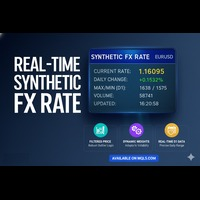
リアルタイム合成FXレート (Real-Time Synthetic FX Rate) リアルタイム合成FXレート は、お客様のブローカーで利用可能なあらゆる通貨ペア(メジャー、マイナー、エキゾチックペアを含む)の 頑健な合成為替レート推定値 を算出するために設計されたインジケーターです。 その目的は、 刻々と形成される価格 を反映する 動的な参照値 を提供することにあります。これにより、公式レートの公表や機関による検証が行われる前に、方向性の指針を提供します。 仕組み:頑健なハイブリッドモデル このインジケーターは、 市場のボラティリティ に応じて自動的に調整される 動的な重み を持つ3つの主要な構成要素を組み合わせることで、合成値を生成します。 出来高加重平均価格 (VWAP): 最も多くの出来高が取引された価格水準に高い重要度を与え、買い手と売り手の真の市場コンセンサスを反映します。 トリム平均 (Trimmed Mean): 極端な価格や誤ったティック( outliers 、異常値)を自動的に除外し、クリーンで安定した参照値を保証します。 直近平均: 合成レートを最新の価格変動
FREE

一 運作方式(如下圖)
在一個單邊向上的行情中, 自動交易工具做以下動作: 當價格來到高點,等待突破訊號在進場。
當價格回調,等待回調結束要往上時在進場。 當進場下單後,
如果一直漲就持續持單,等待價格漲不上去準備下來時,在獲利離場。
但如果一直跌,就等待要上漲時在進場,進場時加倍下單,
一個做底單,動作同上等待獲利離場,
另一個單用做倉位修正,此單和第一張單在盈虧為0時會各自平倉,不造成損失。 Ps:
在一個單邊向下的行情中,動作則相反
二 設定方法(如下圖)
Step1 一開始要自己指定工具的方向.
如果認為會往上走,設定i_tradeup=true, i_tradedown=false,
如果認為會往下走,設定i_tradeup=false, i_tradedown=true,
Step2 指定目標位置和止損位置
如果認為會往上走,i_top輸入目標位置,i_bottom輸入止損位置
如果認為會往下走,i_top輸入止損位置,i_bottom輸入止盈位置
當價格到達目標位置會強制平倉獲利並暫停工具運作
當價格到達止損位置會反向開單鎖倉
FREE
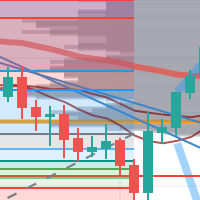
每次一忙都會錯過訊號下單,或不想一直花時間盯盤下單,可以用這個工具掛單,讓MT5 自動 盯盤並在滿足條件後下單 。
demo : https://www.youtube.com/watch?v=JBPiFkixqT4 configuration: https://www.youtube.com/watch?v=D7xESKKD26o #############################################
使用場景:
一般交易可以分為2種,分別是: 左側交易: 價格到達關鍵位置時就下單交易,想要自動下單,可以使用buy limit和sell limit掛單 右側交易: 價格到達關鍵位置, 同時出現做多或做空訊號 時下單交易, 想要自動下單, 就 可以用本工具自動掛單 本工具會 在你指定的阻力區域偵測到做空訊號時,建空單 ; 並在你指定的支撐區域偵測到做多訊號時,建多單。 demo影片: https://www.youtube.com/watch?v=JBPiFkixqT4
########################################
FREE

Comprehensive OHLC Data Downloader for MetaTrader 5 This powerful and efficient script allows traders, quantitative analysts, and developers to download the complete OHLC history of any financial instrument available in MetaTrader 5. Whether you need historical data for a specific asset or want to download data for all assets in the Market Watch , this tool simplifies the process with just a few clicks. Key Features: Flexible Data Extraction – Download OHLC data for a single asset or all asse
FREE

นี่คือคําอธิบาย Trend SAR Fusion PRO MT5 (เวอร์ชัน Stable) จากโค้ดที่คุณใช้
แนวคิดของอินดิเคเตอร์ อินดี้ตัวนี้ = รวม 3 อย่าง EMA10 (เร็ว) → จับโมเมนตัม EMA100 (ช้า) → จับเทรนหลัก SAR (จุดดอท) → ใช้เข้า/ออก สรุป: "ใช้ SAR เป็นตัวเข้า แต่ให้ EMA คัดกรองว่าเข้าเทรนจริงไหม" วิธีดูสัญญาณ (สำคัญสุด) เทรนขึ้น EMA10 > EMA100 จุด SAR อยู่ "ใต้ราคา" จะเห็น จุดเขียว
เข้า BUY ได้ เทรนลง EMA10 < EMA100 จุด SAR อยู่ "เหนือราคา" จะเห็น จุดแดง
เข้า SELL ได้ ช่วงเปลี่ยนเทรน ม
FREE
Botti Tools features
1 - Automatically places Take Profit and Stop Loss values, previously defined, in Pending Orders and in Market Positions
2 - Based on the amount of Stop Loss points defined and the specified monetary value it calculates what volume should be used for that order.
3 - After X points he puts the order on breakeven
4 - It cancels the Take Profit at X points away from it and places the Stop Loss in such a way as to guarantee Y gain points
5 - If the fourth option is selecte
FREE

Maximize or restore the main chart or indicator windows by double-clicking them.
Double-clicking a main chart window will hidden all the indicator windows and expand the main chart to the maximum. Double-clicking again to restore.
Double-clicking an indicator window will hide all the other indicator windows and expand the double-clicked indicator window to the free space. Double-clicking again to restore.
FREE

candlestick time it a useful indicator ,it help to keep you alert with the candlestick time ,how far to be completed at the chosen period , it help to keep you patience which is a biggest thing that holds trades down ,try it to improve you way of trading. it work on any broker any time frame and any symbol. you can customize the color on input. it can work on multiple timeframe. Thank you !
FREE
Este script permite abrir operaciones de forma rápida con un loteo automático basado en el "equity".
También permite habilitar/deshabilitar la colocación de SL y TP al hacer clic en un botón. Si se habilita el SL o el TP, también se tiene la posibilidad de establecer el riesgo que se desea tomar en pips.
* Se recomienda ocultar los botones de compra y venta originales.
FREE
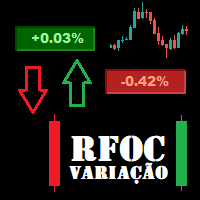
O Produto RFOC Variação Diária apresenta a função de indicar no gráfico a variação, em porcentagem, do preço em relação ao preço de fechamento do dia anterior.
O indicador permite configurar 100% da coloração para variações de alta, baixa e neutra (0.00%).
O painel com a apresentação da variação diária do preço fica fixada na parte superior do gráfico, e se ajusta automaticamente no centro da janela.
FREE

Hey guys.
This indicator will show you, in the volume histogram, if the candle was a Doji, a bullish candle, or a bearish candle.
The construction of this indicator was requested by a trader who uses other indicators from my catalog, and I decided to release it free to help traders who think that the indicator can contribute to their operations.
The parameters are:
Volume Type: Real Volume or Tick Volume. Color if the candle is bearish: select the color. Color if the candle is high: select
FREE

The script in the form of an expert is created for the possibility of automatic installation of pending orders of the Stop Close Only type, which are not in MT5 by default. This type of order implies entering a long position in case the price closes above a given price level and opening a short position if the price closes below the price set by the trader. At the same time, level breakouts are not taken into account. The expert indicates the levels on the chart with lines, overcoming which will
FREE
Hi Traders, The THV EMA Distance Monitor is a lightweight and flexible MT5 indicator designed to display the real-time distance between price and multiple Exponential Moving Averages (EMA) directly on the chart. The indicator allows traders to enable or disable up to five EMAs, each with a customizable period, making it adaptable to different trading strategies and market conditions. For each selected EMA, the distance from the current price is calculated and displayed in a clear on-chart panel.
FREE
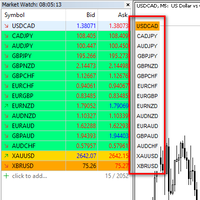
I want to quickly view the chart, so I created a small tool. I hope it can help you. Functions:
Use up/down arrow keys or mouse clicks to quickly open charts for currency pairs. Use left/right arrow keys to change the timeframe of the current chart. Automatically update the order based on the Market Watch
If you have any request or errors please tell me to help it better.
Donate us , Thank u!
Telegram: 0388894014
FREE

White label available. contact us for more info. dushshantharajkumar@gmail.com
Slides by Chart Walker "Slides" is a MetaTrader 5 (MT5) utility designed to streamline chart navigation by facilitating automatic chart switching. With "Slides," users can preset specific time intervals for chart rotation, enabling automatic transitions between different financial instruments or timeframes. This utility proves invaluable for traders who monitor multiple charts simultaneously, as it optimizes wor
FREE

it's a combination of my rectangle and a line at half the distance of the between the upper part of a rectangle and the lower of the next rectangle /zone
It’s a pure charting indicator that builds a fixed-price zone grid: Anchor: Uses StartUpperPrice as the top of index 0 (fixed, not auto-shifting). Zones: Draws rectangles every StepPips , each RectHeightPips tall, with 100 above and 100 below the anchor. Style: Alternating FirstColor / SecondColor , optional fill and “dra
FREE
This script allows performing a walk-forward analysis of trading experts based on the data collected by the WalkForwardLight MT5 library. The script builds a cluster walk forward report and rolling walk forward reports that refine it, in the form of a single HTML page. This script is optional, as the library automatically generates the report immediate after the optimization in the tester is complete. However, the script is convenient because it allows using the same collected data to rebuild th
FREE

Displays previous months Highs & Lows. You can set the number of months to display levels for, also the line style, color and width. This is very useful for traders using the BTMM and other methods like ICT. I'll be creating more indicators for MT5 for the BTMM. Send me your suggestions to my Telegram: https://t.me/JDelgadoCR Take a look at my other products at: https://www.mql5.com/en/users/jdelgadocr/seller
FREE

Automate Your Strategy! Use the Daily Drop Analyzer Expert Advisor to automatically execute the strategy, with configurable filters, parameters, and order management.
Check it out here: Daily Drop Analyzer EA
The Step Analysis Indicator performs an automated backtest of a simple daily strategy: buy when the price drops a certain percentage from the previous close and sell at the same day's close (or vice versa for short strategy). It tests multiple entry percentages ("steps") and displays the
FREE

Get you a Free Utility EA that will show closed positions results on your chart
fun little feature that make every trader really happy
EA will not open or manage position only show historical results on the chart
chose color and size
Please leave 5 start review if you liked this free tool
make sure to check out my trading EA the EA Bull scalper https://www.mql5.com/en/market/product/116071?source=Site+Profile+Seller or the EA Bear Scalper https://www.mql5.com/en/market/product/123680?s
FREE

The Scientific Calculator is a script designed to compute science, engineering and mathematics expressions. General Description
The expression to calculate must obey syntax rules and precedence order, being constituted by the following elements: Integer and real numbers. Mathematical operators for addition (+), subtraction (-), multiplication (*), division (/) and exponentiation (^). Mathematical and trigonometric functions . Curved parentheses (()) to define the precedence and contain
FREE

EurTrendSniperトレンド指標に適しています。ダウンロードして、MT5のIndicatorsフォルダに配置してください。
取引の重要な要素の一つは、売買の判断が行われる領域や水準を特定することです。主要な参加者は市場での存在を隠そうとしますが、避けられない痕跡を残します。私たちの任務は、それらの痕跡を見つけ出し、正しく解釈することを学ぶことです。
強気シグナル:
価格(ローソク足)がバンド色のブロックの上にあり、バンド色のブロックが赤色(または緑から赤に変わった)、延長線が強気状態にあり、速線と遅線がゴールデンクロスを形成している。 弱気シグナル:
価格(ローソク足)がバンド色のブロックの下にあり、バンド色のブロックが緑色(または赤から緑に変わった)、延長線が弱気状態にあり、速線と遅線がデッドクロスを形成している。
FREE

Demo copier of deals from MetaTrader 5 to MetaTrader 5 ( MetaTrader 4<->MetaTrader 4 version is available ; with both versions, you can copy MetaTrader 5<->MetaTrader 4, MetaTrader 4<->MetaTrader 5, MetaTrader 5<->MetaTrader 5, MetaTrader 4<->MetaTrader 4). Works only in the mode of hedging. Spread filter. Select the best price (start copying positions with a profit or loss). Configure the lot size, fixed or ratio-based (provider signals can be copied with an increased lot). Configure order copy
FREE

Test Trade Saver Script
Application Type: Script
Application Functions: Saves test results cache file data into text files
About the Application The script extracts trading results from a test system cache file and saves them into text files for further analysis. How to Use Parameters: LOG_LEVEL - Logging level in the Experts terminal section. DEBUG provides the most detailed information, while ERROR gives the minimum. CUSTOM_MAGIC_NUMBER - The system identifier (Magic Number) used to save resu
FREE

Position Recovery Dashboard EA for MT5 Position Recovery Dashboard is a simple yet highly useful utility EA , originally developed for the author's own trading needs. Designed with practicality in mind, it provides a fast and intuitive way to manage open trades directly from the chart — making it ideal for active and manual traders . Its key feature in the recovery trading system , which helps traders recover from losing positions by automatically calculating profit from selected lots. This E
FREE

チャート下に表示されるテキストボックスから、Slackに投稿するツールです。 w/Imgのボタンからは、チャート画像も送ることができます。
チャートに線やマーク、コメントなどを書いても、その画像が投稿されます。
使い方は簡単。 メッセージを入力し、SENDボタンでメッセージの投稿、w/IMGボタンでメッセージ+画像の投稿を行うことができます。 どんな使い方ができるか、人それぞれですが、Slackでコミュニケーションをされている方であれば、チャート画像を一発送信できるので便利だと思います。
*Slack API"のTOKENをパラメタに設定しますので、取得する必要があります。
ストラテジーテスターでも動作を確認できます。
FREE

(暗号通貨チャート)
BinanceSpotのすべてのシンボルをカスタムシンボルに保存します。
BinanceSpotのシンボルに「S」プレフィックスを追加します。
BinanceSpotのシンボルを追跡できるインフラストラクチャを作成します。
[ツール]メニュー>> [オプション] >> [エキスパートアドバイザー]からWebRequestを許可し、URLを追加する必要があります:https://api.binance.com
スクリプトをダブルクリックするだけです。
リスト全体が数秒で表示されます。
リンク https://www.mql5.com/en/market/product/69001の製品を参照してください
FREE

Check out our website at ergodiclabs.co .
Trade Health Indicator A vital-signs monitor for your trading account. Most stats panels show you win rate and profit — this one reads the health of your strategy and tells you, in plain language, whether your edge is real or just lucky. It reads your closed trade history directly from the account, reconstructs every position, and surfaces the diagnostics that a pretty equity curve hides — starting with the single most overlooked one: how long you hold
FREE

FREE

Script Name: Close All Positions Language: MQL5 Type: Utility Script Primary Function: Instantly close all open positions on the current trading account Purpose The “Close All Positions” script is a lightweight and efficient tool designed for traders using MetaTrader 5. Its main purpose is to help users quickly exit all active trades with a single click, especially during volatile market conditions or when risk management requires immediate action. Instead of manually closing each position on
FREE

ようこそ! Darwinex Zero 20%割引コード: DWZ2328770MGM_20
今日は、新しい便利なツール、HiperCube SuperVisor をご紹介します。このツールは、異なる EA を同時に実行するときに発生する、難しい監視作業の問題を解決します。このツールにより、1 つのチャートで最大 5 つの EA を同時に表示でき、それぞれのオープン ポジション、買いの利益、売りの利益、合計利益を確認できます。
機能 EA ごとにカスタム名を設定 色は自由に設定可能。完全にカスタマイズ可能! 1 つのチャートで最大 5 つの EA を監視 情報の色は現在の利益に応じて変更されます Chat gptとAIが開発に使用されました
手順 スーパーバイザーとして使用する EA と同じ ID / MAGICNUMBER を設定する必要があります。この番号は、「HiperCube SuperVisor」が各 EA の正確な情報を個別に取得するのに役立ちます。
FREE
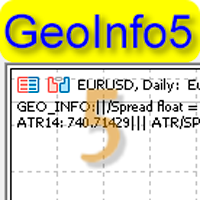
GeoInfo5 is one of the most informative indicators, it displays basic information about a trading instrument in a compact form. The version for the Meta Trader 4 terminal has gained wide popularity among traders. The indicator is free and will always be free. The launch version is now available for MetaTrader 5 as well.
displays information about the main parameters of the tool in a brief form in the line in the upper left corner of the chart: Spread, Swap for Buy order, Swap for Sell order, c
FREE

Easy Trade Copier (Master / Sender) The lightning-fast, lightweight engine that broadcasts your trades safely. Description:
Welcome to the Easy Trade Copier (Master) . This is the "sender" EA. You attach this to your main trading account, and it instantly broadcasts every trade you take to your client accounts. Standard copiers often cause errors or freeze your trading platform when trying to send data to multiple accounts at once. The Easy Master uses smart, glitch-free saving technology so
FREE

Introducing Candle Feeling Indicator for MetaTrader 5 - Your Ultimate Solution for Accurate and Timely Analysis! Built with more than two decades of programming experience, this indicator allows you to follow the complexities of financial markets with confidence and accuracy.
Key Features: High Precision: Identifies trend reversals with unparalleled accuracy, ensuring you stay ahead of market shifts. Analysis: All the information you need from the structure of a candle Beautiful appearance:
FREE

The Time End bar by MMD is a simple indicator that shows the number of seconds remaining in the three selected intervals. According to the MMD methodology, the moment when a directional price movement occurs is important. This indicator allows you to use this relationship more effectively in Forex and Futures trading.
Functionality description:
Time Frame 1 Period - defining the first time interval Time Frame 1 Color - specifying the color for the first time interval Time Frame 1 Period - def
FREE

This robot sends Telegram notifications based on the coloring rules of PLATINUM Candle indicator. Example message for selling assets: [SPX][M15] PLATINUM TO SELL 11:45. Example message for buying assets : [EURUSD][M15] PLATINUM TO BUY 11:45 AM.
Before enable Telegram notifications you need to create a Telegram bot, get the bot API Key and also get your personal Telegram chatId. It's not possible to send messages to groups or channels. You can only send messages to your user chatId. You should
FREE

Indicator Removal Script for MetaTrader 5 (Version 1.4) The Delete All Indicators Script is a powerful and user-friendly tool designed for MetaTrader 5 (MT5) to instantly remove all indicators from the main chart, sub-windows, or both, with a single click. Developed by Louis MattFX , this script (Version 1.4) simplifies chart management, saving traders time and effort when resetting their workspace for fresh analysis or new trading strategies. Key Features Flexible Removal Options : Choose to c
FREE

Adaptive Momentum Oscillator (AMO) – Next-Gen Momentum Indicator Overview The Adaptive Momentum Oscillator (AMO) is a powerful technical analysis tool that dynamically adjusts its sensitivity to market conditions by incorporating adaptive lookback periods, noise filtering, and normalization techniques . Traditional momentum indicators use fixed lookback periods, which can lead to inefficiencies in trending and ranging markets. The AMO overcomes this limitation by adapting its calculation based o
FREE

Mini Trader Nestor Glob – Manual Trading Panel for MT5 Follow me on social media and learn how to trade gold. Mini Trader Nestor Glob is a professional manual trading tool for MetaTrader 5 , designed to speed up and simplify trade execution and position management, especially for Gold (XAUUSD) trading. This product is not an automated trading robot .
All trades are executed only through user interaction using on-chart buttons. Main Features Manual trading panel with BUY / SELL / CLOSE buttons Au
FREE

Basket Close – Your Smart Trading Assistant for the Perfect Exit!
The Basket Close EA is the ideal solution for traders who want to efficiently manage their open positions. This simple Expert Advisor allows you to close all open positions simultaneously based on a predefined profit or loss target.
Automated Risk Management – Closes all positions as soon as a specific profit or loss (in percentage of the account balance) is reached.
Efficient Trade Control – No more manual monitoring or
FREE

️ Instant Close All Charts – MT5 Utility Script One-Click Solution to Instantly Close Every Chart Window in MetaTrader 5 Managing too many open chart windows in MetaTrader 5 can slow down your platform, clutter your workspace, and reduce productivity. Instant Close All Charts is a lightweight, ultra-fast MT5 utility script designed to close all open chart windows with a single click — clean, safe, and efficient. Download MT5 EA Products Whether you're a trader working with dozens of charts or
FREE

Strong Levels — Support & Resistance Indicator Idicator for automatic detection of strong price consolidation levels. Designed to help traders identify important support and resistance zones on the chart.This indicator is intended for market analysis , not for generating trade signals. How it works Strong Levels analyzes price behavior using: 2 Moving Averages 1 MACD a proprietary multi-factor algorithm
The same algorithm is used by the author in personal trading.
The indicator detects pri

Volumeku is a Volume-based analysis tool. Its use and purpose is very simple, it is clear that with large volumes of trading some event happens in the market, sometimes a reversal happens, sometimes the beginning of a strong movement. You who are greater, where X is a variable. Let's take the value of 6500 on the H1 chart as an example, put this measurement on your chart and see with your own eyes what happens to the price every time it hits such a level. Download now, it's free and very cool! D
FREE

When creating, modifying and moving a trend line, two anchor points will be selected: high / low, open / close, median or weighted from the candlestick prices.
For high / low, open / close, if the anchor point is above the candlestick, the upper price will be taken, below the candlestick - the lower one. If the point is inside the candlestick, then if the first point is higher than the second, then the first one goes up, the second goes down. Conversely, if the second is higher than the first.
FREE

Apply template to all opened charts First you must save the template, enter the template name Next, open the script and enter the name of the saved template in the input field, such as my_template.tpl Note: You can only set the template for the opened chart Note: You can only set the template for the opened chart Note: You can only set the template for the opened chart Note: You can only set the template for the opened chart
FREE

NS Financas Automatic Clear All Chart Indicators Script
Automatically remove all indicators from your chart offered for free by NS Financas! Don't waste any more time deleting the indicators one by one. With this script it is possible in one click to remove all indicators from the screen to adjust your new strategy while still using the settings of your graph, in addition to the possibility of configuring keyboard shortcuts for quick access to the script.
Take the opportunity to visit our cha
FREE

GhostTrail Pro v5 is an intelligent Expert Advisor for MetaTrader 5 that manages the complete lifecycle of manual crypto trades. From detecting your setup and alerting your phone, to automatically protecting profits and closing positions — GhostTrail does the heavy lifting so you don't have to. Designed specifically for manual traders and scalpers who have a proven entry strategy but struggle with trade management, partial closes, and protecting profits while away from their screen.
FREE
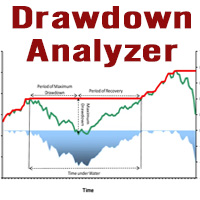
This tool is specifically designed to calculate drawdowns in a trading or investment account, expressed as a percentage, by using user-input balance figures. In essence, it allows users to track how much their account dips from a peak balance to a subsequent low point, a metric that is instrumental in understanding risk exposure. By supporting the option to choose a specific timeframe, it empowers traders and investors to pinpoint the start date of their measurement, ensuring that the data refle
FREE

Q市价做空,W市价做多,E市价全部平仓。 持仓最大数量为1,即:禁止加仓。 ea的输入为手数,止损和最大滑点,不支持设置止盈。 专为短线吃一个小波段设计。 无论下单还是止损都会有提示声。 Q W E sell buy close
The Q key is short, the W key is long, and the E key is closed. The maximum number of positions is 1, i.e., it is forbidden to add positions. The EA's inputs are lots, stop loss and maximum slippage, and take profit is not supported. Designed for short-term swing trader. Play sound whenever position open or stoploss.
FREE

Broker Desynchronization script MT5 is a script in the form of an EA. It will check the desynchronization of a BROKER's server compared to your time at your PC.
Usually BROKER sets time forward to have some space to execute trades.
If you wish to check how big the difference is, please load the EA to any chart.
After loading, it will wait for the first tick to check the desynchronization.
Information will be available for 10 seconds.
NOTE!
If market is closed, you get information to try again la
FREE

Hi you, I need your help! Be my Patron, let's make it possible!
https://www.patreon.com/joaopeuko https://github.com/Joaopeuko/Mql5-Python-Integration
It works.
*****REVISADO*****DIA 31/12/2019 (dd/mm/yyyy) - EA continua funcionando perfeitamente, apesar do comentário feedback negativo.
Simples Expert Advisory para trades feitos de forma manual.
O EA coloca o Stop Loss (SL) e o Take Profit(TP) de e automática quando o Trade acontece.
O EA trabalha com números inteiros e fracionados, tan
FREE

Strangely enough, everyone seems to have their own idea of how you should measure support and resistance. Not every support and resistance zone is strong. The strongest support or resistance levels will more often than not be with trend . What this means is, if we are in a bull trend, pullback levels to support will more often than not be ‘stronger‘ than resistance levels above. These expert advisors use several mathematical models and statistical models to determine the strongest support and r
FREE

Posh Sessions is indicator which displays sessions in broker time or your local time. You can set up to 5 sessions, assign name, start time, end time and color of each session. There is session's range to help you make a chart analysis.
Settings for a session: Show: To show or not the session on chart Title: The title/name of the session Timezone: Select between broker or local time to implement the session's period Start time: The session start time End time: The session end time Co
FREE

This script calculates the SQN (System Quality Number) value of your account within a time interval that you will set. Keep in mind that trades with no initial stoploss value won't be calculated because of the nature of the system! The calculations will be made on your current account.
What is SQN? Van K. Tharp proposed a formula for System Quality Number (SQN) that measured strategy performance and could be used as a custom objective for optimizing strategy parameters. The formula was present
FREE

For those who use the Trading Arrows on the chart for later study, but use the Triple Screen approach and got all those arrows everywhere on all additional charts, here it is: Arrows Cleaner! Just drop it on the chart and leave it there. When needed, just with 1-click you get rid of all those annoying arrows...
SETTINGS You can position the little Button on any corner of the chart. Additionally you can displace it with the Offset settings. You can enlarge or shrink its size, as well as the text
FREE

AdaptiveStats is a comprehensive and visually stunning performance analysis tool for the MetaTrader 5 (MQL5) platform, featuring a professional "Fintech Dark" (JARVIS-inspired) aesthetic. It is engineered to provide traders with real-time, actionable insights into their trading performance directly on the chart interface. Key features and capabilities include: Multi-Timeframe Performance Tracking : Automatically calculates and aggregates Net Profit, Win Rate, and Total Trades for three critical
FREE

Utilities for MetaTrader 5 - Average Price Calculator Maximize your trading analysis without breaking the bank with our Utilities for MetaTrader 5 - Average Price Calculator, available to you completely free of cost. This tool is meticulously crafted to provide traders with a convenient solution for calculating average prices within the MetaTrader 5 platform. Key Features: Efficient Calculation : Quickly compute average prices to streamline your trading analysis, saving you valuable time and eff
FREE

ApexTPGrid is a powerful Trade Management Utility designed to professionalize your grid and averaging strategies. Whether you trade manually or use other EAs, this utility takes control of your open "basket" of orders to manage them to a safe exit. The standout feature is the Swap-Aware Logic . We all know the pain of holding a grid for weeks, only to close at "breakeven" and realize negative swaps ate your capital. ApexTPGrid solves this by automatically calculating all accumulated costs (Swap
FREE
Clean all symbols from a chart to get a better view. We all love to draw a chart, but it's hard to get the unwanted objects away that we don't need anymore. With this script, you simply remove ONLY SYMBOLS. All others will stay on the chart. In my eyes, a must-have tool in case you need to clean quick up to continue observations or strategy finding. Just pull it onto the chart.
KEEP IT GROWING! Happy Trading
FREE

Quickly clear all open charts in MetaTrader 5 with a single script execution. Ideal for traders who want to reset their workspace before starting a new trading session or analysis. Implementation Notes: This script is designed to operate under strict coding standards ( #property strict ) to ensure reliability and efficiency. No user inputs are required, as it automatically processes all open charts.
FREE

**DER AUTOR ÜBERNIMMT KEINE HAFTUNG FÜR VERLUSTE, DIE DURCH DIE NUTZUNG DIESER SOFTWARE ENTSTEHEN, INSBESONDERE NICHT FÜR VERLUSTE DURCH DAS AUTOMATISCHE SCHLIESSEN VON POSITIONEN (TRADES). BITTE TESTEN SIE DIE SOFTWARE AUSFÜHRLICH AUF EINEM DEMO-KONTO!** --- # Equity Drawdown Monitor - Ihr Wächter für Risikomanagement **Schützen Sie Ihr Kapital mit professionellem Multi-EA-Monitoring und automatischem Notfall-Stopp.** Der **Equity Drawdown Monitor** ist ein unverzichtbares Werkzeug für Trader,
FREE
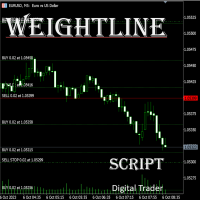
In multi-asset, multi-position trading environments—such as those involving forex, stocks, gold, and other instruments—traders often face a critical pain point: when holding multiple positions in the same instrument, it’s difficult to quickly and intuitively assess the current market price relative to all long and short positions. This makes it challenging to accurately determine the overall average entry cost, leading to delayed stop-loss and take-profit decisions. The problem worsens with mixe
FREE

The CloseByPercentLossOrProfit Expert Advisor closes all positions as the total profit of loss for the entire account reaches a specified value. The profit or loss is specified as percentage of the account balance. In addition, the Expert Advisor can delete pending orders. Allow AutoTrading before running the Expert Advisor. Instructions: Run the Expert Advisor on the chart. Input parameters: Language of messages displayed (EN, RU, DE, FR, ES) - the language of output messages (English, Russian,
FREE

Entry Cluster Indicator for MT5 Entry Cluster is a professional-grade trading system engineered to deliver precise, high-probability entries without repainting or hindsight bias. Designed for serious traders, it integrates momentum analysis with institutional price levels to identify only the most reliable setups. Signal Clarity : Dots mark potential buy/sell zones, allowing traders to prepare. Gems confirm execution points, triggered only when momentum aligns with key levels. Robust Framework
FREE

Symbol Changer AA – Advanced & Instant Chart Navigator for MT5 Take full control of your trading workspace with Symbol Changer AA . This high-performance utility is designed for professional traders who need to switch between different financial instruments instantly without cluttering their MetaTrader 5 interface. Developed under the Sumerian Trader brand, the "AA" (Advanced Asset) edition focuses on speed, reliability, and extreme ease of use. Main Features: One-Click Symbol Swap: Instantly ch
FREE

Copier Provider RAlabs — a signal source for local trade copying. A lightweight trade publishing tool for a copying system consisting of Copier Provider RAlabs (signal source) and Copier Master RAlabs (receiver). Copier Provider RAlabs is installed on the donor account whose trades need to be copied and transmits those trades to the Copier Master RAlabs receiver. The provider publishes: position openings, modifications, and trade closures. Features: instant local transmission, minimal resource u
FREE

Many prop firm traders fail challenges because they lose track of daily drawdown or overall risk. Prop Firm Tracker helps you monitor your challenge directly on the MetaTrader 5 chart. No spreadsheets.
No manual calculations.
Everything updates automatically. Features
Current Balance Current Equity Profit / Loss Challenge Progress (%) Daily Drawdown Daily Drawdown Usage Maximum Drawdown Maximum Drawdown Usage Color Progress Bars Automatic Daily Reset Challenge Status: ACTIVE, PASSED,
FREE

Stop journaling your trades by hand. Let them journal themselves. Every serious trader knows the truth: the traders who review their trades outperform the ones who don't. And almost nobody actually does it — because manually logging every entry, exit, SL, TP, and P&L into a spreadsheet is tedious enough that it quietly dies after week two. War Room Journal kills that excuse. This is the official connector between your MetaTrader terminal and the War Room trading journal on Telegram (by @Ash_TheT
FREE

Session Stat is a utility for tracking the results of a trading session, as well as information about the position for the current instrument.
The panel displays:
Session statistics (for all instruments) Initial trading account balance Current trading account equity Profit during the operation of the utility Profit in % terms during the operation of the utility Session statistics (for the current instrument) Profit of the current position Profit of the current position in % terms Total volume
FREE

Role in MT5 Spread Trading 1. Spread Compensation Trading Spread Calculation: The indicator automatically calculates the current spread and adds it to the price. Actual Cost Consideration: Helps traders account for the actual transaction cost (spread). Precise Entry: Ensures stop loss and take profit settings already incorporate spread factors.
FREE
MetaTraderマーケットは、履歴データを使ったテストと最適化のための無料のデモ自動売買ロボットをダウンロードできる唯一のストアです。
アプリ概要と他のカスタマーからのレビューをご覧になり、ターミナルにダウンロードし、購入する前に自動売買ロボットをテストしてください。完全に無料でアプリをテストできるのはMetaTraderマーケットだけです。

取引の機会を逃しています。
- 無料取引アプリ
- 8千を超えるシグナルをコピー
- 金融ニュースで金融マーケットを探索