 MetaTrader 5
 エキスパート
 インディケータ
 ライブラリ
ライブラリ
 ユーティリティ
 ウィジェット
 ルール
ルール
YouTubeにあるマーケットチュートリアルビデオをご覧ください
ロボットや指標を購入する
仮想ホスティングで
EAを実行
EAを実行
ロボットや指標を購入前にテストする
マーケットで収入を得る
販売のためにプロダクトをプレゼンテーションする方法
MetaTrader 5のためのテクニカル指標 - 53
 テクニカル指標からのシグナルは、株式および外国為替市場での取引の開始と終了に重要な役割を果たします。指標の本質は、将来の価格変動を予測することを目的とした金融銘柄価格の数学的変換です。
テクニカル指標をテストして、市場の動きとそれからの利益をより正確に予測します。
テクニカル指標からのシグナルは、株式および外国為替市場での取引の開始と終了に重要な役割を果たします。指標の本質は、将来の価格変動を予測することを目的とした金融銘柄価格の数学的変換です。
テクニカル指標をテストして、市場の動きとそれからの利益をより正確に予測します。 
Gold Impulse Detector H1 — Your Ultimate Compass for Finding Impulse and Trend Reversals! Trading gold (XAUUSD) and tired of missing out on powerful market moves? It's time to take full control of volatility!
Gold Impulse Detector H1 is a professional indicator for MetaTrader 5, designed specifically to detect key impulse candles that signal the end of the current phase and a high probability of a trend reversal or continuation of a strong impulse.
What's the indicator's superpower? Cap
FREE

Candle Timeout is a simple indicator that displays the time a candlestick changes and is also available to display the spread range on market charts. This indicator is designed to help calculate the time a candle changes, both the Open and Close. It also provides a counter for the ASK and BID price ranges, or the spread, displayed in points (pts). Subscribe the MQL5 channel for other interesting information : (Automatic) Forex Tools Join new Public Group to Expressing Opinions and Sharing:
FREE
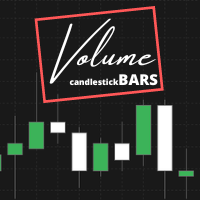
Indicator that show candlestick bars with an different sampling method than time fixed. Real time data is sourced to the indicator and it may be used as substitute of the default graph. Each bar is formed when a predefined volume of assets was dealt, showing in the graph the OHLC of this clustering. The amount of bars is proportional to the amount of negotiations instead of a sample in a fixed amount of time. If the broker doesn't show the real volume of the trades, this indicator won't work. Th
FREE
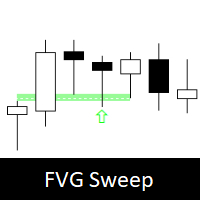
Fair Value Gap Sweep is a unique and powerful indicator that draws fair value gaps on your chart and alerts you when a gap has been swept by the price. A fair value gap is a price gap that occurs when the market opens at a different level than the previous close, creating an imbalance between buyers and sellers. A gap sweep is when the price moves back to fill the gap, indicating a change in market sentiment and a potential trading opportunity.
Fair Value Gap Sweep indicator has the following
FREE

Zigzag Indicator For RSI, To easily identify the highs and lows of the rsi signal. It is easier to observe divergent and convergent signals. Default setting: InpRsi =14 //Rsi Period InpDepth =12; // Depth InpDeviation =5; // Deviation InpBackstep =3; // Back Step
If you want open Exness account try this link : https://one.exness-track.com/a/teg5teg5 Dev buy taphu: Ha Van Tan - hatatrata - Trader's profile - MQL5 community Email: tan.ha@outlook.com
FREE

品种多空统计(Symbol Stats Board)是 MetaTrader 5 的纯图形面板指标:在图表上按【品种】分别统计「持仓订单」与「已关闭订单」的多空手数、多空盈亏,每个品种一行,末行汇总。 【两张表格】 · 持仓订单表:遍历当前持仓,按品种汇总 多单手数 / 多单盈亏 / 空单手数 / 空单盈亏(浮动盈亏,可选计入库存费)。 · 已关闭订单表:同样四列;统计区间可切换 今日 / 本周 / 本月 / 全部(按服务器时间计算,周以周一起始;盈亏默认含手续费与库存费,可分别关闭)。 · 汇总行:每张表末行为该表全部品种的合计;即使品种数超过显示上限,汇总仍统计全部品种。 · 多空归属:卖出平仓计入多单、买入平仓计入空单(与持仓方向相反),部分平仓按成交手数累加。 【交互】 · 底部按钮:今日 / 本周 / 本月 / 全部 切换统计区间;按品种 / 按盈亏 切换排序(A→Z 或盈亏从大到小);刷新 立即重算。 · 按住标题栏可拖动面板,拖动后不再自动跟随停靠角。 · 面板高度随品种数自动变化;超出图表高度时按缩放系数自动等比收缩,不会被裁切。 · 盈利绿色、亏损红色,便于快速区分。
FREE
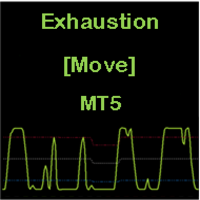
CONSTITUTION Exhaustion [Move] is an indicator consisting of an oscillator and three dynamic levels (upper, middler, lower). The inputs can be used to adjust the oscillator, dynamic levels and warning signals. It is designed for the MT5 platform only. APPLICATION This indicator should be used with a trend filter [e.g. moving averages, MA 200]. It detects the exhaustion of correction movements within a trend, thus giving entry points for new trades. It is usually used in the RENKO chart for SCA

BarionQuant MACD Color Lite displays a custom four-color MACD histogram that makes momentum shifts easy to read at a glance. DIF and DEF lines are included; divergence detection is reserved for the paid Divergence Pro edition. HOW IT WORKS DIF = Fast EMA(12) minus Slow EMA(26) DEF = Smoothed signal line of DIF Energy = (DIF − DEF) × 2, split into four histogram colors: Above zero, lengthening → red (momentum building) Above zero, shortening → aqua (momentum fading) Below zero, lengthening → gree
FREE

Ornstein–Uhlenbeck Z-Score Regime Suite Discover not only the deviation, but whether the movement still has enough strength to continue. Two movements can reach the same Z-Score while representing completely different conditions. One may be ready to return to the mean, while the other may be developing persistence and lasting far longer than expected. The suite applies the Ornstein–Uhlenbeck process to the normalized series, combining three essential dimensions: distance, persistence, and revers

# OracleTrading Candlestick Reversal Signals **スマートな反転ローソク足パターン検索と多層確認システム**
このインジケーターは、チャート上で18のクラシックな反転ローソク足パターンを検出します。 単に矢印を表示するだけでなく、各シグナルに**1〜10の強度レーティング**を付与します。このレーティングは、トレンドとの一致度と、10の人気インジケーターによる多角的な確認に基づいて算出されます。
これは単なる「矢印インジケーター」ではありません。 **複数の根拠が重なる(コンfluence)分析**を行い、ランダムなフォーメーションを除外し、本当に信頼性の高いシグナルのみを抽出するツールです。
---
## 18のローソク足パターン
**単一・2本のローソク足パターン** - ハンマー / 逆ハンマー - 首吊り人 / 流れ星 - 強気包み足 / 弱気包み足 - 強気はらみ足 / 弱気はらみ足 - ピアッシングライン - ダーククラウドカバー - トゥイーザートップ / トゥイーザーボトム
**強力な3本足およ
FREE

LM Donchian Channel MT5 LM Donchian Channel MT5 is a clean and configurable technical indicator for MetaTrader 5. It displays the highest high and lowest low over a selected number of bars, creating a channel that helps users visualise recent price ranges on any chart and timeframe. The indicator is based on the classic Donchian Channel concept: Upper Channel: Highest high over the selected lookback period. Lower Channel: Lowest low over the selected lookback period. It can be used as part of yo
FREE

RSI + EMA Momentum for MetaTrader 5 RSI-Based Momentum Analysis with Multi-Timeframe Evaluation RSI + EMA Momentum is a MetaTrader 5 indicator designed to measure momentum through the relationship between RSI and its Exponential Moving Average (EMA). Instead of relying exclusively on traditional overbought and oversold levels, the indicator evaluates the distance between RSI and its EMA and normalizes the result using standard deviation. This process produces a momentum score that adapts to dif
FREE
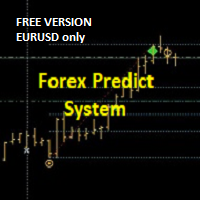
+++++++++++++++++++++++++++++
+++ FREE VERSION - EURUSD ONLY
+++++++++++++++++++++++++++++
Please add PREFIX and/or SUFFIX via settings if your Broker Chart Symbol is different (e.g. suffix = .r).
+++
This is forecast system.
On the moment of the breakout/forecast: the indicator draws retrace zone (yellow) and three targets. The levels act as support and resistance. It can be used on all pairs/indices/timeframes/periods. For the higher timeframes (H4, H1, M30) it's better to engage at Optima
FREE

Introduction Poppsir is a trend-range indicator for metatrader 5 (for now), which distinguishes sideways phases from trend phases.
With this tool it is possible to design a trend following-, meanreversion-, as well as a breakout strategy.
This indicator does not repaint!
The signal of the Poppsir indicator is quite easy to determine. As soon as the RSI and Popsir change their respective color to gray, a breakout takes place or in other words, the sideways phase has ended.
Interpretation
FREE
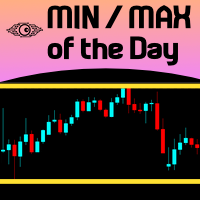
For those Price Action traders who love to trade strong Price points, like yesterday's HIGH and LOW, here is an indicator to ease the identification of those values, drawn directly on your chart! MIN/MAX of the Day will automatically draw 2 lines showing you those points for you, AND, if you like any HIGH and LOW in the past, not just yesterday's prices. It can also be configured to additionally show today's HIGH and LOW prices - just configure the refresh rate of those lines at your own taste/s
FREE

The standard Fractals Bill Williams indicator with the ability to specify the number of candles for formation. The indicator works on all charts and timeframes.
Settings: candles - the number of candles to the left and right on the basis of which the fractal is built (in the classic indicator this value is always 2)
Contact: If you have any questions or need assistance, please contact me via direct message. Author: Fertikov Serhii, More of my indicators, advisors, scripts are available in t
FREE

Live MTF Trend Panel for MT5 Professional Multi-Timeframe Trend Dashboard with Live Candlestick Analysis Live MTF Trend Panel adalah indikator profesional MetaTrader 5 yang menampilkan kondisi trend secara real-time pada 9 timeframe sekaligus , mulai dari M1 hingga Monthly , menggunakan analisis murni berdasarkan candlestick tanpa indikator teknikal apa pun. Panel ini dirancang untuk trader yang membutuhkan gambaran cepat mengenai arah pasar dari berbagai timeframe dalam satu tampilan yang ringk
FREE
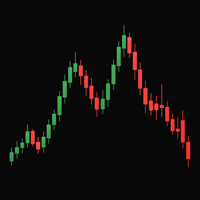
Simple Strategy Indicator The Simple Strategy indicator is a reliable tool for identifying trend direction, leveraging three popular technical indicators: MACD, RSI, and Stochastic. It provides clear trading signals for quick market analysis. Trend Detection Logic Buy signal: MACD above signal line, RSI > 50, Stochastic > 50 Sell signal: MACD below signal line, RSI < 50, Stochastic < 50 Advantages Suitable for various assets: forex, stocks, cryptocurrencies, indices Optimal on daily (D1) timefr
FREE

Descent Blade インジケーターは、MetaTrader 5 向けの「非リペイント型」トレンド転換シグナルシステムです。Wilder パラボリック SAR に 1 本遅れ(ラグ)バリアントを組み合わせてエントリーを検出し、さらに Bill Williams フラクタル層を重ねることで、テイクプロフィット(TP)および再エントリー(RE)シグナルを生成します。すべてのシグナルは確定足の終値ベースでのみ計算されるため、一度描画された過去シグナルが後から動いたり、形が変わったり、消えたりすることはありません。 このシステムは、生の Parabolic SAR 売買が抱える根本的な問題に対処します。標準的な SAR はボラティリティの高いレンジ局面で頻繁にフリップし、本当のトレンド転換の合間に大量のダマシシグナルを生み出してしまいます。1 本遅れのバリアントは構造的な「確認ゲート」として機能し、高頻度ノイズをフィルタリングしつつ、真のトレンド反転では必ずシグナルを出すよう設計されています。BW フラクタル層は、各トレードのスイング構造に適応する形で、コンテキストを踏まえた TP/RE
FREE

Take a Break Indicator gives any chart its own protection rules: pause before news, stop after a daily loss, trade only during your hours, or pause when your own indicator condition is true. News filter, drawdown protection, time filter and custom indicator rules per chart. It is the free companion of the Take a Break EA, which does the pausing for the whole account. Rules you can set per chart Custom indicator rules (MetaTrader 5): put any indicator on the chart and write a condition. RSI>70 ,
FREE

Dashboard MTF Candle Size Projection for MetaTrader 5 Dashboard MTF Candle Size Projection is a powerful, lightweight, non-repainting multi-timeframe analytical matrix for MetaTrader 5 . It calculates dynamic candle volatility metrics (Average Shadow Rejection and Average Body Size) over a user-defined historical lookback period to project critical real-time breakout, re-entry, and target levels across all 9 standard timeframes simultaneously ( M1 to MN1 ) . Designed for high-frequency scalpers

世界の主要市場の現在時刻を表示するインジケーター。また、現在のセッションも表示されます。 とても使いやすいです。チャート上であまりスペースを占めません。 ExpertAdvisorsやVirtualTradePad などの他のパネルと一緒に使用できます。 クラシックスタイルバージョン。 親愛なる友人やEAのユーザーの皆様、 レビュー セクションに評価を追加してください。 私たちの外国為替ソフトウェアへのすべてのアップデートは 無料 です! これは無料の取引ユーティリティです! その他の機能: 入力パラメータにはオプションがあります。ボタンの上にマウスを置くとヒントを表示/非表示にします。ヒントの言語を英語/ロシア語で選択することもできます。 [閉じる]ボタンはアプリケーションを停止します。 [最大化/最小化]ボタンは、チャートのペインを折りたたむ/展開します。 ペインはチャート上で移動できます。これを行うには、[閉じる]ボタンと[最小化]ボタンの近くにあるペインの上部をクリックしてから、ペインを目的の位置に移動します。 Expforex,Vladon,Indicator,Utilit
FREE

Predator 8 AI AI Predicts Next 8 Candles Trend Continuation Probability My other products: https://www.mql5.com/en/users/bitksk/seller
_______________________________________________________________________________________ Core Features Real-time output of next 8 candles up/down/sideways probability per bar Built-in Lasso+Attention deep learning model (fully embedded, no internet, no coding required) Zero repaint – historical signals never flicker Supports all markets: Forex, Gold, Crypto, Indi
FREE
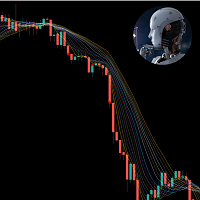
This indicator is very useful in observing the direction of the market. It allows users to enter multiple MA lines with specific display method. In addition, it is also possible to change the candle color same to color of the background of chart, so that we only focus on the MA lines. When a signal appears, represented by a red or green dot, we can consider opening a sell (red dot) or buy (green dot) order. Note: it need to set stoploss at the highest value of MA lines (with sell order) or lowe
FREE

The Horse DCA Signal 1.26 – สุดยอดนวัตกรรมอินดิเคเตอร์สำหรับการเทรดทองคำและทุกสินทรัพย์ The Horse DCA Signal คืออินดิเคเตอร์รุ่นล่าสุดจากตระกูล WinWiFi Robot Series ที่ได้รับการออกแบบมาเพื่อยกระดับการเทรดบนแพลตฟอร์ม MT5 โดยเฉพาะ โดยเป็นการผสมผสานอัจฉริยะระหว่างกลยุทธ์ Follow Trend และ Scalping เข้าด้วยกันอย่างลงตัว คุณสมบัติเด่น: ระบบลูกศรแยกประเภทชัดเจน: ลูกศรสีทอง: บ่งบอกสภาวะตลาดช่วง Sideway เหมาะสำหรับการเทรดแบบ Swing Trade หรือ Scalping เก็บกำไรระยะสั้น (2) ลูกศรสีน้ำเงินและสีแดง: บ่งบอกส
FREE

BarTimer v1.0 | Visualización Dinámica de Tiempo para MT5 BarTimer v1.0 es un indicador de alta precisión diseñado para traders que buscan gestionar el tiempo de cierre de sus velas sin saturar su espacio de trabajo. A diferencia de los contadores numéricos tradicionales, utiliza una barra de progreso visual que permite interpretar el ciclo del mercado de un solo vistazo. BarTimer v1.0 "La gestión del tiempo es tan crítica como la gestión del riesgo. BarTimer transforma un dato abstracto en una
FREE

AE-VWAP with Rejection Bands for Daily/ Weekly / Monthly AE-VWAP is a professional custom indicator that helps you evaluate the fair price of an instrument based on trading volume. The calculation is based on VWAP (Volume Weighted Average Price), a volume—weighted average price that is widely used in intraday and medium-term analysis.
Unlike regular moving averages, VWAP takes into account not only the price, but also the volume, giving more weight to those levels where the main trading activi
FREE
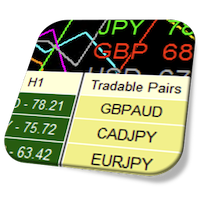
Currency Strength Meter is the easiest way to identify strong and weak currencies. This indicator shows the relative strength of 8 major currencies + Gold: AUD, CAD, CHF, EUR, GBP, JPY, NZD, USD, XAU. Gold symbol can be changed to other symbols like XAG, XAU etc. By default the strength value is normalised to the range from 0 to 100 for RSI algorithm: The value above 60 means strong currency; The value below 40 means weak currency;
This indicator needs the history data of all 28 major currency
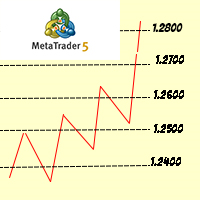
The big figure is a crucial aspect of forex trading, serving as a reference point for trade execution, risk management, and technical analysis. By understanding the importance of the big figure and incorporating it into their trading strategies, forex traders can improve their decision-making process and increase the likelihood of successful trades. Why is the Big Figure Important? The big figure is important for several reasons: Simplification: Traders often refer to the big figure when discu
FREE

WaveTrend Arrow LIGHT is a clean and lightweight WaveTrend-based arrow indicator for MetaTrader 5. This free version focuses purely on visual buy & sell arrows , generated from WaveTrend WT1 and WT2 crossings, without alerts or notifications. It is designed for traders who prefer a simple, non-repainting arrow indicator and for developers who want a stable signal source for EA integration . Features: Buy & Sell arrows based on WaveTrend crossing Non-repainting signals (closed bar option) Clean a
FREE

Fisher Transformation Indicator for MT5 – Spot Trend Reversals Before They Happen! The Fisher Transformation Indicator is your go-to tool for crystal-clear market movement detection. Through mathematical transformation of price data, it delivers unmistakable buy and sell signals – right there in your chart where you need them.
Key Benefits: Early Warning System for Trend Changes – catch uptrends and downtrends before the crowd Crystal Clear Buy & Sell Signals – color-coded for instant recogniti
FREE

Market Structure (BOS & CHoCH) Pro Il trading basato sulla Price Action e sullo Smart Money Concepts (SMC) richiede un'identificazione precisa e tempestiva della struttura di mercato. L'indicatore Market Structure BOS & CHoCH automatizza questo processo complesso, tracciando in tempo reale le rotture di struttura (BOS) e i cambi di carattere (CHoCH) direttamente sul tuo grafico. Che tu sia uno scalper o uno swing trader, questo strumento ti aiuterà a mantenere la concentrazione sulla direzionali
FREE

MACD Signal Pro – マルチタイムフレームスキャナー
MACD Signal Proは、複数のタイムフレームにおいて、明確でフィルタリングされた、確度の高いシグナルを求めるトレーダー向けに設計された高度なインジケーターです。
従来のMACDのパワーと、最新のビジュアルパネルに表示されるインテリジェントなマルチタイムフレームスキャナーを組み合わせ、誤ったシグナルを回避し、エントリー精度を向上させます。
FX、指数、暗号通貨、貴金属に最適です。
主な機能
正確な買い/売りシグナル
MACD/シグナルのクロスオーバーに基づく
チャート上に視覚的な矢印を表示
マルチタイムフレームスキャナー搭載
M1 → MN1
各タイムフレームで瞬時にトレンドを視覚化
強気または弱気のアライメントを迅速に検出
プロフェッショナルで直感的なパネル
タイムフレームごとの買い/売りシグナル
シグナル強度インジケーター(%)
全体概要:強気 / 弱気 / 混合
包括的なアラートシステム
音声アラート
プッシュ通知
メール
ローソ
FREE

This indicator is based on the Parabolic SAR indicator. It helps the user identifying whether to buy or sell. It comes with an alert that will sound whenever a new signal appears. It also features an email facility. Your email address and SMTP Server settings should be specified in the settings window of the "Mailbox" tab in your MetaTrader 5. Blue arrow up = Buy. Red arrow down = Sell. Line = Trailing Stop. You can use one of my Trailing Stop products that automatically move the Stop Loss and i
FREE

Daily PnL Dashboard is a clean, draggable on-chart panel that shows your real trading results at a glance — no more digging through the account history tab.
What it shows: - Today's result — big and clear, with the number of closed trades. - Daily breakdown for the week: each of the last 7 days (or the current week from Monday) with a proportional bar per day, so you instantly see your best and worst days. - Weekly and all-time totals, including the all-time result as a percentage of your net d
FREE
The selective pin bar is designed to identify reversals. To use the selective pin bar effectively, traders typically look for Strong Rejection: The tail of the pin bar should extend significantly beyond the surrounding price action. It indicates that there was a sharp rejection of higher or lower prices during the trading period. A strong rejection suggests that the market sentiment may be changing.
FREE

AI London Session Range Indicator automatically draws the London session's opening range as a box on your chart, giving breakout and session traders an instant, objective reference for the high-volatility window that sets the tone for the rest of the trading day. The indicator tracks the exact high and low reached during the configured opening-range window after the London session start, plots it as a shaded box, and keeps it visible for the rest of the session so you can watch for breakouts, re
FREE

M30 Power: Pullback Analyzer Unlock the precision of multi-timeframe analysis with the M30 Power: Pullback Analyzer . Designed for serious day traders, this indicator bridges the gap between M30 market structure and M1 execution, helping you identify high-probability pullback entries with surgical accuracy. NOTE: Dont overtrade inside a M30 Period. If you took one or two scalps, wait for the next M30 Candle/Period.
Core Functionality The indicator divides the trading day into 30-minute stru
FREE
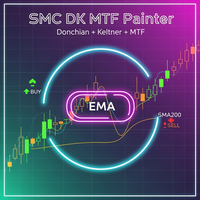
SMC Donchian Keltner MTF Trend Painter The SMC Donchian Keltner MTF Trend Painter for MetaTrader 5 is a versatile trend indicator that combines Donchian and Keltner channels with a multi-timeframe EMA bias. It delivers a clear, multi-dimensional view of market trends and precise trading signals – ideal for both intraday and swing traders. Key Features: Multi-Timeframe Trend Assessment: Candles are colored according to EMA bias from two timeframes (e.g., H1/H4), instantly showing the dominant ma
FREE

Aurum Flow Matrix is an advanced XAUUSD volume intelligence indicator that detects buying, selling, and absorption zones. It displays zone strength, estimated flow, confidence, retest status, market bias, and the nearest active zone through a clean professional dashboard.
post Aurum Flow Matrix is a professional volume intelligence indicator developed for XAUUS
FREE

Multichart V and H Line Sync Overview Multichart V and H Line Sync is the essential tool for multi-timeframe traders. It instantly synchronizes your Horizontal Support/Resistance Lines and Vertical Time Lines across all open charts of the same symbol. Stop drawing the same levels on M5, H1, and D1 charts manually. With this tool, draw a line once, and it automatically replicates on every other timeframe. Perfect for keeping your technical analysis consistent and your workspace clean. Key Feature
FREE

Onyx FVG Pro
マーケットストラクチャーと Fair Value Gap に基づく MT5 専用スマートトレードシステム 1. マーケットストラクチャー自動検出エンジン
高度な Swing High/Low ロジックを使用し、 CHoCH(トレンド転換の兆候) や BOS(構造のブレイクアウト) などの重要な市場構造の変化を自動検出します。常に主要トレンドに沿った取引を可能にします。 2. ダイナミック FVG 検出(自動軽減機能付き)
設定した最小ポイント数に基づき、優位性の高い Fair Value Gap(価格の不均衡ゾーン)をリアルタイムでスキャンして描画します。 スマート自動軽減(Auto-Mitigation)機能 により、価格が埋められたゾーンは自動的にグレーアウトされ、チャートを常にシンプルでクリアに保ちます。 3. トレンドフィルター&シグナルエンジン
アクティブなマーケットストラクチャーと同方向の FVG ゾーンのみを厳選してエントリーシグナルを出します。以下のセットアップを自動計算してチャート上に表示します: エントリー価格
FREE
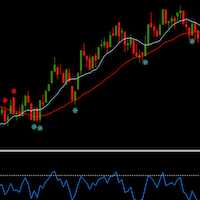
MaRSI Scalper & Trader The combination of moving averages and RSI This setting is flexible so it can be set with regards to user test uses 1. For scalping 2. For long time trading
features 1. Sends push notifications 2. Sends alerts on computers 3. Draws Arrows 4. Draws respective indicators (this feature will be edited in the future)
Have feedback https://t.me/Tz_Trade_Logics or just call +255766988200 (telegram/whatsApp) Head to discussion page to leave your comments Improvement are on the
FREE
Dual Time Frame RSI with Custom Alerts & Visuals Dual Time Frame RSI is an advanced RSI (Relative Strength Index) indicator designed for traders who want to monitor multiple timeframes simultaneously and customize alerts and visuals for better trading decisions. This tool allows you to combine two RSI readings from different timeframes, helping you identify stronger trends and overbought/oversold conditions across multiple time horizons. Key Features: Two Timeframes : The lower timeframe is alwa
FREE

Best used for: Identifying entry/exit zones, setting stop-losses and take-profit targets, breakout trading, range-bound trading, and confirming levels from other analysis methods.
This indicator automatically identifies key support and resistance levels using fractal pivot detection, eliminating the need for manual drawing. It scans price history for swing highs and swing lows, then projects R1, R2, R3 (resistance) and S1, S2, S3 (support) levels on your chart with visual trendlines and channe
FREE
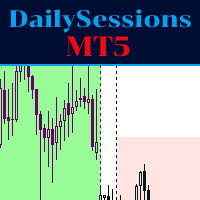
The indicator represents the session boxes for the Asian, European and American sessions. It is possible to change the time of each session, such as color. It is also possible to disable the display of each session. You will find in input parameters variables to modify in format hh:mm. In Colors tab you can change the color of boxes of each sessions. If you need some implementations please contact me.
FREE

This is a comprehensive summary of the Phoenix Master Engine (MT5). This tool is designed as a high-performance "Execution Dashboard" that blends Smart Money Concepts (SMC) with real-time momentum tracking. Project: Phoenix Master Engine (v1.0) Platform: MetaTrader 5 Strategy Type: Order Flow & Momentum Execution Visual Style: Dark Mode (Indigo/Teal/Black) 1. Core Visual Features Dynamic Volume Profile: Unlike standard indicators, this renders a "no-flicker" horizontal volume profile in the cha
FREE
説明: NR4 & NR7 インサイドバー・ハイライターは、NR4 または NR7 パターンとインサイドバーの組み合わせによる 価格の圧縮局面 を自動的に検出するインジケーターです。 NR4(ナロー・レンジ4)は直近4本のローソク足の中で最も値幅が狭い足を、NR7は直近7本の中で最も狭い足を特定します。これらがインサイドバー(前のローソク足の高値と安値の間に完全に収まる足)と一致する場合、市場の ボラティリティが収縮 していることを示し、その後に 強いブレイクアウト が起こる可能性が高まります。 インジケーターは該当するローソク足を以下のようにチャート上で視覚的に表示します: NR4 + インサイドバー:白(カスタマイズ可能) NR7 + インサイドバー:オレンジ(カスタマイズ可能) 各シグナルにはテキストラベルが自動で表示されます。アラートやプッシュ通知など他のトレーディングロジックとも簡単に統合可能です。全ての銘柄・時間足に対応しています。 ブレイクアウト戦略やボラティリティの拡大を狙うトレーダーに最適な軽量インジケーターです。
FREE

Spread Hunter MT5 – 現在および履歴スプレッドインジケーター 目的 このインジケーターは、現在のスプレッド値をポイント単位でコンパクトなパネルとしてチャートの右上隅に表示します。任意のローソク足にカーソルを合わせると、そのバーの履歴スプレッドを表示します。 このツールは、スプレッドの大きさに敏感な戦略(スキャルピング、ニューストレード、高ボラティリティ商品の取引)を持つトレーダーに不可欠です。 主な機能 現在のスプレッド
右上隅に常時表示されます。リアルタイムで更新されます(毎秒1回)。 履歴スプレッド
任意のローソク足にマウスを合わせると、以下の情報を含むツールチップが表示されます: バーの時間 ポイント単位のスプレッド値 バー期間の最小スプレッドが表示されていることの注記(ブローカーによる履歴データ保存の特性) 色分け表示 緑 – スプレッドが通常範囲内(≤ 設定閾値) 赤 – スプレッドが高い(> 閾値) 閾値はユーザーが設定可能です(デフォルトは20ポイント)。 解釈 低スプレッド(緑) – 特にスキャルピングと日中取引において、好ましいエントリー条件
FREE

Candle Dominator 拡張設定付きフルバージョン: Candle Dominator Pro インジケーターの機能 Candle Dominator は、あらゆる取引商品・時間足において、強気・弱気のエングルフィングパターンを自動的に検出します。矢印は確定済みバーにのみ表示され、リペイントはありません。 シグナル品質フィルター EMAトレンドフィルター — トレンド方向のシグナルのみ ATRボラティリティフィルター — 弱いローソク足や異常なローソク足を除外 最小ローソク足実体サイズ — 軽微なパターンを除外 通知 サウンドアラート ポップアップウィンドウ スマートフォンへのプッシュ通知 推奨時間足 H1以上。より短い時間足では、Min body size(ポイント)パラメーターを小さく設定することを推奨します。 パラメーター パラメーター 説明 Full body overlap required 現在のローソク足の実体が前のローソク足を完全に包む Min body size (points) ポイント単位の最小実体サイズ EMA trend filter EMAトレンド
FREE

CustomRSI50 - レベル50のカスタムRSIインジケーター 説明 CustomRSI50は、人気のある相対力指数(RSI)に基づくカスタム技術指標です。このインジケーターは、多くのトレーダーがモメンタム分析で重要視するレベル50に特に焦点を当て、RSIの明確でカスタマイズ可能な視覚化を提供します。 主な特徴 設定可能なRSI期間 強調表示された50レベルの参照ライン カスタマイズ可能な適用価格タイプ 別ウィンドウでの表示 解釈が容易な0から100までの固定スケール カスタマイズ可能なパラメータ RSI_Period: RSI計算の期間を設定できます(デフォルト:14) applied_price: 計算に使用する価格タイプを選択できます(デフォルト:終値) CustomRSI50の使用方法 MetaTrader 5の任意のチャートにインジケーターを適用します。 RSI期間と価格タイプを好みに応じてカスタマイズします。 50レベルに対するRSIの動きを観察します: 50を上回る値は上昇モメンタムを示します。 50を下回る値は下降モメンタムを示します。 シグナルの解釈と上位サイク
FREE
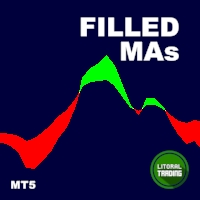
Are you a trend surfer like us? Do you use Moving Averages too? Ever wanted the are between them to be painted? Yeah, we solved this problem with the Filled MAs indicator! It is very simple, just puts two fully customizable Moving Averages on chart and fill the space between them, changing the color as they intersect. Thanks to gmbraz for the version 1.1 idea. Any questions os suggestions please contact me! Enjoy!
This is a free indicator, but it took hours to develop. If you want to pay me a
FREE

The ICT Unicorn Model indicator highlights the presence of "unicorn" patterns on the user's chart which is derived from the lectures of "The Inner Circle Trader" (ICT) .
Detected patterns are followed by targets with a distance controlled by the user.
USAGE (image 2) At its core, the ICT Unicorn Model relies on two popular concepts, Fair Value Gaps and Breaker Blocks. This combination highlights a future area of support/resistance.
A Bullish Unicorn Pattern consists out of:

The Candle High Low Exit indicator uses the highest high and the lowest low of a range to draw trailing stop lines (orange under buys, magenta over sells) that advance with the trend until the trend changes direction. Moreover, the trailing stop lines are generated to support the order’s trend direction (long or short): In an upward trend, the long trailing stop line (orange line under buy) appears and advances upward until the close crosses under the line.
In a downward trend, the short trai
FREE

TraderStart Structure Break Alerts
Track recent market structure breaks across multiple timeframes in one clean on-chart panel.
TraderStart Structure Break Alerts is a free MetaTrader 5 indicator that helps you monitor the latest market structure break on up to three configurable timeframes. It reports the most recent BOS (Break of Structure) or CHoCH (Change of Character), shows the break level, how many bars ago it occurred, and summarises the current structure bias and alignment.
The indi
FREE

H4 CONTAINER MTF BOXES (MetaTrader 5) | //| | //| One H4 container box holds every H1, M30, M15, M5 and M1 box | //| that falls inside it. Each inner timeframe has its own on/off | //| switch. | //| | //| LEVELS | //|
FREE
VWAP Indicator, the short form of Volume Weighted Average Price, is similar to a moving average but takes into consideration the tick volume of the candles. The indicator calculates the moving average multiplying the price of each candle for the tick volume in the candle. Said calculation weighs with more significance price where more transactions were made.
Features: Visual styling customizable Period customizable Ease of use
FREE
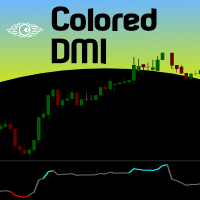
If you are (or were) a fan of the RSI indicator will love Tushar Chande's Dynamic Momentum Index indicator, that simply put is a dynamic variable lenght RSI, so it is more powerful. The DMI indicator internally uses a variable number of bars in its calculations, taking into consideration the volatility levels of the current market you are analyzing. This way, the DMI indicator will use more bars as volatility decreases and less bars when volatility increases, giving you a more powerfull analysis
FREE

どのトレーダーにも覚えのある手順があります。インジケーターのパラメータを開き、数値を変え、OKを押し、チャートを見つめ、違うと判断して、また設定を開く。Bollinger Bands で最も重要な数値、つまり偏差の乗数こそ、誰も試そうとしないパラメータです。一度試すたびにダイアログを往復しなければならないからです。Bollinger Live Tuner はそれを終わらせます。 これは チャート上でそのままリアルタイムに調整できる 本格的な Bollinger Bands インジケーターです。しかも今回は調整がローソク足の上で直接起きます。バンドはもともとそこに描かれているからです。チャートには小さなパネルが表示され、期間と 偏差の乗数(0.5〜5.0、0.1刻み) のスライダーが並びます。偏差スライダーをドラッグすれば、全履歴にわたってバンドが広がり、狭まる様子をリアルタイムで確認できます。自分の銘柄・自分の時間足で、バンドの端がノイズではなく本物の反転を捉え始める地点が、十数回のダイアログ往復ではなく、数秒で目に見えます。 ミドルラインの平均種別はボタン一つ。 古典的な Bolli
FREE

RaysFX Pattern Detector è uno strumento di analisi tecnica all'avanguardia progettato per i trader che basano le loro decisioni sull'azione dei prezzi (Price Action). Questo indicatore scannerizza automaticamente il grafico in tempo reale per identificare e segnalare i pattern candlestick più affidabili e noti, eliminando il lavoro manuale e aiutandoti a non perdere mai un'opportunità di trading. Che tu sia un trader discrezionale, un principiante che sta imparando a riconoscere le candele, o un
FREE
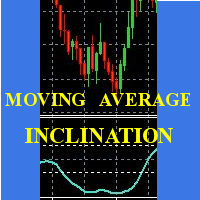
Scalp using the behavior of a short moving average, the indicator gives the slope and identifies the "hyper" moments.
Operational advice:
Use M1 chart. Period 20 : open buy after two rising lows; sell after two max downhill; avoid countertrend openings; when the line goes flat put a stop at the opening price. Avoid actions in low volatility timeslots. When the curve that draws the min / max is very flat, it is better to postpone at least 15'.
Period 50 : matches the trend, when it is at
FREE
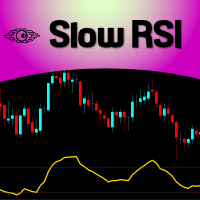
For those who feel that regular RSI is too fast and too noisy to be used on regular trades or in EAs and want to have an alternative to meter the Momentum of the Price, here is a solution presented on the great article of the Technical Analysis of Stocks & Commodities magazine (April, 2015), by Vitali Apirine, called: Slow Relative Strenght Index . Its reading is almost the same as the regular RSI, but its levels of Overbought and Oversold are 80 and 20 instead. SRSI is very powerful to show div
FREE

Fractals ST Patterns Strategy is a modification of Bill Williams' Fractals indicator. It allows setting any number of bars to find a fractal. This simple indicator corresponds to the parameters specified in the ST Patterns Strategy ( https://stpatterns.com/ ) . Structural Target Patterns are essentially the market itself, which is consistently divided into components. To form ST Patterns , no trend lines, geometric proportions of the model itself, trading volume or open market interest are neede
FREE

Investment Castle News — Stay Ahead of the Headlines
The Investment Castle News Indicator plots upcoming economic news events directly on your chart, so high-impact releases never catch you off guard. Know what's coming, and trade around it with confidence.
What it does for you News on your chart: upcoming events marked right where you trade — no separate calendar tab. Avoid nasty surprises: see high-impact releases before they hit the market. Plan around volatility: time your entries and exit
FREE
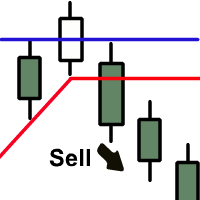
The indicator plots two lines by High and Low prices. The lines comply with certain criteria. The blue line is for buy. The red one is for sell. The entry signal - the bar opens above\below the lines. The indicator works on all currency pairs and time frames It can be used either as a ready-made trading system or as an additional signal for a custom trading strategy. There are no input parameters. Like with any signal indicator, it is very difficult to use the product during flat movements. You
FREE
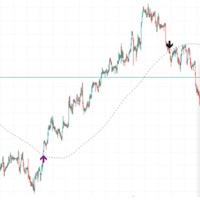
If the price is cutting above the slow length moving average, a breakout may occur. If the price is cutting below, a pullback may occur in the market. This was known for a long time, but there aren't many indicators which signal on the event. Candlestick pattern validation is also used in this indicator so that signals will not be drawn on doji candles or small "uncertainty" candles. The length of the moving average period can be defined by the user (default is 200). The number of price movement
FREE

Candle Pivot Points v8.3 — Impulse Detector Through Sequential Pivot Points
This price momentum indicator visualizes directional movement through a sequence of control points (pivots) with a customizable step size. Point color shows the direction of the impulse, count shows its strength and length.
---
DESCRIPTION
CandlePivotPoints builds an adaptive pivot point grid from the candle open. When price consistently passes a defined number of points in one direction, the indicator confirms a
FREE

Price Action Auxiliary Indicator Suite 4-3: PivotPoints Indicator
This is a price action auxiliary indicator suite that I use regularly in my trading, covering the basic needs of price action trading. It can be loaded and used on any instrument.
A boon for manual price action trading, providing multiple auxiliary functions. Non-price action traders should purchase with caution, as this indicator suite does not provide any buy or sell signals; it is purely auxiliary.
This indicator suite cont
FREE

This is a usefull utility for monitoring spread and also for recording informations to a file. (Files will be placed into "Common\Files\Spread Monitor"). There is the possibility to let the indicator calculate high/low into the past thanks to downloading ticks. (It's a slow and approsimate thing! The best way to use it is to attach to a chart and let it recording spread in real time). There is also a buffer with the average of spread in latest X periods.
Easy and effective.
FREE

1. はじめに Joon Trade Planner をご利用いただきありがとうございます。 Joon Trade Planner は、MetaTrader 5 用のビジュアルトレードプランニングツールです。 実際に注文を出す前に、BUY と SELL の取引プランを簡単に作成できます。 チャート上で取引方向、ロットサイズ、テイクプロフィット(TP)、ストップロス(SL)を設定し、予想損益やリスクリワード比をリアルタイムで確認できます。 このインジケーターは実際の注文を発注しません。 取引計画およびリスク管理専用ツールです。 2. 主な機能 インタラクティブな取引パネル BUY / SELL の切り替え ロットサイズ調整 TP ラインのドラッグ SL ラインのドラッグ リスクリワード自動計算 時間足変更後も設定を保持 3. インストール インジケーターを MQL5\Indicators\Market\ へコピーします。 MetaTrader 5 を再起動します。 チャートを開きます。 Joon Trade Planner を適用します。 必要な場合のみ DLL を有効にしてください。
FREE
MetaTraderマーケットは、履歴データを使ったテストと最適化のための無料のデモ自動売買ロボットをダウンロードできる唯一のストアです。
アプリ概要と他のカスタマーからのレビューをご覧になり、ターミナルにダウンロードし、購入する前に自動売買ロボットをテストしてください。完全に無料でアプリをテストできるのはMetaTraderマーケットだけです。

取引の機会を逃しています。
- 無料取引アプリ
- 8千を超えるシグナルをコピー
- 金融ニュースで金融マーケットを探索